Best Desktop Ram 2026 The Ultimate Guide For Buyers
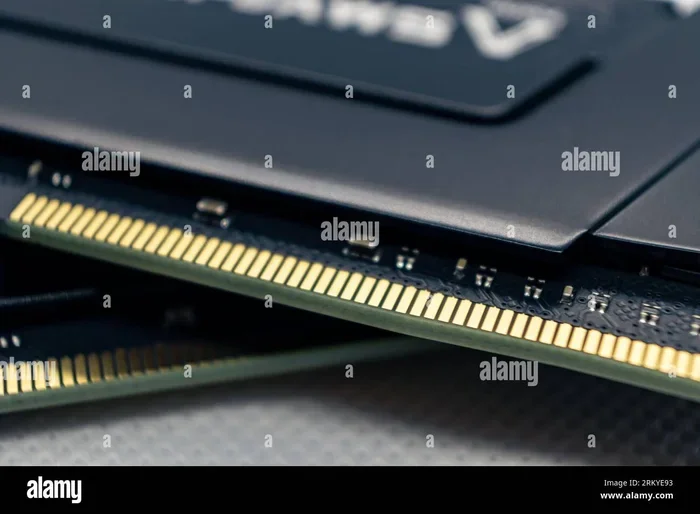
Finding the best desktop RAM 2026 can feel overwhelming, but it doesn’t have to be. This guide breaks down the top memory modules, explains DDR4 vs DDR5, and helps you pick the right RAM for your needs. Whether you’re a gamer, creator, or casual user, you’ll find the perfect upgrade here.
Picking the right desktop RAM in 2026 is more important than ever. Your system memory affects everything from boot times to gaming frame rates. Whether you are building a new PC or upgrading an old one, this guide has you covered.
Memory technology moves fast. DDR5 has become mainstream, and DDR4 still holds strong in the budget space. The choices can feel endless. That is why we put together this comprehensive guide. We will walk you through everything you need to know about desktop RAM in 2026. By the end, you will feel confident making the right choice.
## Why Desktop RAM Matters More Than Ever
Your PC’s memory is the bridge between your processor and storage. Without enough RAM, your system struggles. Programs lag. Games stutter. Even simple tasks feel slow.
Desktop RAM handles temporary data storage. When you open a browser, a game, or a video editor, that data lives in your memory. The faster and larger your RAM, the smoother everything runs. In 2026, software demands continue to grow. Browsers use more memory than ever. Games ship with higher system requirements. Creative apps push hardware harder every year.
### The Role of System Memory in Daily Performance
Think of your RAM as a workspace. A bigger desk lets you spread out more papers at once. More memory lets your PC handle more tasks simultaneously. This is called multitasking, and it matters for everyone.
Even if you only use your PC for browsing and streaming, enough memory makes a difference. Modern websites are heavy. They load dozens of scripts and trackers. Without sufficient system memory, your browser slows down fast.
## DDR4 vs DDR5: What You Need to Know
The biggest decision in desktop RAM 2026 is DDR4 or DDR5. Both have pros and cons. Your choice depends on your budget, motherboard, and use case.
### DDR4 RAM: Still Relevant in 2026
DDR4 has been around for years. It is mature, affordable, and widely compatible. Many existing PCs use DDR4. If you have an older motherboard, DDR4 is likely your only option.
DDR4 RAM typically runs at speeds between 2133MHz and 3600MHz. For most users, 3200MHz DDR4 hits the sweet spot. It offers great performance without breaking the bank.
### DDR5 RAM: The New Standard
DDR5 brings faster speeds and better power efficiency to the table. DDR5 modules start at 4800MHz and go well beyond 8000MHz in high-end kits. The increased memory bandwidth helps in demanding tasks like video editing and gaming.
DDR5 also runs at a lower voltage than DDR4. This means less heat and better efficiency. As DDR5 prices continue to drop, it becomes the smarter long-term investment.
### DDR4 vs DDR5 Comparison Table
| Feature | DDR4 | DDR5 |
|---|---|---|
| Base Speed | 2133MHz – 3600MHz | 4800MHz – 8000MHz+ |
| Voltage | 1.2V | 1.1V |
| Price (2026) | Lower | Moderate |
| Max Capacity per Stick | 32GB | 64GB |
| Best For | Budget builds, older PCs | New builds, high-performance |
## Top Desktop RAM Picks for 2026
Not all memory modules are created equal. Some shine in gaming. Others excel in productivity. Here are our top picks for desktop RAM 2026.
### Best Overall: G.Skill Trident Z5 Neo (DDR5)
The G.Skill Trident Z5 Neo leads the DDR5 category in 2026. It offers excellent speeds, tight timings, and a sleek design. The RGB lighting looks great in any build. This kit works beautifully with AMD Ryzen processors.
– 32GB (2x16GB) kit
– 6000MHz speed
– Low latency timings
– Great value for the performance
### Best Budget: Corsair Vengeance DDR4
If you are watching your wallet, the Corsair Vengeance DDR4 is a solid pick. It runs fast, stays cool, and costs less than most DDR5 kits. Perfect for budget builds and office PCs.
– 16GB (2x8GB) kit
– 3200MHz speed
– DDR4 compatibility
– Affordable price point
### Best for Gaming: Kingston Fury Beast DDR5
Gamers need fast, responsive memory. The Kingston Fury Beast DDR5 delivers. It boosts frame rates and reduces stuttering in demanding titles. The low-profile heatsink fits in most cases without issues.
– 32GB (2x16GB) kit
– 5200MHz speed
– Optimized for gaming performance
– Easy XMP installation
### Best for Productivity: Crucial DDR5
Video editors, 3D artists, and programmers need plenty of memory. Crucial DDR5 modules offer high capacities and rock-solid stability. They handle heavy workloads without breaking a sweat.
– 64GB (2x32GB) kit
– 4800MHz speed
– Reliable brand reputation
– Excellent for multitasking
## How to Choose the Right RAM for Your PC
Choosing the right memory modules goes beyond picking the fastest speed. Several factors play a role. Let us break them down.
### Check Your Motherboard Compatibility
Not every RAM stick works with every motherboard. DDR4 and DDR5 slots are physically different. You cannot mix them. Check your motherboard manual for supported RAM types and speeds.
Some motherboards support higher speeds than others. Always verify the RAM compatibility before purchasing. A quick visit to your motherboard manufacturer’s website helps.
### Consider Your Use Case
Different tasks demand different amounts of memory. Here is a quick breakdown:
- Basic use: 8GB is enough for web browsing and office work
- Gaming: 16GB is the minimum, 32GB is ideal for modern titles
- Video editing: 32GB minimum, 64GB for 4K work
- Programming: 16GB to 32GB depending on your projects
- Machine learning: 32GB or more for training models
### Dual Channel vs Single Channel
Using two RAM sticks instead of one unlocks dual channel mode. This doubles the data pathway between memory and your CPU. The result? Better performance in almost every task.
Always buy RAM in pairs. A 2x8GB kit performs better than a single 16GB stick. This is one of the easiest RAM upgrade tips you can follow.
## RAM Speed, Timings, and What They Mean
RAM speed gets a lot of attention, but it is not the whole story. Timings and latency matter too. Understanding these numbers helps you make smarter choices.
### What Is RAM Speed?
RAM speed, measured in MHz, tells you how fast data moves. Higher MHz means faster transfers. In 2026, DDR5 speeds of 5600MHz to 6000MHz offer excellent value.
### Understanding Timings and Latency
Timings are measured in CAS Latency (CL). Lower CL means faster response times. A DDR5-6000 CL30 kit outperforms a DDR5-6000 CL36 kit in many scenarios.
Memory latency affects real-world performance more than raw speed alone. Look for a balance of high MHz and low CL when comparing options.
## Common Mistakes When Buying Desktop RAM
Many buyers make avoidable mistakes. Here are the most common ones to watch out for.
### Buying RAM Without Checking Compatibility
This is the number one mistake. You cannot install DDR5 RAM in a DDR4 motherboard. Always double-check your system’s specifications. Use tools like CPU-Z to identify your current memory type.
### Ignoring RAM Timings
Speed alone does not tell the full story. A 5600MHz CL36 kit may perform worse than a 5200MHz CL30 kit. Timings affect responsiveness and frame times in games.
### Skipping the Heatsink
Some RAM modules come without a heatsink. In hot environments or overclocked setups, this can cause thermal throttling. A heatsink keeps your computer RAM cool and stable under load.
### Forgetting About XMP Profiles
XMP (Extreme Memory Profile) lets your RAM run at its rated speed. Without enabling XMP in your BIOS, your memory will default to slower JEDEC speeds. Always check that XMP is enabled after installation.
## Expert Tips for Maximizing RAM Performance
Want to get the most out of your desktop RAM? Follow these expert-backed tips.
Keep your RAM clean. Dust buildup on heatsinks traps heat. Use compressed air to clean your memory modules every few months.
Update your motherboard BIOS. Manufacturers often improve memory compatibility through BIOS updates. A simple update can fix stability issues.
Monitor your RAM usage. Task Manager shows how much memory your apps use. If you consistently hit 90% usage, consider adding more RAM.
Do not mix RAM kits. Using different brands or speeds can cause instability. Stick to matched kits for the best results.
Check if your RAM needs cooling. High-speed modules generate more heat. If you are pushing your memory to its limits, consider adding case fans or a dedicated memory cooler. For more on this, check out our guide on does RAM need cooling.
## Final Thoughts on the Best Desktop Ram 2026
Choosing the best desktop RAM 2026 comes down to understanding your needs. DDR5 is the way forward for new builds. DDR4 still serves budget and older systems well. Match your RAM to your motherboard, your workload, and your wallet.
Whether you grab a fast DDR5 kit for gaming or a reliable DDR4 set for everyday use, the right memory makes your PC feel faster. Do your research, check compatibility, and enjoy the upgrade.
For those exploring RAM options across different device types, you might also want to read about laptop RAM vs desktop RAM to understand the key differences before making your final decision.
## Frequently Asked Questions
What is the best desktop RAM for gaming in 2026?
The Kingston Fury Beast DDR5 and G.Skill Trident Z5 Neo are top choices for gaming in 2026. Look for speeds between 5200MHz and 6000MHz with low CAS latency. These kits deliver smooth frame rates and fast load times in modern games.
Can I mix DDR4 and DDR5 RAM?
No, you cannot mix DDR4 and DDR5 RAM. They use different physical slots and voltage levels. Always match your RAM type to your motherboard’s supported standard. Check your motherboard manual before purchasing any memory.
How much RAM do I need for video editing?
32GB is the recommended minimum for video editing in 2026. If you work with 4K footage or complex effects, 64GB provides a comfortable buffer. More RAM means smoother playback and faster rendering times.
Does faster RAM improve gaming performance?
Yes, faster RAM can improve gaming performance, especially at 1080p. Higher memory bandwidth helps your GPU access data faster. However, the gains are more noticeable with AMD Ryzen processors than with Intel CPUs. For more on this topic, explore our best RAM for gaming PC guide.
How do I know if my RAM is DDR4 or DDR5?
You can check your RAM type using the Task Manager on Windows. Go to the Performance tab and click on Memory. It will show your RAM type, speed, and form factor. Alternatively, use a free tool like CPU-Z to identify your memory details.
Is 16GB RAM enough in 2026?
16GB remains the sweet spot for most users in 2026. It handles gaming, multitasking, and light creative work with ease. However, if you run heavy applications or plan to keep your PC for several years, 32GB provides better future-proofing.
Key Takeaways
- DDR5 is the future: DDR5 RAM offers faster speeds and better efficiency than DDR4 in 2026.
- Capacity matters most: 16GB is the sweet spot for most users, while 32GB suits heavy workloads.
- Speed isn’t everything: RAM timings and dual-channel setup impact real-world performance just as much as MHz.
- Compatibility is key: Always check your motherboard and CPU support before buying new memory.
- Cooling extends lifespan: Heatsinks and proper airflow keep your RAM running cool and stable.
Frequently Asked Questions
What is Best Desktop Ram 2026?
Best Desktop Ram 2026 is an important topic with many practical applications.