Laptop Ram Vs Desktop Ram
Understanding laptop RAM vs desktop RAM is essential before buying or upgrading memory. While both serve the same purpose, they differ significantly in size, compatibility, and performance. This complete guide breaks down every major difference so you can make the right choice for your setup.
If you have ever shopped for computer memory, you have probably noticed that laptop RAM and desktop RAM look completely different. They might do the same job, but they are far from interchangeable. Whether you are upgrading your current system or building a new one from scratch, understanding the differences between laptop RAM vs desktop RAM is absolutely critical.
Making the wrong choice can mean wasted money, compatibility issues, or even damage to your hardware. The good news is that once you understand the basics, choosing the right type of RAM becomes second nature. In this guide, we will walk you through every major difference between these two memory types so you can shop with total confidence.
Key Takeaways
- Physical Size Difference: Laptop RAM (SO-DIMM) is significantly smaller than desktop RAM (DIMM), making them physically incompatible with each other’s slots.
- Performance Parity: Modern laptop and desktop RAM offer nearly identical performance speeds, though desktop modules often support higher overclocking potential.
- Pricing Gap: Laptop RAM typically costs more per gigabyte compared to desktop RAM due to its compact form factor and specialized design.
- Upgrade Limitations: Many modern laptops have soldered RAM that cannot be upgraded, while desktop motherboards almost always offer replaceable modules.
- Cross-Compatibility: You cannot use laptop RAM in a desktop or vice versa without specialized adapters, which are generally not recommended.
- Power Consumption: Laptop RAM is designed for lower power consumption to preserve battery life, while desktop RAM prioritizes raw performance.
- Capacity Differences: Desktop systems generally support much higher total RAM capacities compared to laptop systems.
📑 Table of Contents
- What Is RAM and Why Does It Matter?
- The Physical Difference: SO-DIMM vs DIMM
- Performance Comparison: Is There a Real Difference?
- Compatibility and Upgrade Considerations
- Pricing: Why Laptop RAM Costs More
- Power Consumption and Thermal Design
- Capacity Limits and Future-Proofing
- Which Type of RAM Should You Choose?
- Frequently Asked Questions About Laptop RAM vs Desktop RAM
- Conclusion
What Is RAM and Why Does It Matter?
The Role of RAM in Your Computer
RAM stands for Random Access Memory. It is the short-term memory your computer uses to store data that is actively being processed. Every time you open a browser tab, load a game, or edit a photo, that data gets pulled from your storage drive and placed into RAM for quick access.
Think of RAM like a desk. The bigger your desk, the more papers and projects you can spread out and work on at the same time. A small desk forces you to constantly shuffle things in and out, slowing everything down. The same principle applies to your computer. More RAM means more multitasking power and smoother overall performance.
How RAM Affects Everyday Performance
Insufficient RAM is one of the most common causes of a slow computer. When you run out of available memory, your system starts using your hard drive or SSD as a substitute, which is dramatically slower. This process, called paging or swapping, causes noticeable lag, freezing, and stuttering.
For most users today, 8GB of RAM is the bare minimum for basic tasks like web browsing and document editing. If you are a gamer, content creator, or power user, 16GB or even 32GB is recommended. The type of RAM you need depends entirely on whether you are using a laptop or a desktop system.
The Physical Difference: SO-DIMM vs DIMM
Understanding Form Factors
The most obvious difference between laptop RAM and desktop RAM is physical size. Desktop memory modules use a form factor called DIMM, which stands for Dual In-Line Memory Module. These are the long, rectangular sticks you see installed in desktop motherboards. A standard DDR4 DIMM measures approximately 133mm long and 31mm tall.
Laptop memory uses a smaller version called SO-DIMM, which stands for Small Outline Dual In-Line Memory Module. A DDR4 SO-DIMM is roughly 67mm long, making it about half the size of its desktop counterpart. This compact design is necessary to fit inside the tight confines of a laptop chassis.
Pin Count and Connector Design
Beyond size, the number of pins on each module differs significantly. A DDR4 desktop DIMM has 288 pins, while a DDR4 SO-DIMM has only 260 pins. DDR5 follows the same pattern with 288 pins for desktop and 262 pins for laptops. These pin differences mean the modules physically cannot be inserted into the wrong type of slot.
The notch position on each module also varies between DIMM and SO-DIMM designs. This notch acts as a keying mechanism that prevents you from installing the wrong generation of RAM. For example, a DDR4 module will not fit into a DDR5 slot, and a SO-DIMM will never fit into a DIMM slot.
Performance Comparison: Is There a Real Difference?
Speed and Latency
When it comes to raw performance, modern laptop and desktop RAM are remarkably similar. Both DDR4 and DDR5 modules are available in a wide range of speeds, from basic 2133MHz all the way up to 8000MHz and beyond. The actual data transfer rates are essentially the same between equivalent laptop and desktop modules.
However, there is one area where desktop RAM often pulls ahead. Desktop memory modules frequently support XMP (Extreme Memory Profile) or EXPO profiles, which allow for easy overclocking beyond the standard JEDEC specifications. Laptop RAM can also support these profiles, but thermal constraints and BIOS limitations in laptops often prevent users from pushing speeds as high.
Bandwidth and Dual-Channel Performance
Both laptop and desktop systems benefit enormously from running memory in dual-channel mode. This means installing two identical RAM sticks so the memory controller can access them simultaneously, effectively doubling the available bandwidth.
Most desktop motherboards come with four RAM slots, giving you plenty of room to configure dual-channel setups. Laptops typically have only two SO-DIMM slots, and some ultra-thin models have just one or none at all because the RAM is soldered directly to the motherboard. This is an important consideration when comparing laptop RAM vs desktop RAM for performance-critical applications.
Compatibility and Upgrade Considerations
Can You Use Laptop RAM in a Desktop?
This is one of the most common questions people ask. The short answer is no, you cannot directly install laptop RAM into a desktop motherboard. The physical dimensions and pin counts are completely different, and the slots are not designed to accept SO-DIMM modules.
There are SO-DIMM to DIMM adapters available on the market, but using them is generally not recommended. These adapters can introduce signal integrity issues, reduce stability, and void warranties. If you have leftover laptop RAM and want to use it in a desktop, you are better off selling it and purchasing the correct DIMM modules instead. For more details on this topic, check out our guide on adding laptop DDR4 RAM to a desktop.
Upgrade Paths for Laptops vs Desktops
Desktop systems are famously user-friendly when it comes to RAM upgrades. You simply open the case, locate the DIMM slots on the motherboard, and pop in new modules. Most desktop motherboards support at least 64GB of RAM, with high-end platforms supporting 128GB or more.
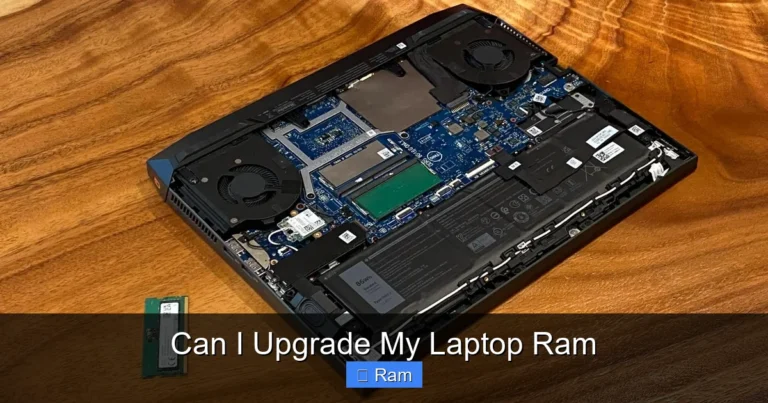
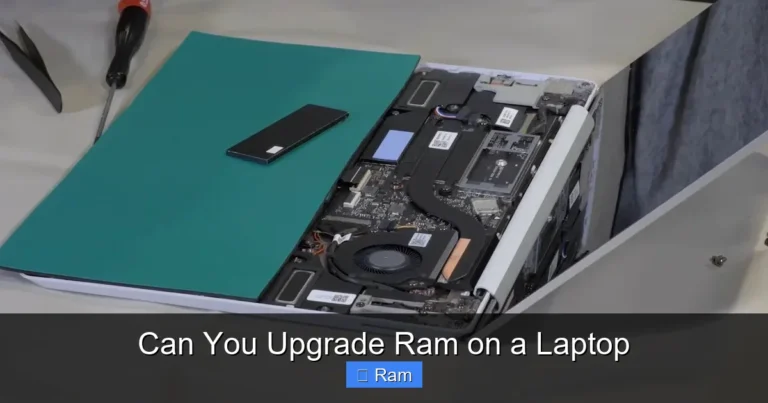
Laptop upgrades are a different story. Many modern laptops, especially ultrabooks and thin-and-light models, have RAM that is soldered directly to the motherboard. This means the memory cannot be removed or replaced at all. Before purchasing a laptop, it is wise to check whether the RAM is upgradeable. Our guide on how to upgrade RAM in a laptop covers this process in detail.
Pricing: Why Laptop RAM Costs More
The Price Per Gigabyte Gap
If you compare laptop RAM vs desktop RAM at the same speed and capacity, you will almost always find that laptop modules cost more per gigabyte. This price difference exists for several reasons. First, manufacturing smaller modules with the same density requires more precise engineering. Second, the laptop memory market is smaller, which means less competition and higher margins.
As of recent pricing trends, a 16GB DDR4 SO-DIMM laptop module might cost 15 to 25 percent more than an equivalent 16GB DDR4 DIMM desktop module. The gap narrows at higher capacities but never fully disappears. DDR5 modules follow a similar pricing pattern.
When the Price Difference Matters Most
For most individual upgrades, the price difference between laptop and desktop RAM is manageable. However, if you are outfitting multiple machines or building a workstation with 64GB or more, the cost difference can add up quickly. Desktop users have the advantage of being able to shop around for deals on standard DIMM modules, which are produced in much higher volumes.
Budget-conscious buyers should also consider that desktop RAM often comes with better heat spreaders and more robust construction since desktop cases have better airflow. Laptop modules tend to be more bare-bones in their design because space and thermal management are at a premium inside a laptop chassis.
Power Consumption and Thermal Design
Why Laptop RAM Uses Less Power
Laptop RAM is engineered with power efficiency as a top priority. Every milliwatt matters when you are running on battery power. SO-DIMM modules typically operate at the same voltage as their desktop counterparts, but laptop BIOS settings often throttle memory speeds and voltages to extend battery life.
Desktop RAM, on the other hand, has the luxury of drawing more power from a dedicated power supply unit. This allows desktop modules to sustain higher clock speeds and tighter timings without worrying about battery drain. Enthusiast desktop RAM kits often include elaborate heat spreaders and even active cooling solutions to manage the heat generated by high-speed operation.
Thermal Throttling in Laptops
One often-overlooked aspect of laptop RAM vs desktop RAM is thermal throttling. Inside a laptop, components are packed tightly together with limited airflow. When RAM runs at high speeds for extended periods, it generates heat that can cause the system to throttle performance to prevent overheating.
Desktop systems have much better thermal management. Larger cases, multiple fans, and dedicated airflow paths keep components cool even under heavy loads. This is one reason why desktop RAM can sustain higher overclocked speeds more reliably than laptop RAM.
Capacity Limits and Future-Proofing
Maximum RAM Capacity
Desktop systems generally support significantly more RAM than laptops. A typical consumer desktop motherboard supports 64GB to 128GB across four DIMM slots. High-end workstation and server platforms can support 256GB, 512GB, or even more.
Laptops are much more limited. Most consumer laptops support a maximum of 32GB, with some high-end models supporting 64GB. Many ultrabooks cap out at 16GB, especially if the RAM is soldered. If you need large amounts of memory for tasks like video editing, 3D rendering, or running virtual machines, a desktop system is almost always the better choice.
Planning for the Future
When choosing between laptop RAM vs desktop RAM, it is important to think about your future needs. If you buy a laptop with 8GB of soldered RAM, you are stuck with 8GB forever. If you buy a desktop with 8GB across two slots, you can easily add more later.
For laptops, it is often wise to buy more RAM upfront since you may not be able to upgrade later. Our article on how much RAM is good for a laptop can help you determine the right amount for your specific use case.
Which Type of RAM Should You Choose?
Choose Laptop RAM If
You are upgrading or building a laptop, obviously. Laptop RAM is specifically designed for portable systems where space, power efficiency, and thermal management are critical. If you need a machine you can carry to class, work, or a coffee shop, laptop RAM is your only option.
Laptop RAM is also the right choice if you value portability over raw expandability. Modern laptops with fast DDR5 SO-DIMM modules deliver excellent performance for the vast majority of users, from students to business professionals to casual gamers.
Choose Desktop RAM If
You are building or upgrading a desktop computer. Desktop RAM offers better value per gigabyte, higher maximum capacities, and greater overclocking potential. If you are a gamer, content creator, or power user who needs maximum performance and flexibility, desktop RAM is the clear winner.
Desktop systems also offer a much longer upgrade lifecycle. You can start with 16GB today and expand to 64GB or more down the road without replacing your entire machine. This makes desktop RAM a smarter long-term investment for many users.
Frequently Asked Questions About Laptop RAM vs Desktop RAM
Can I mix laptop and desktop RAM in the same system?
No, you cannot mix laptop and desktop RAM. They use completely different form factors, pin counts, and slot designs. Each system type requires its specific memory type.
Is DDR5 laptop RAM faster than DDR4 desktop RAM?
In terms of raw data transfer rates, DDR5 offers significantly higher bandwidth than DDR4 regardless of whether it is in a laptop or desktop. However, real-world performance depends on many factors including the CPU, motherboard, and specific workload.
How do I know what type of RAM my laptop needs?
You can check your laptop’s specifications in the user manual, on the manufacturer’s website, or by using system information tools like CPU-Z. It is important to match the correct DDR generation, speed, and form factor.
Conclusion
The laptop RAM vs desktop RAM debate ultimately comes down to your specific needs and the system you are using. Both types of memory serve the same fundamental purpose, but they are designed for very different environments. Laptop RAM prioritizes compactness and power efficiency, while desktop RAM focuses on maximum performance and expandability.
Understanding these differences will save you time, money, and frustration. Always check your system’s specifications before purchasing RAM, and remember that these two types are never directly interchangeable. Whether you are upgrading a portable workhorse or building a powerful desktop workstation, choosing the right memory is one of the most important decisions you will make.
Frequently Asked Questions
Can I use laptop RAM in a desktop computer?
No, laptop RAM uses the SO-DIMM form factor which is physically incompatible with desktop DIMM slots. While adapters exist, they are not recommended due to potential stability and signal integrity issues.
Is laptop RAM slower than desktop RAM?
Not necessarily. Modern laptop and desktop RAM modules offer similar speeds and latency. However, desktop RAM often has better overclocking potential due to fewer thermal and power constraints.
Why is laptop RAM more expensive than desktop RAM?
Laptop RAM costs more per gigabyte because of its compact design, more precise manufacturing requirements, and lower production volumes compared to standard desktop DIMM modules.
Can I upgrade the RAM in my laptop?
It depends on your laptop model. Many modern laptops have soldered RAM that cannot be upgraded, while others have accessible SO-DIMM slots. Check your laptop’s specifications or user manual to find out.
What happens if I install the wrong type of RAM?
If you try to install laptop RAM in a desktop slot or vice versa, it simply will not fit due to different physical dimensions and pin counts. Forcing it could damage both the module and the motherboard.
How much RAM do I need for a laptop vs a desktop?
For basic tasks, 8GB is sufficient on both platforms. For gaming and multitasking, 16GB is recommended. Desktops can benefit from 32GB or more for demanding workloads, while most laptops perform well with 16GB to 32GB.