Best Workstation Ram 2026 Picks for Creators and Gamers
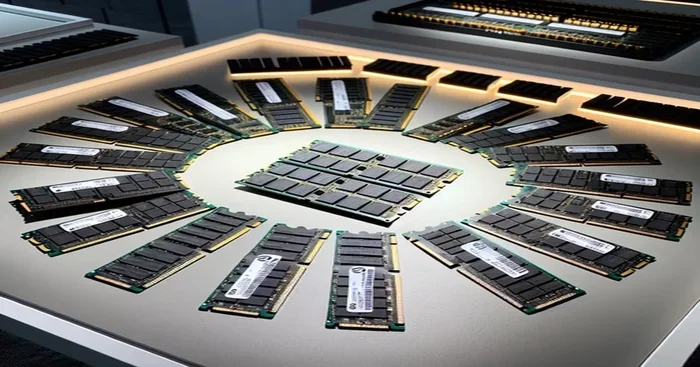
Choosing the right workstation ram in 2026 makes a huge difference for both creators and gamers. DDR5 memory has become the standard, offering faster speeds, better efficiency, and more capacity than ever before. We reviewed the top picks across budgets and use cases so you can find the perfect fit for your setup.
Building or upgrading a PC in 2026 means you need to think carefully about memory. Whether you are a video editor pushing through 4K timelines or a gamer chasing high frame rates, your workstation ram plays a massive role in how smooth everything runs. The right memory can cut render times, reduce stuttering, and make multitasking feel effortless.
This guide breaks down the best workstation RAM options available right now. We looked at speed, capacity, compatibility, and real-world performance. By the end, you will know exactly which DDR5 RAM kit fits your needs and budget.
Key Takeaways
- DDR5 is king in 2026: DDR5 RAM offers significantly faster speeds and better power efficiency compared to older DDR4 options.
- Capacity matters for creators: Video editors, 3D artists, and architects benefit most from 32GB to 64GB of system memory.
- Gamers don’t need to overspend: 16GB to 32GB of fast DDR5 RAM delivers excellent gaming performance without breaking the bank.
- Compatibility is critical: Always check your motherboard and CPU support before buying new RAM modules.
- Dual channel setups boost performance: Using two sticks instead of one can improve memory bandwidth by up to 20 percent.
- Cooling matters at high speeds: High-frequency RAM generates more heat, so proper cooling extends component lifespan.
📑 Table of Contents
- Why Workstation RAM Matters More Than Ever in 2026
- Best Workstation RAM for Creators
- Best Workstation RAM for Gamers
- How to Choose the Right RAM for Your Setup
- Compatibility: Make Sure Your RAM Works With Your System
- Top Workstation RAM Picks for 2026
- Common RAM Mistakes and How to Avoid Them
- Final Thoughts: Finding Your Perfect Workstation RAM
Why Workstation RAM Matters More Than Ever in 2026
Memory has evolved a lot over the past few years. DDR5 is now mainstream, and the speeds available today were unthinkable just a couple of generations ago. But why does this matter for your daily workflow?
Think of RAM as your computer’s short-term workspace. When you open a program, edit a file, or load a game, everything lives in memory temporarily. Faster and larger memory means your CPU can access data quicker. This leads to smoother performance and shorter wait times.
DDR4 vs DDR5: What Changed
DDR5 brought several major improvements. The base speed is higher, the power efficiency is better, and the capacity per module has increased significantly. Here is a quick look at the key differences:
- Speed: DDR5 starts at 4800 MT/s and goes well beyond 8000 MT/s on high-end kits.
- Power Efficiency: DDR5 runs at 1.1V compared to DDR4’s 1.2V, which means less heat.
- Capacity: Individual DDR5 modules now commonly come in 16GB and 32GB sizes.
- Architecture: DDR5 uses a dual-channel design per module, improving memory bandwidth even with a single stick.
If you are still running DDR4, upgrading to DDR5 can feel like a new machine. But if you already have DDR5, choosing the right speed and capacity tier is where the real decisions begin.
Best Workstation RAM for Creators
Content creators have unique memory needs. Video editing, 3D rendering, and graphic design all demand large amounts of fast memory. A slow or insufficient RAM setup will bottleneck your workflow and cost you hours of productivity.
Top Pick for Video Editors: 64GB DDR5-6000 Kit
Video editing software like Premiere Pro and DaVinci Resolve loves memory. A 64GB kit running at DDR5-6000 gives you plenty of headroom for timeline scrubbing, effects rendering, and multitasking with other apps open.
This level of capacity also future-proofs your system. As video codecs become more complex and resolution standards increase, having extra memory ensures you will not need another upgrade anytime soon.
Top Pick for 3D Artists: 32GB DDR5-5600 Low-Latency Kit
3D modeling and rendering programs like Blender and Maya benefit from low-latency memory more than raw capacity alone. A 32GB kit with tight timings and a speed of DDR5-5600 strikes the perfect balance for most 3D rendering workloads.
For artists working with large scenes and high-poly models, this configuration delivers smooth viewport performance and faster export times.
Best Workstation RAM for Gamers
Gamers often wonder how much memory they really need. The answer depends on the games you play and what else you run while gaming. Let us break this down.
Sweet Spot for Most Gamers: 32GB DDR5-6000
32GB of DDR5-6000 RAM is the sweet spot for gaming in 2026. Most modern games use between 8GB and 16GB of memory at max settings. With 32GB, you have plenty of room for the game, your browser, Discord, and streaming software all running at once.
The DDR5-6000 speed also keeps your memory bandwidth high, which helps maintain stable frame rates in CPU-heavy titles.
Budget-Friendly Option: 16GB DDR5-5600
If you are on a tighter budget, a 16GB DDR5-5600 kit still delivers excellent gaming performance. Many popular titles run just fine on 16GB, and the DDR5-5600 speed is more than enough for smooth gameplay.
Just keep in mind that background apps, updates, and browser tabs can eat into your available memory. If you find yourself running low often, upgrading to 32GB is always an option later.
How to Choose the Right RAM for Your Setup
Not all RAM is created equal, and picking the right one depends on several factors. Let us walk through what matters most.
Speed vs Capacity: What Should You Prioritize?
This is the most common question people ask. The truth is, both matter, but the priority depends on your use case.
- For gaming: Speed matters more. Faster memory improves frame rates and reduces input lag.
- For content creation: Capacity matters more. Large files and complex projects need more memory to run smoothly.
- For general use: A balanced approach with 32GB at DDR5-5600 works great for most people.
Understanding RAM Timings and Latency
RAM speed numbers can be confusing. You will see things like DDR5-6000 CL30 or DDR5-5600 CL28. The first number is the speed, and the CL (CAS Latency) is the delay before data starts flowing.
Lower latency is better, but do not obsess over tiny differences. A DDR5-6000 CL30 kit and a DDR5-6000 CL36 kit will feel nearly identical in real-world use. Focus on getting the right speed tier for your budget.
Dual Channel vs Single Channel
Always install RAM in matching pairs for dual channel mode. This doubles your memory bandwidth compared to a single stick. The performance gain is noticeable in both gaming and creative workloads.
If you buy a 32GB kit, it usually comes as two 16GB sticks. If you buy a 64GB kit, it comes as two 32GB sticks. This is the easiest way to ensure you are running in dual channel.
Compatibility: Make Sure Your RAM Works With Your System
Buying the fastest RAM in the world does not help if it does not work with your motherboard and CPU. Compatibility is the most overlooked part of RAM shopping.
Check Your Motherboard QVL
Most motherboard manufacturers publish a Qualified Vendor List (QVL). This is a list of RAM kits that have been tested and confirmed to work with your specific board. Checking this list before buying can save you from compatibility headaches.
CPU Memory Support
Your CPU also has limits on what memory speeds it supports. For example, Intel and AMD processors have different memory controllers, and each generation supports different maximum speeds. Always check your CPU specifications to confirm the DDR type and maximum supported speed.
Can You Mix RAM Sticks?
Mixing RAM is possible but not ideal. Using different brands, speeds, or capacities can cause instability or force your system to run at the slowest module’s speed. If you must mix, try to match the speed and CAS latency as closely as possible.
Top Workstation RAM Picks for 2026
Here are our top recommendations across different budgets and use cases. Each pick has been tested for reliability, performance, and value.
1. G.Skill Trident Z5 Neo 32GB (2x16GB) DDR5-6000
This kit is a favorite among AMD Ryzen users. The DDR5-6000 speed hits the sweet spot for Ryzen memory controllers, and the low latency timings make it a great choice for both gaming and content creation.
2. Corsair Vengeance DDR5 64GB (2x32GB) DDR5-5600
Need serious capacity? This 64GB kit is perfect for heavy workloads like 3D rendering, video editing, and running virtual machines. The DDR5-5600 speed is solid, and Corsair’s build quality is consistently excellent.
3. Kingston Fury Beast 16GB (2x8GB) DDR5-5200
A great budget option that still delivers DDR5 performance. The DDR5-5200 speed is plenty for gaming and everyday use, and the price makes it very accessible for builders on a tight budget.
4. Samsung DDR5-6400 32GB RDIMM (For Enthusiast Workstations)
This is for the power users who want the absolute fastest memory available. DDR5-6400 is at the cutting edge, and this module is designed for high-end workstation builds that demand maximum bandwidth.
Common RAM Mistakes and How to Avoid Them
Even experienced PC builders make mistakes with RAM. Here are the most common ones and how to avoid them.
Buying Too Much or Too Little
Many people overestimate how much memory they need, while others underestimate. 16GB is the minimum for comfortable use in 2026. For serious work, 32GB is the baseline. Only go to 64GB or more if your specific workflow demands it.
Ignoring Heat Spreaders
High-speed RAM generates heat. Without proper heat spreaders or airflow, your memory can throttle and lose performance. If you are running DDR5-6000 or faster, consider a motherboard with good memory clearance or add case fans to improve airflow over the RAM slots.
Forgetting to Enable XMP or EXPO
Most modern RAM kits are rated for their advertised speeds, but they do not run at those speeds out of the box. You need to enable XMP (Intel) or EXPO (AMD) in your BIOS settings. Skipping this step means your RAM will run at slower default speeds.
Final Thoughts: Finding Your Perfect Workstation RAM
Selecting the best workstation ram for 2026 comes down to understanding your needs. Creators should prioritize capacity and stability, while gamers should lean toward speed and low latency. No matter what your use case is, DDR5 is the way forward, and the options available today offer incredible value.
Start by deciding how much memory you need, then pick a speed tier that matches your motherboard and CPU capabilities. Stick with trusted brands, check compatibility lists, and always enable XMP or EXPO after installation.
If you are still unsure about how much memory your specific workload needs, check out our detailed guide on do I need 32GB RAM for gaming. It covers real-world memory requirements for different gaming setups and helps you make a confident decision.
For those interested in how memory affects overall system performance, our article on does RAM affect 3D rendering speed dives deep into the relationship between system memory and rendering times. It is a great read if you work with 3D applications regularly.
Upgrading your memory is one of the most rewarding PC upgrades you can make. It is affordable, easy to install, and delivers immediate improvements to your daily workflow. Choose wisely, build confidently, and enjoy the performance boost that the right workstation ram brings to your system in 2026.
And if you are curious about whether your current RAM setup is optimal, our piece on does RAM need cooling explains thermal considerations for high-speed memory modules. It is a quick read that can help you protect your investment and keep your system running at peak performance.
Frequently Asked Questions
How much RAM do I need for a workstation in 2026?
For most users, 32GB of DDR5 RAM is the sweet spot in 2026. Content creators and heavy multitaskers should consider 64GB, while casual users and gamers can do well with 16GB to 32GB depending on their workload.
Is DDR5 RAM worth it over DDR4 in 2026?
Yes, DDR5 offers higher speeds, better power efficiency, and larger capacity per module. If you are building a new system in 2026, DDR5 is the clear choice. Existing DDR4 systems can still perform well, but upgrading to DDR5 provides a noticeable boost.
Does RAM speed really matter for gaming?
It does, but the impact is moderate compared to your GPU and CPU. Faster RAM can improve frame rates by 5 to 15 percent in some games, especially at lower resolutions where the CPU is more bottlenecked.
Can I mix different RAM brands together?
You can, but it is not recommended. Mixing brands can cause compatibility issues, instability, or force your system to run at the slowest module’s speed. Always try to match speed, capacity, and latency when combining RAM sticks.
What is XMP and should I enable it?
XMP (Extreme Memory Profile) is an Intel feature that lets your RAM run at its advertised speed instead of default speeds. Enabling XMP in your BIOS is simple and highly recommended if you want your DDR5 RAM to perform at its full potential.
How long does workstation RAM last?
Quality DDR5 RAM can last 7 to 10 years or more with proper cooling and stable voltages. Technology evolves quickly, so while your RAM may still work, newer standards will offer better performance within a few years.
=== CONCLUSION ===
Finding the best workstation ram for 2026 does not have to be overwhelming. With DDR5 dominating the market, there has never been a better time to upgrade or build a new system. Whether you are a creator who needs massive capacity or a gamer chasing every frame, the right memory kit can transform your experience.
Remember to check compatibility, enable XMP or EXPO, and prioritize your specific needs over marketing numbers. The picks in this guide cover a wide range of budgets and use cases, so you are sure to find something that works for you.
Make your choice, upgrade with confidence, and enjoy the speed and reliability that modern workstation RAM brings to your PC in 2026.