Can I Take A Mini Pc On A Plane And Travel With Ease

Yes, you can take a mini pc on a plane without any major issues. The TSA allows portable computers in both carry-on and checked bags, but a few simple steps will keep your device safe and your trip smooth. From battery rules to in-flight use, this guide covers all the details you need to travel with ease.
Traveling with tech can feel stressful. You worry about breaking your gear. You worry about TSA rules. You worry about whether your devices will even make it through security. If you own a mini pc, you might wonder if it is even allowed on a plane. The good news is that taking a mini pc on a plane is perfectly fine. You just need to know a few rules and best practices. This guide will walk you through everything you need to travel with ease.
A mini pc is a small, portable computer that packs a lot of power into a tiny frame. People love them for travel because they are lightweight. They fit easily in a backpack. They handle work, streaming, and browsing without any hassle. But the question remains: can you bring one on a plane? The short answer is yes. Let us dive into the details so you can pack with confidence.
Key Takeaways
- Mini PCs are allowed on planes: TSA rules permit portable computers in carry-on and checked luggage.
- Battery safety matters: Lithium batteries must be packed in carry-on bags, not checked luggage.
- In-flight use is generally allowed: Most airlines let you use mini PCs during all flight phases.
- Protection is key: Use a padded case to prevent damage during transit.
- Power banks can help: Carry a compatible power bank to keep your mini pc charged on the go.
- Check your airline: Some airlines have specific rules about electronic devices that differ slightly from TSA guidelines.
- TSA may ask you to remove devices: Be ready to take your mini pc out of your bag at security checkpoints.
📑 Table of Contents
- Understanding TSA Rules For Mini PCs
- Can You Use A Mini Pc During A Flight
- Best Practices For Traveling With A Mini Pc
- Common Mistakes To Avoid When Traveling With Electronics
- Mini PCs And In-Flight Productivity
- How To Choose The Right Mini Pc For Travel
- Final Thoughts On Taking A Mini Pc On A Plane
Understanding TSA Rules For Mini PCs
The Transportation Security Administration sets the rules for what you can bring on a plane. These rules apply to all personal electronic devices. A mini pc falls into the same category as a laptop or tablet. TSA allows these devices in both carry-on and checked bags. However, there are some important nuances you should know.
Carry-On vs. Checked Luggage
You can pack your mini pc in either carry-on or checked luggage. But there is a big reason to choose carry-on. Checked bags get tossed around. They experience rough handling. Your mini pc could get damaged. Carry-on bags stay with you. You control the safety of your device the entire time.
Also, lithium batteries must go in carry-on bags. This is a strict TSA rule. If your mini pc has a built-in battery, it should never go in checked luggage. The same goes for any external batteries or power banks you bring along.
What Happens At Security
When you reach the security checkpoint, TSA may ask you to remove your mini pc from your bag. This is similar to how you handle a laptop. Place it in a separate bin for X-ray screening. Most of the time, this process is quick and painless. Just be prepared to pull it out so the officers can get a clear view.
Some airports use advanced imaging technology. This means you might not need to remove your device every time. But having it easily accessible saves time and reduces stress. Think of it as part of your travel checklist.
Can You Use A Mini Pc During A Flight
Here is where things get interesting. Many travelers want to know if they can actually use their mini pc while flying. The answer depends on the airline and the phase of flight.
Airline Policies On In-Flight Device Use
Most major airlines now allow passengers to use portable devices during all phases of flight. This includes takeoff and landing. You can work, browse, or watch movies on your mini pc while in the air. However, you must switch to airplane mode. This disables cellular connections but keeps Wi-Fi and Bluetooth available if the airline offers in-flight Wi-Fi.
Some smaller or regional airlines may still have restrictions. Always check with your carrier before your trip. A quick call or a visit to their website can save you a lot of confusion at 30,000 feet.
In-Flight Power Options
Not all planes have power outlets. This is an important consideration if you plan to work during a long flight. Some aircraft offer USB ports or standard power outlets at select seats. But many do not. If you rely on your mini pc for work, consider bringing a high-capacity power bank. Just make sure it meets TSA battery size limits. Power banks over 100 watt-hours require airline approval.
You can also extend your battery life by lowering screen brightness. Close unused apps. Switch to power-saving mode. These small steps add up and keep your portable computer running longer.
Best Practices For Traveling With A Mini Pc
Traveling with any electronic device requires some preparation. A mini pc is no different. Follow these tips to keep your device safe and your trip smooth.
Use A Protective Case
Your mini pc is small, but it is not indestructible. Invest in a padded carrying case. This protects against bumps and drops during transit. A good case also keeps dust and debris away from ports and vents. Look for cases with compartments for cables and chargers.
Back Up Your Data Before Traveling
Travel increases the risk of data loss. Your device could get lost. It could get stolen. It could simply experience a hardware failure. Back up all important files before your trip. Use cloud storage or an external drive. This way, even if something goes wrong, your data stays safe.
Pack Related Accessories Smartly
Bring only what you need. A compact mouse, a charging cable, and a power bank are usually enough. If you use a wireless mouse or Bluetooth keyboard, make sure they fit in your carry-on. Keeping your accessories organized saves time and reduces clutter.
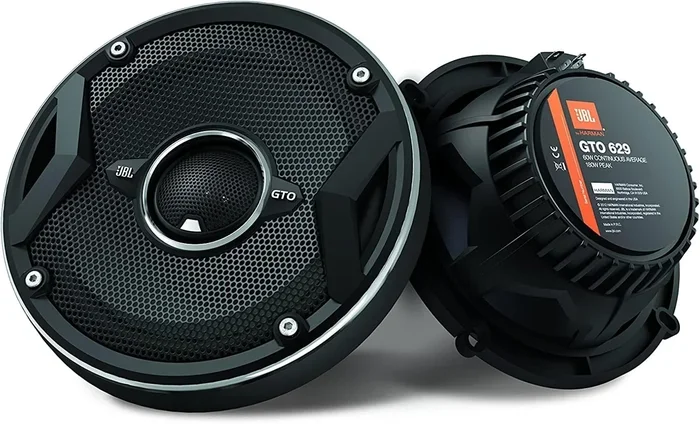
One thing to keep in mind: some accessories may raise questions at security. For example, if you carry a Bluetooth speaker or similar device, TSA will still allow it. But it must follow the same battery rules as your mini pc. Keeping everything organized in a clear pouch helps speed up the screening process.
Label Your Device
This sounds simple, but many travelers skip it. Put your name and contact info on your mini pc case. If your bag gets mixed up, this small step increases your chances of getting it back. A luggage tag or a simple sticker works great.
Common Mistakes To Avoid When Traveling With Electronics
Even experienced travelers make mistakes. Here are some common errors to avoid when bringing your mini pc on a plane.
- Forgetting to remove the device at security: This causes delays. TSA officers may ask you to rescreen your bag. Be proactive and pull it out early.
- Packing batteries in checked luggage: This violates FAA rules. Always keep batteries in your carry-on.
- Overpacking your bag: A stuffed bag is hard to open at security. You might damage your mini pc trying to pull it out quickly.
- Ignoring airline-specific rules: TSA sets general rules, but airlines can add their own. Always double-check before you fly.
- Not charging devices before the trip: A dead mini pc is useless in the air. Make sure everything is fully charged before you leave.
Another mistake people make is treating a mini pc exactly like a full-sized laptop. While TSA rules are similar, mini PCs are more vulnerable to physical damage because of their size. Handle them with extra care. A little extra attention goes a long way.
Mini PCs And In-Flight Productivity
One of the biggest advantages of bringing a mini pc on a plane is productivity. You can turn a long flight into a productive work session. Here is how to make the most of it.
Set Up Your Workspace
Find a seat with extra legroom if possible. A small folding tray table works well for a mini pc. Prop it up at a comfortable angle. If your seat does not have a tray table, a lap desk works just as well.
Before you land, make a list of tasks you want to accomplish. Having a clear plan helps you stay focused. You can also download files and documents before your flight. This way, you do not need a constant internet connection to work.
Stay Comfortable
Travel fatigue is real. Working on a mini pc for hours can strain your eyes and posture. Take breaks. Stretch your legs. Look away from the screen every 20 minutes or so. A portable computer should make your life easier, not harder.
Also consider noise-canceling headphones. They block out engine noise and let you focus. If you want to listen to music during breaks, a small Bluetooth speaker or headphones work well. Just remember to keep the volume low during flight announcements.
How To Choose The Right Mini Pc For Travel
If you are in the market for a mini pc specifically for travel, here are some things to consider.
- Weight: Look for models under 2 pounds. The lighter, the better.
- Battery life: Aim for at least 8 hours of battery life. Long flights demand power.
- Connectivity: Make sure your mini pc supports Wi-Fi 6 and Bluetooth 5.0. This ensures reliable wireless connectivity at the airport and on the plane.
- Durability: Choose a model with a solid build. Travel is tough on electronics.
- Portability: A compact design that fits in a small bag is ideal for travel gear.
Think of your mini pc as part of your travel accessories. It should be easy to carry, quick to set up, and reliable when you need it most. A little research goes a long way in finding the right fit.
Final Thoughts On Taking A Mini Pc On A Plane
The bottom line is simple. You can absolutely take a mini pc on a plane. TSA rules are clear, and most airlines are very accommodating when it comes to personal electronics. The key is preparation. Pack smart. Protect your device. Know the rules. And you will have a seamless experience from check-in to landing.
A mini pc is one of the best travel companions you can have. It keeps you productive. It keeps you entertained. And it fits where bigger devices simply cannot. So go ahead. Pack your portable computer. Follow the tips in this guide. And travel with total peace of mind.
Safe travels and happy computing. The sky is not the limit when you have the right gear and the right knowledge.
Frequently Asked Questions
Can I pack my mini pc in checked luggage?
Yes, TSA allows mini PCs in checked bags. However, it is strongly recommended to carry it in your carry-on instead. Checked luggage gets roughhandled, and your device could suffer damage. Always keep lithium batteries in carry-on luggage regardless.
Do I need to remove my mini pc at airport security?
Most of the time, yes. TSA officers may ask you to remove your mini pc from your bag for separate X-ray screening. Keeping it in an easily accessible part of your bag makes this process faster and less stressful for everyone.
Can I use my mini pc during takeoff and landing?
Most airlines now allow the use of portable devices during all phases of flight. You must switch to airplane mode, which disables cellular connections. Always check with your specific airline for their exact policy on in-flight device use.
Are there any battery restrictions for mini PCs on planes?
Yes. Lithium batteries must be packed in carry-on luggage, not checked bags. If your mini pc has a built-in battery, it counts as a personal electronic device. External batteries or power banks must also follow TSA size and watt-hour limits.
Can I bring a mini pc and a Bluetooth speaker on the same flight?
Absolutely. TSA allows Bluetooth speakers and mini PCs in both carry-on and checked bags. Just follow the same battery rules for any device with a lithium battery. Both devices make great travel companions for work and entertainment.
What if my mini pc gets damaged during the flight?
Airlines have different policies for damaged electronics. Check with your airline before flying to understand their liability coverage. Using a protective case greatly reduces the risk of damage. Always keep valuable electronics in your carry-on where you can monitor them.