How to Get Envato Elements Free Trial
Getting an Envato Elements free trial is straightforward and gives you a full week of unlimited access to millions of creative assets. This guide shows you exactly how to sign up, what to expect, and crucial tips to maximize your trial without accidental charges. Learn the common pitfalls and best alternatives if the trial isn’t for you.
So, you’ve heard about Envato Elements. Maybe a fellow designer raved about it, or you stumbled upon it while searching for that perfect stock video or PowerPoint template. The promise is intoxicating: unlimited downloads of millions of creative assets—fonts, graphics, video templates, music tracks, and more—for a single flat fee. But before you commit your hard-earned cash, you want to test drive it. You want the Envato Elements free trial. And you’re in the right place. This isn’t one of those vague “free trial” offers that locks you into a complex maze. It’s a legitimate, no-strings-attached (with one important string we’ll cover) 7-day pass to the kingdom. Let’s walk through exactly how to get it, how to use it wisely, and how to avoid the single biggest mistake most people make.
Key Takeaways
- Envato Elements offers a genuine 7-day free trial with full access to all its digital assets, from stock videos to website templates.
- You must enter payment details to start the trial, but you won’t be charged if you cancel before the 7th day.
- Set a calendar reminder to cancel your trial on time and avoid the annual or monthly subscription fee.
- Use the trial strategically to download assets for current projects, test platform features, and explore its full library.
- Common mistakes include forgetting to cancel and not understanding the auto-renewal policy, which leads to unwanted charges.
- Alternatives exist like Creative Market, individual stock sites, or Envato Market’s pay-per-item model if a subscription doesn’t fit your needs.
📑 Table of Contents
- What Exactly Is Envato Elements?
- Step-by-Step: How to Claim Your Envato Elements Free Trial
- How to Maximize Your 7-Day Trial: A Strategic Playbook
- The Critical Step: How & When to Cancel Your Trial (Avoiding the #1 Mistake)
- Common Pitfalls & How to Avoid Them
- Is Envato Elements Worth It? Alternatives If the Trial Isn’t For You
- Conclusion: Your Free Trial Awaits—Use It Wisely
What Exactly Is Envato Elements?
Before we chase the trial, let’s be crystal clear on what you’re signing up for. Envato Elements is a subscription-based service from Envato, a giant in the digital assets world. Think of it as the Netflix for creatives. Instead of movies, its library is packed with over 13 million items, all covered by a simple commercial license. This includes:
- Graphics & Templates: logos, flyers, social media packs, PowerPoint & Google Slides templates.
- Stock Video & Footage: 4K and HD clips, motion graphics templates for After Effects.
- Music & Sound Effects: royalty-free tracks, intros, and audio SFX for videos and podcasts.
- Photos & Images: high-resolution photos and vector graphics.
- Fonts: thousands of premium typefaces.
- Web Templates & Themes: WordPress themes, HTML templates, and landing pages.
- Add-ons & More: CMS templates, e-book templates, and even 3D renders.
The magic is in the license. Every single item you download comes with a standard commercial license, meaning you can use it in client projects, your own business materials, and products you sell, without worrying about additional fees or attribution (though always double-check the specific license terms for each item). The Envato Elements free trial unlocks this entire universe for one week.
The Value Proposition: Why a Trial is Essential
You don’t buy a car without a test drive. Similarly, you shouldn’t commit to a $16.50/month (billed annually) or $29/month (billed monthly) subscription without knowing if it fits your workflow. The trial lets you:
- Judge the quality: Not all stock assets are created equal. See if the video clips are cinematic enough, if the fonts are professionally designed, and if the templates are truly customizable.
- Stress-test the interface: Is the search function powerful? Can you easily filter by category, style, or color? How’s the download manager?
- Audit your needs: Download a few assets for a real project you’re working on. See how seamlessly they integrate. This is the ultimate reality check.
- Explore hidden gems: You might discover asset types you never considered, like podcast intros or presentation themes, that could revolutionize your work.
Step-by-Step: How to Claim Your Envato Elements Free Trial
Alright, let’s get practical. The process is designed to be simple, but one missed click can trip you up. Follow these steps precisely.
Visual guide about How to Get Envato Elements Free Trial
Image source: d1bltcifwhkdae.cloudfront.net
Step 1: Navigate to the Official Envato Elements Website
This seems obvious, but it’s critical. Bookmark this page: elements.envato.com. Do not click on ads or third-party links promising “extended trials” or “special discounts.” Those are often scams or affiliate traps. The only official free trial is the 7-day one offered directly by Envato.
Step 2: Locate the “Start Free Trial” Button
On the homepage, you’ll see clear calls-to-action. Look for the prominent orange or blue button that says “Start Free Trial” or “Try 7 Days Free”. It’s usually in the top navigation bar and centered on the hero section. Click it.
Step 3: Choose Your Subscription Plan (This is Crucial)
Here’s where many people get confused and make a costly error. After clicking the trial button, you’ll be taken to a pricing page. You will see two main options:
- Annual Plan: Billed as $199 per year ($16.50/month). This is the best value.
- Monthly Plan: Billed as $29 per month.
You must select one of these plans to begin your free trial. The trial is not a separate “trial-only” product; it’s a chance to use the full subscription service for free for 7 days. Your selection here determines which subscription you will be automatically enrolled in after the trial ends. Think of it as pre-filling your order; the first 7 days are free, then the clock starts ticking on the paid plan you choose.
Step 4: Create Your Account & Enter Payment Details
You’ll be prompted to create an Envato account (or log in if you have one from Envato Market). Then comes the mandatory step: entering your payment information. You must provide a valid credit card, debit card, or PayPal account. Envato does not offer a trial without a payment method on file. This is standard practice for SaaS trials to prevent abuse and verify user identity. Don’t worry—if you cancel correctly, your card will not be charged.
Step 5: Confirm and Start Downloading!
Review the terms, ensure you understand you’ll be charged after 7 days unless you cancel, and confirm. You’ll be redirected to your Envato Elements dashboard. Congratulations! Your 7-day clock has started. You now have full, unrestricted access to the entire library.
How to Maximize Your 7-Day Trial: A Strategic Playbook
Seven days can fly by. Don’t just browse aimlessly. Have a plan. This is your chance to extract maximum value.
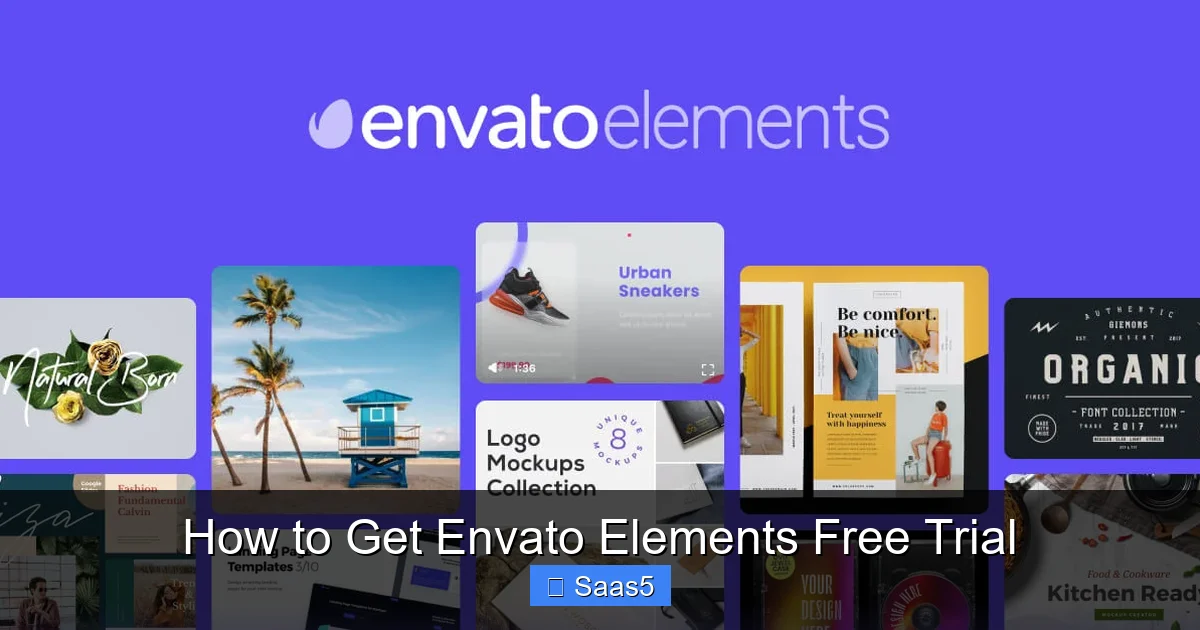
Visual guide about How to Get Envato Elements Free Trial
Image source: d1bltcifwhkdae.cloudfront.net
Plan Your Projects Around the Trial
The best way to use the trial is to have 1-2 active creative projects in the pipeline. Need a logo? A YouTube intro? A presentation for a client? Use the trial to source assets for these real-world tasks. This gives you a tangible sense of the quality, ease of use, and integration. Download multiple options for each project to compare.
Explore Every Category Thoroughly
Don’t just stick to what you know. If you’re a video editor, dive into the font library and graphic templates. If you’re a web designer, listen to the music tracks. You might find cross-selling opportunities or new service offerings for your business. Use the advanced filters aggressively—by resolution, file type, color, orientation, etc.
Test the “Simple License” to Its Limits
Understand what the commercial license covers. Can you use it for an end product you sell? For a client’s website? For a social media ad campaign? Read the license summary. Download a few items and read their specific license terms. This builds confidence that you’re using assets legally in your professional work.
Bookmark and Organize
Use the “Favorites” or “Collections” feature within Envato Elements. As you find assets you like, save them. This creates a personal library you can reference even after the trial if you decide not to subscribe (though you won’t be able to download new ones). It also helps you quickly compare options.
Check the “New Files” Section Daily
Envato adds thousands of new items weekly. Check the “New Files” section each day of your trial. You might find a fresh template or video clip that’s perfect for an upcoming project, giving you a reason to consider subscribing.
The Critical Step: How & When to Cancel Your Trial (Avoiding the #1 Mistake)
This is the most important section. Failing here turns a free trial into an expensive subscription you might not want. The process is easy, but you must do it before your trial expires.
Visual guide about How to Get Envato Elements Free Trial
Image source: jaworowi.cz
Understanding the Billing Cycle
Your trial ends exactly 7 days after you sign up. At 12:00 AM UTC on that 8th day, Envato’s system will automatically charge the payment method you provided for the subscription plan you selected (Annual or Monthly). There is no grace period. There is no “reminder email” guaranteed. You are responsible for tracking your trial end date.
The Exact Cancellation Process (Do This NOW)
Do not wait until day 6. Cancel as soon as you’ve decided the service isn’t for you, or set a reminder for day 5. Here’s how:
- Log into your Envato account at envato.com (not the Elements site).
- Go to “My Account” (usually under your profile picture/avatar).
- Navigate to “Subscriptions” or “Billing”.
- Find your active Envato Elements subscription.
- Click on “Cancel Subscription” or “Manage” and then select cancel.
- Follow any prompts. You may be asked for a reason (optional).
- You should receive a confirmation email. Save this email. It is your proof of cancellation.
What happens after cancellation? Your subscription will remain active until the end of your current billing period. Since you’re in a trial, your billing period is the trial itself. This means you will retain full access until the 7th day is over. You will not be charged. Your access will simply expire at the end of the trial period. No further action is needed.
Pro-Tip: Set Multiple Reminders
Set a calendar alert on your phone and computer for the morning of your 5th trial day with the title: “CANCEL ENVATO ELEMENTS TRIAL IF NOT USING.” Set a second alert for the evening of your 6th day. This double-reminder system is a foolproof way to avoid the accidental charge.
Common Pitfalls & How to Avoid Them
Based on user experiences, here are the traps to steer clear of.
Mistake 1: Forgetting the Trial End Date
As emphasized, this is the big one. The system is automated. It doesn’t care if you “forgot” or “didn’t get the email.” The charge will happen. Your only defense is your own calendar.
Mistake 2: Thinking “I’ll Just Try It for a Month”
The free trial is 7 days. If you want to use it longer, you must cancel the trial and then resubscribe on a paid monthly plan. There is no “extended trial.” Be honest with yourself about your needs.
Mistake 3: Not Understanding the License Scope
While the license is generous, it’s not unlimited. You cannot resell or redistribute the assets as-is. You must use them in a larger creation (a website, a video, a presentation). Also, some items like “CMS Templates” have specific terms. Always read the license for items used in high-stakes commercial projects.
Mistake 4: Downloading Assets Without a Project in Mind
You’ll get overwhelmed and download hundreds of items you’ll never use. This clouds your judgment of the service’s true value. Have a specific project need. Download 3-5 options per need. That’s enough to evaluate quality and functionality.
Mistake 5: Assuming Customer Support is 24/7 for Trials
Envato has support, but response times can vary. If you have a billing issue after a failed cancellation, it can be a hassle. Prevention (cancelling on time) is infinitely better than cure.
Is Envato Elements Worth It? Alternatives If the Trial Isn’t For You
After your trial, you’ll know the answer. But here’s a quick framework to decide.
Who Should Absolutely Subscribe?
- Freelancers & Agencies: If you produce multiple client projects monthly (websites, videos, branding), the flat fee is a no-brainer. One logo design project could cost $50+ on a per-item site; with Elements, it’s “free” after the subscription.
- Content Creators & YouTubers: Need regular intros, outros, stock footage, and music? The library’s depth saves immense time and money.
- In-House Marketing Teams: For consistent branding across social media, presentations, and ads, having a central, licensed library is a huge operational advantage.
Who Might Be Better Off with Alternatives?
- Occasional Users: If you only need a few assets per year, paying $200+ for a subscription is poor value. Use pay-per-item sites.
- Those Needing Ultra-Niche Assets: For highly specialized 3D models or scientific illustrations, dedicated niche marketplaces may have better quality.
- Users on a Very Tight Budget: There are excellent free resources (like Pexels, Pixabay, Google Fonts, free WordPress themes) that, while not as vast or consistent, cost nothing.
Top Alternatives to Consider
- Envato Market: This is Envato’s original pay-per-item marketplace. You buy only what you need. No subscription. Great for one-off purchases.
- Creative Market: Similar to Envato Market but with a focus on independent creators. Frequent sales and bundles. No subscription, but prices per item are higher.
- Adobe Stock: Integrates seamlessly with Creative Cloud apps. Subscription or credit pack models. Excellent for photos and vectors if you’re already in the Adobe ecosystem.
- Motion Array: A strong competitor focused primarily on video (templates, stock footage, music). Subscription-based, often with a free trial.
- Freemium Sites: Pexels (video/photo), Unsplash (photo), Pixabay (all), Font Squirrel (fonts). Quality varies, but $0 is a compelling price.
Conclusion: Your Free Trial Awaits—Use It Wisely
The Envato Elements free trial is a powerful, risk-free opportunity to supercharge your creative workflow for a week. It’s not a trick; it’s a genuine offer designed to let you experience the immense value of unlimited downloads. The key to success lies in two simple actions: first, having a clear plan to test it with real projects, and second, setting ironclad reminders to cancel before the 7th day if you decide it’s not for you.
Don’t let fear of the cancellation process stop you from trying it. The steps to cancel are straightforward and take less than two minutes. The potential upside—finding a tool that saves you hundreds of dollars and dozens of hours annually—is enormous. So go ahead, claim your trial, explore that vast library, and make an informed decision. Your future creative self will thank you for it.
Frequently Asked Questions
Is the Envato Elements free trial really free?
Yes, the 7-day trial is completely free. You must provide a payment method, but you will not be charged a single cent as long as you cancel before the 7-day period ends.
What happens if I forget to cancel my Envato Elements trial?
If you do not cancel before your trial expires, your selected subscription plan (Annual or Monthly) will begin automatically, and your payment method will be charged the full amount ($199/year or $29/month).
Can I get more than 7 days for free?
No, Envato officially offers only a 7-day free trial. Be wary of any website or YouTube video claiming to offer “extended trials,” “hacks,” or “special links.” These are almost always scams or outdated information.
What payment methods does Envato Elements accept for the trial?
Envato accepts all major credit and debit cards (Visa, Mastercard, American Express) and PayPal. The payment method you use must be valid and able to be authorized for a small temporary hold (which is never charged).
Can I download assets during the trial and keep them after I cancel?
Yes, absolutely. Any assets you download during your active trial period (the 7 days) are yours to keep and use forever under the terms of the Envato Elements license, even after your subscription ends. You just cannot download new items after cancellation.
Is there a money-back guarantee if I’m charged after the trial?
Envato’s policy states that all sales are final, and they do not typically offer refunds for subscription charges if you forgot to cancel. However, if you contact their support team promptly with a legitimate reason (e.g., you believed you canceled, a technical error occurred), they may consider a one-time refund as a goodwill gesture. It is not guaranteed, so prevention is critical.