Envato Elements and Envato Market
Envato Elements and Envato Market are two distinct platforms from the same company, serving different creative needs. Envato Elements is a subscription service offering unlimited downloads for a flat fee, ideal for frequent users. Envato Market is a traditional marketplace where you buy individual items, perfect for one-off projects. Understanding their pricing, content, and licensing is key to choosing the right tool for your workflow.
Key Takeaways
- Understanding envato elements and envato market: Provides essential knowledge
📑 Table of Contents
- Understanding the Two Pillars: Envato Elements and Envato Market
- Pricing Models: Subscription vs. Pay-Per-Item
- Content Libraries: Depth, Breadth, and Curation
- Licensing Decoded: The Legal Heart of the Matter
- Who is Each Platform For? Finding Your Fit
- Practical Tips and Strategic Use
- Conclusion: Matching the Tool to the Job
Understanding the Two Pillars: Envato Elements and Envato Market
If you’ve ever searched for a stock video, a WordPress theme, or a sound effect, you’ve likely stumbled upon Envato. It’s a giant in the creative assets world. But here’s the thing that confuses many: Envato isn’t just one store. It’s two fundamentally different platforms operating under one umbrella: Envato Elements and Envato Market. Think of them as a wholesale club and a specialized boutique, both owned by the same parent company. Knowing the difference between Envato Elements and Envato Market isn’t just trivia—it’s the first step to saving money, staying legal, and finding exactly what you need for your project.
Let’s clear the fog right away. Envato Market is the original, classic marketplace. It’s like an enormous online bazaar where thousands of independent creators sell their digital wares. You browse, you pick a single item—a logo template, a stock photo, a PowerPoint template—you pay for it, and you own the license to use that specific file forever, according to the rules. Envato Elements, launched later, is a subscription service. You pay a monthly or annual fee, and in return, you get unlimited access to download as many items as you want from a massive, curated library. It’s a Netflix-for-creative-assets model. The core question “Envato Elements vs Envato Market?” really boils down to: “Do I want to buy individual items, or do I want a subscription for unlimited access?”
This distinction impacts everything—your budget, the quality and style of assets you find, the legal terms you agree to, and even which platform a creator chooses to sell on. In this guide, we’ll tear down the walls between these two platforms. We’ll compare their pricing, dive deep into their content libraries, decode their licensing (which is crucial!), and help you decide which one is the true workhorse for your creative projects. Whether you’re a solopreneur, a marketing team, or a full-blown agency, by the end, you’ll have a crystal-clear understanding of the Envato ecosystem.
A Brief History and The “Why” Behind Two Platforms
Envato started as a single marketplace (what we now call Envato Market) back in 2006. It grew explosively by empowering independent designers and developers to sell their work globally. For over a decade, this was the model: find a file, buy it, use it. Then, around 2015, they launched Envato Elements. The move was strategic. They saw a growing segment of users—social media managers, video editors, web agencies—who needed dozens of assets per month. Buying each one individually on the Market would become prohibitively expensive. Elements answered that need with a predictable, flat-rate subscription. So, the two platforms coexist to serve different customer behaviors and project scales.
Pricing Models: Subscription vs. Pay-Per-Item
This is the most obvious and impactful difference. Your choice between Envato Elements and Envato Market will be dictated first and foremost by your budget and how often you need assets.
Visual guide about Envato Elements and Envato Market
Image source: thesaasmonster.com
Envato Elements: The All-You-Can-Download Subscription
Envato Elements operates on a simple, recurring fee structure. As of now, the plans are typically:
- Individual Plan: ~$16.50/month (billed annually) or ~$29/month (billed monthly). This is for one person.
- Team Plan: Starts at ~$29/month for 2 seats, with additional seats costing extra. This is for small agencies or collaborative teams.
- Enterprise Plan: Custom pricing for large organizations with advanced security and management needs.
The magic is in the word “unlimited.” Once you subscribe, you can download as many items as your heart desires from the entire Elements library—video templates, stock videos, music tracks, graphics, presentation templates, etc. There’s no per-item cost. This model offers incredible predictability. You know your monthly creative asset cost upfront. The value is astronomical if you regularly need 5, 10, or 50+ assets per month. However, if you only need one or two items a quarter, a subscription is poor value—you’re paying for access you won’t use. It’s a volume player’s game.
Envato Market: The A La Carte Marketplace
Envato Market has no subscription fee. Zero. You only pay for what you buy. Prices are set by the individual authors, leading to a wide range:
- WordPress Themes: Typically $39-$79.
- Video Templates (After Effects, Premiere Pro): Usually $20-$60.
- Stock Video Clips: Often $10-$30 per clip.
- Music Tracks/Sound Effects: Commonly $5-$30.
- Graphics (Logos, Icons): Often $5-$25.
- Fonts: Usually $10-$40.
This model is perfect for the occasional creator, the freelancer working on a specific client project with a defined budget, or anyone who wants to “own” a single, specific high-quality file forever. You pay once, the license is perpetual for that item, and there are no recurring charges. The downside is cost unpredictability. A complex project requiring a theme, a video template, and some music can easily run you $100+ in one go. For heavy users, this becomes very expensive very fast.
Practical Example: The YouTube Creator
Imagine Sarah, a lifestyle YouTuber who makes 3 videos a week. She needs an intro animation, background music, a lower-thirds graphic template, and maybe a few stock clips for b-roll each month.
- On Envato Elements: She pays ~$17/month. She downloads all those assets every week. After 2-3 months, she’s saved hundreds compared to buying each item individually. She has creative freedom to experiment.
- On Envato Market: She would buy one intro template ($40), one music track ($15), one graphics pack ($20). For 12 videos, that’s a recurring monthly cost of ~$75 for just the basics, not counting extra stock footage. It quickly eclipses the subscription.
For Sarah, Envato Elements is the clear winner. But for Mark, a consultant who needs one professional PowerPoint template for a single keynote presentation in a year, buying that one $25 template on Envato Market is the only sensible choice.
Content Libraries: Depth, Breadth, and Curation
Both platforms offer millions of assets, but the character of their libraries is quite different due to their business models and submission rules.
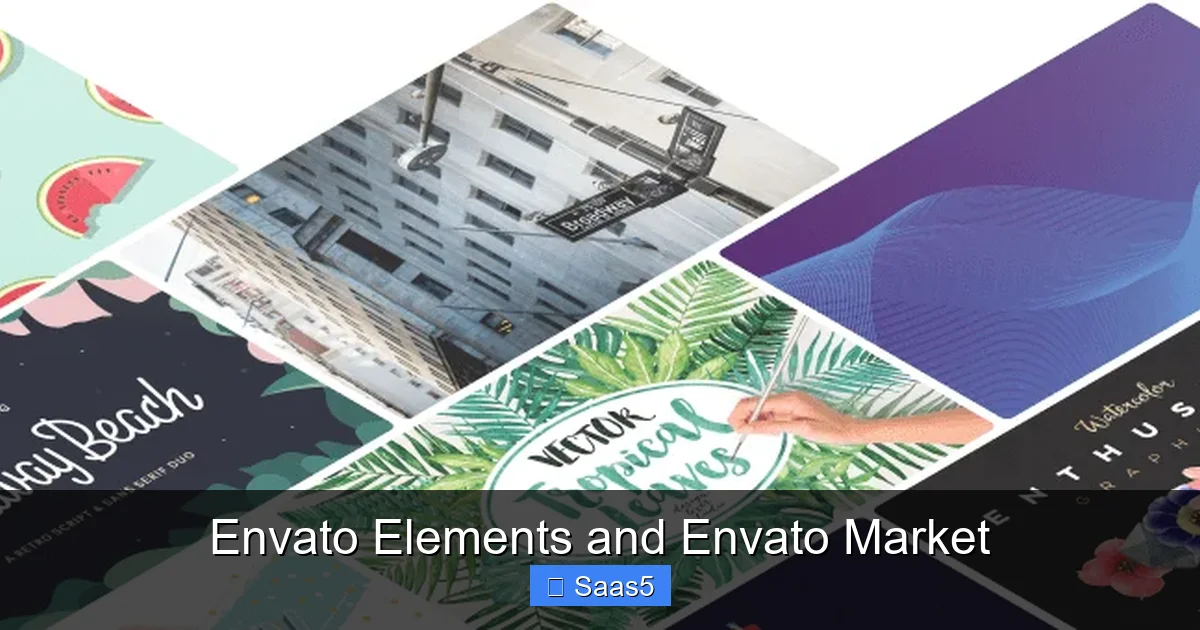
Visual guide about Envato Elements and Envato Market
Image source: assets.elements.envato.com
Envato Elements: Curated, Modern, and Cohesive
Because Elements is a subscription service, Envato acts as a strict curator. They invite authors to contribute and maintain high quality control standards. The result is a library that feels consistently modern, professional, and on-trend. The assets are often designed to work well together. You’ll find cohesive “kits” of graphics, matching video templates, and music in similar styles. This curation makes it easier for users to maintain a consistent brand aesthetic across all their projects—social posts, videos, websites. The library is vast but feels manageable. It’s strongest in video (templates, stock footage, motion graphics), audio (music, sound effects), graphics (presentations, social media templates), and WordPress themes (though not as deep as Market).
Envato Market: The Vast, Historical Archive
Market is an open platform. Any author can submit almost anything (within technical guidelines). This has created a colossal, sometimes chaotic, archive that has been building since 2006. The depth here is staggering. You can find ultra-specific, niche items you’d never see on Elements—a WordPress theme for a potato farming website from 2012, a very particular Photoshop action, or a retro-style logo pack from 2010. The variety in style is enormous, from cutting-edge to dated. This is its superpower: if you need something hyper-specific or have a very unique aesthetic, your chances of finding it on Market are higher. However, you must sift through more to find gems, and quality can be more variable. It’s the difference between a carefully edited boutique and a massive flea market.
The “First on Market” vs. “First on Elements” Dynamic
Many top authors sell on both platforms, but with a key strategy. They often release their newest, most premium work on Envato Market first. They price it high to recoup development costs from the “early adopter” freelancers and agencies who need the latest, greatest thing immediately. After 6-12 months, once sales on Market slow down, they may then submit the same item to Envato Elements. This is why you might find a slightly older version of a popular theme or template on Elements. For users, this means Elements can have incredible value on proven, high-quality items, but you might not get the absolute brand-new release the day it drops.
Licensing Decoded: The Legal Heart of the Matter
This is the most critical section. Using assets illegally can lead to takedowns, legal trouble, and damaged reputations. Both platforms use a “Regular License,” but the context of how you get it changes everything.
Visual guide about Envato Elements and Envato Market
Image source: assets.elements.envato.com
The Standard “Regular License” (Envato Market)
When you buy an item on Envato Market, you are purchasing a “Regular License.” This license grants you the right to use the item in a single, end product that is not for sale or distribution. Examples:
- Use a website theme for your business’s site.
- Use a video template for a YouTube video you monetize.
- Use a graphic in a client’s brochure.
What you CANNOT do: Resell or redistribute the item as-is, or as part of a competing product. You cannot take a WordPress theme from Market, change the name, and sell it as your own. The license is tied to that specific purchase. You receive a license certificate with your download, which you should keep for your records. This is a perpetual, one-time license for that specific file version.
The Subscription “License” (Envato Elements)
This is where people get tripped up. When you download an item from Envato Elements, you are not “buying” it. You are being granted a license to use it under the terms of your subscription. The license is active only while your subscription is active. If you cancel, you lose the right to use any *newly downloaded* items. However, and this is a big however: any items you downloaded while your subscription was active, you can continue to use forever, under the terms of the license at the time of download. This is known as a “grandfathered” license. Each download comes with a simple, clear “License Certificate” you should also save. The practical effect for most users is the same as Market: use it in an end product. But the legal mechanism is different (a subscription grant vs. a sale). For absolute clarity on specific use cases, you must read the full license text for each platform.
The Importance of Reading the Specific License
Never assume. Both platforms have detailed, legally binding license documents. The most common point of confusion is “extended use” or commercial use.” The standard Regular License on both platforms allows commercial use in an end product (like a website for your business). What it often restricts is using the item to create a competing product for resale. For example, using a stock photo in an article on your marketing blog is fine. Using that same stock photo as the primary image on a stock photo website you are launching is not. If your project has a unique distribution model (like a SaaS product that includes certain graphics), you need to check the license or potentially purchase an “Extended License” on Market (which Elements does not offer). Always, always review the license for the specific item if you have a complex use case. For standard business and content creation, the standard license on either platform is sufficient.
Who is Each Platform For? Finding Your Fit
Let’s match user profiles to the right platform.
Envato Elements is Ideal For:
- Agencies & Production Houses: Teams that churn out multiple websites, videos, and marketing campaigns monthly. The flat fee is a dream for predictable budgeting.
- Social Media Managers & Content Creators: Anyone needing a constant stream of fresh graphics, video clips, and audio for daily or weekly posts across platforms.
- YouTube & Podcast Creators: Those who regularly need intro/outro templates, background music, and stock footage to maintain a consistent, professional brand.
- Startups & Bootstrapped Businesses: Companies that need to build a full brand identity (logo, website, presentation, social kit) without a huge upfront asset budget.
- Web Developers & Designers (for prototyping):strong> Those who need to quickly mock up multiple design options for clients using different themes and graphics.
Envato Market is Ideal For:
- Freelancers & Solopreneurs on a Tight Budget: Someone who only needs a single, specific asset for a project and doesn’t want to commit to a monthly fee.
- Clients with Fixed Project Quotes: A freelancer can easily itemize the cost of a specific $59 WordPress theme and $15 icon pack into their proposal to a client.
- Users Seeking Ultra-Niche or Vintage Assets: That one specific, old-school logo template or a WordPress plugin for a obscure functionality is more likely to be on Market.
- Those Who Prefer “Owning” a File: Psychologically, some users prefer a one-time purchase with no future obligation, even if the long-term cost is higher.
- Buyers of Extended Licenses: If you need to use an asset in a product you sell (like a template for an app), you may need to buy an Extended License on Market, an option not available on Elements.
The Hybrid User
Many professionals use both. They might have an Envato Elements subscription for the bulk of their day-to-day stock footage and music needs, but then hop over to Envato Market to buy a specific, premium WordPress theme or a unique logo template that isn’t on Elements. It’s not an either/or world. Your workflow might dictate using both. The key is not to double-pay. If you have Elements, always search there first before heading to Market.
Practical Tips and Strategic Use
Armed with knowledge, here’s how to use each platform strategically.
Maximizing Your Envato Elements Subscription
If you subscribe, you must treat it like a warehouse you have a key to. Don’t just download randomly.
- Download with Purpose, But Also Experiment: The value is in volume. Download multiple variations of a graphic template or different music tracks for the same video project. Compare them. The cost is the same.
- Organize Immediately: Create a clear folder structure on your computer for your Elements downloads (e.g., /Envato_Elements/Music/2024-05/). Tag files with keywords. This turns your subscription into a personal, searchable asset library.
- Leverage the “Licenses” Tab: In your Elements account, there’s a “Licenses” section that lists every item you’ve ever downloaded and its license certificate. This is your legal proof. Back it up.
- Use the Free Trial Wisely: Elements offers a 7-day free trial. Use it to download everything you anticipate needing for the next 2-3 months. This gives you a huge head start and lets you test the library’s depth for your niche.
Smart Shopping on Envato Market
Shopping on Market requires more care.
- Read Reviews and Check Dates: Always look at the item’s rating and read recent reviews. A 4.8-star theme from 2018 might be broken on the latest WordPress version. Check the “Last Update” date.
- Preview Everything: Use the live previews for themes and templates. Test the demo content. Does it look and function as you need?
- Contact the Author: Good authors support their items. Ask a pre-sales question about compatibility or features. Their responsiveness is a good indicator of future support.
- Factor in Future Costs: A $49 theme is cheap, but will you need to pay $30/year for support and updates? Some authors sell a “regular” license and a separate “extended” support package. Understand the total cost of ownership.
- Use the “Already Purchased?” Filter: This seems obvious, but it’s easy to forget. Always filter to avoid accidentally buying the same item twice.
When in Doubt, Check the License
I’ll say it again: for any project with commercial implications, legal exposure, or client delivery, read the license. The standard license on both platforms is for “end products.” If you’re building a website for a client, the client gets the right to use the asset as part of their site. You, the developer, cannot reuse that same downloaded theme file for another client without buying a new license (unless the license allows multi-use, which is rare). This is a common pitfall. When in doubt, the safest legal route is to buy a new license on Market for each distinct end product/client, or rely on your Elements subscription’s license for each new project you start.
Conclusion: Matching the Tool to the Job
The debate between Envato Elements and Envato Market isn’t about which is objectively “better.” It’s about which is better for you, right now. Envato Elements is the powerhouse for volume, consistency, and predictable costs. It’s the subscription that fuels the daily content machine. Envato Market is the precision tool, the vast archive for the one-off, the specific, the nostalgic, and the legally complex (via Extended Licenses).
Most creators will find their sweet spot by using both: a subscription to Elements for the daily grind of stock media and templates, and selective purchases on Market for that one perfect, high-stakes project deliverable. The smartest move you can make is to audit your last six months of creative projects. How many assets did you buy? How much did you spend? Could a subscription have saved you money and time? Conversely, were there projects where you only needed one file and a subscription would have been overkill?
Finally, remember that these are tools. Your creativity is the engine. Whether you’re unlocking a world of assets with an Elements subscription or hunting for a needle in the Market’s haystack, the goal is the same: to create amazing work efficiently and legally. Understand the models, respect the licenses, and choose the platform that removes friction from your process, not adds to it. Now, go create something great.
Frequently Asked Questions
Can I use Envato Elements assets in client projects?
Yes, absolutely. The license granted with each Elements download allows you to use the asset in an end product for a client, just as you would for your own project. You do not need to transfer the license; your use on their behalf is covered under your subscription’s terms. Just ensure your client’s use also complies (e.g., they don’t try to resell the asset itself).
What happens to my Envato Elements projects if I cancel my subscription?
Any items you downloaded while your subscription was active remain licensed for you to use forever in your existing end projects, per the “grandfathered” license rule. However, you can no longer download new items, and you lose access to the Elements website and library. You also cannot use those downloaded items to create *new* projects after cancellation, as the license grant was only active during your subscription period for future use.
Is the licensing the same for Envato Elements and Envato Market?
The core “Regular License” terms are very similar—both allow commercial use in an end product. The key difference is the mechanism: Market is a one-time sale for that specific file, while Elements is a subscription-based license grant. Elements does not offer an “Extended License” option, which is available on Market for certain use cases like selling a product that includes the asset. Always read the full license text for your specific platform and item.
Which platform has better customer support for authors/creators?
Envato Market authors are responsible for their own item support (usually for 6 months after purchase). You contact the author directly through the item page. Envato provides a help center for general account issues. Envato Elements support is handled by Envato’s central team for subscription and platform issues, not for individual asset customization. For item-specific help on Elements, you may need to contact the author directly as well, but support expectations can vary.
Can I transfer a license from Envato Market to a client?
No, you cannot officially “transfer” a Market license. The license is tied to your Envato account. However, the standard license allows you to use the item to create an end product *for* a client. The client does not need the license file; they are covered by your right to create the work for them. For ultimate clarity, some freelancers provide the client with a copy of the license certificate as proof of legitimate use. If the client needs to directly manage the asset (e.g., edit a template themselves), they should purchase their own license.
Are there any hidden fees or taxes on either platform?
Both platforms display prices in USD. At checkout, depending on your country, Value Added Tax (VAT) or Goods and Services Tax (GST) may be added if you are located in a region where Envato is required to collect it. This is a government tax, not an Envato fee. Envato Market has no recurring fees. Envato Elements has the clear subscription fee. There are no hidden download limits or “overage” charges on Elements. Be aware of potential currency conversion fees from your bank or payment provider.