No Code Tools for Saas
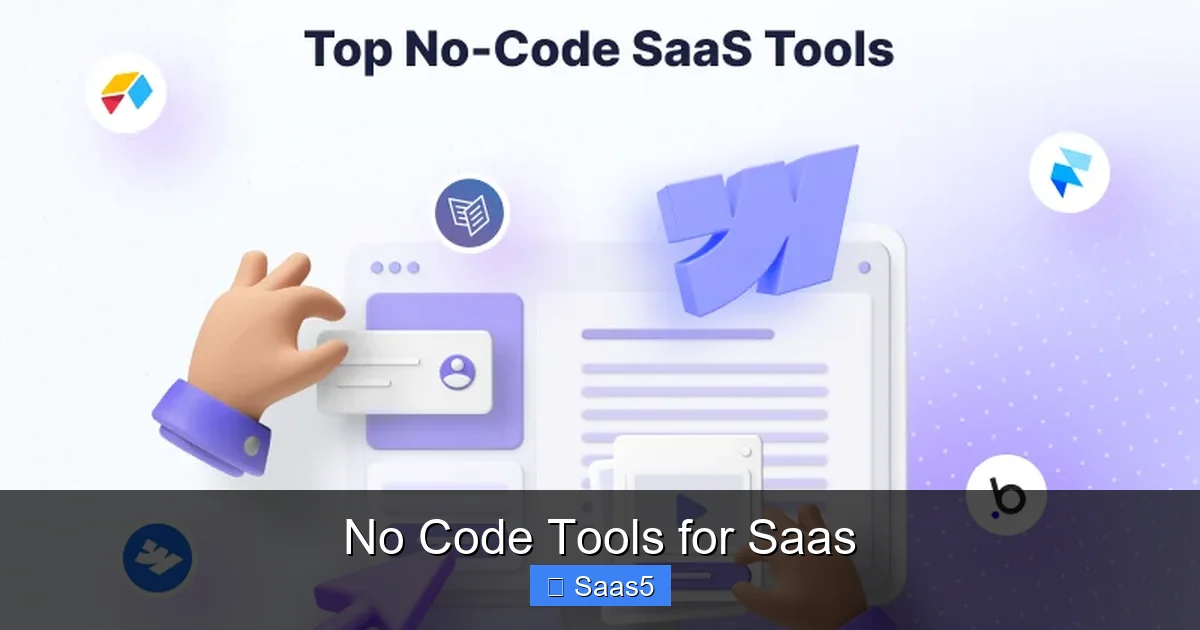
No-code tools are transforming SaaS development by empowering non-technical founders to build fully functional applications visually. These platforms handle the complex backend logic, databases, and infrastructure, allowing you to focus on your unique product idea and user experience. From MVPs to full-scale production apps, the right stack of no-code tools can dramatically reduce time-to-market, development costs, and technical dependency.
Remember the old days? To build a software company, you needed a technical co-founder. You had to learn to code, or you had to find a technical partner and give up a huge chunk of your equity. The barrier to entry for building a Software as a Service (SaaS) product was immense, guarded by a secret language of syntax and frameworks. That world is gone. Welcome to the no-code revolution, where the ability to create powerful, scalable SaaS applications is being placed directly into the hands of anyone with a great idea and the drive to execute it.
This isn’t just about simple website builders. Today’s no-code tools for SaaS are sophisticated platforms that abstract away the entire technology stack. They provide visual interfaces to design user interfaces, configure databases, define business logic, manage user authentication, process payments, and connect to thousands of other services. The goal is simple: let you build your *product*, not your *infrastructure*. In this guide, we’ll dive deep into this transformative ecosystem, exploring the tools, strategies, and realities of building a SaaS without traditional coding.
Key Takeaways
- Democratization of Development: No-code tools break down technical barriers, allowing entrepreneurs, designers, and business experts to create SaaS products independently.
- Speed & Cost Efficiency: Development cycles shrink from months to weeks or days, with significantly lower upfront costs compared to hiring a traditional dev team.
- Tool Specialization is Key: The ecosystem is diverse; you typically combine a frontend builder (e.g., Webflow), a backend/database (e.g., Xano, Airtable), and an automation platform (e.g., Zapier).
- Not Just for Simple MVPs: Modern no-code platforms like Bubble and Softr can power complex, scalable business applications with user authentication, payments, and admin panels.
- Understanding Limits is Crucial: Potential vendor lock-in, customization constraints for highly niche logic, and performance considerations at massive scale are key factors to evaluate.
- Integration is a Superpower: Native connectors and API access allow no-code SaaS apps to seamlessly plug into the existing SaaS ecosystem (Stripe, SendGrid, etc.).
- Hybrid Approaches are Common: Many successful products use no-code for core logic and UI, then inject custom code for specific, complex features, blending speed with flexibility.
📑 Table of Contents
- The No-Code Revolution: Why SaaS Founders Are Ditching Traditional Development
- Core Capabilities: What No-Code Tools Actually Do for Your SaaS
- Top No-Code Platforms by Use Case: Building Your Stack
- Building a SaaS with No-Code: A Step-by-Step Framework
- The Limitations: When No-Code Isn’t Enough (and Hybrid Approaches)
- The Future of No-Code in SaaS: Trends to Watch
The No-Code Revolution: Why SaaS Founders Are Ditching Traditional Development
The rise of no-code isn’t a fad; it’s a fundamental shift in how software is created. The catalyst was a perfect storm: a massive demand for digital solutions, a global shortage of skilled developers, and the maturation of cloud infrastructure that made abstracting complexity possible. For the aspiring SaaS founder, this translates into unprecedented opportunity.
The Founder’s New Superpower
Previously, a non-technical founder with a brilliant SaaS idea was stuck. They had to either spend months finding a technical co-founder (often a flawed process) or raise significant capital to hire an agency or freelancers, all before validating the core concept. The risk was enormous. No-code flips this script. It gives the domain expert—the teacher, the marketer, the real estate agent—the tools to prototype and build their own solution. You can now take an idea from a sketch on a napkin to a live, interactive prototype in a single weekend. This ability to see and feel your product, to share a working demo with potential users for feedback, is a game-changer for validation and fundraising.
Slashing Time and Capital Burn
Traditional SaaS development is expensive. A bare-minimum viable product (MVP) from a dev shop can cost $50,000 to $150,000 and take 3-6 months. That’s a huge bet on an unproven idea. With no-code, the cost structure changes dramatically. Most platforms offer tiered subscription models, often starting at $30-$100/month. Your primary investment becomes your time and creativity, not cash burn. This lean approach allows you to iterate based on real user data, not guesses, preserving runway and reducing the catastrophic risk of building something nobody wants.
Focus on Business Logic, Not Syntax
When you code, a significant portion of your mental energy goes into plumbing: setting up servers, configuring databases, writing authentication logic, handling error states. No-code platforms provide these as pre-built, secure, and managed components. You don’t need to know what an API endpoint is; you just connect two visual blocks. This allows you to pour your intellectual energy into what makes your SaaS unique—your specific workflow, your proprietary algorithm, your exceptional user experience. You become a product architect, not a plumber.
Core Capabilities: What No-Code Tools Actually Do for Your SaaS
It’s easy to think of no-code as just “drag-and-drop websites.” But for SaaS, the requirements are far more complex. A true SaaS application needs more than a pretty frontend. Let’s break down the essential pillars of a SaaS and how no-code tools address each one.
Visual guide about No Code Tools for Saas
Image source: codeornocode.com
Dynamic Frontend & User Interface
This is the face of your application. Tools like Webflow and Framer have evolved beyond marketing sites. They offer advanced interactions, conditional logic, and CMS-driven content that can create sophisticated, multi-page user dashboards. You can design pixel-perfect interfaces, manage user roles (e.g., admin vs. member views), and create responsive designs that work on any device. The output is often clean, semantic HTML/CSS that performs well.
Backend Logic & Database Management
This is the brain. Where does the data live? How do calculations happen? How do you enforce business rules? This is the domain of platforms like Bubble, Adalo, and FlutterFlow. They provide a visual workspace to define data structures (e.g., “User,” “Project,” “Invoice”), create relationships between them (a User has many Projects), and build workflows. A workflow might be: “When a user clicks ‘Subscribe,’ create a new Subscription record, charge their card via Stripe API, and send a welcome email.” These tools abstract the server-side code into logical, visual steps.
User Authentication & Security
A SaaS must know who its users are. No-code platforms have built-in, secure authentication systems. You can enable sign-up, login, password reset, and social logins (Google, Facebook) with a few clicks. They handle password hashing, session management, and security best practices out of the box. More advanced platforms allow for role-based access control (RBAC), so you can restrict certain data or pages to “Admin” users only, which is critical for multi-tenant SaaS applications.
Payments & Monetization
To be a SaaS, you need to charge. Integrating payment gateways is a common, well-supported feature. Most no-code backends offer native plugins or simple API connectors for Stripe, PayPal, and Paddle. You can set up subscription plans with recurring billing, trial periods, and coupons. The payment flow—selecting a plan, entering card details, receiving a receipt—can be built visually. The platform handles the communication with the payment processor’s API, a task that would traditionally require careful, secure coding.
Automations & Third-Party Integrations
No SaaS exists in a vacuum. You need to send transactional emails (via SendGrid, Mailgun), sync data to a spreadsheet (Airtable, Google Sheets), trigger Slack notifications, or update a CRM (HubSpot, Salesforce). This is where tools like Zapier, Make (Integromat), and n8n shine, acting as the connective tissue. Even many no-code backends have built-in automation modules that let you say, “When a new user signs up, add them to my Mailchimp list and create a task in Trello.” This ecosystem integration is a massive force multiplier.
Top No-Code Platforms by Use Case: Building Your Stack
No single no-code tool does everything perfectly. The winning strategy is to assemble a “stack” of best-in-class tools that work together. Think of it like building a house: you might use one tool for the foundation and structure, another for the wiring and plumbing, and a third for the interior design. Here’s a breakdown of the landscape.
Visual guide about No Code Tools for Saas
Image source: wealthytent.com
The All-in-One Powerhouses: Bubble & FlutterFlow
For founders who want to build a complex, proprietary web application entirely within one environment, Bubble is the market leader. It’s incredibly deep, capable of handling complex workflows, data relationships, and user permissions. The learning curve is steeper, but the ceiling is very high. FlutterFlow is its primary competitor, with the key advantage of exporting clean Flutter code (for mobile apps) and a slightly more intuitive interface. Both are excellent for building the core logic of a B2B SaaS, a marketplace, or a custom internal tool you plan to productize.
The Frontend-First Specialists: Webflow & Framer
If your SaaS is heavily content-driven, visually stunning, or you have a design-first mindset, start here. Webflow gives you complete control over HTML, CSS, and animations through a visual canvas, generating production-ready code. Its CMS is powerful for managing structured content. Framer is similar but excels at high-fidelity, interactive prototypes that can be published as real sites, with strong component-based design systems. These are often paired with a dedicated backend like Xano or Supabase.
The Database & Backend-as-a-Service: Airtable, Xano, Supabase
Sometimes, you just need a powerful, flexible database with an API. Airtable looks like a spreadsheet but acts like a relational database. Its ease of use is its superpower for simple CRUD apps and internal tools, though it has scaling limits. Xano is a true no-code backend server. You build your API endpoints, database schema, and business logic visually, and it generates a scalable REST API. Supabase sits in a “low-code” space; it’s an open-source Firebase alternative with a fantastic PostgreSQL database, authentication, and instant APIs. You interact with it via a dashboard and can write SQL or use its UI for logic.
The Glue: Zapier, Make, and n8n
No matter your core stack, you’ll need automations. Zapier is the most user-friendly, with thousands of app connections. Make is more powerful for complex, multi-step workflows with logic gates and data transformations. n8n is a self-hostable, open-source alternative that offers incredible power and control. These tools are essential for connecting your no-code SaaS to the outside world—sending invoices, updating calendars, posting to social media, you name it.
The Mobile-Focused: Adalo & Glide
If your primary deliverable is a mobile app, Adalo and Glide are fantastic starting points. They allow you to build native-like iOS and Android apps that connect to data sources (Google Sheets, Airtable, their own backends). They are perfect for field service apps, community apps, or simple mobile versions of a web SaaS. Their capabilities are growing but are generally less suited for highly complex web-based SaaS logic.
Building a SaaS with No-Code: A Step-by-Step Framework
Knowing the tools is one thing; executing a strategy is another. Here is a practical, phased framework for turning your SaaS idea into a no-code reality.
Visual guide about No Code Tools for Saas
Image source: thesaasmonster.com
Phase 1: Ideation & Validation (Before You Build)
Do not skip this. Your first no-code project should be a prototype for validation. Use a tool like Figma (for design) or even Webflow (for a clickable prototype) to create a high-fidelity mockup of your core user flow. Show this to 10-20 potential customers. Ask: “Would you pay for this? What’s missing?” Use their feedback to refine. This costs you time, not money, and prevents you from building the wrong thing. A common no-code mistake is building the full, “perfect” version before talking to users.
Phase 2: Architect Your Stack
Based on your validated prototype, choose your tools. Ask:
- Frontend: Is it a dashboard (Bubble/FlutterFlow) or a content site (Webflow)?
- Database/Backend: Do I need a full app server (Bubble/Xano) or just a smart spreadsheet (Airtable)?
- Integrations: Which payment processor, email service, etc., are non-negotiable? Do they connect easily?
- Hosting: Is hosting included, or do I need a separate service like Vercel/Netlify?
Document your data flow: “User signs up on Webflow → data goes to Xano → Xano triggers a Zapier automation to add user to ConvertKit.” This blueprint is your development plan.
Phase 3: Build the Core Loop First
Resist the urge to build every feature. Identify the one core value-delivering loop of your SaaS. For a project management tool, it’s: “Create a project → add a task → mark it complete.” For an analytics tool, it’s: “Connect data source → see dashboard.” Build only this loop, and build it well. Make it functional, secure, and user-friendly. This becomes your first shippable version. It’s better to have one flawless feature than 20 buggy ones.
Phase 4: Implement Essential SaaS Infrastructure
Once the core loop works, layer on the non-negotiable SaaS systems:
- Authentication & User Management: Set up secure login, password reset, and user profiles.
- Subscription & Payments: Integrate Stripe or similar. Create plans, handle trials, and set up webhooks to update user access in your app upon payment success/failure.
- Admin Panel: Build a separate, secure area for you to manage users, view analytics, and handle support.
- Basic Analytics: Use a no-code analytics tool (e.g., Mixpanel, PostHog) or simple database queries to track sign-ups, activation, and churn.
Phase 5: Test, Iterate, and Launch
Conduct rigorous testing. Have 5-10 beta users (from your validation group) use the app in a closed environment. Fix bugs, clarify confusing UI, and gather feedback. No-code platforms make iteration fast—you can often push updates instantly. Once stable, launch! Start with a small, targeted audience. Use your automation stack (Zapier/Make) to set up a welcome email sequence, a feedback survey, and a simple referral program. Your launch is just the beginning of the feedback loop.
The Limitations: When No-Code Isn’t Enough (and Hybrid Approaches)
Blindly praising no-code is as unhelpful as dismissing it. A clear-eyed view of its limitations is essential for making strategic decisions and avoiding costly dead-ends.
The Scalability & Performance Ceiling
While platforms like Bubble and Xano are built on scalable cloud infrastructure (AWS, etc.), they are shared multi-tenant environments. For the vast majority of SaaS apps—those serving thousands to tens of thousands of users—they are perfectly adequate. The problems arise at hyper-scale (millions of users, complex real-time operations). You may hit query performance limits, face higher costs per user compared to a custom-coded app, or be constrained by the platform’s architectural decisions. The rule of thumb: if your core data model and workflows are simple-to-moderate, no-code scales. If you’re building the next Google Sheets or a high-frequency trading platform, you’ll eventually need custom infrastructure.
The Customization & Logic Constraint
No-code tools provide a vast library of pre-built components and logic blocks. However, if your SaaS’s unique value proposition depends on a novel, highly complex algorithm (e.g., a specific machine learning model, a bespoke cryptographic function), you will hit a wall. You can often *call* custom code via API (a hybrid approach), but you cannot *build* that core logic within the no-code environment. This is the primary reason for a hybrid model: use no-code for 80% of the app (UI, auth, standard CRUD, integrations) and write custom microservices for the 20% that requires specialized computation.
Vendor Lock-In & Data Portability
Your application’s code and data live within a proprietary platform. Migrating away can be extremely difficult and costly. You are subject to their pricing changes, uptime, feature roadmap, and policies. Before committing, assess the platform’s export capabilities. Can you easily download your database? Is there a way to access your underlying code or API? Platforms like Bubble are improving export options, but it remains a significant risk. Mitigate this by keeping your core data schema simple and portable, and by using standard APIs where possible.
The “Unknown Unknowns” of Security & Compliance
While reputable no-code platforms invest heavily in security (SOC 2, GDPR compliance, regular audits), the configuration of your app is your responsibility. You might accidentally expose an API endpoint, misconfigure user roles, or store sensitive data in a publicly accessible field. The platform is secure, but your app’s security posture depends on your setup. For SaaS dealing with highly regulated data (HIPAA, FINRA), you must meticulously verify the platform’s compliance certifications and your own configuration. Never assume “the platform is secure, so my app is.”
The Future of No-Code in SaaS: Trends to Watch
The no-code space is moving at lightning speed. The tools of today will seem primitive in five years. Here are the key trends shaping the future.
AI as a Co-Pilot Within No-Code Platforms
This is the biggest immediate shift. Platforms are integrating generative AI directly into their interfaces. Soon, you won’t just drag a “text input” box; you’ll describe “a form for user feedback with a rating scale and a comment box,” and AI will generate it. You’ll be able to ask, “How do I calculate a user’s lifetime value?” and the AI will suggest the data points and workflow to build it. This will lower the learning curve dramatically and unlock new levels of complexity for citizen developers.
The Rise of the “No-Code Native” SaaS Company
We’ll see more VC-backed startups whose entire product and internal operations are built on no-code tools. Their engineering team isn’t writing Python; they’re experts in Bubble, Xano, and Make. Their speed of iteration and lean operational cost structure will pressure traditionally built competitors. We’ll also see agencies and consultancies specializing purely in no-code development for SaaS.
Better Interoperability & Standardization
The current ecosystem is a bit of a Wild West. Future evolution will likely see better, more standardized ways for different no-code platforms to communicate and share components. Imagine a “Bubble component library” that works in Webflow, or a universal way to define business logic that can be ported between backends. This would reduce lock-in and foster a more open ecosystem.
No-Code for Advanced Use Cases
Expect to see no-code tools targeting specific, complex verticals: no-code for fintech core banking, no-code for healthcare patient portals, no-code for IoT device management. These will come with industry-specific templates, compliance features, and pre-built connectors, further expanding the realm of what’s possible without code.
Frequently Asked Questions
Is no-code just for simple prototypes, or can it handle real, revenue-generating SaaS products?
Absolutely, it can handle real SaaS. Platforms like Bubble, Softr, and FlutterFlow are used to power thousands of production applications with paying customers. The key is choosing the right tool for your specific complexity and understanding its limits. Many successful SaaS businesses operate entirely on no-code stacks, especially in the B2B and internal tool space.
How do no-code tools handle scalability and performance for a growing user base?
Major no-code platforms are built on scalable cloud infrastructure (like AWS). They handle server management, load balancing, and databases for you. For most SaaS applications (up to tens of thousands of users), they scale seamlessly. Performance tuning is often about efficient data design and query structure within the platform. For extreme scale (millions of users), a hybrid approach with custom services for heavy-lifting tasks may be necessary.
Are no-code SaaS applications secure? What about compliance (GDPR, HIPAA)?
Reputable no-code platforms maintain high security standards (encryption, regular audits, SOC 2). However, security is a shared responsibility. You must configure user roles correctly, manage API keys safely, and avoid exposing sensitive data. For compliance like HIPAA, you must verify the platform is explicitly compliant and sign a BAA with them. Always review their security and compliance documentation thoroughly.
What’s the learning curve? How long does it take to become proficient?
It varies by platform and your goal. Learning the basics of Webflow or Airtable can take a few days to produce simple apps. Mastering a full-stack platform like Bubble to build a complex SaaS can take 3-6 months of dedicated, project-based learning. The key is to learn by doing: start with a small, real project immediately. The community support and tutorial ecosystems for major tools are excellent and accelerate the process.
Is no-code actually cheaper than hiring developers in the long run?
For the early stages (MVP, first 1-2 years), it is almost always dramatically cheaper. You avoid salaries, benefits, and agency fees. The cost is your platform subscription ($50-$500/month). However, as you grow, subscription costs can scale with your user count. If you reach massive scale, a custom-coded app may have lower marginal costs. The biggest savings are in speed and agility—you can validate and pivot without massive sunk costs.
Can I integrate a no-code SaaS with other tools my customers already use?
Yes, this is one of the greatest strengths. Most no-code backends have native connectors for popular SaaS tools (Stripe, Salesforce, Google Workspace). For everything else, you use automation platforms like Zapier, Make, or n8n, which have thousands of pre-built integrations. You can also often make direct API calls from within your no-code workflows, giving you immense connectivity to the wider software world.