Can I Use Envato Elements for Commercial
Yes, you absolutely can use Envato Elements assets for commercial projects. The subscription-based service grants a “Simple License” that covers most business, client, and monetized uses. However, this permission comes with important rules and specific restrictions you must follow. Failing to adhere to the license terms, even unintentionally, can lead to legal issues and license termination. This guide breaks down exactly what’s allowed, what’s not, and how to use the platform safely for your commercial work.
Key Takeaways
- The Simple License is Commercial: An active Envato Elements subscription provides a royalty-free license for most commercial applications, including client work and monetized content.
- One License Per Project: You must obtain a separate license for each distinct final project (e.g., a website, video, print ad), not for each individual asset used within it.
- No Resale or Redistribution: You cannot sell, give away, or redistribute the raw assets (templates, stock videos, music tracks) as-is or in a competing product.
- Attribution is Not Required: For most uses, you do not need to credit Envato or the author, though specific items may have unique requirements listed on their page.
- Be Wary of Third-Party Rights: The license does not cover trademarked logos, recognizable people’s likenesses, or property that requires a separate model/property release.
- Subscription Cancellation: If your subscription ends, you must cease using new assets, but you may continue to use any projects you created while licensed, per the “historical use” clause.
- Team Licensing is Separate: If multiple people in a business will access the service, you need a “Team” subscription, not just multiple individual seats.
📑 Table of Contents
- Introduction: The Million-Dollar Question for Creators and Businesses
- What Exactly *Is* Envato Elements? (And How Is It Different?)
- The Heart of the Matter: Decoding the Envato Elements “Simple License”
- Real-World Commercial Use Cases: From Solopreneur to Agency
- Critical Restrictions and Pitfalls to Avoid
- Best Practices for Flawless Commercial Use
- Alternatives and When Envato Elements Might Not Be the Right Fit
- Conclusion: Empowering Your Commercial Creativity with Confidence
Introduction: The Million-Dollar Question for Creators and Businesses
So, you’ve discovered Envato Elements. That glowing, seemingly endless library of stunning WordPress themes, professional video templates, catchy music tracks, and millions of other creative assets. It feels like a goldmine for your business or your client work. But then, a crucial, nagging question bubbles up: Can I use Envato Elements for commercial projects?
The short answer is a resounding yes. That’s the entire point. Envato Elements is built specifically for professionals, marketers, agencies, and businesses who need high-quality assets to create finished products for sale, client delivery, or brand promotion. However, the word “yes” comes with a very detailed user manual—the Envato Elements License. Treating this license as mere fine print is a recipe for trouble. Understanding its nuances is the key to unlocking the platform’s full potential without ever having to worry about a cease-and-desist letter.
This guide will walk you through everything, from the foundational license rules to real-world examples of what’s allowed and what could get you into hot water. We’ll talk about websites, videos, social media ads, print materials, and even client handovers. By the end, you’ll know exactly how to leverage this powerful tool for your commercial ventures safely and effectively.
What Exactly *Is* Envato Elements? (And How Is It Different?)
Before diving into the license, it’s vital to understand what you’re subscribing to. Envato has two primary marketplaces: Envato Market and Envato Elements. The confusion between them is often the source of licensing questions.
Visual guide about Can I Use Envato Elements for Commercial
Image source: elementor.com
Envato Market: The À La Carte Shop
Think of Envato Market (with its subsites like ThemeForest, VideoHive, AudioJungle) as a traditional store. You browse, you pick a single item—say, one WordPress theme or one music track—and you pay a one-time fee for a license for that specific item. That license is tied to that one project. If you want to use that same theme on a second client’s website, you typically need to buy another license. The pricing and terms can vary per item and author.
Envato Elements: The All-You-Can-Eat Subscription
Envato Elements is the Netflix-style model. You pay a monthly or annual fee and get unlimited downloads from a massive, curated library. The critical difference for commercial use is the type of license that comes with every single download. It’s not a custom license per author; it’s a standardized, comprehensive “Simple License” that applies to everything. This uniformity is what makes it so powerful and predictable for businesses. You don’t have to read a new license agreement for every single template you download; you learn the rules of the Elements license once, and they apply across the board.
This subscription model is designed for volume users—agencies building multiple sites, YouTubers needing regular music, podcasters editing episodes, social media managers creating daily graphics. The commercial use permission is baked into the subscription cost.
The Heart of the Matter: Decoding the Envato Elements “Simple License”
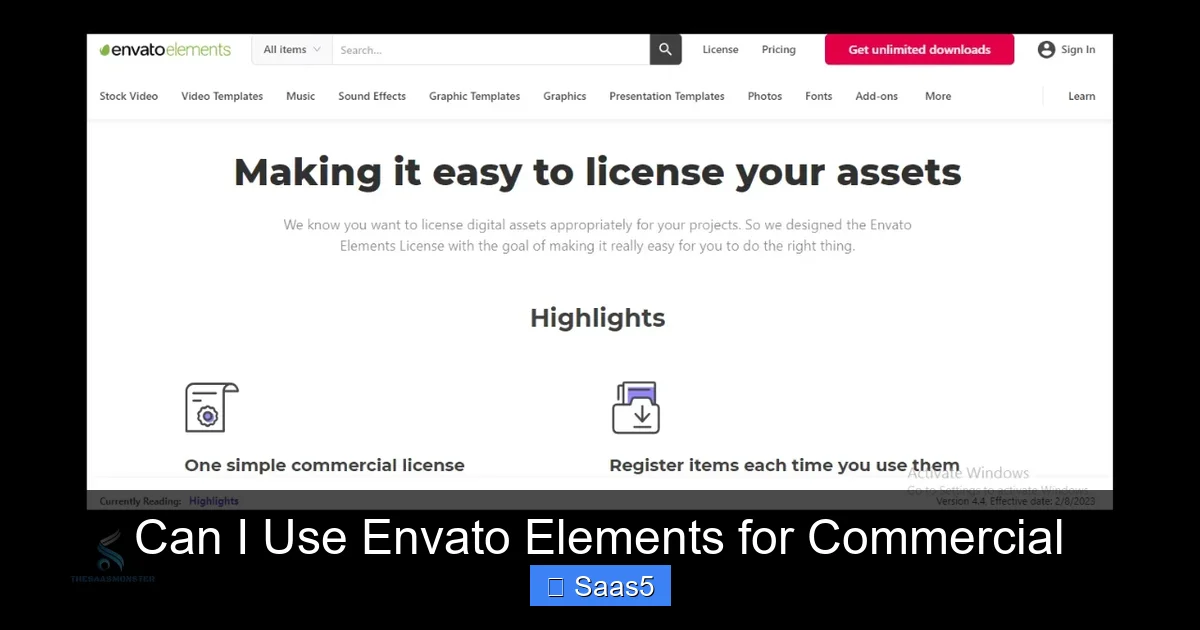
Let’s pull back the curtain on the legal document that governs your entire experience. The Envato Elements License Terms is the rulebook. We’ll translate the legalese into plain English for commercial creators.
Visual guide about Can I Use Envato Elements for Commercial
Image source: theurbangeeks.com
What “Commercial Use” Actually Means Here
The license explicitly grants you the right to use the licensed asset to create “End Products” for sale or distribution. An “End Product” is the final, tangible thing your audience or client receives. This includes:
- Websites and web applications (for your company or a client)
- Videos and films (for YouTube, corporate training, broadcast, film festivals)
- Print materials (brochures, books, packaging, merchandise like t-shirts or mugs)
- Digital products (eBooks, online courses, software UIs, mobile apps)
- Marketing & advertising materials (social media graphics, email templates, banner ads, TV commercials)
- Audio projects (podcasts, background music for videos, hold music)
The key concept is that the asset is incorporated into a larger, final product. You are not selling or distributing the asset itself.
The “One License Per End Product” Rule (The Most Important One)
This is the cornerstone of safe commercial use. When you download an asset—let’s say a “Corporate PowerPoint Template”—that single download gives you a license to use that template in one final, distinct End Product.
Example 1 (Allowed): You download the “Corporate PowerPoint Template.” You use it to create a single investor pitch deck for Client A. That’s one End Product, covered by one license. You deliver the final .pptx file to Client A.
Example 2 (NOT Allowed – A Common Mistake): You use that same downloaded template to create five different pitch decks for five different clients. You have now used the asset in five separate End Products, but you only have one license. You would need to either (a) purchase five single-use licenses from Envato Market for each client, or (b) download the template five separate times under your Elements subscription (which consumes 5 of your downloads) to obtain five distinct licenses, one for each final project.
Pro Tip: For agencies, this means tracking which downloaded asset went into which client project. A simple spreadsheet naming the project and the asset licenses used can be a lifesaver.
What’s Explicitly Forbidden: The “Do Not” List
The license is a grant of rights, not a free-for-all. Here’s what you cannot do with assets from Envato Elements:
- Resell or Redistribute the Asset: You cannot take a stock video clip, a logo template, or a font, and sell it as-is on your own marketplace or give it away as a freebie. You also cannot create a competing product. For example, you can’t download 100 UI kits, bundle them together, and sell them as a “Mega UI Pack.”
- Use in a “Standalone” Manner: The asset must be part of a larger creation. You can’t just take a single icon and sell it as an icon pack. You can’t take a music track and sell it on iTunes as a single (unless you are the original artist, which you’re not).
- Create a Confusingly Similar Product: Don’t take a template, make minor changes, and sell it as your own template on a site like Creative Market. The “Final Product” must be substantially different in design and purpose from the original template.
- Use Trademarked or Licensed Content: This is huge. The license does not cover the use of any third-party intellectual property within the asset. If a video template includes a mockup of a Coca-Cola can, a Nike swoosh, or a famous character, you are responsible for clearing those rights yourself. The same goes for recognizable locations (Eiffel Tower) or people (a stock photo of a celebrity). Always check the item’s description for any “Third-Party Assets” warnings.
- Use in Defamatory, Illegal, or Sensitive Contexts: Standard stuff—no porn, no hate speech, no illegal activities.
Real-World Commercial Use Cases: From Solopreneur to Agency
Let’s make this concrete. How does this license play out in the real world of business?
Visual guide about Can I Use Envato Elements for Commercial
Image source: thesaasmonster.com
The Solopreneur & Small Business Owner
You run a boutique bakery. You use an Envato Elements Instagram story template to promote your weekly specials. You use a cheerful ukulele music track for a 30-second video tour of your kitchen that you post on Facebook and Instagram.
Is this commercial use? Yes. You are promoting your commercial business. The social media posts are your End Products. One license per distinct post/template/video combo is needed. (Note: Using the same template repeatedly for different weekly specials might be considered a series; consult the license or use a new download for a truly new creative campaign).
The Freelancer & Consultant
You’re a freelance web designer. You build websites for clients using a premium WordPress theme from Envato Elements. You customize it with the client’s branding, content, and images. You hand over the fully built site to the client.
Is this commercial use? Yes, and this is a classic allowed scenario. The client’s website is the End Product. However, the license must be transferred to your client. The license terms state that upon delivery, you must (a) notify your client that the final product contains licensed assets, and (b) transfer all your license rights to them. You cannot retain the right to reuse that same theme download for another client. You must download it again for the next client’s project.
The Marketing Agency & Content Creator
Your agency produces a weekly YouTube show for a tech client. Each episode uses a different motion graphics template for the intro/outro, a different background music track, and occasionally stock footage B-roll.
Is this commercial use? Yes. Each weekly episode is a distinct End Product. You need a separate license for each template and music track used in each episode. If you reuse the same intro template for 10 episodes, that one download/license covers all 10 episodes because they are part of the same ongoing series/End Product. But if you use a new intro template in episode 11, you need a new license for that new asset.
The Publisher & Educator
You’re creating an online course on Udemy. You use Envato Elements graphics for your slide decks, a background music track for your intro video, and a printable workbook template.
Is this commercial use? Absolutely. The course videos, the slides, and the workbook are all separate End Products. Each requires its own licenses for the assets used within them. Selling access to the course is the quintessential commercial use case.
Critical Restrictions and Pitfalls to Avoid
Even with the “yes” on commercial use, several landmines exist. Stepping on these can invalidate your license.
The “Third-Party Rights” Trap
This is the #1 reason for trouble. Envato Elements authors are required to only upload content they have created or have the right to license. However, they sometimes include generic, licensed, or famous elements within their creations (e.g., a mockup of an iPhone, a photo of a famous landmark, a font that has its own commercial license). Envato’s license only covers the author’s work, not these embedded third-party elements.
Your Responsibility: Before using an asset, especially for high-profile commercial use, inspect it. Does that website template mockup show a branded product? Does that stock photo feature a clearly identifiable person (even if they’re a model, you should have a model release, which Envato authors are supposed to provide)? When in doubt, contact the item author directly through Envato to ask. For major brands or recognizable faces/places, you should seek separate clearance to be safe.
The “No Resale/Competing Product” Rule
This is about intent and transformation. Can you create a “Final Product” that is itself a template or asset for others to use? Generally, no. A good rule of thumb: if your End Product requires the user to have the original Envato Elements asset or a similar tool (like Adobe After Effects) to modify it, you’re likely creating a competing product.
Borderline Case: You are a video editor. You use an Envato Elements motion graphics template to create a custom title sequence for a client’s TV show. The client owns the final video file. This is allowed—the show is the End Product. But you cannot take that same template, change the text, and sell it as a “10-Second Title Pack” on your own website.
Subscription Lapse and “Historical Use”
This causes major anxiety. “If I cancel my subscription, do I have to take down all my websites and videos?”
The license has a “historical use” clause. If your subscription is active when you create and deliver a final End Product to a client (or publish it for your own business), you are permanently licensed to use that specific End Product forever, even if you cancel your subscription later. You do not need an active subscription to maintain already-created projects.
What you CANNOT do after cancellation: You cannot use any new assets from Envato Elements to create new End Products. You also cannot edit existing End Products by adding new licensed assets from Elements after your subscription ends.
Best Practices for Flawless Commercial Use
So how do you operate like a pro and sleep soundly at night? Follow these habits.
1. Systematically Track Your Licenses
Don’t just download and forget. Create a simple log (a Google Sheet works great). Columns: Project Name, Client (if applicable), Date, Asset Name, Asset URL, Download Date, License Used For (e.g., “Homepage banner,” “Course video 1-5”). This proves your compliance if ever questioned and helps you avoid reusing a single license across multiple client projects.
2. Always Read the Item’s Specific Page
While the base license is standard, authors can add specific notes. Look for sections titled “License Details,” “Third-Party Assets,” or “Attribution Required.” Some items might have unique restrictions (e.g., “For personal use only” – though this is rare on Elements and would be an error). If an item’s page contradicts the general license, trust the item page and contact Envato support to clarify.
3. Understand “Team” vs. “Individual” Subscriptions
If you are a business owner and you have employees or contractors who will be accessing your Envato Elements account to download assets for company projects, you must have a “Team” subscription. The standard individual license is for one person. Sharing individual login credentials across a team violates the terms. The Team plan allows you to manage seats and is the correct, compliant way for organizations to use the service.
4. When in Doubt, Ask and Document
Envato has a support team. If you have a borderline case—”Can I use this cityscape template in a travel brochure I’ll sell?”—ask them. Get the answer in writing (via email or support ticket). For ultra-high-stakes projects (national ad campaign, major film), consider consulting an intellectual property attorney. The cost of a quick consult is far less than a potential lawsuit.
5. Attribute Only When Explicitly Required
For the vast majority of Elements assets, you do not need to credit the author or Envato in your final product. However, some items (often because they contain a third-party element requiring attribution) will have an “Attribution Required” notice on their download page. You must follow that instruction exactly. Usually, it’s a small text credit in the footer or video credits. If no such notice exists, no attribution is needed.
Alternatives and When Envato Elements Might Not Be the Right Fit
Envato Elements is powerful, but it’s not a universal solution for every commercial need.
When the “One License Per Project” Model is a Constraint
If your business model involves creating hundreds of nearly identical small products (e.g., a print-on-demand store selling 500 different t-shirt designs, each using the same base graphic from Elements), the per-project licensing model becomes cumbersome and expensive. You would need 500 licenses. In this case, a traditional royalty-free stock site with a “unlimited” license (like some offerings from Shutterstock or Adobe Stock) or commissioning original work might be more economical.
Need for Exclusivity or Truly Unique Work
Because millions of people have access to the same Envato Elements library, you cannot achieve true exclusivity. A competitor could, in theory, download the same hero video template you used for your website’s homepage. If brand differentiation and having assets no one else on the planet has is critical (for a major brand campaign), you need to hire a designer/creator for original work.
Highly Regulated Industries
Industries like pharmaceuticals, finance, and government have incredibly strict branding and legal compliance requirements. The generic nature of most stock assets and the potential for hidden third-party rights make Envato Elements a risky choice for core, regulated marketing materials. Custom work with clear IP ownership is usually mandated.
The Free & Open Source Alternative
For some needs, especially software development (icons, UI kits), resources like FontAwesome, Google Fonts, or GitHub-hosted open-source assets under permissive licenses (MIT, GPL) can be a fantastic, cost-free commercial alternative. Just be hyper-aware of the specific license terms (e.g., GPL has its own “viral” requirements).
Conclusion: Empowering Your Commercial Creativity with Confidence
So, can you use Envato Elements for commercial projects? The answer is a confident, well-informed yes. It is a premier tool built for that exact purpose. The subscription model demystifies commercial licensing by offering one clear, comprehensive agreement for millions of assets. You can build client websites, produce monetized videos, design product packaging, and create marketing campaigns with the peace of mind that you are licensed to do so.
However, that peace of mind is conditional on your understanding and respect for the license. The golden rules are simple: one license per final, distinct project; never resell or redistribute the raw assets; and be hyper-vigilant about third-party rights like trademarks and recognizable people. By implementing a simple tracking system, reading item pages, and using the correct Team subscription for your business, you can integrate Envato Elements seamlessly into your commercial workflow.
Think of the license not as a restriction, but as a framework that protects both you as the creator/user and the original artists who made the assets. It ensures a fair ecosystem where creativity is compensated and businesses can operate without legal fear. Go ahead, download that perfect template or music track, and create your next commercial masterpiece. Just keep your license log open in the next tab.
Frequently Asked Questions
Can I use Envato Elements assets for client work and transfer the license?
Yes, this is a primary commercial use. You can use assets for client projects, but you must obtain a separate license (via a separate download) for each distinct final product you deliver to a client. Upon delivery, you must notify the client that the work contains licensed assets and transfer all license rights to them. You cannot reuse the same downloaded asset for multiple clients without obtaining multiple licenses.
If I cancel my Envato Elements subscription, do I have to remove all my commercial projects?
No. The license includes a “historical use” clause. Any End Product you created and published or delivered to a client while your subscription was active remains licensed forever, even after cancellation. You only lose the right to download new assets or use the service to create new projects after your subscription ends.
Do I need to give credit or attribution when using Envato Elements for commercial purposes?
For the vast majority of assets, no attribution is required. However, you must always check the specific item’s download page. If an author has marked an item as “Attribution Required,” you must include the specified credit in your End Product (e.g., in a website footer or video credits). If no such requirement is listed, you are free to use the asset without credit.
Can I use Envato Elements music in a YouTube video that I monetize?
Yes, absolutely. Monetizing a YouTube video is a clear commercial use, and the Simple License covers it. You can use the music in your video and earn ad revenue. You must comply with the one-license-per-video rule (if you make a separate video, you need a separate license for the music track used in it) and ensure the music track itself doesn’t contain any third-party copyrighted material that could trigger a claim on your video.
What happens if I accidentally use one Envato Elements asset in two different commercial projects?
This would be a license violation, as you used one license for two distinct End Products. To become compliant, you should purchase a second license for that asset (either via a second download on Elements or a single license on Envato Market) for the second project. For past violations, it’s best to rectify the situation proactively by obtaining the missing licenses. Willful or large-scale infringement could lead to your Envato account being terminated and potential legal action from the copyright holder.
Can a business with multiple employees share one Envato Elements account?
No. A standard Individual subscription is for one person only. If multiple employees, contractors, or team members in a company will be accessing the service to download assets for company projects, you must purchase a “Team” subscription. The Team plan allows you to manage multiple seats (user accounts) under one billing umbrella and is the only compliant way for an organization to use Envato Elements. Sharing an individual login across a team violates the Terms of Service.