Is Nvme Faster Than Ssd
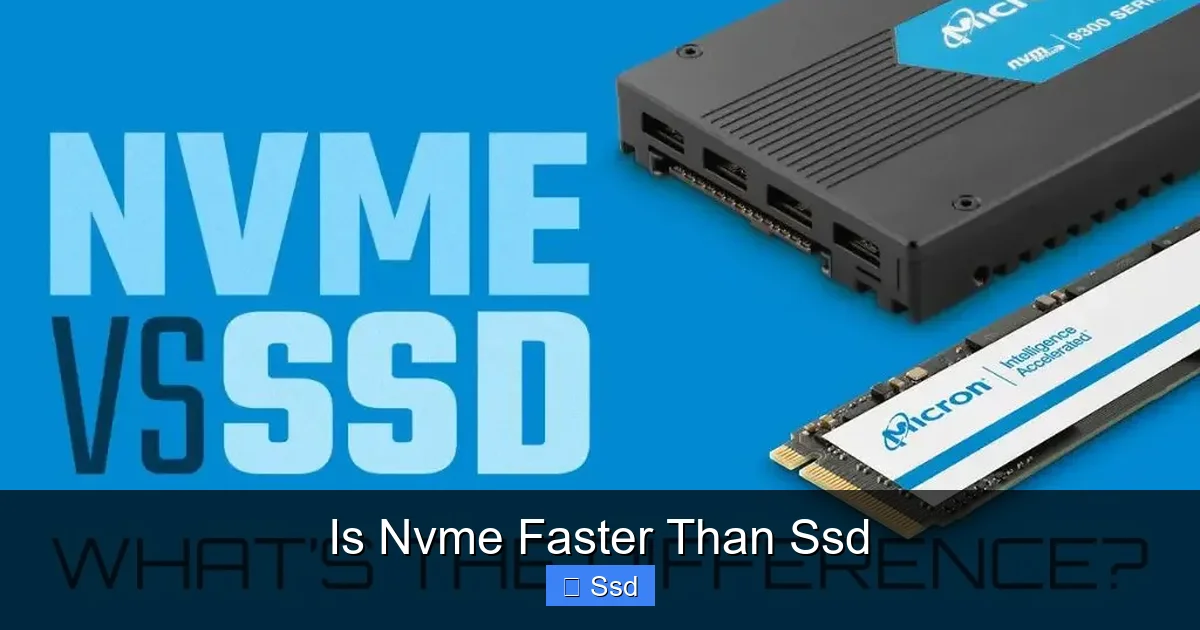
Yes, NVMe drives are significantly faster than traditional SATA SSDs, but the “why” matters. The speed difference comes from the interface: NVMe uses the high-speed PCIe express lanes (like a multi-lane superhighway), while SATA SSDs are limited by an older, slower interface (like a single-lane country road). For most everyday tasks, a SATA SSD feels snappy, but for large file transfers, professional workloads, and future-proofing, NVMe’s raw throughput is a game-changer. However, NVMe isn’t always the *practical* choice due to cost, heat, and motherboard compatibility.
You’re shopping for a new drive, and the question burns in your mind: is NVMe faster than SSD? It’s a fantastic question, but it comes with a twist. The question itself contains a common mix-up. Let’s clear the air right now: NVMe IS an SSD. Solid State Drive (SSD) is the broad category of storage with no moving parts. NVMe (Non-Volatile Memory Express) is a *communication protocol* and *form factor* that runs over the PCI Express (PCIe) bus. So, the real question is: Is an NVMe SSD faster than a SATA SSD? And the answer is a resounding yes, but with important context that determines whether you’ll actually *feel* that speed in your daily life. This article is your complete guide to cutting through the marketing and understanding the tangible differences.
Think of it like this: both types of drives use the same fundamental “fuel” — NAND flash memory chips. But they use completely different “roads” to get data to and from your computer’s brain, the CPU. A SATA SSD uses the SATA highway, which has a speed limit of about 600 MB/s. An NVMe SSD uses the PCIe superhighway, which currently has speed limits of 4,000 MB/s (PCIe 4.0), 8,000 MB/s (PCIe 5.0), and even higher. That’s a massive theoretical difference. But does a wider, faster road always get you to your destination noticeably quicker? Sometimes yes, sometimes no. Let’s dive into the details.
Key Takeaways
- NVMe is a Type of SSD: All NVMe drives are SSDs, but not all SSDs are NVMe. The comparison is really between NVMe (PCIe interface) and SATA (another interface) SSDs.
- The Interface is Everything: Speed is dictated by the connection (PCIe vs. SATA), not the NAND flash memory itself. PCIe 4.0/5.0 NVMe drives can be 5-7x faster in sequential reads than SATA’s maximum.
- Real-World vs. Benchmark Speeds: While benchmarks show massive NVMe leads in large file transfers, everyday tasks like booting Windows or opening apps see a much smaller, often negligible, difference.
- Cost and Heat Trade-offs: NVMe drives, especially high-end models, cost more and generate more heat, sometimes requiring heatsinks. SATA SSDs are cheaper and run cooler.
- Compatibility is Key: Your motherboard must have an M.2 slot with PCIe lanes (or a PCIe card slot) to use an NVMe drive. Older PCs may only support SATA or PCIe 3.0.
- Future-Proofing vs. Current Needs: For gaming, general use, or HDD replacements, a SATA SSD is still excellent value. For professional video editing, 3D rendering, or massive datasets, NVMe’s speed is worth the investment.
- Don’t Ignore Other Specs: Controller quality, NAND type (TLC, QLC), and DRAM cache significantly impact sustained performance and longevity, sometimes more than the interface alone.
📑 Table of Contents
The Great Storage Mix-Up: SSDs vs. NVMe
Before we talk speeds, we must fix the terminology. The storage market loves to blur lines. You’ll see ads for “SSD” and “NVMe SSD” as if they’re separate categories. It’s helpful to visualize a simple family tree.
The SSD Family Tree
At the top, you have Solid State Drives (SSDs). This is any drive that stores data on NAND flash memory. Under that umbrella, you have two primary branches based on their connection interface:
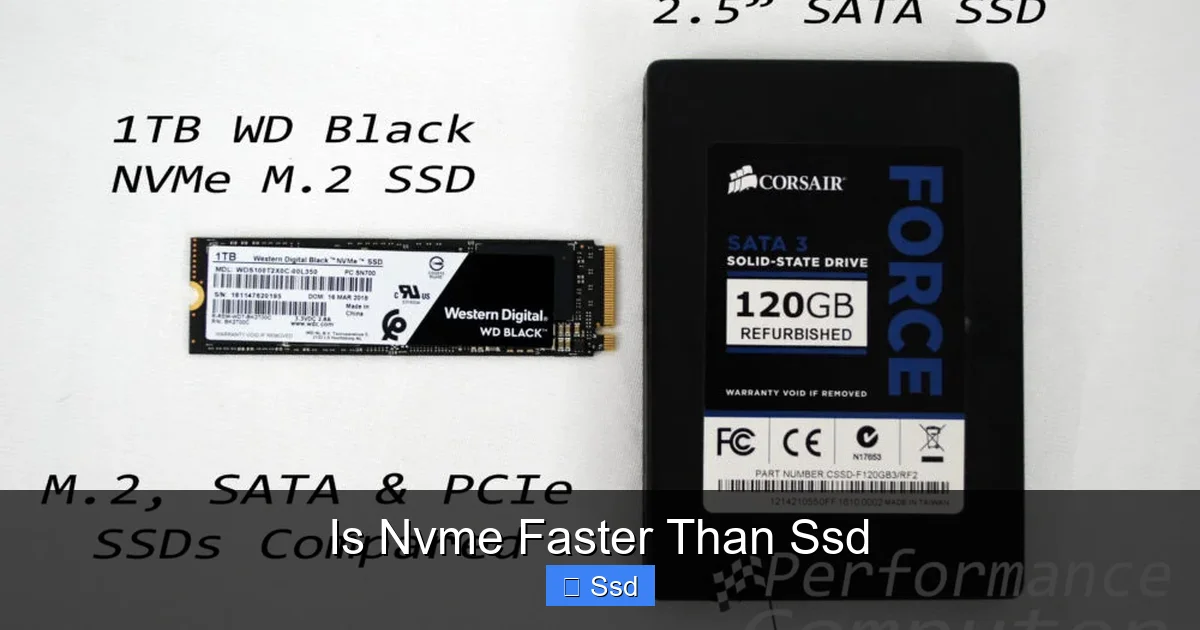
- SATA SSDs: These use the Serial ATA interface, the same port used by hard drives for over a decade. They are physically 2.5-inch drives (like a small laptop hard drive) or sometimes the M.2 “gumstick” form factor but still running on the SATA protocol. Their maximum speed is capped by the SATA III standard at ~550-600 MB/s.
- NVMe SSDs: These use the PCI Express bus, the same high-speed lanes used by your graphics card. They almost exclusively come in the M.2 form factor (a small, flat stick that plugs directly into the motherboard). Their speed is dictated by the PCIe generation (3.0, 4.0, 5.0) and the number of lanes (usually x4).
So, when someone asks “is NVMe faster than SSD,” they are almost always asking if an NVMe (PCIe) SSD is faster than a SATA SSD. And yes, by the raw numbers, it’s not even close.
Under the Hood: SATA vs. PCIe Express
The reason for the vast speed gap lies in the architecture of the two interfaces. Let’s pop the hood.
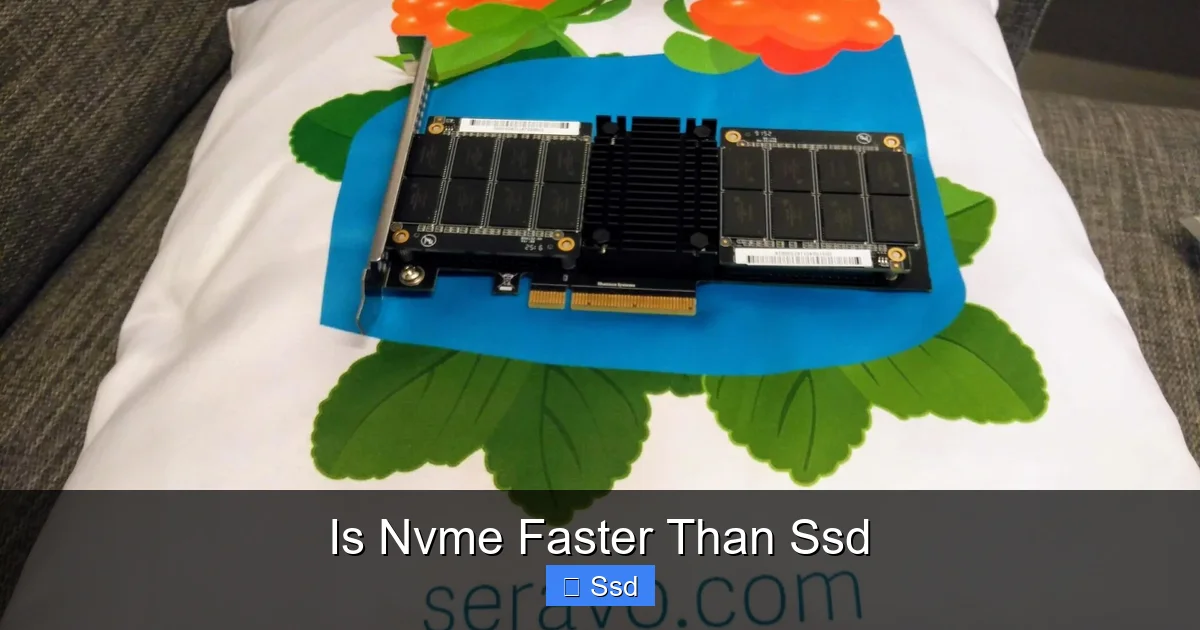
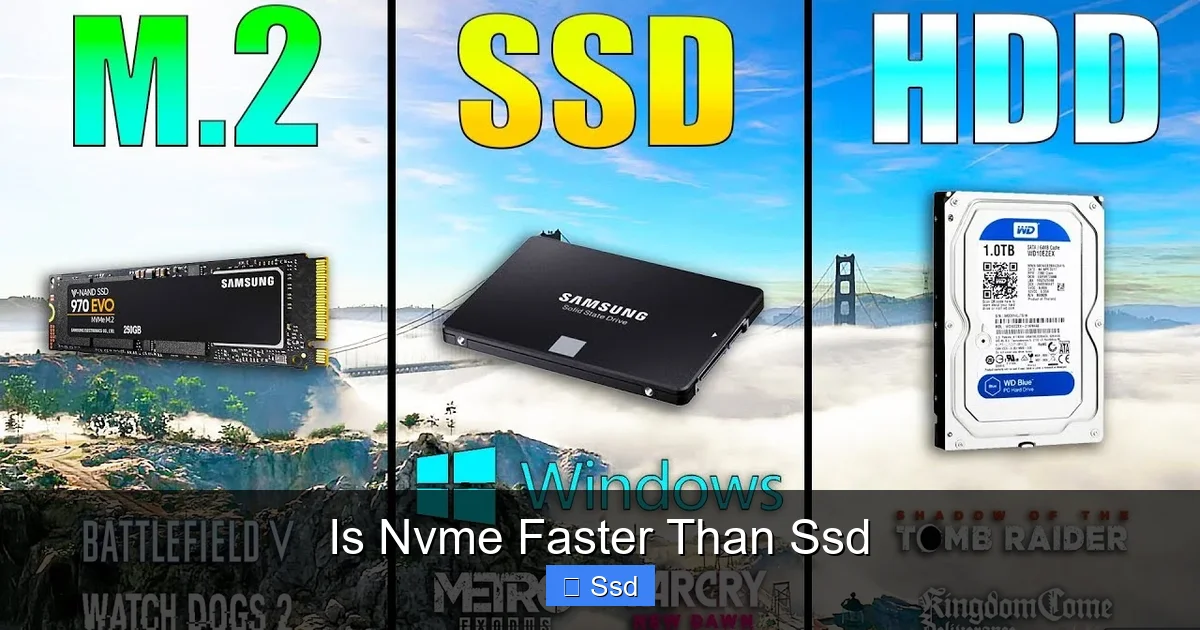
Visual guide about Is Nvme Faster Than Ssd
Image source: seravo.com
SATA: The Trusty, But Slow, Country Road
SATA was designed in the early 2000s for hard drives. Its architecture is older and has more overhead. It’s like a single-lane road with a toll booth (the AHCI driver) that every data packet must pass through. This toll booth was great for the slow, spinning nature of hard drives but becomes a massive bottleneck for the blistering speed of flash memory. The SATA III specification maxes out at 600 MB/s. In the real world, the best SATA SSDs achieve about 550 MB/s sequential read/write speeds. That’s still thousands of times faster than a hard drive, but it’s a hard ceiling.
PCIe Express: The Multi-Lane Superhighway
PCIe is the high-performance artery of your PC. It’s designed for devices that need raw, low-latency bandwidth, like graphics cards and network adapters. NVMe was built specifically for this bus, ditching the old AHCI “toll booth” for a streamlined, direct communication protocol. It’s like having a 4-lane (x4) or even 16-lane highway with no stoplights.
- PCIe 3.0 x4: Theoretical max ~4,000 MB/s (3,940 GT/s). Common in older NVMe drives.
- PCIe 4.0 x4: Theoretical max ~8,000 MB/s (7,877 GT/s). Standard for current-gen AMD and Intel platforms.
- PCIe 5.0 x4: Theoretical max ~16,000 MB/s (15,754 GT/s). Found on the latest Intel 13th/14th Gen and AMD Ryzen 7000 series platforms, but drives are still emerging.
This is where the headline-grabbing numbers come from. A PCIe 4.0 NVMe SSD can have sequential read speeds over 7,000 MB/s—more than 12 times faster than a SATA SSD’s limit.
Benchmark Battle: Numbers Don’t Lie (But They Can Mislead)
Okay, so the theoretical specs are wildly different. But what about real performance? Here’s where we separate “benchmark porn” from practical use.
Visual guide about Is Nvme Faster Than Ssd
Image source: techdiy.info
Sequential vs. Random: The Critical Distinction
You’ll see two main types of speeds advertised:
- Sequential Read/Write: This is reading or writing one huge, contiguous file (like copying a 100GB movie folder or loading a single massive game level). This is where NVMe absolutely demolishes SATA. The difference is staggering.
- Random Read/Write (IOPS – Input/Output Operations Per Second): This is reading or writing many small, scattered files (like loading an operating system, opening a program with thousands of small files, or booting a game). This is more relevant to everyday responsiveness. Here, the gap narrows significantly because the limiting factor becomes the NAND flash memory’s speed and the drive’s controller, not just the interface. A good SATA SSD and a mid-range NVMe SSD can have surprisingly similar random performance.
Real-World Example Scenarios
Let’s translate these numbers into what you’ll actually experience:
- Booting Windows: Both a SATA SSD and an NVMe SSD will boot Windows in 10-15 seconds. You might save 1-2 seconds with NVMe. It’s real, but not revolutionary.
- Launching Games & Applications: Similar to booting. The difference is often within the margin of human perception. Level load times might improve by a second or two in some titles, but many games are optimized for storage streaming, minimizing the impact.
- Copying a 50GB Folder (e.g., Video Project): This is NVMe’s moment to shine. A SATA SSD at 550 MB/s takes about 90 seconds. A PCIe 4.0 NVMe SSD at 5,000 MB/s takes about 10 seconds. That’s a dramatic, noticeable difference for content creators.
- Video Editing / 3D Rendering: Working with 4K/8K video streams or loading complex scenes benefits hugely from NVMe’s high sequential speeds. Scrubbing through timelines, importing footage, and rendering can feel much smoother.
- General Productivity (Office, Web Browsing): You will not notice a difference. Both will feel instant.
Practical Tip: If you’re a gamer or general user, don’t buy an NVMe drive *just* for faster game loads. The performance uplift is minimal compared to the cost. If you work with large files daily, the sequential speed is a legitimate productivity boost.
Beyond Speed: Other Factors to Consider
Choosing storage isn’t just about peak megabytes per second. Several other critical factors come into play.
Visual guide about Is Nvme Faster Than Ssd
Image source: techdiy.info
The Heat Problem
High-speed NVMe drives, especially PCIe 4.0 and 5.0 models, generate significant heat. Thermal throttling is a real phenomenon where the drive slows itself down to prevent damage once it hits a temperature threshold (often around 70-80°C). This can cause your blazing-fast NVMe drive to slow down to SATA-like speeds during extended workloads. Many modern motherboards include M.2 heatsinks, and high-end NVMe drives often come with their own heatsink or even a small fan. A SATA SSD, by comparison, runs cool as a cucumber.
Capacity and Cost per Gigabyte
For a long time, NVMe commanded a significant price premium. That gap has narrowed dramatically, but SATA SSDs still generally offer a better cost per gigabyte, especially at higher capacities (2TB+). If you need 4TB of fast storage on a budget, a 2.5-inch SATA SSD might still be the more economical choice. However, for 1TB and below, NVMe prices are very competitive.
Compatibility and Installation
This is a huge practical consideration.
- SATA SSD: Works with any motherboard that has a SATA port (virtually all from the last 15 years). You need a SATA data cable and a power cable from the PSU. Easy to install in any desktop or laptop with a 2.5-inch bay.
- NVMe SSD (M.2): Requires a motherboard with an M.2 slot that supports PCIe (not all do—some only support the slower SATA protocol in the M.2 slot). You also need to check if your CPU/platform supports PCIe 4.0/5.0; an NVMe drive will work at the lower generation speed if backward compatible. Installation is simpler (just screw it in), but you must be mindful of clearance for heatsinks and other components.
Pro Tip: Before buying an NVMe drive, open your PC case or check your motherboard manual. Find the M.2 slots. See if they share bandwidth with other ports (like SATA or PCIe slots). This can disable other ports when the M.2 slot is populated.
The “QLC Factor” and Drive Longevity
Don’t get fooled by the interface alone. Many budget NVMe drives use QLC (Quad-Level Cell) NAND, which is slower and has lower endurance (TBW – Total Bytes Written) than TLC (Tri-Level Cell) NAND, which is common in mid-to-high-end SATA and NVMe drives. A high-quality SATA TLC drive can often outperform a cheap NVMe QLC drive in sustained writes and mixed workloads. Always check reviews for sustained performance, not just peak sequential speeds.
Which One Should You Buy? A Practical Guide
Enough theory. Let’s get practical. Here’s a simple decision tree.
Scenario 1: You’re Upgrading an Old Laptop or Desktop with an HDD
Recommendation: Buy a SATA SSD. The leap from a spinning hard drive to any SSD is the single greatest performance upgrade you can make for general computing. Your system will feel brand new. You’ll save money, avoid potential compatibility headaches with NVMe on an old board, and the drive will run cool and quiet. For most users in this scenario, NVMe is overkill and potentially incompatible.
Scenario 2: Building a New PC for Gaming & General Use
Recommendation: A fast NVMe PCIe 4.0 drive is the sweet spot. For a new build, your motherboard will almost certainly have a capable M.2 slot. The price difference is minimal, and you get a cleaner build with one less cable. While game load time improvements over SATA are minor, you benefit from faster Windows updates, quicker application installs, and future-proofing for games that may better utilize high-speed storage. A 1TB PCIe 4.0 NVMe drive like a Samsung 980 Pro, WD Black SN850X, or Crucial P5 Plus is a fantastic, no-brainer choice.
Scenario 3: Professional Content Creator, Data Scientist, Engineer
Recommendation: High-end NVMe (PCIe 4.0 or 5.0) is strongly advised. Your workflow involves constantly moving large files: raw 8K video footage, massive datasets, complex project files. Here, those sequential read/write speeds translate directly into saved minutes and hours every day. The investment pays for itself in productivity. Look for drives with high sustained write speeds and good thermal solutions.
Scenario 4: You Need Massive, Cheap Storage (Media Library, Backups)
Recommendation: Stick with high-capacity SATA SSDs or even HDDs for bulk. For a media server or a simple backup drive where speed isn’t critical, you can get 4TB-8TB SATA SSDs for a much better price per terabyte than equivalent NVMe drives. Use a fast NVMe for your OS and active projects, and a large SATA SSD/HDD for your archive.
The Verdict: It’s All About Your Use Case
So, is NVMe faster than SATA SSD? Technically, and often dramatically so, yes. The PCIe interface provides a monumental bandwidth advantage that shows its teeth in large, sequential file operations. For professionals dealing with big data, that speed is a core tool. For the mainstream user, the difference in everyday responsiveness is subtle, often imperceptible.
The smartest approach is to stop thinking in absolutes. A SATA SSD is not “slow”—it’s still a revolutionary technology that makes PCs feel fast. An NVMe SSD is not a magical fix for all lag—it’s a specialized tool for specific, bandwidth-heavy tasks. Your perfect drive matches your budget, your motherboard’s capabilities, and—most importantly—your actual workflow. Understand the “why” behind the speed claims, look beyond the headline numbers, and you’ll choose the right storage for your next build or upgrade with confidence.
Frequently Asked Questions
Is NVMe always faster than SATA SSD in real-world use?
Not always. While NVMe is dramatically faster in large file transfers (like copying a 50GB folder), the difference in everyday tasks like booting Windows, launching games, or opening applications is often only 1-2 seconds, if noticeable at all. The limiting factor in these random read operations is often the NAND flash speed, not the interface.
Can I use an NVMe SSD in an old PC that only has SATA ports?
No, not directly. NVMe SSDs use the PCIe bus, not the SATA bus. To use an NVMe drive in an older PC without an M.2 PCIe slot, you would need a PCIe adapter card that fits into an older PCIe x4, x8, or x16 slot. However, very old systems may not have the necessary BIOS support to boot from an NVMe drive.
Will a SATA SSD bottleneck a modern CPU or GPU?
Almost never in gaming or general use. The CPU and GPU wait for game assets and OS files in small, random chunks, where even a SATA SSD provides data instantly by human perception. The bottleneck in games is almost always the GPU, not the storage, unless you’re experiencing stuttering from poorly optimized asset streaming, which is rare on any SSD.
Is the heat from NVMe drives a real problem?
Yes, for high-performance PCIe 4.0 and 5.0 NVMe drives under sustained loads. Thermal throttling can reduce their speeds to levels similar to or even below a good SATA SSD. This is mainly a concern for professional workloads (video editing, heavy file transfers) or in cases with poor airflow. For gaming with short bursts of activity, it’s less of an issue, but a motherboard heatsink is recommended.
Should I get a larger SATA SSD or a smaller, faster NVMe SSD?
This depends on your priority: capacity or peak speed. For an OS + programs + a few favorite games drive, a 1TB NVMe SSD is ideal. For a secondary drive to store your entire game library or media collection where load times from the library aren’t critical, a 2TB+ SATA SSD offers much better value per gigabyte. Many users opt for a small, fast NVMe for the OS and a large SATA SSD for games/files.
Do I need to enable anything in BIOS for an NVMe SSD?
Usually, it’s plug-and-play. Modern motherboards will detect an NVMe drive in an M.2 slot automatically. However, you should ensure that the M.2 slot is enabled (it sometimes is by default) and that CSM (Compatibility Support Module) is disabled for best performance and to allow booting from the NVMe drive. Always consult your motherboard manual for specific settings.