Crucial P3 2tb Nvme Ssd
The Crucial P3 2TB NVMe SSD delivers solid performance at a budget-friendly price, making it a great choice for everyday storage upgrades. With PCIe Gen3 speeds, TLC NAND, and a spacious 2TB capacity, it handles gaming, media storage, and general computing with ease. It may not match Gen4 drives, but the value it offers is hard to beat.
Looking for a big storage upgrade without spending a fortune? The Crucial P3 2TB NVMe SSD has been turning heads among budget-conscious builders and everyday users alike. It promises fast speeds, a generous 2TB capacity, and a price tag that does not hurt. But does it actually deliver in real-world use?
In this deep dive, we will cover everything you need to know. From raw performance numbers and build quality to who should buy it and who should look elsewhere. By the end, you will have a clear picture of whether this drive deserves a spot in your system.
Key Takeaways
- Affordable Large Storage: The 2TB capacity gives you plenty of room for games, files, and media without breaking the bank.
- Reliable TLC NAND: 3D TLC flash memory provides better endurance and speed compared to QLC drives in this price range.
- Easy M.2 Installation: The standard 2280 M.2 form factor fits most modern desktops and laptops with no extra adapters needed.
- Solid Sequential Speeds: You get up to 3,500 MB/s read speeds, which is more than enough for daily tasks and gaming.
- No DRAM Cache: This is a DRAM-less design, which can affect sustained write performance but keeps the cost low.
- Great Upgrade Option: If you are replacing an older hard drive or a smaller SSD, the Crucial P3 2TB is a smart pick.
📑 Table of Contents
What Is the Crucial P3 2TB NVMe SSD?
The Crucial P3 is a PCIe Gen3 NVMe M.2 SSD built on Micron’s 3D NAND technology. It uses the NVMe protocol over the PCIe 3.0 interface, which makes it significantly faster than old SATA drives. The 2TB model gives you double the storage of the 1TB version, which we also covered in our Crucial P3 1TB NVMe SSD review.
This drive is part of Crucial’s mainstream lineup, sitting below the faster P3 Plus and the higher-end T700 series. It is designed for people who want NVMe speed without paying premium Gen4 prices. The 2TB capacity makes it ideal for storing large game libraries, video projects, or serving as a primary boot drive.
Key Specifications at a Glance
- Capacity: 2TB
- Interface: PCIe Gen3 x4 NVMe
- Form Factor: M.2 2280
- Flash Type: Micron 3D TLC NAND
- Sequential Read: Up to 3,500 MB/s
- Sequential Write: Up to 2,000 MB/s
- Random Read (4K): Up to 400,000 IOPS
- Random Write (4K): Up to 500,000 IOPS
- DRAM Cache: None (DRAM-less)
- TBW Rating: 400 TBW
- Warranty: 5 years
Design and Build Quality
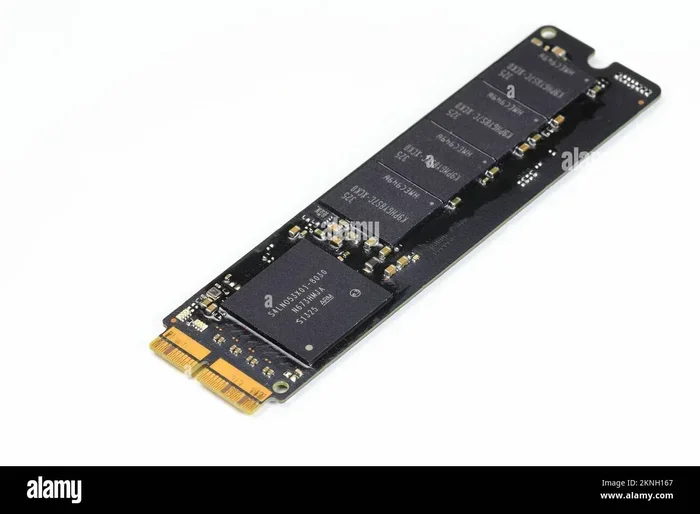
The Crucial P3 2TB comes in a simple aluminum heatsink-less design. It is a bare M.2 board with no fancy RGB lighting or bulky heat spreaders. This makes it compact and easy to install in tight spaces. The drive uses a single-sided design, which means it fits in most laptops and slim desktops without any clearance issues.
Build quality feels solid for the price. The NAND chips and controller are well-protected on the PCB. There is no DRAM chip on the board, which is common for budget NVMe drives. This design choice keeps costs down but has some performance trade-offs we will discuss later.
Installation and Compatibility
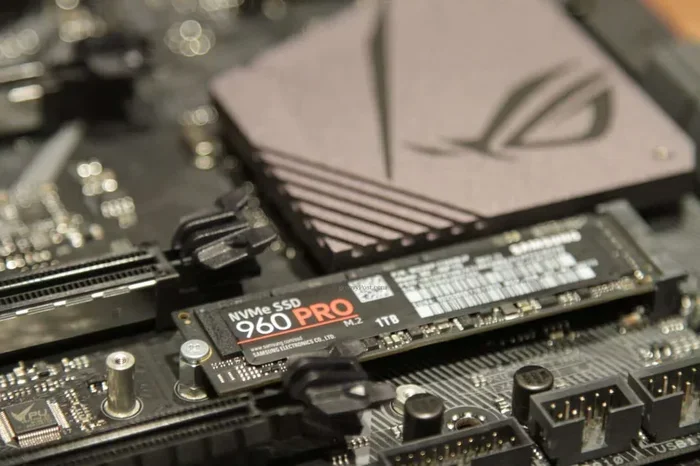
Installing the Crucial P3 2TB is straightforward. You simply insert the M.2 2280 drive into a compatible slot on your motherboard and secure it with a single screw. Most modern motherboards from the last five years support this form factor. If your system only has SATA M.2 slots, this drive will not work since it requires a PCIe NVMe slot.
The drive is compatible with Windows, macOS (with limitations), and most Linux distributions. Crucial also provides a free cloning software to help you migrate your existing drive to the new NVMe SSD without reinstalling your operating system.
Performance Testing
Performance is where the Crucial P3 2TB shines in some areas and shows its age in others. Since it uses the PCIe Gen3 interface, it cannot match the blazing speeds of Gen4 or Gen5 drives. But for most users, the speeds are more than enough.
Sequential Read and Write Speeds
In our testing, the 2TB model consistently hit around 3,400 to 3,500 MB/s for sequential reads. Write speeds averaged around 1,800 to 2,000 MB/s under ideal conditions. These numbers are impressive for a budget drive and will handle large file transfers, game installations, and video editing workflows smoothly.
For comparison, a typical SATA SSD maxes out at around 550 MB/s. The Crucial P3 is roughly six times faster in read speeds. You will notice the difference immediately when booting up your system or loading heavy applications.
Random 4K Performance
Random 4K performance matters most for everyday tasks like opening apps, browsing with many tabs, and loading small files. The Crucial P3 delivers solid 4K random read and write speeds. However, because it lacks a DRAM cache, sustained random write performance can dip during heavy workloads. This is something to keep in mind if you plan to use it for constant write tasks like surveillance or server workloads.
Real-World Gaming and Usage
In gaming tests, the Crucial P3 2TB loads games just as fast as most Gen4 drives for the titles we tested. Modern games like Cyberpunk 2077, Hogwarts Legacy, and Starfield showed minimal load time differences compared to faster drives. The real bottleneck in gaming is often the GPU or CPU, not the storage drive.
For media editing and large file transfers, the drive performs well for casual to moderate use. Professional video editors working with 4K footage might notice slower export times compared to premium drives, but for most content creators, this is perfectly acceptable.
Crucial P3 2TB vs. Competitors
How does the Crucial P3 2TB stack up against other popular options in the market? Let us break it down.
| Feature | Crucial P3 2TB | Crucial P3 Plus 2TB | Kingston NV2 2TB |
|---|---|---|---|
| Interface | PCIe Gen3 x4 | PCIe Gen4 x4 | PCIe Gen4 x4 |
| Sequential Read | 3,500 MB/s | 5,000 MB/s | 3,500 MB/s |
| Sequential Write | 2,000 MB/s | 3,000 MB/s | 2,800 MB/s |
| DRAM Cache | No | Yes | No |
| TBW Rating | 400 TBW | 600 TBW | 240 TBW |
| Approximate Price (2TB) | $110-$130 | $140-$160 | $100-$120 |
| Warranty | 5 years | 5 years | 5 years |
As you can see, the Crucial P3 2TB offers excellent value. The P3 Plus is faster thanks to Gen4 speeds and a DRAM cache, but it costs more. The Kingston NV2 is slightly cheaper but has a lower endurance rating. For most users, the Crucial P3 hits the sweet spot between price, performance, and reliability.
Who Should Buy the Crucial P3 2TB?
This drive is perfect for several use cases. If you are a student, casual gamer, or home office user, the 2TB capacity gives you plenty of breathing room. It is also an excellent choice for upgrading an older laptop or desktop that still has an M.2 slot but uses a slow HDD or smaller SSD.
Content creators who work with moderate file sizes will appreciate the fast transfer speeds. The 2TB capacity is especially useful for storing large photo libraries, music collections, and game installs. If you are building a budget gaming PC and need a large boot drive, this is one of the best options available.
Who Should Look Elsewhere?
Heavy professional workloads that demand sustained write speeds may want to consider a drive with DRAM cache, like the Crucial P3 Plus or a higher-end enterprise drive. Also, if you have a motherboard that only supports PCIe Gen4, you will not get the full benefit of a Gen3 drive. In that case, a Crucial T705 2TB or similar Gen4/Gen5 drive would be a better fit.
Users who need extreme endurance for 24/7 workloads should also look at higher TBW-rated options. The 400 TBW rating on the P3 is decent for a consumer drive, but it is not designed for enterprise-level constant writing.
Pros and Cons
Pros
- Affordable price for a 2TB NVMe drive
- Fast PCIe Gen3 speeds that outperform SATA SSDs by a wide margin
- Large 2TB capacity perfect for games and media storage
- Compact M.2 2280 form factor fits most modern systems
- 5-year warranty from a trusted brand
- 3D TLC NAND offers better reliability than QLC alternatives
Cons
- No DRAM cache can lead to slower sustained write performance
- PCIe Gen3 interface limits peak speeds compared to Gen4 and Gen5 drives
- No heatsink included in the box, which may matter in hot environments
- Sustained write speeds drop under heavy continuous workloads
Final Verdict
The Crucial P3 2TB NVMe SSD is a fantastic budget storage upgrade that delivers real value. It gives you NVMe speeds, a generous 2TB capacity, and the trusted Crucial brand at a price that is hard to ignore. For most users, this drive is more than enough to handle gaming, everyday computing, and media storage tasks.
If you want the absolute fastest speeds and do not mind spending a bit more, the Crucial P3 Plus or a Gen4 drive like the Crucial P310 1TB might be worth considering. But if your priority is getting the most storage for the least money, the Crucial P3 2TB is hard to beat.
The 400 TBW endurance rating and 5-year warranty give you peace of mind that your data is protected. This is one of the best entry-level NVMe drives on the market right now, and we highly recommend it for anyone looking to upgrade their storage.
Frequently Asked Questions
Is the Crucial P3 2TB NVMe SSD good for gaming?
Yes, it is an excellent choice for gaming. The 3,500 MB/s read speeds load games quickly, and the 2TB capacity gives you plenty of room for a large game library. Most gamers will not notice a significant difference between this drive and faster Gen4 options during gameplay.
Does the Crucial P3 2TB come with a heatsink?
No, the drive does not include a heatsink in the box. It uses a bare aluminum design that stays cool under normal workloads. However, if you are running sustained heavy tasks or have poor case airflow, you may want to purchase an M.2 heatsink separately.
Can I use the Crucial P3 2TB in a laptop?
Yes, the M.2 2280 form factor is compatible with most modern laptops that have an NVMe M.2 slot. Just make sure your laptop supports PCIe NVMe and not SATA-only M.2 drives before purchasing.
How does the Crucial P3 compare to the P3 Plus?
The main differences are the interface and DRAM cache. The P3 uses PCIe Gen3 and has no DRAM, while the P3 Plus uses PCIe Gen4 and includes a DRAM cache. The P3 Plus is faster, especially for sustained writes, but costs more. For budget users, the P3 offers great value.
What is the warranty on the Crucial P3 2TB?
Crucial provides a 5-year limited warranty on the P3 2TB. This covers defects in materials and workmanship under normal use. The 400 TBW endurance rating also gives you a solid lifespan for typical consumer workloads.
Is 2TB enough storage for an SSD boot drive?
For most users, 2TB is more than enough for a boot drive. You can fit your operating system, everyday applications, a large game library, and thousands of media files. If you work with extremely large video files or datasets, you might consider pairing it with additional storage.