Acer Aspire 5 Laptop Inexpensive 16.0 Gb Ram
The Acer Aspire 5 with 16GB of RAM is a standout budget laptop that delivers exceptional multitasking capability for its price. It combines a capable processor, a decent Full HD display, and solid build quality in an affordable package, making it an ideal choice for students, remote workers, and casual users who need to run multiple applications smoothly without breaking the bank. While it has some typical budget compromises in materials and speakers, the sheer value proposition of getting 16GB of RAM at this price point is hard to beat for everyday productivity and media consumption.
Let’s be honest. Shopping for a new laptop on a budget can feel like a relentless compromise. You want good performance, a nice screen, and solid build quality, but the price tag seems to dictate you can only pick two. Then, you see a spec sheet that makes you pause: a laptop with 16 gigabytes of RAM for a surprisingly inexpensive price. That’s the magic moment the Acer Aspire 5 creates. It’s the laptop that makes you ask, “How is this possible?” In this deep dive, we’re going past the headline spec to see if the Acer Aspire 5 with 16GB RAM is the smart, value-packed choice it appears to be, or if there are hidden trade-offs you need to know about before you buy.
For years, the standard for a smooth, future-proof Windows laptop was 8GB of RAM. But as operating systems and web browsers become more demanding, 8GB is quickly becoming the new minimum, not the sweet spot. Having 16GB isn’t just a luxury for gamers and video editors anymore; it’s a practical necessity for anyone who wants to keep 20+ Chrome tabs open while working in a Word document, a spreadsheet, and a Zoom call without the system turning into a sluggish, fan-wheezing mess. The Aspire 5’s inexpensive 16GB RAM configuration directly attacks this common pain point for budget shoppers. We’ll explore exactly what that means for your daily life, break down every component of this machine, compare it to rivals, and help you decide if this is the right laptop for your specific needs.
Key Takeaways
- Unbeatable RAM-to-Price Ratio: Securing 16GB of RAM in a laptop under $600 is rare, and the Aspire 5 makes this high-multitasking capability accessible to budget-conscious buyers.
- Capable Everyday Performance: Paired with modern Intel or AMD Ryzen processors, 16GB RAM eliminates slowdowns when juggling dozens of browser tabs, office apps, and streaming services simultaneously.
- Practical Build & Portability: It features a sturdy plastic chassis, a comfortable keyboard, and a lightweight design (around 3.7 lbs), making it easy to carry for college or travel.
- Good Display for the Price: The 15.6″ Full HD (1920×1080) IPS panel offers decent color and viewing angles, though it isn’t the brightest or most color-accurate for professional photo work.
- Limited Gaming & Heavy Creative Work: The integrated graphics (Intel Iris Xe or AMD Radeon) can handle only light, older, or very low-setting games and basic photo editing, not AAA titles or video editing.
- Upgrade-Friendly Design: Many models have an accessible panel on the bottom, allowing for relatively easy future upgrades to storage (adding an NVMe SSD or HDD) or even the RAM, though it often comes maxed out.
- Targeted for Specific Users: Perfect for students, writers, business professionals, and families needing a reliable, no-fuss machine for web browsing, document work, video calls, and entertainment.
📑 Table of Contents
- Why 16GB RAM in an Inexpensive Laptop is a Game-Changer
- Detailed Breakdown: The Acer Aspire 5 Spec Sheet Decoded
- Real-World Performance: What Can You Actually Do?
- The Other Side of the Coin: Potential Drawbacks & Compromises
- Who Is This Laptop For? (And Who Should Look Elsewhere?)
- Buying Guide & Tips: Getting the Best Deal
Why 16GB RAM in an Inexpensive Laptop is a Game-Changer
Before we talk about the Acer specifically, let’s talk about why the 16GB RAM part of “Acer Aspire 5 Laptop Inexpensive 16.0 Gb Ram” is so revolutionary in its price bracket. RAM, or Random Access Memory, is your laptop’s short-term working memory. Think of it like the desk space you have to spread out your current projects. 8GB is a small desk—you can have a few documents and a browser open, but adding more means constantly shuffling things into storage (your hard drive/SSD), which is slow. 16GB is a much larger, comfortable desk. You can have all your work laid out at once, and switching between tasks feels instantaneous.
The Multitasking Multiplier Effect
For the average user, the benefit is sheer, frustration-free multitasking. Here’s a practical example: You’re a student writing a research paper. With 16GB, you can have:
- A Word processor open with your document.
- Ten+ browser tabs with research sources (many modern sites are RAM-hungry).
- Spotify or YouTube playing music in the background.
- A PDF viewer open with your source material.
- Slack or Teams for a group chat.
On an 8GB system, this scenario would likely cause significant slowdowns, with your cursor skipping and applications stuttering as the system struggles to manage everything in limited memory. The 16GB Aspire 5 handles this workload with ease, making your workflow smooth and preserving your sanity.
Future-Proofing Your Investment
Software only gets more demanding. Windows 11 itself uses more RAM than Windows 10. Future browser updates will demand more. Buying a laptop with 16GB RAM is a simple, effective way to extend its useful lifespan by 1-2 years compared to an 8GB model. You won’t need to upgrade as soon because your laptop will still feel responsive with the software of tomorrow. This makes the inexpensive price tag even more valuable—you’re getting a machine that will stay useful longer.
Detailed Breakdown: The Acer Aspire 5 Spec Sheet Decoded
Now, let’s crack open the hood and see what makes up this inexpensive 16GB RAM package. It’s crucial to understand that “Acer Aspire 5” is a family of models. The specific configuration with 16GB RAM is just one variant. We’ll focus on the common specs found in the most popular 16GB models, typically priced between $500 and $650.
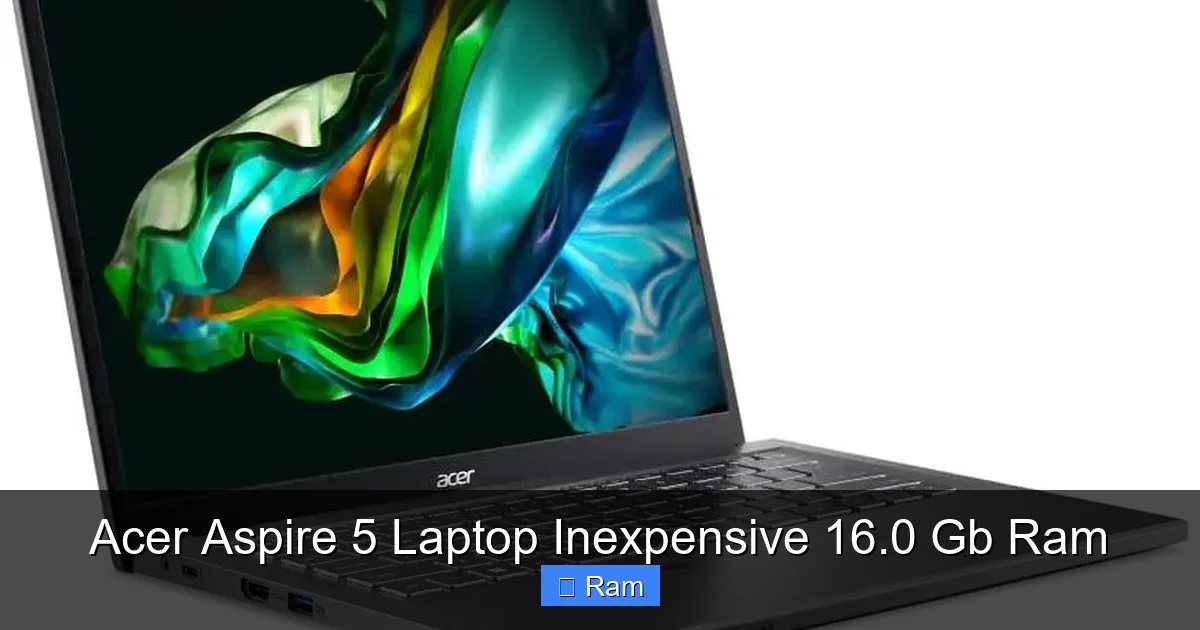
Visual guide about Acer Aspire 5 Laptop Inexpensive 16.0 Gb Ram
Image source: laptopmedia.com
Processor (CPU): The Brain of the Operation
The Aspire 5 with 16GB RAM is almost always paired with a mid-range processor. You’ll commonly find:
- Intel: 11th or 12th Gen Intel Core i5 or i7 (e.g., i5-1135G7, i5-1235U). These are efficient, powerful chips excellent for everyday tasks and light productivity.
- AMD: Ryzen 5 or Ryzen 7 from the 5000 or 6000 series (e.g., Ryzen 5 5500U, Ryzen 7 5700U). AMD’s offerings often have stronger integrated graphics, which is a slight bonus for light gaming.
Both are more than capable for the target use case. The key is that they are not the absolute cheapest Celeron or Pentium chips; they are proper modern mobile processors that can leverage the 16GB RAM effectively.
Storage (SSD): Speed is Key
Almost all new Aspire 5 models come with a Solid State Drive (SSD), which is non-negotiable for a good experience. You’ll typically get:
- Capacity: 512GB is the standard starting point. Some configurations offer 1TB.
- Type: NVMe PCIe SSD. This is fast storage that makes booting Windows, opening apps, and loading files feel snappy.
This SSD is the perfect partner for the 16GB RAM. Your system can quickly swap data between the ultra-fast RAM and the fast SSD, maintaining performance even under heavy loads. Avoid any configuration that still offers a traditional Hard Disk Drive (HDD) as the primary drive.
Display: The Window to Your Work
The standard is a 15.6-inch diagonal display with a Full HD (1920 x 1080) resolution. The panel type is usually IPS, which provides good viewing angles and color reproduction compared to the inferior TN panels. It’s a perfectly serviceable screen for documents, web browsing, and video streaming. Don’t expect the vibrant, super-bright panel found on premium ultrabooks or the high color gamut for professional photo editing. For its price, it’s a solid, no-fuss display.
Graphics (GPU): Integrated is the Name of the Game
This is the biggest compromise in the inexpensive Aspire 5. You will not find a dedicated NVIDIA or AMD graphics card in these models. You rely entirely on integrated graphics:
- Intel: Intel Iris Xe Graphics (on 11th/12th Gen CPUs). A massive leap over old Intel HD graphics, capable of light gaming (esports titles like CS:GO, League of Legends at low-medium settings) and basic video acceleration.
- AMD: AMD Radeon Graphics (built into Ryzen 5000/6000 series). Often considered slightly more capable than Iris Xe for light gaming and creative tasks.
Set your expectations accordingly. This is not a gaming laptop. It’s for casual 1080p video playback, very old games, or extremely light GPU-accelerated creative work.
Ports, Connectivity & Extras
The Aspire 5 is generally well-equipped here:
- Ports: You’ll typically get USB-C (often with charging), USB-A 3.2, USB-A 2.0, HDMI 2.0, an Ethernet (LAN) jack, and a headphone jack. This is a great selection for an inexpensive laptop, allowing you to connect multiple peripherals, an external monitor, and wired internet without dongles.
- Wi-Fi & Bluetooth: Wi-Fi 6 (802.11ax) and Bluetooth 5.0 or higher are standard on newer models, providing fast, stable wireless connections.
- Webcam: Usually a 720p HD camera. It’s functional for Zoom calls but not impressive in quality. Consider an external webcam if video conferencing is critical.
- Keyboard & Touchpad: The keyboard is full-sized with a number pad, a rarity in smaller laptops. It’s reasonably comfortable for typing long documents. The touchpad is adequate.
Real-World Performance: What Can You Actually Do?
Specs are just numbers. Let’s translate the Acer Aspire 5 with 16GB RAM into real-life tasks and see how it performs.
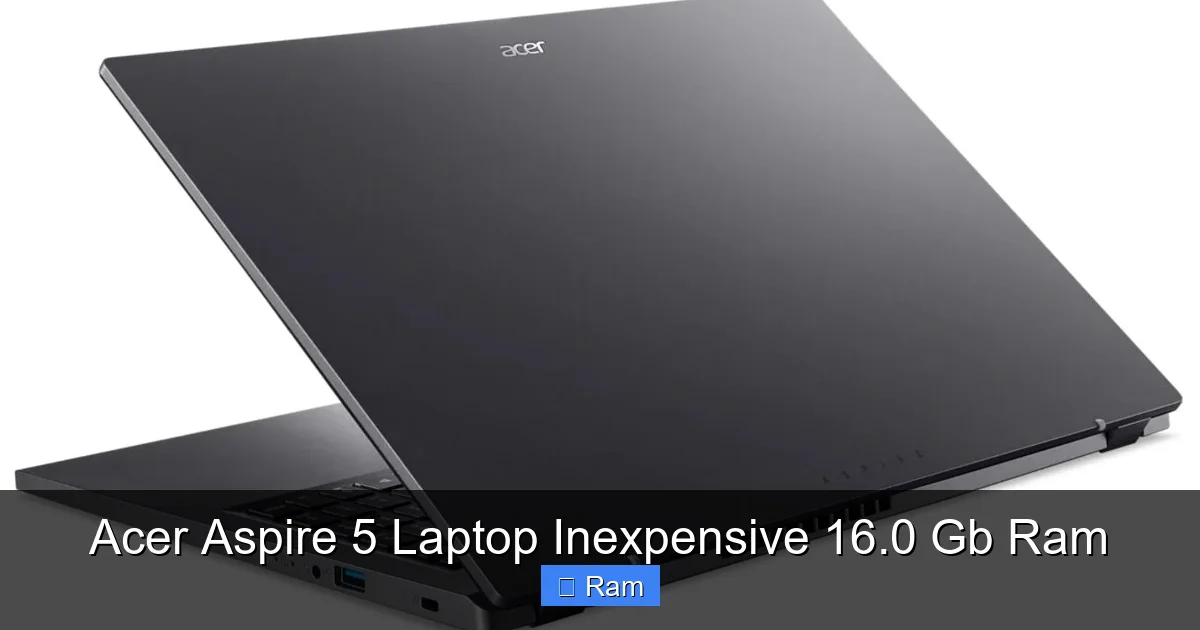
Visual guide about Acer Aspire 5 Laptop Inexpensive 16.0 Gb Ram
Image source: laptopmedia.com
The Productivity Powerhouse
This is where the laptop shines brightest. For office work, school, and general productivity, it’s a champ. You can run Microsoft Office (Word, Excel, PowerPoint) with large, complex spreadsheets and documents without a hiccup. Having 16GB means you can keep all your essential apps—email client, communication tools like Slack or Teams, your browser with dozens of research tabs—open all at once. The system feels responsive, and you won’t see the “ spinning wheel of death” or “Not Responding” messages as often as you would on an 8GB system under the same load. For writers, researchers, and administrative professionals, this smoothness directly translates to better focus and efficiency.
Casual Entertainment & Media
Watching Netflix, YouTube, or Disney+ in 1080p is effortless. The integrated graphics handle video decoding with ease. The 15.6-inch screen is a good size for shared viewing. The speakers are… typical budget laptop speakers. They get loud enough but lack bass and clarity. For a better experience, use headphones or external speakers. The ample RAM also means you can have a video playing in one window while you browse or work in another without any stuttering.
Light Photo Editing & Creative Tasks
Can you edit photos? Yes, but with caveats. Software like Adobe Photoshop or the free GIMP will run. For basic adjustments—cropping, color correction, applying filters—on single-layer JPEGs, it’s perfectly fine. Where you’ll hit limits is with large, high-resolution RAW files, multiple layers, or complex filters. The 16GB RAM helps by allowing you to work on larger files without constant caching to the SSD, but the integrated graphics lack the power for GPU-accelerated features like some blur tools or 3D features. For casual social media photo prep, it’s okay. For professional or serious hobbyist work, look for a laptop with a dedicated GPU.
Light Gaming: What’s Possible?
Don’t buy this for gaming. But if you enjoy older titles, indie games, or esports titles that aren’t graphically demanding, you can play. At 720p or 900p resolution with low-to-medium settings, you can expect:
- 30-60 FPS in games like League of Legends, Dota 2, CS:GO, Valorant.
- Playable performance (20-40 FPS) in older AAA titles from the 2010-2015 era (e.g., Skyrim, GTA V on low).
- Smooth gameplay in virtually all 2D indie games on Steam.
New AAA releases from 2022 onward will be either unplayable or require severe resolution and settings drops. The 16GB RAM ensures the game itself isn’t memory-limited, but the GPU will be the primary bottleneck.
The Other Side of the Coin: Potential Drawbacks & Compromises
No laptop is perfect, especially at an inexpensive price. Understanding the compromises of the Acer Aspire 5 is key to making a confident purchase.

Visual guide about Acer Aspire 5 Laptop Inexpensive 16.0 Gb Ram
Image source: laptopmedia.com
Build Quality & Materials
The chassis is made of plastic. It’s not the flimsy, cheap-feeling plastic of a decade ago; it’s reasonably rigid and doesn’t flex excessively under normal pressure. However, it lacks the premium, rock-solid feel of an aluminum unibody laptop (which costs significantly more). The lid requires a firm push to open, and the entire unit has a slight give. It’s built to withstand a backpack and daily use, but it’s not indestructible. Treat it with the care you’d give any mid-range tool.
Display Limitations
While the Full HD IPS panel is a step up from HD (1366×768), it has drawbacks:
- Brightness: Typically peaks around 250 nits. This is fine for indoor use but can struggle in brightly lit rooms or near windows. Outdoor use is difficult.
- Color Gamut: Covers about 45-60% of the sRGB color space. This means colors are not particularly vibrant or accurate. It’s fine for browsing and videos but not for any serious color-critical work.
- Reflectivity: The glossy finish on some models can be reflective.
Battery Life: Good, Not Great
Battery life is a mixed bag. With the 15.6-inch model and a power-hungry 15W+ processor, you can expect:
- General Use (browsing, documents): 6-8 hours. This is respectable for a large-screen budget laptop.
- Video Playback: 5-7 hours.
- Heavy Multitasking/Gaming: 2-4 hours.
It won’t last a full 10+ hour workday away from an outlet, but for a student moving between classes or a traveler with access to power, it’s adequate. The power adapter is also relatively compact.
Audio & Webcam
As mentioned, the speakers are tinny and lack bass. Use headphones. The 720p webcam is grainy and performs poorly in low light. In the era of constant video calls, this is a notable weak spot. An inexpensive USB webcam is a highly recommended $20-$50 add-on if you take frequent meetings.
Who Is This Laptop For? (And Who Should Look Elsewhere?)
This is the most important section. The Acer Aspire 5 inexpensive 16GB RAM model is a fantastic tool for a specific set of users. Matching the tool to the job is everything.
Perfect For: The Smart Multitasker on a Budget
This laptop is an ideal match for:
- Students: Handling research tabs, word processing, presentation software, and video lectures simultaneously. The large screen and number pad are great for data-heavy courses.
- Remote Workers & Business Users: Running multiple office applications, communication suites (Teams, Slack), and a browser with dozens of tabs for research. It’s a reliable workhorse for emails, documents, and spreadsheets.
- Casual Home Users & Families: A great shared computer for browsing, social media, online shopping, streaming, and light photo management. The 16GB ensures it won’t bog down even with multiple user profiles.
- Writers & Bloggers: The comfortable keyboard and ability to have research, writing tools, and browser open at once is a writer’s dream at this price.
- Seniors or First-Time Laptop Buyers: A no-fuss, capable machine that won’t confuse with complexity but can handle everyday digital life smoothly.
Think Twice: Who Should Consider a Different Path?
You should look at other options if:
- Gaming is Your Priority: Even light gaming. Look at laptops with a dedicated GPU like the NVIDIA GTX 1650 or RTX 3050, even if they have only 8GB RAM (which you could upgrade).
- You Do Professional Creative Work: Video editing, graphic design, 3D modeling. You need a powerful CPU and, more importantly, a dedicated GPU from NVIDIA or AMD. The integrated graphics will cripple your workflow.
- Ultra-Portability is Key: If you need something under 3 lbs with all-day battery life (10+ hours), look at premium ultrabooks like the Dell XPS 13 or MacBook Air. They cost more but offer superior build, display, and battery.
- You Demand Premium Build & Display: If the plastic feel and average display will bother you daily, save up for an aluminum chassis model with a better screen.
Buying Guide & Tips: Getting the Best Deal
So you’ve decided the Acer Aspire 5 with 16GB RAM fits your needs. Here’s how to navigate the purchase and ensure you get the best value.
Where to Buy & Price Tracking
Check major retailers like Amazon, Best Buy, Walmart, and Acer’s official website. Prices fluctuate. The 16GB/512GB configuration often sits in the $550-$650 range. Use browser extensions like Keepa or CamelCamelCamel to track Amazon price history and set alerts for drops. Don’t overpay. Sometimes, the 8GB model is on a deep discount; if you’re tech-savvy, you could buy that and upgrade the RAM yourself for less, but the pre-configured 16GB model offers convenience and warranty peace of mind.
Key Things to Verify Before Clicking “Buy”
Read the spec sheet carefully! Confirm:
- RAM: It explicitly says “16GB DDR4” or “16GB RAM.” Some listings are vague.
- Storage: “512GB SSD” or “1TB SSD.” Avoid “eMMC” storage (slower, found in very cheap Chromebooks).
- Processor: Note the exact model (i5-1235U vs. i5-1135G7). Newer is generally better.
- Display: “15.6” FHD IPS” is what you want.
- Operating System: “Windows 11 Home” is standard. Be wary of “Windows 11 S Mode” (restricted) or “FreeDOS” (no OS).
First Steps & Optimizations After Unboxing
When your Aspire 5 arrives:
- Unbox & Inspect: Check for any physical damage.
- Windows Setup: Go through the initial setup, creating a Microsoft account or local account as preferred.
- Update Everything: Immediately run Windows Update. Install all optional driver updates, especially for the chipset and graphics. This fixes bugs and improves performance.
- Bloatware Cleanup: Acer includes some trial software. Use “Add or remove programs” to uninstall anything you don’t need (McAfee trials, etc.). This frees up resources.
- Power Settings: In Windows Power Options, set the plan to “Best performance” or “High performance” when plugged in to ensure the CPU and RAM run at full speed.
- Consider a Clean Install: For the ultimate clean experience, you can use the Windows 11 Media Creation Tool to do a fresh, bloatware-free install. This is more advanced but yields the best performance.
Frequently Asked Questions
Is 16GB of RAM overkill for an inexpensive laptop like the Aspire 5?
No, it’s a strategic advantage. While 8GB is the bare minimum for Windows 11, 16GB provides essential headroom for smooth multitasking with many browser tabs and applications open simultaneously. It future-proofs your investment and prevents slowdowns, making the laptop feel more responsive and capable for longer.
Can I upgrade the RAM or storage myself later?
Yes, on most Aspire 5 models. There is usually an access panel on the bottom secured by screws. You can typically add an extra SSD (M.2 NVMe or SATA) in an empty slot or replace the existing SSD with a larger one. RAM is sometimes soldered, but many models have one or two accessible SO-DIMM slots. Check the specific model’s service manual on Acer’s website before buying to confirm upgradeability.
Does this laptop come with Windows 11?
Yes, all new Acer Aspire 5 laptops ship with Windows 11 Home pre-installed and activated. Be sure to verify this in the product listing. Avoid listings that mention “FreeDOS” or “Linux” unless you plan to install your own OS.
How is the webcam quality for video calls?
The integrated 720p webcam is functional but low-quality by modern standards. It produces grainy, soft images, especially in less-than-ideal lighting. For important work meetings or frequent video calls, budgeting for an external 1080p USB webcam ($20-$50) is highly recommended for a much better experience.
What are the main competitors to the Acer Aspire 5 with 16GB RAM?
Key competitors include the Lenovo IdeaPad 3 or 5 series with similar specs, the HP Pavilion Aero 13 (often with 16GB, lighter but smaller screen), and the ASUS Vivobook 15. Compare them based on exact processor, display quality, port selection, and current sale price. The Aspire 5 often wins on raw value and port variety.
What is the warranty like?
Acer typically provides a standard 1-year limited warranty from the date of purchase, covering hardware defects. This varies by region and retailer. You can often purchase extended warranty plans from the retailer (e.g., Best Buy’s Geek Squad protection). Always register your laptop on Acer’s website to activate the warranty and receive support.