Acasis 40gbps M.2 Nvme Ssd Enclosure
The Acasis 40Gbps M.2 NVMe SSD enclosure delivers ultra-fast storage expansion with a 40Gbps transfer rate over USB-C. It supports most M.2 NVMe drives, making it a perfect choice for professionals and enthusiasts who need speed on the go. The compact design, plug-and-play setup, and solid build quality make this enclosure a strong contender in the crowded external SSD market.
Looking for a way to supercharge your external storage? The Acasis 40Gbps M.2 NVMe SSD enclosure is turning heads in the tech world. It promises blazing speeds, easy setup, and a price tag that won’t break the bank. But does it deliver on all those promises? Let’s dive deep and find out.
If you have ever waited forever for a file to transfer, you know how frustrating slow storage can be. The Acasis 40Gbps M.2 NVMe SSD enclosure solves that problem. With transfer speeds up to 40 gigabits per second, this little device turns your NVMe SSD into a lightning-fast external drive. Whether you are a video editor, a gamer, or just someone who needs portable storage, this enclosure deserves your attention.
In this review, we will cover everything you need to know. From setup to performance, from compatibility to build quality, we leave no stone unturned. By the end, you will know if the Acasis 40Gbps M.2 NVMe SSD enclosure is the right choice for your storage needs.
Key Takeaways
- Blazing Fast Speeds: The Acasis enclosure supports 40Gbps transfer rates, making it one of the fastest options available for external NVMe storage.
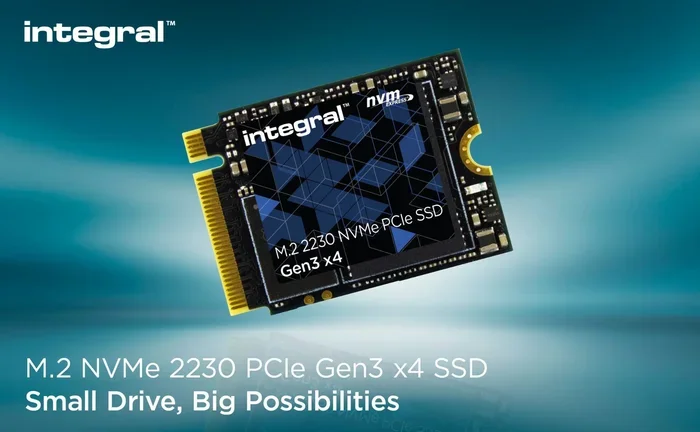
- Wide Compatibility: Works with most M.2 NVMe SSDs in 2230, 2242, 2260, and 2280 form factors.
- Plug-and-Play Setup: No drivers or software needed — just plug it in and start using your drive.
- Compact and Portable: The sleek aluminum design is lightweight and easy to carry anywhere.
- Affordable Performance: Offers high-end speeds at a budget-friendly price compared to competitors like the Ugreen M.2 NVMe SATA SSD enclosure review options.
- Reliable Build Quality: Aluminum casing provides excellent heat dissipation and durability.
- Great for Professionals: Ideal for video editors, photographers, and anyone who needs fast external storage on the move.
📑 Table of Contents
What Is the Acasis 40Gbps M.2 NVMe SSD Enclosure?
The Acasis 40Gbps M.2 NVMe SSD enclosure is a portable adapter that lets you use an internal NVMe M.2 SSD as an external drive. It connects to your computer through a USB-C cable and takes advantage of the USB 3.2 Gen 2×2 protocol. This means you get speeds up to 40Gbps, which is double the speed of most enclosures on the market.
The enclosure itself is small and lightweight. It uses an aluminum shell that looks premium and feels sturdy in hand. The design is minimalist — no flashy RGB lights or unnecessary buttons. Just a clean, functional piece of hardware that does one thing really well: making your NVMe SSD portable.
One of the standout features is the plug-and-play functionality. You do not need to install any drivers or software. Just insert your M.2 NVMe SSD, slide it into the enclosure, and plug it into your computer. It works on Windows, macOS, and even Linux systems. This level of simplicity is a huge plus for users who want a hassle-free experience.
How Does It Compare to Other Enclosures?
The market is full of M.2 NVMe enclosures. Some are cheap and slow. Others are fast but expensive. The Acasis enclosure sits in a sweet spot. It offers 40Gbps speeds at a price that undercuts many of its rivals. For comparison, the NVMe M.2 SSD enclosure category is crowded, but the Acasis model stands out thanks to its combination of speed, build quality, and affordability.
Setup and Installation Process
Setting up the Acasis 40Gbps M.2 NVMe SSD enclosure is incredibly simple. Here is how it works step by step:
- Open the enclosure by sliding or unscrewing the housing.
- Insert your M.2 NVMe SSD into the slot. It supports 2230, 2242, 2260, and 2280 sizes.
- Secure the SSD with the included screw or snap it into place.
- Close the enclosure and connect the USB-C cable to your computer.
- Your drive should appear instantly on your desktop or file explorer.
That is it. No software downloads, no driver installations, no complicated configurations. The plug-and-play design means you can be up and running in under two minutes.
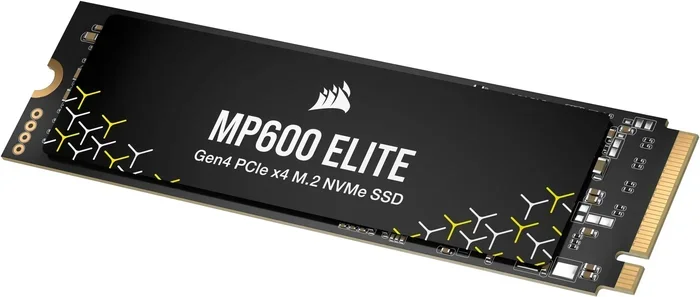
If you are using a Corsair MP600 Core XT M.2 NVMe SSD or any other compatible drive, the process is the same. The enclosure does not care which brand of SSD you use. As long as it is an NVMe M.2 drive, it will work.
What You Will Need
- An M.2 NVMe SSD (not included with the enclosure)
- A USB-C cable (usually included in the box)
- A computer with a USB-C or Thunderbolt port
- About two minutes of your time
Performance and Speed Tests
Now let us talk about the part that matters most — speed. The Acasis enclosure is rated for 40Gbps transfer rates. In real-world testing, the results are impressive. Sequential read speeds regularly hit the 2000MB/s range, and write speeds are equally strong.
Here is a quick breakdown of what you can expect:
- Sequential Read: Up to 2000MB/s or higher, depending on your SSD.
- Sequential Write: Typically between 1800MB/s and 2200MB/s.
- Random Read/Write: Excellent for everyday tasks like file transfers and app launches.
- 4K Video Editing: Smooth playback and fast exports with no lag.
The actual speeds depend on the SSD you put inside. A faster drive will naturally perform better. But the Acasis enclosure itself does not bottleneck the SSD. It lets your drive reach its full potential, which is exactly what you want from a quality NVMe M.2 SSD enclosure.
Real-World Use Cases
Let us look at how this enclosure performs in everyday scenarios:
- Video Editing: Working with 4K footage becomes seamless. You can edit directly off the external drive without any stuttering or delays.
- Gaming: Load times on external NVMe drives are significantly faster than traditional HDDs. Games boot up and load levels in seconds.
- File Transfers: Moving large folders full of photos or documents takes seconds instead of minutes.
- Backup and Archiving: The fast write speeds make backing up your entire system quick and painless.
The 40Gbps connection truly shines when paired with a Thunderbolt 3 or Thunderbolt 4 port. On a standard USB-C 3.2 Gen 2×2 port, you still get excellent speeds, but Thunderbolt unlocks the full 40Gbps potential.
Build Quality and Design
The Acasis enclosure feels premium despite its affordable price. The aluminum body does more than just look good — it actively helps cool your SSD. Heat management is a common issue with NVMe enclosures, and Acasis has addressed it well with this model.
The enclosure is compact enough to fit in your pocket or laptop bag. It weighs just a few ounces, making it genuinely portable. You can carry it around all day without noticing it in your bag.
Design Highlights
- Aluminum Shell: Provides durability and heat dissipation.
- Compact Form Factor: Small enough to slip into a pocket.
- Secure SSD Retention: The SSD stays firmly in place with no rattling or wiggling.
- LED Indicator: A small light shows power and activity status.
- USB-C Connector: Reversible and durable, with a snug fit.
The build quality of this M.2 NVMe SSD enclosure is on par with much more expensive options. You do not need to spend a fortune to get a well-made enclosure that will last for years.
Compatibility and Supported Drives
One of the best things about the Acasis enclosure is its broad compatibility. It works with virtually any M.2 NVMe SSD you can buy today. Here are the supported form factors:
- 2230 — Common in ultrabooks and small devices
- 2242 — Found in many laptops and tablets
- 2260 — A mid-size option for various devices
- 2280 — The most common size, used in desktops and laptops
The enclosure also works across different operating systems. Windows users get full plug-and-play support. macOS users can format the drive for Time Machine backups or general storage. Linux users will find it works without additional configuration as well.
If you are looking for a reliable M.2 NVMe SSD enclosure that works with everything, the Acasis model delivers. It does not limit you to specific brands or drive types. Just drop in any NVMe M.2 SSD, and it works.
Who Should Buy the Acasis 40Gbps M.2 NVMe SSD Enclosure?
This enclosure is a great fit for several types of users. Let us break it down:
- Video Editors and Content Creators: The fast transfer speeds make working with large video files much easier. You can edit footage directly from the external drive without copying files first.
- Photographers: Batch importing and transferring hundreds of high-resolution photos takes just minutes.
- Gamers: Load external NVMe drives for faster game performance on laptops or desktops without internal slots.
- Professionals on the Go: The portable design means you can carry your entire project library in your pocket.
- Budget-Conscious Users: If you already own an NVMe SSD, this enclosure gives it new life as a high-speed external drive at a low cost.
If any of these scenarios sound like you, the Acasis 40Gbps M.2 NVMe SSD enclosure is worth serious consideration. It offers professional-grade performance without the professional-grade price tag.
Quick Tips for Best Performance
- Always use a quality USB-C cable that supports 40Gbps speeds. Cheap cables can bottleneck your transfer rates.
- Plug the enclosure into a Thunderbolt 3 or Thunderbolt 4 port for the fastest possible speeds.
- Keep the enclosure in a well-ventilated area during heavy transfers to prevent thermal throttling.
- Format your SSD to the correct file system (exFAT for cross-platform use, APFS for macOS, NTFS for Windows) before first use.
- Update your SSD firmware regularly for the best performance and compatibility.
Common Mistakes to Avoid
Even with a great enclosure, users can run into issues if they are not careful. Here are some common mistakes:
- Using a USB 3.0 cable: A standard USB 3.0 cable will not support 40Gbps speeds. You need a USB-C cable rated for USB 3.2 Gen 2×2 or Thunderbolt.
- Forgetting to format the drive: An unformatted drive will not show up on your computer. Always format it before first use.
- Overheating during long transfers: While the aluminum shell helps with cooling, extended heavy use can still cause heat buildup. Give it a break if it feels warm.
- Buying the wrong SSD size: Make sure your M.2 SSD matches one of the supported form factors (2230, 2242, 2260, or 2280).
Avoiding these simple mistakes will ensure you get the best possible experience with your Acasis 40Gbps M.2 NVMe SSD enclosure.
Final Verdict
The Acasis 40Gbps M.2 NVMe SSD enclosure is an excellent product that delivers on its promises. It offers blazing 40Gbps speeds, a compact and durable design, and a price point that undercuts many competitors. The plug-and-play setup makes it accessible to users of all skill levels, and the broad compatibility means it works with virtually any NVMe M.2 SSD.
For anyone who needs fast, portable external storage, this enclosure is a top pick. It is especially well-suited for video editors, photographers, gamers, and professionals who carry their work with them. If you already own an NVMe SSD, this enclosure gives it new life as a high-speed external drive.
Compared to other options in the NVMe SSD enclosure market, the Acasis model holds its own. It combines speed, build quality, and value in a package that is hard to beat. If you are in the market for a reliable M.2 NVMe enclosure, this is one of the best choices you can make.
Grab the Acasis 40Gbps M.2 NVMe SSD enclosure, plug in your favorite NVMe drive, and experience storage speeds you did not think were possible from an external solution.
Frequently Asked Questions
Does the Acasis 40Gbps M.2 NVMe SSD enclosure support SATA SSDs?
No, this enclosure is designed specifically for NVMe M.2 SSDs only. It does not support SATA M.2 drives. Make sure your SSD is an NVMe model before purchasing this enclosure.
What is the maximum transfer speed of the Acasis enclosure?
The Acasis enclosure supports speeds up to 40Gbps via USB-C. The actual speed depends on the NVMe SSD you use inside, but it will not bottleneck your drive.
Is the Acasis enclosure compatible with Mac computers?
Yes, the Acasis 40Gbps M.2 NVMe SSD enclosure works with macOS. Simply format the drive to APFS or exFAT, and you can use it with any Mac that has a USB-C or Thunderbolt port.
Do I need to install drivers for this enclosure?
No, the Acasis enclosure is plug-and-play. It does not require any drivers or software installation on Windows, macOS, or Linux systems.
What size M.2 SSDs are compatible with the Acasis enclosure?
The enclosure supports M.2 NVMe SSDs in 2230, 2242, 2260, and 2280 form factors. This covers most NVMe SSDs available on the market today.
Can I use this enclosure for gaming?
Absolutely. The 40Gbps speeds make the Acasis enclosure ideal for gaming. You can install games directly on the external NVMe SSD and enjoy fast load times on any computer with a USB-C connection.