Acer Warranty Guide
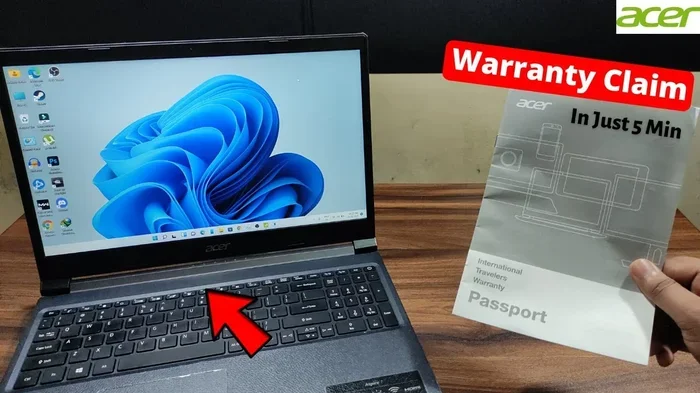
This Acer warranty guide covers everything you need to know about Acer laptop warranty coverage, claim filing, and how to check your warranty status. You will learn what is covered, how to contact Acer support, and simple tips to keep your warranty valid. Whether you own an Aspire, Nitro, or another Acer model, this guide has you covered.
Key Takeaways
- Standard Acer warranty: Most Acer laptops come with a one-year limited warranty covering hardware defects and repairs.
- Check your warranty online: You can easily verify your warranty status using the Acer serial number on the official Acer support site.
- Filing a claim is straightforward: Acer offers multiple channels including phone, email, and live chat for warranty support.
- Extended protection exists: You can purchase additional coverage through Acer or third-party providers for longer peace of mind.
- Keep your proof of purchase: Always save your receipt and registration documents to avoid warranty disputes.
- Avoid common mistakes: Physical damage, liquid spills, and unauthorized repairs often void your warranty coverage.
📑 Table of Contents
- What Is the Acer Warranty Guide and Why Does It Matter?
- What Does an Acer Warranty Cover?
- How to Check Your Acer Warranty Status
- How to File an Acer Warranty Claim
- Can You Upgrade Your Acer Laptop Without Voiding the Warranty?
- Tips to Protect Your Acer Laptop Warranty
- Common Acer Warranty Mistakes to Avoid
- Conclusion
What Is the Acer Warranty Guide and Why Does It Matter?
If you just bought a new Acer laptop, you probably want to know what protection you have. The Acer warranty guide explains everything about your coverage, how long it lasts, and what to do when something goes wrong. Many laptop owners never read their warranty details until they need help. That is a big mistake. Understanding your warranty early can save you time, money, and a lot of frustration later on.
Acer is one of the most popular laptop brands in the world. They make everything from budget-friendly Acer Aspire 5 models to powerful gaming laptops like the Nitro series. No matter which Acer device you own, knowing your warranty rights is essential. This guide breaks it all down in plain language. You do not need to be a tech expert to understand how it works.
In this Acer warranty guide, we will walk you through the key parts of your coverage. We will show you how to check your warranty status, file a claim, and avoid common mistakes that void your protection. We also share tips to get the most out of your warranty. Let us dive in and make sure you are fully protected.
What Does an Acer Warranty Cover?
Understanding what your Acer laptop warranty includes is the first step. Most Acer laptops come with a standard limited warranty. This covers hardware defects that are not caused by the user. Let us look at the details.
Hardware Coverage Under Acer Warranty
The standard Acer warranty typically covers the following components:
- Processor and motherboard: If these fail due to a manufacturing defect, Acer will repair or replace them.
- Memory (RAM): Faulty RAM modules are covered under the standard warranty period.
- Hard drive and SSD: Drive failures caused by defects are included in coverage.
- Display panel: Dead pixels or screen flickering issues may be covered.
- Battery: Acer covers battery defects that affect normal charging and usage.
- Keyboard and trackpad: Hardware malfunctions in these components are typically covered.
It is important to note that the warranty does not cover damage caused by accidents, misuse, or unauthorized modifications. For example, if your Acer laptop mouse stopped working due to a internal defect, it would likely be covered. But if you drop your laptop and the mouse stops working, that falls under accidental damage and is usually not covered.
What Is NOT Covered by Acer Warranty?
Knowing what is excluded is just as important. Here are common items not covered:
- Physical damage from drops, impacts, or pressure
- Liquid damage or water exposure
- Software issues caused by viruses or user-installed programs
- Cosmetic damage like scratches or dents
- Peripheral devices used outside of normal conditions
- Damage from unauthorized repairs or modifications
Some users wonder if issues like a mouse not working on Acer laptop due to a driver problem would be covered. Software-related issues are generally not part of the hardware warranty. However, if a hardware component fails, Acer support can help diagnose the root cause.
How to Check Your Acer Warranty Status
Checking your warranty status is quick and easy. You do not need to call support unless you want to. Here is how you can do it yourself.
Method 1: Use the Acer Warranty Check Tool
Visit the official Acer support website. Look for the warranty check section. Enter your laptop serial number. The serial number is usually found on the bottom of your laptop or on the original box. The system will show your warranty start date and expiration date instantly.
Method 2: Check Your Purchase Receipt
Your original receipt or invoice proves your purchase date. Acer uses this to determine your warranty period. Keep this document safe. For online purchases, save the confirmation email. It serves as proof of purchase if you ever need to file a claim.
Method 3: Contact Acer Support Directly
If you cannot find your serial number, you can contact Acer support. They can look up your warranty using your email address or other account details. Acer support is available through phone, email, and live chat. Their team is generally helpful and responsive.
For users who have upgraded their system, such as adding more memory through an upgrade RAM in Acer laptop process, your warranty may still apply to the original components. However, adding third-party parts can sometimes complicate warranty claims. Always check with Acer support before making hardware changes.
How to File an Acer Warranty Claim
Filing a warranty claim with Acer is a simple process if you follow the right steps. Here is exactly what you need to do.
Step 1: Gather Your Information
Before you start, make sure you have the following ready:
- Your laptop serial number
- Proof of purchase (receipt or invoice)
- A clear description of the issue
- Any error messages or codes you have received
Step 2: Contact Acer Support
You can reach Acer support through multiple channels. The official Acer website has a support portal where you can submit a ticket. You can also call their helpline or use the live chat feature. When you contact them, explain your issue clearly and provide all the information you gathered in Step 1.
Step 3: Follow the Repair or Replacement Process
Once your claim is submitted, Acer will guide you through the next steps. They may ask you to send your laptop to a service center. In some cases, they may arrange a pickup from your location. If the issue is covered, Acer will either repair your laptop or provide a replacement unit. The process typically takes a few business days to a couple of weeks depending on the complexity of the issue.
Keep in mind that if you are experiencing issues like a mouse on Acer laptop not working, Acer support will first try to diagnose whether it is a hardware or software problem. Hardware failures are covered; software issues may require separate troubleshooting.
Can You Upgrade Your Acer Laptop Without Voiding the Warranty?
This is one of the most common questions we see. Many users want to improve their laptop performance but worry about losing warranty coverage. Let us clear this up.
RAM Upgrades and Warranty
Upgrading your RAM is generally safe for your warranty. Acer laptops often allow users to access the RAM slots easily. If you are considering an upgrade RAM in Acer laptop, here are some tips:
- Check your laptop model before purchasing RAM. Not all Acer models use the same type of memory.
- Follow the official Acer user manual for installation instructions.
- Do not force any components into place. Gentle pressure is all you need.
- Keep your original RAM modules in case you need to return to them.
Some users upgrade their Acer Aspire 5 16 GB RAM models to improve multitasking. This is a popular and generally warranty-safe modification. However, if something goes wrong during the upgrade process, Acer may not cover damage caused by improper installation.
Other Safe Upgrades
Beyond RAM, you can also upgrade your storage drive in most Acer laptops. Replacing an old HDD with a new SSD is a common and warranty-friendly modification. Just make sure you follow proper procedures and use compatible components.
For gaming laptop users, upgrades like the ones discussed in the Acer Nitro V gaming laptop RAM upgrade guides are popular. These upgrades typically do not void your warranty as long as you do not damage other components during the process.
Tips to Protect Your Acer Laptop Warranty
Keeping your warranty valid is easier than you think. Follow these simple tips to make sure your coverage stays intact.
Register Your Product Early
Acer recommends registering your laptop soon after purchase. Registration creates an official record of your ownership. It makes filing claims faster and easier. You can register your product on the Acer website using your serial number.
Keep All Original Packaging
This might sound old-fashioned, but keeping your laptop box and packaging materials is smart. If you ever need to ship your laptop for warranty service, the original box provides the best protection during transit. It also proves your purchase if you lose your receipt.
Avoid Unauthorized Repairs
Taking your Acer laptop to an unauthorized repair shop can void your warranty. Always use Acer-authorized service centers for any repairs. If you are unsure about a repair option, contact Acer support first. They can direct you to the right service provider.
Use Genuine Acer Accessories
Using non-certified chargers, mice, or other accessories can sometimes cause issues. While Acer may not always deny a claim because of third-party accessories, it can complicate the process. Stick with genuine Acer products or certified alternatives whenever possible.
Keep Your Laptop Clean and Well-Maintained
Regular maintenance goes a long way. Keep your laptop free from dust and debris. Use a soft cloth to clean the screen and keyboard. Avoid eating or drinking near your laptop to prevent spills. These simple habits keep your laptop in good shape and your warranty intact.
Common Acer Warranty Mistakes to Avoid
Even well-meaning users can make mistakes that affect their warranty. Here are the most common ones to watch out for.
Mistake 1: Not Reading the Warranty Terms
Many users skip reading the warranty terms and conditions. This is a big mistake. The terms tell you exactly what is and is not covered. Knowing these details prevents surprises when you need help the most.
Mistake 2: Missing the Warranty Registration Window
Some Acer promotions offer extended warranty if you register within a specific time frame. Missing this window means you lose the bonus coverage. Always register your product as soon as possible after purchase.
Mistake 3: Trying DIY Repairs
YouTube tutorials can be tempting. But opening up your laptop and attempting repairs yourself often voids the warranty. Even if you fix the issue, Acer may refuse to cover any related problems. Leave repairs to the professionals.
Mistake 4: Ignoring Software Updates
Keeping your Acer laptop updated is important for warranty support. If you file a claim and Acer discovers your system is running outdated or modified software, it could affect your claim. Always keep your operating system and drivers up to date.
Mistake 5: Losing Your Proof of Purchase
Without proof of purchase, proving your warranty eligibility becomes very difficult. Save all receipts, invoices, and confirmation emails in a safe place. Digital copies work just as well as paper ones.
Conclusion
Your Acer warranty guide is one of the most valuable resources you have as a laptop owner. Understanding what is covered, how to check your status, and how to file a claim gives you confidence and protection. Take a few minutes today to review your warranty details and register your product if you have not already.
Keep your proof of purchase safe, avoid unauthorized repairs, and follow the tips in this guide. These simple steps ensure your Acer laptop stays protected for the duration of your warranty period. If you ever run into an issue, you will know exactly what to do and how to get it resolved quickly.
Remember, a little preparation goes a long way. Your Acer warranty is there to protect your investment. Use it wisely and you will have peace of mind every time you open your laptop.
Frequently Asked Questions
How long does an Acer laptop warranty last?
Most Acer laptops come with a standard one-year limited warranty. Some models and promotions may offer extended coverage of up to two or three years. You can check your specific warranty period by entering your serial number on the Acer support website.
Can I extend my Acer warranty beyond the standard period?
Yes, Acer offers extended warranty plans through their official website and authorized retailers. You can also purchase third-party extended warranty coverage. It is best to purchase extended coverage before your standard warranty expires.
Does Acer warranty cover accidental damage?
The standard Acer limited warranty does not cover accidental damage like drops, spills, or impacts. However, Acer offers optional accidental damage protection plans that you can purchase separately. These plans provide extra coverage for common accidents.
How do I find my Acer laptop serial number?
Your Acer serial number is usually printed on a sticker on the bottom of your laptop. You can also find it in the BIOS menu or on the original product box. Enter the serial number on the Acer support page to check your warranty status instantly.
What should I do if my Acer laptop has a hardware defect?
First, check your warranty status online. If your laptop is still under warranty, contact Acer support through their website or helpline. They will guide you through the claim process and arrange repair or replacement as needed. Always have your serial number and proof of purchase ready.
Will upgrading my RAM void my Acer warranty?
No, upgrading your RAM does not void your Acer warranty as long as you install the components correctly. However, if damage occurs during the upgrade process, Acer may not cover repairs related to that damage. Always follow the official installation guide for your specific model.