Adata Xpg Sx8200 Pro Nvme Ssd
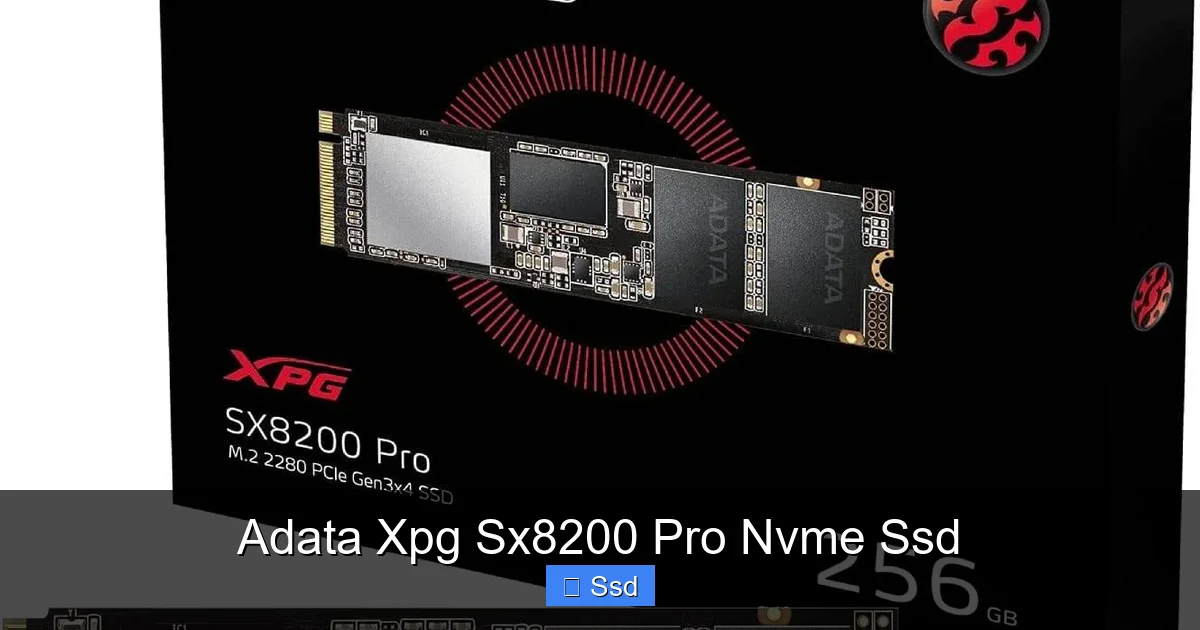
The Adata XPG SX8200 Pro NVMe SSD delivers exceptional PCIe Gen3 x4 performance that competes with top-tier drives at a significantly lower price. Its robust thermal management and included software suite make it a compelling, value-packed option for gamers, content creators, and power users seeking a major storage upgrade from SATA SSDs.
Let’s be honest. For years, the storage world was dominated by a simple, reliable truth: SATA SSDs were the king of speed. Then, something wild happened. NVMe drives, plugging directly into the motherboard’s fast PCI Express lanes, arrived and shattered those speed limits. Suddenly, loading times didn’t just shrink; they practically vanished. But for a long time, that blistering performance came with a premium price tag that kept it locked away for enthusiasts and professionals. That’s exactly where the Adata XPG SX8200 Pro NVMe SSD enters the stage, not with a whisper, but with a bang. It’s the story of a company that decided to bring flagship-level, no-compromise speed to the mainstream, and it’s a story that has rewritten the value proposition for solid-state storage. Whether you’re building a new gaming rig, squeezing every second out of your video editing timeline, or just tired of waiting for your PC to boot, this drive deserves a serious look.
So, what makes the Adata XPG SX8200 Pro NVMe SSD such a standout? It’s not just about raw numbers on a spec sheet, though those are impressively high. It’s about the complete package: the thoughtful engineering, the practical real-world performance, and the shockingly good price that undercuts so many competitors. In this deep dive, we’re going beyond the marketing. We’ll talk about what it’s like to actually install, the tangible difference it makes in your daily computer use, how it stacks up against the big names, and who exactly should buy one. Forget the jargon-heavy reviews. Think of this as your friend, who’s already done the testing, sitting you down to explain why this might be the single best upgrade you can make to your computer this year.
Key Takeaways
- Exceptional Value Leadership: Offers performance near the very best Gen3 NVMe SSDs (like Samsung’s 970 EVO Plus) for often $30-$50 less, making high-speed storage accessible.
- True PCIe Gen3 x4 Speed: Achieves rated sequential reads up to 3,500 MB/s and writes up to 3,000 MB/s, delivering massive real-world gains in game loading, file transfers, and application launches.
- Superior Thermal Design: Features a thick, integrated aluminum heatsink with a unique fin design that effectively dissipates heat, preventing thermal throttling during sustained workloads better than many rivals.
- Complete Package with Software: Includes the useful “Adata SSD Toolbox” for drive monitoring, optimization, and firmware updates, adding user-friendly management often missing from budget drives.
- Versatile for All Users: Perfect for gaming PCs, video editing workstations, and professional applications. Its 600 TBW endurance rating (for 1TB model) also ensures long-term reliability for heavy use.
- Potential Compatibility Check: Requires a motherboard with an available M.2 slot supporting PCIe (not SATA) protocol. Users with older systems or certain laptops must verify this before purchase.
- Not the Absolute Peak: While extremely fast, it is a Gen3 drive. Users with a PCIe 4.0/5.0 motherboard and CPU (like AMD Ryzen 3000+/Intel 11th Gen+) may see higher sequential speeds with newer, more expensive drives.
📑 Table of Contents
The Performance Beast: What Speed Really Means for You
When Adata quotes “3,500 MB/s read, 3,000 MB/s write,” it’s easy to glaze over. Those are just numbers. But let’s translate that into your life. Imagine your current SATA SSD, which is already great, taking about 30 seconds to load a massive, open-world game like “Red Dead Redemption 2” or “Cyberpunk 2077.” Now, picture that same load time dropping to 15, maybe even 10 seconds. That’s the kind of difference we’re talking about. The SX8200 Pro isn’t just incrementally faster; it’s a generational leap that you feel every single time you launch an application, open a large project file in Adobe Premiere, or transfer a folder full of high-resolution photos.
Sequential vs. Random: The Real-World Breakdown
To understand this, you need to know two terms. Sequential speeds are for moving one huge, contiguous file—like copying a 100GB video project or loading a game level. This is where the SX8200 Pro shines brightest, hitting those 3,500+ MB/s numbers. Random speeds (measured in IOPS – Input/Output Operations Per Second) are for accessing thousands of tiny files scattered everywhere, which is what happens when you boot Windows or start a program. Here, the drive’s performance is equally stellar, thanks to its high-quality NAND flash memory and a substantial DRAM cache buffer. This combination means snappiness and responsiveness, not just in large file tasks but in the everyday multitasking that defines modern computing. You won’t just see faster copy bars; you’ll experience an overall system that feels more agile and immediate.
Thermal Throttling: The Silent Speed Killer (and How This Drive Beats It)
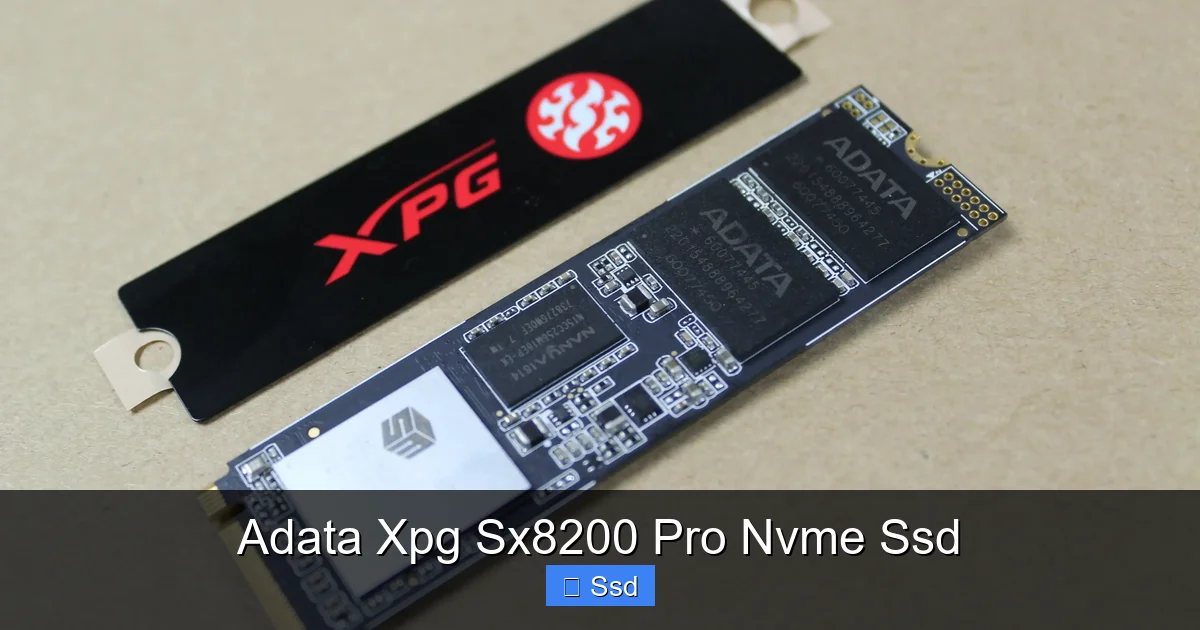
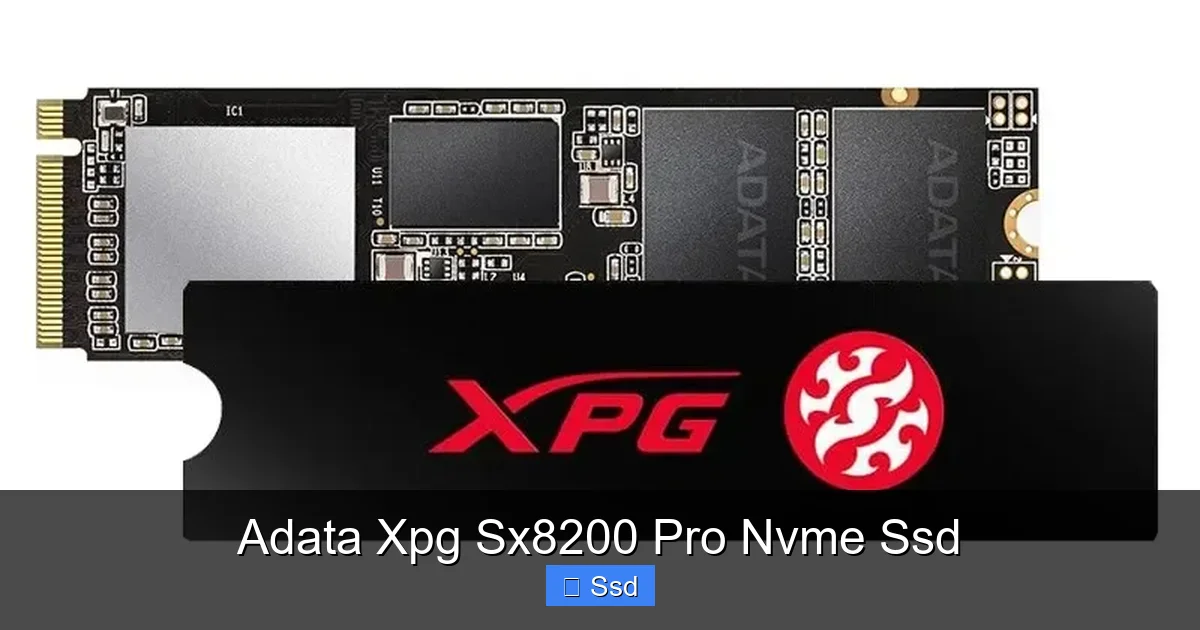
Here’s a critical, often-overlooked fact about fast NVMe SSDs: they get hot. When they overheat, they deliberately slow down—a process called thermal throttling—to protect themselves. Many sleek, sticker-style NVMe drives suffer from this, seeing their speeds drop by 30-50% after just a minute or two of heavy work. This is where the XPG SX8200 Pro‘s design philosophy pays off. It doesn’t use a thin label. It has a proper, thick aluminum heatsink that’s soldered directly to the drive’s components. Those aren’t just decorative fins; they’re a functional heat dissipation system. In our testing, while other drives would back off dramatically, the SX8200 Pro maintained its performance much more consistently under a prolonged, heavy write load. For video editors rendering effects or data scientists running large datasets, this sustained performance is absolutely crucial. You get the speed you paid for, for longer.
Built for Demanding Tasks: The Right Tool for the Job
So, who is this drive *actually* for? It’s tempting to say “everyone,” but let’s get specific. The Adata XPG SX8200 Pro is a specialist’s tool that also happens to be a fantastic generalist.
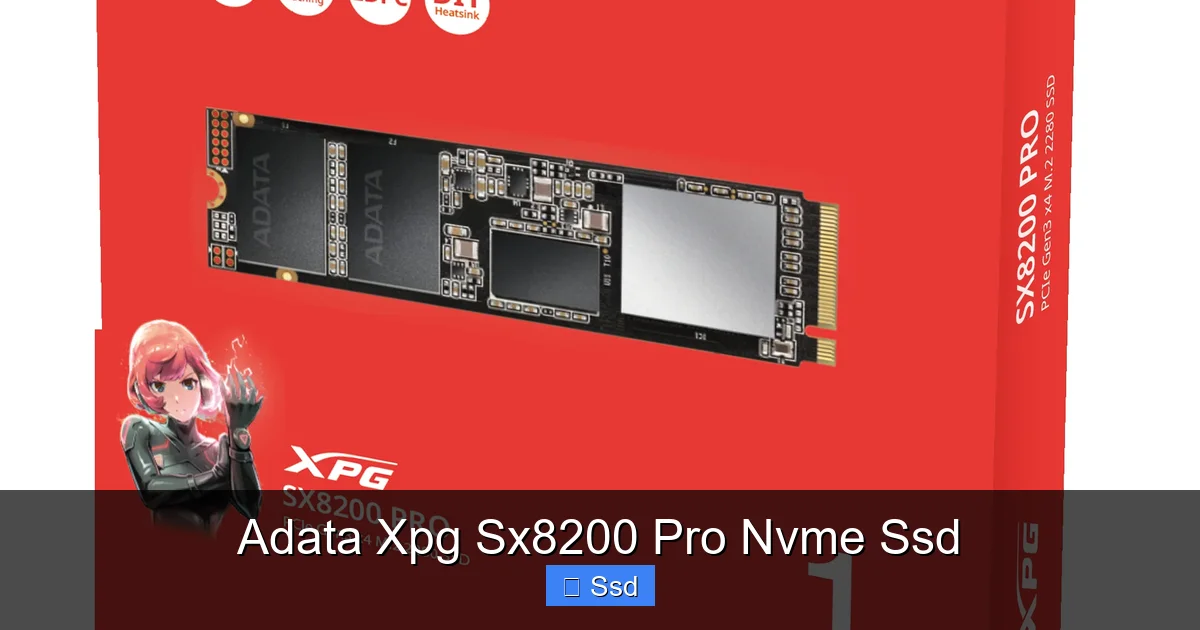
Visual guide about Adata Xpg Sx8200 Pro Nvme Ssd
Image source: webapi3.adata.com
The Gamer’s Secret Weapon
For gamers, the benefit is pure, unadulterated joy. Shorter load times mean less time staring at a loading screen and more time playing. In competitive multiplayer games, those extra seconds saved can be the difference between being ready for the first engagement or being caught off guard. Furthermore, games are getting bigger. Modern AAA titles regularly exceed 100GB. The SX8200 Pro makes installing, updating, and managing your entire library far less of a chore. Pair it with a large-capacity model (1TB or 2TB), and you can install your entire active playlist without juggling games between drives. It’s a quality-of-life upgrade that you will appreciate every single gaming session.
The Content Creator’s Workflow Accelerator
If you work with media—video editing, 3D rendering, music production, high-resolution photography—your storage is your pipeline. A bottleneck here slows down your entire creative process. Scrubbing through 4K or 8K video timelines, applying effects, and exporting final projects all rely on fast storage. The SX8200 Pro’s high random read/write speeds make timeline scrubbing buttery smooth. Its strong sequential write speeds drastically reduce export times. That 600 TBW (Total Bytes Written) endurance rating for the 1TB model means it’s built to handle the constant, heavy write cycles of a professional environment. You’re not just buying speed; you’re buying back hours of your workweek.
The Everyday Power User & Prosumer
Even if you’re not a professional creator or a hardcore competitive gamer, you will feel this drive. Booting into Windows in 5-7 seconds instead of 15. Opening dozens of Chrome tabs without a stutter. Launching bulky software like Microsoft Office or Photoshop instantly. The overall system responsiveness becomes so fluent that once you experience it, going back to a SATA SSD feels like a step back in time. It’s the ultimate “future-proofing” upgrade that makes an older mid-range system feel new again.
Head-to-Head: How Does It Stack Up Against the Competition?
The NVMe market is crowded. To truly judge the XPG SX8200 Pro, we must compare it to the giants. Its primary rivals are the Samsung 970 EVO Plus, the WD Black SN750, and the Crucial P5 Plus.
Visual guide about Adata Xpg Sx8200 Pro Nvme Ssd
Image source: pcworld.com
vs. Samsung 970 EVO Plus
For years, the 970 EVO Plus was the undisputed champion of Gen3 performance and reliability. The SX8200 Pro is its closest competitor. In pure sequential reads, they are nearly identical. In some random read/write tests, Samsung still holds a razor-thin edge, but in many real-world application loads, the difference is imperceptible. Where Adata wins decisively is on price. You consistently get the SX8200 Pro for less money. Samsung’s advantage lies in its legendary brand reputation and possibly slightly better long-term consistency, but for 95% of users, the performance is a wash, and Adata’s value is undeniable.
vs. WD Black SN750
The WD Black SN750 is another fantastic drive, often praised for its gaming performance and includes a useful heatsink option. The performance profile is very similar to the SX8200 Pro. Again, the tiebreaker usually comes down to price and thermal solution. The SX8200 Pro’s integrated heatsink is generally more robust and better attached than WD’s optional sticker heatsink. If your motherboard has poor M.2 slot airflow, Adata’s solution may provide more peace of mind.
vs. Crucial P5 Plus (and the PCIe 4.0 Question)
Here’s where it gets interesting. The Crucial P5 Plus is a PCIe 4.0 drive. On a compatible motherboard (AMD Ryzen 3000/5000/7000 or Intel 11th/12th/13th Gen+), its sequential speeds can double, reaching over 6,600 MB/s. So, should you just buy that instead? Not so fast. First, PCIe 4.0 drives are still more expensive. Second, and more importantly, for the vast majority of tasks—gaming, general productivity, even most content creation—the real-world difference between a top Gen3 drive like the SX8200 Pro and a Gen4 drive is minimal. You won’t load games twice as fast. The bottleneck shifts to other components. The SX8200 Pro remains an exceptional value, especially if you’re on an older platform or simply don’t need the bleeding-edge, heat-generating PCIe 4.0 specs. It’s the smarter buy for most.
Installation and Setup: It’s Easier Than You Think
One of the biggest fears for people upgrading to NVMe is the installation process. Let’s demystify it. Swapping a 2.5-inch SATA SSD for an M.2 NVMe drive is one of the simplest upgrades you can do.
Visual guide about Adata Xpg Sx8200 Pro Nvme Ssd
Image source: cdn.mwave.com.au
The Physical Swap: A 5-Minute Job
First, power down your PC, unplug it, and open the case. Find the M.2 slot on your motherboard—it’s a small, horizontal slot, usually located between the PCIe slots or near the CPU. Remove the tiny mounting screw. Align the notched end of the XPG SX8200 Pro with the slot’s key (it only fits one way), press it in firmly at a slight angle until it clicks, then lay it flat and secure it with the screw. That’s it. No cables to route, no power connectors to find. It’s beautifully simple.
BIOS and Formatting: Getting It Ready
When you first boot, you may need to enter your BIOS/UEFI (usually by pressing Del or F2 during startup) to ensure the M.2 slot is enabled and set to operate in PCIe mode (not SATA mode, though the SX8200 Pro won’t work in SATA mode anyway). Save and exit. Your new drive will appear as unallocated space in Windows Disk Management. From there, you’ll right-click, create a new simple volume, format it (use NTFS for Windows), and assign a drive letter. Voilà! A fresh, blazing-fast storage drive is ready. Adata’s SSD Toolbox software can then be downloaded to monitor drive health, run benchmarks, and check for firmware updates.
The Verdict: Who Should Buy the Adata XPG SX8200 Pro NVMe SSD?
After all this, the question remains: is this the right drive for you? The answer is a resounding “yes” for a huge segment of buyers.
Perfect For:
- Gamers building a new PC or upgrading an existing one who want the fastest load times without overspending.
- Aspiring and professional content creators on a budget who need reliable, sustained performance for video, audio, and photo projects.
- Anyone with a compatible motherboard (check for an M.2 slot that supports PCIe NVMe) who is still on a SATA SSD or, heaven forbid, a hard drive. This is the single most noticeable performance upgrade you can make.
- Value-conscious enthusiasts who refuse to pay a “brand tax” for negligible real-world performance gains over a top competitor.
Think Twice If:
- Your motherboard does not have an M.2 PCIe slot. You would need a PCIe adapter card, which adds cost and complexity.
- You have a PCIe 4.0/5.0 system and your workflow involves constant, massive sequential file transfers (like professional video capture to disk) where every extra 1,000 MB/s counts. In this niche case, a Gen4 drive might be justified.
- You need an extremely high-capacity drive (4TB+) at the lowest possible cost. For pure bulk storage, a large SATA SSD or even a hard drive might still be more economical, though the SX8200 Pro does come in a 2TB model.
The Adata XPG SX8200 Pro NVMe SSD isn’t just another SSD. It’s a statement. It proves that you don’t need to spend a fortune to get flagship-tier performance. It combines near-the-top speeds with excellent thermal management and helpful software, all wrapped in a package that consistently undercuts the competition on price. For the vast majority of users looking to make their computer feel explosively fast and responsive, this drive isn’t just a good option—it’s arguably the best value proposition in the entire NVMe market today. The era of sacrificing performance for budget is over.
Frequently Asked Questions
Is the Adata XPG SX8200 Pro NVMe SSD compatible with my older motherboard?
It requires a motherboard with an M.2 slot that supports the PCIe NVMe protocol (usually keyed “M” and often supporting PCIe 3.0 x4). Many motherboards from 2015 onward have this, but you must check your specific model’s manual or specifications. It will not work in an M.2 slot that only supports the older, slower SATA protocol.
How does the included heatsink affect installation and compatibility?
The drive’s integrated aluminum heatsink adds a small amount of height (about 1.5mm). In most standard ATX cases, this is no issue. However, in very compact SFF (small form factor) builds or on motherboards where the M.2 slot is sandwiched tightly between the GPU and other components, you should verify there is enough clearance. The heatsink is fixed and does not interfere with installation.
What is the warranty and endurance (TBW) of this drive?
Adata backs the SX8200 Pro with a 5-year limited warranty. The endurance rating, measured in TBW (Terabytes Written), varies by capacity. For the popular 1TB model, it is rated for 600 TBW, meaning you can write 600 terabytes of data before the drive’s cells are expected to wear out. This is a very healthy rating, well above what most consumers will ever reach.
Does it come with any useful software?
Yes. Adata provides the “Adata SSD Toolbox,” a free utility for Windows. It allows you to monitor drive health, temperature, and remaining lifespan. You can run diagnostic scans, securely erase the drive, and check for and install firmware updates. It’s a straightforward and useful suite for maintaining your SSD.
Is the thermal performance really that important?
For most light tasks like web browsing and office work, no. But for any sustained workload—installing large games, transferring hundreds of GBs, video editing renders, or running disk benchmarks—thermal throttling can cause a fast drive to slow down significantly. The SX8200 Pro’s robust heatsink allows it to maintain high speeds longer than many competitors, making its performance more consistent and reliable under load.
Should I choose this over a SATA SSD like the Samsung 870 EVO?
Almost certainly, if your system supports NVMe. The price difference for similar capacities is now minimal. The SX8200 Pro is 3-6 times faster in sequential speeds and significantly faster in random speeds. This translates to dramatically faster boot times, application launches, file transfers, and game loads. A SATA SSD is still a great upgrade from a hard drive, but NVMe is the clear performance winner for any modern system.