Are Usb Dongles Interchangeable

Not all USB dongles are interchangeable. USB dongles come in different shapes, sizes, and protocols, and swapping them without checking compatibility can cause connection issues or even damage your devices. Understanding USB standards, connector types, and device requirements helps you pick the right dongle the first time and avoid frustrating setbacks.
You have a USB dongle sitting in a drawer, and you find another one that looks similar. Can you just swap them out and expect everything to work? The short answer is: it depends. USB dongles are not always interchangeable, and assuming they are can lead to frustration, wasted money, or even hardware problems.
USB dongles serve many purposes. Some add Bluetooth connectivity. Others provide extra USB ports or enable wired network connections. A few even help you connect NVMe SSDs to your computer through a USB adapter setup. Because each dongle is designed for a specific task and protocol, swapping them blindly is risky.
In this guide, we break down everything you need to know about USB dongle interchangeability. We will cover connector types, USB standards, protocol compatibility, and practical tips to make sure you get the right dongle for your setup every time.
Key Takeaways
- USB dongles vary by type: USB-A, USB-C, and proprietary connectors are not always cross-compatible.
- USB standards matter: USB 2.0, 3.0, and USB 4 have different speeds and power delivery capabilities.
- Protocol support differs: A dongle built for one protocol (like NVMe) won’t work with another without the right adapter.
- Device compatibility is key: Always check your laptop, tablet, or desktop specifications before buying a dongle.
- Adapters can help bridge gaps: USB adapters and enclosure solutions can make some dongles work across different setups.
- Quality counts: Cheap, unverified dongles may cause data loss or connectivity problems.
📑 Table of Contents
- What Is a USB Dongle and Why Does It Matter?
- Types of USB Dongles and Their Connectors
- USB Standards and Why They Affect Interchangeability
- Can You Swap Dongles Between Devices?
- Common Mistakes When Using USB Dongles
- How to Choose the Right USB Dongle for Your Needs
- Expert Insights on USB Dongle Compatibility
- Conclusion
What Is a USB Dongle and Why Does It Matter?
A USB dongle is a small device that plugs directly into a USB port on your computer or laptop. It adds functionality that your device may not have built in. Think of it as a tiny adapter that unlocks new capabilities.
People use USB dongles for all kinds of tasks. Some common examples include:
- Wi-Fi and Bluetooth connectivity: Wireless network dongles let desktop PCs connect to Wi-Fi or Bluetooth devices without built-in radios.
- USB port expansion: A USB hub dongle adds extra ports when your laptop runs out of them.
- Storage connectivity: Certain dongles enable connections between external storage drives and your computer.
- Security and authentication: Some software licenses come on USB dongles that must be plugged in to activate.
- Display output: USB-C dongles can add HDMI or DisplayPort outputs to laptops with limited video ports.
The reason interchangeability matters is simple. Each dongle is engineered around a specific USB standard, connector type, and communication protocol. When these elements don’t align with your device, the dongle simply will not work.
Types of USB Dongles and Their Connectors
Not all USB dongles look the same, and that is the first clue they may not be interchangeable. The connector type determines which devices the dongle can plug into.
USB-A Dongles
The classic USB-A connector is the flat, rectangular plug you have seen for decades. Most desktop computers and older laptops have USB-A ports. USB-A dongles are widely available and tend to be the most affordable option.
However, modern laptops and tablets are moving away from USB-A ports entirely. If your device only has USB-C ports, a USB-A dongle will not fit directly. You would need a USB-C to USB-A adapter to make it work, which adds another link in the connection chain.
USB-C Dongles
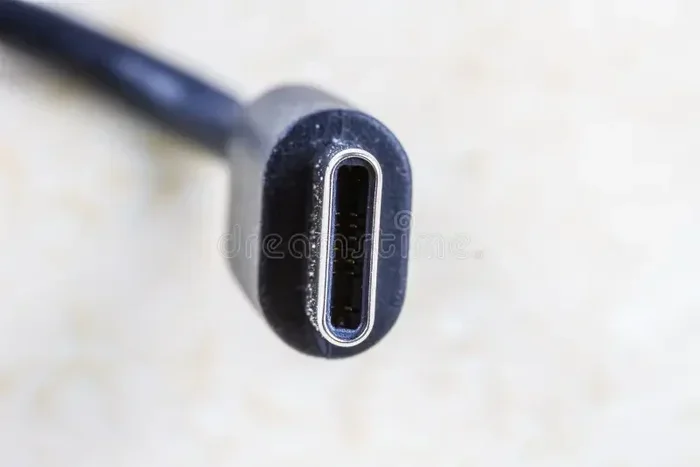
USB-C has become the new standard for many devices. It is smaller, reversible, and supports faster data transfer speeds and higher power delivery. USB-C dongles work with modern laptops, tablets, and smartphones that feature USB-C ports.
The challenge? Not all USB-C ports are created equal. Some support USB 3.1 or USB 4, while others only support USB 2.0. A high-speed USB-C dongle plugged into a USB 2.0 port will not deliver its full speed. Always check what USB standard your port supports before choosing a dongle.
Proprietary and Specialized Dongles
Some dongles use proprietary connectors or specialized protocols. For example, certain NVMe SSD enclosures use custom adapter designs to connect storage drives to USB ports. These are not interchangeable with standard USB dongles. A dongle designed for one type of SSD or storage protocol will not work with a different one without the correct adapter bridge.
This is especially true when dealing with M.2 NVMe SSD to USB adapters. The adapter must match the SSD form factor and the USB standard your computer supports. Using the wrong adapter can result in slow speeds or a complete failure to recognize the drive.
USB Standards and Why They Affect Interchangeability
USB standards define how fast data moves and how much power a connection can deliver. When you mix and match dongles without understanding these standards, you can run into real problems.
USB 2.0
USB 2.0 is the oldest and slowest standard still in common use. It maxes out at 480 Mbps data transfer. USB 2.0 dongles work fine for basic tasks like connecting a mouse or keyboard. But if you try to transfer large files or use a high-speed storage dongle, USB 2.0 becomes a major bottleneck.
USB 3.0 and USB 3.1
USB 3.0 brought speeds up to 5 Gbps, and USB 3.1 pushed that further to 10 Gbps. These standards make a huge difference for storage dongles and docking stations. A USB 3.1 dongle used with a USB 3.1 port delivers fast, reliable performance. But plugging a USB 3.1 dongle into a USB 2.0 port limits it to the slower speed.
USB4 and Thunderbolt
USB4 and Thunderbolt 3/4 represent the fastest USB standards available today. They support speeds up to 40 Gbps and can carry video, data, and power over a single cable. USB4 dongles are designed for high-performance setups. They are generally not interchangeable with older USB dongles because the hardware inside them is fundamentally different.
Quick Tip: When in doubt, match your dongle’s USB standard to your port’s USB standard. If your laptop has a USB 3.1 port, buy a USB 3.1 dongle. Going higher won’t hurt, but going lower will limit performance.
Can You Swap Dongles Between Devices?
This is where things get tricky. The short answer is that some USB dongles can be swapped between devices, but many cannot. Here is what determines whether a swap will work.
Connector compatibility is the first factor. A USB-C dongle cannot plug into a USB-A port without an adapter. Period. Even if the dongle’s internal hardware is compatible, the physical connector will not fit.
Protocol compatibility is the second factor. A dongle designed for one specific protocol may not communicate correctly with a different device. For example, a dongle built to work with NVMe storage drives uses a specific communication protocol that standard USB peripherals do not use.
Power delivery is the third factor. Some dongles draw more power than others. A dongle designed for a high-power USB-C port may not work when plugged into a low-power USB-A port or a hub that cannot supply enough current.
Here is a simple comparison to help clarify:
- Same connector, same standard, same protocol: Usually interchangeable. Works across most devices.
- Same connector, different standard: May work but at reduced speeds or limited functionality.
- Different connector, same standard: Not interchangeable without an adapter.
- Different connector and different protocol: Not interchangeable at all without specialized bridging equipment.
Common Mistakes When Using USB Dongles
Many people run into problems with USB dongles because of simple mistakes. Avoiding these pitfalls saves time and protects your devices.
Assuming All USB-C Dongles Are the Same
Just because two dongles both have USB-C connectors does not mean they are the same. One might support USB 3.1 speeds while the other only supports USB 2.0. The connector shape tells you nothing about the internal capabilities. Always check the specifications before buying.
Ignoring Driver and Software Requirements
Some dongles need specific drivers or software to function. Plugging in a dongle and expecting it to work instantly does not always happen. Network dongles, for example, often require driver installation. Storage dongles may need specific software to recognize connected drives.
Using Cheap, Unverified Dongles
Budget USB dongles from unknown brands can be tempting, but they come with risks. Poorly made dongles may have inconsistent build quality, incorrect wiring, or outdated chipsets. In some cases, cheap dongles can even damage your USB ports or cause data corruption.
Stick with reputable brands and read user reviews before purchasing. A slightly more expensive dongle from a trusted manufacturer is almost always a better investment than a bargain that fails after a week.
Overloading Hubs and Adapters
If you chain multiple adapters together, such as a USB-C dongle plugged into a USB hub plugged into another USB-C port, you can create a weak link in the chain. Each adapter introduces potential points of failure. Keep your setup as simple as possible for the best reliability.
How to Choose the Right USB Dongle for Your Needs
Buying the right USB dongle does not have to be confusing. Follow these steps to make a confident choice.
- Identify what you need the dongle to do. Do you need Wi-Fi? Extra ports? Storage connectivity? Video output? Start with the task and work backward to the dongle.
- Check your device’s USB ports. Note the connector type (USB-A or USB-C) and the USB standard (2.0, 3.0, 3.1, USB4). This information is usually in your device’s manual or on the manufacturer’s website.
- Match the dongle to your port. Choose a dongle with the same connector type and at least the same USB standard as your port.
- Read the specifications carefully. Look for data transfer speeds, power delivery ratings, and protocol support. These details tell you whether the dongle will perform as expected.
- Consider future needs. If you plan to upgrade your devices soon, invest in a dongle that supports newer standards like USB 3.1 or USB-C. This future-proofs your purchase.
For people who work with external storage, the right dongle setup makes a big difference. If you are connecting an NVMe SSD through a USB adapter, make sure both the adapter and the dongle support the speeds you need. A mismatched setup will leave you waiting on slow transfers instead of working efficiently.
Similarly, if you are using a USB enclosure for external SSDs, the dongle or adapter inside that enclosure must match the SSD’s interface and your computer’s USB capabilities. The wrong combination means you will not get the performance your storage drive is capable of delivering.
Expert Insights on USB Dongle Compatibility
Technology experts consistently emphasize one rule: compatibility starts with understanding what your device supports and what the dongle offers. The two must align for a successful connection.
“The biggest misconception we see is that all USB dongles are universal,” says a tech reviewer familiar with connectivity accessories. “In reality, the connector, the USB standard, and the internal protocol all have to match. When they do, the dongle works seamlessly. When they don’t, you get frustration.”
Expert Tip: If you are unsure whether two dongles are interchangeable, check the manufacturer’s compatibility list. Most reputable brands publish detailed specs that tell you exactly which devices and standards their dongles support. When in doubt, contact the manufacturer directly before making a purchase.
Another common question is whether a USB adapter can make non-interchangeable dongles work together. The answer is sometimes. A good adapter can bridge connector differences and even upgrade protocol support in some cases. But adapters add cost and can introduce signal degradation. Use them as a solution when needed, not as a default workaround.
Conclusion
USB dongles are not universally interchangeable, and treating them as if they are can lead to wasted money and connectivity headaches. The connector type, USB standard, and internal protocol all play a role in determining whether a dongle will work with your specific device.
The good news is that making the right choice is straightforward. Check your device’s ports, understand the dongle’s specifications, and match them carefully. When you get the right dongle for the right setup, the experience is seamless and hassle-free.
Whether you need a simple Bluetooth dongle, a USB port expander, or a specialized adapter for connecting external storage, the key is to buy with knowledge, not assumptions. Take a few minutes to research before you purchase, and you will save yourself time, money, and frustration down the road.
Remember: the right USB dongle is the one that matches your device’s requirements. Choose wisely, and your setup will run smoothly every time.
Frequently Asked Questions
Can I use a USB-C dongle in a USB-A port?
No, not directly. The USB-C connector and USB-A connector have different shapes and pin configurations. You would need a USB-A to USB-C adapter to make the connection work. Even then, the dongle’s performance depends on the USB standard supported by both the adapter and the port.
Are all Bluetooth USB dongles the same?
Not exactly. Bluetooth dongles come in different versions, such as Bluetooth 4.0, 5.0, and 5.3. Newer versions offer faster speeds and longer range. A Bluetooth 5.0 dongle will work with devices that support older Bluetooth versions, but you will only get the speed benefits of the older version.
Do USB dongles need drivers to work?
Some do, and some do not. Basic dongles like mouse or keyboard receivers usually work plug-and-play without any software. More advanced dongles, such as network adapters or storage connectivity dongles, often require driver installation. Check the product specifications to know what to expect.
Why is my USB dongle not working even though it fits the port?
This usually happens when the dongle’s USB standard or protocol does not match your device’s capabilities. It could also be a driver issue. Try checking the device manager on your computer to see if the dongle is recognized. If not, install the manufacturer’s drivers or try a different port.
Can I chain multiple USB dongles together through a hub?
Yes, you can, but it is not always recommended. Each connection point in a chain can introduce signal loss or power limitations. For best results, plug dongles directly into your computer’s USB ports when possible. If you must use a hub, choose a powered hub that can supply enough current for all connected devices.
Are expensive USB dongles worth the price?
Often, yes. Higher-priced dongles from reputable brands tend to offer better build quality, faster speeds, and more reliable performance. They also usually come with better customer support and firmware updates. That said, you do not always need the most expensive option. Match the dongle to your actual needs and budget wisely.