Are Usb Fans Efficient

USB fans are surprisingly efficient for personal cooling, drawing minimal power while delivering solid airflow. They use standard USB power to run small motors, making them a convenient and energy-friendly option for desks, laptops, and small spaces. USB fans are a great low-cost cooling solution, but they work best as supplemental coolers rather than primary systems.
Have you ever sat at your desk on a hot day and wished you had a breeze? A USB fan might seem like the perfect fix. They are small, portable, and plug right into your computer. But here is the real question: are USB fans efficient? The short answer is yes, with some important caveats. In this guide, we will break down everything you need to know about USB fan efficiency, from power consumption to real-world cooling performance.
Whether you are looking for a desk fan for your workspace or a portable cooler for your laptop, understanding how USB fans work and what they can deliver is essential. This article covers power draw, cooling capacity, types of USB fans, and practical tips to get the most out of your setup. By the end, you will know exactly whether a USB cooling fan is the right choice for you.
Key Takeaways
- Low Power Consumption: USB fans typically draw 0.5W to 2.5W, making them extremely energy efficient.
- Great for Supplemental Cooling: They work best as add-on coolers for desks, laptops, and small rooms.
- Portable and Convenient: Plug-and-play design means no extra power outlets or adapters needed.
- Limited Cooling Range: USB fans cool personal zones, not entire rooms or workstations.
- Cost-Effective: Most USB fans are affordable and offer good value for basic cooling needs.
- Check Fan Speed and Airflow: Higher RPM and larger blade size improve efficiency significantly.
- Pair with Other Cooling: Combining USB fans with proper ventilation boosts overall cooling performance.
📑 Table of Contents
What Makes a USB Fan Efficient?
When we talk about fan efficiency, we are really asking two things. First, how much cooling does the fan deliver? Second, how much power does it use to do that? A fan that moves a lot of air while using very little electricity is the gold standard. USB fans score well on the energy side but have limits on the cooling side.
Understanding Power Draw
A standard USB port delivers 5 volts of power. Most USB fans draw between 0.5 and 2.5 watts. Compare that to a typical desk fan that uses 25 to 50 watts. The difference is massive. A USB powered fan uses roughly 5 to 10 percent of the energy a regular fan needs. This makes them incredibly efficient from a power perspective.
However, efficiency is not just about energy use. It is also about output. A USB cooling fan that uses 1 watt but moves very little air is not very efficient in practical terms. The best USB fans balance low power draw with meaningful airflow. Look for models with higher RPM ratings and larger blade diameters for the best results.
The Role of Airflow and Air Pressure
Two key metrics determine how well any fan works. The first is airflow, measured in cubic feet per minute (CFM). The second is air pressure, which determines how far the air can travel. A USB fan with good airflow will create a noticeable breeze at close range. But because USB fans are small, their air pressure is limited. This means they are best for cooling your face, hands, or a small workspace.
If you need to cool an entire room, a USB fan will fall short. But for personal cooling, they are remarkably efficient. Think of them as a targeted cooling tool rather than a room cooler.
Types of USB Fans and Their Efficiency
Not all USB fans are the same. Different designs offer different levels of efficiency and cooling performance. Here is a look at the most common types.
USB Desk Fans
These are the most popular USB cooling fans. They sit on your desk and point air directly at you. Most models are small and lightweight, making them easy to move around. USB desk fans are highly efficient for personal cooling. They use very little power and can lower the temperature around you by a few degrees.
Some USB desk fans come with adjustable speed settings. This lets you balance cooling power against energy use. A low speed uses almost no power and provides gentle airflow. A high speed uses more but delivers stronger cooling. For most people, a medium setting hits the sweet spot.
USB Laptop Cooling Pads
These are larger fans that sit underneath your laptop. They pull heat away from the bottom of the device. USB laptop cooling pads are less efficient as personal coolers but excellent at protecting your laptop from overheating. They draw more power than a simple USB fan, usually around 1 to 2 watts per fan.
If you use your laptop for gaming or video editing, a cooling pad is a smart investment. The extra airflow can prevent thermal throttling and keep your system running smoothly. Just remember that the cooling pad is helping the laptop, not cooling you directly.
Clip-On and Portable USB Fans
These small fans clip onto your desk, chair, or backpack. They are ultra-portable and use very little power. Clip-on USB fans are among the most efficient options because they are so small. They cool a very specific area, which makes them ideal for tight workspaces.
The trade-off is limited coverage. A clip-on fan might only cool your hands or the side of your face. For full personal cooling, a desk fan is a better choice. But for portability and convenience, nothing beats a clip-on design.
USB Tower Fans
These are taller, vertical USB fans that stand on your desk. They offer a larger footprint and can move more air than smaller models. USB tower fans are a good middle ground between desk fans and full-size room fans. They are more efficient than traditional tower fans but still limited by the USB power supply.
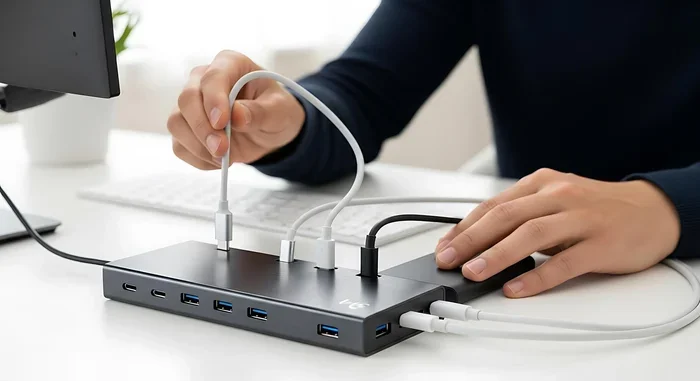
Some USB tower fans come with built-in USB hubs, which adds extra convenience. You can plug your fan and other devices into one port. Just make sure your USB hub can handle the power draw of all connected devices.
How USB Fan Efficiency Compares to Other Cooling Options
To understand how USB fans stack up, it helps to compare them to other common cooling solutions. Here is a quick look at how they measure up.
USB Fans vs. Standard Desk Fans
A standard desk fan uses 25 to 50 watts. A USB fan uses 0.5 to 2.5 watts. The USB fan wins on energy efficiency by a wide margin. But a standard fan moves much more air and can cool a larger area. If you need whole-room cooling, a standard fan is better. If you only need personal cooling, a USB fan is the clear winner.
USB Fans vs. Air Conditioning
This comparison is not really close. Air conditioning uses hundreds of watts and cools entire rooms or buildings. A USB fan uses a tiny fraction of that energy. But a USB fan cannot lower the temperature of a room. It only creates a breeze that makes you feel cooler through evaporative cooling on your skin.
USB Fans vs. Cooling Pads and Standalone Fans
When compared to other personal cooling devices, USB fans hold their own. They are more efficient than most standalone fans that plug into wall outlets. They are comparable to USB cooling pads in terms of power use. The key advantage of a USB fan is its flexibility. You can use it anywhere there is a USB port.
For a detailed look at whether premium case fans are worth the investment, check out Are Premium Case Fans Worth It on our site.
Factors That Affect USB Fan Efficiency
Not every USB fan performs the same way. Several factors determine how efficient a particular model is. Understanding these can help you choose the right fan for your needs.
Fan Speed (RPM)
RPM stands for revolutions per minute. It measures how fast the fan blades spin. Higher RPM means more airflow but also more noise and power use. A USB fan with adjustable speed lets you find the right balance. For quiet efficiency, look for fans with a RPM range of 1,000 to 3,000.
If you want the quietest pc fans for your setup, you might also consider models designed specifically for low noise. These fans use special blade designs and motor technology to reduce sound while maintaining good airflow.
Blade Size and Design
Larger blades move more air at lower speeds. This means a USB fan with bigger blades can be more efficient because it does not need to spin as fast. Blade design also matters. Curved blades create better airflow than flat ones. Some USB fans use aerodynamically shaped blades to maximize cooling while minimizing power use.
Cable Length and Connection Type
The type of USB connection affects efficiency too. A USB 3.0 or USB-C port can deliver more power than a USB 2.0 port. This means a USB fan plugged into a USB 3.0 or USB-C port may run faster and cooler. For the best performance, use a direct USB port on your computer rather than a hub when possible.
Longer cables can also cause a slight voltage drop, which may reduce fan speed. Keep your cable as short as practical for the best USB fan efficiency.
Ambient Temperature and Ventilation
A USB fan works best in a room with some natural airflow. If your space is already hot and stuffy, even the best USB fan will struggle. Good ventilation helps any fan work more efficiently. Open a window or door if possible. This allows the USB fan to push hot air out and bring cooler air in.
Common Mistakes That Reduce USB Fan Efficiency
Even the best USB fans can underperform if you use them wrong. Here are common mistakes to avoid.
Placing the Fan Too Far Away
USB fans have limited reach. Placing the fan more than a few feet away from you wastes its cooling power. Keep the fan within arm’s reach for the best results. The breeze needs to hit your skin to create that cooling effect.
Blocking the Air Intake
Make sure nothing is blocking the back or sides of the fan. USB fans need unobstructed airflow on all sides to work efficiently. Placing a fan against a wall or in a tight corner reduces its performance significantly.
Using a Low-Power USB Port
Some USB ports, especially on older computers or hubs, may not deliver the full 5 volts. This can cause the fan to run slower than intended. If your fan seems weak, try plugging it directly into your computer’s USB port instead of a hub.
Ignoring Dust Buildup
Dust on the blades and motor can slow down a USB fan over time. Regular cleaning keeps the fan running at peak efficiency. Use a soft cloth or compressed air to clean the blades every few weeks.
Final Thoughts on USB Fan Efficiency
USB fans are efficient, affordable, and incredibly convenient. They use very little power, cost very little, and provide solid personal cooling. For desk workers, laptop users, and anyone who needs a quick breeze, a USB fan is a smart choice. They are not meant to replace your air conditioner or a full-size desk fan. But for targeted, personal cooling, they are hard to beat.
If you are curious about how other fan types compare in terms of performance and efficiency, our article on Quietest Pc Fans offers great insights into fan performance metrics.
The bottom line is simple. A USB fan is an efficient cooling solution for personal use. It draws minimal power, runs quietly, and keeps you comfortable at your desk. Just manage your expectations. A USB fan cools you, not a room. With the right placement and a little maintenance, your USB cooling fan will serve you well for years to come.
For more information on how GPU fans work and whether they always spin, check out Does Gpu Fans Always Spin to understand fan behavior across different devices.
Frequently Asked Questions
How much power does a USB fan use?
Most USB fans use between 0.5 and 2.5 watts. This is a tiny amount of power compared to standard fans that use 25 to 50 watts. The low power draw is what makes USB fans so energy efficient.
Can a USB fan cool a whole room?
No, a USB fan is designed for personal cooling. It creates a breeze that makes you feel cooler but does not lower the room temperature. For room cooling, you need a larger fan or air conditioning.
Are USB fans worth buying?
Yes, USB fans are worth buying if you need affordable, portable personal cooling. They are great for desks, laptops, and small workspaces. Just do not expect them to cool an entire room.
Can I plug a USB fan into a phone charger?
Yes, most USB fans can run on a standard phone charger or a portable battery pack. This makes them very portable. Just make sure the charger can deliver at least 0.5 watts of power for the fan to work.
Do USB fans work with USB hubs?
Yes, USB fans work with USB hubs. However, using a hub may reduce power delivery slightly. For the best performance, plug the fan directly into your computer’s USB port.
How do I make my USB fan more efficient?
Keep the fan clean, place it close to you, and avoid blocking the air intake. Using a direct USB port instead of a hub also helps. Adjustable speed settings let you balance cooling and power use effectively.