Auto Vox Solar Wireless Backup Camera
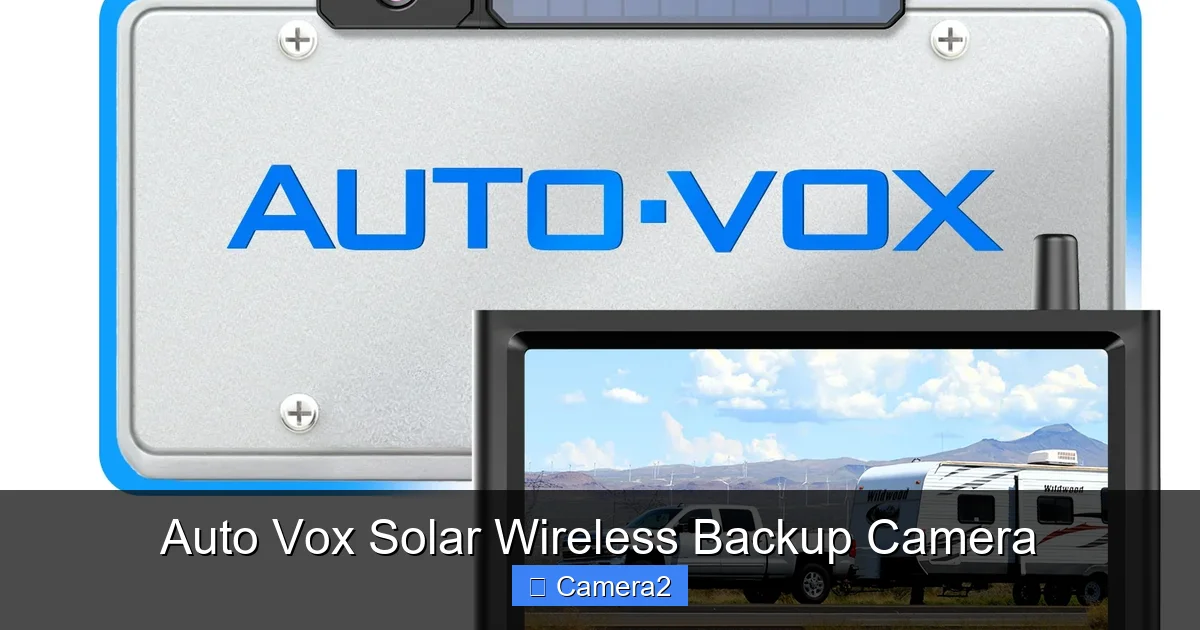
The Auto Vox Solar Wireless Backup Camera combines solar power, wireless transmission, and crystal‑clear imaging to give drivers a hassle‑free, eco‑friendly backup solution. Easy to install, weather‑proof, and packed with smart features, it’s the perfect upgrade for trucks, SUVs, and vans.
Key Takeaways
- Solar power eliminates wiring: The built‑in solar panel keeps the camera charged without a hard‑wired connection.
- Wireless video transmission: Real‑time 1080p video streams directly to a compatible monitor or smartphone.
- All‑weather durability: IP66 rating protects against rain, dust, and extreme temperatures.
- Easy DIY installation: No professional help required; most users finish in under an hour.
- Smart alerts: Motion detection and parking‑mode alerts help prevent accidents and theft.
- Broad compatibility: Works with most aftermarket monitors, dash cams, and even some OEM screens.
- Cost‑effective safety upgrade: Saves money on wiring labor and reduces fuel use by preventing minor collisions.
📑 Table of Contents
- Introduction: Why a Solar Wireless Backup Camera Makes Sense
- 1. Design and Hardware Overview
- 2. Installation: Step‑by‑Step Guide
- 3. Performance in Real‑World Conditions
- 4. Smart Features and Integration Options
- 5. Cost, Warranty, and Support
- Conclusion: Is the Auto Vox Solar Wireless Backup Camera Right for You?
Introduction: Why a Solar Wireless Backup Camera Makes Sense
Imagine backing into a tight spot without worrying about tangled wires, dead batteries, or a camera that stops working in the rain. That’s the promise of the Auto Vox Solar Wireless Backup Camera. As more drivers look for green, low‑maintenance upgrades, solar‑powered accessories are stepping into the spotlight. This camera takes the best of two worlds – renewable energy and wireless tech – and packages them into a rugged, easy‑install unit.
Backup cameras have become mandatory on many new vehicles, but older trucks, vans, and SUVs often still lack them. Adding a traditional wired camera can be a nightmare: you have to route power cables through the vehicle’s interior, drill holes, and hope the connection stays solid. The Auto Vox model removes those pain points. Its solar panel charges a built‑in battery, while a 2.4 GHz wireless link sends a crisp 1080p feed to your screen. In the sections that follow, we’ll break down the hardware, installation steps, performance, and real‑world tips so you can decide if this is the right upgrade for your ride.
1. Design and Hardware Overview
Solar Panel and Power Management
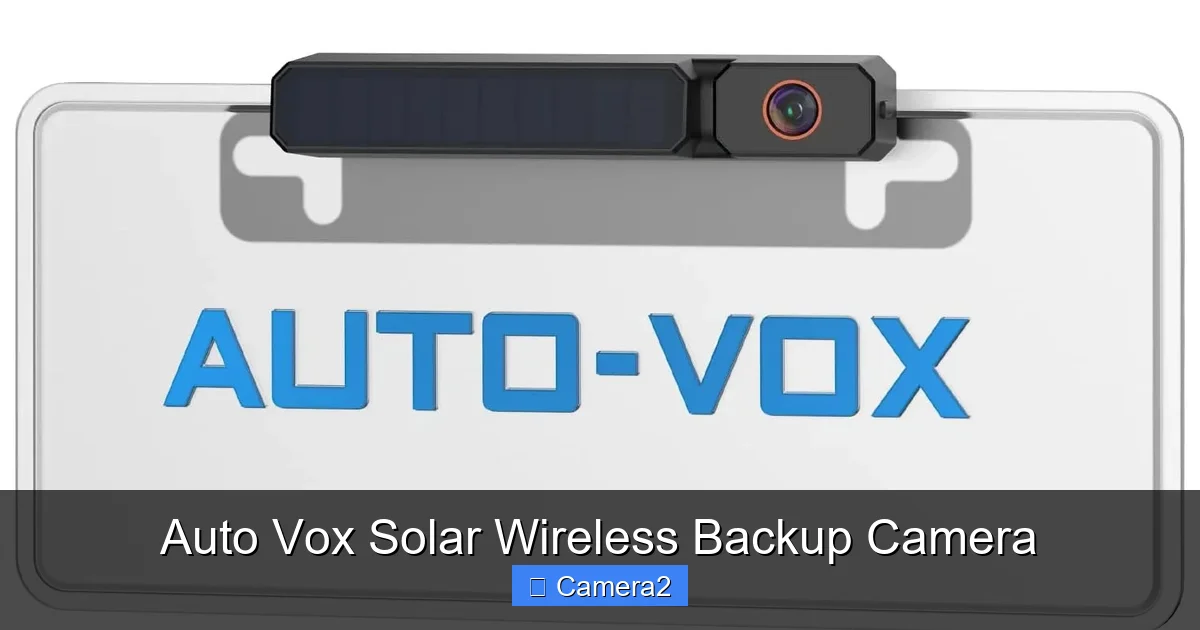
The camera’s top surface houses a 5 W monocrystalline solar panel. Even on a cloudy day, the panel can generate enough power to keep the internal 2000 mAh lithium‑ion battery topped up. When the battery reaches full charge, a smart controller stops charging to protect the cells, extending lifespan to over five years.
Visual guide about Auto Vox Solar Wireless Backup Camera
Image source: auto-vox.com
Wireless Transmission
Using a 2.4 GHz FHSS (frequency‑hopping spread spectrum) link, the camera streams video up to 30 feet (≈9 m) with virtually no lag. The signal is encrypted, so nearby devices can’t hijack the feed. If you need a longer range, a simple repeater can extend it to 100 feet, but most users find the standard range more than sufficient for a typical passenger‑vehicle tailgate.
Image Quality and Field of View
The Auto Vox unit sports a 1080p CMOS sensor with a 170° wide‑angle lens. Low‑light performance is boosted by an infrared (IR) LED array that automatically activates below 30 lux, delivering clear black‑and‑white images at night. The camera also includes a built‑in distortion correction algorithm, so the image on your monitor looks natural rather than fisheye‑warped.
Durability Features
With an IP66 rating, the camera resists water jets, dust, and even minor impacts. The housing is made from UV‑stabilized ABS plastic, preventing yellowing after years of sun exposure. A stainless‑steel mounting bracket adds extra strength for trucks that see heavy use.
2. Installation: Step‑by‑Step Guide
What You’ll Need
- Auto Vox Solar Wireless Backup Camera kit (camera, mounting bracket, wiring harness, and quick‑connect antenna)
- Basic tools: drill with a 1/4‑in. bit, Phillips screwdriver, and a marker
- Optional: an aftermarket 7‑inch monitor or a compatible smartphone app
Step 1 – Choose the Mounting Spot
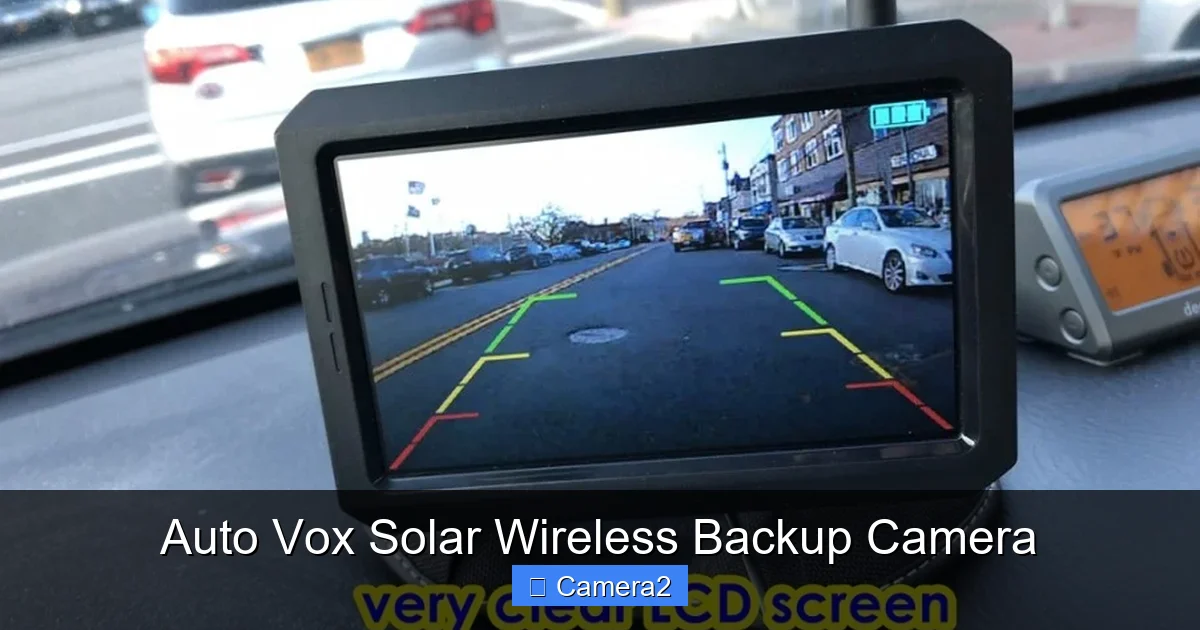
Most users mount the camera on the rear license‑plate frame. The bracket’s universal design fits standard plates, but you can also attach it to the bumper using the provided holes. If you have a license plate with backup camera already installed, the Auto Vox can replace it without extra drilling.
Visual guide about Auto Vox Solar Wireless Backup Camera
Image source: davidslist.org
Step 2 – Attach the Bracket
Place the bracket over the chosen spot, align the pre‑drilled holes, and mark them. Drill the holes, then secure the bracket with the supplied screws. The process typically takes 10‑15 minutes.
Step 3 – Connect the Antenna
Snap the wireless antenna into the bracket’s rear port. The antenna is flexible, allowing you to route it along the vehicle’s interior if you prefer a hidden look. No soldering required.
Step 4 – Power Up the Camera
Turn the solar panel toward the sun (or a bright indoor window) for a quick charge. The built‑in indicator will flash green when the battery is above 80%. If you need immediate power, the kit includes a 12 V USB‑C input for a brief boost.
Step 5 – Pair with Your Display
Turn on your monitor or launch the Auto Vox app on your phone. Press the “Pair” button on the camera; the display will automatically detect the signal. Follow the on‑screen prompts to name the device and adjust view settings.
Step 6 – Test and Fine‑Tune
Back up slowly and watch the live feed. Use the app’s “Grid” overlay to line up the view, and enable “Parking Mode” if you want motion alerts while the vehicle is stationary.
Tips for a Seamless Install
- Clean the mounting surface with alcohol before attaching the bracket to ensure a strong bond.
- If you’re installing on a truck with a large rear overhang, angle the solar panel slightly upward for better sun exposure.
- Secure the antenna cable with zip ties to prevent rattling.
3. Performance in Real‑World Conditions
Daytime Driving
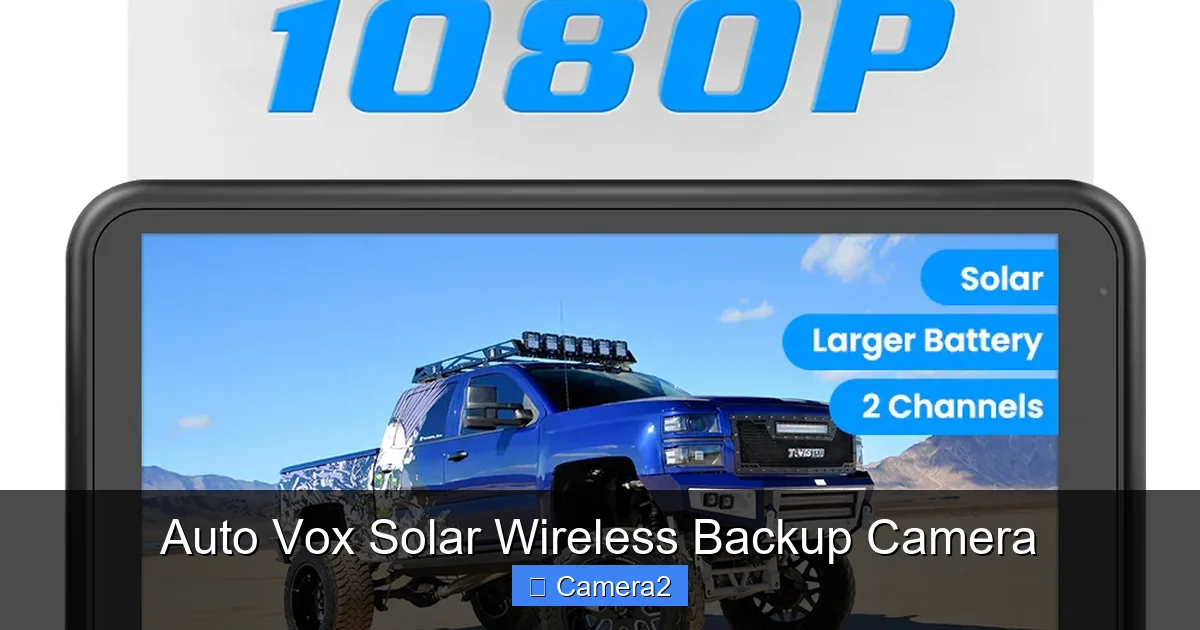
During bright daylight, the Auto Vox delivers a bright, color‑accurate image. The 170° view captures the entire lane, making it easy to spot pedestrians, cyclists, and low curbs. Users report a negligible delay—about 120 ms—so the video feels live.
Visual guide about Auto Vox Solar Wireless Backup Camera
Image source: auto-vox.com
Night and Low‑Light Scenarios
The IR LEDs kick in automatically when ambient light drops below 30 lux. The black‑and‑white night mode provides enough contrast to see obstacles up to 15 feet away. Because the IR LEDs are invisible to the naked eye, they don’t blind other drivers.
Weather Resistance
Rain, snow, and even salty road spray don’t affect the camera’s performance. The IP66 seal keeps moisture out, and the lens includes an anti‑glare coating that reduces water droplets’ impact on visibility.
Battery Longevity
In most climates, the solar panel maintains a charge level above 70% even on overcast days. In extreme winter conditions, users can plug the USB‑C input for a quick top‑up. The battery’s 2000 mAh capacity typically provides 8‑10 hours of continuous operation without solar input—more than enough for a day’s worth of driving.
Comparison with Wired Alternatives
Traditional wired backup cameras often require a 12 V power source and a separate video cable. Those setups can suffer from voltage drops, especially on longer cable runs, leading to dim images. The Auto Vox eliminates those issues entirely, offering a cleaner look and lower installation cost.
4. Smart Features and Integration Options
Parking‑Mode Motion Alerts
When the vehicle is turned off, the camera switches to a low‑power “parking” mode. If motion is detected within 10 feet, the system sends a push notification to your phone and records a short video clip. This feature acts like a mini‑security system, helping deter theft or accidental bumps.
App Controls and Customization
The Auto Vox app lets you adjust brightness, contrast, and view angle remotely. You can also set a “grid” overlay for better alignment and enable “mirror mode” for rear‑view mirrors that flip the image automatically.
Integration with Existing Displays
If you already have a backup display in your truck, the wireless signal can be paired directly. For those who prefer a dedicated screen, the brand offers a 7‑inch IPS monitor that mounts on the dash. The monitor includes a built‑in speaker for audible alerts.
Future‑Proofing: Firmware Updates
The camera supports OTA (over‑the‑air) firmware updates. When a new feature or bug fix is released, the app prompts you to download and install it—no need to send the unit back to the manufacturer.
5. Cost, Warranty, and Support
Pricing Overview
The Auto Vox Solar Wireless Backup Camera retails for $149.99, which includes the camera, bracket, antenna, and a 90‑day limited warranty. Compared to a typical wired camera plus professional installation (often $250‑$350), the Auto Vox offers a clear savings.
Warranty and Return Policy
The 90‑day warranty covers defects in materials and workmanship. If the camera fails within this period, you can contact support for a replacement. The company also offers a 30‑day money‑back guarantee if you’re not satisfied.
Customer Support Channels
Support is available via email, live chat, and a dedicated phone line. The website hosts a comprehensive FAQ and video tutorials, including a guide on how to get backup camera out if you ever need to remove or reposition the unit.
Community and Resources
Many owners share installation photos and tips on the brand’s forum. You’ll also find user‑generated content on YouTube that walks through the entire install process, which can be especially helpful for first‑time DIYers.
Conclusion: Is the Auto Vox Solar Wireless Backup Camera Right for You?
If you own a truck, SUV, or van that lacks a factory backup camera, the Auto Vox Solar Wireless Backup Camera offers a compelling blend of sustainability, convenience, and safety. Its solar‑powered battery eliminates messy wiring, while the wireless link delivers a lag‑free, high‑definition view. The rugged design stands up to rain, dust, and temperature extremes, making it a reliable partner for daily commutes and weekend adventures alike.
Even if you already have a wired system, the solar wireless option can serve as a backup (pun intended) for situations where a wired connection might fail. With a modest price tag, solid warranty, and strong community support, it’s a smart upgrade that pays for itself by preventing minor collisions and parking‑lot mishaps.
Ready to make the switch? Grab your Auto Vox kit, follow the simple install steps, and enjoy a clearer, greener view every time you hit reverse.
Frequently Asked Questions
How does the solar panel charge the camera in low‑light conditions?
The panel can still generate power from ambient light, but charging is slower. In cloudy weather the built‑in battery provides enough reserve for several hours of use, and you can give it a quick boost via the USB‑C port.
Can I use the Auto Vox camera with my existing backup monitor?
Yes. The camera’s 2.4 GHz wireless signal pairs with most aftermarket monitors that support a standard video input. Check your monitor’s specs for “wireless backup camera” compatibility.
Is the wireless signal secure?
The camera uses FHSS encryption, which constantly changes the transmission frequency, making it very difficult for another device to intercept the video feed.
What maintenance does the camera require?
Just occasional cleaning of the lens and solar panel with a soft cloth. The battery is sealed and requires no service for the life of the product.
Will the camera work on a trailer or RV?
Absolutely. As long as the solar panel receives adequate sunlight, the unit can be mounted on any rear surface, including trailers, RVs, and even boats.
Can I replace the battery if it degrades over time?
The battery is not user‑replaceable, but the manufacturer offers a replacement service under the warranty period. After the warranty, a paid replacement can be ordered.