License Plate with Backup Camera
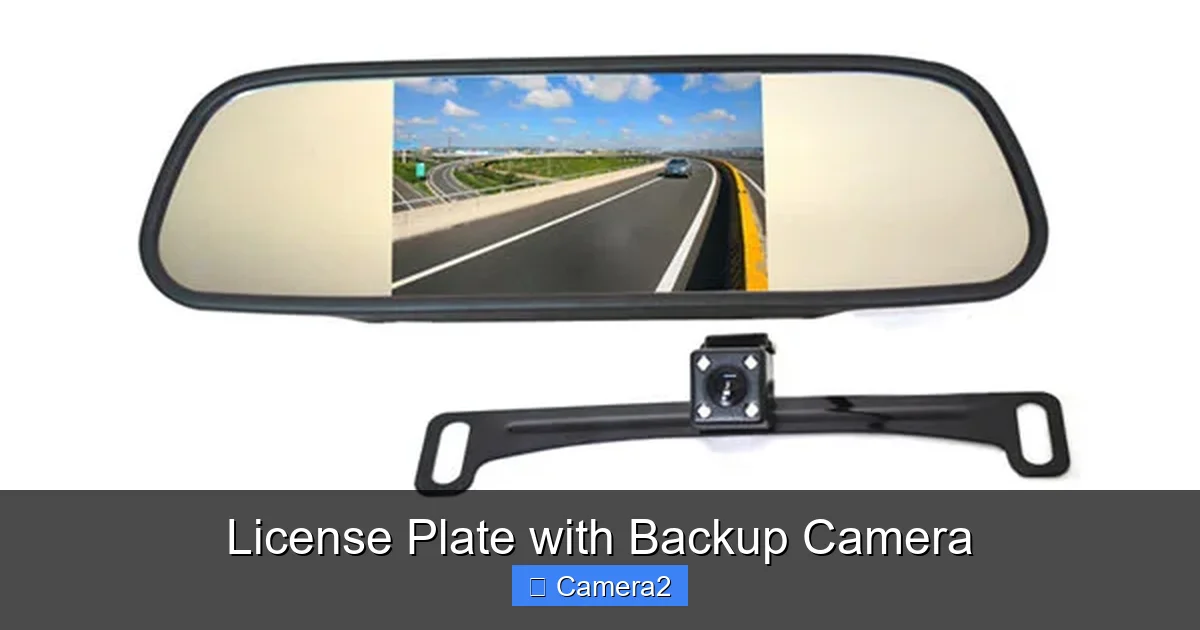
A license plate with backup camera is an innovative all-in-one device that replaces your standard plate frame and provides a live video feed to help you see what’s behind your vehicle. It’s a cost-effective, legal way to dramatically improve safety while reversing, potentially preventing costly accidents and injuries. Installation is typically a simple DIY project, making it a smart upgrade for any driver.
Key Takeaways
- Dual-Function Design: It legally displays your registration while housing a high-quality camera, saving space and reducing clutter on your rear bumper or license plate.
- Major Safety Boost: These systems directly address the blind zone behind your vehicle, which can extend 15-40 feet, significantly lowering the risk of backing over objects, children, or pets.
- Legal & Compliant: Most modern units meet federal and state regulations for license plate visibility and camera placement, but you should always verify local laws.
- DIY-Friendly Installation: Designed for the average car owner, installation usually requires only basic tools and connects directly to your vehicle’s reverse light circuit for automatic activation.
- Feature-Packed: Modern offers include wide-angle lenses (120-170°), night vision, dynamic parking guidelines, and even wireless transmitter options for easier setup.
- Cost-Effective Safety: Compared to factory-installed systems or separate aftermarket cameras, this 2-in-1 solution offers premium functionality at a fraction of the cost.
- Low Maintenance: Once installed, they require minimal upkeep—primarily keeping the lens clean and checking the connection to the reverse light periodically.
📑 Table of Contents
- What Exactly Is a License Plate with Backup Camera?
- The Life-Saving Safety Argument: Why You Need This
- Navigating the Legal Landscape: Are They Street Legal?
- Your Complete Buying Guide: Features to Look For
- The Installation Experience: Can You Really Do It Yourself?
- Long-Term Care and Troubleshooting
- The Future of Integrated Safety: What’s Next?
- Conclusion: A Clear-Cut Winner for Modern Drivers
What Exactly Is a License Plate with Backup Camera?
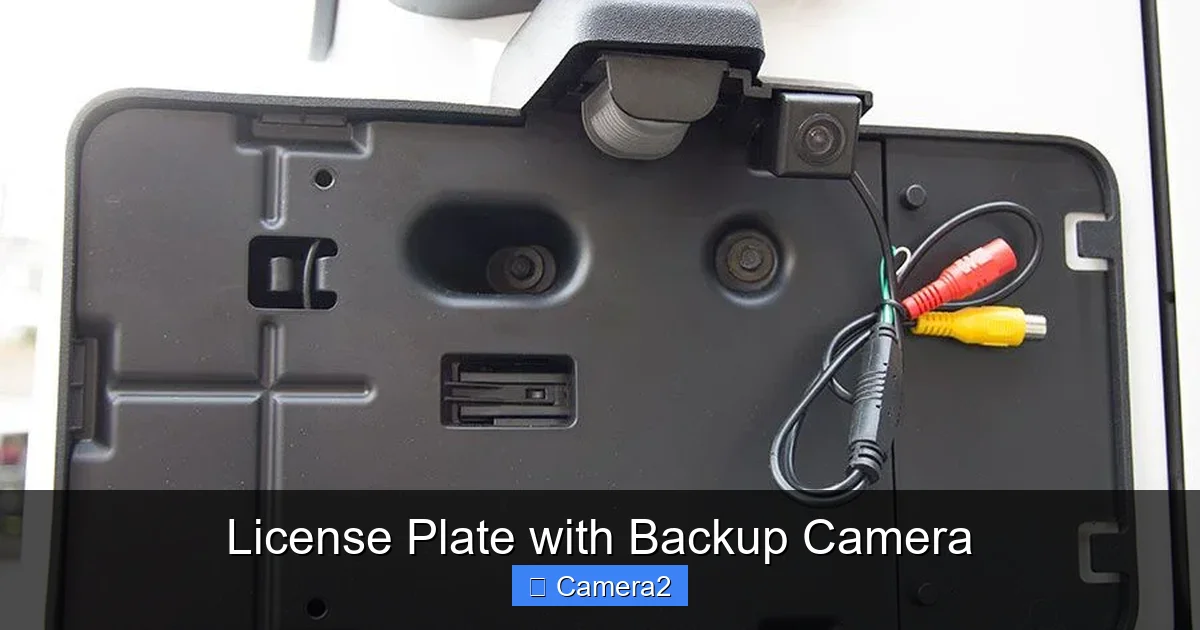
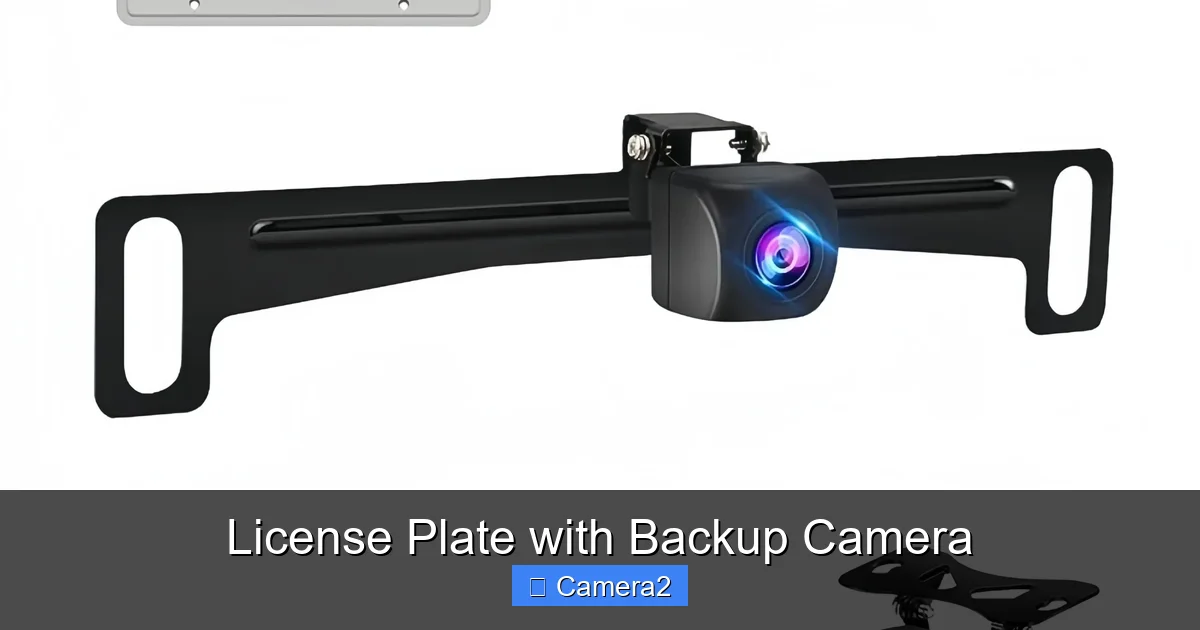
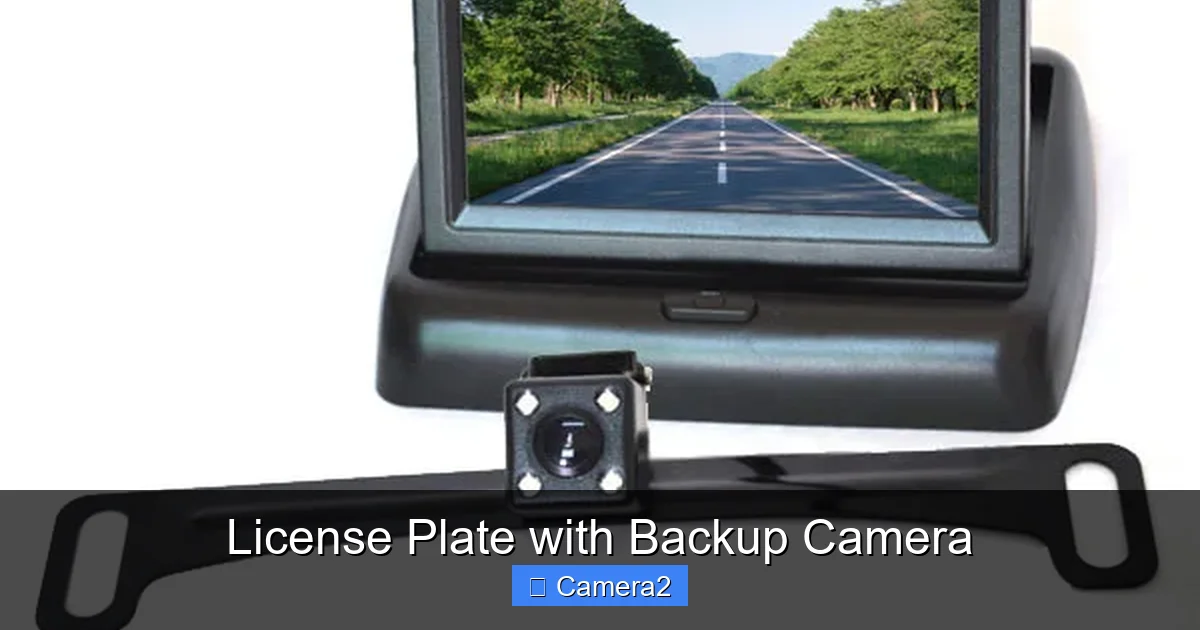
Imagine your license plate frame doing double duty. Instead of just holding a piece of metal, it now contains a sophisticated, weatherproof camera lens right in the center. This isn’t a gimmick; it’s a brilliant piece of engineering. The system consists of the license plate frame itself, which houses the camera, and a small monitor that you install inside your vehicle—typically on your dashboard, rearview mirror, or windshield. When you shift your transmission into reverse, the monitor automatically powers on and displays a live video feed from the camera, giving you a crystal-clear view of what’s directly behind your car, truck, or SUV.
The magic lies in its simplicity and integration. Traditional backup cameras are mounted separately on the bumper or license plate, requiring extra brackets and wiring that can look messy. This all-in-one design eliminates that clutter. The camera is perfectly positioned in the center of your plate, offering an optimal, unobstructed field of view that aligns with your vehicle’s centerline. This makes judging distances and steering while reversing much more intuitive. For anyone who has ever struggled with blind spots or parallel parking anxiety, this device is a game-changer.
How the Technology Works: A Simple Breakdown
The system operates on a straightforward principle. The camera, embedded in the plate frame, is activated by a connection to your vehicle’s reverse light circuit. When you put the car in reverse, the reverse lights turn on, and this electrical signal also triggers the camera and the monitor. The camera captures a video signal, which is transmitted—either via a wired cable or a wireless signal—to the monitor. Wireless models use a transmitter attached to the camera and a receiver plugged into your vehicle’s power outlet (cigarette lighter) or hardwired, offering a truly tangle-free installation.
The camera itself is a rugged piece of hardware. It’s housed in a waterproof, dustproof casing (usually rated IP67 or IP68) to withstand car washes, rain, snow, and road grime. Modern cameras use wide-angle lenses, often between 120 and 170 degrees, to provide a panoramic view that covers not just what’s directly behind you but also the areas to the left and right, which are critical when backing out of a tight spot or driveway. Many also include built-in IR (infrared) LEDs for clear night vision, ensuring the system is effective 24/7.
The Life-Saving Safety Argument: Why You Need This
Let’s talk about the most important reason to get a license plate with backup camera: safety. The area immediately behind your vehicle is a notorious “killing zone.” According to the National Highway Traffic Safety Administration (NHTSA), backup accidents cause thousands of injuries and hundreds of fatalities each year, with young children and elderly adults being the most common victims. The blind spot directly behind a vehicle can be deceptively large. A short adult or a small child can be completely invisible in the mirrors of an SUV, pickup, or even a large sedan.
Visual guide about License Plate with Backup Camera
Image source: cdn.shopify.com
This technology obliterates that blind spot. You no longer have to rely solely on your mirrors or twisting your body to look over your shoulder—a maneuver that still leaves significant areas unseen. The live video feed gives you a direct, measurable view. You can see the exact distance between your bumper and an obstacle, see a child’s tricycle or a pet that’s low to the ground, and navigate tight spaces with confidence. Studies have shown that backup cameras can reduce backing accidents by over 50%. For a relatively small investment, you are purchasing a profound peace of mind and a critical layer of protection for your family, your neighbors, and your property.
Real-World Scenarios Where It Shines
Think about your daily life. How many times do you reverse? Pulling out of your driveway at home, where kids might be playing. Backing out of a crowded parking spot at the grocery store, with shopping carts and other cars nearby. Navigating a tight alley or a narrow street when visiting friends. Parallel parking on a busy downtown street. Towing a trailer or boat and needing to see the hitch connection clearly. In every single one of these common situations, a backup camera provides intelligence your eyes alone cannot. It transforms a potentially stressful, hazardous maneuver into a controlled, precise operation.
Navigating the Legal Landscape: Are They Street Legal?
This is a top concern for every car owner. The short answer is: yes, properly designed license plate cameras are legal in all 50 states. However, there are important nuances to understand. Federal Motor Vehicle Safety Standard (FMVSS) 111 mandates that all new vehicles sold in the U.S. must have a rearview camera system. This standard applies to factory installations, but it sets the precedent for what constitutes a safe and effective system. For aftermarket installations like a license plate frame camera, the primary legal considerations are:
Visual guide about License Plate with Backup Camera
Image source: dt-camera.com
- License Plate Visibility: The camera lens must not obstruct any part of your license plate’s alphanumeric characters, state name, or registration stickers. The frame itself must also not cover the plate’s borders in a way that violates state regulations on plate display. Reputable manufacturers design their frames to be fully compliant, with the camera lens positioned discreetly within the frame’s border or in a way that doesn’t interfere.
- Monitor Placement: The monitor must be placed in a location that does not obstruct the driver’s forward view. This is why most are designed for dashboard, windshield (using a suction cup), or rearview mirror mounting. It cannot be placed in the windshield directly in the driver’s line of sight in a way that violates state laws against obstructions.
- State-Specific Rules: A few states have specific rules about video monitors. For example, some prohibit the monitor from being on while the vehicle is in forward motion (though this is rarely enforced for backup cameras, which automatically switch off when you leave reverse). The key is that the system should only activate in reverse. Always check your specific state’s DMV or DOT website for the most current regulations, but you can be confident that mainstream products from known brands are designed to be compliant.
The Factory vs. Aftermarket Advantage
While many new cars come with built-in backup cameras, a license plate frame camera offers unique advantages. It’s an affordable upgrade for older vehicles that lack the feature. It’s also a perfect solution if your factory camera has failed—replacing it through a dealer can cost hundreds. Furthermore, it’s a portable asset. If you sell your car, you can take the system with you and install it on your next vehicle, protecting your investment. This portability and universal compatibility are major selling points.
Your Complete Buying Guide: Features to Look For
Not all license plate cameras are created equal. To choose the best one for your needs and vehicle, you need to evaluate several key features. Think of this as a checklist to ensure you get a reliable, effective system.
Visual guide about License Plate with Backup Camera
Image source: vardsafe.com
1. Camera Specifications: Lens, Resolution, and Night Vision
The heart of the system is the camera. Look for these specs:
- Field of View (FOV): Measured in degrees. A wider angle (170°) shows more of the scene but can introduce a slight “fisheye” distortion. A 120-150° angle is a great balance, providing a wide view with minimal distortion for accurate distance perception.
- Resolution: Measured in TV lines (TVL) or pixels. For clear, sharp images, look for at least 480 TVL (standard definition) or, better yet, 720p or 1080p (high definition). HD will give you much clearer details, like reading a small sign or seeing a curb clearly.
- Night Vision: Essential for 24/7 usability. Check if it uses IR (infrared) LEDs. The number of LEDs (e.g., 6, 8, 12+) often correlates with effective night vision range. A good system should provide a clear, grayscale image in total darkness up to 15-20 feet behind the vehicle.
2. Monitor Type and Size
Monitors come in various sizes, typically from 3.5 inches to 7 inches. A larger screen (5-7”) is easier to glance at and provides more detail, but ensure it fits your vehicle’s dashboard without blocking controls or your view. Consider the mounting method:
- Dashboard Mount: Uses a weighted base or adhesive. Stable and within easy eye line.
- Windshield Suction Cup: Highly portable, attaches to the windshield. Ensure it has a strong, reliable suction cup that won’t fall off in heat or cold.
- Rearview Mirror Overlay: A monitor that clips over your existing mirror, offering a sleek, integrated look.
3. Wired vs. Wireless Transmission
This is a major decision point.
- Wired Systems: The camera and monitor are connected by a physical cable that runs from the rear plate to the front monitor. This is the most reliable, interference-free connection with zero latency (delay). Installation requires routing a cable through your vehicle, which can be more involved but results in a permanent, clean install.
- Wireless Systems: The camera has a transmitter; the monitor has a receiver. They communicate via radio frequency (RF) or WiFi. Installation is incredibly simple—no cable to run through the car. However, wireless can be susceptible to interference from other wireless devices (key fobs, Bluetooth) and may have a slight, often negligible, delay. Range is also a factor; ensure the system’s range exceeds your vehicle’s length.
4. Power Source and Auto-On Feature
The system must power on automatically when you shift into reverse. Look for systems that hardwire into your vehicle’s reverse light circuit. This is the standard and most reliable method. Some cheaper models plug into the OBD-II port or a 12V socket, but these often require manual activation or stay on all the time, which is distracting and potentially against law. The best systems have a “smart” trigger that only activates in reverse.
5. Additional “Nice-to-Have” Features
- Parking Guidelines: Moving colored lines on the screen that guide you on steering direction and distance. Very helpful for precise parking.
- Waterproof Rating: Look for IP67 or IP68. This means it’s completely dustproof and can withstand immersion in water up to a certain depth.
- Built-in Microphone: For audio pickup (though audio from backup cameras is less common and often not necessary).
- Multiple Camera Support: Some advanced systems allow you to add a second camera for a front view or trailer view.
The Installation Experience: Can You Really Do It Yourself?
Absolutely. One of the biggest appeals of the license plate with backup camera is its DIY-friendly nature. Manufacturers design these kits for the average car owner with basic tools. Here’s a realistic breakdown of the process. Total time is usually 45 minutes to 2 hours.
Step 1: Remove Your Old License Plate. Simply unscrew the existing plate from the vehicle. Keep the screws.
Step 3: Connect the Camera Wiring. This is the most critical step. Locate your vehicle’s reverse light harness. This is usually found behind the trunk or tailgate trim panel. You’ll need to tap into the wire that powers the reverse light *only when the car is in reverse*. Using the supplied splice connectors or wire taps, connect the camera’s power wire (usually red) to the reverse light’s positive wire, and the ground wire (black) to a metal bolt or the vehicle’s chassis ground. This ensures the camera only turns on in reverse. Pro Tip: Use a multimeter or test light to positively identify the correct reverse light wire before cutting or splicing.
Step 4: Route the Cable (Wired Systems). If you have a wired system, you now need to route the video/power cable from the rear license plate, along the inside of the vehicle, to the front where the monitor will be. This usually means running it under trunk panels, along the headliner or door sills, and under the dashboard. Use plastic wire clips or adhesive-backed wire channels to secure it neatly and away from moving parts like pedals.
Step 5: Install the Monitor. Mount the monitor in your chosen location using the provided suction cup, adhesive pad, or clip-on bracket. Connect the cable from the camera to the monitor’s input jack. For wireless systems, simply plug the receiver into the monitor and ensure both units are powered.
Step 6: Final Connections and Testing. Connect the monitor to a power source. For a clean install, you can hardwire the monitor’s power to your vehicle’s fuse box using an “add-a-circuit” fuse tap on a circuit that turns on with the ignition (like the accessory or radio fuse). Alternatively, many just use the 12V socket. Fully tighten the license plate frame screws. Put the key in the ignition, shift to reverse, and your monitor should light up with the camera feed. Adjust the camera angle if needed (most frames allow for slight tilt adjustment).
Common Pitfalls and How to Avoid Them
Don’t worry, mistakes happen. The most common issue is tapping the wrong wire, resulting in the camera being on all the time or never turning on. Always test the wire with the car in park vs. reverse. Another issue is a poor ground connection, causing a fuzzy or snowy picture. Ensure the ground wire is securely attached to clean, bare metal. For wireless systems, interference can sometimes occur. If you see static or a laggy picture, try relocating the receiver or ensuring it’s not blocked by metal objects.
Long-Term Care and Troubleshooting
Your new system is built to last, but a little maintenance goes a long way.
- Keep the Lens Clean: This is the #1 maintenance task. Mud, snow, and road salt can coat the lens, blurring the image. Clean it regularly with a soft cloth and mild glass cleaner. The lens is often recessed, so a cotton swab can help.
- Check Connections: Periodically (e.g., during seasonal changes), check that the wiring connections at the reverse light and the monitor are secure and corrosion-free.
- Monitor for Interference: If you notice new static or a fuzzy picture, it could be due to a failing reverse light bulb (which can cause voltage spikes) or new sources of wireless interference in your area.
- Test the System: Every few months, shift into reverse and confirm the image appears clearly and the guidelines (if equipped) are straight.
Diagnosing Common Problems
- No Picture: Check monitor power. Check camera power connection at reverse light. Verify you tapped the correct wire. Check for blown fuses in your vehicle’s fuse box for the reverse lights.
- Fuzzy/Snowy Picture: Clean the lens thoroughly. Check for a loose or corroded ground connection. For wireless, check for interference sources or low battery in the camera (if battery-powered, though rare).
- Picture is Upside Down: Some cameras need to be physically rotated in the frame. Consult your manual; many have a simple orientation setting in an on-screen menu.
- Monitor Stays On in Drive: You likely tapped into a constant power wire instead of the reverse-light-only wire. Re-check your wiring connection at the taillight harness.
The Future of Integrated Safety: What’s Next?
The license plate with backup camera represents a convergence of form and function. Where is this technology headed? We’re already seeing integration with smartphone apps, allowing you to view the camera feed on your phone—useful for checking a trailer hitch or seeing if your bike rack is secure. Future iterations will likely feature even smarter AI integration. Imagine a system that doesn’t just show a video but actively highlights and alerts you to pedestrians, bicyclists, or small objects using on-screen boxes or audible warnings. Enhanced night vision with clearer, more detailed color imagery in low light is also on the horizon.
As vehicle regulations continue to tighten around safety, aftermarket solutions like this will remain vital for the millions of cars on the road without factory cameras. The trend is towards more seamless, integrated, and intelligent assistance. Your license plate might one day be a hub for multiple sensors—a camera, a parking sensor emitter, even a transmitter for your vehicle’s telematics system. For now, this simple 2-in-1 device delivers an immense safety and convenience benefit, making it one of the most practical and impactful upgrades you can make to any vehicle.
Conclusion: A Clear-Cut Winner for Modern Drivers
In the end, a license plate with backup camera is more than just a gadget; it’s a fundamental safety tool for the 21st century. It solves the age-old problem of the blind spot behind your vehicle with elegant simplicity. It’s legally sound, surprisingly affordable, and installable by anyone with a willingness to learn. The peace of mind it provides—knowing you can see a child’s toy, a low curb, or an approaching pedestrian—is priceless. Whether you drive a compact car, a massive SUV, or a work truck, this technology pays for itself the moment it prevents a single bump, scrape, or worse. It transforms the simple act of reversing from a moment of uncertainty into one of confident control. If you haven’t yet added this layer of safety to your vehicle, there’s no better time. Your future self, and those around you, will thank you.
Frequently Asked Questions
Is a license plate frame backup camera legal in all states?
Yes, these systems are legal nationwide when installed correctly. The key is that the camera lens must not obscure any part of your license plate’s numbers, letters, or registration stickers. The monitor must be placed where it doesn’t obstruct your forward view. Always double-check your specific state’s DMV website for any unique stipulations, but mainstream, compliant models are designed to meet all regulations.
How difficult is the installation for someone with no car experience?
It’s rated as a moderate DIY project. The physical mounting of the frame is very easy (just like changing a plate). The wiring is the main task, requiring you to locate and tap into your vehicle’s reverse light wire behind the trunk. With the help of online tutorials specific to your vehicle make/model and using the supplied tap connectors, most people can complete it in 1-2 hours. Wireless kits simplify this further by eliminating the need to run a cable to the front of the car.
Will the camera work perfectly at night or in bad weather?
Quality systems are designed for all conditions. They feature infrared (IR) LEDs that provide a clear grayscale image in total darkness, typically up to 15-20 feet. In heavy rain or snow, the lens can get obscured, so regular cleaning is necessary. The waterproof housing (IP67/68) protects the electronics from water damage. The image may be slightly less sharp in a downpour, but it will still provide a usable view far superior to your naked eye.
Will this fit my odd-shaped or specialty license plate?
Most standard license plate frame cameras are designed for the standard 6×12 inch North American plate or the European 20.5×4.5 inch plate. If you have a specialty plate shape (like a custom-shaped European plate or a motorcycle plate), you must verify compatibility. Some manufacturers offer universal mounting brackets that allow the camera to be attached to the plate itself or to a separate bracket, but the classic “frame” style is intended for standard rectangular plates.
What is a typical price range for a good quality system?
You can find basic wired systems with small monitors for $50-$80. For a reliable system with a good HD camera, a 5-7 inch monitor, night vision, and parking guidelines, expect to pay between $100 and $250. Premium wireless models with large HD monitors and advanced features can run $250-$400. This is still a fraction of the cost of a factory replacement system or a professional aftermarket installation.
How long do these cameras last, and are they durable?
They are built for longevity. The cameras are solid-state electronics with no moving parts, housed in rugged, waterproof plastic. With proper care (avoiding direct, high-pressure jet sprays directly into the lens seal), they can easily last 5-10 years or more. The weakest link is often the monitor’s suction cup or adhesive mount, which may need replacement after several years of sun exposure. The core camera and wiring are very reliable.