Best Free Ebook Creator Software For Windows Download
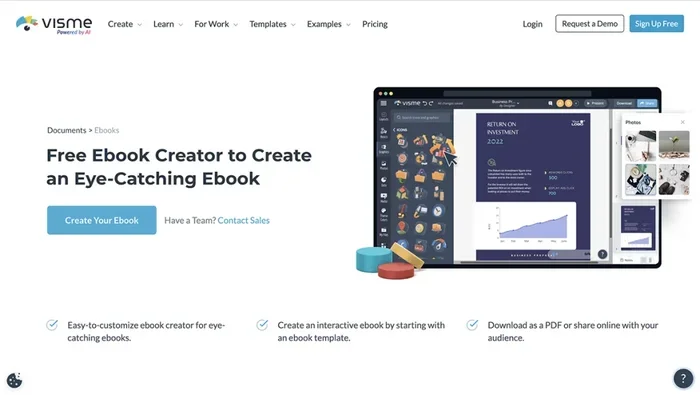
Creating ebooks on Windows has never been easier thanks to free ebook creator software. These tools let you design, format, and publish digital books without spending a dime. Whether you are a writer, educator, or business owner, the right software makes the process simple and fast.
If you have ever wanted to write and publish your own ebook but thought you needed expensive software, think again. Best free ebook creator software for Windows gives you everything you need to start building professional digital books right from your desktop. These tools are powerful, easy to use, and completely free.
Whether you are an author looking to self-publish your first novel, a teacher creating course materials, or a marketer building lead magnets, free ebook software on Windows makes it all possible. You do not need any design experience or coding skills. The right tool handles the heavy lifting so you can focus on writing great content.
In this guide, we walk you through the top free ebook creator programs available for Windows. We compare features, ease of use, export options, and more. By the end, you will know exactly which tool fits your needs best.
Key Takeaways
- Multiple free options exist: Several free ebook creator tools work great on Windows, each with unique strengths.
- Ease of use matters: The best software offers intuitive drag-and-drop editors and pre-made templates.
- Export formats vary: Top tools support EPUB, PDF, and MOBI formats for wider distribution.
- No design skills needed: Free ebook makers include built-in styles, fonts, and layout options for professional results.
- Windows compatibility is key: Always check that the software runs smoothly on your Windows version.
📑 Table of Contents
- Why You Need Free Ebook Creator Software for Windows
- Top Free Ebook Creator Software for Windows
- Key Features to Look For in Ebook Creator Software
- How to Choose the Right Ebook Creator for Your Needs
- Tips for Creating Professional Ebooks on Windows
- Common Mistakes to Avoid When Making Ebooks
- Final Thoughts
Why You Need Free Ebook Creator Software for Windows
Ebooks are one of the fastest-growing ways to share information. People read them on phones, tablets, and computers. Having a free ebook creator means you can turn your ideas into polished digital books without any upfront cost.
Here is why using dedicated ebook software matters:
- Professional formatting: Free tools give you layout options that look clean and organized, unlike basic word processors.
- Multiple export formats: You can export your book as EPUB, PDF, or MOBI for different reading devices.
- Built-in templates: Most software includes pre-designed chapter layouts, cover pages, and table of contents.
- Time savings: Creating an ebook from scratch in a word document takes far more time than using a purpose-built tool.
- No technical skills required: Modern ebook creation tools are designed for everyday users, not just tech experts.
If you also use your PC for other creative work, you might want to check out the best apps for a PC to see what else can boost your productivity. And if you are a student or educator, the best Windows laptop for students guide can help you pick the right machine for content creation.
Top Free Ebook Creator Software for Windows
Not all free ebook makers are created equal. Some are simple and fast, while others offer advanced features for experienced users. Here are the best free ebook creator software options for Windows users.
Calibre
Calibre is one of the most popular free ebook tools available. It works as both a library manager and an ebook creator. You can convert files between formats like EPUB, PDF, MOBI, and AZW3. The interface is straightforward, and it supports a huge range of file types.
Best for: Users who need format conversion and library management alongside ebook creation.
Google Docs
Google Docs is a free, cloud-based word processor that can double as an ebook writing tool. You write your content in Docs, format it with headings and styles, and then export it as a PDF or use a free converter to turn it into EPUB. It is simple and accessible from any device.
Best for: Beginners who want a familiar writing environment with easy sharing and collaboration.
Reedsy Book Editor
Reedsy Book Editor is a free, browser-based tool designed specifically for writing and formatting books. It gives you a clean workspace with automatic chapter formatting, font choices, and export options for EPUB and PDF. You do not need to install anything since it runs in your web browser.
Best for: Writers who want a clean, distraction-free environment for writing and formatting ebooks.
Scrivener
Scrivener is a powerful writing tool that is widely used by authors and novelists. While the full version costs money, there are free alternatives inspired by Scrivener’s workflow. It offers a corkboard view, outlining tools, and chapter organization features that make long-form writing much easier.
Best for: Authors working on longer projects like novels or comprehensive guides.
Canva
Canva is a free design tool that can be used to create visually stunning ebooks. It offers drag-and-drop editing, thousands of templates, and built-in graphics. You can design your ebook cover and layout entirely within Canva and export your finished project as a PDF.
Best for: Creators who want beautiful, design-heavy ebooks with custom graphics and visuals.
Key Features to Look For in Ebook Creator Software
When choosing among free ebook creation tools, certain features make a big difference in your workflow. Here is what to look for:
Export Format Support
The best free software supports multiple export formats. EPUB is the standard for most ebook readers. PDF works well for printable documents. MOBI is used by older Kindle devices. Make sure your chosen tool can export in the formats you need.
Template Library
Pre-made templates save you hours of design work. Look for software that offers a variety of chapter layouts, cover designs, and table of contents styles. A good template library helps even beginners create professional-looking books.
Drag-and-Drop Editor
A visual editor with drag-and-drop functionality makes arranging text and images much easier. You should be able to move elements around on the page without writing any code or dealing with complex formatting menus.
Font and Typography Options
Customizable fonts, spacing, and text alignment let you control the look and feel of your ebook. Good typography options ensure your book is easy to read on any device.
Image and Media Support
If your ebook includes images, charts, or diagrams, your software needs to handle media files well. Look for tools that let you resize, crop, and position images easily within your layout.
How to Choose the Right Ebook Creator for Your Needs
With so many free options available, picking the right one can feel overwhelming. Here is a simple way to decide.
First, think about what type of ebook you are creating. A text-heavy novel has different needs than a design-rich cookbook or a photo-heavy travel guide. For simple text books, Google Docs or Reedsy Book Editor work great. For visually rich projects, Canva is the clear winner.
Second, consider your experience level. If you are new to ebook creation, choose software with a gentle learning curve. Calibre and Google Docs are excellent starting points. More advanced users might prefer Scrivener-style tools for their powerful organization features.
Third, think about your workflow. Do you prefer working offline or online? Browser-based tools like Reedsy let you access your work from anywhere. Desktop applications like Calibre work without an internet connection. Choose based on how and where you like to work.
If you are also looking for the right computer to run these tools, check out the best laptop for online classes guide for recommendations on machines that handle content creation well.
Tips for Creating Professional Ebooks on Windows
Even with the best free software, following a few best practices will elevate your ebook quality significantly.
- Plan your structure first. Before you start writing, outline your chapters and sections. A clear structure makes formatting much smoother.
- Use consistent styling. Pick one font family and stick with it. Use the same heading sizes and spacing throughout the book.
- Add a table of contents. Most ebook tools can generate this automatically. It helps readers navigate your book easily.
- Optimize images. Compress images before adding them to keep your ebook file size manageable without losing quality.
- Proofread carefully. Read through your entire ebook on different devices to check formatting and readability.
- Test the export. Always export your ebook and preview it in an ebook reader before publishing. This catches any formatting issues early.
Common Mistakes to Avoid When Making Ebooks
Even experienced creators make mistakes. Here are common pitfalls to watch out for:
- Using the wrong file format: Exporting in a format that does not work on popular ebook readers frustrates your audience.
- Ignoring mobile readability: Many readers use phones or tablets. Your ebook layout should adapt to smaller screens.
- Overloading with images: Too many large images slow down loading times and make the file unwieldy.
- Skipping the cover design: Your cover is the first thing potential readers see. A weak cover can hurt downloads even if the content is great.
- Not testing on multiple devices: Always preview your ebook on at least two or three different screens before sharing it.
Final Thoughts
Best free ebook creator software for Windows opens up a world of possibilities for writers, educators, and business professionals. You do not need expensive tools or advanced technical skills to create a polished, professional ebook. The tools covered in this guide offer everything from simple writing environments to powerful design features.
Start with one tool that matches your needs, experiment with its features, and refine your workflow over time. The beauty of these free programs is that you can try them all without any financial risk. Pick the one that feels right, start creating, and share your work with the world.
Remember, the best ebook software is the one that fits your specific goals and working style. Take your time choosing, and enjoy the creative process of bringing your ideas to life in digital book form.
Frequently Asked Questions
What is the best free ebook creator software for Windows?
Calibre and Reedsy Book Editor are widely considered the best free options. Calibre excels at format conversion and library management, while Reedsy offers a clean, browser-based writing environment. Both are completely free and work well on Windows.
Can I create an ebook for free on Windows without downloading software?
Yes, you can. Google Docs and Reedsy Book Editor both run in your web browser. You write your content online, format it, and export it as an ebook file. No downloads are required for these options.
What file formats should I export my ebook in?
EPUB is the most widely supported format for ebook readers. PDF works well for printable documents and manuals. MOBI is used by older Kindle devices. The best free ebook creator software supports all of these formats.
Do I need design skills to create an ebook?
Not at all. Modern free ebook tools include templates, pre-designed layouts, and drag-and-drop editors. You can create a professional-looking ebook even if you have no prior design experience.
Is Calibre safe to use on Windows?
Yes, Calibre is a well-established, open-source tool that has been trusted by millions of users worldwide. It is safe to download and use on any Windows PC.
Can I sell ebooks I create with free software?
Absolutely. The software you use to create the ebook does not restrict how you sell or distribute it. You can publish your ebook on Amazon Kindle, your own website, or any other platform using files created with free tools.