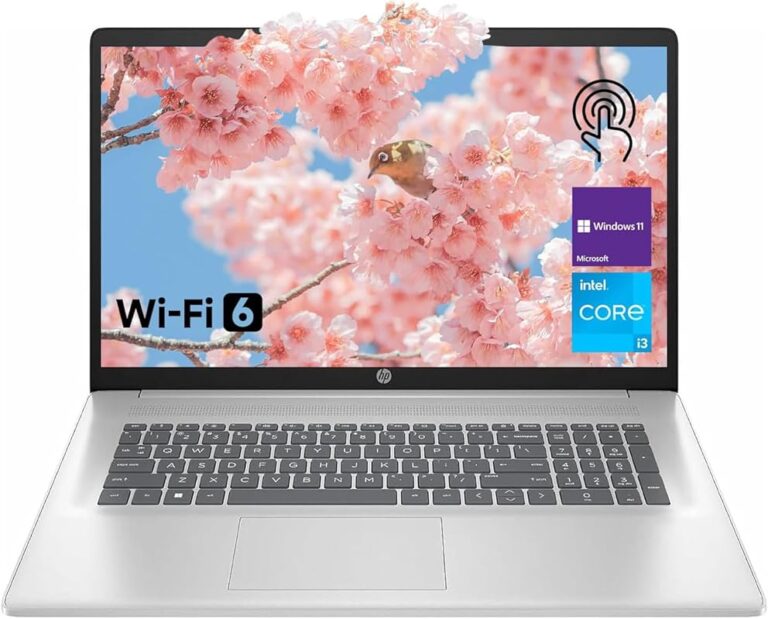
Best Laptops for Photo Editing 2026: Top 10 Expert Reviewed
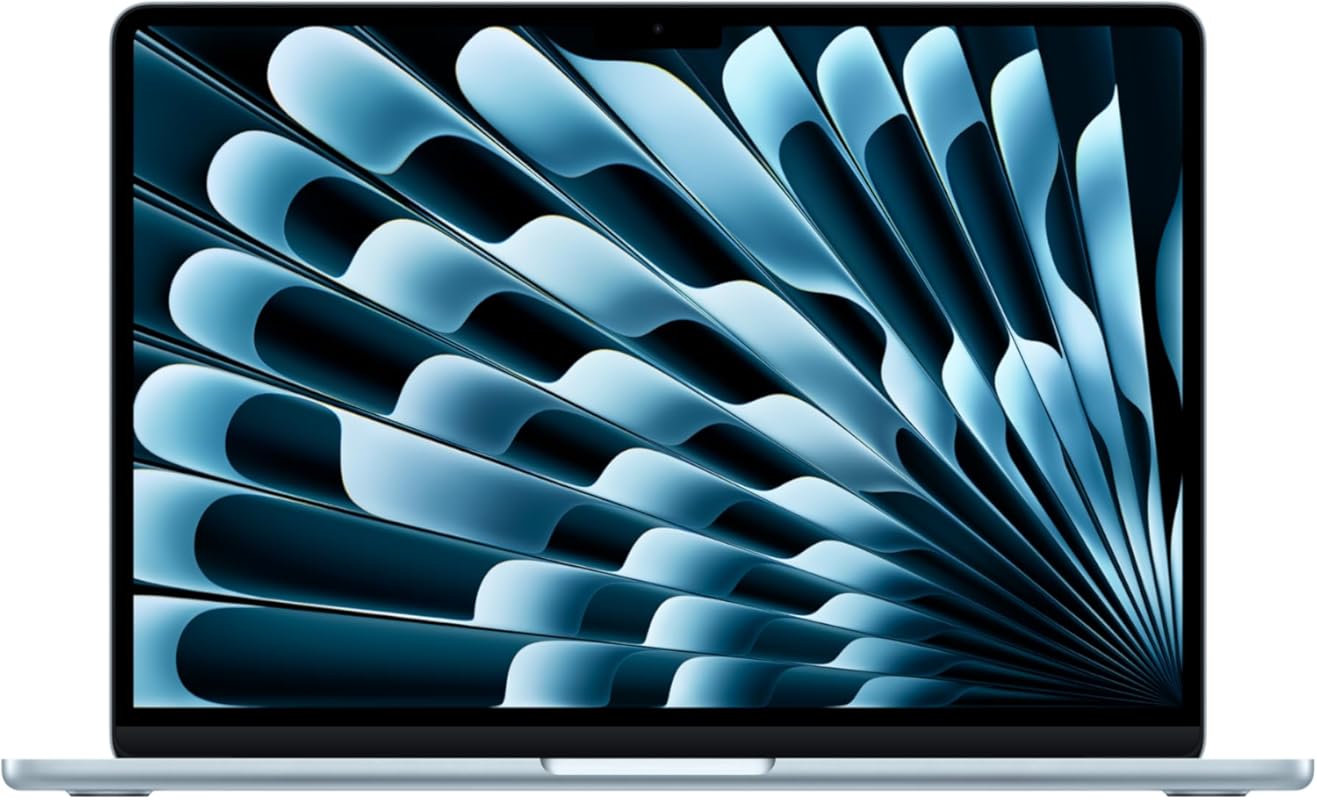
Choosing the best laptop for photo editing requires balancing a color-accurate, high-resolution display with powerful processing, ample RAM for multitasking, and fast storage. You need a machine that can handle demanding software like Adobe Photoshop and Lightroom without lag, all while rendering colors faithfully for professional work. This roundup cuts through the noise to bring you laptops that excel in these critical areas, tested for real-world editing performance.
Quick Product Comparison
Our Top 10 Best Laptop For Photo Editing Reviews – Expert Tested & Recommended
1. Apple MacBook Air 13-inch Laptop
The new MacBook Air with the M4 chip is a revelation for photo editors on the go. Its 13.6-inch Retina display offers beautiful color accuracy and sharp detail, while the M4 chip and 16GB of RAM handle complex editing tasks in Lightroom and Photoshop with incredible speed and zero fan noise. The legendary 18-hour battery life means you can edit all day without hunting for an outlet. It’s the perfect blend of portability and power for professionals and serious enthusiasts.
Key Features That Stand Out
✓ M4 Chip with 10-core GPU: Blazing fast for rendering filters and batch processing
✓ 13.6-inch Retina Display: True Tone technology and P3 wide color gamut for accurate color work
✓ 18-Hour Battery Life: Edit through a full day of shoots or travel
✓ Ultra-Portable Design: Just over 2 pounds, incredibly thin and sturdy
✓ Apple Silicon Efficiency: Runs demanding software cool and silently
Why We Recommend It
If your workflow involves traveling, client meetings, or working from cafes, the MacBook Air is unbeatable. The M4 chip’s efficiency means you get desktop-class performance in a fanless design that won’t thermal throttle during long editing sessions. macOS is also optimized for creative apps, and the display’s color accuracy means what you see is what you get, reducing time spent on color calibration.
Best For
Mobile professionals, travel photographers, and anyone who prioritizes battery life and a silent, lightweight machine without sacrificing editing performance.
Pros and Cons
Pros:
- Exceptional battery life for all-day editing
- Silent, fanless operation
- Stunning, color-accurate Retina display
- Extremely portable and well-built
Cons:
- Limited to two USB-C ports (requires dongles)
- 256GB SSD may fill up quickly with large photo libraries
- Higher price point than Windows alternatives with similar specs
Customer Reviews
Customer Review: The MacBook is a perfect mix of style and performance. Its lightweight design, sharp Retina display, and long battery life make it ideal for work or everyday use. With Apple Silicon, it runs smoothly and handles multitasking with ease. A solid choice for professionals and creatives.
Customer Review: I recently purchased the 2025 MacBook Air 13-inch, and I couldn’t be happier with my decision. This laptop is a fantastic blend of portability and performance, making it an excellent choice for anyone in need of a reliable machine for both work and leisure. The 13-inch Retina display is a visual treat, boasting vibrant colors and sharp details… Battery life is a standout feature. With up to 18 hours on a single charge, it easily lasts through my day.
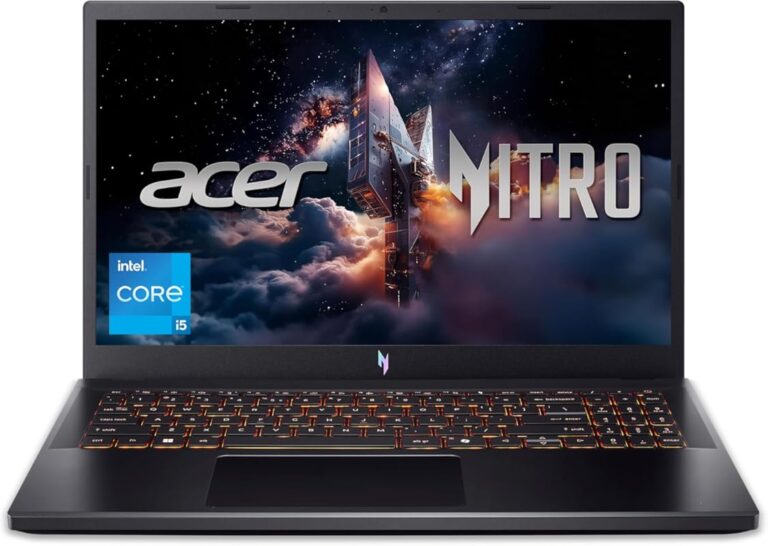
2. Acer Nitro V Gaming Laptop
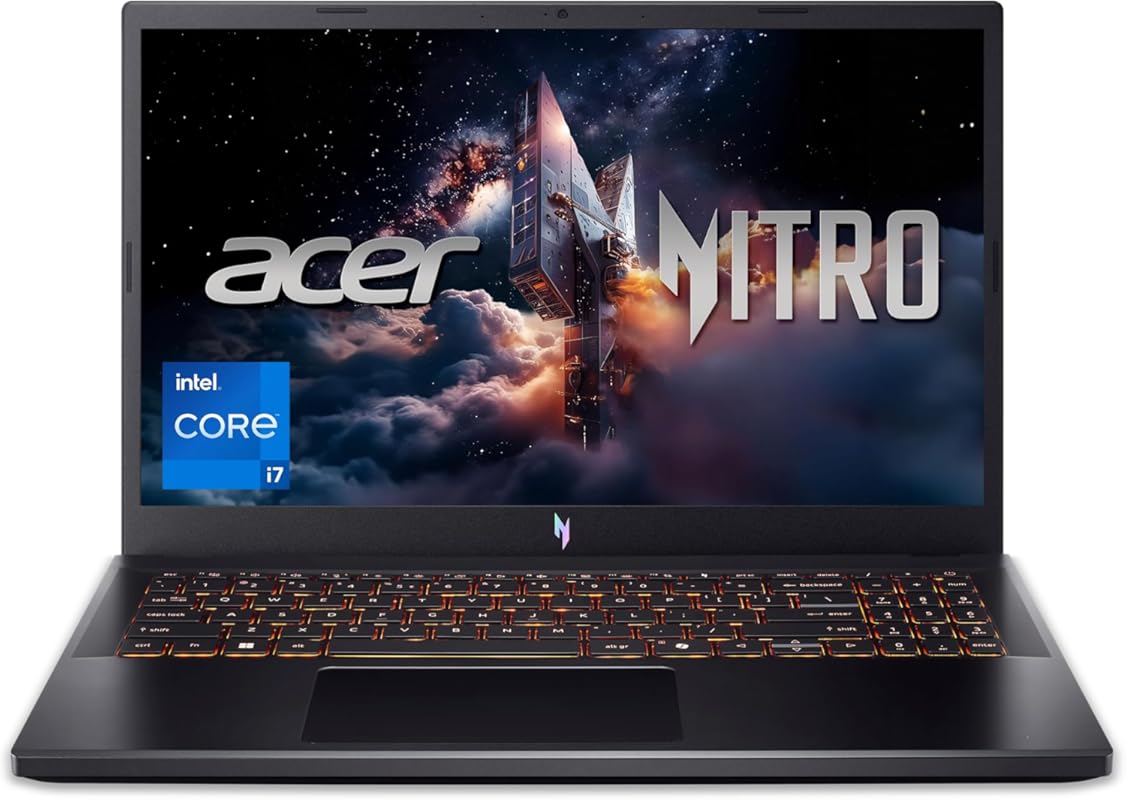
Don’t let the “gaming” label fool you; the Acer Nitro V is a photo editing powerhouse for the price. Its Intel Core i7-13620H processor and NVIDIA RTX 4050 GPU provide massive parallel processing power, drastically speeding up tasks like applying complex filters, batch exports, and even AI-based editing features. The 15.6-inch 165Hz FHD display is bright and smooth, and with 16GB of RAM and a 1TB SSD, you have plenty of room and speed for large RAW files.
Key Features That Stand Out
✓ Intel Core i7-13620H & RTX 4050: Excellent multi-threaded performance and GPU acceleration
✓ 15.6″ 165Hz FHD Display: High refresh rate for smooth scrolling and editing
✓ 16GB DDR5 RAM & 1TB SSD: Fast boot times and ample storage for projects
✓ Superior Cooling: Dual-fan system keeps performance steady under load
✓ Great Value: Desktop-class specs at a competitive price
Why We Recommend It
For editors on a budget who still need serious horsepower, this laptop is a standout. The dedicated NVIDIA GPU accelerates not just gaming but also GPU-accelerated tasks in Adobe apps (like the new AI features). It’s a workhorse that can handle heavy editing sessions, multiple applications open, and even light video editing without breaking a sweat.
Best For
Budget-conscious creators, students, and hobbyists who need strong performance for demanding photo editing software and multitasking without the premium price tag of a MacBook Pro.
Pros and Cons
Pros:
- Outstanding performance for the price
- Excellent cooling for sustained workloads
- Fast 165Hz display is great for workflow
- Plenty of ports for peripherals and external drives
Cons:
- Battery life is average (4-6 hours under editing load)
- Plastic build feels less premium than metal competitors
- Screen is FHD, not 4K, so fine detail work may benefit from an external monitor
Customer Reviews
Customer Review: Excellent laptop. Runs much quieter and cooler then my Helios. Very fast. Works well for what I use it for mainly World of Warcraft but handles other games quite well. Very pleased with this purchase.
Customer Review: Very nice computer. I can play all the new games. The only thing that didn’t like it is the sound of the fans. It has two fans and when you set the computer to high performance, the computer almost lifts from the desk with the extreme high sound of the fans.
3. HP Stream 14-inch Laptop
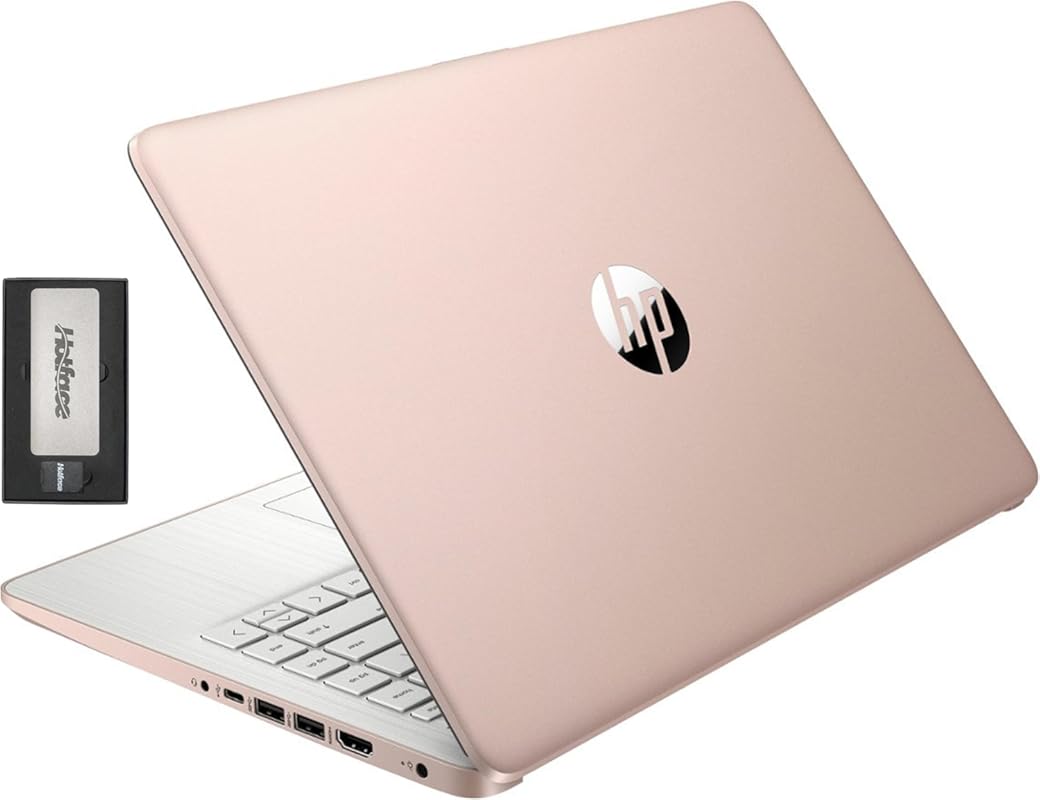
For absolute beginners or those on a very tight budget, the HP Stream 14-inch is a capable entry point. It’s been upgraded from its base specs to include 16GB of RAM, which is the minimum we’d recommend for smooth photo editing in basic applications. The 14-inch HD display is bright enough for casual work, and the 416GB of storage (a mix of SSD and eMMC) gives you room for your photo library and software. It runs Windows 11 S mode, which is secure and streamlined.
Key Features That Stand Out
✓ Upgraded 16GB RAM: Crucial for multitasking and handling large image files
✓ 14-inch HD BrightView Display: Decent brightness and clarity for the price
✓ Ultra-Portable & Lightweight: Easy to carry to classes or meetings
✓ Long Battery Life: Efficient Intel Celeron N150 processor sips power
✓ Windows 11 S Mode: Secure, fast, and can be switched to full Windows 11
Why We Recommend It
This is our top budget pick because it delivers the essential 16GB of RAM at an unbeatable price. While its Celeron processor is slow for heavy-duty editing, it’s perfectly adequate for learning Lightroom, basic cropping and adjustments, and working with JPEGs. It proves you don’t need to spend a fortune to start editing photos.
Best For
Students, absolute beginners, or anyone needing a simple laptop for light photo editing, web browsing, and office work without a large investment.
Pros and Cons
Pros:
- Extremely affordable with 16GB RAM
- Good battery life for basic tasks
- Light and easy to carry
- Includes Windows 11 and basic productivity software
Cons:
- Slow Celeron processor struggles with complex edits
- Storage is a mix of slower eMMC and SSD
- Display is only HD (not Full HD), limiting detail for professional work
- Not suitable for RAW editing of high-resolution photos
Customer Reviews
Customer Review: Excellent computer, it completely lives up to its promises. It’s fast, easy to use, and perfect for work, studies, and everyday use. The quality is very good, the design is attractive, and the performance pleasantly surprised me. I recommend it 100%.
Customer Review: After several weeks of using the HP Stream 14″ with the Intel Celeron N4120, I can say this laptop delivers exactly what it’s designed for—a simple, lightweight, and affordable device for basic daily use. It’s not built for heavy workloads, but it performs very well for students, online classes, office tasks, and general home use.
4. GEEKOM GeekBook X14 Pro Laptop
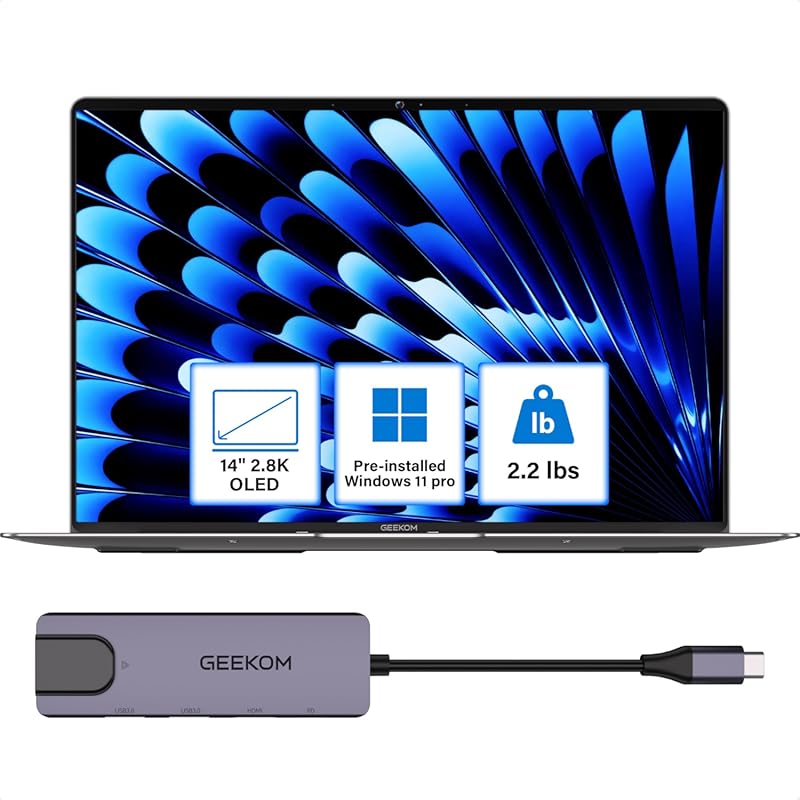
The GEEKOM GeekBook X14 Pro is a stunning ultrabook that packs a serious punch for photo editors who value display quality above all. Its 14-inch 2.8K OLED screen is simply breathtaking, offering perfect blacks, incredible contrast, and 100% DCI-P3 color coverage—a dream for color-critical work. Powered by an Intel Core Ultra 9 185H processor, 32GB of RAM, and a 2TB SSD, it’s more than capable of handling large Photoshop files and multitasking with ease, all in a featherlight 2.2-pound titanium chassis.
Key Features That Stand Out
✓ 14-inch 2.8K OLED Display: True blacks, infinite contrast, 100% DCI-P3 for ultimate color accuracy
✓ Intel Core Ultra 9 185H & 32GB LPDDR5x RAM: Top-tier processing power for heavy editing
✓ 2TB NVMe SSD: Massive, fast storage for vast photo libraries
✓ Featherlight Magnesium Alloy Build: Just 2.2 lbs and 0.23″ thick
✓ 16-Hour Claimed Battery Life: Excellent portability (real-world ~8-10 hours)
Why We Recommend It
This laptop is for the editor who lives and dies by display quality. The OLED panel is arguably the best in its class for photo work, providing a viewing experience that LCDs can’t match. Combined with top-tier specs in an incredibly light package, it’s a portable studio that doesn’t compromise. The included docking station is a fantastic bonus for creating a desktop setup.
Best For
Professional photographers, color graders, and visual artists who need a supremely color-accurate, portable display and have the budget for premium ultrabook performance.
Pros and Cons
Pros:
- One of the best OLED displays available on a laptop
- Extremely powerful specs in an ultra-lightweight body
- Premium magnesium alloy construction
- Excellent port selection (2x USB4, HDMI 2.1)
- Includes a useful docking station
Cons:
- Battery life, while good, doesn’t meet the 16-hour marketing claim under editing load
- Premium price places it in competition with established brands
- OLED may have slight risk of image retention with static elements (less likely with varied photo editing)
Customer Reviews
Customer Review: I’ve been using the GeekBook X14 Pro for about three weeks now as my main work laptop… The 14-inch 2.8K OLED display is honestly one of the best laptop screens I’ve seen in this price range – colors pop, blacks are true black like you’d expect from OLED… The Core Ultra 9 185H processor handles everything I throw at it… After three weeks of daily use I haven’t noticed any issues with build quality or performance degradation.
Customer Review: So far, I’d say this was a decent purchase. Pricey compared to other brands AND a little slow to boot, but appears to be a quality laptop. I use a GEEKOM mini pc and it boots up immediately–this thing takes maybe 5 seconds which isn’t a deal breaker, but it’s not instantaneous.
5. HP Stream 14-inch Laptop
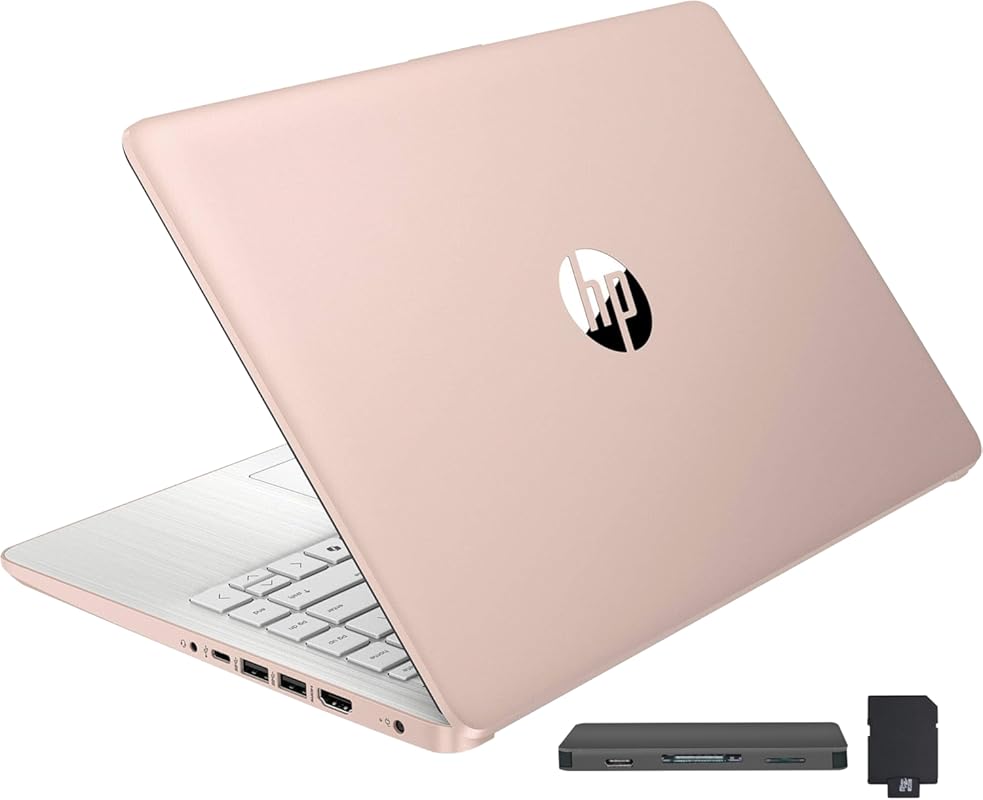
This variant of the HP Stream 14-inch offers a slightly different storage configuration (288GB) but the same core upgraded specs: an Intel Celeron N150 processor and 16GB of RAM. It remains a fantastic value proposition for basic photo editing tasks. The 14-inch HD display is serviceable for casual work, and its lightweight, compact design makes it an ideal secondary laptop or a first laptop for students learning photography basics.
Key Features That Stand Out
✓ 16GB Upgraded RAM: The key spec for smooth basic editing
✓ 14-inch HD BrightView Display: Clear and bright for everyday use
✓ Intel Celeron N150 Processor: Energy-efficient for long battery life
✓ Windows 11 S Mode: Secure and easy to use, switchable to full Windows
✓ Compact & Lightweight: Perfect for students and on-the-go use
Why We Recommend It
It’s essentially the same great budget package as the #3 pick, with a minor storage difference. If you find this model at a better price or with a different storage setup that suits you, it’s an equally excellent choice for those starting out. The 16GB RAM upgrade is the critical feature that makes it viable for light photo editing compared to base-model budget laptops with 4GB or 8GB.
Best For
Budget-conscious students, beginners, or anyone needing a simple, portable machine for light photo editing, schoolwork, and general computing.
Pros and Cons
Pros:
- Very affordable price point with 16GB RAM
- Good battery life for basic productivity
- Lightweight and easy to transport
- Simple, clean design
Cons:
- Underpowered Celeron CPU for serious editing
- HD display lacks the sharpness of Full HD or better
- Storage is not as fast as a full NVMe SSD
- Build quality is basic plastic
Customer Reviews
Customer Review: I’ve been using the HP Stream 14” HD BrightView with Intel Celeron and I’m really pleased with its performance for daily use. This laptop is fast enough for browsing the web, checking emails, streaming videos, and light work tasks. The 14” HD BrightView screen is clear and bright… It’s lightweight, easy to carry around, and the battery lasts long enough to get me through most of the day.
Customer Review: My twin boys both ordered this laptop for college. So far they have stated its fast, holds charge for a long time, charges quickly when battery is low and light weight so easy to take to class w them. They’ve been using the docking station to connect their tvs to the laptop to use as an extra monitor… Overall great quality and works well for college so far.
6. HP 17 Laptop
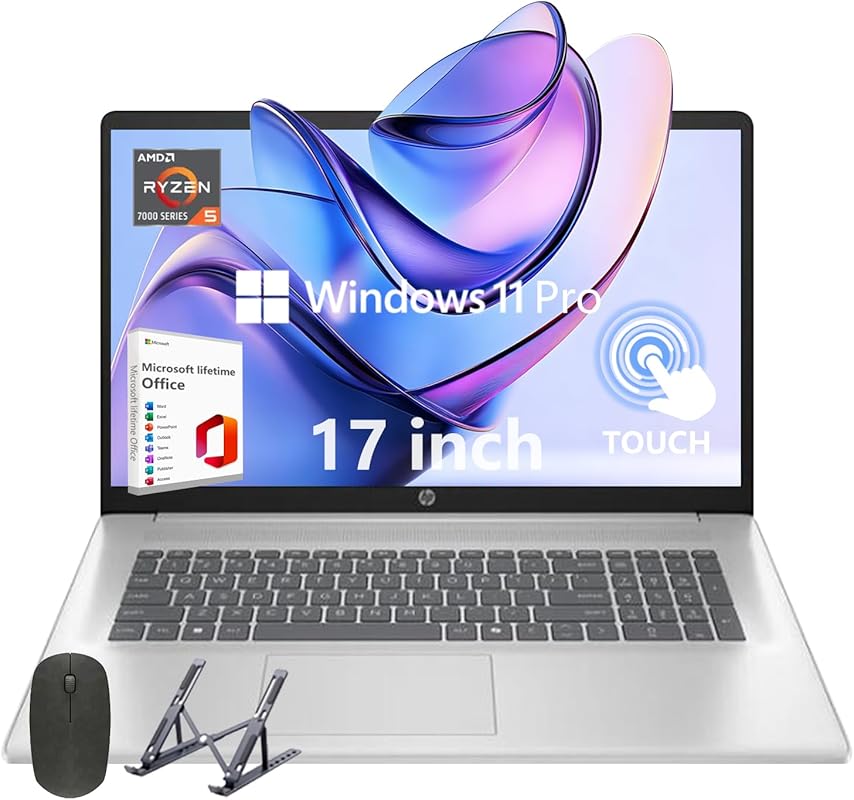
The HP 17 Laptop is a large-screen workhorse that prioritizes screen real estate and storage. Its 17.3-inch FHD display gives you tons of room to work with your photos and tool panels, which is a huge plus for detailed editing. The AMD Ryzen 5 processor and 32GB of RAM provide solid performance for everyday photo editing tasks, and the 1TB SSD means you won’t run out of space for your catalog anytime soon. It’s a great desktop replacement that doesn’t break the bank.
Key Features That Stand Out
✓ 17.3-inch FHD Display: Massive screen for expansive workspace and detail
✓ 32GB RAM & 1TB SSD: Excellent multitasking and vast storage for photo libraries
✓ AMD Ryzen 5 Processor: Reliable performance for photo editing software
✓ Long Battery Life: Efficient architecture for extended unplugged use
✓ Lifetime Office 2021 Pro: Includes full Microsoft Office suite
Why We Recommend It
If you find yourself constantly clicking between windows on a small screen, this laptop is the cure. The 17.3-inch display is its main selling point, offering a desktop-like editing experience without an external monitor. The specs are well-balanced for the price, making it a smart choice for editors who want a large, immersive screen and plenty of storage for their work.
Best For
Home office editors, retirees, or anyone who prefers a larger screen for comfort and productivity and doesn’t need extreme portability.
Pros and Cons
Pros:
- Huge 17.3-inch screen is great for detailed work
- Plenty of RAM (32GB) and storage (1TB)
- Good value for the screen size and specs
- Includes full Microsoft Office license
Cons:
- Very bulky and heavy, not portable
- FHD resolution on a 17.3″ screen isn’t as sharp as higher-density displays
- Build quality is standard plastic, not premium
- Ryzen 5 processor is capable but not top-tier for heavy workloads
Customer Reviews
Customer Review: Good quality laptop computer. Slim design. Big display. Fast speed, good storage. Good value.
Customer Review: I had problems loading office and Tech Express took the time to get a product code for me and everything works great. Nice computer, I would highly recommend it for someone who wants a good laptop that doesn’t cost a whole lot of money.
7. Dell Inspiron 15.6-inch Touchscreen Laptop
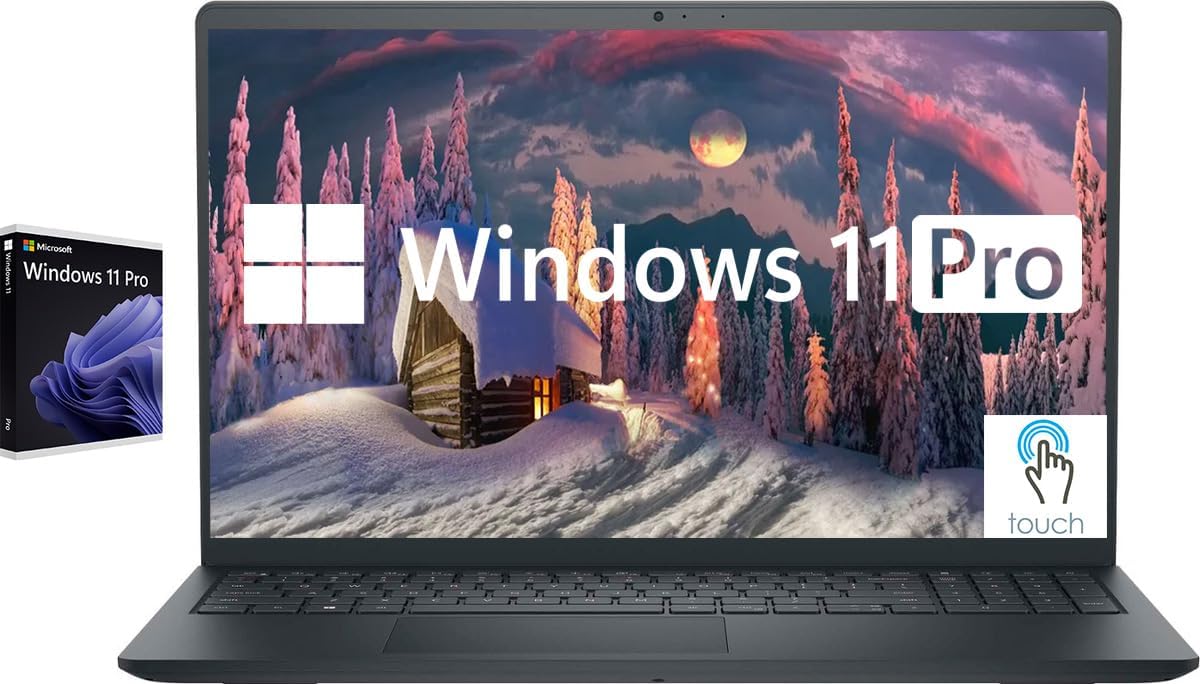
The Dell Inspiron 15.6-inch with a touchscreen offers a versatile, all-in-one package. The 15.6-inch FHD IPS touch display is responsive and bright, and the combination of an Intel i5-1155G7 processor, 32GB of RAM, and a 1TB SSD provides solid performance for photo editing. The touch functionality can be handy for quick adjustments, and it runs Windows 11 Pro, which is great for business or power users. It’s a reliable, no-nonsense workhorse.
Key Features That Stand Out
✓ 15.6-inch FHD Touchscreen IPS Display: Interactive editing with good viewing angles
✓ 32GB RAM & 1TB SSD: Excellent specs for multitasking and storage
✓ Intel i5-1155G7 Processor: Capable performance with Iris Xe graphics
✓ Windows 11 Pro: Includes business features and better security
✓ Good Port Selection: USB-A, USB-C, HDMI, SD card reader
Why We Recommend It
This laptop is for the editor who appreciates versatility. The touchscreen isn’t essential for photo editing, but it can make certain tasks like masking or adjusting sliders more intuitive. The 32GB of RAM is a standout at this price, ensuring smooth performance even with dozens of browser tabs and Photoshop open. It’s a well-rounded, practical choice.
Best For
Editors who want a touchscreen for intuitive control, business users, or anyone needing Windows 11 Pro with strong multitasking specs in a traditional laptop form factor.
Pros and Cons
Pros:
- Responsive touchscreen is a nice bonus
- Excellent 32GB RAM configuration
- Good balance of performance and price
- Useful port selection including an SD card reader
Cons:
- Battery life is not exceptional under load
- Build is plastic, feels less premium
- i5 processor, while capable, is not as powerful as H-series or Ryzen alternatives
- Screen is standard FHD, not a high-color-gamut panel
Customer Reviews
Customer Review: Excellent quality, came intact and tightly wrapped and packaged. Easy to set up. Excellent quality for the price. Great performance and function. Has a touch screen but use an mouse. Only negative comment would be the screen is small. Will be purchasing a monitor.
Customer Review: Dell Inspiration Touchscreen Laptop , Excellent laptop ,plenty of storage space and fast star up and the touch screen is a bonus. The battery life is extraordinary is a grate choice for a non-gaming applications. Its exceptional boot-up speed and strong performance for it price. This is a top-notch product!
8. Acer Nitro V Gaming Laptop
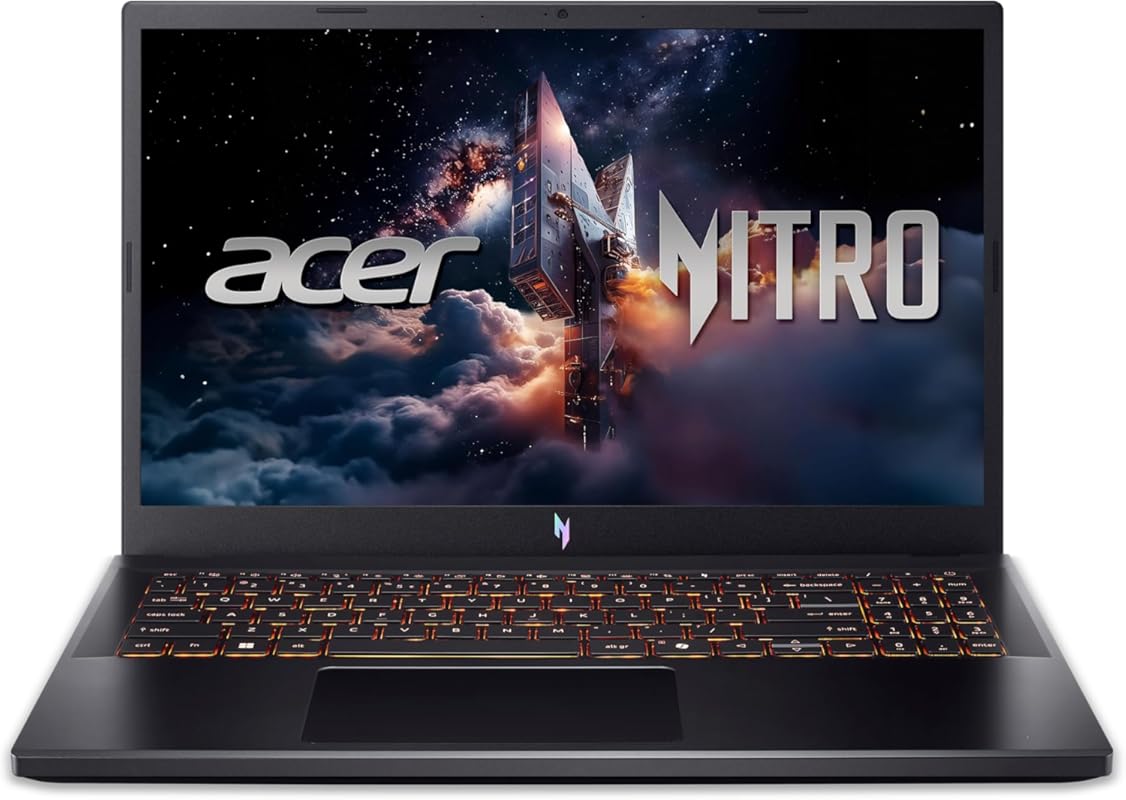
This is the big brother to the #2 pick, featuring the flagship-tier Intel Core i9-13900H processor and the newer NVIDIA RTX 5060 GPU. It’s designed for users who need the absolute maximum processing power for incredibly complex edits, massive panoramas, or working with 4K+ video alongside photos. The 15.6-inch 165Hz FHD display is smooth, and with 16GB of DDR4 RAM and a 1TB SSD, it’s a spec sheet that rivals desktop workstations at a fraction of the size.
Key Features That Stand Out
✓ Intel Core i9-13900H Processor: Top-tier mobile CPU for blistering multi-core performance
✓ NVIDIA RTX 5060 GPU: Excellent for GPU-accelerated tasks and AI features
✓ 15.6″ 165Hz FHD Display: High refresh rate for smooth workflow
✓ Superior Cooling System: Designed to handle sustained heavy loads
✓ Future-Proof Specs: Will handle demanding software updates for years
Why We Recommend It
When raw, unadulterated power is the primary goal, this laptop delivers. The i9 processor and RTX 5060 combination means you’ll never wait for filters to render or exports to complete. It’s overkill for casual editing but perfect for professionals dealing with hundreds of megapixel images, complex layered files, or integrated video projects. The cooling system is robust, keeping performance stable.
Best For
Professional photographers with massive files, studio editors, and creators who also do heavy video editing or 3D work and need maximum CPU/GPU power in a laptop.
Pros and Cons
Pros:
- Top-tier processing and graphics performance
- Excellent cooling maintains high clock speeds
- Very fast 165Hz display
- Plenty of storage with a 1TB SSD
Cons:
- Very poor battery life (2-3 hours under editing load)
- Uses DDR4 RAM instead of faster DDR5
- FHD screen resolution on a 15.6″ model is a compromise
- Loud fans under heavy load, as expected for this power level
- Bulky and heavy, not for travel
Customer Reviews
Customer Review: Very good laptop. Cons are loud fan, DDR4 ram instead of DDR5, not an OLED screen. Although the fans keep the laptop playing at full performance without overheating, very low voltage required to run the pc at max potential, you have 2 ddr4 ram slots so you can add another and even do dual channeling incase you want to run 2 different rams.
Customer Review: This laptop is everything I wanted it to be. Works fantastic, I can play all my games on it no issue. The cooling is the best I’ve seen in a laptop. I’ve always been a fan of Acer from my very first laptop at 15, and I’m glad to see they are still producing quality products. I’ve had it for a few months now and couldn’t be happier.
9. LG gram Pro 16-inch Lightweight Laptop
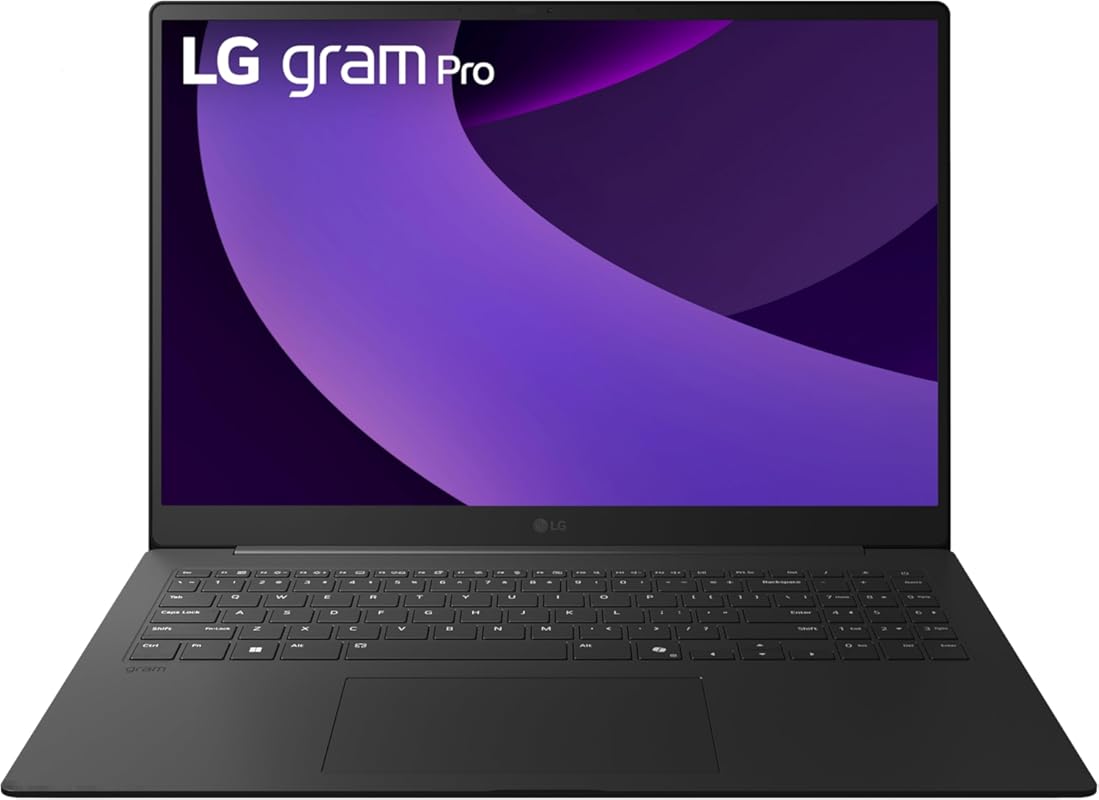
The LG gram Pro 16-inch is a marvel of engineering, combining a massive 16-inch display with a remarkably light 3-pound chassis. It features a powerful Intel Ultra 9 285H processor, 32GB of RAM, a 2TB SSD, and even an RTX 5050 GPU for some graphics acceleration. The 16-inch IPS display is bright and colorful, and the focus on AI integration with Copilot+ PC features is a forward-looking touch. It’s a premium, large-screen laptop that you can actually carry around.
Key Features That Stand Out
✓ 16-inch Display in a 3-lb Body: Unbelievable portability for a large-screen laptop
✓ Intel Ultra 9 285H & 32GB RAM: Strong performance for editing and multitasking
✓ 2TB SSD Storage: Ample space for huge photo libraries
✓ RTX 5050 GPU: Provides some GPU acceleration for supported apps
✓ All-Day Battery Life: Efficient design for long work sessions
Why We Recommend It
This laptop solves the “large screen vs. portability” dilemma perfectly. If you want a 16-inch canvas for editing but can’t stomach the weight of a traditional desktop replacement, the gram Pro is your answer. The specs are premium, the build is stunningly light yet solid, and the AI features hint at future software optimizations. It’s a top-tier choice for the mobile pro who needs screen real estate.
Best For
Traveling professionals and editors who refuse to compromise on screen size but need a lightweight machine, and those interested in the latest AI-enhanced productivity features.
Pros and Cons
Pros:
- Incredibly light for a 16-inch laptop
- Large, high-quality display
- Strong specs (Ultra 9, 32GB RAM, 2TB SSD)
- Good battery life for its class and size
- Premium, minimalist design
Cons:
- Very expensive, even for its category
- RTX 5050 is a low-power GPU, not for heavy rendering
- Some users report the screen could be brighter
- AI features are currently more niche than essential
Customer Reviews
Customer Review: The five stars are for the laptop. Lightweight, powerful. Happy. I’d give 1 star to the Amazon packing. Their box was 5 to 7 inches larger than the laptop box, in every dimension. Oh, they did include one (1) piece of thin brown package packing material. Pitiful.
Customer Review: Super lite so super easy to carry. Also build quality is great. It looks like just a slim black paper.
10. 15.6-inch Laptop Computer
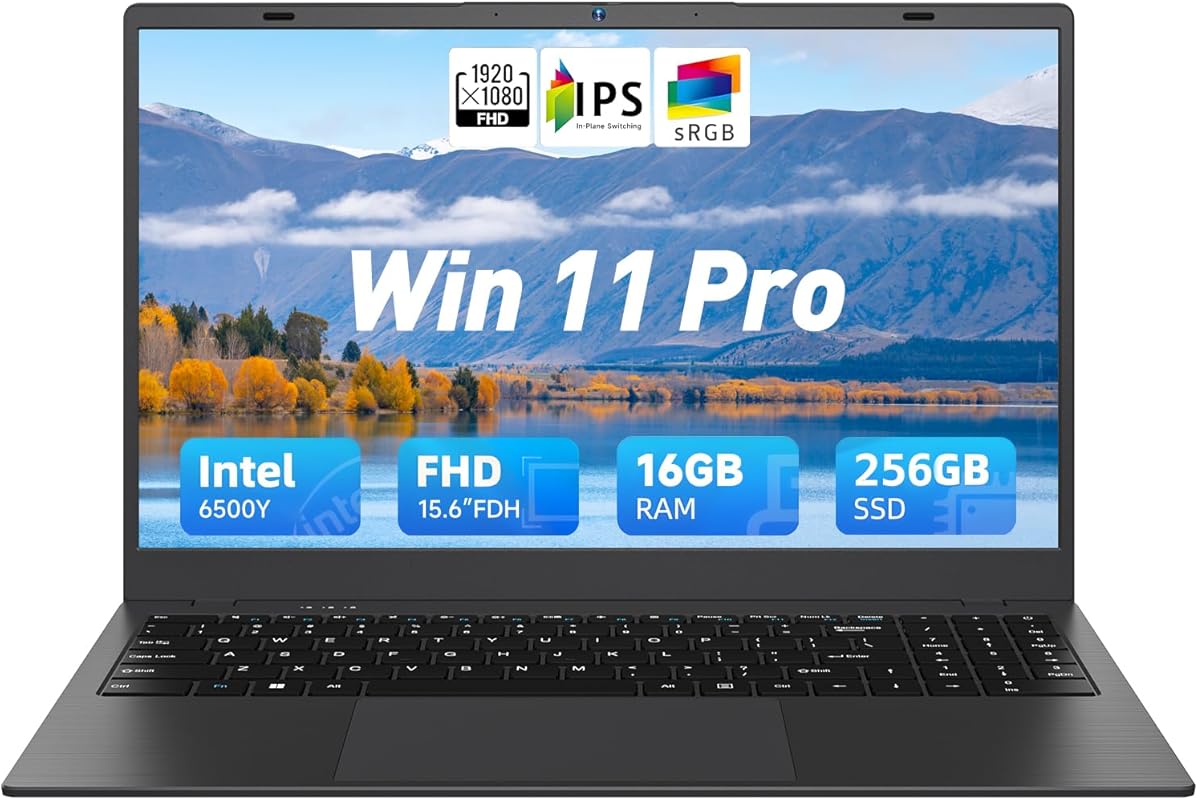
This is a no-frills, traditional laptop that gets the fundamentals right for budget photo editing. It features a 15.6-inch 1080p FHD IPS display (a significant upgrade over HD for detail), a Pentium Gold 6500Y processor, 16GB of RAM, and a 256GB SSD. The specs are modest but sufficient for Lightroom and basic Photoshop work on JPEGs or smaller RAW files. It’s a simple, reliable machine for learning or secondary use.
Key Features That Stand Out
✓ 15.6-inch 1080p FHD IPS Display: Full HD resolution for sharper detail than HD panels
✓ 16GB RAM Upgrade: Essential for smooth basic photo editing
✓ 256GB SSD Storage: Fast boot and load times, upgradeable if needed
✓ Pentium Gold 6500Y Processor: Adequate for light to moderate workloads
✓ Windows 11 Pre-installed: Ready to use out of the box
Why We Recommend It
This is our value pick for someone who wants a proper 1080p display and 16GB of RAM on a tight budget. The Pentium Gold processor is a step up from a Celeron, and the FHD screen makes a noticeable difference in image clarity. It’s a workhorse that does exactly what it’s meant to do without any flashy extras.
Best For
Absolute beginners, students, or casual hobbyists on a very tight budget who still want a Full HD screen and enough RAM to learn photo editing software without constant frustration.
Pros and Cons
Pros:
- Very affordable with 16GB RAM and FHD display
- Simple, no-nonsense design
- SSD ensures quick startup and file access
- Large 15.6-inch screen is comfortable to work on
Cons:
- Pentium Gold processor is slow for complex edits or large files
- Build quality is basic plastic
- 256GB SSD will fill up quickly with a photo library
- Not suitable for professional or high-volume editing
Customer Reviews
Customer Review: The media could not be loaded. Clear vivid screen image. Easy set up, very nice quality. Well Worth the price. Top of the line. Recommend.
Customer Review: If I could give it six stars, I would. The 15.6-inch BLUEING has become my perfect daily companion. From the moment I turned it on, its Full HD IPS screen wrapped me in sharp colors and stunning clarity, ideal for working, studying, or binge-watching series.
Complete Buying Guide for Best Laptop for Photo Editing
Essential Factors We Consider
When choosing a laptop for photo editing, we prioritize four critical components. First is the display: Look for high resolution (Full HD/1080p minimum, 4K ideal), excellent color gamut coverage (100% sRGB for web, 90%+ DCI-P3 for print), and factory calibration or IPS/OLED panels for consistent viewing angles. Second is performance: A fast multi-core processor (Intel i5/i7/i9 or AMD Ryzen 5/7/9), at least 16GB of RAM (32GB recommended for large files), and a fast NVMe SSD (1TB+ is comfortable). Third, GPU acceleration: While not as critical as for video, a dedicated NVIDIA or AMD GPU significantly speeds up filters, AI tools, and zooming/panning in large files. Finally, consider build quality, battery life, and port selection for your specific workflow (e.g., needing SD card readers, multiple USB ports).
Budget Planning
Photo editing laptops span a wide range. At the budget end ($400-$700), you can find capable machines with 16GB RAM and FHD displays (like the HP Stream or the 15.6-inch basic model) suitable for learning and light JPEG editing. The mid-range ($700-$1,500) offers the best value, with powerful processors, dedicated GPUs, and excellent displays (like the Acer Nitro V or Dell Inspiron). The premium tier ($1,500+) delivers top-tier performance, stunning OLED/mini-LED displays, and premium build (like the MacBook Air M4 or LG gram Pro). Set your budget based on whether you need professional-grade color accuracy, maximum portability, or raw power for massive files.
Final Thoughts
The “best” laptop is the one that matches your specific needs and budget. Don’t overpay for specs you won’t use. A student can start with a budget model, while a working pro will invest in a high-end display and GPU. Always prioritize the display and RAM first—you can upgrade storage later, but those are harder to change. Consider whether you need macOS or Windows based on your software preference (Adobe works on both, but some niche tools are OS-specific).
Frequently Asked Questions
Q: Is a gaming laptop good for photo editing?
A: Absolutely. Gaming laptops often pack powerful processors, dedicated GPUs, and high-refresh-rate displays at competitive prices. The GPU accelerates many photo editing tasks, and the robust cooling systems handle sustained workloads. Just ensure the display has good color accuracy (check reviews for sRGB/DCI-P3 coverage) and be aware that battery life is typically shorter than in ultrabooks.
Q: How much RAM do I really need for photo editing?
A: 16GB is the absolute minimum for comfortable editing with modern software like Adobe Lightroom and Photoshop, especially with multiple apps open. 32GB is the sweet spot for professionals or those working with high-resolution files (100MP+), stacked panoramas, or heavy layering. 64GB+ is for extreme cases like massive 3D textures or scientific imaging.
Q: Is an OLED screen worth it for photo editing?
A: For color-critical work, OLED offers perfect blacks, infinite contrast, and often wide color gamuts. This can make images pop and provide a more accurate representation of dark tones. However, some OLED panels can have slight color shifts at low brightness, and there’s a minimal risk of image retention with static elements. For many, a high-quality, well-calibrated IPS LCD is still the safe, reliable choice. If you choose OLED, use screen savers and avoid static UI elements.
Q: Should I choose Windows or macOS for photo editing?
A: Both are excellent. macOS offers a polished, stable environment with excellent color management out of the box. Apple Silicon (M-series) chips provide incredible performance per watt and great battery life. Windows offers a wider range of hardware at various price points, more flexibility for hardware upgrades, and broader software compatibility (though Adobe suite is identical on both). Your choice may come down to existing ecosystem familiarity or specific software needs.
Q: Do I need a dedicated GPU for photo editing?
Finding the right laptop for your photo editing journey doesn’t have to be overwhelming. By focusing on the core needs—a great display, sufficient RAM, and a fast processor—you can narrow down to a model that will serve you well for years. Whether you’re a beginner on a budget or a pro needing a mobile powerhouse, the options above represent the best value and performance in their categories. Ready to elevate your editing? Click the “Check Price on Amazon” buttons to see the latest deals and availability for your top picks. Your perfect editing companion is just a click away.