10 Best Mid Tower PC Cases of 2026 – Expert‑Tested Picks for Quality Builds
Choosing the perfect mid tower PC case can feel overwhelming, especially with so many designs, features, and price points on the market. Whether you’re building a high‑performance gaming rig, a sleek workstation, or a budget‑friendly setup, the right case will keep your components cool, organized, and looking great. Below you’ll find a curated list of the best mid tower cases that deliver excellent airflow, easy cable management, and stylish aesthetics—perfect for any builder.
Quick Product Comparison
Our Top 10 Best Mid Tower Pc Case Reviews – Expert Tested & Recommended
1. Corsair 3500X RS White
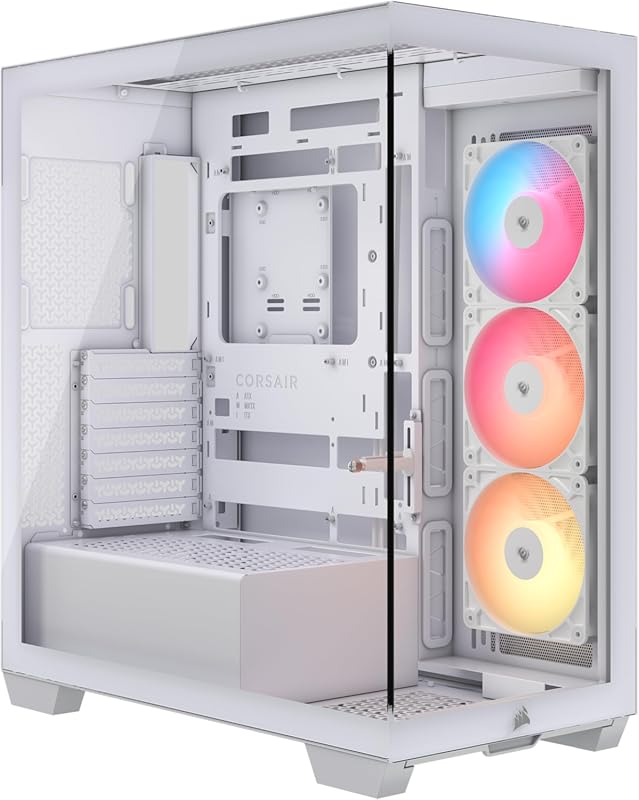
The white Corsair 3500X RS offers a clean, modern look with three pre‑installed ARGB fans that keep temps low while adding a splash of color.
Key Features That Stand Out
✓ 3× RS120‑R ARGB fans pre‑installed
✓ GPU anti‑sag bracket
✓ Reverse‑connect motherboard tray for easy cable routing
✓ Tempered glass side panel
✓ High‑airflow front mesh
Why We Recommend It
It blends aesthetics and performance flawlessly, making it ideal for builders who want a showcase case without extra hassle.
Best For
Showcase builds, RGB enthusiasts, and users who appreciate a tool‑free interior layout.
Pros and Cons
Pros:
- Stunning white finish with ARGB lighting
- Excellent airflow thanks to front mesh and fans
- Easy cable management with reverse‑connect tray
- GPU anti‑sag support
Cons:
- Fans are not PWM‑controlled out of the box
- Limited fan mounting options beyond the stock three
Customer Reviews
Customer Review: “Quality of the case feel good and it has good airflow. The preinstall fans wire were showing in the front so you’ll have to just unplug it and move it to the back of the case to hide the wire. Easy to take the out the glass panel from the side or the front. Good enough room to hide the wires without look too complicated on the right side panel plate. There’s also a case filter below the case which can slide out.”
Customer Review: “Really nice case and lovely design. I love the simplicity and the modular design. Very quiet as well and just the perfect size. Supports large GPUs really well, you don’t need to get a separate stand for your giant heavy GPUs.”
2. Corsair 3500X RS Black
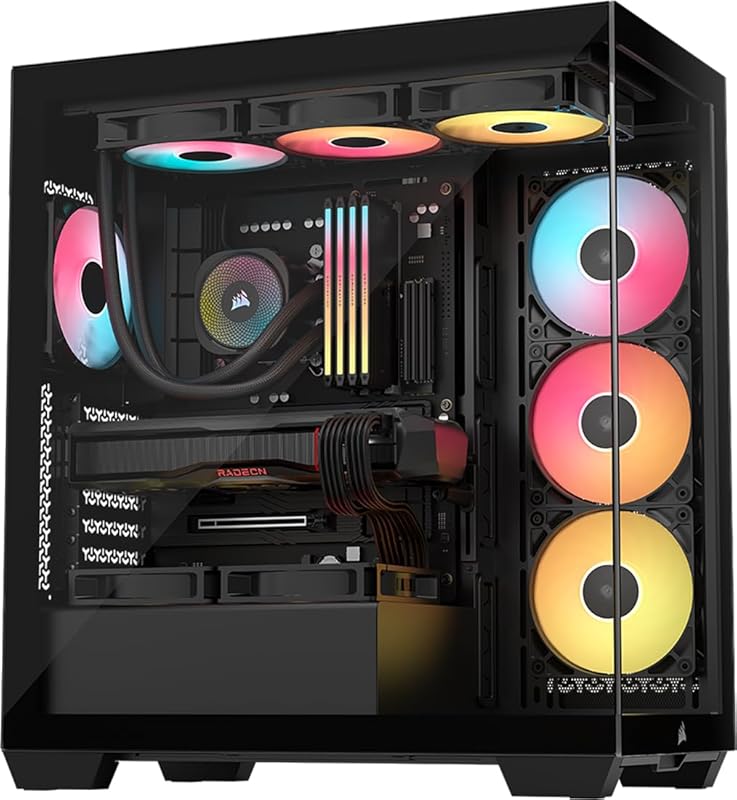
This black version mirrors the white model’s performance but adds a sleek, stealthy aesthetic that fits any build theme.
Key Features That Stand Out
✓ 3× RS120‑R ARGB fans
✓ GPU anti‑sag support
✓ Reverse‑connect tray for clean cable routing
✓ Tempered glass side panel
✓ High‑airflow front mesh
Why We Recommend It
The black finish hides dust better while delivering the same high airflow and modular interior as its white counterpart.
Best For
Builders who prefer a dark, professional look and need easy cable management.
Pros and Cons
Pros:
- Stealthy black design
- Strong airflow with pre‑installed fans
- Convenient anti‑sag bracket
- Simple interior layout
Cons:
- No PWM control on stock fans
- Front fan wires visible unless rerouted
Customer Reviews
Customer Review: “Quality of the case feel good and it has good airflow. The preinstall fans wire were showing in the front so you’ll have to just unplug it and move it to the back of the case to hide the wire. Easy to take the out the glass panel from the side or the front. Good enough room to hide the wires without look too complicated on the right side panel plate. There’s also a case filter below the case which can slide out.”
Customer Review: “Really nice case and lovely design. I love the simplicity and the modular design. Very quiet as well and just the perfect size. Supports large GPUs really well, you don’t need to get a separate stand for your giant heavy GPUs.”
3. Corsair 4000D RS Black
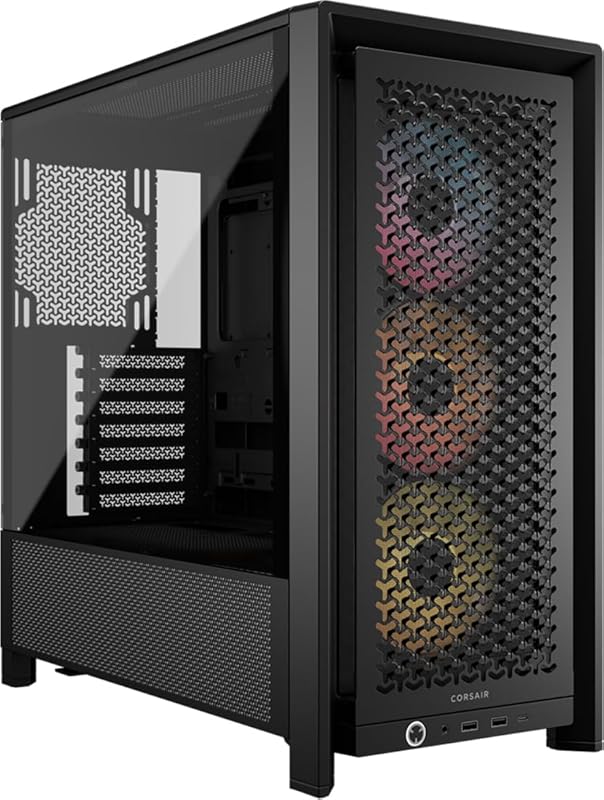
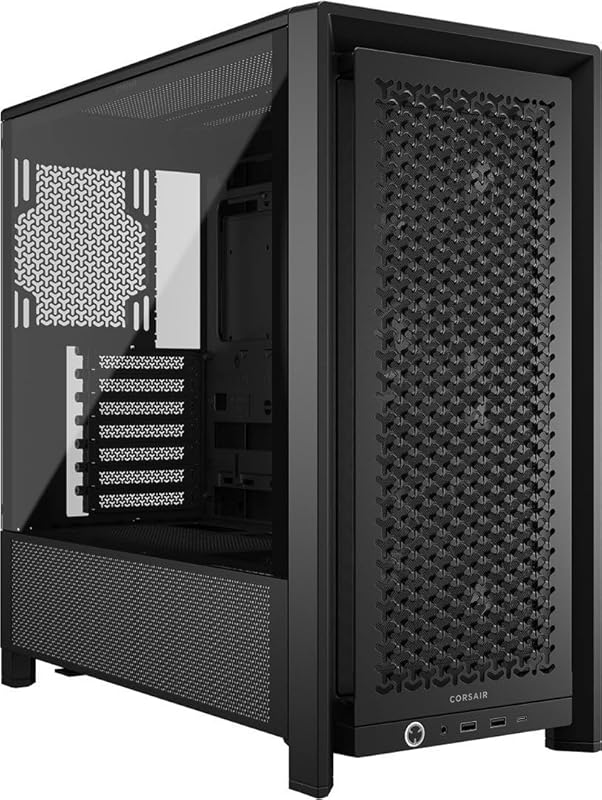
The 4000D RS packs a modular FRAME system and three RS fans, delivering great performance at a budget‑friendly price.
Key Features That Stand Out
✓ FRAME modular system
✓ 3× RS120‑R PWM fans
✓ InfiniRail fan mounting
✓ Front dust filter
✓ Compatible with a wide range of GPUs
Why We Recommend It
Its modularity lets you customize the interior, while the included fans keep temperatures low for the price.
Best For
Budget‑conscious builders who still want premium features.
Pros and Cons
Pros:
- Excellent airflow for the price
- Modular FRAME system adds flexibility
- Sturdy steel construction
- Easy cable management
Cons:
- No top dust filter
- Pre‑installed fans lack PWM control
Customer Reviews
Customer Review: “Fantastic case, I enjoyed building in it. Looks good and can fit all my components with room for more if I decide to add to my pc. Cable management is simple and you can really spend some time with it and make it nice. Room for fans keeps this case pretty cool, really helped my build that easily overheats normally, and has good dust filters and everything to keep it nice inside. Not a lot of thought went into the look of my build but it still looks quite nice in this case. Worth it for the price for sure.”
Customer Review: “No dust filter on top, dust filter in front and bottom. The infinirail is neat, and does save time and effort. Just not a lot. Hands down, this is the easiest case I have ever built in. Both of my sons have a PC using this case, and I would strongly recommend it as a top tier budget case. This case has what is, in my opinion, the greatest functionality improvement in years. The consolidated front panel connector. The mesh filter in front is easy to remove and clean, allowing for plenty of airflow. The case itself is sturdy.”
4. NZXT H5 Flow Black
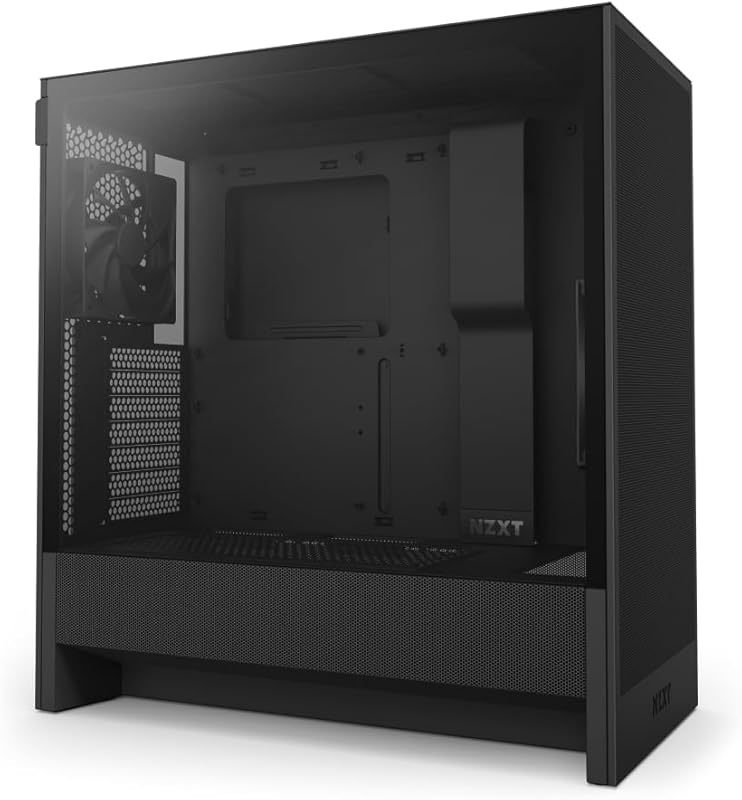
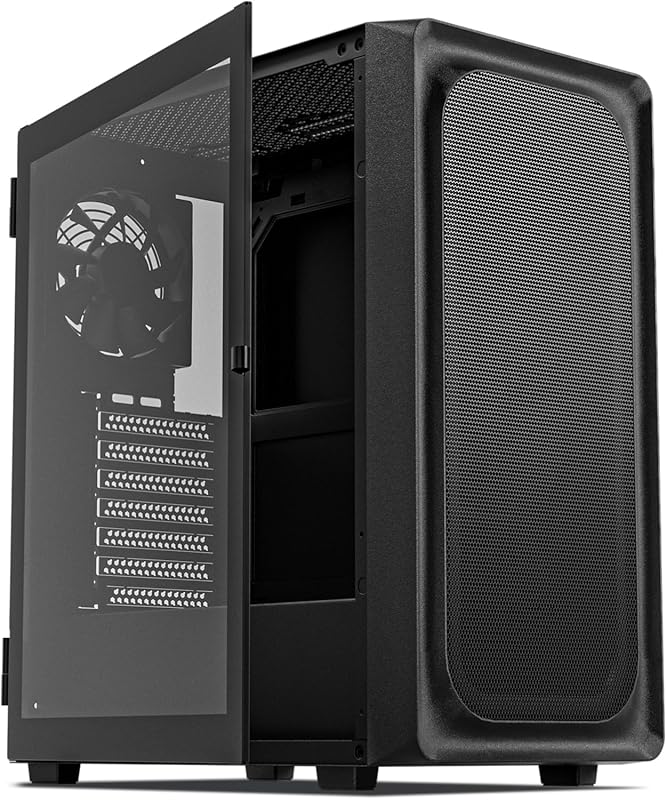
The H5 Flow provides high‑airflow mesh panels and comes with two 120mm fans, making it a solid choice for cooling‑focused builds.
Key Features That Stand Out
✓ Ultra‑fine mesh on front, top and side
✓ Supports 360mm front & 240mm top radiators
✓ Tempered glass side panel
✓ Cable routing channels
✓ Includes 2×120mm fans
Why We Recommend It
Its airflow‑centric design keeps temperatures low, and the sleek black finish fits any theme.
Best For
Airflow‑hungry gamers and first‑time builders who want a ready‑to‑go solution.
Pros and Cons
Pros:
- Excellent mesh for maximum airflow
- Easy radiator installation
- Tempered glass side panel for aesthetics
- Good cable management features
Cons:
- Fans are not PWM‑controlled
- Limited top fan mounting options
Customer Reviews
Customer Review: “This is a great case for building your own PC. I picked it up for my 11 year old son to build his first gaming PC and it worked out really well. There is plenty of space inside for components, and the layout is very well designed. It makes cable routing easy and helps keep everything clean and organized. Even for a first time builder, it was straightforward to work in. Airflow is excellent. The case is designed to move air efficiently and includes two 120mm fans to get you started. There is also support for larger radiators if you want to upgrade cooling later. We installed an RTX 5070 with no fitment issues, so there is good clearance for larger GPUs. The tempered glass side panel looks great and lets you show off RGB lighting, cooling setups, and internal components. The black finish also gives it a clean, modern look. For the price, this case offers a lot of value. It is well built, easy to work with, and performs well. Great option for both new and experienced builders.”
Customer Review: “This has to be the best case I have ever build in. Love that it included fans, and was perfect size for my XFX 6900x. With room to spare! Keeps my rig super cool, though I do have 8 fans in it, and was a breeze to set up. Looks amazing, and has barely any dust build up thanks to the filters. Great price too when you get it on sale! Highly recommend.”
5. NZXT H6 Flow White
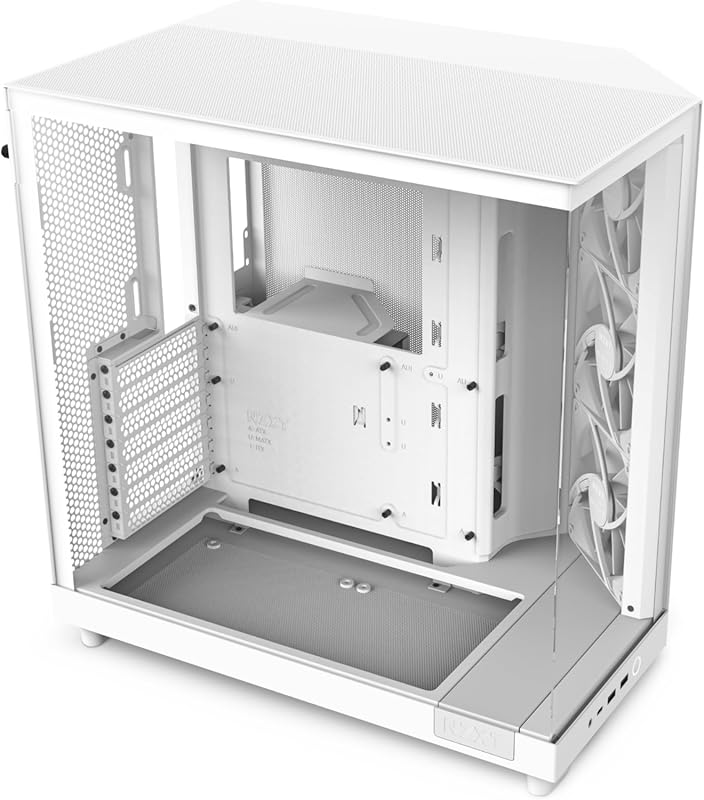
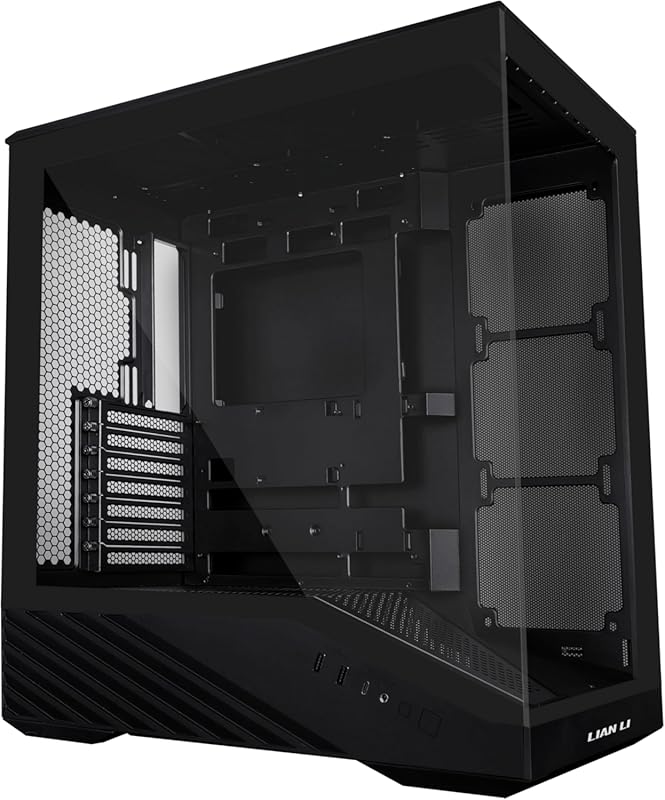
A bright white chassis with a dual‑chamber layout, three pre‑installed fans, and a panoramic glass side for a clean, modern look.
Key Features That Stand Out
✓ Dual‑chamber design for better airflow
✓ 3×120mm pre‑installed fans
✓ Panoramic tempered glass
✓ Cable management behind the motherboard tray
✓ Integrated RGB strip
Why We Recommend It
The H6 Flow offers a premium feel at a reasonable price, especially for builders who love a white aesthetic.
Best For
Showcase builds, white‑themed setups, and users who appreciate separate airflow zones.
Pros and Cons
Pros:
- Elegant white finish with glass side
- Dual‑chamber improves cooling
- Three fans included out of the box
- Good cable routing options
Cons:
- Bottom fan mounts limited to 140mm
- GPU clearance can be tight with the glass panel
Customer Reviews
Customer Review: “Had a gargantuan NZXT Phantom for several years, and had been seeing this style of case explode in popularity… The H6 Flow kinda came out of nowhere… The case is a far more manageable size, and this new offering does not disappoint. … The biggest con is the bottom fan mounts are restricted to 140mm, but overall it’s an airflow beast. Build quality is sturdy, with good cable management behind the motherboard tray, and all at a very competitive, budget‑friendly price.”
Customer Review: “I am going to start this with I have the H9. I freaking love that case. Then I saw the H6 was

Similar Posts
10 Expert‑Chosen Investments to Extend Your PC’s Lifespan in 2026
Spread the loveWhen you’re looking to extend the life of your PC, the smartest investment isn’t just about buying the most powerful components—it’s about choosing parts and accessories that protect, maintain, and future‑proof your system. In this roundup we compare the top ten items that can help you get the most years out of your…
10 Best Budget Gamepads for PC in 2026 – Expert Picks
Spread the loveFinding the best budget gamepad for PC doesn’t have to be a frustrating experience. Whether you’re diving into retro emulation, exploring indie titles, or playing the latest AAA releases, a reliable controller can completely transform your gaming sessions. The good news? You don’t need to spend a fortune to get a great experience….
10 Best Wireless Gaming PC Headsets for 2026 – Expert‑Tested Picks
Spread the loveFinding the perfect best wireless gaming pc headset can feel like hunting for a legendary loot drop. You want crystal‑clear sound, a mic that cuts out background chatter, and a battery that lasts through marathon sessions—all without the annoying tether of a cord. Below we’ve tested dozens of models, compared specs, and listened…
10 Expert-Recommended Ways to Import iPhone Photos to PC in 2026
Spread the loveFinding the best way to import iPhone photos to PC doesn’t have to be a headache. Whether you’re backing up memories, editing images, or simply freeing up space, the right tool can make the transfer fast, safe, and hassle‑free. Below you’ll find a curated list of top products that let you move photos…
10 Best Pokemon Emulator For Pc
Spread the loveFinding the perfect best pokemon emulator for pc can feel like searching for that elusive shiny Charizard. You want smooth gameplay, a huge game library, and a user‑friendly interface without breaking the bank. Below, we’ve gathered the top handheld consoles and emulator devices that let you relive every Pokémon adventure on your PC…
10 Power Supply Pc Best Buy
Spread the loveFinding the right power supply for your PC can feel like a maze, especially when you’re trying to hit the sweet spot between performance, reliability, and price. Whether you’re building a budget rig, a gaming beast, or a quiet workstation, the right PSU will keep all your components humming smoothly. Below, we’ve rounded…