Do Dash Cameras Record All the Time
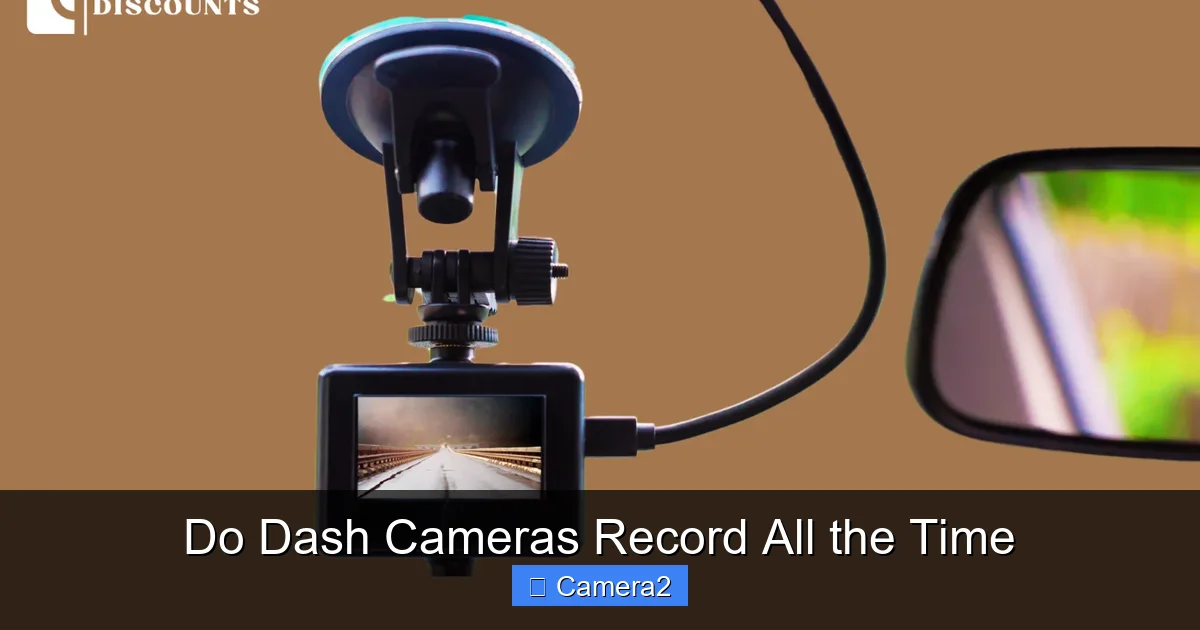
Dash cameras can record continuously, but most models use smart triggers to save space and power. Understanding loop recording, motion detection, and parking mode helps you choose a unit that captures every important moment without draining your battery.
Key Takeaways
- Continuous vs. Event‑Based Recording: Most dash cams use loop recording and only keep footage when an event is detected.
- Parking Mode Extends Coverage: With built‑in batteries or capacitor power, many units keep recording even when the engine is off.
- Power Management Is Crucial: Poorly designed cams can drain a car battery; look for low‑draw or voltage‑sensing features.
- Audio Recording Varies by Region: Some countries restrict sound capture, so check local laws before enabling mic.
- SD Card Choice Affects Reliability: High‑endurance cards prevent data loss during constant overwrites.
- Firmware Updates Add Features: Manufacturers often add new recording modes via software, so keep your cam up to date.
- Legal Implications Differ Worldwide: Knowing what you can legally record helps avoid fines and privacy issues.
📑 Table of Contents
- Introduction: Why the Question Matters
- How Dash Cameras Record: The Basics
- Continuous Recording vs. Smart Recording
- Parking Mode: Recording While the Car Is Off
- Audio Recording: Does Sound Come With Video?
- Power Management: Avoiding Battery Drain
- Real‑World Scenarios: When Continuous Recording Saves the Day
- Tips to Maximize Recording Time Without Sacrificing Battery
- Legal and Privacy Considerations
- Conclusion: Do Dash Cameras Record All the Time?
Introduction: Why the Question Matters
When you first see a dash camera mounted on a windshield, the instinctive thought is, “It must be filming 24/7, right?” That assumption is common, but the reality is more nuanced. Dash cams are designed to balance two competing goals: capturing every critical moment on the road and preserving the vehicle’s battery life.
In this guide we’ll break down exactly how dash cameras record, what “all the time” really means, and which features let you get the most coverage without draining power. By the end, you’ll know whether your dash cam is truly always on, and how to tweak settings for nonstop footage when you need it most.
How Dash Cameras Record: The Basics
Loop Recording Explained
Almost every dash cam on the market uses loop recording. The camera writes video to an SD card in short segments—usually 1 to 5 minutes long. When the card fills up, the oldest segment is automatically overwritten. This ensures the device never runs out of storage, but it also means the cam is not saving *every* second forever.
Visual guide about Do Dash Cameras Record All the Time
Image source: in.redtigercam.com
Event‑Triggered Saving
Most units have a built‑in G‑sensor that detects sudden deceleration or impact. When a crash or hard brake occurs, the cam locks the current video segment so it isn’t overwritten. Some higher‑end models also offer motion detection for non‑collision events, like a stray animal crossing the road.
Power Sources
During normal driving, dash cams draw power from the car’s 12 V accessory socket (cigarette lighter) or a hard‑wired connection to the fuse box. When the engine is off, power can come from:
- A small internal battery (often a lithium‑ion cell)
- A super‑capacitor that charges quickly and lasts for short bursts
- Continuous draw from the car battery (only on models with “hard‑wire kit” and voltage‑sensing technology)
Continuous Recording vs. Smart Recording
True 24‑Hour Recording
Some premium dash cams advertise “24‑hour recording.” These units keep the camera on at all times, using either a large internal battery or a capacitor paired with a low‑draw power circuit. While they can capture footage while the car is parked, the trade‑off is higher power consumption and a greater chance of draining the car battery if not managed correctly.

Visual guide about Do Dash Cameras Record All the Time
Image source: cdn.shopify.com
Smart Recording Modes
Most drivers prefer “smart” modes that activate only when needed:
- Parking Mode: Activates when the vehicle is turned off, using motion or impact sensors to start recording.
- Time‑Lapse: Records a frame every few seconds, useful for long‑term monitoring with minimal storage use.
- Event‑Only: Records only when the G‑sensor or motion detector is triggered.
These modes greatly extend the life of the SD card and protect your car’s battery. If you want nonstop footage, you’ll need to disable these smart features, but most users never need to.
Parking Mode: Recording While the Car Is Off
Why Parking Mode Matters
Many accidents and thefts happen when a vehicle is parked. Parking mode lets a dash cam act like a security camera, capturing hit‑and‑run incidents, vandalism, or a stray animal knocking into the car.
Visual guide about Do Dash Cameras Record All the Time
Image source: getnexar.com
How It Works
When the ignition is off, the cam’s voltage‑sensing circuit detects the drop in 12 V. It then switches to a low‑power state, waiting for a trigger. If motion is detected, the camera wakes up and records for a preset length (usually 30–60 seconds). Some models also have a “continuous parking” option that records in a loop even when nothing happens, but this drains more power.
Choosing the Right Parking Solution
If you frequently park in high‑risk areas, look for a dash cam with a dedicated external battery pack or a hard‑wire kit that includes a voltage cut‑off to protect the car battery. Brands like BlackVue and Thinkware are popular for their robust parking features.
For more detail on how dash cams behave when the car is off, check out our article Do Dash Cameras Work When The Car Is Off.
Audio Recording: Does Sound Come With Video?
Legal Landscape
Recording audio alongside video is legal in many U.S. states, but several jurisdictions require all‑party consent. In Europe, GDPR and local privacy laws often prohibit audio capture without explicit permission.
Technical Aspects
Most dash cams have built‑in microphones, but manufacturers may disable them by default in regions where audio recording is restricted. Some units let you toggle the mic on or off in the settings menu.
Read more about audio considerations in our guide Do Dash Cameras Record Sound.
Power Management: Avoiding Battery Drain
Voltage‑Sensing Hard‑Wire Kits
A hard‑wire kit plugs directly into the car’s fuse box and includes a voltage‑sensing module. When the battery voltage drops below a safe threshold (usually 11.5 V), the module cuts power to the dash cam, preventing a dead battery.
Using an External Battery Pack
External battery packs (often called “parking batteries” or “power banks”) give the dash cam its own energy reserve. They can run the camera for days, even weeks, without touching the car’s battery.
Choosing the Right SD Card
Because loop recording overwrites data constantly, you need an SD card that can handle frequent writes. Look for “high‑endurance” cards rated for 24/7 video surveillance. These cards reduce the risk of corruption and lost footage.
Real‑World Scenarios: When Continuous Recording Saves the Day
Hit‑and‑Run on a Busy Street
Imagine you’re parked at a red light. A distracted driver backs into your car and speeds off. If your dash cam was in parking mode with motion detection, it would have captured the impact and the license plate of the fleeing vehicle, providing crucial evidence for insurance.
Night‑Time Vandalism
Some thieves target parked cars after dark. A dash cam set to continuous parking recording would have a video loop of the entire night, making it easy to identify the culprits.
Long‑Distance Road Trips
On a 1,000‑mile road trip, a driver may want to review the journey later. Enabling loop recording with a large 256 GB high‑endurance card lets the cam capture the whole trip, while the G‑sensor saves any sudden stops or collisions automatically.
Tips to Maximize Recording Time Without Sacrificing Battery
- Enable Parking Mode with Motion Detection: This gives you coverage when the car is off but only uses power when something moves.
- Install a Voltage‑Sensing Hard‑Wire Kit: Protects your car battery and ensures the cam shuts off safely.
- Use a High‑Endurance SD Card: Prevents data loss from constant overwriting.
- Regularly Update Firmware: Manufacturers add power‑saving features and bug fixes.
- Turn Off Unnecessary Features: Disable Wi‑Fi or GPS when not needed to reduce draw.
Legal and Privacy Considerations
Where Recording Is Allowed
In most U.S. states, you can record video in public spaces without consent. However, recording inside private property (like a garage or a home) may require permission.
Where Recording May Be Restricted
Some states, such as California and Maryland, have “two‑party consent” laws for audio. Even if your dash cam can record sound, you may need to turn the mic off to stay legal.
Parking Lots and Garages
Many parking structures already have surveillance cameras. While your dash cam can provide an extra angle, be aware of any posted signs that prohibit personal recording. For more info on cameras in parking areas, see Do Parking Garages Have Cameras.
Conclusion: Do Dash Cameras Record All the Time?
The short answer is: not always, but they can be set up to record continuously if you choose the right model and configure it correctly. Most dash cams use loop recording and only save footage when an event triggers the G‑sensor or motion detector. Parking mode extends coverage while the engine is off, but it still relies on smart triggers to conserve power.
If nonstop recording is essential for you—perhaps because you park in a high‑risk area or you want a full video log of long trips—look for a cam with a dedicated external battery, capacitor power, and the ability to disable smart modes. Always balance recording needs with battery health, legal restrictions, and storage considerations.
By understanding how dash cameras work, you can make an informed decision that gives you the footage you need without compromising your vehicle’s battery or breaking any laws.
Frequently Asked Questions
Do dash cameras record when the car is turned off?
Yes, many models have a parking mode that activates when the ignition is off. They use motion or impact sensors to start recording, and some can record continuously with an external battery.
Can a dash cam record audio?
Most dash cams have built‑in microphones, but audio recording is restricted in some regions. Check local laws and enable or disable the mic in the settings accordingly.
How long can a dash cam record continuously?
Continuous recording depends on power source and storage. With a hard‑wired kit and a high‑endurance SD card, you can record for several hours before the loop overwrites older footage.
Will a dash cam drain my car battery?
Only if it draws power while the engine is off without a voltage‑sensing cut‑off. Using a hard‑wire kit with low‑draw or an external battery prevents battery drain.
What is loop recording?
Loop recording writes video in short segments to the SD card and overwrites the oldest segment when the card fills up, ensuring the cam never runs out of space.
Do I need a special SD card for my dash cam?
Yes, high‑endurance cards are recommended because they can handle constant writing and overwriting without failing.