Does Usb C to Lightning Support Fast Charging
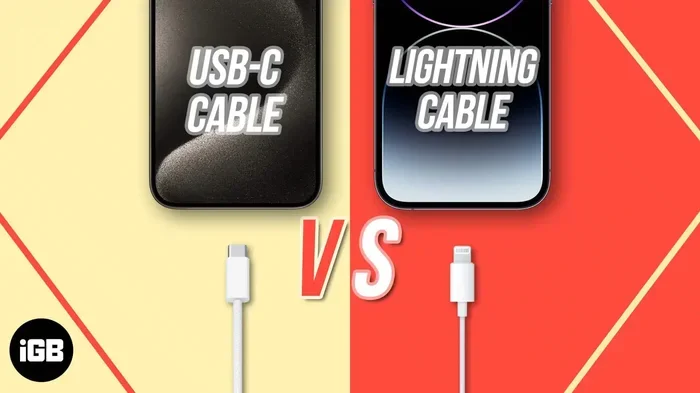
Yes, USB C to Lightning cables do support fast charging when paired with the right charger and a compatible Apple device. USB Power Delivery (PD) technology enables significantly faster charging speeds compared to standard 5W chargers. To unlock fast charging, you need a USB C to Lightning cable, a PD-compatible charger (at least 18W), and an iPhone or iPad that supports the feature.
Have you ever grabbed your phone in a rush, plugged it in, and waited forever for it to charge? We have all been there. If you use an iPhone or iPad, you might have heard that switching to a USB C to Lightning cable can speed things up. But does USB C to Lightning really support fast charging? The short answer is yes. But there is more to the story than just swapping out a cable.
In this guide, we will break down exactly how fast charging works with USB C to Lightning cables. We will cover what you need, which devices are compatible, and how to avoid common mistakes that slow you down. Whether you are tired of waiting on a dead battery or just curious about the technology, this article has you covered.
The world of charging cables can feel confusing. USB C, Lightning, USB Power Delivery, wattage, amperage — it is a lot to digest. But once you understand the basics, it all makes sense. Let us dive in and clear things up.
Key Takeaways
- Fast charging is supported: USB C to Lightning cables enable fast charging on compatible Apple devices using USB Power Delivery.
- You need the right equipment: A PD-compatible charger (18W or higher) and a certified USB C to Lightning cable are essential.
- Charging speeds vary: Fast charging can get your iPhone from 0 to 50% in about 30 minutes with the correct setup.
- Not all devices qualify: Older iPhones and iPads may not support USB C fast charging, so check your model first.
- Cable quality matters: Using cheap or uncertified cables can slow down charging or damage your device.
- USB C is versatile: The USB C connector is used across many devices, from external SSDs to adapters, making it a universal standard.
📑 Table of Contents
- What Is USB C to Lightning and How Does It Work?
- Does USB C to Lightning Support Fast Charging?
- Which Apple Devices Support Fast Charging?
- What About Charging Speeds and Cable Quality?
- Common Myths About USB C to Lightning Fast Charging
- How to Set Up Fast Charging the Right Way
- Quick Tips for the Best Charging Experience
- Expert Insights on USB C to Lightning Fast Charging
- Common Mistakes That Slow Down Your Charging
- Final Thoughts
What Is USB C to Lightning and How Does It Work?
A USB C to Lightning cable has two different connectors on each end. One side plugs into a USB C port, which you find on modern laptops, chargers, and power banks. The other side has the familiar Lightning connector that fits into your iPhone, iPad, or iPod. This design lets you use the newer, faster USB C standard with your older Apple devices that still rely on Lightning.
USB C is a reversible connector, meaning you can plug it in either way. No more flipping the cable three times to get it right. Lightning connectors are also reversible, so both ends of this cable are user-friendly. The real magic happens inside the cable, where the wiring and chips handle the communication between your charger and your device.
USB C supports much higher power delivery than older USB standards. This is why it can charge devices faster. But the cable alone does not do the work. You also need a charger that can deliver enough power, and a device that can accept it.
The Role of USB Power Delivery
USB Power Delivery, or USB PD, is a charging protocol that allows devices to negotiate the right amount of power. Instead of a fixed output, USB PD lets your charger and device talk to each other. They agree on the safest and fastest charging rate your device can handle. This is the technology that makes fast charging possible over a USB C to Lightning connection.
Does USB C to Lightning Support Fast Charging?
Yes, USB C to Lightning cables support fast charging on compatible Apple devices. Apple officially introduced fast charging for iPhones starting with the iPhone 8. The feature uses USB PD to deliver up to 20W of power, which is significantly faster than the standard 5W charger that comes in the box.
With fast charging, you can charge your iPhone from 0 to 50 percent in roughly 30 minutes. That is a huge difference if you are in a hurry. But here is the catch — fast charging only works when all three pieces of the puzzle are in place.
What You Need for Fast Charging
To get fast charging with a USB C to Lightning cable, you need three things:
- A USB C to Lightning cable: It must be Apple certified or MFi certified. Cheap knockoff cables often cannot handle the power required.
- A USB PD charger: You need a charger that supports USB Power Delivery at 18W or higher. Many third-party chargers work great too.
- A compatible Apple device: Not every iPhone or iPad supports fast charging. Newer models do, but older ones may not.
If you are missing any one of these, your device will still charge. It just will not charge at the fastest possible speed. Think of it like a highway — the cable and charger are the road, and your device is the car. You need all three to reach top speed.
How Fast Is Fast Charging Exactly?
With an 18W or higher USB PD charger and a quality USB C to Lightning cable, an iPhone 8 or newer can reach 50 percent battery in about 30 minutes. A standard 5W charger takes roughly two and a half hours to hit the same mark. That is a massive improvement.
Keep in mind that fast charging slows down as your battery approaches 80 percent. Apple does this to protect battery health. So the first half of the charge is where you see the biggest speed boost.
Which Apple Devices Support Fast Charging?
Not every Apple device can fast charge over USB C to Lightning. Here is a breakdown of the models that do support it:
- iPhone 8 and iPhone 8 Plus
- iPhone X
- iPhone XR, iPhone XS, and iPhone XS Max
- iPhone 11, 11 Pro, and 11 Pro Max
- iPhone 12, 12 Mini, 12 Pro, and 12 Pro Max
- iPhone 13, 13 Mini, 13 Pro, and 13 Pro Max
- iPhone 14 and 14 Plus
- iPhone 15 and 15 Plus (note: iPhone 15 uses USB C natively)
- iPad Pro models (certain generations)
- iPad Air (4th generation and later)
Older devices like the iPhone 7 and earlier do not support USB PD fast charging. If you have an older model, a USB C to Lightning cable will still work for regular charging, but you will not get the speed boost.
What About Charging Speeds and Cable Quality?
Not all USB C to Lightning cables are created equal. The quality of the cable has a direct impact on charging speed and safety. Certified cables have the right internal wiring and chips to handle higher wattage safely. Cheap, uncertified cables might limit the power output or, worse, damage your device.
Apple’s own USB C to Lightning cable is the gold standard. It is MFi certified, meaning Apple has tested it for safety and performance. Many third-party brands also make excellent certified cables. Look for MFi certification on the packaging to be sure.
Cable length can also play a small role. Longer cables sometimes have slightly more resistance, which can reduce power delivery slightly. For the fastest speeds, a shorter, high-quality cable is ideal. But in everyday use, the difference is minimal.
USB C to Lightning and Data Transfer
Fast charging is not the only benefit of a USB C to Lightning cable. These cables also support faster data transfer compared to older USB A to Lightning cables. If you need to sync photos, back up your device, or transfer files, a USB C connection gives you better speeds.
It is worth noting that USB C is used in many other devices and accessories too. For example, external storage drives like M 2 Nvme Ssd Usb enclosures rely on USB C for high-speed data connections. The same connector that charges your iPhone also powers a wide range of modern tech. This universality is one of the biggest advantages of USB C.
Common Myths About USB C to Lightning Fast Charging
There is a lot of misinformation out there about USB C to Lightning cables and fast charging. Let us clear up some of the most common myths.
Myth 1: Any USB C Cable Works for Fast Charging
This is not true. Only certified USB C to Lightning cables can safely handle the power needed for fast charging. Using a random USB C cable that does not have the Lightning connector on the other end will not work at all. And using a cheap, uncertified USB C to Lightning cable may limit your charging speed or pose safety risks.
Myth 2: Fast Charging Damages Your Battery
Apple designed fast charging to be safe. The USB PD protocol manages power delivery carefully to protect your battery. You will not damage your iPhone by using fast charging. However, if you are concerned about long-term battery health, you can turn on Optimized Battery Charging in your iPhone settings. This feature learns your daily routine and slows down charging past 80 percent until you need the full charge.
Myth 3: You Need an Expensive Charger
You do not need to spend a fortune. Many affordable USB PD chargers work perfectly well with USB C to Lightning cables. As long as the charger supports USB Power Delivery at 18W or higher, it will fast charge your device. You do not always need to buy the Apple-branded charger, though Apple’s 20W USB C charger is a reliable choice.
Myth 4: Fast Charging Works the Same on Every iPhone
While all iPhones from the 8 onward support fast charging, the actual speeds can vary slightly. Newer models like the iPhone 15 Pro and iPhone 15 Pro Max can charge even faster when paired with higher-wattage USB PD chargers, sometimes up to 27W or more. Always check your specific model for the best results.
How to Set Up Fast Charging the Right Way
Setting up fast charging is simple if you have the right gear. Here is a quick step-by-step guide:
- Get a USB C to Lightning cable: Make sure it is MFi certified.
- Get a USB PD charger: Look for one rated at 18W or higher.
- Plug the USB C end into the charger: Connect the Lightning end to your iPhone or iPad.
- Check for the fast charging icon: On supported devices, you should see a battery icon with a lightning bolt. This confirms fast charging is active.
- Monitor your charging speed: If your device is not charging quickly, check the cable and charger. A faulty or uncertified cable is the most common culprit.
For the best results, use your device while it is charging as little as possible. Playing games or streaming video while charging generates heat, which can slow down the charging process.
Quick Tips for the Best Charging Experience
- Remove thick phone cases: Heavy cases can trap heat and slow charging. Take the case off while fast charging if you notice your phone getting warm.
- Use a cool, dry surface: Heat is the enemy of fast charging. Place your device on a hard, flat surface rather than a bed or couch.
- Check for firmware updates: Apple sometimes releases updates that improve charging efficiency.
- Invest in a quality cable: A USB C to Lightning cable from a reputable brand will last longer and charge faster than a cheap alternative.
- Keep your cable in good shape: Frayed or damaged cables can cause slow charging or stop working entirely. Replace them when you notice wear.
Expert Insights on USB C to Lightning Fast Charging
From a technical standpoint, USB C to Lightning fast charging is a well-engineered system. Apple worked closely with the USB Implementers Forum to ensure that USB PD works seamlessly with Lightning devices. The negotiation process between the charger and the device happens in milliseconds, automatically selecting the safest and fastest charging rate available.
One thing many people overlook is the role of the charger itself. A charger that supports USB PD but is rated at only 5W will not fast charge your device, even with the best cable. Always match your charger’s wattage to your device’s fast charging requirements. If you are shopping for a charger, look for ratings of 18W, 20W, or higher for the best results.
The USB C ecosystem continues to grow. More and more accessories use USB C, from external SSDs and enclosures to adapters and hubs. The versatility of USB C makes it a smart investment for your entire tech setup. Whether you are connecting an external drive or charging your iPhone, USB C simplifies your life.
Common Mistakes That Slow Down Your Charging
Avoid these mistakes if you want the fastest possible charging speeds:
- Using a non-certified cable: This is the number one mistake. Cheap cables often have thin wiring that cannot handle high power.
- Using an old USB A charger: A standard USB A charger does not support USB PD, so you will not get fast charging even with a USB C to Lightning cable.
- Charging in extreme temperatures: Both very hot and very cold environments can slow down charging or stop it entirely.
- Using a damaged cable: Frayed connectors or exposed wires are a sign to replace your cable immediately.
- Ignoring your device’s battery health: If your battery is degraded, charging will always be slower. Check your battery health in Settings.
Final Thoughts
So, does USB C to Lightning support fast charging? Absolutely. With the right cable, the right charger, and a compatible device, you can charge your iPhone or iPad much faster than ever before. USB Power Delivery makes it possible, and the results are noticeable from the moment you plug in.
The key takeaway is simple: invest in quality. A certified USB C to Lightning cable and a decent USB PD charger will transform your charging experience. You will spend less time waiting and more time doing the things you love.
Fast charging is not magic. It is just smart technology working the way it was designed to. Now that you know how it all works, you can make the right choices for your setup. Charge smarter, not harder.
Frequently Asked Questions
Can I use any USB C to Lightning cable for fast charging?
No, you need an MFi certified or Apple-certified USB C to Lightning cable to safely support fast charging. Cheap, uncertified cables may limit charging speed or damage your device. Always look for proper certification on the packaging.
How long does it take to fast charge an iPhone with USB C to Lightning?
With an 18W or higher USB PD charger, most compatible iPhones can reach 50 percent battery in about 30 minutes. Full charging takes longer, but the fastest boost happens in the first half of the charge cycle.
Will a 5W USB C charger fast charge my iPhone?
No, a 5W charger does not support USB Power Delivery, so it will not trigger fast charging. You need a charger rated at 18W or higher to get the fast charging benefit with a USB C to Lightning cable.
Does fast charging work if I use my phone while it charges?
Fast charging still works, but using your phone while charging generates heat. Heat can slow down the charging process and cause the phone to feel warm. For the fastest speeds, avoid heavy use while charging.
Can I use a third-party USB PD charger with my USB C to Lightning cable?
Yes, you can use any USB PD charger rated at 18W or higher, as long as it is from a reputable brand. Many third-party chargers work just as well as Apple’s own charger. Just make sure the charger supports USB Power Delivery.
What is the difference between USB C to Lightning and USB A to Lightning cables?
A USB A to Lightning cable connects to older USB A ports and charges at standard speeds of 5W. A USB C to Lightning cable connects to USB C ports and supports USB Power Delivery for fast charging at 18W or higher. USB C cables also offer faster data transfer speeds.
=== CONCLUSION ===
USB C to Lightning cables do support fast charging, and they are a game-changer for anyone still using Lightning devices. With the right combination of a certified cable, a USB PD charger, and a compatible iPhone or iPad, you can charge your device in a fraction of the time it takes with a standard charger. The technology is reliable, safe, and widely available.
Remember to invest in quality accessories, avoid common charging mistakes, and keep your gear in good condition. A small upgrade to your charging setup can save you significant time every day. Fast charging is here, and it is easier to access than ever before.