Ford F-150 Backup Camera
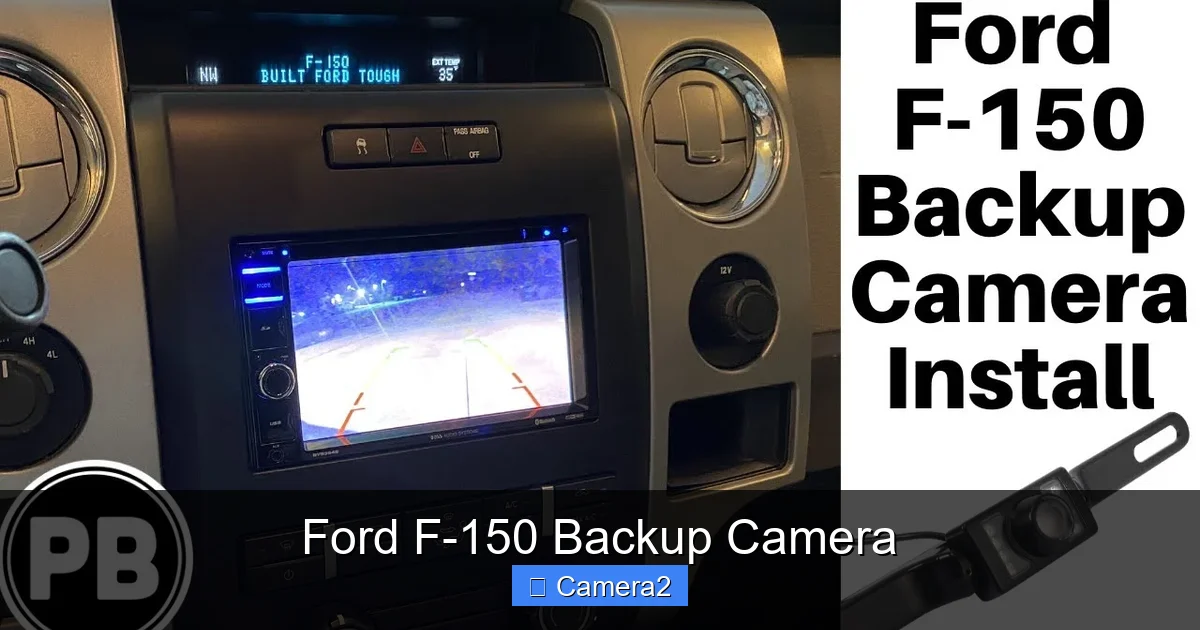
Stay safe and confident behind the wheel of your Ford F‑150 with a reliable backup camera. This guide breaks down how the system works, what to look for when buying or upgrading, and simple steps to fix common problems—all explained in plain, friendly language.
Key Takeaways
- Standard vs. optional: Most 2021‑2024 F‑150 models come with a factory‑installed backup camera, but older trucks may need an aftermarket add‑on.
- Key features: Wide‑angle view, dynamic guidelines, low‑light assistance, and optional 360° surround‑view integration.
- Installation basics: Wiring, mounting, and calibration can be DIY for the handy owner, but professional help ensures a flawless fit.
- Common issues: Cracked lens, dead pixels, and “no signal” errors are usually solved by cleaning, checking connectors, or resetting the system.
- Upgrading options: Higher‑resolution sensors, night‑vision, and integrated license‑plate cameras add extra safety and convenience.
- Legal angle: Backup cameras are mandatory on new trucks sold after May 2018, but older models can still benefit from retrofits.
- Maintenance tips: Regular cleaning, firmware updates, and occasional wire inspections keep the camera performing like new.
📑 Table of Contents
- Introduction: Why a Backup Camera Matters in Your Ford F‑150
- How the Ford F‑150 Backup Camera Works
- Factory‑Installed vs. Aftermarket Backup Cameras
- Installing a Backup Camera on Your F‑150
- Common Problems and How to Fix Them
- Upgrading Your Backup Camera: What’s Worth It?
- Maintenance and Care Tips
- Conclusion: Drive Confidently with a Reliable Backup Camera
Introduction: Why a Backup Camera Matters in Your Ford F‑150
When you’re hauling a load, navigating a tight parking spot, or simply backing out of a driveway, the last thing you want is a surprise collision. The Ford F‑150 backup camera was introduced to give drivers a clear view of what’s behind the truck, reducing blind‑spot accidents by up to 40 %.
From the first generation that offered a basic rectangular window to today’s high‑definition, wide‑angle systems, the technology has become a core safety feature. Whether you own a brand‑new 2023 model or a 2015 workhorse, understanding how the Ford F‑150 backup camera works will help you get the most out of it and avoid costly repairs.
How the Ford F‑150 Backup Camera Works
Basic components
The system is made up of three main parts:
- Camera unit: Usually mounted on the rear bumper, it captures a live video feed.
- Wiring harness: Sends the video signal to the infotainment screen.
- Display & software: The screen inside the cabin shows the image and adds guidelines that move as you steer.
Signal flow
When you shift into reverse, the transmission sends a signal to the camera’s power line. The camera then streams video through the harness to the infotainment module, which processes the image and overlays dynamic guidelines. This happens in a fraction of a second, giving you real‑time feedback.
Dynamic guidelines explained
The lines you see on the screen are not static. They pivot based on the steering angle, helping you visualize the truck’s path. If you turn the wheel left, the guidelines tilt left, showing exactly where the rear of the F‑150 will travel.
Factory‑Installed vs. Aftermarket Backup Cameras
What comes standard
From the 2021 model year onward, almost every Ford F‑150 comes with a factory‑installed backup camera as part of the standard safety package. The camera is integrated into the rear bumper and calibrated at the factory, meaning it works straight out of the dealership.

Visual guide about Ford F-150 Backup Camera
Image source: portal-media-org.avexnet.jp
When you need an aftermarket solution
If you own a pre‑2021 F‑150 or a stripped‑down XL model, you’ll likely need an aftermarket camera. Look for kits that include:
- Weather‑resistant housing (IP‑68 rating)
- Wide‑angle lens (at least 150°)
- Plug‑and‑play wiring compatible with Ford’s CAN‑bus system
Our Backup Cameras For Pickup Trucks guide offers a deeper dive into the best aftermarket options.
Pros and cons
| Factory | Aftermarket |
|---|---|
| Seamless integration, no wiring hassle | More customization, often higher resolution |
| Covered by vehicle warranty | Potential need for professional installation |
| Limited to stock specs | Can add features like night vision or license‑plate integration |
Installing a Backup Camera on Your F‑150
Tools you’ll need
- Screwdrivers (Phillips and flat‑head)
- Trim removal tools
- Wire crimpers or soldering kit
- Electrical tape or heat‑shrink tubing
- Smartphone or tablet for firmware updates
Step‑by‑step DIY guide
- Disconnect the battery: Safety first—remove the negative terminal.
- Remove rear bumper trim: Use trim tools to pop off the plastic cover without breaking clips.
- Mount the camera: Align the camera’s mounting holes with the pre‑drilled holes on the bumper. Secure with the supplied bolts.
- Run the wiring: Thread the harness through the existing cable tunnel behind the bumper, then connect to the reverse‑light power source and the infotainment video input.
- Reconnect the battery and test: Shift into reverse; the image should appear on the screen. Adjust the angle if needed.
- Calibrate: Most Ford systems auto‑calibrate, but you can fine‑tune guidelines via the infotainment settings menu.
When to call a professional
If you’re uncomfortable working with vehicle wiring or if your F‑150 has a complex wiring harness (common on SuperCrew models with multiple infotainment screens), a professional installer can save you time and avoid costly mistakes.
Visual guide about Ford F-150 Backup Camera
Image source: kamino.blog
Common Problems and How to Fix Them
“No signal” or black screen
First, check the camera’s power connector. A loose plug is the most frequent cause. If the power is good, inspect the video cable for damage. A quick reset—disconnecting the battery for 10 minutes—often clears a stuck module.
Cracked or foggy lens
Even the toughest housings can suffer from road debris. Replace the lens cover if cracked; for foggy lenses, a gentle cleaning with a microfiber cloth and a dab of automotive glass cleaner usually restores clarity.
Dead pixels or streaks
These are signs of a failing sensor. Most manufacturers offer a one‑year warranty on the camera unit. Contact your dealer for a replacement if the truck is still under warranty.
Guidelines not moving
Guidelines rely on the steering angle sensor. If they stay static, reset the infotainment system or update the firmware. For persistent issues, a dealer diagnostic may be required.
Helpful internal resource
If you need to remove the camera for repair, see our step‑by‑step article on How To Get Backup Camera Out for detailed instructions.
Upgrading Your Backup Camera: What’s Worth It?
Higher resolution sensors
Factory cameras typically use 720p sensors. Upgrading to a 1080p or even 4K sensor gives you a sharper view, especially useful when towing large trailers where detail matters.
Night‑vision and infrared
Infrared LEDs illuminate the area behind the truck without dazzling pedestrians. This is a great addition if you frequently back up in poorly lit garages or at night.
License‑plate integration
Some owners combine the backup camera with a license‑plate camera for dual purposes—rear view and capture of plate numbers for security. Learn more about integrating a plate camera in our article License Plate With Backup Camera.
360° surround‑view systems
For the ultimate awareness, a surround‑view kit stitches together feeds from front, side, and rear cameras into a bird’s‑eye map. While pricey, it’s a game‑changer for tight job‑site maneuvering.
Cost vs. benefit
Basic upgrades (higher resolution, night‑vision) range from $80‑$150. Full surround‑view systems can exceed $800 but may be justified for commercial fleets that value every inch of safety.
Maintenance and Care Tips
Regular cleaning
Dust and grime are the biggest enemies of a clear image. Clean the lens weekly with a soft cloth and mild cleaner. Avoid abrasive pads that could scratch the housing.
Firmware updates
Ford occasionally releases software patches that improve image processing and guideline accuracy. Check the infotainment settings menu for “Software Update” and follow the on‑screen prompts.
Inspect wiring annually
Look for frayed harnesses, especially if you use the truck for off‑road work. Replace any damaged sections before they cause a loss of signal.
Seasonal considerations
Winter salt can corrode connectors. After a snowy season, give the camera housing a quick rinse with fresh water and dry it thoroughly.
Conclusion: Drive Confidently with a Reliable Backup Camera
The Ford F‑150 backup camera is more than a convenience—it’s a vital safety tool that protects you, your cargo, and those around you. Whether you have a factory‑installed unit or are considering an upgrade, understanding the technology, proper installation, and routine maintenance will keep the system performing at its best.
Remember, a clear view behind you translates to fewer dents, lower insurance premiums, and peace of mind on every reverse. Keep your camera clean, stay on top of firmware updates, and don’t hesitate to seek professional help for complex issues. Safe driving!
Frequently Asked Questions
How do I know if my Ford F‑150 backup camera is working?
Shift into reverse and look at the infotainment screen. If you see a live video feed with dynamic guidelines, the camera is functioning correctly.
Can I replace a cracked backup camera lens myself?
Yes, most aftermarket kits include a replacement lens cover that snaps into the existing housing. Just be sure the new cover matches the original’s IP rating.
Do I need a special tool to calibrate the backup camera?
No special tools are required. Calibration is usually done through the truck’s settings menu, where you can adjust the guideline position and angle.
Will an aftermarket camera void my Ford warranty?
Installing an aftermarket camera may affect the warranty on the specific component you modify, but it typically does not void the entire vehicle warranty. Check with your dealer for details.
Is a backup camera mandatory on all Ford F‑150 models?
Backup cameras became mandatory for all new trucks sold in the U.S. after May 2018. Models built before that date may not have a factory camera, but retrofits are widely available.
How often should I clean the backup camera lens?
Cleaning once a week is ideal, especially if you drive in dusty or rainy conditions. Use a microfiber cloth and a mild automotive glass cleaner for best results.