How To Flatten Your Mousepad And Restore It Like New
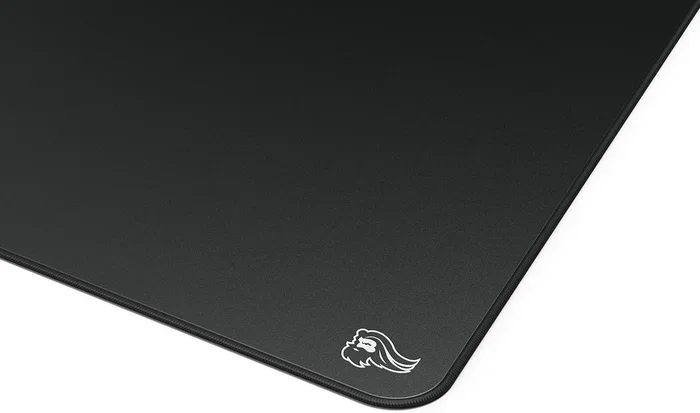
A warped or wrinkled mousepad can ruin your mouse tracking and slow you down. This guide shows you exactly how to flatten your mousepad using heat, weight, and simple household items. You will learn proven methods to restore your mousepad like new and keep it smooth for months.
There is nothing more frustrating than dragging your mouse across a bumpy, wrinkled mousepad. Your cursor jumps, your swipes feel off, and your workflow comes to a grinding halt. Whether your mousepad curled up after washing or stored in a drawer too long, a warped surface can kill your productivity and gaming precision.
The good news is that you do not need to toss your favorite mousepad in the trash. In this guide, we will walk you through every proven method on how to flatten mousepad surfaces at home. From simple weight tricks to gentle heat treatments, these techniques work on almost every type of mousepad. By the end, you will know exactly how to bring your mousepad back to life and keep it smooth for the long haul.
Key Takeaways
- Heat and weight methods are the most effective ways to flatten a warped mousepad at home.
- Proper cleaning techniques prevent buildup that causes your mousepad to curl and warp over time.
- Correct storage habits keep your mousepad flat and extend its lifespan significantly.
- DIY fixes with household items like books and irons can save you from buying a new mousepad.
- Knowing your mousepad material helps you choose the right flattening method without causing damage.
- Regular maintenance keeps your mousepad performing like new every single day.
📑 Table of Contents
- Why Mousepads Warp and Curl Over Time
- Method 1: The Heat and Weight Technique
- Method 2: The Sunlight and Flat Surface Trick
- Method 3: The Wet Towel and Press Technique
- How To Clean Your Mousepad Properly To Prevent Warping
- Best Ways To Store Your Mousepad and Prevent Future Warping
- When To Replace Your Mousepad Instead of Fixing It
- Quick Tips To Keep Your Mousepad Flat Long-Term
- Final Thoughts
Why Mousepads Warp and Curl Over Time
Understanding why your mousepad loses its flat shape is the first step to fixing it. Most mousepads are made from foam, rubber, or fabric layers glued together. Over time, these materials respond to heat, moisture, and pressure in ways that cause warping.
Common Causes of Mousepad Warping
- Heat exposure: Leaving your mousepad near a window or on a hot desk can soften the base material, causing it to curl.
- Moisture and washing: Machine washing or spilling liquids on foam mousepads weakens the adhesive between layers.
- Poor storage: Rolling or folding your mousepad for storage creates permanent creases and memory in the material.
- Low-quality materials: Budget mousepads often use thin foam that cannot hold its shape over time.
- Age and wear: Daily use breaks down the bottom rubber layer, causing one side to shrink more than the other.
Once you know what caused the warp, you can pick the right fix. A heat-damaged pad needs a different approach than one that was folded in half for a week. Let us dive into the best methods to flatten your mousepad and restore it like new.
Method 1: The Heat and Weight Technique
This is the most popular and effective way to how to flatten mousepad surfaces that have curled at the edges. The idea is simple: use gentle heat to soften the material, then apply even weight to hold it flat while it cools.
What You Will Need
- A flat iron or household iron set to low heat
- A clean towel or thin cloth
- Heavy books or flat objects (about 5 to 10 pounds)
- A flat, heat-safe surface like a table or cutting board
Step-by-Step Process
- Lay your mousepad flat on the heat-safe surface with the curled side facing up.
- Place a clean towel over the mousepad to protect it from direct heat.
- Set your iron to low (no steam) and hover it about two inches above the towel. Do not press the iron directly onto the pad.
- Move the iron slowly across the surface for about 30 seconds. The goal is to gently warm the base material, not to melt it.
- Place heavy books or weights evenly across the entire mousepad.
- Let it sit for 12 to 24 hours while the material cools and sets in its flat shape.
- Remove the weights and check if the curl has reduced. Repeat if needed for stubborn warps.
This method works especially well on fabric and hard-surface mousepads. For foam pads, use less heat and shorter intervals to avoid damaging the material. Always test on a small corner first.
Method 2: The Sunlight and Flat Surface Trick
If you do not have an iron, you can use natural sunlight to flatten your mousepad. This is a gentle, no-risk method that works well for mild warping and curling.
How To Do It
- Find a flat outdoor surface like a patio table or clean floor in direct sunlight.
- Lay your mousepad face down so the curled side is pressed against the flat surface.
- Leave it in the sun for 2 to 4 hours. The warmth from the sun softens the rubber base gradually.
- Flip it over and check if the curl has relaxed. If not, leave it for a few more hours.
- Place heavy objects on top while it cools down to lock in the flat shape.
The sunlight method is perfect for people who want a hands-off approach. It takes longer than the iron method, but it is safer for delicate mousepads. Just do not leave it in direct sunlight for too long, as prolonged UV exposure can fade the surface design.
Method 3: The Wet Towel and Press Technique
This method is ideal for mousepads that warped after washing or exposure to moisture. The idea is to rehydrate the foam evenly so it can reshape itself flat.
Steps To Follow
- Dampen a clean towel with warm water. Wring it out so it is damp, not soaking wet.
- Lay the towel flat on a table and place your mousepad on top of it.
- Fold the edges of the towel over the mousepad so the entire surface is lightly moistened.
- Place a flat board or cutting board on top of the mousepad.
- Stack heavy books or weights on the board. The pressure combined with the moisture helps the foam relax.
- Leave it for 24 to 48 hours in a flat position.
- Remove the weights and let it air dry completely before using it again.
This method works best on foam and cloth mousepads. Hard-surface pads may not respond as well since they do not absorb moisture. After drying, your mousepad should feel smooth and flat again.
How To Clean Your Mousepad Properly To Prevent Warping
Cleaning your mousepad the wrong way is one of the fastest routes to warping. A proper cleaning routine keeps the materials strong and prevents the layers from separating. Here is how to clean without causing damage.
Daily Cleaning
- Wipe the surface with a damp microfiber cloth and a small amount of mild soap.
- Rinse with a clean damp cloth to remove any soap residue.
- Pat dry with a towel and let it air dry completely before using it again.
Deep Cleaning (Once a Month)
- Fill a basin with lukewarm water and a teaspoon of gentle dish soap.
- Submerge the mousepad and gently agitate it with your hands for 30 seconds.
- Rinse thoroughly under clean running water until no soap remains.
- Lay it flat on a towel and roll the towel up to press out excess water. Do not wring the mousepad.
- Air dry flat on a drying rack or clean surface for 24 hours.
Never machine dry your mousepad. The heat from a dryer will warp and shrink the material almost immediately. Also, avoid using bleach or harsh chemicals that can break down the rubber base. If you keep your cleaning routine gentle and consistent, your mousepad will stay flat and functional much longer.
Best Ways To Store Your Mousepad and Prevent Future Warping
Prevention is always easier than repair. Once you have flattened your mousepad, proper storage will keep it in great shape for months or even years.
Storage Tips To Remember
- Never roll your mousepad. Rolling creates permanent creases and memory in the foam and rubber layers. Always fold it gently or lay it flat.
- Store it flat whenever possible. If space is tight, slide it under a desk or store it horizontally on a shelf.
- Keep it away from heat sources. Do not leave your mousepad near a heater, radiator, or sunny window.
- Avoid storing it in a bag while damp. Moisture trapped in a bag leads to mold and material breakdown.
- Use a mousepad sleeve if you must transport it. A sleeve protects the surface and prevents accidental folding.
While some people argue that rolling is fine for short trips, it is best to avoid it for long-term storage. The material remembers the fold line and will never be perfectly flat again. A little extra care in storage goes a long way toward keeping your setup clean and your cursor tracking smooth.
When To Replace Your Mousepad Instead of Fixing It
Not every mousepad can be saved. Sometimes the damage is too deep, and no amount of flattening will bring it back. Here are signs that it is time to replace your mousepad instead of trying to fix it.
- The surface is peeling or separating from the base. This means the adhesive has failed completely.
- Deep stains or odors will not come out no matter how much you clean.
- The surface is worn down and no longer provides enough friction for accurate tracking.
- The foam has compressed permanently and feels thin or brittle to the touch.
- Multiple flattening attempts have failed and the pad still curls or wobbles.
When the time comes to buy a new one, look for pads with a reinforced base and high-density foam. These materials resist warping far better than budget options. Also, consider your desk setup. If your workspace gets a lot of sunlight or heat, choose a mousepad made with heat-resistant materials. And if you are also looking to upgrade other parts of your workspace, you might want to check out how to remove junk files from your PC to keep your digital workspace just as clean as your physical one. A clean desk and a clean computer go hand in hand for peak productivity.
Similarly, if you are dealing with cursor issues that go beyond a bad mousepad, it could be related to your system performance. Learning how to fix a computer running slow and freezing can help you determine whether your tracking problems are hardware or software related. Sometimes a laggy cursor is not the mousepad at all, but a sluggish system dragging everything down.
Quick Tips To Keep Your Mousepad Flat Long-Term
- Flatten after every wash. Do not let your mousepad air dry while still curled. Reshape it immediately.
- Use a desk mat. A large desk mat distributes weight evenly and keeps your mousepad from shifting and curling at the edges.
- Check your desk surface. An uneven or tilted desk can cause your mousepad to slide and warp over time.
- Rotate your mousepad. If you use one side heavily, flipping it occasionally helps even out wear.
- Invest in quality. A well-built mousepad costs more upfront but saves money by lasting years without warping.
Final Thoughts
Knowing how to flatten mousepad surfaces is a simple skill that saves you money and keeps your workspace running smoothly. Whether you use the heat and weight method, the sunlight trick, or the wet towel press, each technique is easy to do at home with items you already have. The key is to act quickly when you notice curling or warping, before the damage becomes permanent.
Combine these flattening methods with proper cleaning and smart storage habits, and your mousepad will stay flat and responsive for a long time. A smooth, flat surface makes every click, swipe, and tracking move feel better. Your mouse will thank you, and your productivity will thank you even more.
Take a few minutes today to flatten your mousepad and give it a fresh start. Your setup deserves a clean, smooth surface, and now you have everything you need to make it happen.
Frequently Asked Questions
Can I use an iron directly on my mousepad to flatten it?
No, you should never place an iron directly on your mousepad. Always use a towel or cloth as a barrier between the iron and the pad. Direct contact with the hot iron can melt the surface, damage the fabric, or leave scorch marks that ruin the mousepad completely.
How long does it take to flatten a warped mousepad?
The time depends on the method and the severity of the warp. The heat and weight method usually takes 12 to 24 hours. The sunlight method may take 2 to 4 hours for mild warps. The wet towel method requires 24 to 48 hours for the foam to fully reshape and dry.
Will flattening my mousepad damage the mouse tracking surface?
If you use gentle heat and even pressure, the tracking surface will not be damaged. However, excessive heat or sharp objects can harm the surface. Always test on a small corner first and use the lowest effective heat setting to protect the texture that your mouse relies on for accurate tracking.
Can I flatten a hard plastic or hard-surface mousepad?
Hard-surface mousepads are more resistant to warping but can still curl at the edges. The heat and weight method works best for these pads. Use lower heat settings and shorter intervals since hard surfaces conduct heat differently than fabric or foam pads.
How often should I clean my mousepad to prevent warping?
A light wipe-down should be done weekly to remove dust and oils. A deep clean once a month is ideal for most users. If you spill something on your mousepad, clean it immediately. Regular cleaning prevents buildup that weakens the adhesive layers and leads to warping over time.
Is it better to buy a new mousepad or try to flatten an old one?
If your mousepad is only mildly warped, flattening is worth trying and costs nothing. However, if the surface is peeling, heavily stained, or has deep permanent creases, replacement is the better choice. A quality mousepad is an affordable upgrade that will give you better tracking and durability than a damaged old pad.
=== CONCLUSION ===
Flattening your mousepad is easier than most people think, and it does not require any special tools or expensive equipment. With the heat and weight method, the sunlight trick, or the wet towel press, you can bring a warped mousepad back to life in just a few simple steps. The key is patience and gentle handling to avoid causing further damage.
Remember to pair your flattening routine with proper cleaning and smart storage habits. These small actions add up and keep your mousepad flat, smooth, and responsive for a long time. A well-maintained mousepad makes a real difference in your daily workflow and gaming performance.
Now that you know exactly how to flatten mousepad surfaces and prevent future warping, you have everything you need to keep your setup in top shape. Grab your towel, find some heavy books, and give your mousepad the second life it deserves. Your cursor will track smoother, your clicks will feel better, and your desk will look cleaner than ever before.