What Can You Do If Someone Has Spoofed Your Email Address
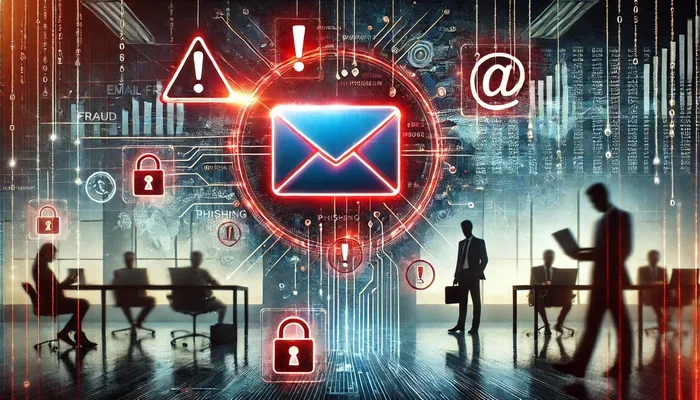
Email spoofing is a serious threat where attackers forge your email address to send fraudulent messages. If someone has spoofed your email address, you need to act fast to protect your reputation, your contacts, and your personal data. This guide covers everything from identifying spoofed emails to implementing authentication protocols and reporting the abuse to authorities.
Have you ever received a baffling email from your own address? Maybe a friend told you they got a strange message from you, but you never sent it. If so, someone has likely spoofed your email address. Email spoofing is a frustrating and sometimes dangerous problem that affects millions of people and businesses every day. In this guide, we will walk you through exactly what you can do if someone has spoofed your email address. We will cover how to spot spoofed emails, how to protect your domain, and how to report the abuse. Let us get started.
Email spoofing happens when a sender forges the “From” address on an email to make it look like it came from you or someone else. Cybercriminals use this tactic to trick recipients into opening malicious links, sharing personal information, or sending money. The good news is that there are concrete steps you can take to address the problem and prevent it from happening again. This article will give you a clear, actionable roadmap to tackle email spoofing head-on.
Key Takeaways
- Understand Email Spoofing: Learn what email spoofing is and how attackers exploit your domain to deceive recipients.
- Identify Spoofed Emails: Recognize the signs of a spoofed email by checking headers, sender details, and suspicious content.
- Secure Your Domain: Implement SPF, DKIM, and DMARC records to prevent future spoofing attempts.
- Report the Abuse: File complaints with your email provider, the FTC, and relevant authorities to combat email fraud.
- Protect Your Contacts: Warn your contacts and take steps to minimize the damage caused by spoofed messages.
- Monitor Your Digital Footprint: Just as you would check if your security cameras are on, regularly monitor your email activity and domain reputation.
📑 Table of Contents
- What Is Email Spoofing and Why Does It Happen?
- How to Tell If Your Email Address Has Been Spoofed
- Immediate Steps to Take When Your Email Is Spoofed
- How to Prevent Email Spoofing in the Future
- How to Report Email Spoofing
- Protecting Your Personal Information Online
- When to Seek Professional Help
- Conclusion
What Is Email Spoofing and Why Does It Happen?
Before diving into solutions, it helps to understand the problem. Email spoofing is the practice of sending an email with a forged sender address. The recipient sees your name and email in the “From” field, but the message actually came from someone else entirely. It is similar to someone writing your return address on a letter they never mailed.
Spoofing happens for several reasons:
- Phishing Attacks: Scammers impersonate trusted contacts to steal passwords, credit card numbers, or other sensitive data.
- Spread Malware: Spoofed emails often contain malicious attachments or links that install viruses on the recipient’s device.
- Reputation Damage: Attackers send spam or offensive content from your address, damaging your credibility.
- Business Email Compromise: Fraudsters target companies by spoofing executive email addresses to authorize fraudulent wire transfers.
The reason spoofing works so well is that most email systems do not verify the sender’s identity by default. Anyone can type any address into the “From” field. This is why email authentication protocols like SPF, DKIM, and DMARC are so important. They act as a digital ID check for your email.
How to Tell If Your Email Address Has Been Spoofed
The first step is confirming that spoofing has actually occurred. Sometimes what feels like spoofing is just a forwarded message or a reply-all chain gone wrong. Here is how to tell the difference.
Check for Reports from Your Contacts
The most common way people discover spoofing is when friends, family, or colleagues tell them they received a suspicious email. If multiple people reach out about the same message, spoofing is very likely. Pay attention to these reports and take them seriously.
Review Your Sent Folder
Log into your email account and check the Sent folder. If you do not see the suspicious email there, it was not sent from your account. That is a strong indicator that someone spoofed your address. Your account has not been hacked; someone just used your email address as a return address.
Examine Email Headers
For a more technical check, look at the email headers of the suspicious message. The headers contain routing information that reveals the actual origin of the email. You can usually view headers by opening the email and looking for an option like “Show Original” or “View Source.”
In the headers, look for the “Received” field. This shows the server that actually sent the email. If the sending server does not match your email provider, the message was spoofed. It is a bit like checking the security camera status to verify who is really at the door. The headers tell you the true story behind the message.
Look for Suspicious Content
Spoofed emails often share common traits:
- Urgent requests for money or personal information
- Suspicious links that do not match the sender’s domain
- Poor grammar or unusual formatting
- Attachments you did not expect
If the email feels off, it probably is. Trust your instincts and do not click on any links or download any attachments.
Immediate Steps to Take When Your Email Is Spoofed
Once you confirm that your email address has been spoofed, you need to act quickly. Here is a step-by-step plan to minimize the damage.
Step 1: Warn Your Contacts
Send a quick message to your contacts letting them know that someone is spoofing your email address. Tell them not to click on any links or download attachments from suspicious messages claiming to be from you. A simple heads-up can prevent a lot of harm.
Step 2: Change Your Email Password
Even though spoofing does not mean your account is compromised, changing your password is a smart precaution. Use a strong, unique password that you do not use anywhere else. Consider enabling two-factor authentication for an extra layer of email security.
Step 3: Scan Your Device for Malware
Run a full antivirus scan on your computer and phone. While spoofing itself does not infect your device, the spoofed emails might contain malware that could have already been clicked by someone else. Better safe than sorry.
Step 4: Document Everything
Save copies of the spoofed emails, including the full headers. Take screenshots of any reports you receive from contacts. This documentation will be invaluable when you report the spoofing to authorities or your email provider.
How to Prevent Email Spoofing in the Future
Stopping spoofing requires setting up the right authentication records for your domain. These technical measures tell receiving email servers that your messages are legitimate. Here are the three key protocols you need to know.
SPF (Sender Policy Framework)
SPF is a DNS record that lists the IP addresses authorized to send email on behalf of your domain. When an email server receives a message claiming to be from your domain, it checks the SPF record. If the sending server is not on the list, the email gets flagged or rejected.
Setting up SPF involves accessing your domain’s DNS settings and adding a TXT record. Your email provider or domain registrar can walk you through the exact steps. If you are not sure how to do this, contact your IT support team or hosting provider.
DKIM (DomainKeys Identified Mail)
DKIM adds a digital signature to every email you send. The receiving server verifies this signature using a public key published in your DNS records. If the signature matches, the email is authentic. If not, it is likely spoofed or tampered with.
DKIM is especially important for businesses and anyone who sends a high volume of email. It adds a reliable layer of email verification that recipients can trust.
DMARC (Domain-based Message Authentication, Reporting, and Conformance)
DMARC builds on SPF and DKIM by giving you control over what happens when an email fails authentication checks. You can tell receiving servers to quarantine suspicious messages, reject them outright, or simply monitor them. DMARC also sends you reports about authentication activity, so you can keep an eye on your domain’s email reputation.
Think of DMARC as the monitoring system for your email domain. Just as you might check if your security camera is on to keep your home safe, DMARC keeps watch over your email domain around the clock.
Quick Comparison of Email Authentication Protocols
| Protocol | What It Does | Who Should Use It |
|---|---|---|
| SPF | Authorizes sending IP addresses for your domain | Everyone with a custom domain |
| DKIM | Adds a digital signature to outgoing emails | Businesses and high-volume senders |
| DMARC | Controls handling of failed authentication and provides reports | Businesses and domain owners who want full protection |
Implementing all three protocols gives you the strongest defense against email spoofing. If you are unsure how to set them up, most hosting providers offer guides or support teams that can help.
How to Report Email Spoofing
Reporting spoofing helps authorities track down cybercriminals and prevents them from targeting others. Here are the best channels for filing a report.
Report to Your Email Provider
Most major email providers have a way to report spoofed or phishing emails. Look for a “Report Phishing” or “Report Spam” option in your email client. This helps the provider identify and block malicious senders.
Report to the FTC
In the United States, you can file a complaint with the Federal Trade Commission at ReportFraud.ftc.gov. The FTC collects reports of fraud and shares them with law enforcement agencies. Include as much detail as possible, such as the spoofed email headers and a description of the scam.
Report to the Anti-Phishing Working Group
You can forward spoofed emails to report@apwg.org. This organization works with law enforcement and security companies to combat phishing and email fraud globally.
Report to Your Domain Registrar
If someone is repeatedly spoofing your domain, contact your domain registrar. They may be able to help you secure your domain and take action against repeat offenders.
Alert the Impersonated Organization
If the spoofed email impersonates a business or organization, let that company know. They may not be aware that their brand is being used in scams, and they will appreciate the heads-up.
Protecting Your Personal Information Online
Email spoofing often goes hand in hand with broader identity theft and privacy concerns. Taking a proactive approach to your online security can reduce your risk of becoming a target.
Start by being careful about who you share your email address with. Avoid posting your primary email on public websites or social media profiles. Consider using a separate email address for public registrations and keep your main email private.
Regularly monitor your accounts for suspicious activity. Just as you would want to know if there is a hidden camera in your home, you should know who has access to your email and what they can see. Enable login alerts so you are notified of any unusual activity on your account.
Use a password manager to create and store unique passwords for every account. This way, if one account is compromised, the others remain safe. Combine this with two-factor authentication for robust identity protection.
Finally, stay informed about the latest scams and threats. Cybercriminals constantly evolve their tactics, and knowing what to look for is your first line of defense. Follow reputable cybersecurity blogs and sign up for alerts from your email provider.
When to Seek Professional Help
If you run a business or manage a high-profile email domain, consider working with an email security specialist. These professionals can audit your domain’s authentication setup, monitor for spoofing attempts, and respond quickly to incidents. The cost of professional help is often far less than the damage caused by a successful spoofing attack.
Small businesses should also consider email security solutions that include built-in spoofing protection. Many modern email platforms offer advanced threat detection and authentication tools as part of their business plans. Investing in the right tools now can save you from significant headaches later.
Remember, email spoofing is not just an inconvenience. It is a form of cybercrime that can lead to financial loss, reputational damage, and legal liability. Taking it seriously and acting quickly is the best thing you can do for yourself and your contacts.
Conclusion
Dealing with a spoofed email address can feel overwhelming, but you are not powerless. By confirming the spoofing, warning your contacts, securing your account, and setting up proper authentication records, you can take control of the situation. Email spoofing is a widespread problem, but with the right knowledge and tools, you can protect yourself and reduce the risk of future attacks. Start with the immediate steps outlined in this guide, and build a long-term security plan that keeps your email and your identity safe.
Stay vigilant, stay informed, and remember that your digital security is worth the effort. If you suspect spoofing, do not wait. Take action today and protect your email reputation for tomorrow.
Frequently Asked Questions
Can someone hack my email account through spoofing?
No, spoofing does not give someone access to your email account. They only forge your email address as the sender. Your account remains secure unless your password or login credentials have been compromised separately. Always check your Sent folder to confirm whether your account was actually accessed.
How long does it take to set up SPF, DKIM, and DMARC records?
Setting up SPF and DKIM records can take anywhere from 15 minutes to an hour, depending on your technical comfort level. DMARC setup is similar and involves adding a TXT record to your DNS. If you are not comfortable with DNS settings, your email provider or hosting support team can help you through the process.
Will my email provider automatically catch spoofed emails?
Some email providers use advanced filtering to catch spoofed emails, but no system is perfect. Many spoofed emails still reach recipients’ inboxes. This is why setting up SPF, DKIM, and DMARC on your domain is essential. These records give receiving servers the tools they need to identify and block spoofed messages.
Can I track down the person who spoofed my email?
Tracking down a spoofing attacker is difficult because they use techniques to hide their identity. The email headers may reveal the sending server, but skilled attackers use proxy servers and compromised accounts to cover their tracks. Reporting the spoofing to authorities like the FTC and your email provider increases the chances of the culprit being identified.
What should I do if a business email is spoofed?
If your business email is spoofed, notify your IT department immediately. Warn your clients and partners about the fraudulent emails. Review your email authentication setup and ensure SPF, DKIM, and DMARC records are properly configured. Consider implementing additional email security tools and monitoring your domain reputation regularly.
Is email spoofing illegal?
Yes, email spoofing is illegal in many jurisdictions. In the United States, it violates the CAN-SPAM Act and other federal laws. Spoofing can result in fines and criminal charges, especially when it is used for fraud or identity theft. Reporting spoofing to the proper authorities helps law enforcement pursue legal action against offenders.