How to Tell If a Prebuilt Pc Uses Proprietary Parts
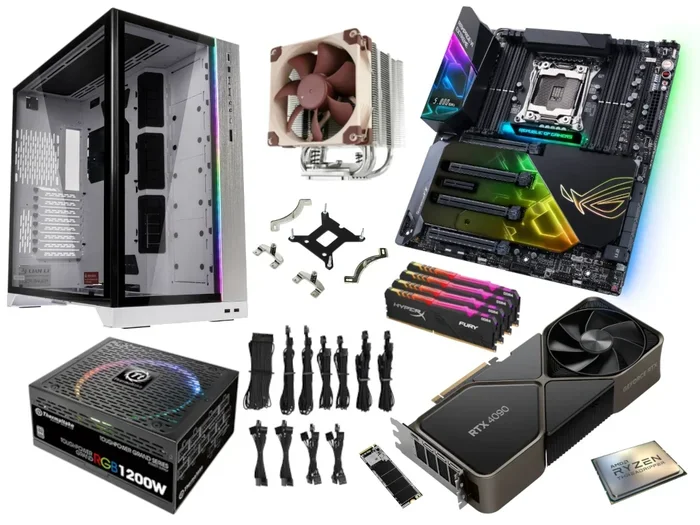
Finding out if a prebuilt pc uses proprietary parts can save you money and frustration when upgrading. You can check the casing, power supply, motherboard, and RAM slots to spot non-standard components. This guide walks you through every method so you know exactly what you are dealing with before buying or upgrading.
Buying a prebuilt pc feels easy on the outside. You open the box, plug it in, and start using it. But underneath that simple experience lies a hidden world of component choices that can either make your life easier or turn every upgrade into a headache.
The biggest hidden factor? Whether the pc uses proprietary parts. Proprietary components are pieces of hardware designed specifically by a manufacturer for one particular model. They do not fit standard builds, and finding replacements can be a real challenge. This guide shows you exactly how to tell if a prebuilt pc uses proprietary parts so you can make smart buying and upgrading decisions.
Whether you are a casual user or a budding enthusiast, understanding proprietary hardware saves you time, money, and frustration. Let us break it down step by step.
Key Takeaways
- Check the casing design: Proprietary prebuilt PCs often use unique form factors that limit standard component swaps.
- Inspect the power supply unit (PSU): Non-standard wattage ratings and custom connectors are a dead giveaway for proprietary parts.
- Look at the motherboard: Proprietary boards may have non-standard layouts, limited RAM slots, or unusual mounting holes.
- Test the RAM and storage: If upgrades are difficult or impossible, the system likely uses proprietary components.
- Check for manufacturer branding on internals: Branded parts with no standard model numbers often signal proprietary hardware.
- Upgrading a proprietary PC can be costly: You may need to buy custom parts instead of widely available alternatives.
- Always research before buying: Knowing the part list upfront helps you avoid a proprietary trap.
📑 Table of Contents
- What Are Proprietary PC Parts?
- How to Check the Casing and Form Factor
- Inspecting the Power Supply Unit
- Examining the Motherboard and Internal Layout
- Testing RAM and Storage Upgradability
- Brand-Specific Clues and Manufacturer Research
- Why Proprietary Parts Matter for Your Wallet
- Expert Tips for Avoiding Proprietary Traps
- Conclusion
What Are Proprietary PC Parts?
Proprietary parts are components built to a manufacturer’s own specifications. They are not designed to work with standard, off-the-shelf hardware. Think of them like a custom lock that only fits one specific key.
In a prebuilt pc, proprietary parts show up in many areas. The casing might use a non-standard form factor. The power supply might have a custom connector. The motherboard could have unusual layouts that prevent standard upgrades. Even the RAM or storage might use a unique configuration that only works with that specific machine.
Manufacturers use proprietary parts for a few reasons. It keeps costs down during production. It creates a tighter integration between components. And it locks customers into their ecosystem for future upgrades and replacements. None of these reasons benefit the end user, though.
Common Types of Proprietary Components
Here are the most common proprietary parts you will find in a prebuilt pc:
- Proprietary motherboards with non-standard mounting holes and layouts
- Custom power supplies with unique connectors and wattage ratings
- Non-standard casing designs that only fit specific components
- Specialized RAM modules that do not match standard DDR specifications
- Custom storage bays that only accept certain drive sizes or interfaces
- Proprietary cooling systems that attach in unusual ways
Spotting any of these early on helps you avoid a bad purchase or an expensive upgrade surprise later.
How to Check the Casing and Form Factor
The casing is your first clue. Standard desktop cases follow well-known form factors like ATX, Micro-ATX, or Mini-ITX. These shapes work with thousands of compatible components from dozens of manufacturers. When a prebuilt pc uses a custom casing, something feels off right away.
Visual Signs of a Proprietary Casing
Look at the outside and inside of the case. Does the shape look unusual? Are the dimensions hard to find online? Do the drive bays or expansion slots seem oddly placed? These are all red flags.
Standard ATX cases measure 12 x 9.6 inches. If the casing you are looking at does not match any standard size, it is likely proprietary. You can also check whether standard side panels and filters fit. If the screws and panel mounts seem out of place, the case was probably designed for one specific model only.
Another quick test: try to find the exact case model online. If no results come up or only the manufacturer sells replacement parts, you are likely dealing with proprietary hardware.
Inspecting the Power Supply Unit
The power supply unit, or PSU, is one of the most common places to find proprietary parts. A standard PSU uses a 24-pin ATX motherboard connector and standard SATA and PCIe power cables. When a prebuilt pc uses a custom PSU, those connections may look different or be non-standard.
What to Look For
Open the case and look at the power supply label. Check the wattage, the connector types, and the model number. If the model number does not match any standard PSU from known brands like Corsair, EVGA, or Seasonic, it could be proprietary.
Also look at the cables. Standard PSUs use modular or non-modular cables with standard pin configurations. If the cables seem unusually shaped or only fit specific ports on the motherboard, that is a strong sign of a proprietary power supply.
One practical tip: if you cannot replace the PSU with a standard unit from any retailer, the original PSU is almost certainly proprietary. This limits your options significantly if the PSU ever fails or if you want to upgrade to a higher-wattage unit.
Examining the Motherboard and Internal Layout
The motherboard is the heart of any pc. In a standard build, the motherboard follows industry standards for sizing, mounting, and connector placement. A proprietary motherboard breaks from those standards in noticeable ways.
Checking for Standard vs. Non-Standard Boards
Start by looking at the motherboard model number. Search it online. If the manufacturer is a well-known board maker like ASUS, MSI, Gigabyte, or ASRock, it is probably standard. If the model number only appears on the manufacturer’s own site or comes with limited documentation, it may be proprietary.
Look at the RAM slots. Standard motherboards have two or four DIMM slots that accept common DDR4 or DDR5 RAM. If the slots look different or the RAM is soldered directly to the board, that is a clear sign of proprietary design.
Check the mounting holes too. Standard ATX and Micro-ATX boards use specific hole patterns. If the holes do not match any standard pattern, the board was custom-designed for that specific chassis. This makes swapping in a standard motherboard nearly impossible.
Testing RAM and Storage Upgradability
The easiest way to test for proprietary parts is to check upgradeability. Standard pcs let you swap RAM, add storage, and upgrade graphics cards with minimal fuss. Proprietary systems often restrict or block these upgrades entirely.
RAM Upgrade Test
Check how many RAM slots are available. Standard desktops usually have at least two slots, often four. If the pc has only one slot or the RAM is soldered to the motherboard, upgrading memory becomes very difficult. You can also try to find compatible RAM online. If no standard DDR4 or DDR5 modules work with the system, the RAM is proprietary.
For those considering upgrades, learning how to install RAM on a laptop or how to install a ram in laptop can give you a baseline understanding of standard RAM configurations. These skills transfer when evaluating whether a prebuilt pc follows standard practices or relies on proprietary designs.
Storage Compatibility Check
Standard PCs use 2.5-inch SATA drives or M.2 NVMe SSDs. Check what storage the prebuilt pc uses. If it uses standard M.2 or SATA drives, you can upgrade easily. If it uses a custom drive bay or a non-standard connector, the storage is likely proprietary.
Also check whether the system uses standard SATA power and data cables. If the connections look unique or the drives are locked into a specific caddy, you will face limitations when trying to expand or replace storage.
Brand-Specific Clues and Manufacturer Research
Different brands handle proprietary parts in different ways. Some prebuilt pc manufacturers are notorious for using custom components. Others lean heavily on standard, upgrade-friendly hardware. Knowing which brands to watch helps you make better purchasing decisions.
Brands Known for Proprietary Parts
Some manufacturers design their systems from the ground up with proprietary components. These brands often use custom motherboards, unique power supply designs, and non-standard casing layouts. Common examples include certain budget and all-in-one pc brands that prioritize low cost over upgradeability.
On the other hand, brands like Dell, HP, and Lenovo sometimes use proprietary parts in their lower-end models while offering standard components in their higher-end lines. The key is to research the specific model before buying.
A great way to research is to look up the exact model number online. Check forums, review sites, and the manufacturer’s own support pages. If you find that replacement parts are scarce or only available through the manufacturer, the system likely uses proprietary components.
Quick Research Tips
- Search the model number plus the word “upgrade” to see what others have done
- Check if standard replacement parts are available on major retailers
- Look for teardown videos on YouTube that show the internal components
- Read user reviews that mention upgrade experiences and compatibility issues
- Visit the manufacturer’s support page to see if they sell individual replacement parts
Why Proprietary Parts Matter for Your Wallet
The financial impact of proprietary parts is real. When a component fails in a standard pc, you can walk into any computer store or order online and find a replacement within minutes. When a proprietary part fails, your options shrink dramatically.
Replacement proprietary parts often cost more because they are not mass-produced for the general market. You may also face long wait times if the manufacturer needs to order the part specifically for your model. In some cases, the only option is to replace the entire system, which is far more expensive than swapping out a single component.
For users who value flexibility and long-term ownership, avoiding proprietary prebuilt pcs is a smart strategy. Investing in a standard build or choosing a manufacturer known for upgrade-friendly designs pays off over time.
The Cost Comparison
Here is a simple way to think about it. A standard pc with a failed power supply might cost you $80 to $150 for a replacement. A proprietary system could cost $200 or more for the same component, or it might not be available at all. Over the life of the pc, these differences add up quickly.
Expert Tips for Avoiding Proprietary Traps
Avoiding proprietary parts starts before you even buy. Here are some expert tips to keep in mind:
- Always check the spec sheet. Look for standard component names and certifications. If the spec sheet avoids naming specific brands or uses vague descriptions, be cautious.
- Ask the seller directly. If you are buying from a retailer or the manufacturer, ask whether the system uses standard or proprietary components. Their answer will tell you a lot.
- Look for upgrade-friendly brands. Brands that specialize in custom builds or enthusiast-grade systems tend to use standard parts.
- Read teardown reviews. Websites and YouTube channels that teardown pcs give you a real look at the internals before you buy.
- Prioritize standard form factors. ATX, Micro-ATX, and Mini-ITX are the gold standards. If the system uses a non-standard form factor, proceed with caution.
Maintenance Matters Too
Once you have a pc, keeping it clean and optimized helps it run well regardless of whether it uses standard or proprietary parts. Regularly removing junk files from pc, updating drivers, and cleaning dust from internal components all contribute to better performance and longevity.
For those who want to keep their systems running smoothly, learning basic maintenance like how to remove junk files from pc goes a long way in extending the life of any computer, proprietary or not.
Conclusion
Telling if a prebuilt pc uses proprietary parts does not have to be complicated. By checking the casing, power supply, motherboard, RAM, and storage, you can quickly identify non-standard components. A little research into the manufacturer and model goes a long way toward avoiding expensive surprises.
The key takeaway is simple: always investigate before you buy or upgrade. Proprietary parts limit your options, increase costs, and reduce the lifespan of your investment. Choosing a pc with standard components gives you freedom, flexibility, and peace of mind. Use the tips in this guide to make confident decisions and get the best value out of your next pc purchase.
Frequently Asked Questions
What is the difference between proprietary and standard PC parts?
Proprietary parts are designed by a specific manufacturer for one model and do not fit standard systems. Standard parts follow industry specifications and work with many different computers. Standard parts are easier to find, cheaper to replace, and offer more upgrade options.
Can I upgrade a prebuilt PC that uses proprietary parts?
Upgrading is possible but very limited. You may be able to swap out certain parts like storage or RAM if they use standard interfaces, but many proprietary components cannot be replaced with off-the-shelf alternatives. Always check compatibility before attempting any upgrade.
Are all prebuilt PCs proprietary?
No, not all prebuilt PCs use proprietary parts. Many manufacturers offer systems built with standard, widely available components. The key is to research the specific model and check whether parts are easy to find and replace before making a purchase.
How can I find out if my prebuilt PC uses proprietary parts?
Start by opening the case and checking the motherboard model, power supply label, and casing form factor. Search these online and compare them to standard specifications. If the parts do not match standard names or are only available through the manufacturer, they are likely proprietary.
Why do manufacturers use proprietary parts in prebuilt PCs?
Manufacturers use proprietary parts to reduce production costs, create tighter integration between components, and encourage customers to return to them for replacements. While this benefits the manufacturer, it often limits the user’s flexibility and increases long-term costs.
Is it better to buy a custom-built PC or a prebuilt PC?
Custom-built PCs generally use standard components, giving you more control over upgrades and replacements. Prebuilt PCs can be convenient but may come with proprietary parts that limit future flexibility. If upgradeability matters to you, a custom build or a prebuilt from a reputable brand using standard parts is the better choice.