Is Usb Still Popular

USB is absolutely still popular and continues to be the go-to connection standard for millions of devices worldwide. From USB-C on modern laptops to USB-A on older peripherals, the universal serial bus remains a cornerstone of everyday computing and tech accessories.
Let us be honest for a second. When was the last time you went a full day without touching a USB cable? If you are like most people, the answer is probably never. The universal serial bus has been a part of our lives for over two decades now. And yet, many folks wonder if it is still relevant in a world full of wireless tech and fancy new connectors.
The short answer is yes. USB is still incredibly popular, and it is not slowing down anytime soon. In fact, USB connections are more widespread today than they have ever been. From charging your phone to transferring huge files from an external drive, USB handles it all. In this article, we will dig deep into why USB remains so popular, how it has evolved, and what the future might look like.
Whether you are a casual user or a tech enthusiast, understanding the USB standard matters. It affects how you connect your peripheral devices, how fast you move data, and even how you power your gear. So let us break it all down in a way that makes sense.
Key Takeaways
- USB is everywhere: It remains the most common connection type for computers, phones, and accessories.
- USB-C is leading the charge: The reversible connector is becoming the new standard for fast data transfer and charging.
- USB speeds keep improving: Each new USB standard brings faster data transfer rates and better power delivery.
- Legacy USB-A is not going away: Billions of devices still use the classic USB-A connector daily.
- USB adapters keep things compatible: Adapters and enclosures help bridge old and new USB tech seamlessly.
- Wireless is not replacing USB: Even with Bluetooth and Wi-Fi, USB cables still offer unmatched reliability and speed.
📑 Table of Contents
- Why USB Is Still the King of Connections
- The Rise of USB-C and What It Means
- How USB Has Evolved Through the Years
- Common Devices That Still Rely on USB
- Is USB Losing Ground to Wireless or Other Technologies?
- Quick Tips for Getting the Most Out of USB
- Common Mistakes People Make with USB
- The Future of USB: What Comes Next?
Why USB Is Still the King of Connections
You might hear people say that wireless technology is killing the cable. And sure, Bluetooth and Wi-Fi have come a long way. But when it comes to reliable, fast, and universal connectivity, nothing beats USB. Here is why it still rules the roost.
Universal Compatibility
One of the biggest reasons USB is still popular is because it works with almost everything. Your laptop, phone, tablet, printer, keyboard, mouse, external hard drive, and even your coffee maker might use a USB connection. This universal compatibility means you do not need a dozen different cables for a dozen different devices.
The USB connector ecosystem has grown to support every type of device imaginable. Whether you are plugging in a USB flash drive to move photos or connecting a gaming controller, USB just works. That kind of reliability keeps people coming back to it again and again.
Speed Improvements Over the Years
USB technology has come a very long way since the early days. The original USB 1.0 could transfer data at just 12 megabits per second. That feels painfully slow by today’s standards. But modern USB speeds are a completely different story.
USB 3.2 and USB4 can now push data at speeds up to 40 gigabits per second. That is fast enough to move a full movie in seconds. Each new USB standard brings better performance, which keeps USB relevant for demanding tasks like video editing and large file transfers.
The Rise of USB-C and What It Means
If there is one connector that defines the current era of USB, it is USB-C. This small, reversible connector has taken the tech world by storm. And for good reason.
Why USB-C Won Over the World
USB-C solved so many frustrations that older connectors had. It is reversible, so you never flip it wrong. It is compact, which makes it perfect for thin laptops and phones. And it supports fast USB charging and high-speed data transfer all in one tiny port.
Most modern laptops now ship with only USB-C ports. Phones, tablets, and even some desktops have followed suit. This widespread adoption proves that USB is still popular and evolving with the times. The shift to USB-C is not a sign that USB is dying. It is a sign that USB is adapting.
USB-C in Everyday Life
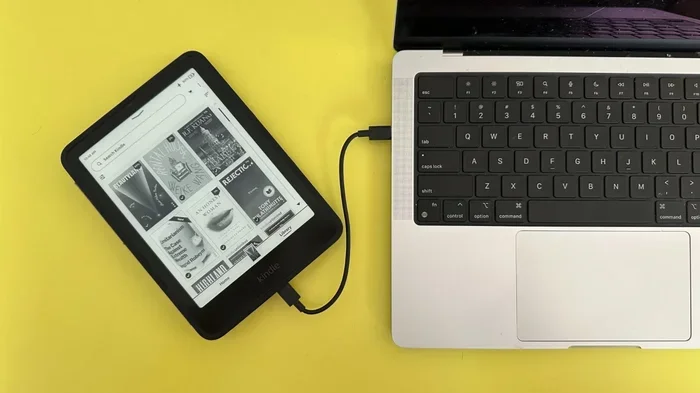
Think about how you use USB-C in a typical day. You might charge your phone with a USB-C cable. You might connect your laptop to a monitor using a USB-C to HDMI adapter. You might even use an M 2 Nvme Ssd To Usb 3 1 Adapter to access your NVMe SSD externally. The possibilities are endless.
Many people also use USB-C hubs and docks to expand their laptop’s connectivity. These hubs add extra ports for your mouse, keyboard, and external drives. It is a great example of how USB remains essential even as device designs change.
How USB Has Evolved Through the Years
Understanding the history of USB helps you appreciate why it is still so popular. The technology has been around since the mid-1990s, and it has changed a lot over the years.
A Quick Timeline of USB Standards
Here is a simple look at how USB has evolved:
- USB 1.0 (1996): The original standard with 12 Mbps speeds. It introduced the world to the concept of a universal connector.
- USB 2.0 (2000): A huge jump to 480 Mbps. This version made USB practical for everyday devices like printers and external drives.
- USB 3.0 (2008): Speeds jumped to 5 Gbps, and the blue port inside became a visual indicator of the newer standard.
- USB 3.1 and 3.2 (2013-2017): Speeds reached 10 and 20 Gbps respectively. USB-C started gaining traction during this period.
- USB4 (2019): The latest major standard, offering up to 40 Gbps and full compatibility with USB-C.
Each generation built on the last. And the best part is that older devices still work with newer ports, thanks to backward compatibility. This continuity is a big reason why people keep trusting USB after all these years.
Common Devices That Still Rely on USB
USB is not just for computers anymore. It powers and connects a huge range of devices in our daily lives. Here are some of the most common ones.
External Storage
External hard drives and SSDs still rely heavily on USB connections. Many people use an M 2 Nvme Ssd In Usb Enclosures to turn their internal NVMe drives into portable storage. These enclosures connect via USB and offer blazing fast speeds for backing up files or carrying large projects on the go.
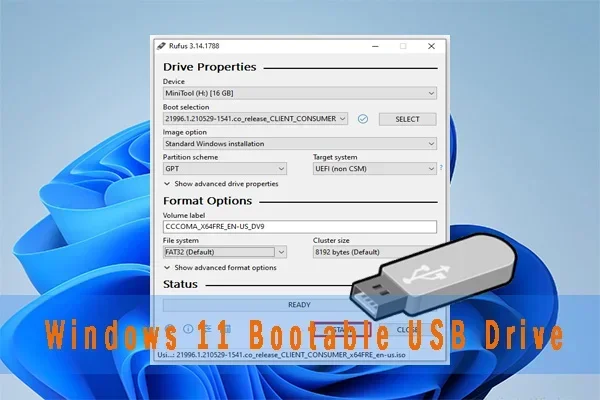
USB flash drives are also still incredibly popular. They are small, affordable, and perfect for quick file transfers. Even in the age of cloud storage, a USB flash drive is often the most convenient option.
Charging and Power Delivery
USB charging has become the norm for smartphones, tablets, and even some laptops. The USB power delivery standard allows devices to charge quickly and efficiently through a single cable. Many people now carry just one USB-C charger for all their devices.
This trend toward universal charging is another reason USB remains so popular. It reduces clutter and makes life simpler.
Peripheral Devices
Keyboards, mice, webcams, printers, and scanners all commonly use USB connections. These peripheral devices form the backbone of a home or office setup. And they are not going away anytime soon.
Even gaming controllers, VR headsets, and audio interfaces often connect through USB. The versatility of USB makes it the default choice for manufacturers across the board.
Is USB Losing Ground to Wireless or Other Technologies?
It is a fair question. Wireless technologies like Bluetooth and Wi-Fi Direct have made it possible to connect devices without cables. And Thunderbolt, which now uses the USB-C connector, offers incredible performance for professionals.
But here is the thing. Wireless still cannot match USB when it comes to speed, reliability, and low latency. If you are transferring a 50-gigabyte video file, you want a cable connection. If you are charging a laptop and want the fastest possible speeds, USB is still the best option.
Thunderbolt actually uses the USB-C connector and the USB protocol. So even the newest high-performance technology is built on top of USB. This shows just how deeply embedded USB is in the tech ecosystem.
Quick Tips for Getting the Most Out of USB
Want to make sure you are using USB to its full potential? Here are some practical tips to keep in mind.
- Check your USB version: Not all USB ports are the same. Look for the USB 3.0 or USB 3.2 logo to get the fastest speeds.
- Use quality cables: Cheap cables can limit your speeds and even damage your devices. Invest in good-quality USB cables from reputable brands.
- Keep your ports clean: Dust and lint can build up in USB ports and cause connection issues. A quick puff of compressed air can help.
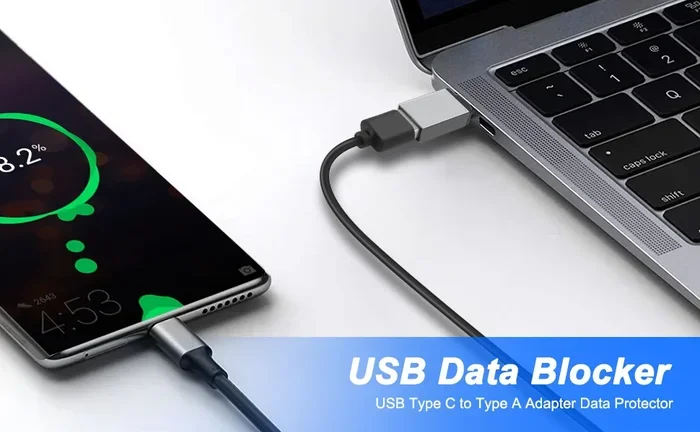
- Use adapters when needed: If your new laptop only has USB-C, a good adapter can help you connect older USB-A devices without any hassle.
- Update your drivers: Sometimes slow USB performance is caused by outdated drivers. Keep your system updated for the best experience.
Common Mistakes People Make with USB
Even though USB is simple to use, there are a few mistakes that can cause problems. Here are some to watch out for.
- Using the wrong cable: Not all USB cables support the same speeds or power levels. Using a USB 2.0 cable with a USB 3.0 device will limit your performance.
- Forcing a connector: USB connectors should slide in easily. If you are forcing it, you might be using the wrong port or a damaged cable.
- Ignoring compatibility: Not all devices play nice with every USB standard. Always check what your device supports before buying a cable or hub.
- Unplugging without ejecting: On computers, always safely eject external USB drives before pulling the cable out. This prevents data corruption.
The Future of USB: What Comes Next?
USB is not standing still. The USB Implementers Forum (USB-IF) continues to develop new standards and improve existing ones. USB4 version 2.0 is already on the horizon, promising even faster speeds and better efficiency.
One thing is clear: USB will continue to evolve, but the core idea will remain the same. A simple, reliable, universal way to connect and power devices. As long as we need to move data and charge gadgets, USB will be there.
So is USB still popular? Absolutely. It has been one of the most successful technology standards in history, and it shows no signs of losing its grip. From the classic USB-A port on your old printer to the sleek USB-C on your latest laptop, USB is woven into the fabric of modern technology.
Embrace it. Use it well. And know that this humble connector is not going anywhere anytime soon.
Frequently Asked Questions
Is USB still the most common connection type for computers?
Yes, USB is still the most widely used connection type for computers and laptops. Even as USB-C becomes more common, it is still part of the USB family. Most desktops and many laptops continue to include multiple USB-A ports alongside newer USB-C options.
Can I use a USB 3.0 cable in a USB 2.0 port?
You can physically plug a USB 3.0 cable into a USB 2.0 port, but it will only work at USB 2.0 speeds. The connection is backward compatible, but you will not get the faster performance that USB 3.0 offers. Always try to match your cable and port versions for the best results.
How fast is USB-C compared to older USB connectors?
USB-C is a connector shape, not a speed standard. However, most USB-C ports today support USB 3.1 or USB 3.2, which offer speeds of 10 to 20 Gbps. This is much faster than the 480 Mbps of USB 2.0 or even the 5 Gbps of USB 3.0. The latest USB4 standard over USB-C can reach speeds up to 40 Gbps.
Do I need a special cable for USB-C charging?
Not necessarily. Most USB-C cables support basic charging. But if you want fast charging, look for a cable that supports USB Power Delivery (USB-PD). These cables can handle higher wattages and will charge your devices much faster than standard cables.
Will USB ever be replaced by a completely different technology?
It is hard to say for certain, but USB has survived for over 25 years and continues to adapt. Even newer technologies like Thunderbolt use the USB-C connector and USB protocols. It is more likely that USB will keep evolving rather than being completely replaced by something entirely new.
Are USB adapters still worth buying in a USB-C world?
Yes, USB adapters are still very much worth buying. Many people have a collection of older USB-A devices, and adapters let you keep using them with new USB-C laptops and phones. They are affordable, convenient, and a great way to extend the life of your older gear. You can find useful options like an M 2 Nvme Ssd To Usb 3 1 Adapter to connect high-speed storage to modern laptops.