Laptop 16gb Ram 512gb Ssd
The combination of 16GB RAM and a 512GB SSD in a laptop represents the modern sweet spot for most users. It seamlessly handles demanding multitasking, creative applications, and modern gaming while providing ample, fast storage for your operating system, software, and a sizable media library. This configuration offers a significant performance leap over base models without the premium cost of higher-end specs, making it an excellent future-proof investment for professionals, students, and enthusiasts alike.
So, you’re laptop shopping. You’ve heard the buzzwords: “16GB RAM” and “512GB SSD.” They sound good, but what do they actually mean for your daily experience? Are they just marketing fluff, or are they the key to a laptop that doesn’t make you want to scream every time you have more than three browser tabs open? Let’s cut through the jargon. Think of your laptop as a workshop. The RAM (Random Access Memory) is your workspace table. The bigger the table, the more projects (apps, files, browser tabs) you can have open and actively work on at the same time without creating a chaotic, frustrating mess. The SSD (Solid State Drive) is your tool cabinet and filing system. It’s where everything is stored—your operating system, your photos, your games, your documents. A faster, bigger cabinet means you can find and grab any tool (launch any app or file) almost instantly.
The pairing of 16GB RAM with a 512GB SSD has emerged as the definitive “sweet spot” for a huge swath of users in 2024. It’s the configuration that says, “I’m serious about getting things done, and I’m done with waiting.” It bridges the gap between the frustrating limitations of entry-level models and the wallet-shattering cost of extreme, enthusiast-grade machines. Whether you’re a student juggling research, a professional running complex spreadsheets and design software, or a gamer who wants smooth performance without a desktop replacement, this combo is your workhorse. This guide will walk you through everything you need to know, from what these specs enable you to do, to how to choose the perfect laptop that houses them.
Key Takeaways
- The Sweet Spot: 16GB RAM and 512GB SSD is the ideal balance for most power users, offering smooth multitasking and sufficient fast storage without overspending.
- RAM is for Active Work: 16GB allows you to run numerous applications, browser tabs, and heavy software like video editors or virtual machines simultaneously without slowdowns.
- SSD is for Everything: A 512GB SSD drastically improves system boot times, app launch speeds, and file transfers compared to old hard drives, and offers enough space for a full OS, core apps, and personal files.
- Target User: This config is perfect for remote workers, content creators, engineering students, serious gamers, and anyone who finds their current 8GB/256GB laptop feeling sluggish.
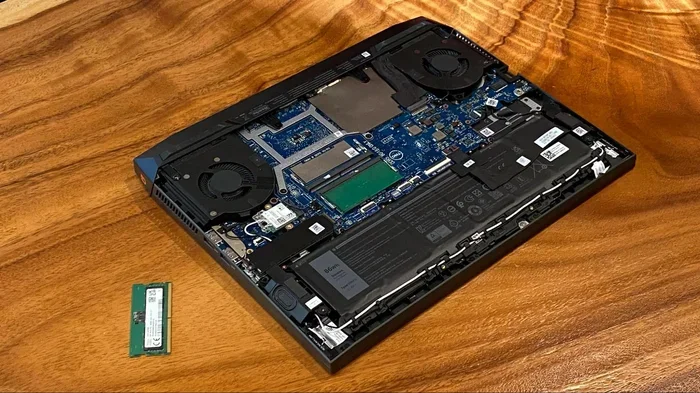
- Upgrade Considerations: In many modern ultrabooks, RAM is soldered and not upgradeable. The SSD is often user-upgradeable, but check the laptop’s specifications before purchasing, as some have only one slot.
- CPU is the Partner: The performance of this RAM/SSD combo is fully realized only when paired with a capable processor (e.g., Intel Core i5/i7 or AMD Ryzen 5/7). Don’t pair it with a weak CPU.
- Not for Everyone: For basic web browsing and office tasks, 8GB/256GB is sufficient and more budget-friendly. For extreme 4K video editing or massive game libraries, you may need 32GB+ RAM and 1TB+ SSD.
📑 Table of Contents
Why This Combo is the Modern “Sweet Spot”
To understand why 16GB and 512GB are magic numbers, we need to look at what came before and what the software world demands today.
The Demise of 8GB RAM and the Rise of 16GB
For years, 8GB of RAM was the standard recommendation. It was fine for the web of 2015. Today? It’s the minimum barrier to entry, and for many, it’s already insufficient. Modern web browsers are infamous memory hogs. Open a few tabs with YouTube, Gmail, and a news site? That’s 2-3GB gone. Add a word processor, a Spotify client, and a Slack window? You’re flirting with your limit. Your operating system itself needs 2-4GB just to breathe comfortably. When you hit your RAM limit, your laptop starts using the SSD as “virtual memory,” which is dramatically slower. The result is stuttering, lag, and the dreaded spinning beach ball or “Not Responding” message. 16GB of RAM eliminates this anxiety. It provides a comfortable buffer. You can have 50+ browser tabs open, run a photo editing suite, have a video call, and stream music in the background, all without your system gasping for air. It’s not about using all 16GB all the time; it’s about having the headroom so that normal multitasking never feels constrained.
The SSD Revolution: From Luxury to Necessity
The shift from Hard Disk Drives (HDDs) to SSDs was the single greatest performance upgrade for mainstream laptops in the last decade. An SSD uses flash memory with no moving parts. This means access times are measured in microseconds, not milliseconds. Your laptop boots from a cold start in 10-15 seconds instead of a minute. Apps launch almost instantly. Files copy in a flash. The entire system feels responsive and snappy. 512GB is the meaningful capacity point for an SSD in a primary laptop. A 256GB SSD fills up alarmingly fast once you account for the OS (20-30GB), core applications (Office suite, browsers, creative apps), and a modest personal file library. 512GB gives you breathing room. It’s enough for the OS, a healthy suite of programs, a significant collection of documents and photos, and even a few modern games (which can be 50-100GB each). You’re not constantly uninstalling things to make space, which is a terrible user experience.
The Perfect Synergy
Together, they create a virtuous cycle. Fast RAM lets your CPU work efficiently without waiting for data. A fast NVMe SSD (the common type in modern laptops) feeds data to that RAM at incredible speeds. The result is a system that feels fast in every interaction—from clicking the Start menu to loading a large project file. This combination directly combats the two most common causes of laptop sluggishness: insufficient memory for active tasks and slow storage causing bottlenecks. For the vast majority of power users, this is the configuration that delivers a seamless, frustration-free experience for 3-5 years.
Who Exactly Needs a 16GB RAM 512GB SSD Laptop?
This setup isn’t for everyone, but it’s for a very large, growing group. If you recognize yourself in any of these profiles, this is the config you should be targeting.
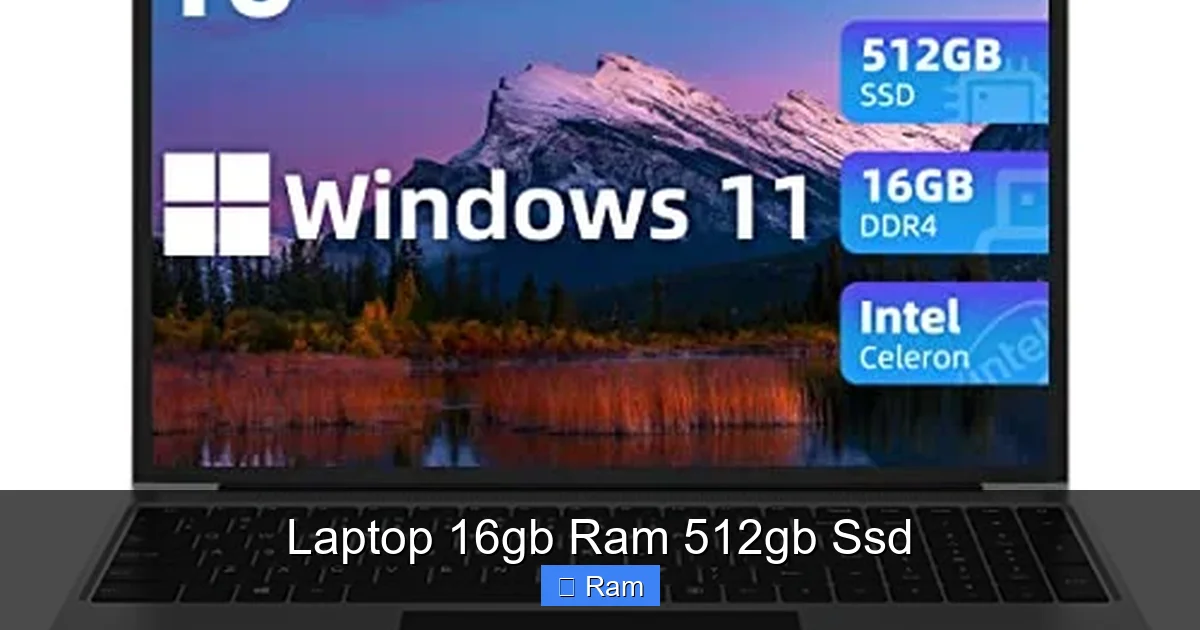
Visual guide about Laptop 16gb Ram 512gb Ssd
Image source: m.media-amazon.com
The Remote Worker & Productivity Powerhouse
This is the #1 beneficiary. Remote work means your laptop is your entire office. You likely have: a video conferencing app (Zoom, Teams), a browser with 30+ tabs for research, a communication tool (Slack, Discord), a document editor (Word, Google Docs), and maybe a CRM or project management tool open simultaneously. 8GB will cause constant swapping and slowdowns during calls. 16GB handles this effortlessly. The 512GB SSD ensures all your work files, virtual meeting recordings, and software are on the fast internal drive, not a slow external HDD. Practical Tip: When testing a laptop, open all your typical work apps and browser tabs. Use the Task Manager (Ctrl+Shift+Esc) to watch your RAM usage. If it’s consistently above 7GB, you need 16GB.
The Student (Especially in STEM & Creative Fields)
A student’s workload is unpredictable. One minute you’re writing a paper, the next you’re running statistical analysis in SPSS, compiling code in an IDE like Visual Studio, or editing a video for a project. These are RAM-intensive tasks. Engineering software (AutoCAD, SolidWorks), data science tools, and creative suites (Adobe Creative Cloud) all recommend 16GB as a minimum for smooth operation. The 512GB SSD stores all your massive project files, lecture recordings, and the software itself without constant storage management panic.
The Casual & Aspiring Gamer
If you want to play modern games (like Cyberpunk 2077, Hogwarts Legacy, Baldur’s Gate 3) at decent settings, 16GB RAM is the new standard. Many AAA titles now use 12-16GB themselves. Pair that with a dedicated GPU (like an NVIDIA GTX 1650 or better, or an AMD RX 6600M), and you have a capable 1080p gaming machine. The 512GB SSD is critical here too. Game install sizes are ballooning. Call of Duty: Modern Warfare III can exceed 200GB with all packs. 512GB allows you to keep your OS, core apps, and 2-3 large games installed comfortably. Example: A laptop with an Intel Core i5-12500H, 16GB RAM, 512GB SSD, and an RTX 3050 will handle esports titles at high refresh rates and newer AAA titles at medium-to-high settings beautifully.
The Content Creator & Hobbyist
For photo editing in Lightroom or Photoshop, video editing in DaVinci Resolve or Premiere Pro (at 1080p/1440p), and music production in Ableton Live or FL Studio, RAM is your friend. Working with high-resolution images, multiple video tracks, and numerous effects eats memory. 16GB is the comfortable starting point for this work. The 512GB SSD acts as your fast scratch disk (temporary workspace) for these applications, dramatically improving timeline scrubbing and effect rendering. It also stores your raw footage, project files, and exported media.
The “I Just Want This to Last 4 Years” Buyer
Software is only getting more demanding. Operating systems (like Windows 11 with its constant background AI features) and web apps (with complex JavaScript frameworks) use more resources every year. Buying a laptop with 8GB RAM today is planning for it to feel obsolete in 2-3 years. Investing in 16GB and a good-sized SSD is a future-proofing move. You’re buying headroom for the software of tomorrow, ensuring your laptop remains responsive and useful for its entire lifespan.
Real-World Performance: What Can You Actually Do?
Specs are abstract. Let’s translate this combo into real-life tasks and performance.
Visual guide about Laptop 16gb Ram 512gb Ssd
Image source: microless.com
Effortless Multitasking Mastery
This is the most tangible benefit. With 16GB, your workflow becomes fluid. Imagine this scenario: You have a 20-tab Chrome window open (with a few YouTube videos playing), a large Excel workbook with complex formulas, a PDF document annotated in Adobe Acrobat, Spotify playing in the background, and you’re on a Teams call. On an 8GB system, this would likely cause significant slowdowns, audio stuttering in the call, and lag when switching between Excel and the browser. On a 16GB RAM system, this is a walk in the park. The system has more than enough memory to keep all these active processes resident, so switching between them is instant. The responsiveness you feel is the difference between a stressed assistant and a calm executive.
Storage Speed & Capacity in Action
The difference between an SSD and an old HDD is night and day, but even among SSDs, capacity can affect performance. Modern NVMe SSDs use multiple memory channels. A 512GB drive typically has more NAND chips than a 256GB model, which can lead to slightly better sustained write speeds, especially when the drive is more than half full. In practice:
- Boot Time: From power button to login screen: 8-12 seconds.
- App Launch: Launching a heavy app like Photoshop or a game: 2-5 seconds vs. 10-20 on an HDD.
- File Transfer: Copying a 10GB video file: ~15 seconds vs. 2+ minutes on an HDD.
- Game Loading: Loading a new level in a game: 5-10 seconds faster, which can mean spawning before other players in an online match.
The 512GB capacity means you’re not running out of space after installing the OS (which uses ~30GB), Microsoft Office (~5GB), your browser suite, Steam, and a few creative apps. You have room for a personal photo library (tens of thousands of photos), your documents, and a couple of large games.
Gaming & Creative Work Benchmarks
While the GPU is the king of gaming performance, RAM is the essential court jester—you can’t have a proper kingdom without it. For 1080p gaming, 16GB is the standard. It prevents stutters caused by memory shortage in open-world games with lots of assets to stream. For 1440p, it’s becoming the minimum. In creative apps:
- Video Editing (DaVinci Resolve): With a 1080p/4K timeline, 16GB allows for smooth playback of a few layers of video and effects. Adding a 512GB SSD as the cache/scratch disk makes the timeline feel responsive.
- Photo Editing (Lightroom): Batch processing hundreds of RAW photos is memory-intensive. 16GB prevents the app from crawling when applying adjustments to large batches.
- Music Production: A project with 30+ tracks, multiple virtual instruments (VSTs), and effects will easily use 8-12GB of RAM. 16GB provides headroom for mixing and mastering.
The takeaway: this combo removes RAM and storage as potential bottlenecks, letting your CPU and GPU do their best work.
How to Choose the Right Laptop with These Specs
Finding a laptop with “16GB RAM 512GB SSD” is just the first filter. The details matter immensely. Not all 16GB/512GB laptops are created equal.
Visual guide about Laptop 16gb Ram 512gb Ssd
Image source: microless.com
The CPU is Your Co-Pilot: Don’t Neglect It
Pairing 16GB of RAM with a weak, old, or low-power processor is like putting a race car’s suspension on a golf cart. The RAM will sit idle, waiting for the slow CPU to give it work. You must look at the processor.
- For general use & business: Intel Core i5 or AMD Ryzen 5 (latest generations, e.g., 13th/14th Gen Intel or Ryzen 6000/7000 series) are perfect.
- For demanding creative work, engineering, and gaming: Step up to an Intel Core i7/i9 or AMD Ryzen 7/9. These have more cores and threads, handling complex calculations faster and feeding the RAM with data more efficiently.
- Avoid: Older generations (e.g., Intel 8th Gen or older), Intel “U-series” or AMD “U-series” processors if your work is heavy (these are for ultra-thin, low-power laptops), and any Intel Celeron/Pentium or AMD Athlon chips. They will bottleneck the system.
Pro Tip: Look up the specific CPU model (e.g., “i7-13620H”) on a site like Notebookcheck or UserBenchmark to see its performance tier relative to others.
SSD Type: NVMe is Non-Negotiable
All SSDs are not equal. There are SATA SSDs (slower, ~550MB/s) and NVMe SSDs (much faster, 2000-7000MB/s). Any new laptop with a 512GB SSD will almost certainly be NVMe (specifically PCIe 3.0 or 4.0). PCIe 4.0 is twice as fast as 3.0 in theory, but for most tasks (booting, launching apps, loading games), the real-world difference is minimal. What matters more is that it’s an NVMe SSD. Avoid any laptop that still uses a SATA SSD or, heaven forbid, a Hard Disk Drive as its primary storage.
The Display & Build Quality: Where You Live
You’ll stare at this screen for hours. A 16GB/512GB spec tells you nothing about the panel.
- Resolution: Full HD (1920×1080) is the standard and perfectly fine for most. If you’re a creative, look for a higher resolution (QHD/1440p) or a color-accurate panel (100% sRGB or P3 coverage).
- Refresh Rate: 60Hz is standard. 120Hz, 144Hz, or 165Hz panels are smoother for scrolling and gaming, a nice quality-of-life upgrade.
- Build: Aluminum chassis (vs. plastic) is sturdier and often helps with heat dissipation. Check reviews for keyboard comfort and trackpad precision.
Brands & Models to Consider (2024 Examples)
This configuration is ubiquitous. You’ll find it across brands:
- Business/Productivity: Dell Latitude/Precision, Lenovo ThinkPad T & P series, HP EliteBook/ZBook. These are built like tanks, have great keyboards, and often have user-upgradeable RAM (in some models).
- Consumer/All-Rounder: Dell XPS 15, Lenovo Yoga/Slim series, HP Spectre/Envy, Asus Zenbook. These offer great designs and displays.
- Gaming: Lenovo Legion, Asus ROG Strix/Zephyrus, Acer Nitro/Predator, MSI. These pack powerful GPUs with the 16GB/512GB standard.
- Value/Student: Acer Aspire, Asus Vivobook, Lenovo IdeaPad. You can often find excellent deals on these with the desired specs.
Always, always read recent professional and user reviews. They will tell you about thermals (does it overheat?), fan noise, battery life, and real-world quirks that spec sheets hide.
Future-Proofing: Will This Last Me 4+ Years?
This is the core of the “sweet spot” argument. Buying a laptop is a multi-year commitment. Let’s project forward.
The Software Memory Arms Race
Operating systems are getting smarter and more complex. Windows 11 and macOS Sonoma run more background services, AI features, and security layers than their predecessors. Web browsers are essentially mini-operating systems for web apps. Each new version of Adobe Creative Cloud, Microsoft Office, or a popular game tends to increase its minimum and recommended specs. 16GB today is the comfortable recommendation for today’s software. In 3 years, it will likely be the new “minimum recommended.” Starting with 16GB gives you a crucial buffer against this creep. You won’t be forced into an early upgrade because your laptop can’t handle the next OS update or a new version of your essential software.
The Storage Capacity Question
512GB is the “enough for now” point. Game install sizes are the biggest wild card. A single AAA game can be 100-150GB. If you’re a gamer who plays 3-4 major titles at once, 512GB will feel tight. You’ll be managing installations frequently. However, the good news is that the SSD is often the easiest component to upgrade. Many laptops have a single M.2 slot. You can buy a 1TB or 2TB NVMe SSD for $60-$150 and clone or reinstall your system, massively expanding your storage. Before you buy, confirm the laptop has an accessible and upgradeable SSD slot (some ultra-thin models solder it). This makes starting with 512GB a prudent choice—you get the speed benefits immediately and can upgrade capacity later if needed.
The RAM Upgradeability Reality Check
This is the critical, often disappointing, caveat. To achieve thinner, lighter designs, manufacturers have started soldering RAM directly to the motherboard. If the RAM is soldered, you cannot upgrade it. You are locked into the 16GB (or 8GB) you buy forever. This makes choosing the right amount at purchase absolutely vital. How do you know?
- The manufacturer’s specs page will say “Soldered” or “Upgradeable.”
- Look for a service manual or teardown video on YouTube for the exact model number (e.g., “Dell XPS 13 9310 teardown”). If you see RAM sticks, it’s upgradeable. If you see chips soldered to the board, it’s not.
For a future-proof investment, if you identify as a “power user” from the profiles above, you should prioritize finding a model with upgradeable RAM, even if it means a slightly thicker laptop. This allows you to start with 16GB and potentially go to 32GB in a few years if needed. If you must buy a model with soldered RAM (like most premium ultrabooks), 16GB is the absolute maximum you should consider. Do not buy a soldered-RAM laptop with 8GB expecting to upgrade it later.
The Bottom Line: Is This the Right Config for You?
Let’s bring it all home. A laptop with 16GB of RAM and a 512GB SSD is not a luxury; for the target user, it’s a practical necessity for a good experience. It’s the configuration that removes the daily friction of waiting for your computer. It’s the difference between your tools enabling your workflow and your workflow constantly waiting for your tools.
If your budget allows and your use case involves any serious multitasking, content creation, development, or gaming, you should actively seek out this specification. But remember, it’s part of a system. You must pair it with a competent CPU (at least a modern mid-range Intel Core i5 or AMD Ryzen 5), ensure the SSD is a fast NVMe type, and choose a model with a build quality and display that you’ll enjoy using.
Before you click “buy,” ask yourself two final questions: 1) Is the RAM upgradeable? (If not, 16GB is your forever amount). 2) Does the laptop have the specific ports, keyboard, and trackpad you need? The 16GB/512GB combo is the engine, but the rest of the car matters too.
In a market flooded with 8GB/256GB base models that feel restrictive out of the box, spending a little more for 16GB RAM and 512GB SSD is one of the smartest computing investments you can make. It buys you performance, peace of mind, and longevity. It’s the foundation for a laptop that truly works for you, not one you’re constantly working around.
Frequently Asked Questions
Is 16GB RAM and 512GB SSD enough for a college student?
For most students, absolutely yes. It handles research with dozens of browser tabs, writing papers, video lectures, and even light creative projects or engineering software. It provides significant headroom over 8GB, which is often the minimum that leads to slowdowns during peak workload periods.
Can I upgrade the RAM or SSD later in a 16GB 512GB laptop?
It depends entirely on the specific model. The SSD is often user-upgradeable—you can usually replace the 512GB stick with a larger 1TB or 2TB NVMe SSD. However, many modern laptops have the RAM soldered to the motherboard, making it impossible to upgrade. You must check the manufacturer’s specs or a teardown video for your exact model before assuming upgradeability.
Is a 512GB SSD too small for gaming?
It’s a tight but workable starting point for casual gamers. Modern AAA games can be 100GB+, so with 512GB you’ll be installing and uninstalling games regularly to free space. For a serious gamer with a large library, a 1TB SSD is strongly recommended. The good news is that if the SSD is upgradeable, you can add a second drive or replace it with a larger one later.
Should I prioritize more RAM or a larger SSD?
For the vast majority of users experiencing slowdowns, prioritize more RAM first. Insufficient RAM (8GB) causes constant system-wide lag and stuttering that is far more disruptive than running out of storage space. Once you have 16GB, then consider a larger SSD (1TB) if you frequently run out of space for games or media files. RAM is about performance; SSD capacity is about convenience.
Will Windows 11 and my apps fit comfortably on a 512GB SSD?
Yes, but with some careful management. A fresh Windows 11 install uses about 25-35GB. Core applications like Microsoft Office, a browser suite, and communication tools might use another 20-30GB. This leaves you with roughly 450GB for your personal files, documents, photos, and additional software. This is sufficient for most, but heavy gamers or those with large media collections will need to be mindful of space.
Are there any laptops where 16GB RAM 512GB SSD is a bad choice?
Yes. For basic web browsing, email, and streaming video (the ” grandma’s Facebook machine” use case), an 8GB/256GB model is more than adequate and saves money. Also, if you are doing professional 4K/8K video editing, 3D animation, or scientific simulation with massive datasets, you should be looking at 32GB+ RAM and 1TB+ SSDs from the start. The 16GB/512GB combo is for mainstream power users, not entry-level or extreme professional workloads.



3 Comments