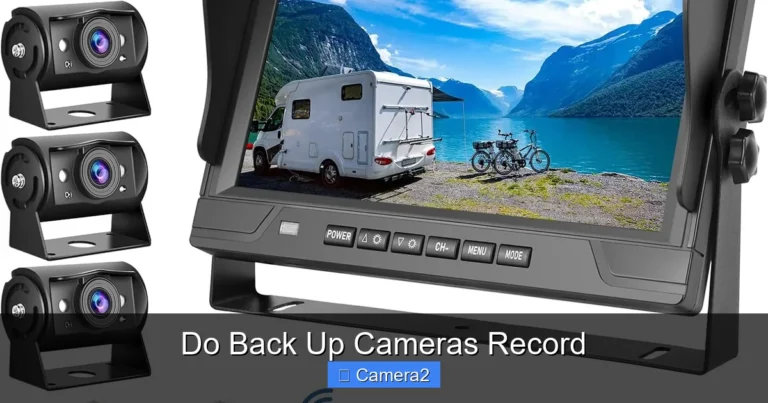
Magnetic Solar Wireless Backup Camera
Looking for a hassle‑free way to add a backup camera to your vehicle? A magnetic solar wireless backup camera gives you endless power, simple mounting, and a clean, wire‑free setup. Read on to learn why it’s a smart upgrade and how to install it yourself.
Key Takeaways
- Easy mounting: Strong magnetic base sticks to metal without drilling.
- Solar powered: Integrated solar panel keeps the camera running day and night.
- Wireless transmission: Sends video to a screen or smartphone via Wi‑Fi or Bluetooth.
- Weather‑proof design: Built‑in seals protect against rain, snow, and dust.
- Low maintenance: No battery swaps, no cable routing, and minimal firmware updates.
- Versatile use: Works on trucks, SUVs, trailers, and even boats.
- Cost‑effective: Saves money compared to hard‑wired systems and reduces installation time.
📑 Table of Contents
- Introduction: Why a Magnetic Solar Wireless Backup Camera?
- How the Technology Works
- Benefits Over Traditional Backup Cameras
- Choosing the Right Magnetic Solar Wireless Backup Camera
- Step‑by‑Step Installation Guide
- Maintenance Tips to Keep Your Camera Working
- Real‑World Applications
- Cost vs. Value: Is It Worth It?
- Frequently Overlooked Questions
- Conclusion: Upgrade Your Back‑Up Game Today
Introduction: Why a Magnetic Solar Wireless Backup Camera?
Imagine pulling into a tight garage or backing out of a crowded lot without squinting at a tiny rear‑view mirror. A backup camera does exactly that, but traditional models often require drilling, wiring, and a separate power source. That’s where the magnetic solar wireless backup camera steps in.
These cameras combine three smart ideas: a magnetic mount that sticks to any metal surface, a solar panel that harvests sunlight to keep the unit powered, and a wireless link that streams video straight to your display. The result is a plug‑and‑play solution that anyone can install in minutes. In this article we’ll break down the technology, walk through installation, compare top models, and give you tips to get the most out of your new eye‑in‑the‑sky.
How the Technology Works
1. Magnetic Mounting System
The heart of the “magnetic” part is a high‑strength neodymium magnet. It’s coated in rubber or silicone to prevent scratching paint and to absorb vibrations. When you place the camera on a steel bumper, trailer frame, or truck bed, the magnet holds it securely—even on bumpy roads.
2. Integrated Solar Panel
Most units feature a small, high‑efficiency monocrystalline solar cell on the camera housing. During daylight, the panel charges an internal lithium‑ion battery. The battery typically holds enough energy for several hours of night‑time use, so the camera works even when the sun goes down.
3. Wireless Video Transmission
Wireless backup cameras use either Wi‑Fi (2.4 GHz) or Bluetooth Low Energy (BLE) to send a live video feed. Wi‑Fi offers higher resolution (up to 1080p) and a longer range (up to 30 m), while BLE is great for low‑power, short‑range setups. The video streams to a dedicated screen, a smartphone app, or an existing infotainment system with a compatible receiver.
Benefits Over Traditional Backup Cameras
Zero Drilling, Zero Mess
Traditional cameras need a hole in the rear bumper for the lens and a power wire that runs to the vehicle’s battery. The magnetic solar version eliminates both, preserving factory paint and resale value.
Unlimited Power Source
Because the solar panel recharges the internal battery daily, you never have to replace a dead battery or worry about a loose wiring harness. This is especially handy for vehicles that sit idle for long periods.
Portable and Re‑usable
If you change vehicles, simply detach the camera and stick it on the new one. The magnetic base makes the camera truly portable—perfect for rental trucks, work vans, or seasonal boats.
Enhanced Safety
Clear, wide‑angle views (often 150°–180°) reduce blind spots. Many models also include night‑vision IR LEDs, giving you a bright image even in total darkness.
Choosing the Right Magnetic Solar Wireless Backup Camera
Key Features to Compare
- Resolution: 720p is adequate for most drivers; 1080p offers sharper details.
- Field of view: Look for 150°–180° for a broad perspective.
- Power capacity: Battery size (mAh) determines how long the camera runs without sun.
- Wireless range: Ensure the range covers your vehicle length plus any trailer.
- App compatibility: iOS and Android apps let you view footage on your phone.
- Weather rating: IP66 or higher protects against heavy rain and dust.
Top Picks in 2024
Below are three models that consistently rank high among users and experts.
- SolarMag 1080p Pro – 1080p, 170° view, 2000 mAh battery, IP67, Wi‑Fi up to 30 m.
- MagniCam SolarLite – 720p, 150° view, 1500 mAh battery, Bluetooth 5.0, compact design.
- EcoMount Solar Backup – 1080p, 180° view, dual solar panels, built‑in GPS for geotagging.
Each of these units includes a magnetic base, solar charging, and a wireless transmitter, making them true all‑in‑one solutions.
Step‑by‑Step Installation Guide
What You’ll Need
- Magnetic solar wireless backup camera (choose a model that matches your vehicle size).
- Smartphone or tablet with the camera’s app installed.
- Cleaning cloth and mild soap to prep the mounting surface.
- Optional: small screwdriver if you want to secure the display with a zip‑tie.
Installation Steps
- Clean the mounting area. Wash the rear bumper or trailer frame with soap and water, then dry thoroughly. A clean surface ensures the magnet adheres strongly.
- Position the camera. Hold the camera where you want the view to be. Most users place it near the center of the bumper for a balanced perspective.
- Attach the magnetic base. Press the camera firmly against the metal until you feel a click. The silicone coating will cushion any gaps.
- Power up the unit. Turn on the camera using the power button. The solar panel will begin charging the internal battery automatically.
- Connect to your display. Open the app, select “Add New Device,” and follow the on‑screen instructions. For a dedicated screen, plug the wireless receiver into the screen’s HDMI or AV input.
- Adjust the angle. Most cameras have a small tilt adjustment screw. Aim the lens so the horizon sits near the top of the screen for the best depth perception.
- Test the system. Put the vehicle in reverse (or simulate reverse on a trailer) and verify the live feed appears with minimal lag.
That’s it! No drilling, no wiring, and you’re ready to back up safely.
Maintenance Tips to Keep Your Camera Working
Regular Cleaning
Dust and grime can obscure the lens. Wipe the glass with a microfiber cloth every few weeks, especially after off‑road adventures.
Solar Panel Care
Make sure the panel stays unobstructed. If you park under a carport or in a garage, the panel won’t charge. Consider a portable solar charger as a backup for indoor storage.
Battery Health
Even lithium‑ion batteries degrade over time. If you notice the camera shutting off after a short period at night, it may be time to replace the battery pack (most manufacturers sell spares).
Firmware Updates
Check the manufacturer’s app for firmware updates. These often improve Wi‑Fi stability and add new features like motion detection.
Real‑World Applications
Pickup Trucks and Work Vans
Construction crews love the magnetic solar backup camera because it can be moved from the truck to a trailer without rewiring. It also survives the dust and mud of job sites.
Recreational Vehicles (RVs) and Boats
RVs often lack factory backup cameras. A magnetic solar unit can be mounted on the rear door or boat hull, providing a clear view while docking.
Rental Fleets
Rental car companies use magnetic solar cameras to avoid permanent modifications. The cameras can be swapped between vehicles during routine cleaning.
Cost vs. Value: Is It Worth It?
Traditional hard‑wired backup cameras typically cost $50–$150, plus labor if you hire a professional. Magnetic solar wireless models range from $120 to $250, but you save on installation time and eliminate future wiring issues. Over a five‑year lifespan, the solar camera often pays for itself through reduced labor costs and added resale value.
Frequently Overlooked Questions
Will the solar panel work in cloudy weather?
Yes, modern panels generate enough power on overcast days to keep the battery topped up, though charging is slower. The internal battery stores enough energy for several hours of night‑time use.
Can I use the camera on a non‑metallic surface?
The magnetic mount requires a ferrous surface. For aluminum or fiberglass, you can attach a metal plate with adhesive or use a universal mounting bracket.
Is the wireless signal secure?
Most cameras use WPA2 encryption for Wi‑Fi, which is secure for personal use. Keep your app password strong and change it regularly.
Conclusion: Upgrade Your Back‑Up Game Today
A magnetic solar wireless backup camera delivers convenience, safety, and flexibility that traditional cameras simply can’t match. With a strong magnetic base, self‑charging solar panel, and wireless video feed, you get a plug‑and‑play solution that works on trucks, trailers, RVs, and even boats. Installation takes minutes, maintenance is minimal, and the added safety benefits are priceless. Whether you’re a weekend DIYer or a fleet manager, this technology is a smart investment that will keep you seeing clearly every time you hit reverse.
Frequently Asked Questions
How does the solar panel charge the camera at night?
The solar panel charges an internal lithium‑ion battery during daylight. The battery stores enough energy to power the camera for several hours after the sun sets.
Can I use the magnetic solar backup camera on a painted bumper?
Yes. The magnetic base is coated with rubber or silicone to protect paint. For extra safety, clean the surface first and test the hold before driving.
What is the typical wireless range for these cameras?
Wi‑Fi models usually reach 20–30 meters (65–100 feet), while Bluetooth versions work best within 10 meters (30 feet). Most users find this more than enough for a vehicle’s length.
Do I need a separate power source for the display?
No. The display (screen or smartphone) uses its own battery. The camera’s wireless link does not draw power from the vehicle’s electrical system.
Can I connect the camera to my existing infotainment system?
Many models include an HDMI or AV receiver that plugs into the infotainment screen. Check the manufacturer’s compatibility list for your vehicle’s make and model.
Is it legal to use a magnetic solar backup camera on a commercial truck?
Yes, most jurisdictions allow aftermarket backup cameras as long as they do not obstruct the driver’s view of the road. Always verify local regulations before installation.