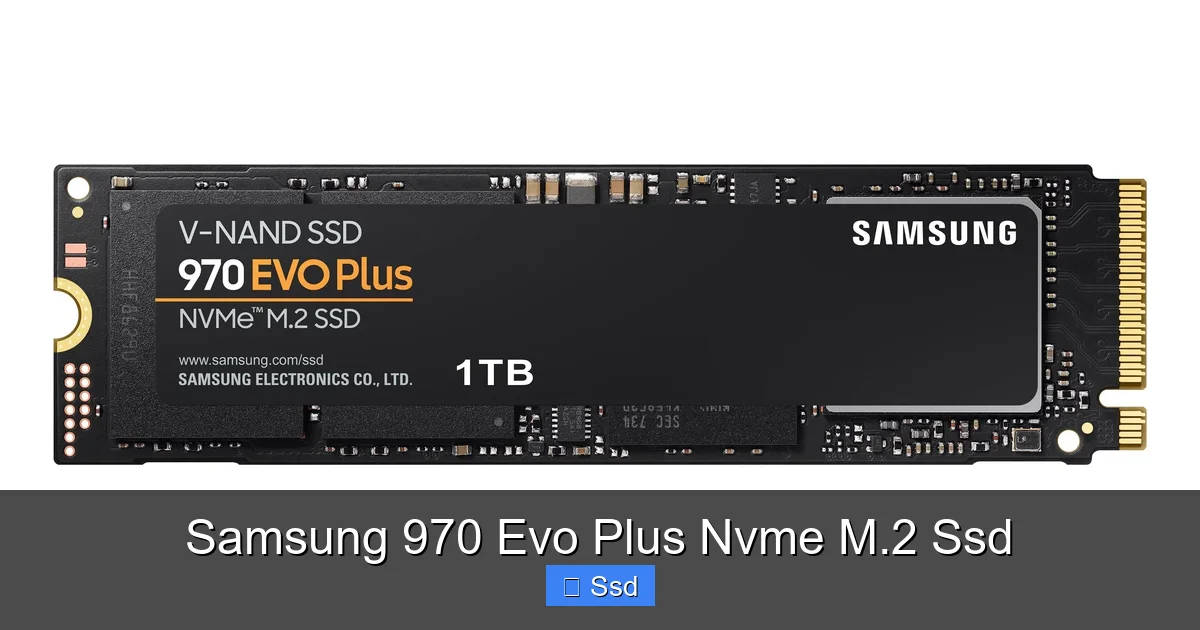
Samsung 970 Evo Plus Nvme M.2 Ssd
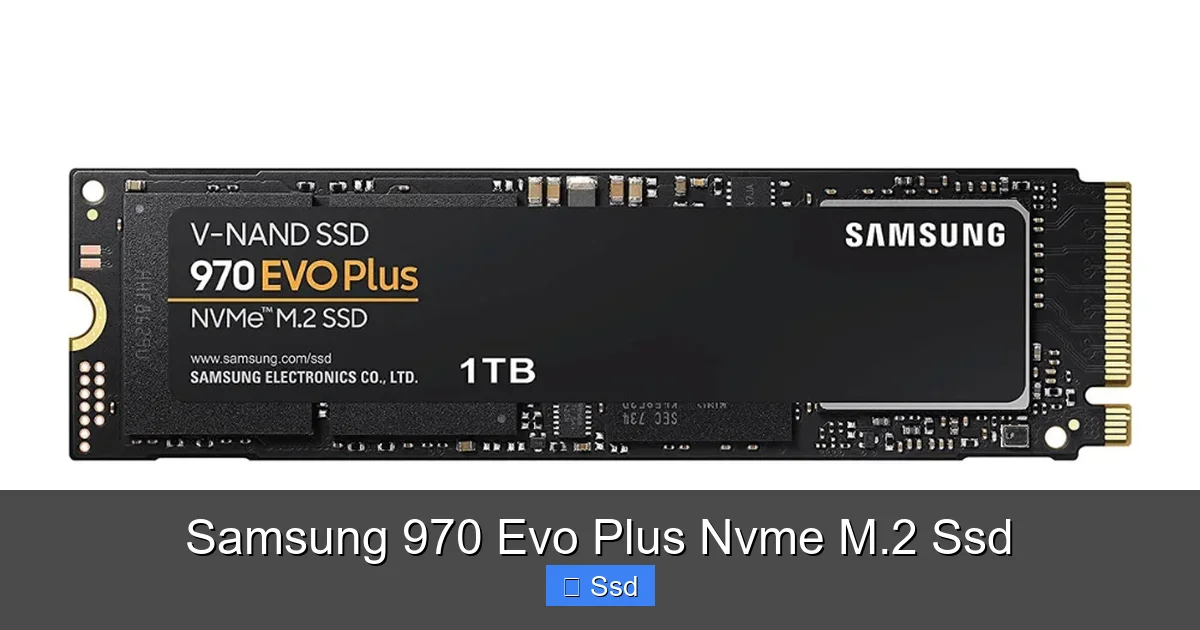
The Samsung 970 Evo Plus NVMe M.2 SSD is a premium, high-performance storage drive that leverages the NVMe protocol to deliver sequential read/write speeds that dwarf traditional SATA SSDs. It’s built with Samsung’s proven 3-bit V-NAND memory and a powerful controller, making it an excellent choice for gamers, content creators, and power users who demand minimal load times and snappy system responsiveness. While it runs warm under heavy loads, its overall blend of speed, endurance, and brand trust solidifies its status as a benchmark for M.2 NVMe drives.
Let’s talk about one of the best upgrades you can make to a modern PC: the storage drive. For years, the humble SATA SSD was the gold standard, and for good reason. It made everything feel fast. But then came NVMe, and specifically, drives like the Samsung 970 Evo Plus NVMe M.2 SSD. It’s not just an incremental update; it’s a leap that changes how you interact with your computer. If you’ve ever stared at a loading screen, waited for a large project to save, or shuffled through a massive photo library, this drive is designed to make those moments vanish. We’re going to dive deep into what makes this particular SSD a legend, who it’s for, and whether its premium price is justified in today’s market.
First, a quick primer. The “M.2” refers to the physical form factor—a slim, stick-of-gum-sized module that plugs directly into your motherboard. The “NVMe” is the crucial part. It stands for Non-Volatile Memory Express, a communication protocol built specifically for flash storage, running over the ultra-fast PCI Express (PCIe) bus. This is a world away from the older SATA interface, which was originally designed for hard drives. The result? Orders of magnitude more bandwidth. The Samsung 970 Evo Plus harnesses this to deliver speeds that can exceed 3,000 megabytes per second. To put that in perspective, a top-tier SATA SSD maxes out around 550 MB/s. We’re not talking about a small improvement; we’re talking about being 5 to 6 times faster in sequential operations.
Key Takeaways
- Unmatched Speed for the Interface: It delivers near-peak NVMe performance with up to 3,500 MB/s reads and 3,300 MB/s writes, drastically reducing game/application load times and file transfer durations compared to SATA SSDs.
- Proven Reliability & Endurance: Samsung’s 3-bit V-NAND technology and robust controller offer excellent longevity, with high TBW (Total Bytes Written) ratings and a 5-year limited warranty, making it a trustworthy long-term investment.
- Optimal for High-Performance Tasks: Ideal for 4K video editing, 3D rendering, large dataset compilation, and modern AAA gaming where fast asset streaming is critical for smooth performance.
- M.2 Form Factor & NVMe Efficiency: The compact M.2 2280 form factor saves space and cables, while the PCIe 3.0 x4 NVMe interface provides lower latency and higher throughput than the older SATA bus.
- Requires Compatible Hardware: Your motherboard must have an M.2 slot that supports PCIe NVMe (not just SATA) and, for optimal performance, should include a heatsink or good airflow to manage its operating temperature.
- Premium Price for Premium Performance: It sits at the higher end of the market, so budget-conscious users might consider newer, slightly slower PCIe 4.0/5.0 options or value-focused PCIe 3.0 drives, but it remains a top-tier choice for uncompromising speed.
- Not a Magic Bullet for All Tasks: While it accelerates storage-bound operations, it will not improve performance for tasks limited by CPU, GPU, or RAM. The benefits are most noticeable in storage-intensive workflows.
📑 Table of Contents
- Inside the Beast: Technology & Specifications
- Real-World Performance: What Do Those Numbers Mean For You?
- Who Is This Drive For? (And Who Should Look Elsewhere?)
- Installation and Setup: A Breeze
- The Competition and Value Proposition in 2024
- Final Thoughts: Is the Samsung 970 Evo Plus Still Worth It?
Inside the Beast: Technology & Specifications
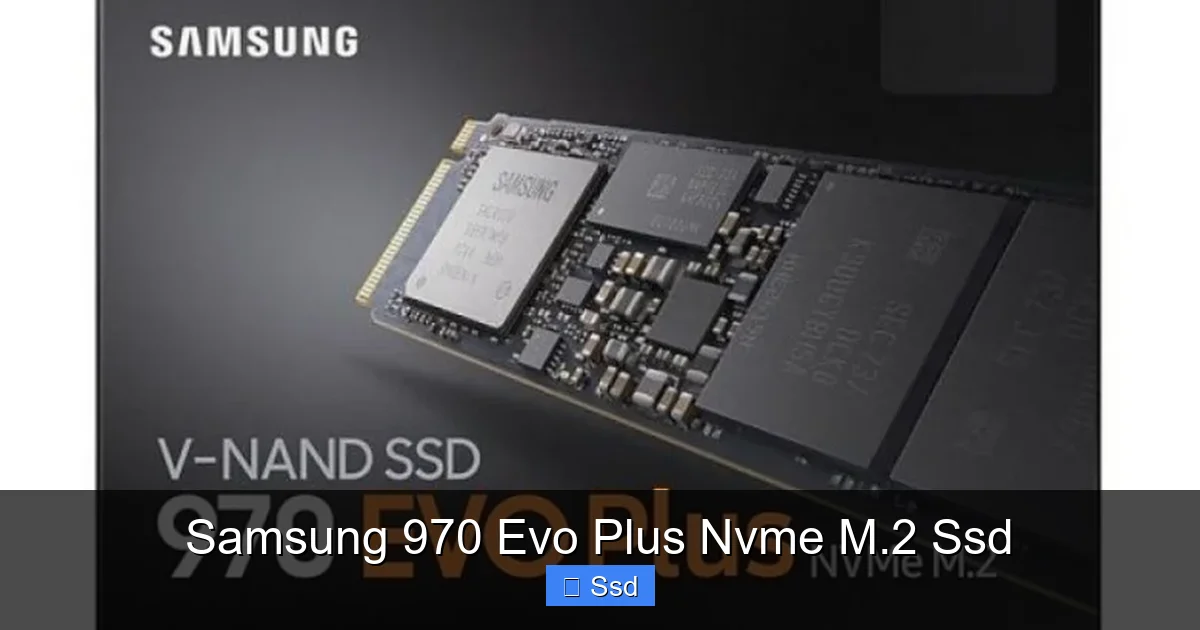
To understand its performance, we need to look under the hood. Samsung doesn’t just buy parts and assemble them; they are one of the few companies that vertically integrate, meaning they design and manufacture their own NAND flash memory and controller chips. This level of control is a massive advantage.
The Samsung V-NAND Advantage
The 970 Evo Plus uses Samsung’s 3rd generation 3-bit V-NAND (Vertical NAND). The “3-bit” part means it’s TLC (Triple-Level Cell) memory, which stores 3 bits of data per cell. This is a balance between cost, speed, and endurance. Samsung’s V-NAND stacks memory cells vertically in layers (the “V” stands for vertical), allowing for incredible density without increasing the chip’s footprint. This stacking technology, combined with their manufacturing prowess, results in NAND that is both fast and highly durable, resisting wear over time.
The Smart, Powerful Controller
paired with the V-NAND is Samsung’s own proprietary controller. This is the brain of the SSD. It manages all the data traffic, wear leveling, error correction, and communicates with your system via the NVMe protocol. The controller in the 970 Evo Plus is a powerhouse, optimized for high queue depth workloads (many read/write commands at once). It’s the reason the drive maintains its blistering speeds not just in a single, large file transfer, but also when juggling dozens of small files—a scenario common in operating system operations and game loading.
Key Specs at a Glance
While capacities range from 250GB to 2TB, the performance specs are consistent across the lineup, with higher capacities offering slightly more sustained write performance due to having more NAND channels to work with. Here are the headline figures for the 1TB model, which is the most popular sweet spot:
- Interface: PCIe 3.0 x4, NVMe 1.3
- Sequential Read: Up to 3,500 MB/s
- Sequential Write: Up to 3,300 MB/s
- Random Read (4KB, QD32): Up to 480,000 IOPS
- Random Write (4KB, QD32): Up to 550,000 IOPS
- Endurance (TBW): 600 TBW (for 1TB model)
- Warranty: 5-Year Limited Warranty
IOPS (Input/Output Operations Per Second) is a key metric for how responsive a drive feels with everyday tasks like booting up, launching apps, and opening files. The 970 Evo Plus’s IOPS numbers are exceptionally high, which translates directly to that “instant-on” feel.
Real-World Performance: What Do Those Numbers Mean For You?
Benchmark numbers are great, but they’re abstract. Let’s translate this into tangible, everyday benefits. The difference between a SATA SSD and a Samsung 970 Evo Plus is often most dramatic in two areas: large, sustained file transfers and storage-bound application performance.
Visual guide about Samsung 970 Evo Plus Nvme M.2 Ssd
Image source: ampro.in
Gaming: Load Times and Asset Streaming
This is where many gamers will feel the impact. Modern games, especially open-world titles, are massive. Installing a game like “Cyberpunk 2077” or “Microsoft Flight Simulator” will be dramatically faster. More importantly, loading into a new area, respawning after death, or fast-traveling can see load times slashed by 30-50% or more compared to a SATA SSD. The incredibly high random read speeds are crucial here, as games constantly stream textures, models, and audio data from storage. In competitive games, those seconds saved on each map load add up. You’ll spend less time waiting and more time playing.
Content Creation & Professional Workloads
If you work with large files, this drive is a workhorse. For a video editor working with 4K or even 8K footage, scrubbing through the timeline in Premiere Pro can be smoother because the drive can feed the data fast enough to keep playback fluid without rendering a cache. Rendering and exporting times see noticeable gains as source files and output are read from and written to the drive at breakneck speeds. The same applies to 3D artists loading complex scenes, photographers batch-processing thousands of high-resolution RAWs, and software developers compiling large codebases. The high endurance (TBW) rating also means you can write massive amounts of data daily without worrying about wearing the drive out prematurely.
General System Responsiveness
Your operating system, from boot to shutdown, from launching Chrome with 20 tabs to opening a massive Excel spreadsheet, will feel more instantaneous. The near-instantaneous random read performance means the OS can pull all those little system files it needs in a blink. It creates a pervasive sense of “snappiness” that, once experienced, is hard to give up. Even simple tasks like extracting a large ZIP file or copying a folder of documents to an external drive will complete in a fraction of the time.
A Note on Thermal Throttling
Here’s the critical caveat with high-performance NVMe drives like the 970 Evo Plus: they generate significant heat. Under a heavy, sustained write workload (like cloning a full drive or moving hundreds of GB of video files), the drive’s temperature can climb. To protect itself, the controller will “throttle” or reduce its speed to cool down. On a bare M.2 slot with poor case airflow, you might see speeds dip during these marathon tasks. However, for the vast majority of users—gamers, general productivity, even most content creation sessions—the drive will operate at full speed. Many modern motherboards include M.2 heatsinks. If yours doesn’t, investing in a cheap aftermarket heatsink is a smart move to ensure it maintains peak performance during heavy use.
Who Is This Drive For? (And Who Should Look Elsewhere?)
The 970 Evo Plus is a fantastic drive, but it’s not the one-size-fits-all best choice for every single build in 2024. Its sweet spot is clear.
Visual guide about Samsung 970 Evo Plus Nvme M.2 Ssd
Image source: movileo.com
The Ideal User Profile
- Enthusiast Gamers & Streamers: You have a high-end rig, you want the fastest load times, and you may be streaming gameplay from the same drive. The speed and responsiveness are a perfect match.
- Professional Content Creators: You regularly work with 4K/8K video, high-res photo batches, 3D renders, or large audio projects. The sustained write performance and high endurance are built for your workflow.
- Power Users & Engineers: You run virtual machines, compile large software projects, work with massive datasets in scientific applications, or simply hate waiting for anything.
- Builders Wanting the Best PCIe 3.0 Drive: If your motherboard only supports PCIe 3.0 (most pre-2020 and many budget 2020-2022 boards), the 970 Evo Plus is arguably the fastest and most reliable drive you can buy for that slot.
Who Might Be Better Served by a Different Drive?
- Budget-Conscious Builders: If your budget is tight, a fast PCIe 3.0 drive like the Crucial P3 or Kingston NV2 offers 80% of the real-world feel for 40% of the price. The difference in everyday use is often negligible for web browsing, office apps, and even many games.
- Owners of New PCIe 4.0/5.0 Motherboards: If you have a Ryzen 3000/5000/7000 series or Intel 11th/12th/13th/14th Gen system with a compatible motherboard, you have access to much faster PCIe 4.0 drives. The Samsung 980 Pro (PCIe 4.0) or newer alternatives from WD, Sabrent, or Crucial will give you sequential reads over 7,000 MB/s. For most users, the real-world jump from PCIe 3.0 to 4.0 is smaller than the jump from SATA to 3.0, but for professional sequential workloads (like moving 100GB files), it’s substantial. The 970 Evo Plus is still excellent, but not the pinnacle for that platform.
- Casual Users & HTPCs: If your PC is for web browsing, email, streaming video, and light office work, even a SATA SSD is more than sufficient. The extra cost isn’t justified.
Installation and Setup: A Breeze
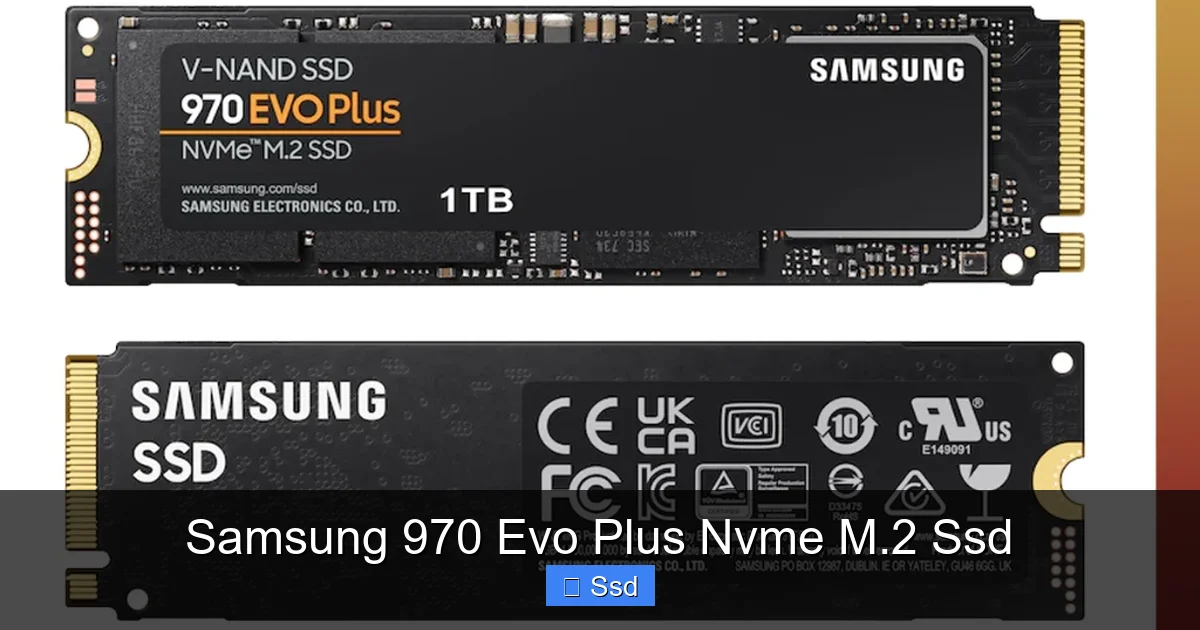
One of the great joys of M.2 NVMe drives is their simplicity. There’s no power cable, no data cable—just a single screw.
Visual guide about Samsung 970 Evo Plus Nvme M.2 Ssd
Image source: down-id.img.susercontent.com
Step-by-Step Installation
1. Power Down & Unplug: Completely shut down your PC and unplug the power cable. Press the power button once to discharge residual power.
2. Open the Case: Locate the M.2 slot on your motherboard. It’s usually near the CPU or below the primary PCIe x16 slot. Check your motherboard manual to be sure.
3. Remove the Heatsink/Screw: If your motherboard has an M.2 heatsink, you’ll need to unscrew it first. If not, there will be a small standoff and screw holding nothing in place. Remove the screw.
4. Insert the Drive: Hold the 970 Evo Plus by the edges. Align the notch on the drive’s connector with the keying in the M.2 slot (it only fits one way). Insert it at a slight angle (about 30 degrees) until it’s securely seated.
5. Secure It: Push the drive down flat against the motherboard and secure it with the screw you removed. Don’t overtighten—firm is enough.
6. Reassemble & Boot: Put your case side panel back on, plug in, and boot. Your new drive will appear as unallocated space in Windows Disk Management. You’ll need to initialize and format it (usually as NTFS) before it shows up in File Explorer.
Cloning Your Old Drive
If you’re replacing your old system drive and want an exact copy, cloning is the way to go. Use Samsung’s own free Data Migration software. It’s incredibly user-friendly. Install the new 970 Evo Plus alongside your old drive, run Data Migration, and it will copy everything—OS, programs, files—to the new drive. Once done, you simply swap the old drive for the new one in the M.2 slot and boot. It’s seamless.
The Competition and Value Proposition in 2024
The storage market moves fast. So, where does the venerable 970 Evo Plus stand today? It’s no longer the newest or absolute fastest on paper, but its value story is nuanced.
vs. Samsung’s Own Lineup
Samsung’s current flagship is the 990 Pro (PCIe 4.0), which is significantly faster in sequential speeds and slightly more efficient. For users with PCIe 4.0 motherboards, the 990 Pro is the better buy if you need every last MB/s. The 980 Pro (also PCIe 4.0) is a generation older but still excellent and often found on sale. The 970 Evo Plus’s direct predecessor, the 970 Evo, is now obsolete. The 970 Evo Plus sits as Samsung’s last and best PCIe 3.0 offering.
vs. The PCIe 4.0 Competition
Drives like the WD Black SN850X, Crucial T500, and Sabrent Rocket 4 Plus are PCIe 4.0 drives that offer similar or better real-world performance than the 970 Evo Plus in PCIe 3.0 mode, often at similar or even lower prices per GB. If you have a PCIe 4.0 slot, buying the 970 Evo Plus is usually a step backwards in value unless it’s on an exceptional sale. However, if your motherboard is PCIe 3.0, these drives will simply run at PCIe 3.0 speeds, making the 970 Evo Plus’s native PCIe 3.0 optimization a slight advantage.
vs. Budget PCIe 3.0 Drives
This is the most interesting comparison. Drives from brands like Crucial (P3/P3 Plus), Kingston (NV2), and Team Group (MP33) use less expensive controllers and QLC NAND in some cases. Their sequential write speeds can be lower, especially when the SLC cache (a fast buffer) fills up. For general use and many games, the difference is imperceptible. For heavy, sustained writes (video editing), the 970 Evo Plus’s more consistent performance and higher endurance justify its price premium. You are paying for Samsung’s build quality, superior controller, and brand reliability.
The Verdict on Value
The Samsung 970 Evo Plus is no longer the “value king.” You are paying a premium for the Samsung name, proven reliability, and top-of-class PCIe 3.0 performance. Its value is highest for:
- Users with older PCIe 3.0 motherboards who want the absolute best drive for that slot.
- Professionals who prioritize consistent write performance and endurance over raw sequential speed.
- Anyone who wants the peace of mind that comes from Samsung’s industry-leading warranty and support.
If you have a newer motherboard, look at PCIe 4.0 options first. If you’re on a tight budget, a good budget PCIe 3.0 drive is perfectly capable.
Final Thoughts: Is the Samsung 970 Evo Plus Still Worth It?
We’ve covered the tech, the performance, and the market position. So, should you buy it? The answer is a confident “it depends.” The Samsung 970 Evo Plus NVMe M.2 SSD is a masterpiece of engineering. It represents the peak of what the PCIe 3.0 interface can do. Its combination of blistering speed, exceptional endurance, and Samsung’s reputation for reliability is hard to beat for its specific niche. The 5-year warranty is a powerful statement of confidence in the product’s longevity.
However, the PC landscape evolves. PCIe 4.0 is now mainstream, and PCIe 5.0 is on the horizon. If you are building a new system with a recent AMD or Intel platform, you have faster options that are often similarly priced. The performance delta in everyday tasks between a great PCIe 3.0 and PCIe 4.0 drive is subtle, but for professionals moving terabytes of data, it’s real. For you, the 970 Evo Plus is a legacy champion—the best of the previous generation, but not the current titleholder.
Where it truly shines is as an upgrade for an existing system. If you have a desktop from 2016-2021 with an M.2 slot that’s currently empty or filled with a slower drive, the 970 Evo Plus is arguably the single most impactful upgrade you can make. It will make an older system feel dramatically younger and more responsive. The installation is simple, the performance leap is visceral, and the drive’s reliability means it will likely outlive the rest of your PC.
In the end, the Samsung 970 Evo Plus is not about being the cheapest or even the absolute fastest (on paper) in 2024. It’s about being a proven, dependable, and incredibly fast workhorse. It’s the Toyota Land Cruiser of storage—not always the flashiest, but built to last and capable of handling anything you throw at it with quiet competence. If that aligns with your needs and your motherboard speaks PCIe 3.0, you can’t go wrong.
Frequently Asked Questions
Is the Samsung 970 Evo Plus compatible with my motherboard?
It requires an M.2 slot that supports the PCIe NVMe protocol (key M, not just SATA). Most motherboards from 2017 onward have at least one such slot. Check your motherboard manual or specifications to confirm the M.2 slot supports PCIe NVMe drives and its length (2280 is standard).
Do I need a heatsink for the Samsung 970 Evo Plus?
While not strictly required for basic use, a heatsink is highly recommended. This drive can run hot under sustained workloads, which can lead to thermal throttling (reduced speed). Many modern motherboards include an M.2 heatsink. If yours doesn’t, an inexpensive aftermarket heatsink will help maintain peak performance, especially during large file transfers or heavy creative work.
What’s the difference between the 970 Evo Plus and the 970 Pro?
The 970 Pro uses Samsung’s higher-end 2-bit MLC (Multi-Level Cell) V-NAND. MLC is generally more durable and has higher endurance (TBW) than the TLC (3-bit) in the Evo Plus, but it’s also more expensive to manufacture. For the vast majority of users, the endurance and performance of the Evo Plus are more than sufficient. The Pro is targeted at extreme professional workloads with near-constant, heavy write cycles.
How long will the Samsung 970 Evo Plus last?
It’s built for longevity. The 1TB model has an endurance rating of 600 TBW (Total Bytes Written). This means you could write 600 terabytes of data to it before the warranty’s endurance limit is reached. For context, writing 50 GB per day would take over 32 years to reach that limit. Combined with its 5-year limited warranty, it’s a very durable drive for typical consumer and prosumer use.
Will it improve my FPS in games?
It will not increase your raw frames per second (FPS) in games, as that is dictated primarily by your GPU and CPU. However, it will drastically reduce in-game loading screens, level load times, and texture pop-in. In open-world games, it can eliminate stuttering caused by the storage drive being too slow to stream new assets into memory as you move through the world.
Is it worth buying in 2024 if I have a PCIe 4.0 motherboard?
Probably not, unless you find it at a significant discount. For a PCIe 4.0 system, drives like the Samsung 980 Pro/990 Pro, WD Black SN850X, or Crucial T500 offer higher sequential speeds and are often similarly priced. The real-world gaming difference is small, but for professionals doing large sequential file work, the PCIe 4.0 drive will be faster. The 970 Evo Plus is still an excellent drive, but it’s optimized for the older PCIe 3.0 standard.
15 Comments