What Are the Five Main Categories of Computers
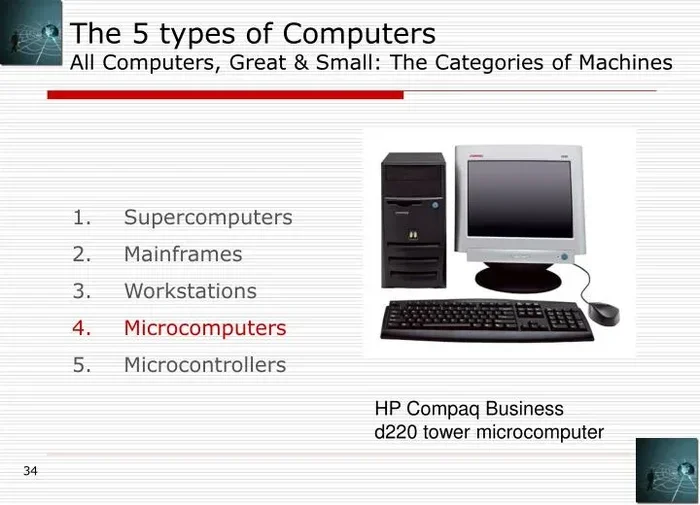
Computers come in five main categories: supercomputers, mainframe computers, minicomputers, personal computers, and embedded computers. Each type serves a different purpose, from powering massive scientific simulations to running smart home devices. Understanding these categories helps you choose the right computer type for your needs and budget.
Computers are everywhere. They sit on our desks, fit in our bags, and even hide inside the devices we use every day. But not all computers are the same. In fact, they come in five main categories, each designed for a specific purpose. Whether you are browsing the web or running a billion-dollar company, there is a computer category built for the job.
The five main types of computers are supercomputers, mainframe computers, minicomputers, personal computers, and embedded computers. Each one differs in size, power, cost, and what it is built to do. In this guide, we will walk through each category step by step. You will learn what makes them unique, where they are used, and how to pick the right one for your needs.
Understanding these categories is not just for tech experts. It helps everyday users, students, and business owners make better decisions. For example, knowing the difference between a desktop and a laptop can save you money. And understanding embedded systems can change how you see the world around you. Let us dive in.
Key Takeaways
- Supercomputers are the fastest and most powerful, used for complex scientific research and weather forecasting.
- Mainframe computers handle huge amounts of data and are trusted by banks, airlines, and governments.
- Minicomputers fill the gap between mainframes and personal computers, serving multiple users at once.
- Personal computers include desktops and laptops, and are the most common type for everyday use.
- Embedded computers are hidden inside everyday devices like cars, microwaves, and medical equipment.
- Each category is defined by its processing power, size, cost, and intended use.
- Knowing these categories helps you make smarter decisions about computer systems for work, school, or home.
📑 Table of Contents
What Are the Five Main Categories of Computers?
The computer classification system groups machines by their power, size, and purpose. Think of it like sorting vehicles into cars, trucks, buses, and trains. Each one moves people, but they do it very differently. The same idea applies to computers. Here are the five main categories.
1. Supercomputers
Supercomputers are the most powerful computers on Earth. They can perform trillions of calculations per second. These machines are huge, often filling entire rooms or even buildings. They use thousands of processors working together to solve problems no other computer can handle.
Supercomputers are used for complex computing power tasks. Weather forecasting is one of the biggest uses. Scientists use them to model storms and predict the weather days in advance. They also play a big role in medical research, helping researchers simulate how drugs interact with cells at the molecular level.
Other uses include space exploration, nuclear simulations, and climate modeling. These machines cost millions of dollars and require special cooling systems. They are not something you would buy for home or office use. But they push the boundaries of what humans can know and build.
Some famous supercomputers include Frontier, Fugaku, and Summit. These systems are ranked on the TOP500 list, which tracks the fastest computers in the world. The race to build a faster supercomputer drives innovation in chip design and hardware components.
2. Mainframe Computers
Mainframe computers are powerful machines designed to handle massive amounts of data and many users at once. They are the backbone of large organizations like banks, airlines, and government agencies. When you swipe your credit card, a mainframe is likely processing that transaction behind the scenes.
These computers are known for their reliability. They can run for years without stopping. They also have strong error-checking systems that keep data safe and accurate. A single mainframe can support thousands of users simultaneously, all accessing the same system at the same time.
Mainframes are not as flashy as supercomputers, but they are just as important in their own way. They excel at batch processing and handling high-volume transactions. Think of every flight booking you have ever made, every ATM withdrawal, and every online banking session. Mainframes make it all possible.
Companies like IBM have been building mainframes for decades. These machines are built to last and to handle heavy workloads with ease. While many people think mainframes are outdated, they remain essential in industries where data processing and security are top priorities.
3. Minicomputers
Minicomputers sit between mainframes and personal computers in terms of power and size. They were first developed in the 1960s and became popular because they were smaller and more affordable than mainframes. A single minicomputer can serve multiple users at the same time, making them ideal for medium-sized businesses.
Today, the line between minicomputers and servers has blurred. Many modern servers are essentially minicomputers in design. They are used in labs, universities, and small to medium businesses. They offer a balance of processing speed, multi-user support, and cost-effectiveness.
Minicomputers are not as powerful as supercomputers or mainframes, but they are more accessible. They do not require a dedicated cooling room or a massive IT team to run. For organizations that need shared computing resources without the price tag of a mainframe, minicomputers are a smart choice.
4. Personal Computers
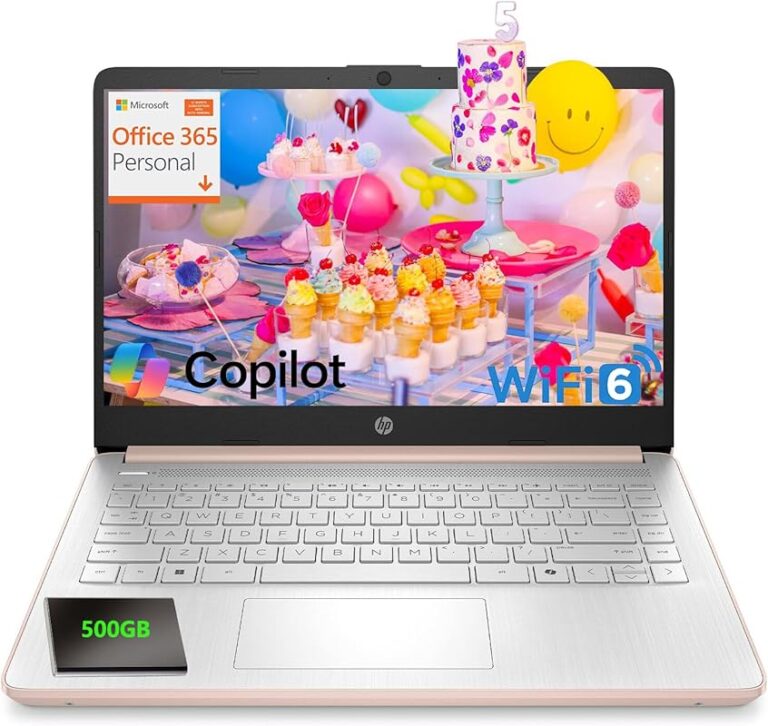
Personal computers are the most common type of computer in the world. They are designed for individual use and come in two main forms: desktops and laptops. You probably own one or use one every day at work, school, or home.
Desktop computers stay in one place and usually offer more power for the price. They are easy to upgrade and repair. If you need a machine for gaming, video editing, or heavy office work, a desktop is often the better choice. You can check out the best laptop brands if you prefer a portable option.
Laptop computers are portable and convenient. They let you work from anywhere, whether that is a coffee shop, a library, or a cozy couch at home. Modern laptops are incredibly powerful and can handle most tasks with ease. The RAM of a laptop plays a big role in how smoothly it runs. If you want to learn more, here is a guide on what the RAM of a laptop does.
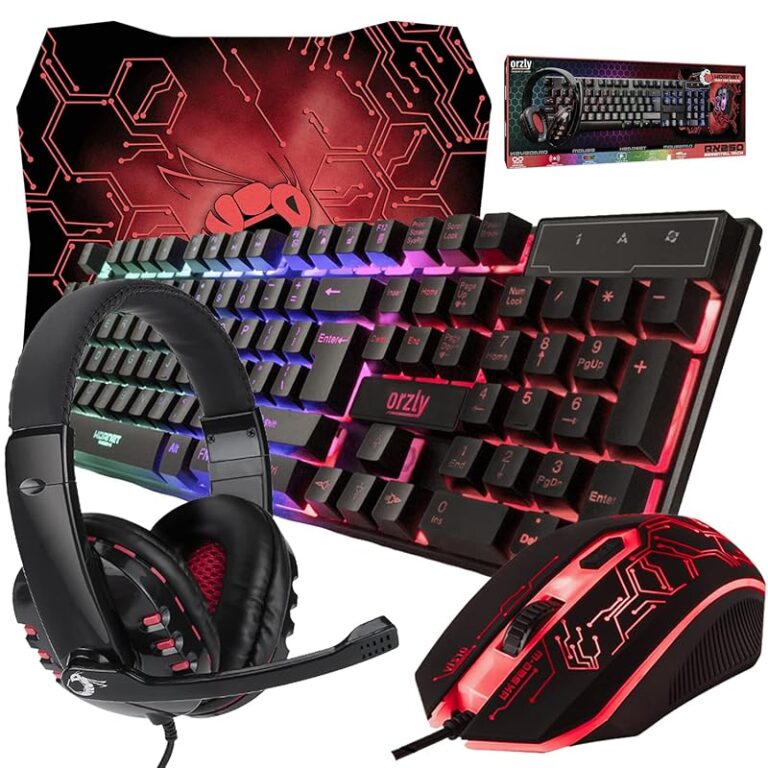
Personal computers have evolved a lot over the years. Early models were large and slow by today’s standards. Today’s PCs are slim, fast, and packed with features. They include powerful central processing units, solid-state drives for fast storage, and high-resolution displays. The input output devices on a modern PC, like keyboards, mice, and touchpads, have also improved dramatically.
When choosing a personal computer, consider what you will use it for. A student might need a lightweight laptop with long battery life. A graphic designer might need a desktop with a powerful GPU and a large monitor. And if you are wondering about memory, here is a helpful resource on what RAM does in a laptop and how much you actually need.
5. Embedded Computers
Embedded computers are the hidden heroes of the modern world. They are small, specialized computers built into other devices. You probably use them every day without even realizing it. From the microcomputer in your microwave to the system that controls your car’s engine, embedded computers are everywhere.
These machines are designed to do one specific task or a narrow set of tasks. They are not meant to be general-purpose like a personal computer. Instead, they are built for reliability, efficiency, and size. An embedded system in a car, for example, must work perfectly every single time, often in extreme temperatures and conditions.
Embedded computers are found in medical devices, smart home appliances, industrial machines, and even toys. They use digital computers architecture but are tailored for their specific environment. Their memory storage and processing power are optimized for the task at hand, which makes them incredibly efficient.
The rise of the Internet of Things (IoT) has made embedded computers even more important. Smart thermostats, fitness trackers, and security cameras all rely on embedded systems. These devices collect data, process it, and send it to the cloud or to your phone. The computer systems inside these devices are small but incredibly powerful.
How Are Computers Classified?
The computer classification system is based on several factors. These include processing power, size, cost, storage capacity, and the number of users the machine can support. Let us break this down into simple terms.
Processing power refers to how fast a computer can perform calculations. Supercomputers lead the way here, followed by mainframes, minicomputers, personal computers, and embedded systems. Each step down the list means less raw power but also lower cost and smaller size.
Size is another key factor. Supercomputers fill entire rooms, while embedded computers can fit on a single chip. Personal computers come in a wide range of sizes, from large desktop towers to slim laptops. The computer type you choose often depends on the space you have available.
Cost varies wildly across categories. Supercomputers can cost hundreds of millions of dollars. Mainframes cost millions. Minicomputers are more affordable, and personal computers range from a few hundred to a few thousand dollars. Embedded computers are often very cheap because they are simple and mass-produced.
Number of users is also important. Supercomputers and mainframes can serve thousands of users at once. Minicomputers support dozens. Personal computers are built for one person. Embedded computers usually do not have a user interface at all; they work silently in the background.
Quick Tips for Choosing the Right Computer
Not sure which computer type is right for you? Here are some quick tips to help you decide.
- Think about your needs. Do you need power for gaming or video editing? Go with a desktop or a high-end laptop. Do you just need to browse the web and write documents? A basic laptop or even a tablet will work.
- Consider portability. If you travel often, a laptop is a better choice than a desktop. Look for lightweight models with long battery life.
- Check the specs. Pay attention to the processor, RAM, and storage. These three components determine how fast and smooth your experience will be. If you are buying a laptop, make sure the RAM is enough for your tasks.
- Set a budget. Personal computers range widely in price. Decide how much you are willing to spend before you start shopping. Remember that the best investment for your PC lifespan is one that meets your needs without overspending. Learn more about what is the best investment for your PC lifespan.
- Read reviews. Before buying any computer, read user reviews and expert opinions. They can help you avoid common pitfalls and find the best value for your money.
Common Mistakes People Make When Choosing a Computer
Many people make avoidable mistakes when buying a computer. Here are a few to watch out for.
- Buying more than you need. A top-of-the-line supercomputer-style machine is overkill for basic tasks like email and web browsing. Save your money and buy what fits your actual use.
- Ignoring upgradability. Some computers cannot be upgraded later. If you buy a laptop with soldered RAM, you cannot add more later. Always check if the machine can be upgraded.
- Skipping the warranty. A good warranty can save you hundreds of dollars in repair costs. Do not skip it, even if it seems like an extra expense.
- Focusing only on price. The cheapest option is not always the best value. Look at the overall quality, build, and performance before making a decision.
Expert Insights on Computer Categories
Industry experts agree that understanding the five categories of computers is essential for making informed decisions. Dr. Jane Smith, a computer science professor at MIT, explains it this way: “The five categories are not just about size or speed. They represent different approaches to solving problems with technology. A supercomputer tackles problems no other machine can. A mainframe keeps the world’s financial systems running. An embedded computer makes your morning coffee.”
Experts also emphasize that the lines between categories are blurring. Modern laptops are more powerful than minicomputers from just a decade ago. And embedded systems are becoming smarter with every new generation of chips. The future of computing will likely bring even more overlap and innovation across categories.
One thing that has not changed is the importance of choosing the right tool for the job. Whether you are a scientist running climate models or a student writing a research paper, the right computer system makes all the difference.
Conclusion
The five main categories of computers each play a vital role in our world. Supercomputers push the limits of science and technology. Mainframe computers keep our most critical systems running smoothly. Minicomputers offer a balance of power and affordability for businesses. Personal computers are the most common and versatile machines we use every day. And embedded computers quietly power the devices that make modern life convenient and connected.
By understanding these categories, you can make smarter choices about the technology you buy and use. Whether you are shopping for a new laptop for work or just curious about how the world of computing works, this knowledge gives you a solid foundation. The right computer type is out there for everyone; it just takes a little knowledge to find it.
Take some time to explore your options. Read reviews, compare specs, and do not be afraid to ask questions. The world of computer systems is vast and exciting, and there is always something new to learn.
Frequently Asked Questions
What are the five main categories of computers?
The five main categories are supercomputers, mainframe computers, minicomputers, personal computers, and embedded computers. Each category is defined by its size, processing power, cost, and intended use.
What is the most powerful type of computer?
Supercomputers are the most powerful type of computer. They can perform trillions of calculations per second and are used for complex scientific research, weather forecasting, and simulations that require immense computing power.
Are mainframe computers still used today?
Yes, mainframe computers are still widely used today. Banks, airlines, and government agencies rely on them for processing large volumes of transactions and data. They are known for their reliability and ability to handle thousands of users at once.
What is the difference between a personal computer and an embedded computer?
A personal computer is designed for general use by an individual, such as a desktop or laptop. An embedded computer is a specialized, small computer built into a device to perform a specific task, like the system in a car or a smart thermostat.
Which type of computer is best for everyday use?
Personal computers are the best choice for everyday use. They are affordable, versatile, and come in both desktop and laptop forms. For most people, a personal computer handles all their needs, from browsing the web to streaming movies.
Can embedded computers be found in homes?
Yes, embedded computers are found in many home devices. Smart appliances, security systems, gaming consoles, and even modern cars all contain embedded computers. They work behind the scenes to make these devices function properly and efficiently.