What Is an Erp Server
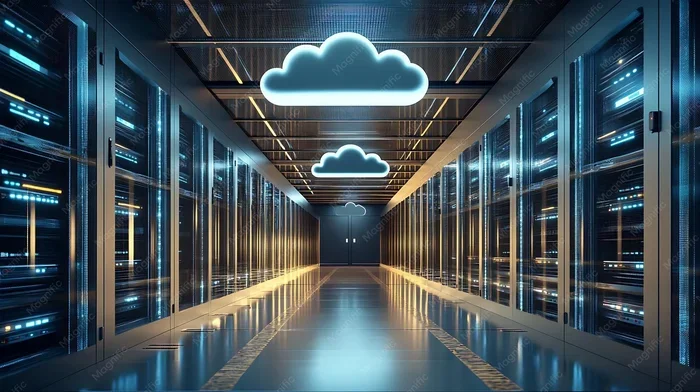
An ERP server is the backbone of an enterprise resource planning system, hosting all business data and applications in one place. It manages everything from inventory and finances to human resources and customer relationships. Whether cloud-based or on-premise, an ERP server helps companies streamline operations and make smarter decisions.
Running a business means juggling a lot of moving parts. You have inventory to track, finances to manage, employees to support, and customers to satisfy. Doing all of this with separate tools can be a nightmare. That is where an ERP server comes in.
An ERP server acts as the central hub for all your business operations. It connects different departments and processes into one unified system. Think of it as the brain of your business. In this guide, we will break down exactly what an ERP server is, how it works, and why so many companies rely on it.
## What Does ERP Stand For?
ERP stands for Enterprise Resource Planning. It is a type of software that organizations use to manage day-to-day business activities. These activities include accounting, procurement, project management, and supply chain operations.
### Why Is ERP Important?
ERP systems matter because they bring everything together. Without an ERP system, different departments often use different tools. Your finance team might use one software. Your warehouse team uses another. Your HR team uses yet another. This creates data silos and confusion.
An ERP server solves this problem. It stores all data in one place. Everyone accesses the same information. This leads to better decisions and smoother operations.
### How Does an ERP Server Work?
At its core, an ERP server hosts applications and data that multiple users can access. It runs on either local hardware or cloud infrastructure. The server manages requests from different users and departments. It ensures data stays consistent and up to date.
When someone in sales updates a customer record, the change appears everywhere. The finance team sees it. The warehouse team sees it. This real-time sharing is what makes ERP servers so powerful.
## Types of ERP Servers
Not all ERP servers are the same. Companies have different needs, and the right choice depends on several factors. Let us look at the main types.
### On-Premise ERP Servers
An on-premise ERP server lives on your company’s own hardware. You install it in your office or data center. You are responsible for maintenance, updates, and security.
This type gives you full control over your data. It works well for companies with strict security requirements. However, it requires upfront investment in hardware and IT staff.
### Cloud-Based ERP Servers
Cloud-based ERP servers run on remote servers managed by a provider. You access them through the internet. This approach is often called cloud ERP.
Cloud ERP offers flexibility and scalability. You do not need expensive hardware. The provider handles updates and security. Many modern businesses prefer this option because it fits into a SaaS environment easily.
### Hybrid ERP Servers
Some companies use a mix of both approaches. They keep sensitive data on-premise while using the cloud for less critical functions. This hybrid model offers the best of both worlds.
## Key Modules of an ERP Server
An ERP server includes many different modules. Each module handles a specific business function. Let us explore the most common ones.
### Financial Management
The finance module tracks all money coming in and going out. It handles accounts payable, accounts receivable, and general ledger. It also manages budgeting and financial reporting.
With an ERP server, your finance team always has accurate data. They can generate reports instantly. This saves time and reduces errors.
### Human Resources Management
The HR module manages employee information, payroll, benefits, and attendance. It helps HR teams handle hiring, onboarding, and performance reviews.
An ERP server makes HR processes smoother. Employees can access their own records. Managers can approve time-off requests online. Everyone stays informed.
### Inventory and Supply Chain Management
This module tracks stock levels, orders, and deliveries. It helps businesses avoid overstocking or running out of products. Supply chain management features optimize the entire flow of goods.
When inventory drops below a set level, the system can auto-reorder. This keeps operations running without manual intervention.
### Customer Relationship Management
The CRM module tracks customer interactions and sales pipelines. It helps teams manage leads, follow up on opportunities, and provide better service.
An ERP server with CRM keeps all customer data in one place. Sales reps see the full history of each customer. This leads to more personalized service and better sales results.
### Project Management
Many ERP servers include project management tools. These help teams plan, track, and complete projects on time. They assign tasks, set deadlines, and monitor progress.
If you want to learn more about how project management fits into business operations, you can explore dedicated resources on the topic. Project management modules within an ERP system ensure that every team stays aligned and productive.
## Benefits of Using an ERP Server
Why do so many businesses invest in an ERP server? The benefits are significant and far-reaching.
### Improved Efficiency
An ERP server automates repetitive tasks. Employees spend less time on manual data entry. They focus on higher-value work instead. This boosts overall productivity.
### Better Decision Making
With real-time data, leaders make faster and better decisions. Dashboards and reports provide clear insights into business performance. You can spot trends and address problems early.
### Enhanced Collaboration
When everyone uses the same system, collaboration improves. Departments share information easily. Teams work together more effectively. This breaks down the silos that plague many organizations.
### Cost Savings
While an ERP server requires an upfront investment, it saves money in the long run. It reduces duplicate work, errors, and inefficiencies. Many companies see a strong return on investment within a few years.
### Scalability
A good ERP server grows with your business. You can add users, modules, and features as needed. Whether you are a small startup or a large enterprise, the system adapts.
## Choosing the Right ERP Server
Selecting the right ERP server is a big decision. It affects every part of your business. Here are some factors to consider.
### Assess Your Business Needs
Start by identifying your biggest challenges. What processes need improvement? Which departments need better tools? Make a list of must-have features.
### Consider Your Budget
ERP servers vary widely in cost. Cloud-based options often use subscription pricing. On-premise solutions require higher upfront costs. Factor in implementation, training, and ongoing maintenance.
### Evaluate Integration Capabilities
Your ERP server should work with your existing tools. Check if it integrates with your CRM, e-commerce platform, or accounting software. Seamless integration reduces friction and data errors.
### Think About Future Growth
Choose a server that can handle your future needs. Consider how fast your business is growing. Will the ERP system scale accordingly? Planning ahead saves time and money later.
## Common Mistakes to Avoid
Many companies make avoidable mistakes when implementing an ERP server. Here are a few to watch out for.
### Skipping the Planning Phase
Rushing into an ERP implementation without proper planning leads to problems. Take time to map out your processes and goals. Involve key stakeholders early.
### Ignoring Employee Training
An ERP server is only as good as the people using it. Invest in thorough training for all users. Make sure everyone understands how to navigate the system.
### Overlooking Data Migration
Moving data to a new ERP server is complex. Plan your migration carefully. Clean up old data before the move. Test thoroughly before going live.
## The Future of ERP Servers
ERP technology continues to evolve. New trends are shaping the future of enterprise software.
### AI and Machine Learning
Artificial intelligence is making ERP servers smarter. AI can predict demand, detect anomalies, and automate routine tasks. Machine learning improves over time, making the system more efficient.
### Mobile Access
Modern ERP servers offer mobile access. Managers can check reports from their phones. Field workers can update inventory on the go. This flexibility is becoming essential.
### Greater Customization
Today’s ERP systems are more customizable than ever. Businesses can tailor modules to fit their unique needs. This flexibility makes ERP servers accessible to companies of all sizes.
## Final Thoughts
An ERP server is a powerful tool for any business. It centralizes data, streamlines operations, and improves decision-making. Whether you choose an on-premise or cloud-based solution, the right ERP server transforms how you work.
The key is to choose wisely, plan carefully, and invest in proper training. With the right approach, an ERP server becomes the foundation for long-term growth and success.
Key Takeaways
- Centralized Control: An ERP server brings all business data into one unified system, eliminating silos and duplication.
- Two Main Types: You can choose between cloud-based or on-premise ERP servers depending on your business needs.
- Key Modules: ERP servers handle finance, HR, inventory, supply chain, and customer relationship management.
- Project Management Integration: Many ERP servers include tools for tracking projects and team workflows.
- Scalability Matters: A good ERP server grows with your business, handling more users and data over time.
- Cloud ERP Advantage: Cloud-based ERP servers often run in a SaaS environment, making them easier to deploy and maintain.
Frequently Asked Questions
What is the main purpose of an ERP server?
The main purpose of an ERP server is to centralize all business data and processes into one unified system. It connects departments like finance, HR, inventory, and sales so everyone works from the same information. This improves efficiency, accuracy, and decision-making across the organization.
How is a cloud ERP server different from an on-premise server?
A cloud ERP server runs on remote infrastructure managed by a provider, and you access it through the internet. An on-premise server sits on your own hardware inside your office. Cloud servers offer more flexibility and lower upfront costs, while on-premise servers give you more direct control over your data and security.
What does ERP stand for?
ERP stands for Enterprise Resource Planning. It refers to a type of software that helps businesses manage and integrate their core processes. An ERP server hosts these applications and makes them accessible to authorized users across the organization.
How much does an ERP server cost?
The cost varies widely based on the type, size, and features of the system. Cloud ERP servers usually use monthly subscription pricing, which can range from a few hundred to several thousand dollars per month. On-premise servers require higher upfront costs for hardware and licensing but may have lower ongoing fees.
Can a small business benefit from an ERP server?
Absolutely. Many ERP solutions are designed specifically for small and growing businesses. They offer scalable modules that you can add as your needs grow. Even small teams benefit from centralized data, automated workflows, and better collaboration tools.
How long does it take to implement an ERP server?
Implementation timelines vary depending on the complexity of the system and the size of the organization. A small business might go live in a few months, while larger enterprises could take a year or more. Proper planning, data migration, and employee training all affect the timeline.