What Is Built in Wifi

Built in wifi is a wireless networking feature built directly into your laptop that lets you connect to the internet without any extra cables or adapters. It uses a wireless card and antenna inside your device to pick up WiFi signals from your router. Understanding how this technology works helps you get the best wireless connection every time.
If you own a laptop, there is a good chance it has built in wifi. This feature lets you jump online without plugging in any extra cables or gadgets. But what exactly does built in wifi mean? And how does it work inside your machine?
In this guide, we will break everything down in simple terms. You will learn how wireless connectivity works on laptops, the benefits it brings, and how to get the most out of it. Whether you are a student, a remote worker, or just someone who loves browsing the web, this guide has you covered.
Key Takeaways
- Built in wifi saves you from carrying extra dongles or adapters.
- Most modern laptops come with WiFi 5 or WiFi 6 standards for fast speeds.
- Your laptop’s internal antenna plays a big role in signal strength.
- You can boost your wireless connection with simple tips like positioning and driver updates.
- Built in wifi is different from external adapters in terms of convenience and performance.
- Common issues like slow speeds often have easy fixes.
📑 Table of Contents
What Does Built In Wifi Mean?
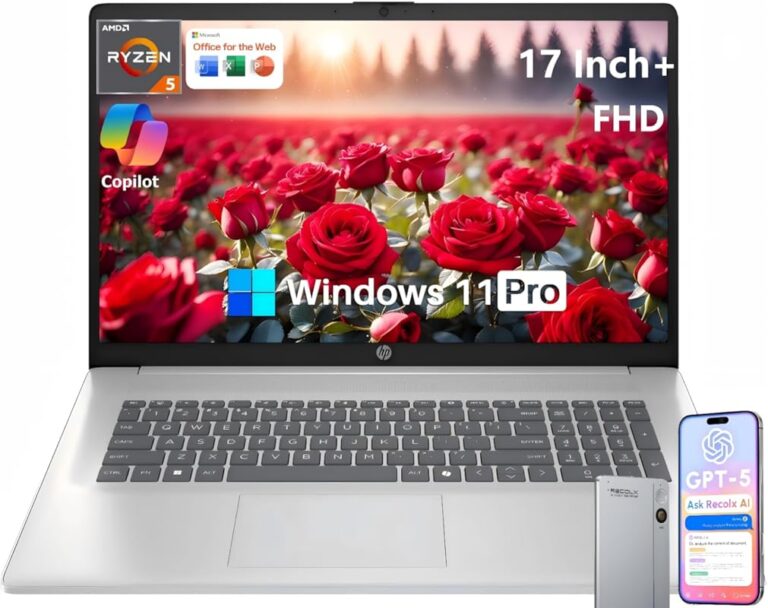
Built in wifi means your laptop has a wireless network adapter already installed inside the device. You do not need to plug in any external device to connect to the internet. The WiFi card and tiny antenna are hidden inside your laptop’s chassis from the factory.
This is different from older laptops that required you to buy and plug in a separate WiFi adapter. With built in wireless technology, everything is ready to go the moment you open your laptop. You just look for available networks and click connect.
Most laptops made after 2012 come with built in wifi as a standard feature. It is now as common as having a keyboard or trackpad. This makes laptop connectivity much simpler for everyday users.
How Does Built In Wifi Work?
Your laptop’s wireless card sends and receives radio waves. These waves travel between your laptop and your router. The internal antenna inside your laptop picks up these signals and translates them into data your computer can use.
Here is how the process works in simple steps:
- Your router sends out a wireless signal through the air.
- The antenna inside your laptop picks up that signal.
- The WiFi card decodes the signal into usable data.
- Your laptop displays the internet on your screen.
This all happens in milliseconds. You barely notice it is happening. That is the beauty of built in wifi technology.
Benefits of Built In Wifi on Laptops
Having built in wifi gives you several real advantages. Let us look at why this feature matters so much.
1. Portability and Convenience
The biggest benefit is freedom. You can sit anywhere in your home or office and connect to the internet. No cords. No extra devices. Just open your laptop and go online.
This is especially helpful for people who work from coffee shops, libraries, or parks. Your laptop connectivity is always ready whenever you need it.
2. Cleaner Setup
With built in wireless, your laptop stays clean and clutter-free. There are no USB dongles sticking out. Nothing extra to carry around. Your setup looks neat and professional.
This also means fewer things to lose or forget when you travel. Everything you need is already inside your laptop.
3. Faster and More Reliable Connections
Modern built in wifi cards support the latest WiFi standards. These include WiFi 5 and WiFi 6. These standards offer much faster speeds than older technology.
For example, WiFi 6 can deliver speeds up to 9.6 Gbps. That is plenty for streaming videos, video calls, and online gaming. The internal antenna is also designed to work perfectly with your laptop’s body for the best signal.
4. Better Battery Life
External WiFi adapters use extra power. They plug into your USB port and drain your battery faster. Built in wifi uses less energy because it is designed specifically for your laptop.
This means you can browse the web or stream videos for longer without hunting for a charger. Your battery lasts longer when you rely on built in wireless instead of external devices.
Built In Wifi vs External WiFi Adapters
Some people still use external WiFi adapters instead of relying on built in wifi. Let us compare the two so you can understand the differences.
| Feature | Built In Wifi | External WiFi Adapter |
|---|---|---|
| Convenience | Always ready, no setup needed | Requires plugging in and setup |
| Portability | No extra items to carry | Extra device to bring along |
| Signal Strength | Good, depends on internal antenna | Can be stronger with better antennas |
| Battery Impact | Low power usage | Uses more battery power |
| Speed | Supports latest WiFi standards | Varies by model and brand |
| Cost | Included with your laptop | Costs extra, $15 to $50 |
For most users, built in wifi is the better choice. It is convenient, costs nothing extra, and works great for everyday tasks. External adapters are useful only in special cases, like when your laptop is very old or when you need a stronger wireless signal in a large space.
If your laptop does not have built in wifi, you can still connect to the internet using a USB adapter. But remember, this adds bulk and uses more power. Many users find that checking whether their laptop supports wireless networking before buying saves them a lot of hassle later.
Common Issues with Built In Wifi
Even though built in wifi is reliable, you might run into problems sometimes. Here are the most common issues and what causes them.
Slow Internet Speeds
If your wireless connection feels slow, the first thing to check is your distance from the router. The farther you are, the weaker the wireless signal becomes. Walls and furniture can also block the signal.
Another common cause is outdated drivers. Your WiFi card needs the latest software to work at its best. You can usually update drivers through your laptop manufacturer’s website or through Windows Update.
WiFi Keeps Disconnecting
This can be frustrating. Often, it happens because your laptop antenna is not getting a strong enough signal. Moving closer to your router can help.
Sometimes the issue is with your network adapter settings. Restarting your laptop or resetting your network settings often fixes this problem quickly.
Cannot Find Any Networks
If your laptop cannot see any WiFi networks, your wireless card might be turned off. Many laptops have a physical switch or a function key that turns the wireless on and off. Check your keyboard for a WiFi icon and try pressing it.
Tips to Get the Most from Your Built In Wifi
You can improve your wireless connection with a few simple steps. Here are some practical tips that really work.
- Update your WiFi drivers regularly. This keeps your network adapter running smoothly.
- Place your router in a central spot in your home. This helps the wireless signal reach your laptop more easily.
- Restart your router once a week. This clears temporary glitches and boosts performance.
- Keep your laptop near windows when possible. Walls block WiFi signals, so open spaces work better.
- Use the latest WiFi standard your router supports. If your router has WiFi 6, make sure your laptop does too.
- Avoid interference from other electronics. Microwaves and cordless phones can weaken your wireless networking signal.
These small changes can make a big difference. Your built in wifi will perform much better with just a little attention.
What WiFi Standards Do Modern Laptops Support?
Modern laptops support several WiFi standards. Each new standard brings faster speeds and better range. Here is a quick look at what you might find.
- WiFi 4 (802.11n): Older but still works. Speeds up to 600 Mbps.
- WiFi 5 (802.11ac): Very common in laptops from 2016 onward. Speeds up to 3.5 Gbps.
- WiFi 6 (802.11ax): The newest standard. Speeds up to 9.6 Gbps. Found in premium laptops.
- WiFi 6E: An extension of WiFi 6 that uses a new frequency band for even less congestion.
When buying a new laptop, check which WiFi standard it supports. If you want the fastest wireless connection available, look for WiFi 6 or WiFi 6E. Your laptop connectivity experience will be much better.
It is also worth noting that the router you use matters just as much as your laptop. A WiFi 6 laptop paired with a WiFi 6 router gives you the best results. Using mismatched standards can limit your speed.
The Future of Built In Wifi
Built in wifi technology keeps getting better every year. Manufacturers are always finding ways to make wireless signals stronger and faster. In the near future, we can expect even more improvements.
WiFi 7 is already on the horizon. It promises even faster speeds and lower latency. This is great news for gamers, streamers, and anyone who relies on a strong internet connection. Your next laptop will likely support these new standards right out of the box.
Some laptops now also include WiFi 7 features. These devices offer incredibly fast wireless networking that can handle multiple devices at once. The future of laptop connectivity looks very bright.
One thing is certain: built in wifi will remain a standard feature in every laptop. It is too important to modern computing to ever go away. As long as we need wireless internet, this technology will keep improving.
Conclusion
Built in wifi is one of the most important features on any modern laptop. It gives you fast, convenient, and reliable wireless connectivity without any extra gadgets. Whether you are working, streaming, or just browsing, your built in wifi makes it all possible.
Now that you understand how it works and how to get the best performance, you can enjoy a smoother online experience. Keep your drivers updated, position yourself near your router, and take advantage of the latest WiFi standards. Your wireless connection will thank you for it.
Take a few minutes today to check your laptop’s WiFi settings. Make sure everything is up to date. A small effort now can save you from frustrating connection problems later. Enjoy the freedom of built in wifi and stay connected wherever you go.
Frequently Asked Questions
Is built in wifi the same as a WiFi adapter?
Yes, built in wifi means your laptop has a WiFi adapter already installed inside the device. You do not need to buy or plug in anything extra. The adapter and antenna are part of your laptop’s hardware from the factory.
Can I upgrade my laptop’s built in wifi?
In some cases, yes. Many laptops have a removable WiFi card that you can replace with a newer model. Check your laptop’s manual or contact the manufacturer to see if yours supports upgrades. This can help you get better wireless speeds and access to newer WiFi standards.
Why is my built in wifi not working?
Several things can cause this. Your wireless adapter might need a driver update, or the WiFi might be turned off using a function key. Restarting your laptop or resetting network settings often fixes the problem. If the issue continues, your internal antenna or card may need professional repair.
Does built in wifi drain my laptop battery faster?
No, built in wifi actually uses less power than external adapters. It is designed specifically for your laptop and is optimized for energy efficiency. External USB WiFi adapters tend to drain your battery faster because they draw power from your USB port.
What is the difference between WiFi 5 and WiFi 6 built in wifi?
WiFi 5 (802.11ac) is an older standard that still offers fast speeds. WiFi 6 (802.11ax) is newer and significantly faster, with better performance in crowded areas. If your laptop supports WiFi 6, you will get faster wireless connection speeds when paired with a WiFi 6 router.
Do all laptops have built in wifi?
Almost all modern laptops come with built in wifi as a standard feature. However, some very budget or older models may not include it. If you are buying a used laptop or a very cheap new one, it is worth checking whether it has wireless networking built in before you purchase it.