What Is Firefox Nightly
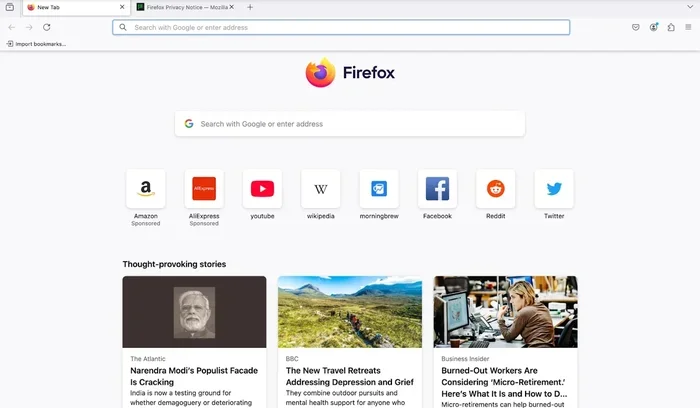
Firefox Nightly is Mozilla’s most experimental browser build, offering the latest web browser features before anyone else. It is an open source early access browser designed for developers and curious users who want to test cutting-edge web technologies. This guide covers what it is, how to install it, and whether it is right for your laptop.
Key Takeaways
- Firefox Nightly is Mozilla’s most experimental browser channel, featuring the newest builds before public release.
- It is ideal for developers who need to test websites and web technologies early.
- You can download it for free from Mozilla’s official website and run it alongside your regular browser.
- It may be unstable, so it is not recommended as your primary daily driver browser.
- It includes experimental features like new rendering engines, privacy tools, and browser performance upgrades.
- Regular Firefox updates feed into Nightly, meaning it is always the first to receive new code.
📑 Table of Contents
What Is Firefox Nightly?
Firefox Nightly is the most experimental version of the Firefox web browser. It is a nightly build that Mozilla creates every single night. Each build contains the newest code changes from developers around the world. Think of it as a peek behind the curtain of the Firefox browser before anything goes live.
This build is part of Mozilla’s Firefox release channel. Mozilla uses three main channels: Release, Beta, and Nightly. Nightly sits at the very top of the pipeline. It gets the latest code first. It is where browser experimentation happens every day. If a new feature is being tested, it usually lands in Nightly before anywhere else.
The Firefox Nightly build is fully open source. Anyone can view the code, contribute, or build their own version. This transparency is a core part of Mozilla’s mission. It means the browser preview you get is shaped by a global community of developers and testers.
Now, you might wonder who actually uses this. Most everyday users stick with the stable Release channel. But Firefox Nightly serves a very specific audience. It is built for developers, early adopters, and people who love to stay ahead of the curve. If you are curious about how the web browser of tomorrow looks today, Nightly is your window.
How Firefox Nightly Differs From Other Firefox Builds
Mozilla offers three main versions of Firefox. Understanding the differences helps you pick the right one for your needs. Here is a quick look at how they compare.
Release Channel
This is the stable version most people use. It has been thoroughly tested. It is reliable and safe for daily use. Browser stability is the top priority here. Updates come every four to six weeks.
Beta Channel
The Beta channel is a middle ground. It features newer features than the Release build. However, it has already passed some testing. It is fairly stable but may have minor bugs. Many users choose Beta as their secondary browser.
Nightly Channel
Firefox Nightly is the wild west. It gets the latest code every 24 hours. It may contain bugs, crashes, or broken features. It is not meant for everyone. But for those who want the cutting edge, it is unmatched. The table below breaks this down clearly.
Key Features Of Firefox Nightly
Firefox Nightly is packed with features that set it apart. Some of these features eventually make their way into the stable release. Others remain experimental and may be removed. Here are the highlights you will find in the nightly build download.
Experimental User Interface Changes
Mozilla often tests new layouts and design changes in Nightly. You might see a redesigned tab bar, a new settings menu, or updated toolbar options. These changes are not final. They give users a chance to provide feedback before anything becomes permanent. This is a key part of the browser preview process.
Advanced Privacy Tools
Firefox has always been a leader in privacy. Nightly often includes experimental privacy features before other channels. You might find new tracking protection rules or enhanced cookie controls. These tools help you browse the web with more confidence. They are especially useful for users concerned about online privacy.
New Web Technologies Support
Developers rely on Nightly to test web technologies as they emerge. New CSS features, JavaScript APIs, and rendering engines often appear here first. If you are building websites or web apps, this is invaluable. It lets you ensure your projects work with the latest standards. You can also test how your site performs across different browser performance levels.
Performance Improvements
Nightly often includes experimental speed optimizations. These might affect how pages load, how tabs consume memory, or how smoothly videos play. Some of these improvements eventually reach the stable release. Others are abandoned after testing. Either way, they push the web browser forward.
Who Should Use Firefox Nightly?
Not everyone needs Firefox Nightly. It is a specialized tool for a specific audience. Let us look at who benefits most from using it.
Web Developers and Designers
If you build websites or web applications, Nightly is a powerful tool. It lets you test your work against the newest web technologies. You can catch compatibility issues early. This saves time and prevents surprises when new features reach the stable release. Using Nightly alongside tools like Webflow or other development platforms can streamline your workflow significantly.
Software Testers and QA Professionals
Quality assurance teams use Nightly to find bugs early. By testing against the most recent build, they can report issues before they affect millions of users. This proactive approach improves the overall quality of the Firefox browser. It also helps Mozilla ship more stable releases.
Curious Early Adopters
Some people simply love new technology. They want to see what is coming next. For these users, Nightly is a playground. They get to try features months before others. They also get to share feedback directly with the Mozilla team. This group keeps the browser experimentation culture alive.
People Who Run Multiple Browsers
Many tech enthusiasts use more than one browser. They might use Chrome for work and Firefox for personal browsing. Adding Nightly to the mix gives them a testing environment. They can compare how different browser performance levels affect their workflow. This is especially useful for software testing purposes.
How To Download And Install Firefox Nightly
Getting started with Firefox Nightly is simple and straightforward. You do not need advanced technical skills. Here is a step-by-step guide to help you.
First, visit the official Mozilla Nightly download page. Make sure you are on the legitimate Mozilla website. Avoid third-party download sites, as they may bundle unwanted software. Mozilla provides a clean, direct download for all platforms.
Next, choose the correct version for your system. Nightly is available for Windows, macOS, and Linux. There is also a version for Android devices. Pick the one that matches your setup. The download file is typically around 30 to 50 megabytes.
Once downloaded, run the installer. The setup process is similar to installing the regular Firefox browser. You can choose your preferences, set it as your default browser, or run it alongside your existing installation. Many users keep Nightly in a separate profile. This prevents any potential instability from affecting their main browsing experience.
After installation, Nightly will update itself automatically every night. You do not need to manually check for updates. Each morning, you will have a fresh build with the latest code changes. This automatic update cycle is what makes the nightly build download so dynamic.
One important tip: back up your data regularly. Because Nightly is experimental, data loss is possible in rare cases. Use Firefox Sync to keep your bookmarks, passwords, and history safe across devices. This simple habit saves a lot of headaches down the road.
Pros And Cons Of Using Firefox Nightly
Every tool has its strengths and weaknesses. Firefox Nightly is no exception. Understanding both sides helps you make an informed decision.
The Pros
- Access to the newest features before anyone else.
- Completely free and open source software.
- Great for developers testing web technologies and compatibility.
- Strong privacy tools that are often experimental.
- Active community support and feedback channels.
- You can run it alongside your main browser without conflicts.
The Cons
- Browser stability can be unpredictable. Crashes may happen more often.
- Some features may break or disappear without warning.
- Not recommended as your primary browser for everyday tasks.
- Experimental code can occasionally affect performance negatively.
- Fewer safety nets compared to the stable Release channel.
If you want a more reliable daily driver, consider the Beta or Release channels instead. You can also explore options like testing your setup with a best emulator for PC 2026 to compare browser performance across different environments. This gives you a broader picture of how browser performance varies without risking your main system.
Should You Use Firefox Nightly On Your Laptop?
The answer depends on what you need. If you are a developer or a tech enthusiast, Firefox Nightly is a fantastic tool. It gives you a front-row seat to the future of the web browser. You get to shape the product through your feedback and bug reports.
If you are a casual user who just wants a reliable browser for shopping, streaming, and social media, stick with the Release channel. Nightly is not designed for that use case. The potential for instability outweighs the benefits of seeing new features a few days earlier.
For power users who run a SaaS environment or manage web-based tools daily, Nightly can be a valuable addition. It helps you stay ahead of compatibility changes. It also ensures your workflows remain smooth as web technologies evolve. Just remember to keep your primary browser stable and use Nightly as a secondary testing tool.
One more thing to keep in mind: your laptop specifications matter. Nightly can be more resource-intensive than the stable build. If your laptop has limited RAM or an older processor, you might notice slower performance. Make sure your system can handle the extra demands before committing to daily use.
Conclusion
Firefox Nightly is a powerful and exciting browser build that pushes the boundaries of what a web browser can do. It is the go-to choice for developers, testers, and early adopters who want to experience the future of the Firefox browser today. With its constant stream of new features, experimental tools, and community-driven development, Nightly represents the cutting edge of open source browser innovation.
However, it is not for everyone. Its experimental nature means occasional instability and bugs. Use it wisely, keep your data backed up, and consider it a supplementary tool rather than a replacement for your daily browser. Whether you are testing web technologies, exploring new privacy features, or simply satisfying your curiosity, Firefox Nightly delivers an unmatched browser preview experience.
Give it a try if you are technically inclined. You might discover a feature that changes how you work. And if you decide it is not for you, switching back to the stable channel takes just a few clicks. The beauty of Firefox Nightly is that there is no risk in exploring. It is free, it is open, and it is always evolving.
Frequently Asked Questions
What is the difference between Firefox Nightly and Firefox Beta?
Firefox Nightly receives new code every night and is the least stable build. Firefox Beta is tested more thoroughly and is more stable. Nightly is for developers and early adopters, while Beta is suitable for users who want new features with fewer bugs.
Can I use Firefox Nightly as my main browser?
You can, but it is not recommended. Nightly may have bugs, crashes, or broken features. For daily browsing tasks, the stable Release channel is a safer and more reliable choice. Use Nightly as a secondary browser for testing purposes.
Is Firefox Nightly safe to use?
Yes, it is safe. It is built by Mozilla, the same organization behind the stable Firefox browser. However, because it is experimental, you may encounter unexpected behavior. Always download it from the official Mozilla website to ensure you get a clean, legitimate build.
How often does Firefox Nightly update?
Firefox Nightly updates automatically every 24 hours. Each morning, a new build is released with the latest code changes from Mozilla developers. This continuous update cycle is what makes it the most cutting-edge version of Firefox.
Do I need a powerful laptop to run Firefox Nightly?
Not necessarily, but Nightly can be more resource-intensive than the stable release. Most modern laptops handle it well. If your laptop is older or has limited RAM, you might notice slower performance. Always check your system requirements before installing any new browser.
Can I run Firefox Nightly alongside my regular Firefox installation?
Yes, you can. Nightly installs as a separate application and does not interfere with your regular Firefox browser. You can even run them side by side. This makes it easy to test features in Nightly while continuing to use your stable browser for everyday tasks.