What Is the Difference Between a 3mb L2 Cache a 6mb L2 Cache
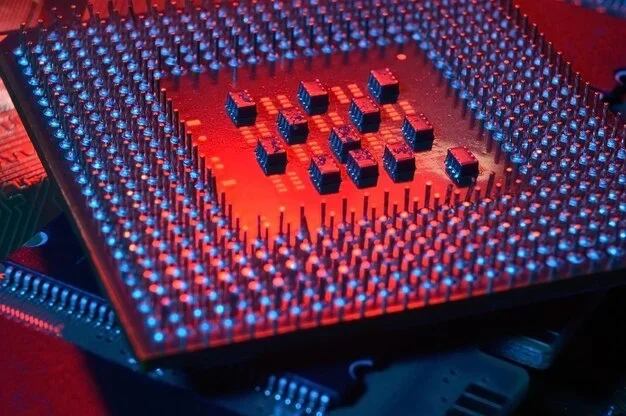
The L2 cache is a critical part of your processor that stores frequently used data for quick access. A 3MB L2 cache and a 6MB L2 cache differ mainly in how much data they can hold close to the CPU core. Larger cache generally means faster data retrieval, better multitasking, and improved gaming performance.
When you are shopping for a processor, you see a lot of numbers and specifications thrown around. One of the most important yet often overlooked specs is the L2 cache size. You might wonder, what is the difference between a 3MB L2 cache and a 6MB L2 cache? The short answer is that a 6MB L2 cache gives your processor more fast-access memory to work with, which can lead to noticeably better performance in many tasks. But the full picture is more interesting than that.
Cache memory sits between your processor cores and your main system memory, also known as RAM. Think of it as a small, super-fast storage area that holds the data your CPU uses most often. When your processor needs information, it checks the cache first. If it finds the data there, that is called a cache hit, and everything moves much faster. If it does not find the data, it has to go all the way to your main memory, which takes more time and slows things down. This is why cache size is such a big deal when comparing processors.
In this article, we will break down everything you need to know about the 3MB L2 cache vs 6MB L2 cache debate. We will look at what each size means, how they affect real-world performance, and whether the bigger cache is worth the extra cost. Whether you are a gamer, a content creator, or just someone who wants a faster PC, this guide will help you make a smart decision.
Key Takeaways
- Cache size matters: A 6MB L2 cache holds twice as much data as a 3MB L2 cache, reducing the need to fetch data from slower main memory.
- Performance gains are real: More cache can improve cache hit rates, meaning the CPU finds what it needs faster without waiting.
- Gaming benefits: Larger L2 cache helps with smoother frame rates and reduced stuttering in modern games.
- Not the only factor: Cache speed, architecture, and core count also play big roles in overall processor performance.
- Price vs. value: Processors with bigger cache often cost more, so weigh your needs before choosing.
- Upgrade wisely: If you are building or upgrading a PC, understanding cache helps you pick the right CPU for your workload.
📑 Table of Contents
- What Is an L2 Cache and Why Does It Matter?
- 3MB L2 Cache vs 6MB L2 Cache: The Core Differences
- How Cache Size Affects Real-World Processor Performance
- Which Processors Use 3MB vs 6MB L2 Cache?
- Does a Larger L2 Cache Always Mean Better Performance?
- Should You Care About L2 Cache Size When Buying a Processor?
What Is an L2 Cache and Why Does It Matter?
Understanding the CPU Cache Hierarchy
Modern processors use a layered cache system to keep data moving quickly. The cache hierarchy typically includes three levels: L1, L2, and L3. Each level is bigger but slower than the one before it. The L1 cache is the smallest and fastest, sitting right inside each CPU core. The L2 cache is a bit larger and sits slightly further from the core. The L3 cache is the biggest and shared across all cores.
The L2 cache plays a vital middle-ground role. It stores data that the L1 cache could not hold and acts as a bridge to the L3 cache and main memory. When your processor is running a program, it constantly pulls data in and out of these cache levels. The more data it can keep in the L2 cache, the less time it spends waiting around for information from slower memory.
How Cache Size Affects Data Retrieval
Think of your L2 cache like a desk. A small desk (3MB) can only hold so many papers at once. A bigger desk (6MB) can hold twice as many, which means you reach for what you need more often and spend less time getting up to fetch things from a filing cabinet. That filing cabinet is your main memory, and the trip to get something from it is what slows your processor down.
A larger L2 cache improves the cache hit rate, which is the percentage of times your processor finds the data it needs right in the cache. A higher hit rate means less waiting and smoother performance. This is especially true for tasks that involve lots of repeated calculations, like rendering video, compiling code, or running complex simulations.
3MB L2 Cache vs 6MB L2 Cache: The Core Differences
What Does a 3MB L2 Cache Mean?
A 3MB L2 cache is a common size found in many mid-range processors. It provides enough fast storage for everyday tasks like web browsing, office work, and light photo editing. For most general users, a 3MB L2 cache is perfectly fine and delivers solid performance without breaking the bank.
Processors with a 3MB L2 cache per core are often found in laptops and budget desktops. They balance cost and performance well. If your daily computing involves email, streaming, and light multitasking, you probably will not notice a big difference compared to a larger cache. The processor speed and core count often matter more in these scenarios.
What Does a 6MB L2 Cache Mean?
A 6MB L2 cache doubles the fast-access storage available to each core. This is common in higher-end desktop processors and workstation-grade CPUs. The extra cache helps the processor handle heavier workloads more efficiently, especially when multiple applications are running at the same time.
For tasks like video editing, 3D rendering, and modern gaming, a 6MB L2 cache can make a meaningful difference. The processor spends less time stalled, waiting for data from slower memory. This translates into smoother performance, higher frame rates in games, and faster export times in creative applications.
Side-by-Side Comparison
| Feature | 3MB L2 Cache | 6MB L2 Cache |
|---|---|---|
| Data Storage Capacity | Smaller | Larger (2x) |
| Cache Hit Rate | Good for light tasks | Better for heavy workloads |
| Gaming Performance | Solid for casual gaming | Smoother, fewer stutters |
| Multitasking | Adequate | Noticeably better |
| Price Point | More affordable | Typically higher cost |
| Best For | Everyday use, office work | Gaming, content creation |
How Cache Size Affects Real-World Processor Performance
The Impact on Gaming and Multitasking
One of the biggest areas where cache size shows its value is in gaming. Modern games constantly load and unload textures, physics data, and AI calculations. A larger L2 cache means the processor can keep more of this data close at hand, reducing the lag between when the game asks for data and when the CPU delivers it.
In multitasking scenarios, the difference becomes even clearer. If you are running a game while streaming to Twitch, browsing with 20 tabs open, and running a background antivirus scan, a 6MB L2 cache handles all of that far better than a 3MB cache. The processor can keep more of your active data in fast storage, so nothing slows down as you switch between tasks.
It is worth noting that cache hit rate is not the only factor. The speed at which the cache operates, the architecture of the processor, and the efficiency of the caching algorithm all play a role. But all else being equal, more cache is almost always better.
Cache Speed vs Cache Size
While we are on the topic, it is important to understand that size is not everything. A 3MB cache that runs at a very high speed can sometimes outperform a 6MB cache that runs slower. Processor architecture determines how quickly each cache level operates and how efficiently data moves between them. This is why you cannot judge a processor solely by its cache size.
When comparing two processors from the same family, though, the one with more L2 cache usually wins. The extra storage gives it a tangible edge in real-world workloads, especially ones that stress the memory subsystem.
Which Processors Use 3MB vs 6MB L2 Cache?
Intel Processors and Cache Configurations
Intel has used various cache configurations across its processor lines. Many older Intel Core i5 and some i7 desktop processors feature a 3MB L2 cache per core. Newer generations tend to push toward larger caches, with some models offering 6MB or more per core. Intel also uses a shared L3 cache, which adds another layer of fast storage on top of the L2 cache.
When looking at laptop processors, the cache size can vary even within the same generation. Intel designs different SKUs for different power budgets and price points. A budget laptop chip might have a 3MB L2 cache, while a premium model in the same family could feature 6MB or more.
AMD Processors and Their Cache Approach
AMD has taken a different approach with its cache strategy. The company is known for offering very large L3 caches, sometimes 32MB or more, which complements the L2 cache. AMD processors with a 6MB L2 cache per core tend to perform very well in gaming because the combination of large L2 and L3 caches gives the CPU plenty of fast data to work with.
AMD Ryzen processors have gained a strong reputation for gaming partly because of their generous cache allocations. Even compared to Intel chips with similar core counts, AMD processors often feel smoother in games, and the extra cache plays a role in that advantage.
Does a Larger L2 Cache Always Mean Better Performance?
When More Cache Does Not Help Much
Here is an honest truth: a bigger L2 cache does not guarantee faster performance in every situation. If your workload is limited by other parts of the processor, such as the number of cores, clock speed, or instruction per clock rate, then adding more cache will not fix the bottleneck. A processor with a 6MB L2 cache but a slow core count will still lose to a faster processor with a 3MB cache in many single-threaded tasks.
For simple office tasks, web browsing, and watching videos, the difference between a 3MB and a 6MB L2 cache is barely noticeable. Your system performance depends on many factors working together, and cache is just one piece of the puzzle.
Other Factors That Matter More
When evaluating a processor, it helps to look at the bigger picture. Processor speed, the number of cores and threads, thermal design power, and the efficiency of the caching algorithm all contribute to real-world performance. A well-balanced processor with a 3MB L2 cache can easily outperform a poorly designed chip with 6MB of cache.
Also consider your motherboard compatibility and overall system balance. A fast CPU paired with slow RAM will still feel sluggish, because the data has to travel from memory to the cache. Investing in good memory and a solid CPU cooler can sometimes do more for your performance than chasing a larger cache size.
Should You Care About L2 Cache Size When Buying a Processor?
For most people, the answer is yes, but with the right perspective. If you are a gamer or a creative professional, paying attention to cache size can help you choose a processor that fits your workflow. A 6MB L2 cache will give you a smoother experience in demanding applications, and the difference can be felt in day-to-day use.
If you are on a tight budget and your computing needs are basic, a processor with a 3MB L2 cache is still a perfectly valid choice. You will not be missing out on anything critical for everyday tasks. The key is to match your processor to your actual workload rather than chasing the biggest numbers.
Before you buy, it is also a good idea to understand how RAM and cache work together. The L2 cache handles the most immediate data needs, while your system RAM handles the broader storage. Having enough RAM and fast memory speed complements a good cache and ensures your processor never has to wait long for data. If you are unsure about your RAM needs, check out our guide on what RAM is good for in a laptop to learn more about how memory and cache work together to keep your system running smoothly.
Also, keep in mind that processor architecture evolves quickly. What matters today may not matter as much in a year or two. Newer generations of CPUs from both Intel and AMD continue to improve cache efficiency, meaning even chips with smaller caches can deliver excellent performance through smarter design.
In summary, the difference between a 3MB L2 cache and a 6MB L2 cache comes down to capacity and how it affects your processor’s ability to keep data close at hand. A 6MB cache gives you a real advantage in demanding tasks, but it is not the only factor that determines speed. Always look at the full spec sheet and match the processor to your needs.
Frequently Asked Questions
Is a 6MB L2 cache always better than a 3MB L2 cache?
In most cases, yes. A 6MB L2 cache gives your processor more fast-access storage, which improves data retrieval and reduces stalling. However, the overall performance also depends on the processor architecture, clock speed, and the type of workload you are running.
Can I upgrade the L2 cache on my existing processor?
No, the L2 cache is built directly into the processor chip and cannot be upgraded or changed. If you need more cache, you would need to replace the processor with one that has a larger L2 cache.
Does L2 cache size affect laptop battery life?
Indirectly, yes. A larger cache can reduce the need for the processor to access slower main memory, which can lower power consumption slightly. However, the difference in battery life is usually small and depends on many other factors like screen brightness and background apps.
What is the difference between L2 cache and L3 cache?
The L2 cache is smaller and faster per core, while the L3 cache is larger and shared across all cores. The L2 cache handles the most immediate data requests, and the L3 cache serves as a backup when data is not found in the L2. Together, they form a multi-layered cache memory system that keeps your processor running efficiently.
Do all Intel Core processors have the same L2 cache size?
No, Intel uses different L2 cache sizes across its processor lines. Budget and older models often have 3MB L2 cache per core, while higher-end and newer models may feature 6MB or more per core. Always check the specific model specifications before buying.
How does L2 cache affect gaming FPS?
A larger L2 cache can improve frame rates and reduce frame-time spikes in games, especially those that constantly stream data from memory. While the FPS gain is not always dramatic, many gamers report smoother gameplay and fewer stutters with a 6MB L2 cache compared to a 3MB L2 cache.
=== CONCLUSION ===
The difference between a 3MB L2 cache and a 6MB L2 cache comes down to how much fast-access data your processor can hold close to its cores. A 6MB L2 cache offers double the capacity, which translates into better cache hit rates, smoother multitasking, and improved gaming performance. For demanding workloads like video editing, 3D rendering, and modern gaming, the extra cache makes a real and noticeable difference.
However, cache size is just one piece of the puzzle. Processor speed, core count, architecture, and system balance all matter just as much. A well-rounded system with a 3MB L2 cache can still deliver excellent performance for everyday users and light workloads.
When you are choosing a processor, consider what you actually need. If you push your PC hard with demanding applications, invest in a chip with a larger L2 cache. If your computing is mostly light and casual, a 3MB L2 cache will serve you just fine. Understanding these differences puts you in a much better position to make a confident, informed purchase.