What Is the Difference Between Adobe Reader Flash Player
Adobe Reader and Flash Player are two entirely different software products from Adobe. Adobe Reader is a PDF viewer that lets you open and read documents, while Flash Player was a multimedia plugin for playing animations and videos in browsers. Flash Player reached end of life in 2020, but Adobe Reader remains widely used today for document management.
This is a comprehensive guide about What Is The Difference Between Adobe Reader Flash Player.
Key Takeaways
- Adobe Reader is for PDFs: It opens, reads, and prints PDF files on any device.
- Flash Player is dead: Adobe officially ended support for Flash Player in December 2020.
- They serve completely different purposes: One handles documents, the other handled multimedia content.
- Security matters: Flash Player had many vulnerabilities, which led to its retirement.
- Modern alternatives exist: HTML5 replaced Flash, and Adobe Reader still dominates PDF viewing.
- You may still need Adobe Reader: Millions of people use it daily for work and personal documents.
[FEATURED_IMAGE_PLACEHOLDER]
What Is Adobe Reader?
Adobe Reader is a free software program that lets you open, view, and print PDF files. It is one of the most widely used document viewers in the world. People rely on it every day for work, school, and personal use.
The full name is Adobe Acrobat Reader, though most people just call it Adobe Reader. It was first released in 1993 and has gone through many updates over the years. Today, it supports Windows, Mac, iOS, and Android devices.
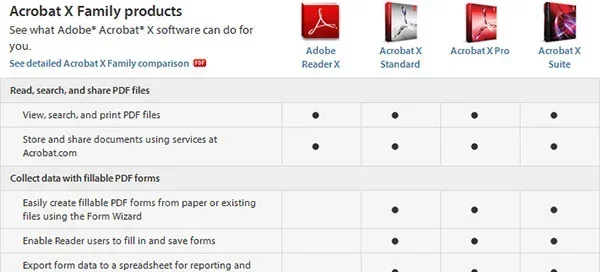
With Adobe Reader, you can do more than just read documents. You can fill out forms, add comments, sign PDFs electronically, and even export some content. It is a core tool for anyone who deals with digital documents regularly.
If you want to learn more about how Adobe tools fit into the broader software ecosystem, check out our guide on what a mockup is and why it matters in design.
Key Features of Adobe Reader
- PDF viewing: Opens any standard PDF file quickly and reliably.
- Form filling: Lets you complete and submit interactive PDF forms.
- Commenting and annotation: Add notes, highlights, and drawings to documents.
- Digital signatures: Sign PDFs electronically without printing them.
- Security features: Protect sensitive documents with passwords and permissions.
- Cross-platform support: Works on desktops, tablets, and smartphones.
Who Uses Adobe Reader?
Almost everyone who uses a computer has interacted with Adobe Reader. Businesses use it to share contracts and reports. Students use it for textbooks and assignments. Government agencies publish forms in PDF format that require Adobe Reader to fill out. It is a universal tool for digital document handling.
What Is Adobe Flash Player?
Adobe Flash Player was a browser plugin that allowed websites to display rich multimedia content. It powered animations, video players, interactive games, and rich internet applications. For many years, it was essential for the modern web experience.
Flash Player was first developed by Macromedia and later acquired by Adobe in 2005. At its peak, nearly every website used Flash for something. Video platforms, online games, and interactive ads all depended on it. However, Flash had significant limitations that eventually led to its downfall.
Flash files used the SWF format, which was not designed for modern web standards. The plugin also had a reputation for being a security risk. Bugs and vulnerabilities in Flash Player gave attackers ways to compromise computers. This became a major concern for both users and browser developers.
In many ways, the rise and fall of Flash mirrors how technology evolves. Just as people search for the best emulator for PC in 2026 to run older software, Flash’s legacy lives on through archived content and nostalgia.
How Flash Player Worked
Flash Player ran inside your web browser as a plugin. When you visited a website with Flash content, the plugin would render the animations and videos directly on the page. This happened seamlessly, which is why users barely noticed it was there.
Developers used Adobe Animate (formerly Flash Professional) to create SWF files. These files could include vector graphics, audio, and interactive code. The result was rich, engaging content that worked across different operating systems.
However, Flash Player required frequent updates to patch security holes. Many users ignored these updates, leaving their systems exposed. Browser makers like Google and Mozilla eventually stopped supporting the plugin altogether.
Adobe Reader vs Flash Player: Key Differences
The differences between Adobe Reader and Flash Player are fundamental. They are not competing products. They serve entirely different purposes in the software world.
| Feature | Adobe Reader | Flash Player | Difference Between Ssd And Nvme |
|---|---|---|---|
| Primary Function | View and interact with PDF files | Play multimedia content in browsers | Different storage technologies serve different speed needs |
| Status | Actively developed and supported | Discontinued (end of life 2020) | Both remain relevant but serve different roles |
| File Format | PDF (Portable Document Format) | SWF (Small Web Format) | Each format has its own use case |
| Platform | Desktop, mobile, web | Browser plugin only | Cross-platform support varies |
| Security | Regular updates and strong protections | Frequent vulnerabilities led to retirement | Security is critical for all software |
| Cost | Free | Free (but discontinued) | Both were free to use |
The core difference is simple. Adobe Reader handles documents. Flash Player handled multimedia. One is still alive and well, while the other is a thing of the past. Understanding this distinction helps you choose the right tool for your needs.
These two products also represent different eras of computing. Adobe Reader evolved with the shift toward digital documents and paperless workflows. Flash Player emerged during the early days of rich web content and faded when HTML5 took over. Both stories are important chapters in tech history.
If you are curious about other tech comparisons, our article on the difference between point-and-shoot cameras and DSLRs explores a similar topic in the photography world.
Why Was Adobe Flash Player Discontinued?
Adobe officially ended support for Flash Player on December 31, 2020. The decision was not sudden. It was the result of years of declining usage and growing security concerns. Understanding why Flash died helps you appreciate why Adobe Reader survived.
Security Vulnerabilities
Flash Player had a long history of security flaws. Hackers exploited these vulnerabilities to deliver malware and steal personal data. Adobe released patches regularly, but new issues kept appearing. This created an endless cycle of updates that frustrated users and IT departments alike.
Browser makers took matters into their own hands. Google Chrome, Mozilla Firefox, and Microsoft Edge all began blocking Flash content by default. Some browsers removed Flash support entirely. This made the plugin increasingly irrelevant.
The Rise of HTML5
The biggest reason Flash died was HTML5. Modern web standards allowed websites to display video, animations, and interactive content natively. Browsers no longer needed a third-party plugin to handle multimedia. HTML5 was faster, more secure, and more efficient than Flash ever was.
Major platforms like YouTube switched from Flash to HTML5 years before the end-of-life date. This migration signaled to developers that the future was HTML5. Adobe recognized the shift and made the difficult decision to retire Flash Player.
Mobile Incompatibility
Flash Player never worked well on mobile devices. Apple famously refused to support it on iPhones and iPads. As mobile browsing grew, Flash became less relevant. Adobe shifted its focus to mobile-friendly technologies, which further accelerated Flash’s decline.
What Replaced Flash Player?
When Flash Player was discontinued, several technologies stepped in to fill the gap. HTML5 is the most important replacement. It handles video, audio, and animations directly in the browser without any plugins. This is a huge improvement in both performance and security.
Other technologies also picked up the slack. WebGL enables 3D graphics in browsers. WebAssembly allows near-native performance for web applications. Together, these modern standards made Flash Player obsolete.
If you are looking for software to run older Flash content, some emulators and archival tools exist. You can also find standalone Flash Player projectors that run SWF files outside a browser. However, using old Flash versions is a security risk and not recommended.
Is Adobe Reader Still Relevant Today?
Absolutely. Adobe Reader remains one of the most essential software tools for everyday computer users. PDF files are everywhere in business, education, and government. The need for a reliable PDF viewer has only grown over time.
Adobe has continued to update Reader with new features. Modern versions include enhanced security, better form handling, and improved accessibility options. The software integrates well with Adobe Document Cloud, allowing users to store and share PDFs online.
While there are free alternatives to Adobe Reader, such as Foxit Reader and SumatraPDF, Adobe Reader remains the gold standard for PDF viewing. Its compatibility with complex PDF features like digital signatures and interactive forms gives it an edge over competitors.
For those interested in the broader landscape of Adobe products, understanding how different tools serve different purposes is key. Much like the difference between 2-way and 3-way speakers comes down to how they handle audio frequencies, the difference between Adobe Reader and Flash Player comes down to their core functions.
Common Mistakes People Make
Many people confuse Adobe Reader and Flash Player because both are Adobe products. Here are some mistakes to avoid.
- Installing Flash Player in 2024 and beyond: It is no longer supported and poses serious security risks.
- Thinking Adobe Reader can play Flash content: Reader only handles PDF files, not SWF files.
- Using outdated versions of Adobe Reader: Always keep your software updated for the latest security patches.
- Confusing Adobe Reader with Adobe Acrobat Pro: Reader is free; Acrobat Pro is a paid product with advanced editing features.
- Assuming all PDF viewers are the same: Different viewers offer different feature sets and levels of compatibility.
Final Thoughts
The comparison between Adobe Reader and Flash Player is really a story about how technology changes over time. Adobe Reader continues to serve a vital purpose in our digital lives. It helps us read, sign, and manage PDF documents with ease. Flash Player, on the other hand, was a product of its time that paved the way for rich web content before modern standards took over.
Understanding the difference between these two tools helps you make better decisions about the software you use. Keep Adobe Reader installed for your document needs, but leave Flash Player in the past where it belongs. Focus on modern, secure alternatives for multimedia content.
The tech world moves fast. Products rise and fall, but the lessons they teach us endure. Adobe Reader remains a reliable companion for document management, and that is something worth appreciating in an ever-changing digital landscape.
Frequently Asked Questions
Can I still download Adobe Flash Player?
Adobe no longer distributes Flash Player for download. The software was officially discontinued in December 2020. Any site offering Flash Player downloads is likely unsafe. Using outdated versions exposes your computer to serious security risks.
Do I need Adobe Reader if I already have a PDF viewer?
It depends on your needs. Many free PDF viewers handle basic reading and printing. However, Adobe Reader offers the best compatibility with complex PDF features like interactive forms, digital signatures, and password-protected documents. For most users, it is the most reliable choice.
What file types does Adobe Reader support?
Adobe Reader primarily supports PDF files. It can also handle some related formats like Adobe Portfolio files and certain types of e-books. It does not support SWF, FLV, or other Flash-related file formats. For those, you would need a different tool entirely.
Why did Adobe make two completely different products?
Adobe Reader and Flash Player were designed for completely different purposes. Adobe Reader handles document viewing and interaction, while Flash Player handled multimedia playback in web browsers. They were never meant to compete with each other. Both were part of Adobe’s broader software ecosystem.
Are there free alternatives to Adobe Reader?
Yes, several free PDF viewers exist. Popular options include Foxit Reader, SumatraPDF, and the built-in PDF viewers in Windows and macOS. However, Adobe Reader remains the most widely compatible option, especially for complex documents with forms and digital signatures.
What happened to websites that used Flash content?
Most websites migrated away from Flash years before the end-of-life date. They switched to HTML5, which offers better performance and security. Some older sites with Flash content are no longer accessible. Archival projects have preserved some legacy Flash content for historical purposes.