What Size Sd Card for Game Camera
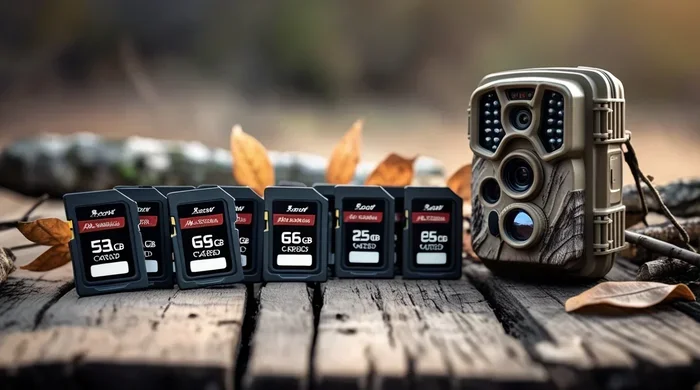
Choosing the right memory card is crucial for capturing clear wildlife photos and videos without running out of space. In this guide, we explain what size SD card for game camera setups works best for your specific needs. You will learn about storage capacity, write speeds, and durability so you can spend more time outdoors and less time worrying about your gear. Let us help you make a smart choice that fits your budget and hunting goals.
Choosing the right memory card is one of the most important steps when setting up your trail camera. Many hunters and wildlife enthusiasts overlook this detail until their camera stops working or runs out of space. The truth is that what size SD card for game camera use depends on how you plan to use it. Some people take a few photos a week, while others capture hundreds of images daily. Your needs will shape the best choice for your setup.
This guide will walk you through everything you need to know about memory cards for game cameras. We will cover capacity, speed, durability, and compatibility in simple terms. You will also learn how to match your card choice to your shooting habits. By the end, you will feel confident about picking the right card for your camera and your budget.
Key Takeaways
- Storage Capacity Matters: Choose a card with enough space for your shooting style, such as 32GB for basic use or 128GB for high-volume photo bursts.
- Speed Class Is Key: Look for Class 10 or UHS-I ratings to ensure fast write speeds for high-resolution images and video clips.
- Durability Counts: Pick weather-resistant cards that can handle outdoor temperatures and moisture common in trail camera environments.
- Compatibility Check: Always verify your game camera supports the card size and type before purchasing to avoid errors.
- Backup Regularly: Transfer your photos frequently to avoid losing important wildlife captures due to card failure or full storage.
- Budget Wisely: You do not need the most expensive card; focus on reliable brands that offer good value for your specific usage.
- Future-Proofing: Consider buying a slightly larger card than you think you need to accommodate growing photo and video files over time.
📑 Table of Contents
Understanding What Size SD Card for Game Camera Needs
Before you buy a memory card, you need to understand how your game camera uses it. Trail cameras are designed to capture photos and sometimes video clips when motion is detected. Each image or video file takes up space on the card. The more you shoot, the faster the card fills up. This is why knowing what size SD card for game camera use fits your routine is so important.
Most modern game cameras support cards ranging from 4GB to 512GB or more. However, bigger is not always better. A card that is too large may cost more than you need, and some older cameras may not recognize very large cards. On the other hand, a card that is too small will fill up quickly, especially if you set your camera to take multiple photos per trigger. The goal is to find a balance between capacity and cost.
How Much Space Do You Really Need?
Your storage needs depend on three main factors: photo resolution, trigger frequency, and video usage. High-resolution images take more space than lower-resolution ones. If your camera takes 12-megapixel photos, each file might be around 3 to 5MB. Video clips can be much larger, especially if you record in HD. A single minute of video can take up 50MB or more, depending on the quality settings.
Next, think about how often your camera will trigger. A camera placed near a busy animal trail might fire dozens of times a day. A camera in a quiet area might only capture a few images per week. If you expect heavy use, you will need more space. If you only check your camera once a month, a smaller card might work fine. Here is a simple breakdown to help you decide:
- 32GB Card: Good for low-traffic areas or cameras that take still photos only. Can hold roughly 6,000 to 10,000 images.
- 64GB Card: A solid middle ground for moderate use. Fits around 12,000 to 20,000 photos or several hours of video.
- 128GB Card: Ideal for high-traffic spots or cameras that record video. Holds 24,000 to 40,000 images or many hours of footage.
- 256GB or Higher: Best for heavy users who want to check cameras less often. Great for long-term deployments or video-heavy setups.
Speed Class and Why It Matters
Capacity is only part of the story. You also need to pay attention to the speed class of the card. The speed class tells you how fast the card can write data. When your game camera takes a photo, it writes the file to the card right away. A slow card can cause delays or even missed shots if the camera is busy writing one image while another trigger happens.
Look for cards labeled Class 10, UHS-I, or U3. These ratings mean the card can handle fast write speeds. For most game cameras, Class 10 is enough. If your camera records video, a faster card will help prevent dropped frames and ensure smooth playback. You do not need the fastest card on the market, but you should avoid very slow or outdated cards.
Durability and Weather Resistance
Game cameras live outdoors. They face heat, cold, rain, dust, and humidity. Your memory card should be able to handle these conditions too. Many reputable brands build cards with protective cases that resist water and temperature changes. Some cards are also shockproof, which helps if the camera gets bumped or dropped during setup.
When choosing a card, check the product description for weather resistance or rugged design. Even if your camera is well protected, the card itself can still be exposed to moisture when you swap it out. A durable card gives you peace of mind and reduces the risk of data loss.
Compatibility Checks Before You Buy
Not every SD card works with every game camera. Some older models only support cards up to 32GB or 64GB. Others may require a specific file system or card type. Before you purchase, read your camera manual or check the manufacturer website. You can also look at guides like our SD card reader for trail camera article to learn more about compatible options.
If you are unsure, start with a smaller card and test it. If your camera recognizes it and works smoothly, you can try a larger one later. It is also wise to format the card in the camera itself rather than on your computer. This ensures the file system matches what the camera expects. For more help with this step, see our guide on how to format SD card for trail camera.
Practical Tips for Managing Your Memory Card
Once you have the right card, you need to use it wisely. Here are some practical tips to get the most out of your storage:
- Set Realistic Triggers: Adjust your camera to take one or two photos per trigger instead of a burst if space is limited.
- Use Video Wisely: If you record video, keep clips short to save space. A few seconds is often enough to identify an animal.
- Check Regularly: Visit your camera often to clear space and review images. This prevents full-card errors.
- Label Your Cards: Use a marker or label maker to track which card belongs to which camera. This avoids mix-ups during swaps.
- Backup Often: Transfer your photos to a computer or cloud storage as soon as possible. Do not rely on one card for long-term storage.
Common Mistakes to Avoid
Even experienced users make mistakes with memory cards. Here are some common pitfalls and how to avoid them:
- Buying the Cheapest Card: Low-cost cards may fail quickly or write slowly. Stick to trusted brands for reliability.
- Ignoring Speed Ratings: A slow card can cause missed triggers or corrupted files. Always check the speed class.
- Overfilling the Card: Leaving no free space can slow down the camera and increase the risk of errors. Keep at least 10 percent free.
- Forgetting to Format: An unformatted or improperly formatted card may not work. Format it in the camera before first use.
- Using Damaged Cards: Bent pins, cracks, or water damage can ruin a card. Inspect your card before each use.
Expert Insights on Card Selection
We have tested many game cameras and memory cards over the years. One thing we have learned is that consistency matters more than raw capacity. A reliable 64GB card that works every time is better than a flaky 256GB card that fails in the field. We also recommend keeping a spare card in your gear bag. If one card fails or fills up, you can swap it out without missing a hunt.
Another tip is to match your card to your camera brand. Some cameras work better with certain card models. For example, if you use a Moultrie camera, you may want to check our manual for Moultrie game camera for specific recommendations. The same goes for other brands. A little research can save you time and frustration later.
Key Takeaways for Choosing the Right Card
To wrap up this section, remember these points when deciding what size SD card for game camera use fits your needs:
- Start with 32GB to 64GB for most setups, and move up if you need more space.
- Choose Class 10 or UHS-I for reliable write speeds.
- Pick a durable card that can handle outdoor conditions.
- Check your camera manual for compatibility before buying.
- Format the card in the camera and back up your photos regularly.
How to Test and Maintain Your SD Card
Once you have installed your new card, it is smart to test it before leaving the camera in the field. Take a few test photos and check that they save correctly. Play back any video clips to make sure they record smoothly. If everything works, you are ready to deploy. If you notice errors, try formatting the card again or swap it for a different one.
Maintenance is just as important as selection. Over time, cards can wear out from repeated writing and erasing. If you notice slow performance or missing files, it may be time to replace the card. Also, avoid exposing the card to extreme heat or direct sunlight for long periods. Store spare cards in a cool, dry place when not in use.
When to Upgrade Your Card
You may need to upgrade your card if your habits change. For example, if you start using video mode more often, a larger card will help. If you add more cameras to your setup, you might need multiple cards or higher-capacity options. Upgrading is also a good idea if your current card is several years old and showing signs of wear.
If you are curious about other camera features that affect storage, you might want to read about what is time lapse on a trail camera or what is PIR sensitivity on trail camera. These settings can change how often your camera triggers, which in turn affects how quickly your card fills up.
Comparing Card Options Side by Side
Here is a quick comparison to help you visualize the differences between common card sizes and uses:
| Card Size | Best For | Approx. Photo Capacity | Video Suitability |
|---|---|---|---|
| 32GB | Low-traffic areas, still photos | 6,000 to 10,000 images | Short clips only |
| 64GB | Moderate use, mixed photos and video | 12,000 to 20,000 images | Good for occasional video |
| 128GB | High-traffic spots, frequent video | 24,000 to 40,000 images | Excellent for regular video |
| 256GB+ | Heavy use, long deployments | 50,000+ images | Ideal for extended video recording |
This table gives you a rough idea of what to expect. Your actual numbers may vary based on image quality, video length, and camera settings. Use it as a starting point, then adjust based on your real-world experience.
Final Thoughts on What Size SD Card for Game Camera Use
Picking the right memory card does not have to be complicated. Start by understanding your camera, your shooting habits, and your storage needs. Then choose a card with enough capacity, fast enough speed, and enough durability for outdoor use. Test it before deployment, and keep up with regular backups and maintenance.
When you know what size SD card for game camera setups work best, you can focus on what really matters: enjoying the outdoors and capturing great wildlife moments. Whether you are tracking deer, monitoring birds, or just curious about what visits your property at night, the right card will help you get the job done without hassle. Take your time, do a little research, and choose a card that fits your needs. Your camera and your photos will thank you.
Frequently Asked Questions
What size SD card is best for a game camera?
The best size depends on your usage. For most users, a 64GB or 128GB card offers a good balance of space and cost. If you take many photos or record video, choose 128GB or higher.
Can I use a 256GB SD card in my game camera?
Many modern game cameras support 256GB cards, but some older models do not. Check your camera manual or manufacturer specs before buying a larger card to ensure compatibility.
What speed class do I need for a trail camera?
Class 10 is usually enough for most game cameras. If your camera records video, consider UHS-I or U3 for faster write speeds and smoother playback.
How many photos can a 32GB SD card hold?
A 32GB card can hold roughly 6,000 to 10,000 photos, depending on image resolution and file size. Video files take much more space, so capacity drops quickly if you record clips.
Should I format my SD card in the camera or on my computer?
It is best to format the card in the camera itself. This ensures the file system matches what the camera expects and reduces the chance of errors during use.
How often should I replace my game camera SD card?
Replace your card if you notice slow performance, missing files, or physical damage. Otherwise, a good card can last for years with regular use and proper care.