What to Do If a Sim Card Says Inactive
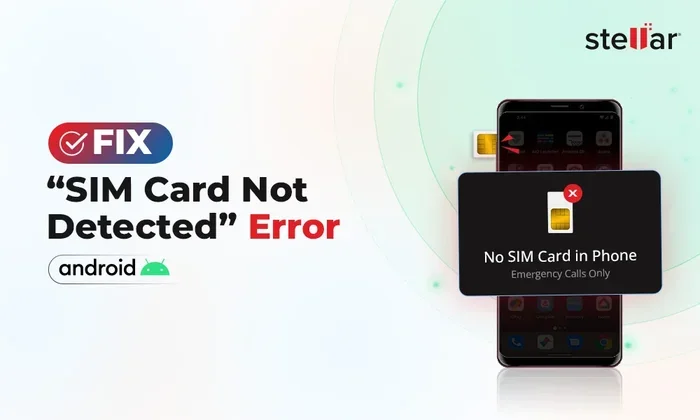
A SIM card showing as inactive can disrupt your phone service, but the problem is often easy to fix. Whether the issue stems from a simple settings glitch, a dirty card, or a carrier-related problem, several practical solutions can bring your SIM back to life. This guide walks you through every step to diagnose and resolve the inactive SIM card issue quickly and confidently.
Key Takeaways
- Restart Your Phone First: A simple reboot often resolves temporary software glitches that cause a SIM card to appear inactive.
- Check Your SIM Card Physical Condition: Dust, debris, or damage on the SIM card or its slot can prevent proper recognition.
- Verify Carrier and Account Status: Your SIM may show as inactive due to an unpaid bill, expired plan, or carrier-side issue.
- Update Network Settings: Outdated network configurations can interfere with SIM card detection and activation.
- Contact Your Carrier When Needed: Some SIM issues require professional support from your mobile carrier to resolve.
- Replace the SIM Card if Necessary: Old or damaged SIM cards may need a full replacement from your carrier.
📑 Table of Contents
What to Do If Your Sim Card Says Inactive
Finding a message that your sim card inactive can be frustrating. You pick up your phone expecting full connectivity, and instead you see no signal, no calls, and no data. The good news is that this problem is usually fixable. Most causes are simple and take only a few minutes to resolve. Let us walk you through everything you need to know.
Your SIM card is the small chip that connects your phone to your carrier network. Without it working properly, your device is basically a Wi-Fi-only tablet. When the system reports a sim card inactive status, it means your phone cannot communicate with the network. This can happen for many reasons, ranging from a loose connection to a carrier account issue. Understanding the root cause is the first step toward a solution.
In this article, we cover every practical fix you can try at home. We also explain when it is time to reach out to your carrier for help. By the end, you will have a clear roadmap to get your SIM card working again. Let us dive in.
Common Reasons Your Sim Card Shows as Inactive
Before jumping into fixes, it helps to understand what might be causing the problem. Different situations lead to an inactive SIM status. Here are the most common reasons.
1. Temporary Software Glitch
Sometimes your phone simply has a temporary bug. A software hiccup can prevent the device from recognizing the SIM card properly. This happens often after a system update or when multiple apps run in the background. A quick restart usually clears this up.
2. Dirty or Damaged SIM Card
The gold contacts on your SIM card can collect dust, lint, or oils from your fingers. When the connection is weak, your phone may not detect the card at all. Physical damage like scratches or bends also causes recognition failures. This is one of the most overlooked reasons for a sim card inactive message.
3. Loose SIM Card Placement
If your SIM card has shifted slightly in its slot, it will not make proper contact. This often happens after dropping your phone or removing the SIM tray frequently. Even a tiny misalignment can cause the phone to report the card as inactive.
4. Carrier Account Issues
Your carrier might have deactivated your SIM for several reasons. An unpaid bill, an expired plan, or a suspended account all trigger an inactive status on their end. In these cases, no amount of phone troubleshooting will help until the account issue is resolved.
5. Outdated Network Settings
Your phone relies on network settings to communicate with your carrier. When these settings become outdated or corrupted, your SIM card may not register properly. This is especially common after traveling internationally or switching carriers.
6. SIM Card Age and Wear
SIM cards do not last forever. Over time, the internal chip can degrade. Older SIM cards may simply stop working and need replacement. If your SIM is more than five years old, age could be the culprit behind the inactive status.
Quick Fixes to Try Right Away
Most SIM card issues respond well to simple troubleshooting. Try these fixes in order before moving to more advanced solutions.
Fix 1: Restart Your Phone
This is the simplest and most effective first step. A restart clears temporary memory and refreshes all hardware connections, including the SIM card reader. Power off your phone completely, wait 10 seconds, and turn it back on. Check if the inactive message is gone.
Quick Tip: Do not just put your phone to sleep. Perform a full shutdown and restart for the best results.
Fix 2: Reinsert the SIM Card
Power off your phone and remove the SIM tray. Take the SIM card out carefully. Check it for visible damage or dirt. Use a clean, dry cloth to gently wipe the gold contacts. Place the card back in firmly, making sure it sits flat and aligned. Reinsert the tray and power on your device.
Quick Tip: If you have compressed air, a short burst into the SIM slot can clear out any dust or debris hiding inside.
Fix 3: Toggle Airplane Mode
Toggling Airplane Mode forces your phone to reset its network connections. Swipe down from the top of your screen to access quick settings. Tap the Airplane Mode icon to turn it on. Wait 30 seconds, then tap it again to turn it off. Your phone should reconnect to the network and recognize the SIM card.
Fix 4: Check for SIM Card Updates
Some carriers push SIM card profile updates over the network. Go to your phone settings and look for a section related to network or SIM card settings. If an update is available, install it. This often resolves compatibility issues that cause the inactive status.
Fix 5: Try the SIM Card in Another Phone
This test helps you figure out whether the problem is with the SIM card or your phone. Move your SIM to a different unlocked phone. If the other phone also shows inactive, the SIM card or your carrier account is likely the issue. If it works fine in the other phone, your original device has a hardware problem.
How to Troubleshoot SIM Card Recognition Issues
If the quick fixes did not work, you need to dig deeper. These troubleshooting steps address more complex causes of SIM card inactivity.
Check Your SIM Card Slot
Inspect the SIM card slot on your phone. Look for any visible damage, dirt, or bent pins. The slot connects directly to your phone motherboard, and any physical issue here will prevent SIM detection. Use a flashlight to get a clear view inside the slot. If you see debris, use a soft brush to gently clean it out.
Be very careful not to push anything sharp into the slot. Doing so could damage the internal connectors. If you notice bent pins, it is best to seek professional repair help.
Reset Network Settings
Resetting your network settings can resolve configuration problems that interfere with SIM card recognition. Go to your phone settings and find the reset option for network settings. This will erase saved Wi-Fi passwords, Bluetooth pairings, and cellular settings, so make sure you have your Wi-Fi password handy.
After the reset, restart your phone and re-enter your network details. Check if your SIM card is now active. This fix works especially well for phones that have been updated recently or have been used with multiple carriers.
Update Your Phone Software
Outdated phone software can cause compatibility issues with your SIM card. Check for system updates in your phone settings. Install any available updates and restart your device. Manufacturers regularly release patches that fix SIM card recognition bugs.
Expert Insight: Keeping your phone updated is one of the easiest ways to prevent SIM card issues. Software updates often include fixes for hardware compatibility problems that are not always obvious.
Remove and Re-add Your SIM Profile
On some phones, you can remove the SIM card profile and add it back. Go to your SIM card settings and look for an option to delete or remove the current profile. Restart your phone, then reinsert the SIM card. The phone should detect the card and prompt you to set it up again. This method refreshes the connection between your phone and the SIM.
When Your Carrier Is the Problem
Sometimes the issue is not with your phone or SIM card at all. Your carrier may have placed restrictions on your account that cause the inactive status.
Check Your Account Status
Log in to your carrier account online or through their app. Look for any notifications about billing, suspensions, or account changes. An unpaid balance or expired plan can cause your carrier to deactivate your SIM remotely. Even if you pay regularly, sometimes a system error triggers a false suspension.
Contact Customer Support
If your account looks fine but your SIM is still inactive, call your carrier. Explain the issue and ask them to check the SIM status on their end. They can refresh your SIM profile, reactivate your line, or identify any account-level problems. Have your SIM card number (ICCID) and account details ready when you call.
Quick Tip: Most carriers have a live chat option in their app. This can be faster than waiting on hold for a phone representative.
Request a SIM Card Replacement
If your SIM card is physically damaged or very old, your carrier can send you a replacement. Most carriers offer free replacements for SIM cards that fail due to normal wear. Some may charge a small fee. You can usually pick up a new SIM at a store or have one mailed to you.
When you get a replacement, activate it following the instructions from your carrier. You will need to transfer your phone number and plan to the new card. This process is straightforward and usually takes just a few minutes.
Preventing Future SIM Card Issues
Once you have your SIM card working again, you want to keep it that way. A few simple habits can prevent future inactive SIM problems.
- Keep your phone clean: Regularly wipe down your phone and SIM tray to prevent dust buildup. This keeps the SIM card connection clean and reliable.
- Avoid removing the SIM card frequently: Every time you remove and reinsert the SIM, you risk bending it or wearing down the contacts. Only remove it when necessary.
- Store your phone safely: Use a protective case to prevent drops and impacts. Physical damage is one of the leading causes of SIM card recognition problems.
- Keep your software updated: Regular system updates fix bugs and improve hardware compatibility, including SIM card support.
- Monitor your carrier account: Check your account regularly for any billing or plan issues. Catching a problem early prevents it from escalating to a deactivated SIM.
These habits take very little time but can save you from the hassle of dealing with an inactive SIM card again. Prevention is always better than troubleshooting.
When to Seek Professional Help
Most SIM card issues are solvable at home. However, some situations require professional assistance. If none of the fixes in this guide work, it is time to seek help. Here is what to look for.
If your SIM card works in another phone but not yours, the problem is likely with your phone hardware. The SIM card reader inside your device may be damaged. A qualified repair technician can diagnose and fix this issue. Similarly, if your SIM card is physically damaged, do not try to repair it yourself. Visit a carrier store or a reputable repair shop for a replacement.
Also seek help if you notice other hardware problems alongside the inactive SIM. For example, if your phone also has issues with other components, there may be a deeper motherboard problem. In these cases, professional diagnosis is the safest and most efficient path forward.
Final Thoughts
Dealing with a sim card inactive message can feel overwhelming, but the solutions are usually straightforward. Start with the simple fixes like restarting your phone and reinserting the SIM card. Move to more advanced troubleshooting like resetting network settings if needed. Always check your carrier account status, as many inactive SIM issues originate from the carrier side. With patience and the right approach, you can almost always get your SIM card working again. Keep your SIM card clean, your phone updated, and your account in good standing to prevent future problems.
Remember, your SIM card is the bridge between your phone and the mobile network. Taking care of it ensures you stay connected. If all else fails, your carrier is always there to help. Do not hesitate to reach out when you need support.
Frequently Asked Questions
Why does my SIM card keep showing as inactive?
A SIM card repeatedly showing as inactive usually points to a recurring issue with the card itself, the SIM slot, or your carrier account. Dirt, physical damage, or an account suspension can all cause repeated inactive status. Try cleaning the card and reinserting it first, then contact your carrier if the problem persists.
Can a SIM card become inactive after a phone update?
Yes, sometimes a software update can cause temporary SIM card recognition issues. The update may change network settings or introduce a bug that affects SIM detection. Restarting your phone or resetting network settings usually resolves this after an update.
How long does it take to reactivate an inactive SIM card?
If the issue is on the carrier side, reactivation can take anywhere from a few minutes to 24 hours. Simple fixes like restarting your phone or reinserting the SIM take only a few minutes. Account-related reactivations may require a call to customer support and a short wait for the carrier to process the request.
Is it safe to use a SIM card from another phone?
Yes, it is generally safe to test your SIM card in another unlocked phone. This helps you determine whether the problem is with the SIM card or your device. Just make sure the other phone is unlocked and compatible with your carrier’s network bands.
Do I need to pay for a SIM card replacement?
Many carriers offer free SIM card replacements, especially if the card failed due to normal wear. Some carriers may charge a small fee, typically between $5 and $15. Check with your carrier directly to confirm their replacement policy and any associated costs.
Can water damage cause a SIM card to show as inactive?
Yes, water damage can corrode the SIM card contacts or damage the SIM card reader inside your phone. If your phone has been exposed to water, dry it thoroughly and inspect the SIM card for any signs of corrosion. If the SIM still shows as inactive, you may need a replacement card or professional phone repair.