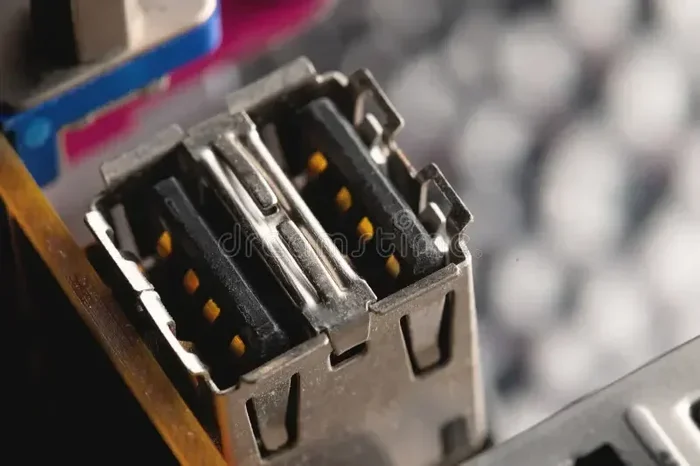
Wired Vs Wireless Mouse for Gaming
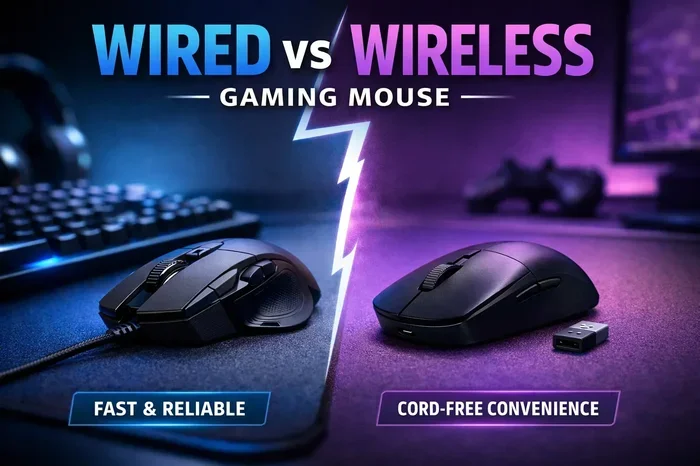
The wired vs wireless mouse for gaming debate is one of the hottest topics among gamers. Wired mice offer zero latency and lower cost, while wireless mice deliver freedom of movement and modern speed that rivals cables. This guide covers everything you need to know — from sensor tech and polling rates to ergonomics and price — so you can make the best choice for your gaming setup.
If you are building or upgrading a gaming setup, picking the right mouse is a big decision. The wired vs wireless mouse for gaming debate has been going on for years, and it is not slowing down. Both types have strong fans, and both have real advantages. But which one is right for you? Let us dive in and find out.
Choosing between a wired mouse and a wireless mouse is not just about looks. It affects your response time, comfort, desk setup, and even your wallet. Whether you play competitive shooters or casual games, the right mouse can make a real difference. We will walk you through every important factor so you can decide with confidence.
Key Takeaways
- Wired mice still win on raw latency: They provide instant signal transmission with no wireless delay.
- Wireless mice have caught up fast: Modern 2.4GHz and Bluetooth options offer near-zero lag.
- Price matters a lot: You can find great options at every budget level, from cheap to premium.
- Comfort is personal: Weight, shape, and cable drag all affect your long gaming sessions.
- Battery life is a wireless concern: You need to charge or swap batteries regularly.
- Your game genre matters: FPS players may prefer wired, while MOBA or casual gamers love wireless freedom.
📑 Table of Contents
- What Is the Wired vs Wireless Mouse for Gaming Debate All About?
- Wired Gaming Mice: What Are the Pros and Cons?
- Wireless Gaming Mice: What Are the Pros and Cons?
- Head-to-Head Comparison: Wired vs Wireless
- Which One Should You Choose?
- Common Mistakes to Avoid
- Expert Tips for Getting the Most Out of Your Mouse
- Final Verdict
What Is the Wired vs Wireless Mouse for Gaming Debate All About?
The core of this debate comes down to one question: does a cable hold you back? Wired gaming mice connect directly to your PC through USB. They send signals instantly, with no wireless processing in between. This gives them a reputation for being faster and more reliable.
Wireless gaming mice use radio frequency (2.4GHz), Bluetooth, or proprietary dongles to connect. Older wireless mice had noticeable lag, but modern ones are incredibly fast. Today, top-tier wireless mice from brands like Logitech, Razer, and SteelSeries offer performance that is nearly identical to wired options.
Both types use advanced sensors that track movement with high precision. You will find options with DPI settings ranging from 400 to over 25,000. The mouse sensor accuracy in both wired and wireless models has improved dramatically in recent years.
Wired Gaming Mice: What Are the Pros and Cons?
Speed and Responsiveness
Wired mice have one clear advantage: zero latency. The signal travels straight from the mouse to the computer through the cable. There is no wireless transmission delay, no dongle processing, and no potential interference. For competitive gamers, this can matter in split-second moments.
In fast-paced games like Valorant, Call of Duty, or Apex Legends, every millisecond counts. A wired game mouse for laptop ensures your clicks and movements register the instant you make them. This is why many professional esports players still prefer wired setups.
Cost and Value
Wired mice are generally more affordable. You can get a solid wired gaming mouse for under $30. Even mid-range wired options rarely exceed $70. If you are on a budget, a wired mouse gives you the best value per dollar.
There is also no need to worry about batteries or charging. You plug it in and play. This makes wired mice very low maintenance compared to wireless alternatives.
The Cable Drag Problem
The biggest complaint about wired mice is cable drag. The cable can catch on your mouse pad or desk surface, which slightly affects movement. This is called “cable drag,” and it can feel annoying during fast swipes.
However, many modern wired mice use lightweight, flexible cables that reduce this issue significantly. Some even feature paracord-style cables that glide smoothly across surfaces. If you use a quality mouse pad, cable drag becomes much less noticeable.
Weight and Portability
Wired mice tend to be slightly heavier because of the cable itself. For some gamers, extra weight feels stable and grounded. For others, it can cause fatigue during long sessions. If you value a lightweight setup, this is something to consider.
Wired mice are also less portable since you need a USB port and a cable. If you game on the go or at friends’ houses, a wired mouse adds a bit of hassle.
Wireless Gaming Mice: What Are the Pros and Cons?
Freedom of Movement
The biggest benefit of a wireless mouse for laptop is freedom. No cable means no drag, no snags, and no limits on how far you can move. Your wrist and arm can glide naturally across the desk. Many gamers report less fatigue and more comfort with wireless mice during long gaming sessions.
This freedom also makes your desk look cleaner. No tangled cables means a simpler, more organized gaming setup. If you care about aesthetics, a wireless mouse helps keep things neat.
Modern Speed Is Nearly Identical
Old wireless mice were slow. That is no longer true. Modern wireless gaming mice use 2.4GHz receivers that offer latency as low as 1 millisecond. This is fast enough for competitive play. In fact, many professional players have switched to wireless in recent years.
Brands like Logitech, Razer, and SteelSeries now offer wireless mice with polling rates of 1000Hz or higher. This means the mouse reports its position to the PC up to 1000 times per second. The result is smooth, responsive tracking that matches wired performance.
Battery Life Considerations
Wireless mice need power, and battery life varies widely. Some models last up to 70 hours on a single charge. Others need to be plugged in after 20-30 hours of use. If you forget to charge your mouse, you could be stuck mid-game.
Most wireless gaming mice charge via USB-C now, which is convenient. Some even let you keep playing while charging. Still, battery management is a real consideration that wired mice simply do not have.
Price and Features
Wireless mice tend to cost more than wired ones. The technology inside — radios, batteries, charging circuits — adds to the price. A good wireless gaming mouse usually starts around $50 and can go well above $150 for premium models.
However, prices have dropped a lot in recent years. You can now find excellent wireless options in the $40-$70 range. If you check out wireless mouse for laptop price guides, you will see there are strong options at every budget level.
Head-to-Head Comparison: Wired vs Wireless
| Feature | Wired Mouse | Wireless Mouse |
|---|---|---|
| Latency | Zero (instant) | 1ms or less (modern models) |
| Poll Rate | Up to 1000Hz | Up to 4000Hz (top models) |
| Price Range | $15-$80 | $30-$170 |
| Battery Needed | No | Yes (rechargeable or AA) |
| Cable Drag | Yes | No |
| Weight | Slightly heavier | Usually lighter |
| Portability | Less portable | More portable |
| Maintenance | Very low | Battery charging required |
| Signal Interference | None | Minimal (2.4GHz is stable) |
As you can see from the comparison, the gap between wired and wireless has narrowed significantly. Both types offer excellent performance for most gamers. The choice really comes down to personal preference and what matters most to you.
Which One Should You Choose?
Pick Wired If…
- You play competitive FPS games where every millisecond matters.
- You are on a tight budget and want the best value.
- You do not want to worry about charging or battery life.
- You mostly game at a fixed desk and do not need portability.
- You prefer a simple plug-and-play setup with no extra accessories.
Wired mice are perfect for players who want reliable, no-nonsense performance. They are also great if you are building a budget gaming PC and want to save money on peripherals.
Pick Wireless If…
- You value a clean, cable-free desk setup.
- You game for long sessions and want maximum comfort.
- You move around or game in different locations.
- You want the latest features like high polling rates and advanced sensors.
- You do not mind charging your mouse every few days.
Wireless mice are ideal for gamers who want freedom and modern tech. They are also excellent if you use a wireless mouse for laptop setup and want a clean, portable experience. Many gamers find that once they switch to wireless, they never go back.
Common Mistakes to Avoid
Here are some mistakes gamers make when choosing between wired and wireless mice:
- Ignoring your game genre: If you play fast-paced shooters, do not overlook latency. If you play strategy or RPGs, wireless freedom may matter more.
- Overlooking ergonomics: A mouse that hurts your hand after an hour is the wrong mouse, regardless of whether it is wired or wireless.
- Buying cheap wireless without checking latency: Not all wireless mice are created equal. Stick to reputable brands and check reviews.
- Forgetting about the USB receiver: Some wireless mice need a dongle plugged into a USB port. Make sure your laptop or PC has enough ports free.
- Not considering mouse weight: Heavier mice can cause wrist strain over time. Lighter mice are generally better for fast-paced gaming.
- Skipping the mouse pad: Both wired and wireless mice perform best on a proper mouse pad. Using them on a rough desk surface can hurt tracking.
Expert Tips for Getting the Most Out of Your Mouse
No matter which type you choose, here are some tips to improve your experience:
- Adjust your DPI settings: Most gamers perform best between 800 and 1600 DPI for general gaming. Lower DPI gives more control; higher DPI lets you turn faster.
- Clean your sensor regularly: Dust and debris on the sensor can cause tracking issues. Wipe it gently with a microfiber cloth.
- Use a quality mouse pad: A good mouse pad ensures smooth tracking and protects your desk surface.
- Update your mouse firmware: Many gaming mice receive firmware updates that improve performance and fix bugs. Check the manufacturer’s software regularly.
- Take breaks: Whether you use a wired or wireless mouse, long gaming sessions can strain your hand. Rest your wrist and stretch often.
If you are also looking for other gaming accessories, check out our guide on the best wireless keyboard and mouse for gaming to build the perfect setup.
Final Verdict
The wired vs wireless mouse for gaming debate does not have a single winner. It depends on what you value most. If raw speed and simplicity matter most, a wired mouse is hard to beat. If freedom, comfort, and a clean setup are your priorities, a wireless mouse is the way to go.
Modern wireless mice have closed the gap almost completely. The best wireless models now match or even exceed wired mice in speed, accuracy, and features. But wired mice still hold the edge in affordability and zero-maintenance convenience.
Think about your gaming style, your budget, and your desk setup. Try both types if you can. The best mouse is the one that feels right in your hand and helps you play your best. Whatever you choose, you will be in good hands with today’s options.
If you are shopping for a new mouse, you might want to check out wireless mouse options at Walmart for great deals. Also, if you are curious about game mouse for laptop wireless options, our guide covers the top picks you should consider.
Take your time, read reviews, and pick the mouse that fits your needs. Happy gaming!
Frequently Asked Questions
Is a wired mouse faster than a wireless mouse for gaming?
Historically, wired mice had lower latency because the signal travels directly through the cable. However, modern wireless mice with 2.4GHz receivers now offer latency as low as 1 millisecond, which is fast enough for competitive gaming. The difference is barely noticeable for most players.
How long does a wireless gaming mouse battery last?
Battery life varies by model and usage. Most wireless gaming mice last between 20 and 70 hours on a single charge. Some models with LED lighting or high polling rates may drain faster. Charging via USB-C makes topping up quick and easy.
Can I use a wireless mouse for competitive gaming?
Yes, absolutely. Many professional esports players now use wireless mice. Top brands like Logitech and Razer make wireless models that are used in tournaments worldwide. The speed and accuracy of modern wireless mice are more than enough for competitive play.
Do wireless mice have signal interference issues?
Signal interference is rare with modern wireless mice. They use 2.4GHz technology, which is stable and reliable. Bluetooth models may occasionally face interference from other devices, but most gaming mice use dedicated receivers to avoid this problem entirely.
Which is better for a laptop setup: wired or wireless?
For laptops, wireless mice are usually the better choice. They save USB ports, reduce cable clutter, and are more portable. If you frequently travel or game in different locations, a wireless mouse gives you much more flexibility and convenience.
Are wireless gaming mice more expensive than wired ones?
They tend to cost more because of the battery, wireless chip, and charging hardware. However, prices have dropped significantly in recent years. You can now find excellent wireless gaming mice in the $40-$70 range, making them very competitive with wired options in terms of price.