16 Gb Ram Refurbished Lenovo Laptop
Unlock exceptional value and performance with a 16GB RAM refurbished Lenovo laptop. These are not outdated clunkers but thoroughly tested, business-grade machines like the ThinkPad T-series and X1 Carbon, offering snappy multitasking for work, study, and creative tasks at a massive discount over new models. You get enterprise-level durability, modern connectivity, and the peace of mind that comes with a solid warranty, making it the smartest upgrade for budget-conscious power users.
Let’s be honest. The phrase “refurbished laptop” can sound sketchy. You might picture a dusty, slow machine from a garage sale. But what if I told you that a 16 GB RAM refurbished Lenovo laptop is one of the best-kept secrets in the tech world? It’s not a compromise; it’s a strategic power move. For anyone needing serious multitasking muscle without the new-car smell price tag, this combination is a golden ticket. We’re talking about the legendary build quality of Lenovo’s business-class line—ThinkPads you’ve seen in every boardroom and airport lounge—now equipped with ample 16GB RAM and priced to sell. This article is your complete, no-fluff guide to understanding why this might be the perfect computer for you, how to buy one without getting burned, and exactly what you can expect from theseRemarkable machines.
Key Takeaways
- Unbeatable Value: You access business-class engineering and durability (e.g., MIL-SPEC tested ThinkPads) for 40-60% less than the original retail price, with 16GB RAM ensuring future-proof performance.
- Rigorous Refurbishment, Not Just Cleaning: Reputable sellers fully disassemble, clean, test every component (RAM, storage, battery, ports), replace worn parts, and reinstall the OS, guaranteeing like-new functionality.
- Enterprise-Grade Durability: Lenovo’s business lines (ThinkPad T, X, L, P series) are built with carbon fiber, magnesium alloy, and spill-resistant keyboards, meaning these refurbished laptops can take a beating far better than consumer models.
- Perfect for Specific Users: Ideal for students, remote workers, developers, writers, and anyone needing reliable multitasking with dozens of browser tabs, office suites, and light creative apps open simultaneously.
- Warranty is Non-Negotiable: Always buy from sellers offering a minimum 1-year warranty. This protects you against faulty components and is the clearest sign of a quality refurbishment process.
- Check Ports & Upgradability: While 16GB is plenty for now, ensure the model has the ports (USB-C/Thunderbolt, HDMI) you need. Some older models may have soldered RAM, but many business-class Lenovos allow easy upgrades down the line.
- Battery Health Varies: A refurbished laptop’s battery health is a key metric. Reputable sellers will test and report battery cycle count or health percentage. Be prepared for potential future battery replacement (often affordable).
📑 Table of Contents
- Why the 16GB RAM + Lenovo Business Laptop Combo is Magic
- What “Refurbished” *Really* Means: Separating Fact from Fiction
- The Lenovo Lineup: Which Models to Target for 16GB RAM
- Where to Buy: Navigating the Refurbished Marketplace
- What to Look For: Your Pre-Purchase Checklist
- Setup & Optimization: Getting the Most from Your New (Old) Beast
- Conclusion: The Smart Choice for the Discerning User
Why the 16GB RAM + Lenovo Business Laptop Combo is Magic
Before we dive into refurbished specifics, let’s connect the dots on why this specific configuration is such a sweet spot. 16GB of RAM has firmly become the new standard for comfortable, future-proof computing. It’s the amount that allows you to have 50+ browser tabs open (we’ve all been there), a massive Excel workbook, a video call, Spotify, and your essential background apps running without the dreaded spinning wheel of death. It’s the difference between a system that feels strained and one that feels effortlessly responsive.
Now, pair that with Lenovo’s business-focused laptops. Unlike consumer models designed for a 2-3 year lifecycle, ThinkPads (the T, X, L, and P series) are engineered for a 5+ year lifecycle in corporate IT departments. They undergo military-grade durability testing (MIL-STD-810H) for shock, vibration, humidity, and extreme temperatures. The keyboards are famously fantastic—with excellent travel and durability. The chassis are made from carbon fiber and magnesium alloy, making them light but incredibly sturdy. You are getting a tool built for road warriors and enterprise reliability. When you find this powerhouse combo refurbished, you’re essentially getting a tank with a race-car engine at used sedan prices.
The Real-World Performance Difference
Imagine you’re a student working on a thesis. You have 30 research tabs in Chrome, a PDF annotation tool, Word, and Zoom for your advisor meeting. On a system with 8GB RAM, you’d be constantly waiting for tabs to reload. With 16GB RAM in a refurbished Lenovo ThinkPad, you switch between all these apps instantly. The system barely breaks a sweat. The same goes for a developer running a local IDE, Docker containers, a database, and a web browser. Or a writer using a massive Scrivener project with dozens of research documents. The RAM is the workspace; 16GB gives you a vast, uncluttered desk to spread out your work, eliminating the friction of constant swapping to the slower solid-state drive.
What “Refurbished” *Really* Means: Separating Fact from Fiction
This is the most critical section. “Refurbished” is an unregulated term. It can mean anything from “wiped and resold” to “professionally restored to like-new condition.” Your experience hinges entirely on the seller’s process. A true, quality refurbishment is a detailed, multi-step process that transforms a used corporate lease return into a reliable machine.
Visual guide about 16 Gb Ram Refurbished Lenovo Laptop
Image source: m.media-amazon.com
The Gold Standard Refurbishment Process
Here’s what you should expect from a top-tier refurbisher (whether it’s a dedicated company like Refurb.io, Back Market, or a reputable seller on Amazon/eBay):
- Full Disassembly & Deep Clean: The laptop is completely taken apart. Every nook, cranny, cooling fan, and heat sink is meticulously cleaned of dust, grime, and old thermal paste. This is crucial for preventing overheating and fan noise.
- Comprehensive Hardware Testing: Every single component is stress-tested. This includes:
- RAM: Memtest86 or similar tools run for hours to detect any bad sectors or instability.
- Storage (SSD/HDD): SMART data is analyzed for health, bad sectors, and total bytes written. Drives with excessive wear are replaced.
- Battery: Cycle count and full charge capacity are measured. A healthy battery should retain 80%+ of its original capacity. Sellers should list this metric.
- Display: Checked for dead pixels, backlight bleed, and uniformity.
- All Ports, Keyboard, Trackpad, Webcam, Speakers: Each is individually tested for functionality.
- Part Replacement: Any component that fails testing or shows significant wear (like a battery at 70% health, a sticky key, a scuffed palm rest) is replaced with a known-good part. The best refurbishers use OEM (Original Equipment Manufacturer) parts.
- Software Reinstallation: The drive is securely wiped. A fresh, licensed copy of Windows 10 Pro (or Windows 11 Pro, if the hardware supports it) is installed and activated. All necessary drivers are loaded.
- Final Quality Assurance: The reassembled laptop undergoes a final functional test, booting into the OS and checking core functions before being packaged.
Red Flags to Avoid
Steer clear of sellers who:
- Don’t mention a testing process.
- Don’t provide any warranty.
- Use vague terms like “tested and working” without specifics.
- Have poor reviews mentioning “DOA” (Dead on Arrival) or “battery died in a week.”
- Sell “refurbished” laptops with obvious, unaddressed physical damage (deep scratches, cracked hinges, missing keys).
Remember, a quality refurbishment costs time and money. If the price seems too good to be true for a high-end ThinkPad with 16GB RAM, it probably is. That seller is likely just wiping and reselling used hardware.
The Lenovo Lineup: Which Models to Target for 16GB RAM
Not all Lenovo business laptops are created equal, and not all support 16GB RAM (though most from the last 7-8 years do). Here’s your cheat sheet for the best-value, most capable refurbished models.

Visual guide about 16 Gb Ram Refurbished Lenovo Laptop
Image source: 5.imimg.com
The Undisputed Champion: ThinkPad T-Series (T480, T490, T14 Gen 1)
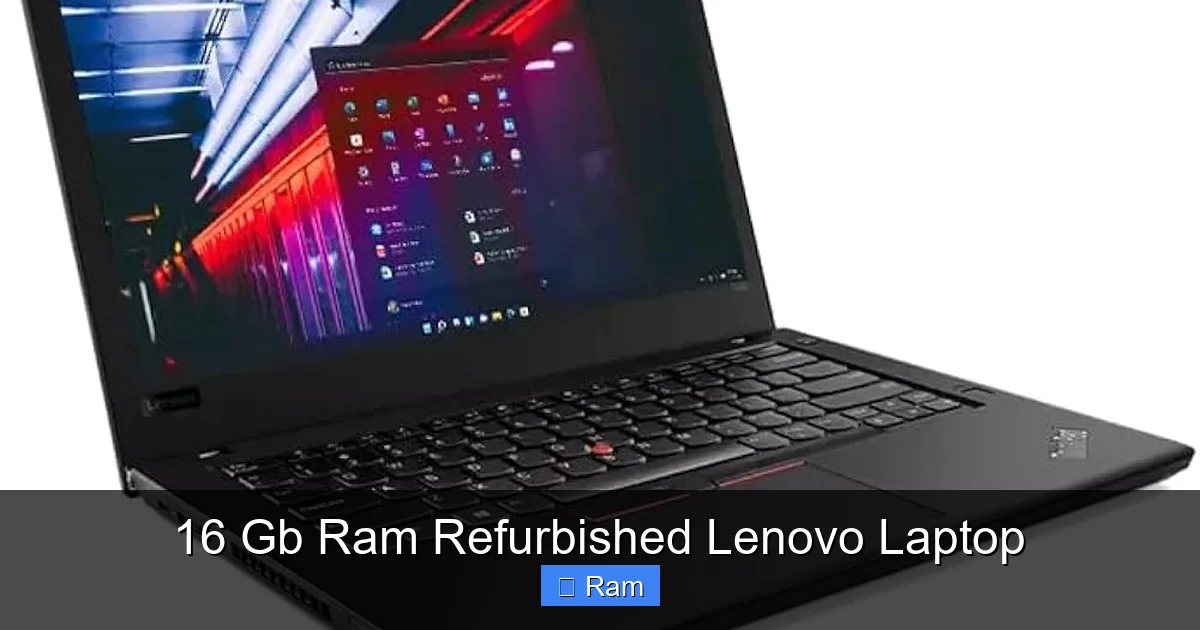
This is the sweet spot. The ThinkPad T480 (2017-2018) is arguably the greatest value in the refurbished market today. It features the legendary ThinkPad keyboard, a robust chassis, and—most importantly—upgradable RAM and storage. It typically has two RAM slots, so even if it comes with 16GB (often 2x8GB), you could upgrade to 32GB yourself cheaply later. It has a full array of ports (USB-A, HDMI, Ethernet via dongle, optional Thunderbolt 3 on some models), meaning you rarely need adapters. The T490 and T14 Gen 1 are newer iterations with slightly better displays and processors but similar core philosophy.
The Ultraportable King: ThinkPad X1 Carbon (Gen 5, 6, 7)
If weight and thinness are paramount, the X1 Carbon is your jet-setting companion. Made from carbon fiber, it’s incredibly light and durable. Starting around Gen 5 (2017), 16GB RAM became standard or a common option. These are premium machines with stunning displays (some with Dolby Vision HDR), excellent keyboards, and Thunderbolt 3/USB-C charging. The RAM is often soldered, so you must buy it configured with 16GB from the start. This is a premium refurbished buy, but the value over a new ultrabook is staggering.
The Workhorse Value: ThinkPad L-Series (L390, L490, L14/L15 Gen 1)
The “L” stands for “Laptop,” and these are the budget-conscious, no-nonsense workhorses. They share much of the T-series DNA (durability, keyboard quality) but use slightly heavier plastic materials to hit a lower price point. For a refurbished Lenovo laptop with 16GB RAM, the L-series offers incredible bang for your buck. You get the core business reliability without the T-series premium. The L14/L15 Gen 1 (AMD Ryzen models) are particularly good value, offering strong integrated graphics performance.
The Mobile Workstation: ThinkPad P-Series (P52s, P1 Gen 1)
Need a dedicated GPU for CAD, light video editing, or data science? The P-series are mobile workstations. Models like the P52s (with Quadro P500) or P1 Gen 1 can be found refurbished with 16GB RAM. They are heavier and have shorter battery life, but they pack professional-grade NVIDIA Quadro GPUs. This is a niche but powerful option for specific professional needs.
Where to Buy: Navigating the Refurbished Marketplace
Where you buy is as important as what you buy. Here’s the hierarchy of sellers, from most to least recommended.
Visual guide about 16 Gb Ram Refurbished Lenovo Laptop
Image source: laptopmedia.com
Tier 1: Certified Refurbishers & Major Retailer Programs
These are your safest bets. Companies like Refurb.io, Back Market (which vets sellers), Dell Refurbished (for comparison), and the official Lenovo Outlet (when available) employ rigorous processes and offer robust warranties (often 1-3 years). You pay a slight premium for this peace of mind, but it’s worth it. Best Buy and Amazon also have “Renewed” programs with seller ratings and return policies—stick to sellers with “Top Rated” status and read the specific warranty terms.
Tier 2: Reputable Specialized Resellers
Many excellent, smaller businesses specialize in corporate IT asset disposition. They buy bulk lease returns, refurbish them professionally, and sell on eBay or their own sites. Look for sellers with thousands of positive reviews specifically for ThinkPads. Read the negative reviews to see what fails. Do they clearly list specs, battery health, and cosmetic condition? Do they have a clear warranty statement? A good one will.
Tier 3: General Marketplaces (eBay, Craigslist, Facebook Marketplace)
High risk, high reward. You can find incredible deals from individuals upgrading or small businesses clearing inventory. You can also find stolen, misrepresented, or poorly tested machines. If you go here: Demand high-resolution photos of the machine powered on, showing the BIOS/serial number screen (to verify specs), and the battery report from Windows (powercfg /batteryreport). Always use a secure payment method (never wire transfer or use Venmo). Assume no warranty unless explicitly provided in writing.
What to Look For: Your Pre-Purchase Checklist
Before you click “Buy,” run through this list. Don’t be swayed by a low price alone.
The Non-Negotiables
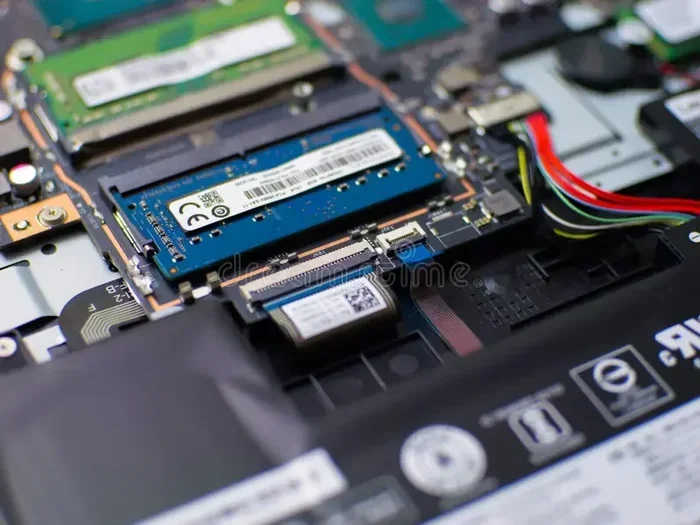
- 16GB RAM Configuration: Confirm it’s 16GB total. Is it 2x8GB (upgradable) or 1x16GB (soldered)? The listing should state this. 2x8GB is preferable for future flexibility.
- Solid-State Drive (SSD): Ensure it has an SSD, not an old mechanical hard drive. 256GB is the absolute minimum; 512GB is the sweet spot for comfort.
- Processor: For a refurb, aim for at least an Intel 8th Gen Core i5/i7 (e.g., i5-8250U, i7-8650U) or an AMD Ryzen 5 PRO (e.g., 2500U, 3500U). These offer a great balance of performance and efficiency.
- Display Quality: This is a huge variable. A 1366×768 TN panel is a miserable experience. Prioritize listings that specify a Full HD (1920×1080) IPS display. Even better are the newer low-power “low-cost” IPS panels or high-brightness (300+ nits) options. If unsure, assume the base display is mediocre and budget for a future replacement if needed.
- Battery Health: The listing MUST include this. Look for “Battery Health: 85%” or “Cycle Count: 150.” Anything below 70% health will need a replacement soon ($50-$120 for a good third-party battery).
- Warranty: Minimum 1-year warranty from the seller. Read what it covers (parts, labor, shipping).
The Cosmetic Condition Scale
Refurbished laptops are graded. Understand the scale:
- Grade A/Pristine: No noticeable marks. Screen perfect. This is what you’d expect from a “like-new” item.
- Grade B/Very Good: Minor scratches on the bottom or palm rest, no deep gouges. Screen may have a few minor marks not visible when on.
- Grade C/Acceptable: Noticeable scratches, scuffs, or a small dent. Palm rest may be shiny. This is the bargain bin—functionally perfect but cosmetically lived-in.
For a primary machine, aim for Grade A or B. Grade C is best for a secondary, throw-around device.
Setup & Optimization: Getting the Most from Your New (Old) Beast
Your refurbished Lenovo arrives. Don’t just turn it on and start using it. Do these steps to ensure longevity and peak performance.
First Boot and Initial Check
Before you transfer any files, do a full boot and check:
- Run Windows Update immediately. A clean install from a refurbisher may be months out of date.
- Check the battery report: Open Command Prompt as admin, type `powercfg /batteryreport`, and hit Enter. Open the generated HTML file to see the design capacity vs. full charge capacity and cycle count. Compare to the seller’s listing.
- Test all ports with a USB drive, external monitor, and headphones.
- Open a video on YouTube and check for audio/video sync, speaker quality, and display uniformity.
- Open a text editor and type for a few minutes. Feel the keyboard. Are all keys responsive? Is there any sticking?
Essential Upgrades and Tweaks
Even with 16GB RAM, a few tweaks make a huge difference:
- Replace the Thermal Paste: If you’re comfortable, this is the #1 performance upgrade for an older laptop. Old, dried paste causes throttling. A high-quality paste like Arctic MX-4 can lower CPU/GPU temperatures by 10-15°C.
- Upgrade the SSD: If it came with a slow or small SSD (e.g., a 128GB SATA drive), swap it for a faster NVMe drive if the model supports it (many T480s do via an adapter), or at least a new, higher-capacity SATA SSD. This is the easiest and most impactful upgrade.
- Clean Install Windows (Optional but Recommended): While reputable sellers do a clean install, you might want to do your own to have total control. Download the Media Creation Tool from Microsoft, create a bootable USB, and do a fresh install. This wipes any lingering bloatware.
- Adjust Power Settings: In Windows Power Options, select “High Performance” or create a custom plan that prevents the CPU from throttling aggressively. This gives you consistent performance when plugged in.
- Consider a Linux Install: These machines run Linux beautifully. If you’re a developer or privacy-conscious user, a lightweight distro like Pop!_OS or Ubuntu will feel incredibly snappy on this hardware and extend its life further.
Conclusion: The Smart Choice for the Discerning User
Choosing a 16 GB RAM refurbished Lenovo laptop is not about settling. It’s a deliberate, savvy choice that rejects the relentless consumer cycle of buying new, disposable plastic. You are investing in a tool—a rigorously tested, overbuilt, professional-grade machine that has already absorbed the brunt of its initial depreciation. You get the iconic ThinkPad keyboard that makes typing a joy, the chassis that survives daily travel, and the 16GB RAM that makes multitasking feel boundless.
The key is education. Understand what good refurbishment looks like, know which models to target (T-series, X1 Carbon), and buy from a seller who stands behind their work with a real warranty. Do your pre-purchase checks, especially on battery health and display quality. Follow the simple setup steps, and you will have a laptop that will serve you faithfully for 3-5 more years, likely outperforming many new budget laptops in durability and real-world responsiveness. In a world of planned obsolescence, this is how you win. You get premium performance, you save a small fortune, and you keep e-waste out of a landfill. That’s a triple win.
Frequently Asked Questions
Is a refurbished Lenovo laptop with 16GB RAM reliable for the long term?
Yes, absolutely, if purchased from a reputable seller. These are business-class machines built for 5+ year lifespans. The key is the quality of the refurbishment—look for sellers who fully test components, replace worn parts (especially batteries), and offer a minimum 1-year warranty. A properly refurbished ThinkPad T or X1 series is exceptionally durable.
Can I upgrade the RAM or storage myself later?
It depends entirely on the specific model. ThinkPad T-series models like the T480 are famous for having user-upgradable RAM (two slots) and storage (2.5″ bay + M.2 slot). X1 Carbon models typically have soldered RAM, so you must buy it with 16GB already installed. Always check the model’s hardware maintenance manual (available online) before buying if upgradability is a priority.
What’s the biggest downside of buying refurbished?
The main downside is cosmetic wear and battery health. Even Grade B laptops will have minor scuffs. The battery is a consumable part; its health degrades over time. Always check the listed battery cycle count or health percentage and factor in a potential $80-$120 replacement in 1-2 years if the health is below 80%.
How much should I expect to pay for a good 16GB RAM refurbished Lenovo business laptop?
Prices vary by model, age, and condition. As of 2024, you can expect to pay between $300-$600 USD for excellent refurbished models like a ThinkPad T480/T490 with 16GB RAM, a 512GB SSD, and a Full HD IPS screen. Newer models like an X1 Carbon Gen 7 will be in the $600-$900 range. Anything significantly below $300 for a 16GB/512GB configuration should be scrutinized heavily for hidden issues.
Should I buy Windows 10 or Windows 11?
For models from 2017-2020 (like T480, X1 Carbon Gen 5/6), Windows 10 Pro is the stable, fully supported choice. Windows 11 has stricter TPM and CPU requirements that many of these older models don’t meet officially, leading to a less-than-ideal experience with workarounds. For 2020+ models (T14 Gen 1 AMD, X1 Carbon Gen 8+), Windows 11 is native and fine. A reputable seller will install the correct, supported OS for the hardware.
Are refurbished laptops good for gaming or video editing?
For light gaming (eSports titles, older AAA games) and 1080p video editing, a 16GB RAM refurbished Lenovo with a dedicated GPU (like a ThinkPad P52s with a Quadro P500) can work. However, most standard T/X series models only have integrated Intel UHD/Iris Xe or AMD Vega graphics, which are not suitable for modern gaming or heavy 4K editing. For those tasks, you need a newer laptop with a powerful dedicated GPU, which will be more expensive even refurbished.