How Much Ram Do You Need in a Laptop
How much RAM do you need in a laptop? The answer depends on what you plan to do. For basic tasks like browsing and email, 8 GB of RAM is enough. If you game or edit videos, you will want 16 GB or more. Let’s break down everything you need to know about laptop memory.
Key Takeaways
- 8 GB is the baseline: Most laptops come with 8 GB, which handles everyday tasks like web browsing, document editing, and media streaming.
- 16 GB is the sweet spot: For multitasking, light photo editing, and casual gaming, 16 GB gives you plenty of headroom.
- 32 GB is for power users: Video editors, 3D artists, and heavy multitaskers will benefit from 32 GB or more.
- Your usage determines your needs: The right amount of RAM depends entirely on what you do with your laptop.
- Upgrading is possible: Many laptops allow you to add more RAM later if your needs grow.
- More RAM is not always better: If your software does not use it, extra RAM just sits idle and wastes money.
📑 Table of Contents
- How Much RAM Do You Need in a Laptop?
- What Does RAM Do in a Laptop?
- How Much RAM Do You Need for Different Uses?
- RAM Requirements Comparison Table
- Factors That Affect How Much RAM You Actually Need
- Can You Upgrade Your Laptop RAM?
- Common Mistakes When Choosing Laptop RAM
- Expert Insights: What Professionals Recommend
- Quick Tips for Getting the Most Out of Your RAM
- Final Thoughts: Finding Your Ideal RAM Amount
How Much RAM Do You Need in a Laptop?
RAM is one of the most important parts of any laptop. It affects how fast your computer runs and how many apps you can open at once. If you have ever wondered how much RAM do you need in a laptop, you are in the right place.
In this guide, we will walk you through everything. We will cover what RAM does, how much you need for different tasks, and whether you can upgrade it later. By the end, you will know exactly what to look for.
What Does RAM Do in a Laptop?
Before we talk numbers, let us quickly cover what RAM actually does. RAM stands for Random Access Memory. Think of it as your laptop’s short-term memory.
When you open an app, your laptop loads it into RAM. The processor can then access it quickly. When you close the app, the data leaves RAM. This is why more RAM lets you switch between apps faster.
If you want a deeper dive into this topic, check out our article on what does RAM do in a laptop. It explains how memory affects your daily computing experience.
Your laptop also has storage (like an SSD or HDD). That is where your files live permanently. RAM is just the workspace where your laptop does its thinking right now. The bigger the workspace, the more things you can juggle at once.
RAM vs. Storage: Understanding the Difference
Many people confuse RAM with storage. They are two very different things:
- Storage holds your photos, documents, and apps long-term. Think of it as a filing cabinet.
- RAM holds data your laptop is actively using right now. Think of it as your desk.
A bigger desk means you can spread out more work at the same time. That is why RAM matters so much for multitasking and computer performance.
How Much RAM Do You Need for Different Uses?
The right amount of laptop memory depends on what you do. Let us break it down by usage type so you can find your sweet spot.
Basic Tasks: Web Browsing, Email, and Office Work
If you use your laptop for simple tasks, you do not need a lot of RAM. Opening a few browser tabs, checking email, and working on documents are all light activities.
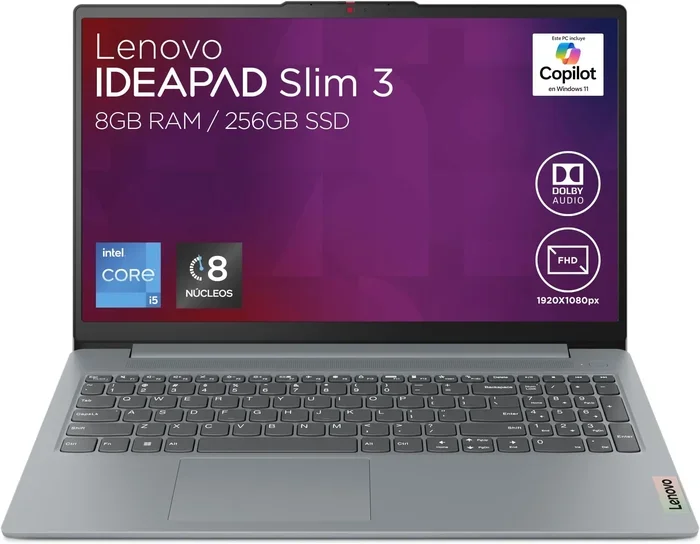
For these tasks, 8 GB of RAM is more than enough. This is the standard on most budget and midrange laptops today. It handles everyday use without any slowdowns.
Even with a few apps open, 8 GB keeps things running smoothly. You will rarely hit any performance issues. This is the minimum we recommend for any modern laptop.
Multitasking and Professional Work
Do you keep dozens of browser tabs open? Do you switch between spreadsheets, video calls, and design tools? Then you need more than the basics.
For heavy multitasking and professional workloads, 16 GB of RAM is the sweet spot. This amount gives you plenty of breathing room. It handles complex spreadsheets, multiple virtual meetings, and creative software with ease.
Most laptop specifications for business and productivity laptops now default to 16 GB. If your work involves juggling many apps, this is the level to aim for.
Gaming
Gamers need solid RAM allocation too. Modern games are RAM intensive. They load large textures, environments, and physics data into memory.
For most games, 16 GB of RAM is ideal. It provides a smooth experience at medium to high settings. Some demanding titles benefit from even more, but 16 GB covers most gaming needs.
If you also stream your gameplay or run voice chat apps alongside games, bump up to 32 GB. That extra cushion keeps everything running without frame drops or stuttering.
Content Creation: Video Editing, 3D Design, and Music Production
Creative professionals need serious power. Video editing software like Adobe Premiere Pro or DaVinci Resolve chew through memory. Same goes for 3D modeling tools like Blender.
For these RAM intensive tasks, we recommend 32 GB or more. Video editors working with 4K footage will especially appreciate the extra memory. It prevents crashes and long render times caused by memory bottlenecks.
Music producers running large digital audio workstations also benefit. Each virtual instrument uses a slice of your RAM. Stack a few dozen on top of each other, and you need every last megabyte.
Casual Use: Media Streaming and Social Media
If your main activities are watching Netflix, scrolling social media, and light document editing, 8 GB will do just fine. These tasks are not demanding. You will have no issues with smooth playback and quick app launches.
RAM Requirements Comparison Table
Here is a quick reference table to help you decide. This covers common use cases and the recommended RAM capacity for each:
| Usage Type | Recommended RAM | Examples |
|---|---|---|
| Basic / Casual Use | 8 GB | Web browsing, email, streaming, office apps |
| Multitasking / Business | 16 GB | Multiple apps, video calls, spreadsheets |
| Gaming | 16 GB (32 GB ideal) | Modern titles, streaming while gaming |
| Content Creation | 32 GB+ | Video editing, 3D design, music production |
| Data Science / Programming | 32 GB+ | Large datasets, virtual machines, compilers |
Factors That Affect How Much RAM You Actually Need
Your personal usage is not the only factor. Several other things influence how much laptop memory you really need.
Your Operating System
Different operating systems use different amounts of RAM behind the scenes. Windows 11, for instance, uses more RAM in the background than some lighter Linux distributions. macOS is generally efficient, but it also runs on hardware with unified memory architectures.
Before you even open a single app, your operating system may already be using 2-4 GB of your total RAM. Keep that in mind when choosing your sufficient RAM amount.
Your Processor and Storage
Your processor speed and storage type also play a role. A fast processor paired with an SSD can compensate for slightly less RAM. The SSD handles data swapping more efficiently than a traditional hard drive.
However, this is not a fix-all solution. If your RAM usage consistently maxes out, a faster processor will not solve the problem. You will still experience slowdowns and crashes.
Software and Application Demands
Every program has its own system requirements. Web browsers are especially hungry. Google Chrome, for example, uses a lot of memory when you open many tabs. Each tab runs as a separate process.
Always check the recommended system requirements for software you plan to use. If a program recommends 16 GB, you should seriously consider meeting that minimum for a good experience.
Can You Upgrade Your Laptop RAM?
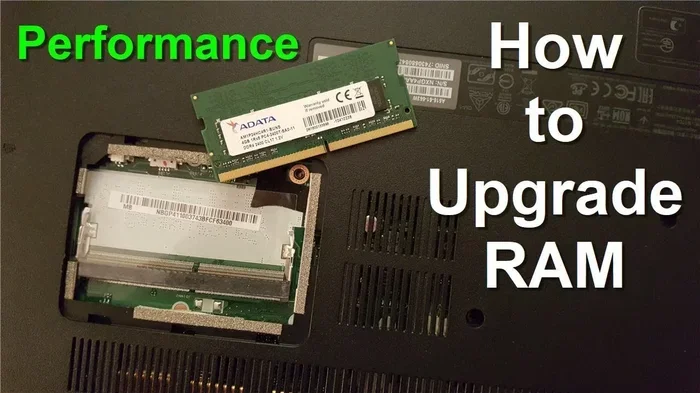
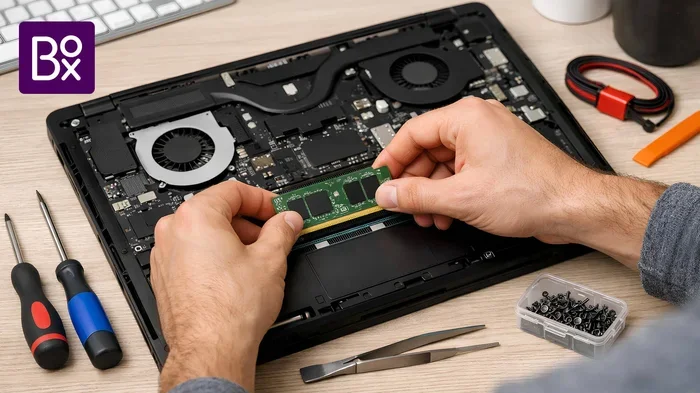
Great news: many laptops allow RAM upgrades. If you buy a laptop with 8 GB now but plan to do more demanding tasks later, you can add more memory down the road.
If you are unsure about the upgrade process, our guide on how to upgrade RAM in a laptop walks you through the steps. It covers everything from finding compatible modules to safely installing them.
Which Laptops Allow RAM Upgrades?
Not all laptops let you upgrade their memory. Here is what to watch for:
- Business laptops (like Dell Latitude or Lenovo ThinkPad) often have accessible RAM slots.
- Gaming laptops usually support upgrades and sometimes even have dual slots.
- Ultrabooks and thin laptops may have RAM soldered onto the motherboard. In these cases, you cannot upgrade later.
Before you buy, check whether the RAM upgrade is possible. If it matters for your future needs, choose a model with upgradeable memory. You can also check our guide on how much RAM do I need on a laptop for more detailed guidance on choosing the right configuration.
How to Check Your Current RAM
Not sure how much RAM your laptop currently has? It is easy to check:
- On Windows: Press Ctrl + Shift + Esc to open Task Manager. Click the Performance tab to see your RAM details.
- On Mac: Click the Apple menu, then select About This Mac. Your memory info is right there.
For a full walkthrough, read our article on how to check the RAM of a laptop. It covers multiple methods across different operating systems.
DDR4 vs. DDR5: Does RAM Type Matter?
Yes, it matters. Newer laptops use DDR5 RAM, which is faster and more efficient than DDR4. DDR5 offers higher data transfer rates and better power efficiency.
However, for most users, the difference is subtle. The amount of RAM matters more than the generation. Focus on getting sufficient capacity first. Then worry about speed and type if you are building a high-end system.
Common Mistakes When Choosing Laptop RAM
Let us save you some trouble. Here are mistakes people often make:
- Buying more than you need: If you only browse the web, 32 GB is overkill. You are just wasting money.
- Ignoring upgrade options: Always check if you can add RAM later. Soldered memory cannot be changed.
- Confusing RAM with storage: More storage does not fix slow performance caused by insufficient memory.
- Assuming more is always better: Your laptop and software can only use what is available. Extra unused RAM does nothing.
- Skipping brand quality: Cheap, no-name memory modules can cause instability. Stick with reputable brands.
Expert Insights: What Professionals Recommend
We asked tech professionals what they advise. Here is what they said:
Start with 16 GB. Most experts agree that 16 GB is the safest choice for 2024 and beyond. It covers nearly all use cases. If you later discover you need more, you can always upgrade. But starting with 8 GB often leaves you wanting more within a year or two.
Match RAM to your heaviest task. Do not plan for your average use. Plan for your most demanding activity. If you game occasionally but edit videos seriously, budget for video editing needs. That way, you never feel held back.
Consider future-proofing. Software keeps growing. Apps use more memory every year. If your budget allows, adding a few extra gigabytes now saves you from an upgrade sooner.
Quick Tips for Getting the Most Out of Your RAM
Once you have the right amount of memory, here are some tips to maximize it:
- Close unused apps. Background apps eat RAM even when you are not actively using them. Shut them down to free up memory.
- Use a lightweight browser. Some browsers use less memory than others. Consider alternatives if Chrome hogs your RAM.
- Disable startup programs. Many programs launch automatically at boot. Disable the ones you do not need. This frees RAM from the moment your laptop starts.
- Manage virtual memory. Your operating system uses a page file to supplement RAM. Make sure it is configured properly for best performance.
- Keep your laptop cool. Heat throttles performance, including memory speed. Good airflow helps your RAM and processor run at full potential.
Final Thoughts: Finding Your Ideal RAM Amount
So, how much RAM do you need in a laptop? The short answer is: it depends on you.
For casual users, 8 GB handles the essentials well. For multitaskers, gamers, and professionals, 16 GB hits the sweet spot. For power users running RAM intensive tasks, 32 GB or more is the way to go.
Think about what you actually do on your laptop. Do not overpay for memory you will never use. But also do not skimp and end up frustrated by slowdowns a few months later.
The best advice we can give is to start with 16 GB if your budget allows. It covers nearly everything. And if you ever need more, many laptops let you upgrade down the road. That flexibility gives you the best of both worlds.
We hope this guide helped you figure out your laptop memory needs. Take what you learned here, match it to your usage, and you will land on the perfect configuration. Your laptop will thank you for it.
Frequently Asked Questions
Is 8 GB of RAM enough for a laptop in 2024?
Yes, 8 GB is enough for basic tasks like web browsing, email, streaming, and document editing. However, if you plan to game, edit videos, or run multiple apps at once, you will want at least 16 GB. For most users, 8 GB serves as a solid starting point but may feel limiting over time.
Can I add RAM to my laptop if it has 8 GB?
It depends on your laptop model. Many business and gaming laptops have accessible RAM slots that allow upgrades. However, some ultrabooks and thin laptops have RAM soldered directly to the motherboard, making upgrades impossible. Check your laptop’s specifications before purchasing to see if the memory is upgradeable.
How much RAM do I need for gaming on a laptop?
Most modern games run well on 16 GB of RAM at medium to high settings. If you also stream gameplay or run voice chat apps simultaneously, consider 32 GB for extra headroom. Casual or older games may perform fine with 8 GB, but 16 GB is the recommended baseline for any gaming laptop today.
What is the difference between DDR4 and DDR5 RAM?
DDR5 is the newer generation of RAM. It offers faster data transfer speeds and better power efficiency compared to DDR4. For most everyday users, the performance difference is subtle. The amount of RAM matters more than the type. Choose capacity based on your needs first, then consider DDR5 if you are building a high-end system.
Does more RAM make a laptop faster?
More RAM helps if your laptop is running low on memory. When your RAM is full, your system uses slower storage as a substitute, which causes slowdowns. However, if you already have enough memory for your tasks, adding more will not make anything faster. Only upgrade if you are consistently maxing out your current RAM usage.
Should I buy a laptop with 16 GB or 32 GB of RAM?
Choose 16 GB if you do office work, multitask, or game casually. Choose 32 GB if you edit videos, work with 3D models, run virtual machines, or handle large datasets. For most people, 16 GB provides the best balance of performance and value. Only go with 32 GB if your specific workload demands it.
=== CONCLUSION ===
Choosing the right amount of RAM for your laptop does not have to be complicated. Start by thinking about what you actually do on your computer. For everyday browsing and office work, 8 GB gets the job done. For gaming, multitasking, and creative work, 16 GB is your best bet. For heavy-duty professional tasks, go with 32 GB or more.
Remember, the goal is to match your memory to your most demanding activities. Do not overpay for RAM you will never use, but also do not shortchange yourself and deal with slow performance later. If you are on the fence, 16 GB remains the safest and most versatile choice for the majority of laptop users in 2024.
Take your time, weigh your needs, and pick the configuration that fits. The right how much RAM do you need in a laptop decision will keep your machine running smoothly for years to come.