Lenovo 8 Gb Ram Laptop
A Lenovo 8 GB RAM laptop is a solid choice for anyone who needs dependable performance without overspending. With 8 GB of RAM, you can handle everyday tasks, multitasking, and even light creative work with ease. In this guide, we cover the best models, performance expectations, and tips to help you choose the right Lenovo 8 GB RAM laptop for your needs.
Key Takeaways
- 8 GB RAM hits the sweet spot: For most users, 8 GB of RAM offers the perfect balance between cost and performance for daily computing tasks.
- Lenovo offers reliable options: Lenovo builds durable, well-engineered laptops that deliver consistent performance at various price points.
- Processor and storage matter too: Your experience depends on more than just RAM — the CPU, SSD, and software all play a role.
- Know your usage needs: If you do heavy video editing or gaming, you may need 16 GB or more, but 8 GB is great for productivity and browsing.
- Upgrade options exist: Many Lenovo laptops allow you to add more RAM later if your needs grow beyond 8 GB.
- Budget-friendly choices are abundant: You can find quality Lenovo 8 GB RAM laptops under $600 if you shop wisely.
- Software optimization helps: Managing startup programs and keeping your system clean can make an 8 GB laptop feel much faster.
📑 Table of Contents
- Why Choose a Lenovo 8 GB RAM Laptop?
- Best Lenovo 8 GB RAM Laptops You Can Buy Today
- Performance Breakdown: What Can You Expect?
- Who Is an 8 GB RAM Laptop Best For?
- How to Get the Most Out of Your 8 GB RAM Laptop
- 8 GB RAM vs 16 GB RAM: Which One Do You Need?
- Conclusion: Is a Lenovo 8 GB RAM Laptop Right for You?
Why Choose a Lenovo 8 GB RAM Laptop?
When shopping for a new laptop, RAM is one of the first specs you should look at. It affects everything from how fast your apps open to how many tabs you can keep open in your browser. 8 GB of RAM has become the standard for most modern laptops, and for good reason. It strikes a sweet spot between price and performance.
Lenovo is one of the biggest names in the laptop world. They offer a wide range of machines with 8 GB RAM that suit students, professionals, and casual users alike. Whether you need a machine for office work, online classes, or weekend streaming, a Lenovo 8 GB RAM laptop can get the job done without breaking the bank.
Here is why this amount of memory is such a popular choice:
- Affordability: Laptops with 8 GB RAM tend to cost less than those with 16 GB or 32 GB.
- Versatility: 8 GB handles most daily tasks smoothly and efficiently.
- Availability: Lenovo offers dozens of models with this configuration.
- Future-ready: Many models allow RAM upgrades, so you can expand later if needed.
What Makes 8 GB RAM the Sweet Spot?
Let us be honest. Most people do not need 64 GB of RAM. Even content creators and moderate gamers can often get by with 8 GB for their day-to-day workflow. Tasks like web browsing, document editing, video streaming, and light photo editing all run well at this level.
The key is understanding what memory capacity actually does for your system. RAM acts as short-term memory for your laptop. It holds the data your active apps need so the processor can access it quickly. With 8 GB, you have enough room to run several programs at once without slowdowns.
Best Lenovo 8 GB RAM Laptops You Can Buy Today
Lenovo sells a variety of laptops with 8 GB of RAM across different price ranges. Here are some standout models worth considering. Note that specs may vary by region and retailer, so always double-check before buying.
Lenovo IdeaPad 3 — Best Budget Option
The IdeaPad 3 is a solid budget laptop that comes with 8 GB RAM and an AMD or Intel processor. It offers a clean design, decent battery life, and enough power for everyday tasks. If you want a reliable machine for school or home use without spending too much, this is a strong pick.
Quick Specs:
- Processor: AMD Ryzen 5 or Intel Core i5
- RAM: 8 GB DDR4
- Storage: 256 GB or 512 GB SSD
- Display: 15.6-inch FHD
- Price Range: Under $500
Lenovo ThinkPad E Series — Best for Business Users
The ThinkPad line is known for its durability and excellent keyboard. The E Series models with 8 GB RAM are built for professionals who need reliability. These machines handle multitasking well and come with strong security features.
ThinkPads also tend to have excellent laptop battery life, which is a big plus for people who work on the go. The build quality is noticeably better than most budget options, making them a smart long-term investment.
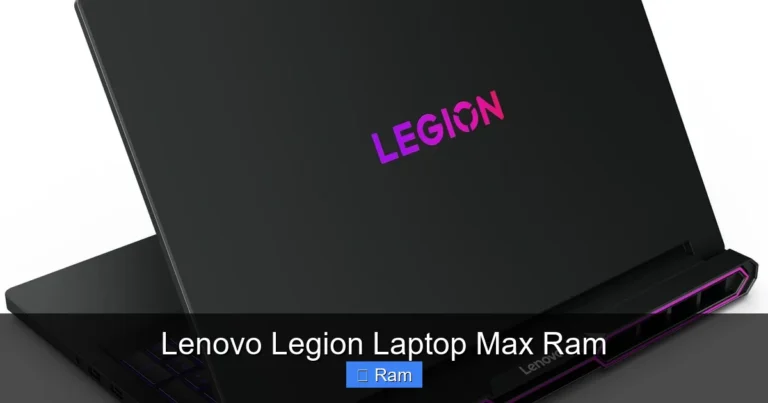
Lenovo Legion 5 — Best for Light Gaming
If you want to game on a Lenovo 8 GB RAM laptop, the Legion 5 is worth a look. While serious gamers might prefer 16 GB, the Legion 5 with 8 GB can handle many popular titles at medium to high settings. It also comes with a dedicated graphics card, which makes a huge difference.
This machine works well for casual gaming and also serves as a strong productivity laptop. The combination of a good processor, 8 GB memory, and a dedicated GPU makes it a versatile choice.
Lenovo IdeaPad 5 — Best All-Rounder
The IdeaPad 5 sits in the middle of Lenovo’s lineup. It offers better build quality and display than the IdeaPad 3, while still keeping things affordable with 8 GB RAM. It is a great all-rounder for students, remote workers, and families.
Many IdeaPad 5 models come with Windows 11 pre-installed, which means you get the latest features and security updates right out of the box.
Performance Breakdown: What Can You Expect?
One of the most common questions people ask is: “Will 8 GB RAM be enough for me?” The answer depends on what you plan to do. Let us break down real-world performance across different use cases.
Everyday Tasks and Productivity
For tasks like browsing the web, checking email, creating documents, and watching videos, 8 GB RAM is more than enough. You can easily keep 10 to 15 browser tabs open while running a word processor and a music app. Multitasking feels smooth and responsive at this level.
Office suites like Microsoft Office and Google Docs run perfectly fine. Even video conferencing tools like Zoom or Microsoft Teams work without issues. A Lenovo 8 GB RAM laptop handles these tasks with ease and consistency.
Creative Work
If you do light photo editing in apps like Photoshop or Canva, 8 GB will get the job done. However, working with large files or complex layers may slow things down slightly. Light content creation is well within reach, but heavy-duty editing might push the limits.
For video editing, the story is similar. Short clips and basic projects run smoothly. But if you plan to edit long 4K videos regularly, you may want to consider stepping up to 16 GB RAM or more.
Gaming
Gaming is where RAM demands start to climb. Many modern games recommend 16 GB as the standard. That said, plenty of titles still run well on 8 GB, especially if you adjust the graphics settings. Indie games, older titles, and esports games like Valorant or League of Legends perform great.
For a gaming laptop with 8 GB, pairing it with a strong GPU is essential. The graphics card matters more than RAM for most games, so do not overlook that factor.
Programming and Development
Developers running lightweight IDEs and coding environments will find 8 GB sufficient. However, running virtual machines, Docker containers, or heavy compilation tasks may require more memory. For software development, this is a borderline case that depends on your specific workflow.
Who Is an 8 GB RAM Laptop Best For?
Not everyone needs a high-end machine. Let us talk about who benefits most from a Lenovo 8 GB RAM laptop.
Students
If you are in college or high school, 8 GB RAM covers just about everything. Note-taking apps, research browsers, presentation software, and even light multimedia projects all run well. These laptops are also lightweight and portable, which is a huge plus for students carrying them around campus all day.
Remote Workers and Professionals
People working from home who primarily use email, web browsers, video calls, and document tools will find a Lenovo 8 GB RAM laptop perfectly capable. The productivity you get is excellent at this level, especially with a fast SSD and a modern processor.
Families and Casual Users
For household use — streaming movies, browsing social media, and doing basic homework — 8 GB is more than adequate. It is also a great choice for seniors or anyone who wants a simple, reliable portable computing experience.
When You Should Consider More RAM
There are situations where 8 GB simply is not enough. If you fall into any of these categories, you should look at 16 GB RAM laptops or higher:
- Heavy video editing or 3D rendering
- Competitive gaming with high frame rates
- Running multiple virtual machines
- Professional music production with large sample libraries
- Machine learning or data science workloads
How to Get the Most Out of Your 8 GB RAM Laptop
Buying a Lenovo 8 GB RAM laptop does not mean you are stuck forever. There are several ways to boost performance and make your machine feel faster over time.
Keep Your SSD Updated and Optimized
An SSD makes a massive difference compared to a traditional hard drive. If your laptop has an HDD, upgrading to an SSD is one of the best improvements you can make. It speeds up boot times, app launches, and file access dramatically.
Also, keep at least 15-20% of your SSD free. A nearly full drive slows down read and write operations, which affects overall laptop performance.
Manage Startup Programs
Many apps sneak into your startup and run in the background. Over time, this eats up your memory capacity. Open Task Manager, go to the Startup tab, and disable anything you do not need right away. This simple step can free up hundreds of megabytes of RAM.
Use Lightweight Apps When Possible
Switching to lighter alternatives can help. For example, using a lightweight browser or a slimmed-down office app reduces the strain on your system. Small changes add up and make a noticeable difference in system requirements management.
Keep Windows and Drivers Updated
Updates often include performance improvements and bug fixes. Keeping your Windows 11 operating system and device drivers current ensures your hardware runs as efficiently as possible.
Consider a RAM Upgrade
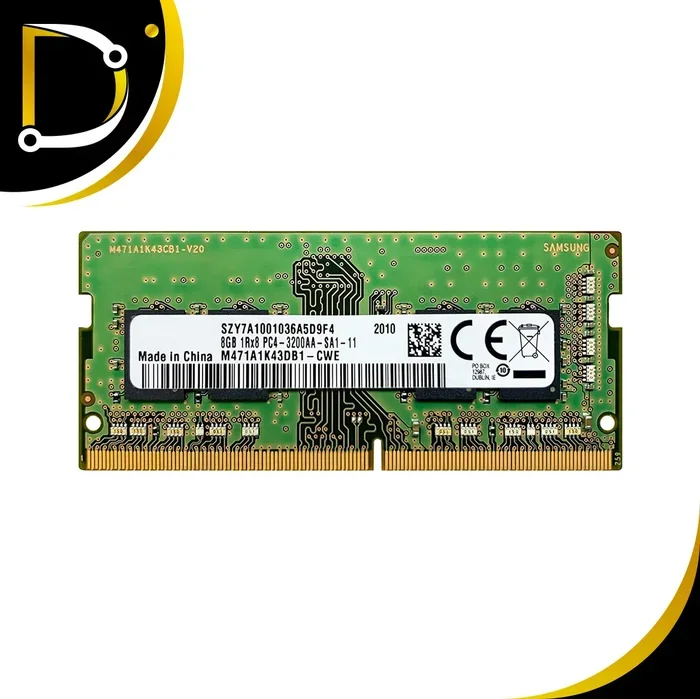
Many Lenovo laptops allow you to open the back panel and add another stick of RAM. If your model has an empty slot or a removable module, upgrading to 16 GB is straightforward and affordable. Check your specific model’s manual to confirm upgrade options.
8 GB RAM vs 16 GB RAM: Which One Do You Need?
This is the most common question people ask when shopping for a laptop. The answer really comes down to your specific needs. Let us compare both options side by side.
Quick Comparison Table
| Factor | 8 GB RAM | 16 GB RAM |
|---|---|---|
| Best For | Everyday use, browsing, office work | Gaming, creative work, heavy multitasking |
| Price Range | $350 – $700 | $600 – $1,200+ |
| Browser Tabs | 10-15 tabs comfortably | 20-30+ tabs easily |
| Gaming | Casual and esports titles | Most modern games at high settings |
| Video Editing | Short, basic projects | Longer, more complex projects |
| Longevity | Good for 2-3 years comfortably | Good for 4-5+ years |
As you can see, both options have their place. If you are on a tight budget or mainly use your laptop for basic tasks, 8 GB RAM delivers excellent value. If you plan to push your machine harder or want it to last longer, investing in 16 GB is the smarter choice.
Expert Insight: Think About Resale Value
One factor people often overlook is resale value. A laptop with 16 GB RAM tends to hold its value better on the used market. If you think you might sell your laptop in a few years, the extra RAM can help you get a better price. However, if you plan to keep your machine for a short time and want to save money now, 8 GB is the way to go.
Quick Tips for Buying the Right Lenovo 8 GB RAM Laptop
- Check the processor: An Intel Core i5 or AMD Ryzen 5 pairs best with 8 GB for balanced performance.
- Prioritize an SSD: A solid-state drive matters more for everyday speed than extra RAM.
- Look at the display: A Full HD (1080p) screen makes a big difference for comfort and clarity.
- Verify upgrade options: Check if the laptop allows future RAM upgrades so you are not locked in.
- Read user reviews: Real-world feedback reveals issues that spec sheets miss, like fan noise or build quality.
- Compare prices across retailers: The same model can vary in price significantly between stores.
Common Mistakes to Avoid
When buying a Lenovo 8 GB RAM laptop, keep these pitfalls in mind:
- Ignoring storage type: An HDD with 8 GB RAM feels sluggish. Always opt for an SSD if possible.
- Overlooking display quality: A cheap TN screen ruins the experience even with great specs inside.
- Assuming 8 GB is always enough: If your work involves heavy software, be honest about your needs and consider 16 GB.
- Skipping battery research: Some budget models have short battery life. Check reviews for real-world battery performance.
- Forgetting warranty details: Lenovo offers different warranty tiers. Make sure you understand what is covered before purchasing.
Conclusion: Is a Lenovo 8 GB RAM Laptop Right for You?
A Lenovo 8 GB RAM laptop is one of the most practical choices you can make for everyday computing. It offers the right mix of affordability, performance, and reliability. Whether you are a student, a remote worker, a parent, or a casual user, this amount of memory handles the vast majority of tasks with ease.
Lenovo has proven itself as a trusted brand across many product lines. From the budget-friendly IdeaPad series to the business-focused ThinkPad lineup, there is an 8 GB RAM laptop for nearly every type of user. Pair it with a fast SSD, a modern processor, and a clean software setup, and you have a machine that feels snappy and responsive for years.
Think about what you actually need from your laptop. If you are not planning to run heavy software or play demanding games, there is no reason to spend more on higher RAM capacities. A Lenovo 8 GB RAM laptop gives you exactly what you need without the extra cost. Do your research, compare models, and pick the one that fits your lifestyle best. You will be happy you did.
Frequently Asked Questions
Is 8 GB RAM enough for a Lenovo laptop in 2025?
Yes, 8 GB RAM is still plenty for most users in 2025. It handles web browsing, document editing, video streaming, and light multitasking with ease. If you do heavy video editing or competitive gaming, you may want to consider 16 GB, but for everyday use, 8 GB remains a solid and cost-effective choice.
Can I upgrade my Lenovo 8 GB RAM laptop to 16 GB?
Many Lenovo laptops allow RAM upgrades, but it depends on the specific model. Some IdeaPad and ThinkPad models have accessible DIMM slots or empty slots for adding more memory. Check your model’s service manual or contact Lenovo support to confirm whether your machine supports upgrades.
What is the difference between 8 GB DDR4 and 8 GB DDR5 RAM?
DDR5 is the newer standard and offers faster data transfer speeds than DDR4. However, for most everyday tasks, the real-world difference is modest. DDR5 shows bigger gains in specific workloads like large file transfers and some games. If you are buying a new laptop, DDR5 models are becoming more common, but DDR4 with 8 GB is still perfectly capable.
Will 8 GB RAM support Windows 11 smoothly?
Absolutely. Windows 11 runs well on 8 GB RAM. Microsoft lists 8 GB as the recommended amount for 64-bit versions of Windows 11. You will experience smooth performance for standard tasks, including using the Start menu, browsing, and running multiple apps. Just keep startup programs minimal for the best experience.
Which Lenovo 8 GB RAM laptop has the best battery life?
Lenovo’s ThinkPad E Series and IdeaPad 5 tend to offer excellent battery life among models with 8 GB RAM. The ThinkPad line is especially known for lasting 8-10 hours on a single charge during normal use. Always check reviews for real-world battery tests, as manufacturer claims can vary based on usage patterns.
Is a Lenovo 8 GB RAM laptop good for online classes and remote learning?
It is an excellent choice for online learning. You can run video conferencing apps, take notes digitally, browse course materials, and stream lectures all at the same time. A Lenovo 8 GB RAM laptop with a good webcam and microphone setup will serve students well throughout their academic journey.