Laptop with I7 Processor and 16gb Ram
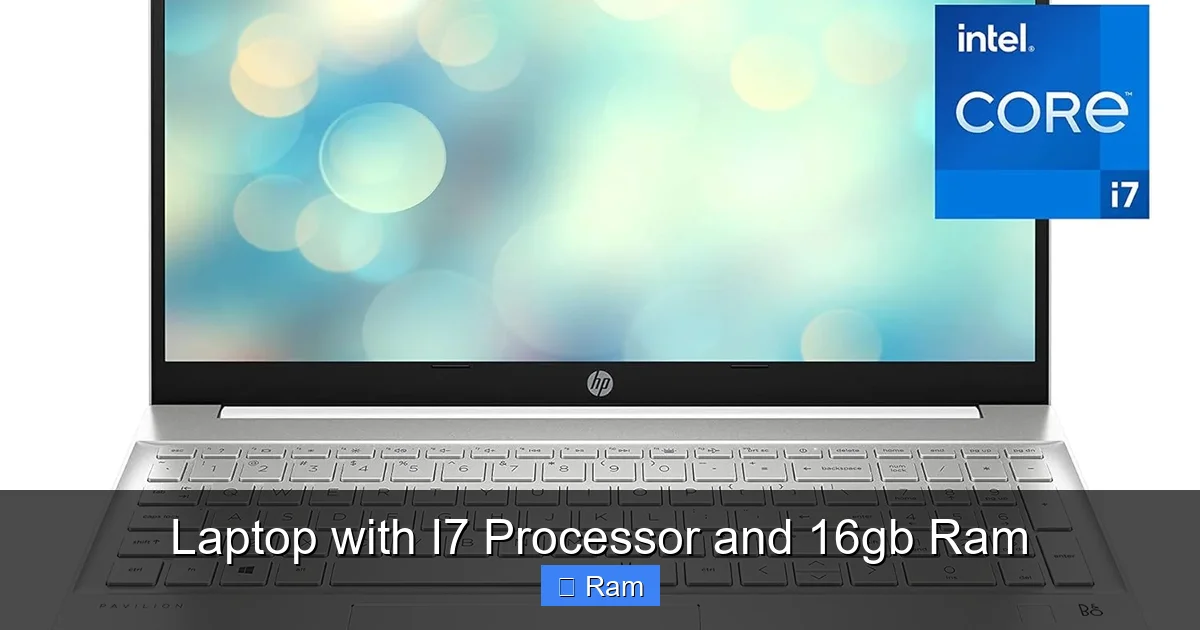
A laptop with i7 processor and 16GB RAM represents the sweet spot for high-performance computing without venturing into extreme, overly expensive territory. This powerful combination effortlessly handles demanding tasks like 4K video editing, modern gaming at high settings, running virtual machines, and juggling dozens of browser tabs and applications simultaneously. It’s the ideal choice for professionals, serious gamers, students in engineering or design, and any power user who refuses to compromise on speed and responsiveness.
So, you’re in the market for a new machine and you’ve heard the buzzwords: “i7 processor” and “16GB of RAM.” You know they sound powerful, but what do they actually mean for your daily grind? Whether you’re a budding video editor, a competitive gamer, a data analyst wrestling with spreadsheets, or just someone who hates waiting for their computer, this combination is the holy grail of balanced performance. Let’s cut through the marketing jargon and dig into exactly what a laptop with i7 processor and 16GB RAM delivers, who it’s for, and how to pick the perfect one without overpaying or getting stuck with a overheated paperweight.
Key Takeaways
- The Sweet Spot: An i7 processor paired with 16GB of RAM is the Goldilocks zone for most power users—powerful enough for nearly any task without the cost and heat of an i9 or excessive RAM.
- Versatile Performance: This combo excels at content creation (video/photo editing), modern gaming, software development, data analysis, and heavy multitasking without slowdowns.
- Cooling is Key: Performance is only as good as the cooling system. A thin laptop with an i7/16GB can throttle under sustained loads if poorly cooled, so check reviews for thermal performance.
- RAM Matters Beyond Size: It’s not just 16GB, but the type (DDR4 vs. DDR5) and speed (MHz) that affect performance, especially in gaming and memory-intensive creative apps.
- Future-Proofing: 16GB is the new recommended minimum for longevity. Pairing it with a fast SSD (NVMe) and a modern GPU ensures the laptop remains viable for 3-5 years.
- Match to Your Workflow: A gaming laptop with this spec will be bulkier than an ultrabook. Identify your primary use case—portability vs. raw power—before choosing.
- Read the Fine Print: Always review the warranty and terms and conditions before purchase, noting coverage for components like the battery and RAM upgrades.
📑 Table of Contents
Demystifying the Specs: What i7 and 16GB Really Mean
Before we talk about laptops, let’s break down the core components. Think of your laptop as a team. The processor (CPU) is the brain, and the RAM (memory) is the workspace on its desk.
The Mighty i7 Processor: More Than Just a Number
Intel’s Core i7 sits comfortably between the efficient, budget-friendly i5 and the powerhouse, heat-generating i9. For the vast majority of users, an i7 offers the best balance. Modern i7 processors (like the 13th or 14th Gen “Raptor Lake” or “Meteor Lake” series) feature multiple cores (think of them as separate brain departments) and threads (allowing each core to handle two tasks at once). This means it can efficiently juggle your operating system, your browser with 50 tabs, your music streaming, and your heavy application all at once.
Key i7 Features for Laptops:
- High Core/Thread Count: Typically 10-14 cores and 16-20 threads, allowing for excellent multitasking and parallel processing.
- Strong Single-Core Speed: Crucial for tasks like web browsing, application launching, and many games. Modern i7s boost to very high GHz speeds.
- Integrated Graphics: Most laptop i7s include Intel Iris Xe graphics, which are surprisingly capable for light gaming and video playback, saving battery when you don’t need a dedicated GPU.
- Smart Cache: A larger cache (on-chip memory) helps the CPU access frequently used data faster, boosting overall responsiveness.
In short, the i7 is the workhorse that doesn’t quit. It’s designed for sustained performance, making it perfect for long editing sessions or marathon gaming bouts.
Why 16GB RAM is the New “Enough”
RAM is your laptop’s short-term memory. When you open an application or a file, it gets loaded here for quick access. 8GB used to be the standard, but in 2024, it’s the bare minimum for a smooth Windows or macOS experience. 16GB is where comfort begins.
Here’s a simple analogy: if 8GB is a small desk where you can work on one or two projects without clutter, 16GB is a spacious desk where you can have all your project materials, reference books, and tools laid out simultaneously without constantly putting things away.
What 16GB Enables:
- Effortless Multitasking: Run a virtual machine, have 100 Chrome tabs open, edit a large photo in Photoshop, and stream a video—all without the system slowing to a crawl as it swaps data to the slower SSD.
- Future-Proofing: Software and operating systems are memory-hungry. 16GB provides a comfortable buffer for the next 3-5 years of updates and more complex applications.
- Smooth Creative Work: Applications like Adobe Premiere Pro, DaVinci Resolve, or Blender benefit greatly from ample RAM when handling large project files and multiple layers.
- Gaming: While modern games often recommend 16GB, many run fine on 8GB. However, 16GB ensures you have headroom for background tasks (Discord, streaming software, browsers) without impacting game performance.
It’s important to note that if your work involves massive datasets (scientific computing, huge 3D models) or you’re a professional video editor working with 8K RAW footage, you might look at 32GB or more. But for 95% of “power users,” 16GB is the ideal target.
Performance in the Real World: What Can You Actually Do?
Specs on a sheet are one thing. Real-world performance is another. Let’s walk through common scenarios to see this combo shine.
Visual guide about Laptop with I7 Processor and 16gb Ram
Image source: microless.com
Content Creation & Professional Workloads
This is where the i7/16GB pairing truly justifies its cost. If your work involves:
- Video Editing: Editing 1080p or even 4K video in Premiere Pro or DaVinci Resolve is smooth. The i7 handles the encoding/decoding, while 16GB keeps previews running and lets you work with multiple effects and layers without constant rendering pauses. For professional 4K/8K workflows, a dedicated GPU (like an NVIDIA RTX or AMD Radeon) becomes critical, but the CPU and RAM foundation is essential.
- Photo Editing & Graphic Design: Working with large, layered Photoshop files or complex Illustrator vectors is fluid. The fast CPU accelerates filters and transformations, while 16GB prevents lag when switching between huge files.
- 3D Modeling & Animation: In Blender or CAD software, viewport navigation is smoother with more RAM and a strong CPU. Rendering times are primarily GPU-dependent, but the i7 helps with scene preparation and other tasks.
- Music Production: Running a DAW like Ableton Live or FL Studio with dozens of virtual instruments and effects tracks benefits from the multi-core power of the i7 and the memory bandwidth of 16GB.
Pro Tip: For content creation, don’t neglect storage. A fast NVMe SSD (1TB or more) is non-negotiable for storing project files and ensuring quick load times.
Gaming & Graphics: More Than Just the GPU
Many gamers fixate on the graphics card (GPU), and rightly so for max settings at high resolutions. But a weak CPU or insufficient RAM can create a “bottleneck,” where your powerful GPU is sitting idle waiting for data from the CPU. An i7 processor with 16GB RAM is an excellent partner for mid-to-high-end gaming GPUs (like an NVIDIA RTX 4060/4070 or AMD RX 7600S/7700S).
You’ll be able to:
- Play virtually any modern AAA title at 1080p or 1440p with high to ultra settings.
- Enjoy smooth, high-refresh-rate (144Hz+) gaming in competitive esports titles like Valorant, CS:GO, or Fortnite.
- Game while streaming via OBS or having Discord and a browser open without frame rate drops.
- Emulate older console games or play CPU-intensive strategy/simulation games (Civilization VI, Microsoft Flight Simulator) with ease.
Important Note: For pure gaming, an i5 with a stronger GPU can sometimes offer better value. But if you also stream, edit gameplay videos, or do other tasks, the i7/16GB combo is more versatile.
The Art of Seamless Multitasking
This is the everyday magic. Imagine:
- Having 50+ Chrome tabs open (with videos playing), a Word document, an Excel sheet, Slack, Spotify, and a Zoom call running—all while your antivirus does a quick scan. On an i5/8GB system, you might feel the drag. On an i7/16GB, it’s effortless. The system feels snappy and responsive.
- Running a Linux virtual machine for development work inside Windows, with multiple IDE windows and browser instances. The i7’s cores handle the virtualization, and 16GB gives the VM its own generous memory space.
- A student with 20 PDFs open for research, a thesis in Word, data analysis in Excel, and a video lecture in the background. No frustrating freezes or “your computer is low on memory” warnings.
This fluidity reduces friction in your workflow. You spend less time waiting and more time doing.
Choosing the Right Laptop: It’s Not All About the Specs
You could buy a generic “i7/16GB” laptop from any brand, but the experience can vary wildly. The chassis, cooling, display, keyboard, and ports are just as important as the internals.
Visual guide about Laptop with I7 Processor and 16gb Ram
Image source: m.media-amazon.com
Form Factors: Finding Your Perfect Shape
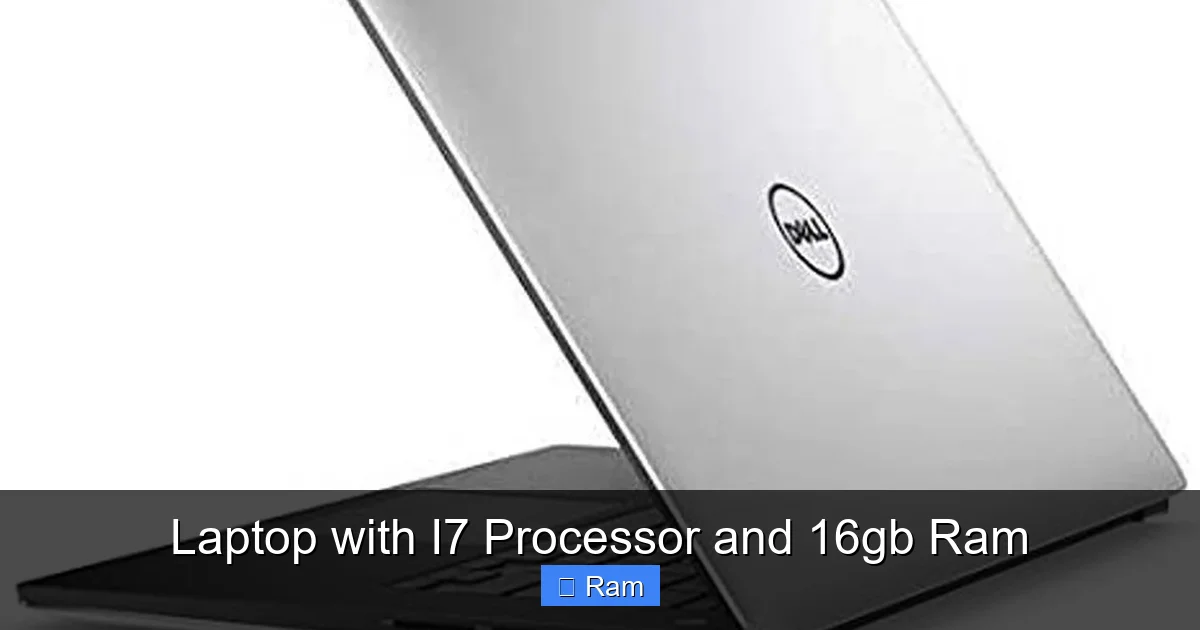
Ultrabooks & Thin-and-Lights: Brands like Dell XPS, Lenovo Yoga Slim, HP Spectre, and Apple’s MacBook Pro (with Apple Silicon, which competes fiercely with Intel i7 in performance-per-watt) pack i7-class power into sleek, portable bodies. They are ideal for travelers, business professionals, and students who prioritize weight (often under 3.5 lbs) and battery life. Trade-off: They often have less robust cooling, so under prolonged heavy loads (like a 1-hour render), they might throttle performance slightly to manage heat. They also rarely have user-upgradable RAM (soldered to the motherboard).
Gaming Laptops: From ASUS ROG, Lenovo Legion, MSI, and Acer Predator. These are thicker, heavier (4-6+ lbs), and have aggressive cooling solutions with multiple fans and heat pipes. They are built for sustained max performance and almost always have an upgradeable RAM slot (often one or two). They also include high-refresh-rate displays (144Hz, 240Hz) and dedicated GPUs. Perfect if you game heavily or do GPU-accelerated work and don’t mind the heft.
Workstations & Performance Ultrabooks: Think Dell Precision, Lenovo ThinkPad P-series, or HP ZBook. These are built for ISV-certified professional applications (AutoCAD, SolidWorks, etc.). They feature the most robust cooling, best displays (often 4K, color-accurate), and superior build quality (often meeting MIL-STD durability standards). They are expensive but offer the most reliable performance for mission-critical professional work. RAM is often expandable.
Brand Ecosystem & Build Quality
Don’t just look at the spec sheet. Read professional and user reviews focusing on:
- Thermals & Noise: Does the fan get annoyingly loud under load? Does the chassis get uncomfortably hot? A laptop that throttles due to heat will feel slower than its specs suggest.
- Keyboard & Trackpad: You’ll be touching these every day. A mushy keyboard or a jittery trackpad ruins the experience. If possible, try them in a store.
- Display Quality: Resolution (Full HD/1080p is standard, QHD/1440p is a sweet spot, 4K is for professionals), brightness (300 nits+ for indoor use, 400+ for outdoor), color accuracy (sRGB/Adobe RGB coverage), and refresh rate (60Hz vs. 120Hz+ for smooth motion).
- Port Selection: Do you need USB-C/Thunderbolt 4 for docks and fast external SSDs? HDMI for a second monitor? An SD card reader for photos? Ensure the laptop has the ports you need, or factor in the cost of a dongle.
Budget vs. Value: How Much Should You Spend?
A new laptop with i7 processor and 16GB RAM can range from $900 for a value-focused model to over $3,000 for a top-tier workstation. Here’s a rough guide:
- $900 – $1,400: You’ll find excellent ultrabooks and entry-level gaming laptops. You might get a previous-gen CPU, a standard 60Hz display, and a plastic chassis. The core performance (i7/16GB) will be there, but you may compromise on build, display, or GPU.
- $1,400 – $2,200: The sweet spot. You get current-gen i7s, excellent builds (aluminum), good cooling, high-refresh-rate or high-resolution displays, and decent dedicated GPUs in gaming models. Best value for most.
- $2,200+: Premium territory. Top-tier displays (OLED, mini-LED), workstation-grade GPUs (NVIDIA RTX A-series), best-in-class cooling, military-grade durability, and premium materials. For professionals where time is money.
Consider Refurbished/Older Gen: A last-year model from a certified refurbisher (like Dell Outlet, Lenovo Outlet) can offer 90% of the performance for 70% of the price. Just ensure it has a warranty.
Optimizing and Future-Proofing Your Investment
Buying the laptop is just step one. Getting the most out of it and ensuring it lasts requires a little know-how.
Visual guide about Laptop with I7 Processor and 16gb Ram
Image source: m.media-amazon.com
Understanding RAM: Type and Speed Matter
Not all 16GB is created equal. You’ll see specs like “16GB DDR4-3200” or “16GB DDR5-4800.”
- DDR4 vs. DDR5: DDR5 is newer, offering higher bandwidth (speed) but with slightly higher latency. For most tasks, the difference is marginal, but in memory-bandwidth-intensive scenarios (integrated graphics gaming, certain scientific apps), DDR5 can provide a noticeable boost. DDR4 is still perfectly excellent and often found in more affordable models.
- MHz Speed: Higher MHz (e.g., 4800 vs. 3200) means faster data transfer. This can improve performance in games and creative apps, especially when using integrated graphics. However, the CPU and GPU also need to support these speeds.
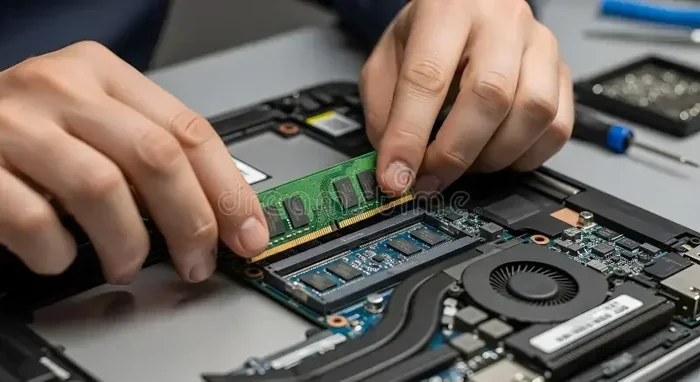
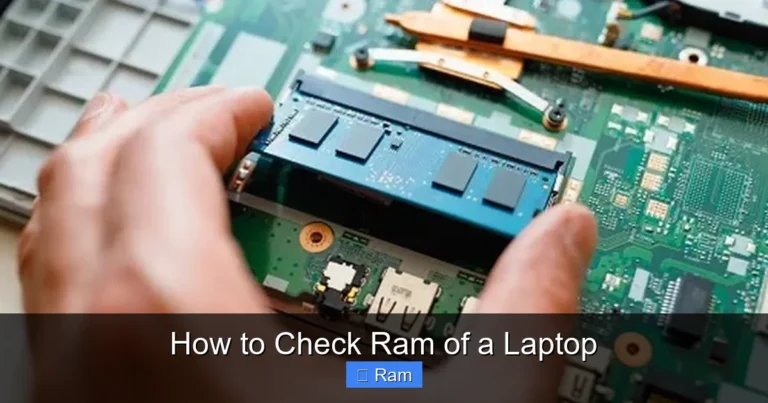
Upgradeability Check: Before buying, check if the RAM is soldered (permanently attached) or has slots. Soldered RAM cannot be upgraded. If you buy a laptop with 16GB soldered, that’s it forever. If it has at least one free slot, you can often add more later (e.g., upgrade to 32GB). This is a major factor for long-term future-proofing. For gaming laptops and workstations, slots are common. For ultrabooks, soldered is the norm.
Cooling: The Unsung Hero of Performance
An i7 processor can get hot, especially under load. Poor cooling leads to thermal throttling—where the CPU deliberately slows itself down to prevent damage, killing performance. Here’s how to manage it:
- Buy for Cooling: Read reviews specifically for thermal tests. Look for laptops with multiple heat pipes, large fans, and a well-ventilated chassis. Gaming laptops excel here.
- Use a Cooling Pad: A simple, inexpensive accessory that provides additional airflow, especially useful for lap use or for thinner laptops.
- Maintain Cleanliness: Dust is the enemy. Every 6-12 months, use compressed air to blow out vents. If you’re comfortable, you can open the back panel and clean the fans more thoroughly.
- Mind Your Environment: Don’t use a laptop on a bed or couch where fabric blocks vents. Use it on a hard, flat surface.
- Software Tweaks: Use manufacturer utilities (like Lenovo Vantage, Dell Power Manager) to set fan profiles (e.g., “Quiet,” “Performance”). Undervolting (advanced) can reduce heat and power draw with minimal performance loss, but requires research.
Software Optimization: Get the Most from Your Hardware
- Fresh OS Install: Bloatware from manufacturers can slow you down. Consider a clean install of Windows or macOS to start fresh.
- Update Drivers: Keep your chipset, graphics, and BIOS/UEFI firmware updated from the manufacturer’s website. This improves stability, performance, and security.
- Manage Startup Programs: Disable unnecessary apps that launch at boot. They consume RAM and CPU cycles from the get-go.
- Power Settings: On Windows, set your power plan to “High Performance” when plugged in for max power. On battery, “Balanced” or “Power Saver” extends life.
- Monitor Your Resources: Use Task Manager (Ctrl+Shift+Esc) or tools like HWMonitor to see what’s using your CPU, RAM, and disk. Identify culprits if things feel slow.
Buying Guide and Final Recommendations
Armed with knowledge, let’s narrow down your perfect laptop with i7 processor and 16GB RAM. Ask yourself these questions:
Essential Features Checklist
- CPU Generation: Aim for at least Intel 12th Gen (Alder Lake) or newer. 13th/14th Gen are best. Check the specific model number (e.g., i7-13700HX vs. i7-1360P—the HX series is much more powerful for heavy loads).
- RAM Configuration: Is it 16GB (2x8GB) in dual-channel mode (much faster than 1x16GB)? Is it upgradeable?
- Storage: Minimum 512GB NVMe SSD. 1TB is the sweet spot for most. Check if there’s a second SSD slot for expansion.
- Display: For general use: 14-16″, 1920×1080 (FHD), 300+ nits. For media/creative: consider QHD (2560×1440) or OLED. For gaming: high refresh rate (144Hz+) is key.
- Battery: Real-world battery life varies wildly. Expect 4-6 hours for gaming laptops under normal use, and 8-12+ for efficient ultrabooks. Read reviews for actual tests.
- Ports: At least 2x USB-A, USB-C/Thunderbolt 4 (for charging and docks), HDMI, and a headphone jack. A full-size SD card reader is a bonus for photographers.
- Build & Keyboard: Metal chassis (aluminum/magnesium) is sturdier. Ensure the keyboard has good travel (1.5mm+) and is backlit.
Red Flags to Avoid
- Single Channel RAM: If it’s a single 16GB stick instead of two 8GB sticks, you’re losing significant performance in memory-intensive tasks. Look for dual-channel configurations.
- Slow SSD: Some budget models use older, slower SATA SSDs or eMMC storage. Ensure it’s a PCIe NVMe SSD.
- Unknown Brand/No Reviews: Stick with major brands (Dell, HP, Lenovo, ASUS, Acer, Apple, MSI, Razer). Unknown brands often have poor cooling, terrible support, and flimsy builds.
- “Up to” Claims: “Up to 12 hours battery life” is under ideal lab conditions. Real-world is usually 50-70% of that. Trust independent reviews over manufacturer claims.
- Poor Cooling Design: If reviews consistently mention “hot to the touch” or “throttling under load,” avoid it. No amount of specs can fix a bad cooling design.
Top Picks for Different Use Cases (2024 Examples)
(Note: Specific models change frequently. Use these as archetypes.)
- The All-Rounder / Student Power User: Lenovo Yoga Slim 7i or Dell XPS 15. Sleek, great displays, strong i7 performance, decent battery. Perfect for writing, research, light creative work, and media.
- The Gamer & Streamer: ASUS ROG Strix G16 or Lenovo Legion Pro 5. Excellent cooling, high-refresh-rate displays, powerful GPUs paired with i7/HX-series CPUs. The workhorse for gaming and multitasking.
- The Mobile Professional / Creator: Apple MacBook Pro 14″ (M3 Pro). While not Intel, Apple’s M3 Pro chip competes directly with i7s in performance and efficiency with incredible battery life. Or, a Dell Precision 5680 for Windows-based ISV-certified workstation power in a relatively portable package.
- The Budget-Conscious Power User: Acer Aspire Vero or a refurbished Dell XPS 13/15 from 1-2 years ago. You get the core i7/16GB experience without the latest-gen premium.
Before you click “buy,” take a moment to review the warranty coverage and terms and conditions. Pay close attention to what is covered (accidental damage? battery degradation?), the length of coverage, and the process for claims. A good warranty can save you hundreds in repair costs.
Conclusion: Power, Balanced
A laptop with i7 processor and 16GB RAM is more than just a collection of parts; it’s a gateway to frustration-free, high-productivity computing. It’s the machine that lets you focus on your creative project, dominate in your game, or close ten browser tabs without a second thought. It strikes that crucial balance between cost, performance, and capability that satisfies the needs of a vast majority of enthusiasts and professionals.
The key is to look beyond the “i7/16GB” sticker. Consider the cooling—the silent guardian of your performance. Think about the RAM’s configuration and future upgrade paths. Prioritize the display and keyboard you’ll interact with daily. Match the laptop’s form factor to your lifestyle. And always, always read the fine print on support and service terms.
In a world of ever-increasing software demands, this combination isn’t just a luxury; it’s a smart, forward-looking investment. Do your research, pick the laptop that fits your specific workflow and budget, and you’ll enjoy a fast, responsive, and capable companion for years to come. Now, go create, game, and conquer—without the waiting.
Frequently Asked Questions
Is an i7 with 16GB RAM overkill for everyday use?
For basic web browsing, email, and office documents, yes, it’s more than needed. However, if you regularly have many apps open, work with large files, or want a machine that stays fast for 4+ years without upgrades, it’s a smart investment in future-proofing.
Can I upgrade the RAM in an i7 laptop later?
It depends entirely on the model. Many gaming laptops and workstations have accessible RAM slots. However, most modern ultrabooks and thin-and-lights solder the RAM directly to the motherboard, making upgrades impossible. Always check the manufacturer’s specifications or teardown videos before buying if upgradeability is important to you.
Is this combo good for gaming?
Absolutely, but with a caveat. An i7/16GB is an excellent foundation, but the dedicated GPU is the primary factor for gaming performance. Pair this CPU/RAM combo with a capable GPU (like an NVIDIA RTX 4060 or better) for a great 1080p/1440p gaming experience. The CPU and RAM ensure the GPU isn’t held back.
Will a laptop with i7 and 16GB have poor battery life?
Not necessarily, but it varies. Efficient ultrabooks with low-power i7 processors (like the “U” or “P” series) and power-efficient DDR5 RAM can achieve 8-12 hours of real-world use. Thick gaming laptops with high-wattage “HX” series i7s and powerful GPUs will often last only 2-4 hours under gaming load. Check reviews for specific battery tests.
Should I get Windows or macOS with this spec level?
This is a platform choice. Windows laptops (from Dell, Lenovo, ASUS, etc.) offer a wider range of designs, prices, and gaming compatibility. macOS (Apple Silicon MacBook Pro) offers exceptional battery life, silent operation, and superb performance for creative apps in a tightly integrated ecosystem. Your software needs and personal preference should guide this decision, not just raw specs.
How do I prevent my i7 laptop from overheating?
Ensure you buy a model known for good cooling (read thermal reviews). Use it on a hard, flat surface, not on a bed or couch. Clean the vents regularly with compressed air. Consider a cooling pad for extended heavy workloads. Use manufacturer software to balance fan noise and performance, and avoid running demanding tasks on your lap where vents are blocked.