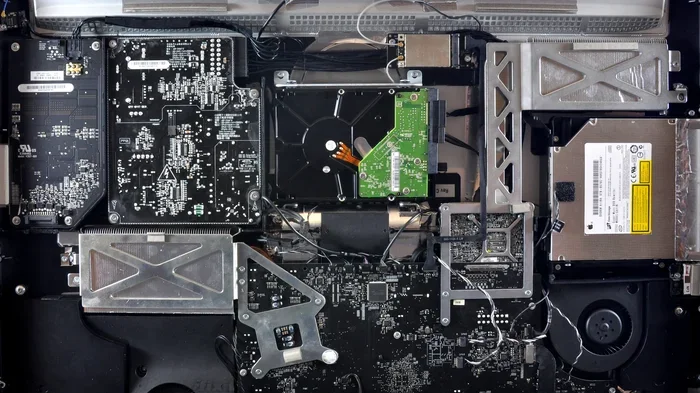
What Amount of Ram Is Good on a Laptop
Choosing the right amount of RAM for your laptop is one of the most important decisions you can make for performance. Whether you use your device for basic browsing or demanding software, having enough memory ensures smooth multitasking and faster load times. This guide breaks down exactly how much RAM you need based on your usage, budget, and laptop type.
What amount of ram is good on a laptop? This is one of the most common questions people ask when buying or upgrading a device. The answer depends entirely on what you plan to do with your laptop. A student who only browses the web needs far less memory than a video editor or gamer.
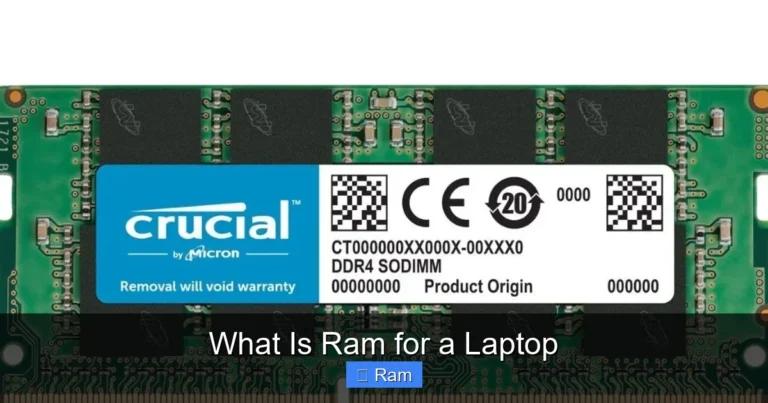
RAM, or Random Access Memory, acts as your laptop’s short-term memory. It handles everything that’s happening right now on your screen. When you open apps, browse tabs, or play games, they all live in your RAM temporarily. The more RAM you have, the more you can do at once without slowdowns.
In this guide, we’ll walk you through every amount of RAM available today. We’ll explain what each level can handle, where it falls short, and how to choose the right one for your needs. By the end, you’ll know exactly what amount of ram is good on a laptop for your specific situation.
Key Takeaways
- 4GB RAM: Enough for basic tasks but struggles with modern apps and multitasking.
- 8GB RAM: The sweet spot for most everyday users and light professionals.
- 16GB RAM: Ideal for gaming, video editing, and heavy multitasking.
- 32GB+ RAM: Best for power users, developers, and creative professionals.
- RAM speed and type matter: DDR4 and DDR5 offer different performance levels.
- Check compatibility: Not all laptops support RAM upgrades.
📑 Table of Contents
- What Does RAM Do on a Laptop?
- How Much RAM Do You Really Need?
- RAM Amounts by Use Case: A Quick Comparison
- Does RAM Speed Matter?
- Can You Upgrade RAM on Your Laptop?
- Common Mistakes When Choosing Laptop RAM
- Expert Tips for Getting the Most Out of Your RAM
- How to Check Your Current RAM
- Final Thoughts
What Does RAM Do on a Laptop?
Before we dive into numbers, let’s understand what RAM actually does. Think of RAM as your laptop’s workspace. When you open a program, it moves from your storage drive into RAM. This is because RAM is incredibly fast compared to hard drives or SSDs.
Your laptop constantly reads and writes data to RAM while you work. Every click, scroll, and keystroke involves RAM activity. When you close a program, it clears that space for the next task. This is why having enough RAM matters so much for daily performance.
Unlike permanent storage, RAM is temporary. It forgets everything when you turn off your laptop. But during use, it’s the most important component for speed and responsiveness. A laptop with plenty of RAM feels snappy and fluid. One with too little RAM feels slow and frustrating.
RAM vs Storage: What’s the Difference?
People often confuse RAM with storage space. They are very different things. Storage holds your files, apps, and operating system permanently. RAM handles active tasks in real time. You need both, but they serve different purposes.
For example, your game files live on your SSD or hard drive. But while you’re playing, the game loads into RAM for quick access. More RAM means the game runs smoother with fewer stutters. Understanding this difference helps you make better buying decisions.
How Much RAM Do You Really Need?
The right amount of RAM depends on your usage. Different tasks require different levels of memory. Let’s break this down by category so you can find your match.
Basic Usage: 4GB RAM
4GB of RAM is the minimum for most modern laptops. It works fine for very light tasks. You can browse the web, check email, and use simple documents. But you’ll notice slowdowns if you open too many browser tabs.
Here’s what 4GB RAM handles well:
- Web browsing with 2-3 tabs
- Word processing and spreadsheets
- Streaming videos in standard quality
- Basic email and messaging
For anything more demanding, 4GB will struggle. Modern operating systems already use a significant chunk of this memory just to run. That leaves very little room for your actual work. If your laptop only has 4GB, consider a RAM upgrade if possible.
Everyday Use: 8GB RAM
8GB RAM is the sweet spot for most users. It handles everyday tasks with ease and allows for comfortable multitasking. This is what most budget and mid-range laptops come with today.
With 8GB, you can comfortably:
- Browse with 10-15 open tabs
- Run multiple apps at the same time
- Edit photos and basic documents
- Stream HD video without issues
- Handle light gaming on older titles
For students, office workers, and casual users, 8GB hits the perfect balance. It’s enough to get things done without paying for power you won’t use. Most people will be perfectly happy with this amount of memory.
Power Users: 16GB RAM
16GB RAM is the go-to choice for serious users. Gamers, video editors, and professionals who run demanding software need this much memory. It gives you headroom to work without worrying about performance drops.
Here’s what 16GB RAM unlocks:
- Modern gaming at medium to high settings
- Video editing and rendering
- Running virtual machines
- Heavy multitasking with many apps
- Programming and software development
If you’re buying a laptop for any creative or intensive work, 16GB should be your starting point. It future-proofs your device for years to come. The extra cost is worth the performance boost you’ll feel every day.
Professional and Enterprise: 32GB+ RAM
32GB RAM and beyond is for power users and professionals. This level of memory handles the most demanding workloads without breaking a sweat. It’s common in workstation laptops and high-end creative machines.
You’ll need 32GB or more if you:
- Edit 4K or 8K video footage
- Run complex 3D rendering projects
- Do machine learning or data science work
- Run multiple heavy applications simultaneously
- Develop large-scale software applications
For most people, 32GB is overkill. But if your work depends on heavy computing power, there’s no substitute for ample memory. The performance gains are significant and noticeable.
RAM Amounts by Use Case: A Quick Comparison
Let’s put all this into a simple comparison table so you can see at a glance what amount of RAM fits each use case.
| Usage Type | Minimum RAM | Recommended RAM |
|---|---|---|
| Basic browsing and documents | 4GB | 8GB |
| Student and office work | 8GB | 16GB |
| Gaming | 8GB | 16GB |
| Photo and video editing | 16GB | 32GB |
| Software development | 16GB | 32GB |
| 3D rendering and AI work | 32GB | 64GB |
This table gives you a solid starting point. But remember, your specific needs might vary. Consider what software you use most often and check its recommended requirements.
Does RAM Speed Matter?
When people think about RAM, they usually focus on amount. But speed matters too. RAM speed, measured in megahertz (MHz), affects how fast data moves between your memory and processor.
Faster RAM can improve performance in some tasks. For gaming, it can boost frame rates slightly. For creative work, it can speed up file exports. But the difference is usually small compared to having enough RAM in the first place.
Most modern laptops use DDR4 or DDR5 RAM. DDR5 is newer and faster, but also more expensive. DDR4 still offers excellent performance and is more affordable. When choosing RAM, prioritize amount over speed. Having enough memory is always more important than raw speed.
DDR4 vs DDR5: What’s the Difference?
DDR4 has been the standard for several years. It offers reliable performance at reasonable prices. DDR5 is the newer standard and brings faster speeds and better efficiency. But DDR5 laptops are still more expensive.
If you’re buying a new laptop today, DDR5 is worth considering for future-proofing. But DDR4 laptops still deliver great performance for most tasks. Don’t let RAM type alone drive your buying decision.
Can You Upgrade RAM on Your Laptop?
One of the most important factors in choosing RAM is whether you can upgrade it later. Not all laptops allow RAM upgrades. Many thin and light models have soldered memory that can’t be changed.
Before you buy, check if your laptop has an accessible RAM slot. Some models come with one slot already occupied, leaving room for a second module. Others have both slots free. And some have no upgrade path at all.
If you’re unsure about your current setup, you can check the RAM of your laptop using built-in tools. On Windows, open Task Manager and go to the Performance tab. On Mac, click the Apple menu and choose About This Mac. These tools show you exactly how much RAM you have installed.
If you find that your laptop supports upgrades, adding more memory is one of the best ways to boost performance. It’s also more affordable than buying a new laptop. A RAM upgrade can breathe new life into an older machine.
How to Know If You Need More RAM
Your laptop will tell you when it needs more memory. Watch for these common signs:
- Your laptop runs slow when you open multiple apps
- You experience frequent freezing or crashing
- Your browser tabs take forever to load
- You see your hard drive working overtime (the disk light stays on)
- Games stutter or drop frames during gameplay
If you notice any of these issues, your RAM might be the bottleneck. Before spending money on a new laptop, consider a memory upgrade first. It could solve your problems for a fraction of the cost.
Common Mistakes When Choosing Laptop RAM
Many people make avoidable mistakes when selecting RAM for their laptops. Here are the most common ones to watch out for.
Buying more RAM than you need. This is the most common mistake. If you only browse the web and check email, 32GB is a waste of money. Buy what matches your actual usage.
Ignoring compatibility. Not all RAM works with all laptops. Check your laptop’s specifications for supported RAM type, speed, and maximum capacity. Buying the wrong modules means they won’t work.
Forgetting about your operating system. A 32-bit operating system can only use about 4GB of RAM maximum. If you have more installed, the extra goes to waste. Make sure your OS is 64-bit to take advantage of larger amounts of memory.
Skipping RAM when building a budget. It’s tempting to save money by cutting RAM. But this creates a frustrating experience. A laptop with 8GB RAM and a good processor will outperform one with 4GB RAM and a great processor every time.
Expert Tips for Getting the Most Out of Your RAM
Want to squeeze every bit of performance from your laptop’s memory? Here are some practical tips from the experts.
Close apps you’re not using. Every open app uses RAM, even in the background. Get into the habit of closing programs you don’t need. This frees up memory for your active tasks.
Limit browser tabs. Each open tab consumes memory. If you tend to keep dozens of tabs open, you’ll drain your RAM fast. Use a tab manager or bookmark pages for later instead.
Restart your laptop regularly. Restarting clears your RAM and closes background processes. This simple habit keeps your laptop running smoothly over time.
Disable unnecessary startup programs. Many apps launch automatically when you boot your laptop. Go through your startup settings and disable anything you don’t need right away. This frees up memory from the moment you start working.
Consider virtual memory as a backup. When your RAM fills up, your laptop uses your storage drive as temporary memory. This is called virtual memory or a page file. It’s much slower than actual RAM, but it prevents crashes when you’re short on memory.
How to Check Your Current RAM
Not sure how much RAM your laptop currently has? Checking is quick and easy. On Windows laptops, press Ctrl + Shift + Esc to open Task Manager. Click the Performance tab and look for Memory. You’ll see your total RAM and how much you’re currently using.
On Mac laptops, click the Apple logo in the top left corner and select About This Mac. You’ll see your memory amount right in the overview window. This helps you decide whether you need an upgrade.
For a more detailed view, you can also use third-party tools like CPU-Z or Speccy. These programs give you in-depth information about your RAM type, speed, and slots available. This information is valuable if you plan to upgrade.
Knowing your current memory status helps you make informed decisions. You won’t overspend on upgrades you don’t need, and you won’t underperform with too little memory.
Final Thoughts
So, what amount of ram is good on a laptop? The honest answer is: it depends on what you do. For basic users, 8GB is plenty. For gamers and creative professionals, 16GB is the sweet spot. For power users and heavy workloads, 32GB or more makes sense.
The key is to match your RAM to your actual needs. Don’t overpay for memory you won’t use, but also don’t skimp and deal with frustrating slowdowns. When in doubt, 16GB offers the best balance of performance and value for most people today.
Remember that RAM is just one part of your laptop’s performance puzzle. A good processor, fast SSD, and decent display all work together with memory to create a smooth experience. But having the right amount of RAM is one of the easiest ways to ensure your laptop keeps up with your demands.
Take stock of your current usage, think about your future needs, and choose the amount of RAM that fits your life. Your laptop will thank you with faster speeds, smoother multitasking, and a better overall experience every single day.
Frequently Asked Questions
Is 4GB of RAM enough for a laptop in 2024?
4GB RAM is very limited in 2024. It can handle basic tasks like web browsing and document editing, but you’ll struggle with multitasking and modern applications. For a better experience, 8GB should be the minimum you consider.
Can I mix different RAM sizes in my laptop?
You can mix RAM sizes, but it’s not always ideal. For best performance, use matching RAM sticks with the same speed and type. Mixing different sizes can work, but it may run in single-channel mode, which reduces performance slightly.
Does more RAM make a laptop faster?
More RAM helps when you’re running many apps or heavy workloads. But if you already have enough RAM for your tasks, adding more won’t make your laptop faster. The improvement only shows up when you were running short on memory before.
How do I know if my laptop RAM is upgradeable?
Check your laptop’s manual or the manufacturer’s website for specs. Look for information about RAM slots and maximum supported capacity. You can also check online forums or use tools like CPU-Z to find out if your model supports upgrades.
What’s the difference between 8GB and 16GB RAM for gaming?
8GB RAM works for older and less demanding games. But modern games often recommend 16GB for smooth performance. With 16GB, you’ll experience fewer stutters, faster load times, and the ability to run games alongside other apps without issues.
How much RAM do I need for video editing?
For basic video editing, 16GB RAM is a good starting point. For 4K editing or working with complex effects, 32GB or more is recommended. Video editing software uses a lot of memory, and having enough RAM prevents crashes and slowdowns during rendering.
=== CONCLUSION ===
Choosing the right amount of RAM for your laptop doesn’t have to be complicated. Whether you need 8GB for everyday tasks or 32GB for professional work, the key is understanding your own usage patterns. What amount of ram is good on a laptop really comes down to what you plan to do with your device. Start with 8GB for general use, step up to 16GB for gaming and creative work, and go with 32GB or more for the most demanding tasks. Your laptop’s performance will reflect the investment you make in memory today.