Windows 10 Laptop with 8gb Ram
A Windows 10 laptop with 8GB RAM strikes the perfect balance between affordability and performance. This amount of memory handles browsing, office work, and light creative tasks with ease. Whether you are buying new or upgrading, understanding your RAM needs helps you make a smarter choice.
Key Takeaways
- 8GB RAM is the sweet spot: It handles most daily tasks on Windows 10 without slowdowns.
- Multitasking becomes seamless: You can run multiple apps, browser tabs, and background processes comfortably.
- 8GB is future-proof enough for now: Most software and web apps still run well with this memory size.
- Know your upgrade options: Many laptops let you add more RAM later if needed.
- Pair RAM with a good SSD: A 256GB SSD combined with 8GB RAM gives you a fast, responsive system.
- Check system requirements first: Not all Windows 10 tasks need the same amount of memory.
📑 Table of Contents
- Why a Windows 10 Laptop with 8GB RAM Is a Smart Choice
- What Does 8GB RAM Actually Do for Your Laptop?
- Benefits of Having 8GB RAM in a Windows 10 Laptop
- Key Specs to Look For in a Windows 10 Laptop with 8GB RAM
- Common Mistakes People Make When Buying a Laptop with 8GB RAM
- Can You Upgrade RAM on a Windows 10 Laptop?
- Who Benefits Most From 8GB RAM on Windows 10?
- Is 8GB RAM Enough for Gaming on Windows 10?
- How to Get the Best Performance From Your 8GB RAM Laptop
- Quick Tips for Maintaining Your Laptop’s RAM
- Final Thoughts
Why a Windows 10 Laptop with 8GB RAM Is a Smart Choice
When you are shopping for a laptop, the amount of memory matters a lot. A Windows 10 laptop with 8GB RAM gives you a reliable, fast experience for everyday use. You do not need to spend a fortune to get smooth performance. Eight gigabytes of memory handle web browsing, document editing, video calls, and light gaming without breaking a sweat.
Windows 10 itself uses about 2 to 3GB of RAM at idle. That leaves plenty of room for your apps and browser tabs. This is why 8GB has become the go-to standard for budget and mid-range laptops. Whether you are a student, a remote worker, or just someone who wants a dependable machine, this memory size hits the mark.
Many people wonder if 8GB is enough in 2024. The short answer is yes for most users. Heavy video editing or 3D rendering needs more. But for the average person, 8GB keeps everything running buttery smooth. Let us dive deeper into what makes this combination so popular.
What Does 8GB RAM Actually Do for Your Laptop?
RAM, or Random Access Memory, is your laptop’s short-term workspace. When you open an app, it loads into RAM so your processor can access it quickly. More RAM means you can keep more apps open at once without slowdowns. Think of it like a desk — a bigger desk holds more papers at the same time.
With 8GB of memory on a Windows 10 machine, you get a comfortable workspace. You can have a browser with 15 tabs open, a Word document running, and Spotify playing in the background. Everything stays responsive. This is a huge upgrade from the 4GB laptops that struggle with even basic multitasking.
Here is what 8GB RAM handles well on Windows 10:
- Web browsing with multiple tabs
- Microsoft Office apps like Word and Excel
- Video conferencing on Zoom or Teams
- Streaming movies and music
- Light photo editing
- Casual gaming
- Running background antivirus scans
For a deeper understanding of how RAM works in a laptop versus a desktop, check out our guide on laptop RAM vs desktop RAM. It explains the key differences in simple terms.
How Much RAM Does Windows 10 Really Need?
Microsoft lists 2GB as the minimum for 64-bit Windows 10. But minimum and recommended are very different things. In real-world use, 2GB feels painfully slow. 4GB works for basic tasks but chokes when you open too many things. 8GB is the recommended sweet spot for a comfortable experience.
If you want to know whether 8GB is truly enough for your needs, our article on is 8GB RAM enough for a laptop covers this in detail. It breaks down use cases so you can decide with confidence.
Benefits of Having 8GB RAM in a Windows 10 Laptop
There are many real-world benefits to choosing a laptop with 8GB of memory. Here is why it matters for your daily computing experience.
Smoother Multitasking
One of the biggest advantages of 8GB RAM is multitasking. You can switch between apps quickly without waiting. Your browser stays responsive even with many tabs open. This is especially helpful if you work with multiple windows side by side.
Better Future-Proofing
Software keeps getting heavier over time. Having 8GB means your laptop will stay usable for several more years. You will not need to upgrade as soon as someone with 4GB would. This makes 8GB a smart long-term investment.
Faster App Loading Times
Apps load faster when they have enough memory to work with. With 8GB, your programs open quickly and respond without lag. This includes everything from your email client to your photo editor.
No More Annoying Freezes
Low memory is one of the top causes of laptop freezes and slowdowns. 8GB gives you a comfortable buffer so these frustrating moments happen far less often. Your system stays stable even under heavy workloads.
Key Specs to Look For in a Windows 10 Laptop with 8GB RAM
RAM is not the only thing that matters. When shopping for a Windows 10 laptop with 8GB RAM, you should consider the full picture. Here are the specs that make the biggest difference.
| Component | Recommended Spec | Why It Matters |
|---|---|---|
| Processor | Intel i5 or AMD Ryzen 5 | Handles daily tasks and light workloads |
| Storage | 256GB SSD or higher | SSD makes the system much faster than HDD |
| Display | 14 to 15.6 inches, Full HD | Great for productivity and media |
| Battery Life | 8+ hours | Lasts through a workday or school day |
| Operating System | Windows 10 Home or Pro | Full feature set and compatibility |
| RAM | 8GB DDR4 | Solid performance for most users |
Processor Pairing Matters
Your processor and RAM work together. A good processor with 8GB RAM gives you a balanced system. An Intel i5 or AMD Ryzen 5 pairs perfectly with 8GB of memory. This combination handles office work, browsing, and light creative tasks with ease.
If you are looking at a specific pairing, our guide on laptop with 8GB RAM and i5 processor explores this combo in depth. It helps you understand what to expect from this popular configuration.
Storage Type Makes a Big Difference
Always choose an SSD over an HDD when possible. A laptop with 8GB RAM and a 256GB SSD feels dramatically faster than one with a hard drive. Boot times are shorter, apps open quicker, and the overall experience feels snappier. For more on this setup, see our piece on laptop 8GB RAM 256GB SSD.
Common Mistakes People Make When Buying a Laptop with 8GB RAM
Even though 8GB is a great choice, some buyers make avoidable mistakes. Here is what to watch out for.
Skipping the Storage Type
Some people focus only on RAM and ignore the storage drive. A laptop with 8GB RAM but a traditional hard drive will feel slow. Always pair your memory with an SSD for the best experience.
Buying Non-Upgradeable RAM
Some modern laptops have RAM soldered to the motherboard. This means you cannot upgrade later. If you think you might need more memory down the road, look for a laptop with a user-accessible RAM slot. This gives you flexibility and saves money in the long run.
Ignoring the Operating System Version
Windows 10 Home and Pro both run fine on 8GB RAM. But make sure you are getting a legitimate license. Some budget laptops come with outdated or unauthorized versions. Stick with trusted brands and sellers.
Overlooking Cooling and Thermals
Good RAM needs good cooling. A laptop that overheats will throttle performance regardless of how much memory it has. Look for models with decent ventilation and fan design. This keeps your system running at full speed.
Can You Upgrade RAM on a Windows 10 Laptop?
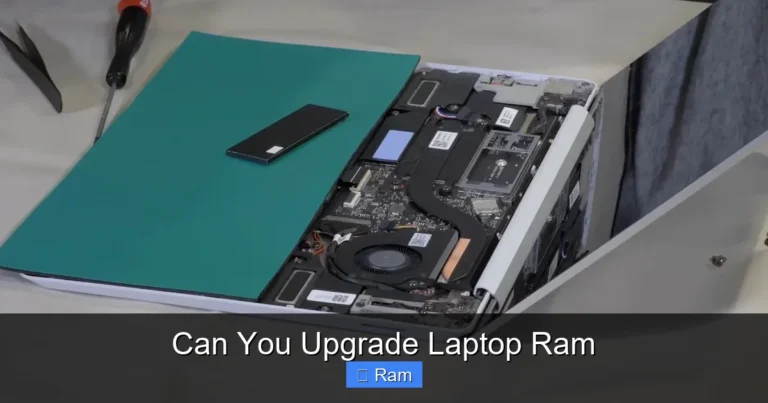
Many laptops allow you to add more RAM later. This is great news if you buy a system with 8GB now but think you might need 16GB eventually. Upgrading RAM is one of the easiest and most affordable upgrades you can do.
Before you buy, check whether the laptop has an accessible RAM slot. Some ultrabooks seal the memory inside the chassis. Others have a dedicated panel on the bottom that gives you easy access. If upgradeability matters to you, look for models that allow it.
If you are curious about adding RAM using external methods, our guide on how to get extra RAM on a laptop with USB explores creative workarounds. Just keep in mind that internal RAM upgrades always deliver the best performance.
How to Check Your Current RAM
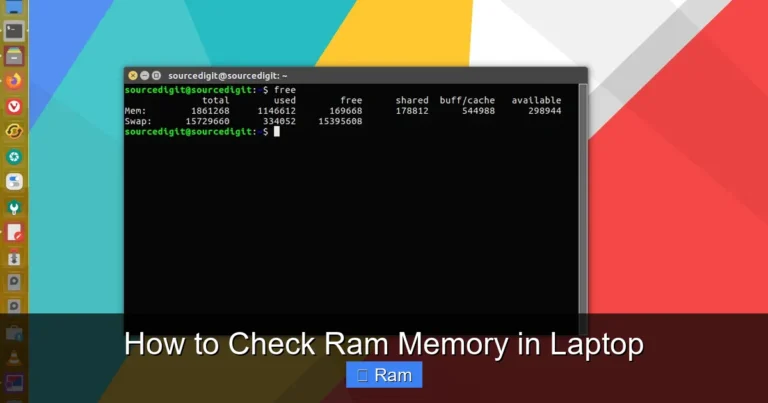
Not sure how much RAM your current laptop has? It is easy to check. Right-click on the Start button and select Task Manager. Go to the Performance tab and click on Memory. You will see your total RAM, how much is in use, and your speed. This helps you decide if an upgrade makes sense.
Who Benefits Most From 8GB RAM on Windows 10?
Not everyone needs the same amount of memory. Here is a quick look at who gets the most out of 8GB RAM on a Windows 10 laptop.
Students
Students need to run browsers, word processors, and research tools simultaneously. 8GB handles all of this without any issues. It is the perfect memory size for schoolwork and online classes.
Remote Workers
Remote workers juggle video calls, email, cloud apps, and documents all day. 8GB keeps everything running smoothly. You will not experience lag during important meetings or deadlines.
Casual Users
If you use your laptop for streaming, social media, and light browsing, 8GB is more than enough. You will enjoy a fast, responsive experience every day.
Small Business Owners
Running spreadsheets, accounting software, and communication tools? 8GB RAM handles these business apps with room to spare. It keeps your workflow efficient and professional.
Is 8GB RAM Enough for Gaming on Windows 10?
Light and indie games run well on 8GB RAM. Popular titles like Minecraft, League of Legends, and Fortnite can run at medium settings. You will get a good gaming experience without any major hiccups. For more demanding AAA titles, 16GB is recommended.
If gaming is a priority, consider pairing 8GB RAM with a dedicated graphics card. The GPU handles the heavy lifting in games, while the RAM keeps everything else running smoothly. For serious gamers, our article on gaming laptop with 64GB RAM covers high-end configurations. But for most casual and mid-range gamers, 8GB is a solid starting point.
How to Get the Best Performance From Your 8GB RAM Laptop
Having 8GB RAM is great. But you can squeeze even more performance out of it with a few simple tips.
- Keep Windows 10 updated. Updates include memory management improvements that help your system run better.
- Close unused apps and tabs. Every open app uses a portion of your RAM. Close what you are not using.
- Disable startup programs you do not need. Many apps launch at startup and eat up memory in the background.
- Use an SSD. This reduces the load on your RAM and speeds up everything.
- Run a malware scan regularly. Malicious software can secretly consume your memory resources.
- Adjust visual effects. Windows 10 has nice animations, but they use RAM. Turn off unnecessary effects for a speed boost.
Quick Tips for Maintaining Your Laptop’s RAM
- Restart your laptop at least once a week. This clears temporary memory and refreshes the system.
- Use the built-in Windows Memory Diagnostic tool if you notice slowdowns.
- Avoid running too many heavy apps at the same time.
- Keep your drivers updated for optimal memory management.
- Consider a RAM cleaning tool if you frequently use memory-heavy applications.
Final Thoughts
A Windows 10 laptop with 8GB RAM remains one of the best value picks in the market today. It delivers smooth performance for everyday tasks, handles multitasking with ease, and keeps your system responsive for years to come. Whether you are a student, a professional, or a casual user, 8GB of memory gives you a reliable and fast computing experience.
When shopping, remember to look at the full picture. Pair your RAM with a good processor, an SSD for storage, and a quality display. These components work together to create a laptop that feels fast and enjoyable to use every single day.
Do not fall for the trap of thinking more RAM is always better. For most Windows 10 users, 8GB is the perfect balance of performance and price. Make a smart choice, and your laptop will serve you well for many years.
Frequently Asked Questions
Is 8GB RAM enough for a Windows 10 laptop in 2024?
Yes, 8GB RAM is still plenty for most Windows 10 users in 2024. It handles web browsing, office work, video calls, and light creative tasks without any issues. Only very demanding workloads like heavy video editing or 3D rendering need more memory.
Can I upgrade from 8GB to 16GB RAM on my Windows 10 laptop?
Many laptops allow RAM upgrades, but it depends on the model. Check if your laptop has an accessible RAM slot and supports higher capacity. Some ultrabooks have soldered RAM that cannot be upgraded. Always verify upgradeability before purchasing.
What is the difference between 8GB and 16GB RAM on Windows 10?
8GB RAM handles everyday tasks smoothly, while 16GB RAM is better for heavy multitasking, professional software, and gaming. For most average users, 8GB is more than sufficient. The extra 8GB mainly benefits power users and specific workflows.
Does RAM speed matter on a Windows 10 laptop with 8GB?
RAM speed has a modest impact on overall performance. Faster RAM can improve frame rates in games and app loading times slightly. But for most everyday tasks, the amount of RAM (8GB) matters more than the speed. Focus on capacity first, then speed.
How do I check how much RAM my Windows 10 laptop has?
Right-click the Start button and open Task Manager. Click on the Performance tab, then select Memory. You will see your total RAM, usage, and speed. You can also go to Settings > System > About to find your installed memory details quickly.
Should I buy a Windows 10 laptop with 8GB RAM and HDD or SSD?
Always choose the SSD option. An SSD makes your laptop dramatically faster than a hard drive, even with the same amount of RAM. A laptop with 8GB RAM and a 256GB SSD will feel much snappier than one with an HDD. The storage type has a bigger impact on daily speed than many people realize.