Wheres the Cheapest Place to Get Ddr5 Laptop Ram Crucial
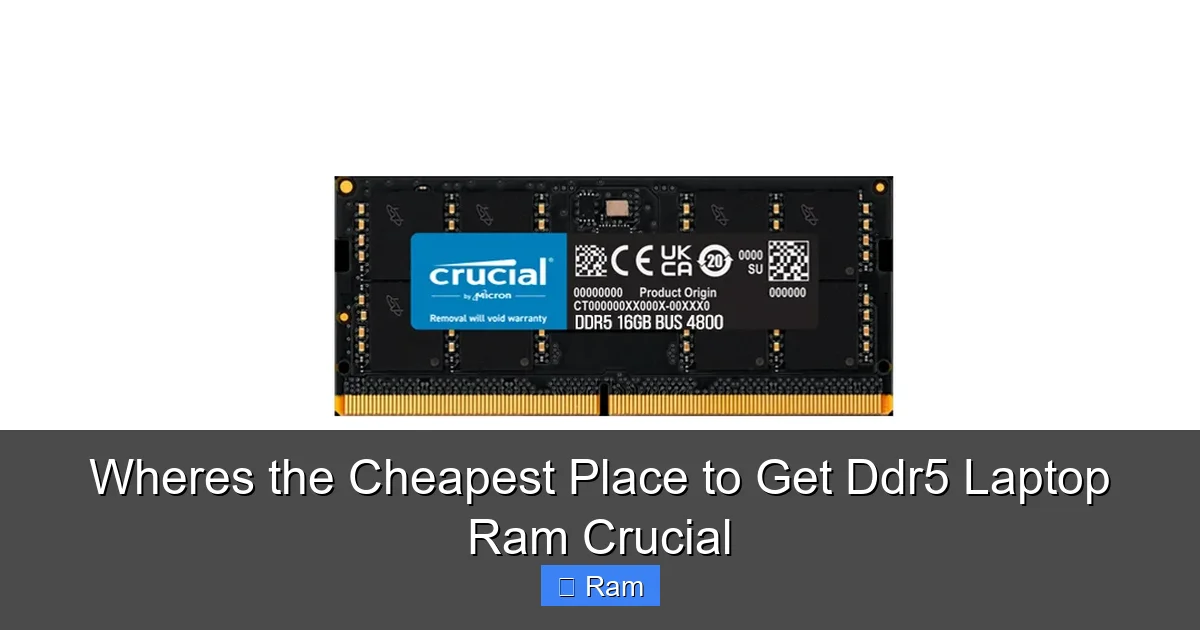
Finding the cheapest Crucial DDR5 laptop RAM isn’t just about one website; it’s a strategic hunt. Amazon and Newegg typically lead in aggressive pricing and lightning deals, especially for older or higher-capacity kits. However, direct from Crucial’s website and Best Buy offer crucial advantages in compatibility guarantees and easy returns that can save you from costly mistakes. The true cheapest spot changes daily, so mastering price tracking and understanding total cost (including shipping/tax) is the real key to the best deal.
Key Takeaways
- Price Leadership Shifts Daily: There is no single permanent “cheapest” store. Amazon, Newegg, and even Best Buy’s sale pages compete fiercely, with prices fluctuating based on stock, sales events, and seller competition.
- Total Cost is King: The listed price is a lie. Always factor in sales tax (which varies by state and seller) and shipping costs. A $5 cheaper RAM kit with $15 shipping loses to a slightly higher-priced one with free shipping.
- Seller Matters More Than Platform: On marketplaces like Amazon, always check if the seller is “Amazon.com” or a third-party. Third-party sellers can have higher prices, restocking fees, or questionable returns. Prioritize “Ships from and Sold by Amazon.com” or Crucial directly.
- Compatibility is Non-Negotiable: The cheapest incompatible RAM is the most expensive paperweight. Use Crucial’s free System Scanner or your laptop’s manual to confirm exact specs (DDR5 speed, PC/laptop type, maximum supported capacity) before buying any “deal.”
- Direct from Crucial is a Safe Bet: While not always the rock-bottom lowest price, Crucial’s official site guarantees 100% compatibility, a lifetime warranty, and a no-hassle return policy. This “peace of mind premium” is often worth the small extra cost for many buyers.
- Timing Your Purchase is Critical: Major sales events (Prime Day, Black Friday, Newegg’s “Shell Shocker” deals) and new product launches (like Intel/AMD CPU refreshes) trigger the deepest discounts on older DDR5 inventory.
- Beware of “Too Good to Be True” Used/Kits: Extremely low prices on eBay or sketchy sites often mean pulled from servers (high wear), mismatched kits (causing instability), or outright scams. For a critical component like RAM, buying new from a reputable retailer is almost always smarter.
📑 Table of Contents
- The Eternal Hunt: Finding the True “Cheapest” Crucial DDR5 Laptop RAM
- Why Crucial? And Why DDR5 Laptop RAM Specifically?
- The Retailer Showdown: Where to Actually Look
- The Art of the Deal: Advanced Price Hunting Strategies
- Avoiding the Pitfalls: Where the “Cheapest” Can Become Costly
- The Installation Checklist: Don’t Blow It at the Finish Line
- Conclusion: Your Action Plan for the Absolute Best Deal
The Eternal Hunt: Finding the True “Cheapest” Crucial DDR5 Laptop RAM
So, your laptop is feeling a little sluggish. You’ve done the research, read the benchmarks, and decided that a RAM upgrade is the smartest, most cost-effective way to breathe new life into your machine. You’ve also zeroed in on one of the best names in memory: Crucial. Their DDR5 laptop RAM is reliable, backed by a strong warranty, and their System Scanner tool is a lifesaver for compatibility. But now comes the real challenge: where in the world do you actually buy it without overpaying? The quest for the cheapest place to get Crucial DDR5 laptop RAM isn’t a simple answer—it’s a dynamic game of cat and mouse between retailers, and you, the savvy shopper, need to learn the rules.
Let’s be clear: “cheapest” doesn’t just mean the lowest sticker price. It means the lowest final, out-the-door cost for a product that is guaranteed to work in your specific laptop. This article is your complete field guide. We’ll dissect the major retailers, uncover their hidden strengths and pitfalls, arm you with pro-level price-tracking strategies, and ultimately help you make a decision that saves you money and headaches. Forget guessing; we’re going to methodically hunt down the best deal.
Why Crucial? And Why DDR5 Laptop RAM Specifically?
The Crucial Advantage: More Than Just a Price Tag
Before we shop, we need to confirm our target. Crucial (a division of Micron, one of the world’s largest memory manufacturers) stands out for a few key reasons. First, they make their own memory chips. This vertical integration means tighter quality control and often better pricing since they cut out the middleman brand. Second, their compatibility guarantee is industry-leading. You use their scanner, it recommends a part, and you can buy with immense confidence that it will work. Third, their lifetime warranty is straightforward and respected. When you’re chasing the absolute cheapest, you must ensure you’re not sacrificing these core benefits on the altar of a lower number.
Visual guide about Wheres the Cheapest Place to Get Ddr5 Laptop Ram Crucial
Image source: cdn.shopify.com
DDR5 Laptop RAM: The New Standard with Nuances
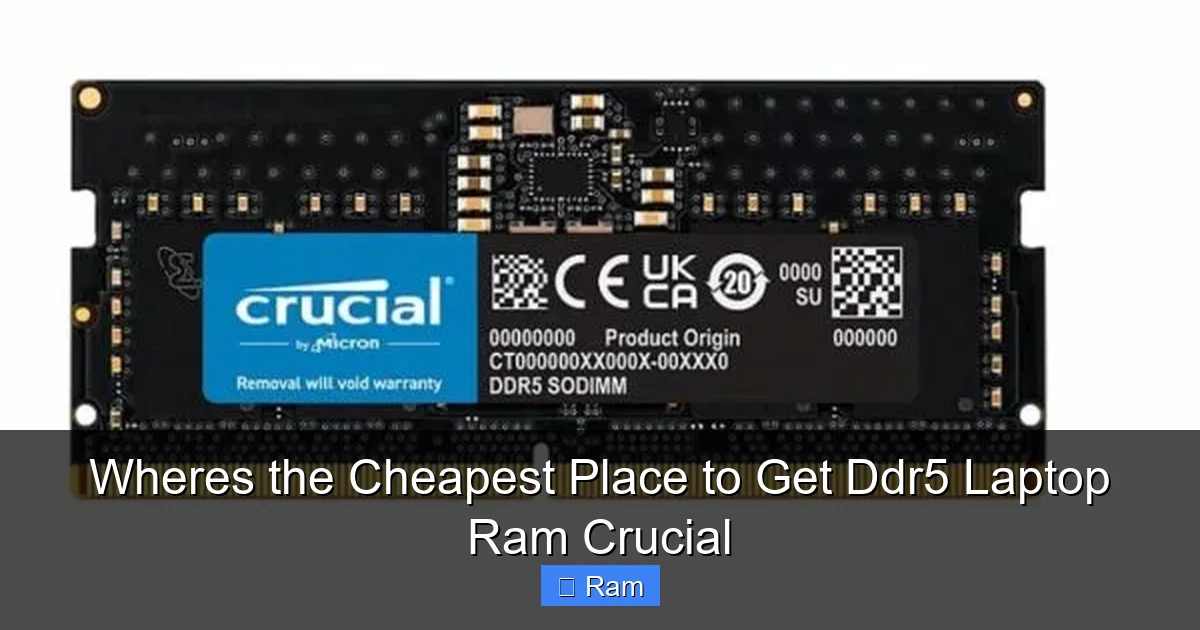
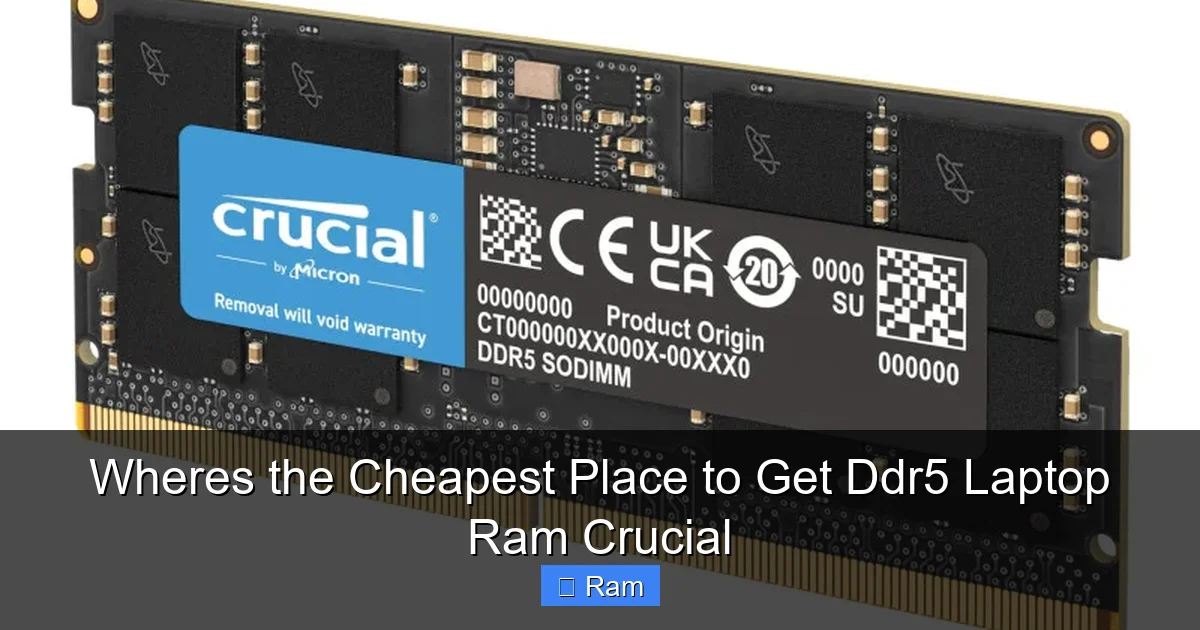
DDR5 is the current generation, offering higher speeds (4800 MT/s to 6400+ MT/s), better efficiency, and improved power management over DDR4. But here’s the critical nuance for laptop buyers: not all DDR5 is created equal for laptops. You are looking for SO-DIMM modules. These are the shorter, smaller footprint sticks designed specifically for laptops and mini-PCs. If you accidentally buy standard desktop DDR5 DIMMs, they will not fit. Furthermore, laptop motherboards often have strict limits on supported speeds and total capacity. This is why using Crucial’s scanner or your laptop’s service manual is step zero. The cheapest 32GB kit won’t help you if your laptop only supports 16GB or maxes out at 4800 MT/s.
The Retailer Showdown: Where to Actually Look
Now, to the main event. We’ll evaluate the primary destinations for Crucial DDR5 laptop RAM, ranking them not just on raw price, but on the complete value proposition.
Visual guide about Wheres the Cheapest Place to Get Ddr5 Laptop Ram Crucial
Image source: lagihitech.vn
1. Amazon: The Volume Leader & The Wild West
The Reality: Amazon is often the first stop and frequently the price leader, but with massive caveats. Its scale attracts third-party sellers who can undercut even Crucial’s own pricing by a few dollars, especially on older stock or higher-capacity kits like 32GB or 64GB.
- Pros: Unbeatable convenience, often free shipping with Prime, incredibly fast delivery, and a generally easy return process if you buy “Ships from and Sold by Amazon.com.” Lightning Deals and daily fluctuations can produce jaw-dropping prices.
- Cons: The marketplace is a minefield. You must scrutinize the seller. A third-party seller might have a 15% restocking fee, a 30-day return window instead of a lifetime warranty, or sell “for parts only” kits. The product listing might show a Crucial part number, but the seller could be bundling mismatched sticks or using non-Crucial branding.
- The Pro Tip: Use the Amazon price history tool (like CamelCamelCamel) to see if a deal is truly historic or just a regular fluctuation. Filter your search to show only items “Ships from and Sold by Amazon.com” for the safest, most reliable experience, even if it’s $2-$5 more.
2. Newegg: The Tech Enthusiast’s Arena
The Reality: Newegg is a pure-play electronics retailer with a fiercely loyal customer base. Their pricing is highly competitive, and their “Shell Shocker” daily deals and “Combo” offers can bundle RAM with other components at a steal. They also have a robust user review system for products and sellers.
- Pros: Excellent for spotting sales on specific SKUs. Their “Open Box” deals can offer significant discounts on like-new products (though be cautious with RAM). The community feedback on product pages is often more technically detailed than Amazon’s. They frequently offer free shipping.
- Cons: Their main inventory can sometimes be priced slightly higher than Amazon’s lightning deals. The interface can be cluttered with “Newegg Shuffle” raffles for hot items. Like Amazon, you must check the seller—”Newegg” is best, but they also have “Newegg Marketplace” sellers.
- The Pro Tip: Sign up for Newegg’s newsletter and follow their social media for flash sale alerts. Use their detailed filter system to sort by price, speed, and capacity precisely. Their “Price Drop” alerts on specific product pages are invaluable.
3. Best Buy: The Brick-and-Mortar Bridge with Online Perks
The Reality: Best Buy is the dark horse in this race. Their online prices are sometimes higher, but their “Deal of the Day” and “Weekly Ad” can feature Crucial kits at prices that match or beat online-only retailers. The biggest advantage is the seamless integration with their physical stores.
- Pros: The “Buy Online, Pick Up In-Store” (BOPIS) option is a game-changer. You can get the item same-day without shipping costs or wait. Their return policy in-store is extremely straightforward. Their own-brand (Insignia) isn’t relevant here, but they often have competitive sales on name brands like Crucial to drive foot traffic.
- Cons: Their standard online pricing is rarely the absolute lowest. Inventory in physical stores for specific DDR5 laptop RAM kits is spotty at best.
- The Pro Tip: Check Best Buy’s online “Deals” section religiously. Use their store inventory checker on a product page. If it shows available at your local store at the sale price, you can buy online and walk out with it in an hour—effectively making it the “cheapest” when you factor in time and shipping.
4. Crucial.com (Direct): The Compatibility & Warranty Sanctuary
The Reality: This is your baseline and your safe harbor. Crucial’s website will almost never be the rock-bottom cheapest for a given part number. They have a price to maintain brand value and retailer relationships. However, it is the most reliable source.
- Pros: 100% guaranteed compatibility via their scanner (which links directly to the recommended part). Lifetime warranty handled directly by the manufacturer. No middleman for RMAs. Their system scanner is the gold standard for confirming your laptop’s exact requirements. No risk of getting a mismatched or used kit.
- Cons: Price. You are paying a slight premium for the warranty and guarantee. They rarely have site-wide sales, though occasional bundle offers exist. Shipping is usually standard (free over a certain amount).
- The Pro Tip: Use the Crucial website as your verification tool first. Run the scanner, note the exact part number (e.g., CT32G48C40U5), and then use that precise part number to hunt on Amazon, Newegg, etc. This eliminates guesswork. If the price difference is less than $10-$15, the direct purchase for peace of mind is often worth it.
5. Other Players: Micro Center, B&H, Walmart
The Reality: These are situational. Micro Center has legendary in-store pricing, but their online prices are often higher and they have limited physical locations. If you live near one, it’s a must-check. B&H Photo Video is excellent for photography/videography laptops (like Dell XPS, MacBook Pro) and has no sales tax outside NY/NJ, which can make their price competitive. Walmart online can have occasional shockingly low prices on Crucial kits, but their inventory is inconsistent and third-party seller quality varies wildly. Always apply the same seller scrutiny as on Amazon.
The Art of the Deal: Advanced Price Hunting Strategies
Knowing the field is half the battle. The other half is employing smart tactics to catch prices at their absolute nadir.
Visual guide about Wheres the Cheapest Place to Get Ddr5 Laptop Ram Crucial
Image source: lasus.com.co
Master Price Tracking Tools
You cannot manually check five sites every day. You need automation. CamelCamelCamel (for Amazon) and Keepa (for Amazon and Newegg) are free browser extensions and websites that show you the complete price history of any product. Look for a long, flat plateau at a high price, followed by a sharp, deep dip—that’s a genuine sale. If the price is constantly bouncing up and down, the “deal” might just be the regular low point. Set up alerts for your specific Crucial part number.
Timing is Everything: The Sales Calendar
Major retail events are when old DDR5 stock gets cleared to make room for newer, faster kits. Prime Day (July), Black Friday/Cyber Monday (November), and Newegg’s own “Black November” are the big ones. Also, watch for back-to-school (August) and New Year sales. The period just after a major new CPU launch (like a new Intel Core series or AMD Ryzen series) is also prime time, as laptops with older memory get discounted.
The “Total Cost” Calculation: A Real-World Example
Let’s compare two hypothetical deals for a Crucial 16GB DDR5-5600 SO-DIMM kit (Part: CT16G56C46S5).
Deal A (Amazon 3rd-Party Seller): $62.99 + $8.99 shipping + $5.50 tax (CA) = $77.48
Deal B (Newegg Sold by Newegg): $68.99 with free shipping + no tax (TX) = $68.99
Even though the sticker price on Deal A was $6 cheaper, Deal B wins by $8.49 because of shipping and tax. Always do this math in a spreadsheet for your top 3 contenders.
Avoiding the Pitfalls: Where the “Cheapest” Can Become Costly
The pursuit of a bargain can lead you into dangerous territory. Here are the traps to avoid.
The Used/Server Pull Trap
You’ll see Crucial DDR5 modules on eBay, Facebook Marketplace, or from obscure online stores for 40-50% off. This is almost always “server pull” or “pulled from working equipment.” Server RAM is run 24/7 at high temperatures and has vastly different timing and stress profiles than laptop RAM. It may work, but it’s a gamble on lifespan and stability. For a mission-critical laptop, it’s a risk not worth the savings.
The Mismatched Kit Nightmare
DDR5, more than DDR4, is sensitive to having matched sticks (same brand, model, speed, timings, and ideally from the same production batch). Buying two “identical” Crucial 8GB sticks from two different sellers or even two different Amazon listings might mean they have different chips (Hynix vs. Samsung vs. Micron) and won’t play nice together in dual-channel mode, causing crashes. Always buy a single, factory-matched kit (e.g., a “16GB Kit (2 x 8GB)”). Never piece together a kit from individual sticks.
The “Refurbished” or “B-stock” Gray Area
Some sellers list “Refurbished” Crucial RAM. Crucial themselves rarely do this. This usually means the module was returned, tested, and resold. The risk is higher wear on the memory cells. The warranty is often shortened or transferred poorly. The potential $5-$10 savings is rarely worth the uncertainty.
The Installation Checklist: Don’t Blow It at the Finish Line
You’ve scored the perfect deal. Now, you must install it correctly. A bad installation can make a good RAM module seem faulty.
- Power Down Completely: Shut down the laptop, unplug the charger, and for good measure, hold the power button for 10 seconds to discharge residual power.
- Ground Yourself: Use an anti-static wrist strap or frequently touch the laptop’s bare metal chassis to discharge static electricity. A static zap can destroy a RAM module instantly.
- Find the Right Compartment: Most modern laptops have a dedicated bottom panel secured by screws. Some ultrabooks have the RAM soldered. Use your laptop’s manual or a reliable iFixit guide for your specific model.
- Release the Clips Gently: The SO-DIMM is held by two small retaining clips. Use your fingernails or a plastic spudger to gently pry them outward simultaneously. The module will pop up at an angle.
- Seat it Firmly & Lock: Pull the module out, align the notch (it only fits one way), insert it at the same angle, and press down firmly and evenly until the clips snap back into place with a satisfying click. You should feel resistance; it’s not supposed to be loose.
- Verify in BIOS/UEFI: Before closing up, power on and enter the BIOS/UEFI settings (usually F2, F10, Del at boot). Check that the full capacity is recognized and the speed is correct (e.g., 5600 MT/s). If it shows the wrong speed, you may need to enable XMP/EXPO in the BIOS, but many laptops run JEDEC speeds automatically.
Conclusion: Your Action Plan for the Absolute Best Deal
The search for the cheapest Crucial DDR5 laptop RAM is a process, not a destination. Your final, optimized strategy should look like this:
- Start with Crucial’s Scanner. Get the exact, guaranteed-compatible part number. This is your anchor.
- Set Price Alerts. Use CamelCamelCamel/Keepa on that exact part number across Amazon and Newegg.
- Check the “Safe” List First. Daily, glance at the prices for that part number on Crucial.com, Best Buy, and Newegg (sold by Newegg). Note the “Total Cost” for each.
- Hunt the Flash Sales. When your alert triggers, jump on it. Check Amazon (sold by Amazon) and Newegg’s Shell Shocker page. Compare the final cost.
- Make the Call. If the price difference between the safe, direct-from-Crucial option and the marketplace deal is < $15, take the safe route. If the marketplace deal is significantly cheaper (20%+) and sold by a reputable seller with a strong return policy, go for it.
- Buy and Install. Follow the installation checklist perfectly. Once booted, run a memory test like Windows Memory Diagnostic or MemTest86 to ensure stability.
By following this disciplined approach, you transcend the simple question of “where is it cheapest?” and become a strategic shopper who consistently wins. You get the performance boost of Crucial DDR5 RAM at the best possible price, with the peace of mind that your laptop will run faster and more reliably for years to come. Happy hunting, and enjoy your newly upgraded machine!
Frequently Asked Questions
Is it safe to buy Crucial DDR5 laptop RAM from third-party sellers on Amazon?
It can be, but you must be vigilant. Only buy if the seller is “Amazon.com” itself or has a stellar rating (98%+), a long history, and a clear, generous return policy that mirrors Amazon’s. Avoid sellers with recent negative feedback about fake or mismatched products. The risk of getting a non-matching kit or a module with a shortened warranty is real with low-rated third parties.
Should I buy a single stick now and another identical one later to save money?
Absolutely not. For optimal dual-channel performance and system stability, you must purchase a factory-matched kit (e.g., a 2x8GB or 2x16GB kit sold together). Sticks from different production batches, even if the same model number, can have slight timing differences that cause instability. The potential savings is never worth the headache of crashes and blue screens.
What’s more important: the lowest price or the highest speed (e.g., DDR5-5600 vs. 6400)?
For the vast majority of laptop users, compatibility and capacity are king. Your laptop’s chipset and BIOS will determine the maximum supported speed. Buying a 6400 MT/s kit for a laptop that only supports 4800 MT/s will simply run at 4800. First, ensure the capacity (e.g., 32GB total) meets your needs. Then, get the fastest speed your laptop officially supports according to Crucial’s scanner. Don’t overpay for speed you can’t use.
Can I use Crucial desktop DDR5 RAM in my laptop?
No. Laptops use SO-DIMM modules, which are physically smaller than the standard DIMM modules used in desktop PCs. They are not interchangeable. The product listings will clearly say “Laptop” or “Notebook” Memory or specify “SO-DIMM.” Always double-check the form factor before purchasing.
Is buying “Open Box” RAM from Best Buy or Newegg a good way to save?
It can be, but with caution. “Open Box” typically means someone bought it, opened it, and returned it. The RAM may have been used briefly. For memory, this is less of a concern than for a hard drive, as there’s no mechanical wear. The risk is that it was returned due to incompatibility or defect. Ensure the “Open Box” item is sold by the retailer itself (Best Buy/Newegg) and comes with a full, original warranty. The discount is usually modest (5-10%).
My laptop already has 8GB soldered. Can I add a Crucial 16GB stick to make 24GB total?
Possibly, but it’s a mixed-capacity configuration. Modern systems can handle asymmetrical memory, but you will likely lose the full performance benefit of dual-channel mode for the entire memory range. The first 16GB (8GB soldered + 8GB of the new stick) may run in dual-channel, while the remaining 8GB runs in single-channel. It will work and be faster than 8GB alone, but for best performance, a matched pair (replacing the soldered module if possible, or using two identical new sticks in slots that support it) is ideal. Check your laptop’s specific architecture online (e.g., “Dell XPS 13 9310 memory configuration”).