1tb Nvme Pcie 4.0 Ssd
The 1tb NVMe PCIe 4.0 SSD delivers blazing-fast speeds up to 7000 MB/s read, making it a game-changer for gamers, creators, and everyday users. This guide covers everything you need to know, from speed benchmarks to installation tips. You will learn why upgrading to a PCIe Gen 4 drive can transform your system.
Key Takeaways
- Blazing Speeds: A 1tb NVMe PCIe 4.0 SSD offers read speeds up to 7000 MB/s, far outpacing older drives.
- Easy Installation: Most modern PCs and laptops support M.2 slots for simple upgrades.
- Great Value: Prices have dropped significantly, making high-performance storage affordable.
- Gaming and Work Boost: Faster load times and smoother multitasking are immediate benefits.
- Compatibility Matters: Check your motherboard for PCIe Gen 4 support before buying.
- Thermal Management: Heatsinks help maintain peak performance during heavy workloads.
📑 Table of Contents
What Is a 1tb NVMe PCIe 4.0 SSD?
A 1tb NVMe PCIe 4.0 SSD is a high-speed solid-state drive that uses the NVMe protocol over a PCIe Gen 4 interface. Let us break that down. NVMe stands for Non-Volatile Memory Express. It is a fast communication standard built just for flash storage. PCIe 4.0 is the fourth generation of the PCI Express bus. It doubles the bandwidth of PCIe 3.0.
In plain terms, this means your storage works much faster. You get read speeds that can hit 7000 MB/s. Write speeds often reach 5000 MB/s or higher. Compare that to a regular SATA SSD, which maxes out around 550 MB/s. The difference is night and day.
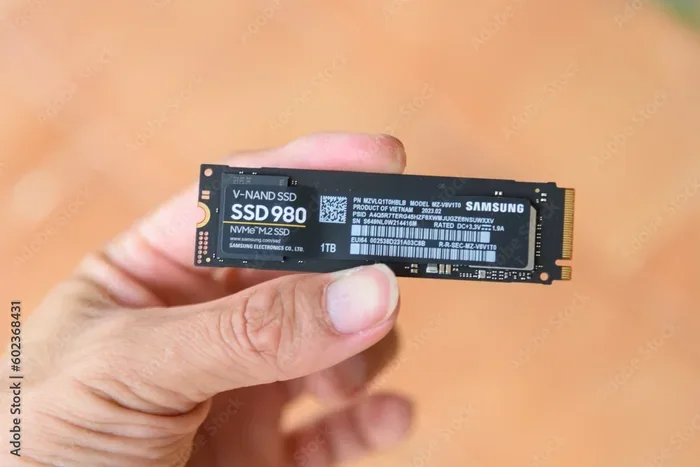
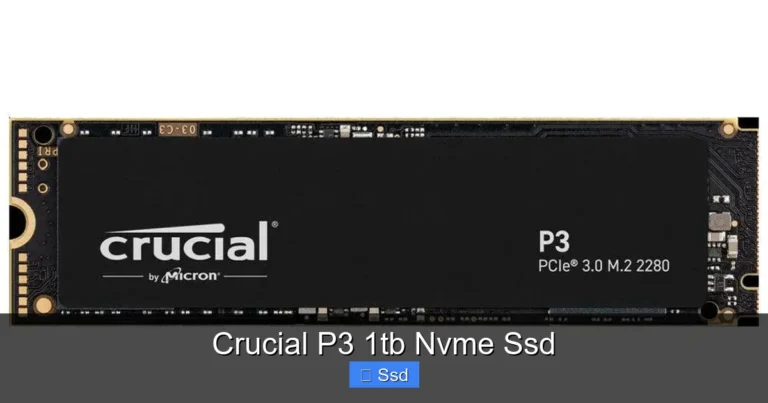
A 1tb NVMe PCIe 4.0 SSD gives you one terabyte of storage. That is enough space for your operating system, dozens of games, creative projects, and large media files. It fits into an M.2 slot on your motherboard. This compact form factor makes it perfect for desktops and laptops alike.
If you are still using a hard drive or an older SATA SSD, the upgrade is shocking. Your system will feel brand new. Boot times drop to seconds. Applications launch instantly. Files transfer in a flash. Let us dig deeper into why this matters.
Why Choose a 1tb NVMe PCIe 4.0 SSD?
Speed is the obvious reason. But there is more to consider. A 1tb NVMe PCIe 4.0 SSD offers a complete package of performance, capacity, and value.
Speed That Changes Everything
PCIe Gen 4 doubles the bandwidth of Gen 3. You get up to 16 GT/s per lane. A typical 1tb NVMe PCIe 4.0 SSD uses four lanes. That gives you massive throughput. Sequential reads can exceed 7000 MB/s. Sequential writes often hit 5000 MB/s or more.
What does this mean in real life? Here are some examples:
- Game loading: Open-world games load in seconds instead of minutes.
- Video editing: Scrubbing through 4K footage becomes smooth and responsive.
- File transfers: Moving a 50GB folder takes under 10 seconds.
- System boot: Windows starts in 5 to 8 seconds.
The 1tb NVMe PCIe 4.0 SSD also handles random read and write operations incredibly well. This is what makes your system feel snappy during everyday use. Opening apps, switching tabs, and searching files all happen near instantly.
Capacity for Modern Needs
One terabyte is a sweet spot. It gives you enough room without breaking the bank. You can store:
- Your Windows installation and essential software
- 10 to 20 AAA games at 50 to 100 GB each
- Thousands of high-resolution photos
- Hours of 4K video footage
- Large project files for creative work
If you need more space, you can always pair a 1tb NVMe PCIe 4.0 SSD with a larger hard drive or SATA SSD for bulk storage. This hybrid setup gives you speed where it matters and capacity where you need it.
Affordability and Value
Prices for PCIe Gen 4 drives have dropped a lot. A 1tb NVMe PCIe 4.0 SSD now costs around $60 to $90 depending on the brand. That is only slightly more than a PCIe Gen 3 drive. The performance jump makes it well worth the small price difference.
When you compare a 1tb NVMe PCIe 4.0 SSD to a traditional hard drive, the value is even clearer. A 1TB HDD might cost the same, but it is nowhere near as fast. The SSD upgrade pays for itself in time saved every single day.
How Does PCIe 4.0 Compare to PCIe 3.0?
Understanding the difference helps you make a smart buying decision. PCIe 3.0 was the standard for several years. PCIe 4.0 is the newer generation. Here is a quick look at the key differences.
Bandwidth Comparison
PCIe 3.0 offers about 8 GT/s per lane. PCIe 4.0 doubles that to 16 GT/s per lane. For a four-lane M.2 drive, this means:
- PCIe 3.0: Max theoretical bandwidth of about 3500 MB/s
- PCIe 4.0: Max theoretical bandwidth of about 7000 MB/s
Real-world speeds are a bit lower than theoretical maxes. But even so, a 1tb NVMe PCIe 4.0 SSD delivers roughly double the speed of a Gen 3 drive. That is a huge improvement.
Is PCIe 4.0 Worth It?
For most users, absolutely. The speed gains are noticeable in every task. If you are a gamer, the difference in load times is immediate. If you work with large files, the faster transfer speeds save you precious minutes throughout the day.
However, you do need a compatible motherboard. Check that your board supports PCIe Gen 4 on the M.2 slots. Many modern boards from AMD and Intel do. If you have an older board, it might only support PCIe 3.0. In that case, a Gen 4 drive will still work but run at Gen 3 speeds.
Some users wonder if they should wait for PCIe 5.0. Drives like the Crucial T705 PCIe Gen 5 NVMe M.2 SSD are already available. But Gen 5 drives are still expensive. For most people, a 1tb NVMe PCIe 4.0 SSD is the best balance of speed and price right now.
Top Features to Look For
Not all NVMe drives are the same. When shopping for a 1tb NVMe PCIe 4.0 SSD, keep an eye on these features.
NAND Flash Type
Most high-performance drives use TLC NAND. That stands for Triple-Level Cell. TLC stores three bits per cell. It offers a great balance of speed, endurance, and price. Some budget drives use QLC NAND, which stores four bits per cell. QLC is cheaper but slower and less durable. Stick with TLC for the best experience.
DRAM Cache
A DRAM cache helps the drive manage data efficiently. Drives with DRAM tend to be faster and more consistent. They handle heavy workloads better. Look for models that include a DRAM buffer for the best performance.
Thermal Management
Fast drives generate heat. Under sustained workloads, they can slow down if they get too hot. Many 1tb NVMe PCIe 4.0 SSD models come with a heatsink included. Others work fine without one. If your PC case has good airflow, you might not need a heatsink. But if you run intensive tasks for long periods, a heatsink helps maintain top speeds.
Warranty and Endurance
Check the warranty before you buy. Most quality NVMe drives come with a 5-year warranty. Look at the TBW rating too. TBW stands for Terabytes Written. It tells you how much data you can write over the drive’s lifetime. A higher TBW means better long-term durability.
How to Install a 1tb NVMe PCIe 4.0 SSD
Installing an M.2 NVMe SSD is one of the easiest upgrades you can do. You do not need cables or special tools. Here is a simple step-by-step guide.
Step 1: Check Compatibility
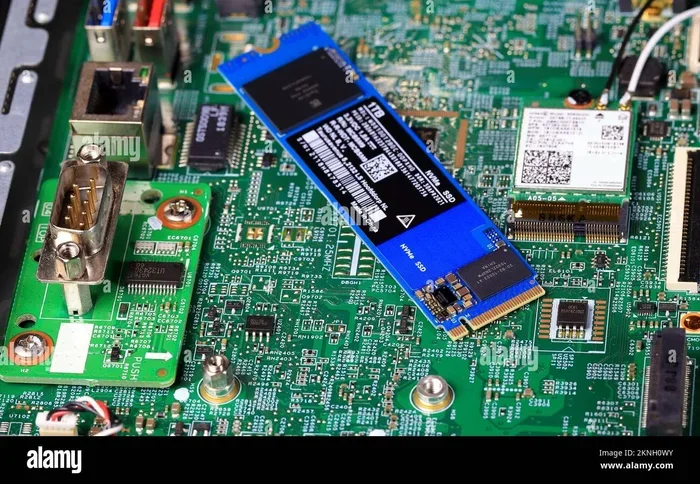
Open your PC case and look at the motherboard. Find the M.2 slots. These are small slots near the CPU or chipset. Check your motherboard manual to confirm the slot supports PCIe Gen 4 and NVMe. Most modern boards do.
Step 2: Prepare the Drive
Remove the 1tb NVMe PCIe 4.0 SSD from its packaging. Hold it by the edges. Do not touch the gold connectors. If the motherboard has a standoff already installed, you are good to go. If not, screw one in first.
Step 3: Insert the Drive
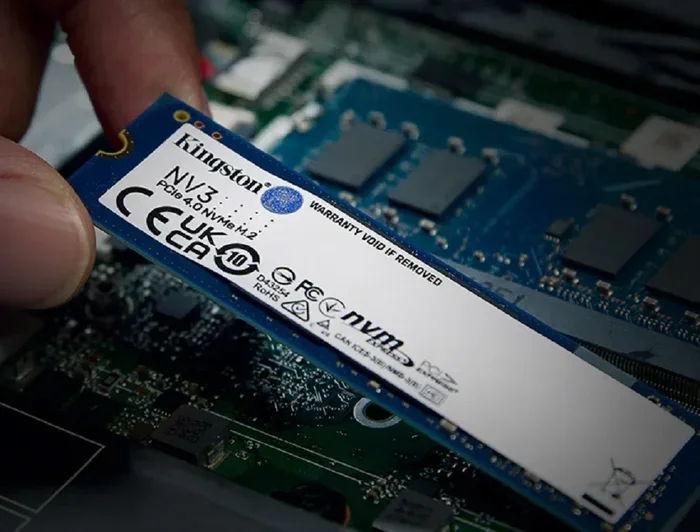
Hold the SSD at a 30-degree angle. Align the notch on the connector with the key in the M.2 slot. Gently push the drive down into the slot. It should slide in smoothly. Secure it with the small screw that came with the motherboard.
Step 4: Initialize and Format
Close your PC case. Boot into Windows. Open Disk Management. The new drive should appear as unallocated space. Right-click and select “Initialize Disk.” Choose GPT partition style. Then format the drive as NTFS. Your 1tb NVMe PCIe 4.0 SSD is ready to use.
Quick Tips for Installation
- Ground yourself before touching components to avoid static damage.
- Do not force the drive into the slot. It should slide in easily.
- Keep the screw snug but not overtightened.
- If the drive does not show up, check the BIOS settings to make sure M.2 is enabled.
Common Mistakes to Avoid
Even with a simple upgrade, some mistakes can cause problems. Here are a few to watch out for.
- Buying without checking compatibility: Not all motherboards support PCIe Gen 4. Always verify first.
- Skipping the BIOS update: Some older boards need a BIOS update to support Gen 4 speeds. Check the manufacturer’s website.
- Ignoring thermal throttling: Without proper cooling, a fast SSD can slow down under heavy use. A heatsink solves this.
- Using the wrong partition style: Always use GPT for modern systems. MBR is outdated and limits drive capacity.
- Not enabling NVMe in BIOS: Some systems default to legacy mode. Make sure NVMe mode is turned on.
Avoiding these simple mistakes ensures you get the full speed and reliability from your 1tb NVMe PCIe 4.0 SSD. Take a few extra minutes to check your setup before installing.
Who Benefits Most From a 1tb NVMe PCIe 4.0 SSD?
Almost anyone can benefit from this upgrade. But some users will see the biggest improvements.
Gamers will love the faster load times. Games open quickly and run smoother. Large open-world titles benefit the most. Video editors and content creators will appreciate the fast file transfers and smooth timeline scrubbing. Students and professionals will enjoy faster boot times and snappy application performance.
Even casual users will notice a big difference. Everything on your PC will feel faster. The 1tb NVMe PCIe 4.0 SSD is a simple upgrade with a huge impact.
If you are still deciding, consider pairing your new drive with a high-quality NVMe PCIe M.2 SSD setup for maximum compatibility. The investment pays off quickly in saved time and better performance.
Final Thoughts
A 1tb NVMe PCIe 4.0 SSD is one of the best upgrades you can make to any PC or laptop. The speed is incredible. The capacity is practical. And the price has become very reasonable. Whether you are a gamer, a creator, or just someone who wants a faster computer, this drive delivers.
Installation is simple and straightforward. The performance gains are immediate and noticeable. You will wonder how you ever lived without it. Do not let your old slow storage hold you back any longer. Upgrade to a 1tb NVMe PCIe 4.0 SSD today and experience the difference for yourself.
For those exploring further options, you might also want to look at 1TB NVMe M.2 SSD options or compare with the latest NVMe M.2 PCIe SSD choices available on the market. Each option brings its own strengths to the table.
Frequently Asked Questions
What is the average read speed of a 1tb NVMe PCIe 4.0 SSD?
Most 1tb NVMe PCIe 4.0 SSD drives offer sequential read speeds between 6500 MB/s and 7400 MB/s. Actual speeds vary by brand and model. The Samsung 980 Pro and WD Black SN850 are popular choices that hit these speeds consistently.
Do I need a special motherboard for PCIe 4.0?
You need a motherboard with an M.2 slot that supports PCIe Gen 4. Many modern boards from AMD and Intel do support it. Check your motherboard manual or specs online before buying. If your board only supports Gen 3, a Gen 4 drive will still work but at slower speeds.
Is a 1tb NVMe PCIe 4.0 SSD good for gaming?
Absolutely. Games load much faster on an NVMe drive compared to a hard drive or SATA SSD. Open-world games with large asset files benefit the most. You will notice shorter load screens and smoother level transitions during gameplay.
Does a 1tb NVMe PCIe 4.0 SSD need a heatsink?
It depends on your workload. For light to moderate use, most drives run cool without a heatsink. For heavy tasks like large file transfers or sustained video rendering, a heatsink helps prevent thermal throttling. Many drives come with a heatsink included, so check the product listing.
Can I use a 1tb NVMe PCIe 4.0 SSD in a laptop?
Yes, if your laptop has an M.2 slot that supports NVMe PCIe 4.0. Many modern gaming laptops and ultrabooks do. Check your laptop specifications before purchasing. The compact M.2 form factor makes it a great upgrade for laptops too.
How long does a 1tb NVMe PCIe 4.0 SSD last?
Most quality NVMe SSDs last 5 to 7 years under normal use. The TBW rating gives you a good idea of endurance. A typical 1TB drive might have a TBW rating of 600 to 1200 terabytes. For most users, the drive will last well beyond its warranty period.