4.0 Nvme M 2 Ssd
The 4.0 NVMe M 2 SSD delivers blazing-fast speeds and massive storage in a tiny form factor. This guide covers everything you need to know, from performance benefits to the best options on the market.
If you are building or upgrading a PC today, you have probably heard the term 4.0 NVMe M 2 SSD thrown around a lot. And for good reason. These drives are incredibly fast, compact, and represent the current sweet spot for storage performance. Whether you are a gamer, a content creator, or someone who just wants a snappier computer, understanding what a 4.0 NVMe M 2 SSD brings to the table is essential.
In this guide, we will break down everything you need to know. We will cover what makes PCIe 4.0 special, how it compares to older generations, what to look for when buying one, and which options deliver the best value. By the end, you will have a clear picture of whether a 4.0 NVMe M 2 SSD is the right upgrade for you.
The world of solid state storage has evolved rapidly. From the early SATA drives to the modern NVMe M 2 SSD format, the jump in performance has been nothing short of dramatic. A 4.0 NVMe M 2 SSD takes that evolution to the next level, offering speeds that would have seemed impossible just a few years ago.
Key Takeaways
- Blazing Speeds: PCIe 4.0 NVMe M 2 SSDs offer read speeds up to 7,000 MB/s and write speeds up to 5,000 MB/s.
- Compact Design: The M 2 form factor fits in small laptops and desktops without taking up space.
- Gaming and Workloads: These drives excel at game loading, video editing, and heavy data transfers.
- Compatibility Matters: You need a PCIe 4.0-ready motherboard to unlock full performance.
- Affordability: Prices have dropped significantly, making 4.0 NVMe M 2 SSDs accessible for most budgets.
- Heat Management: Heatsinks and proper airflow keep these drives running cool under heavy loads.
📑 Table of Contents
What Is a 4.0 NVMe M 2 SSD?
Let us start with the basics. A 4.0 NVMe M 2 SSD is a solid state drive that uses the PCIe 4.0 interface and the NVMe protocol. It comes in the M 2 form factor, which is a small rectangular stick that plugs directly into your motherboard. The name itself tells you a lot. “4.0” refers to the fourth generation of PCIe, “NVMe” stands for Non-Volatile Memory Express, and “M 2” describes the physical shape and size of the drive.
Compared to older SATA SSDs, a 4.0 NVMe M 2 SSD is a completely different beast. SATA III tops out around 550 MB/s in real-world use. A PCIe 3.0 NVMe drive can reach about 3,500 MB/s. But a PCIe 4.0 drive? It pushes past 7,000 MB/s on reads. That is more than double the speed of PCIe 3.0. The jump is massive and it changes how your computer feels during everyday tasks.
How Does PCIe 4.0 Work?
PCIe 4.0 doubles the bandwidth of PCIe 3.0. Each lane can move 2 GB per second instead of 1 GB per second. Most 4.0 NVMe M 2 SSDs use four lanes, which gives them a theoretical ceiling of 8 GB per second. In practice, you see read speeds around 6,500 to 7,400 MB/s and write speeds in the 4,500 to 5,300 MB/s range depending on the model.
The NVMe protocol is also important. Unlike AHCI, which was designed for spinning hard drives, NVMe was built from the ground up for flash memory. It reduces latency and allows the drive to handle thousands of parallel commands. This is why a 4.0 NVMe M 2 SSD feels so responsive, even when you are multitasking with heavy applications.
Benefits of Upgrading to a 4.0 NVMe M 2 SSD
So why should you care about a 4.0 NVMe M 2 SSD? The benefits go way beyond just numbers on a spec sheet. Here is what you actually get in real-world use.
- Faster Boot Times: Your operating system loads in seconds instead of minutes. A Windows boot on a 4.0 NVMe M 2 SSD can take as little as 8 to 12 seconds.
- Instant Game Loading: Modern games like Call of Duty and Cyberpunk 2077 load dramatically faster. Open-world games benefit the most because they stream assets constantly.
- Quick File Transfers: Moving a 50 GB folder from one drive to another takes minutes instead of tens of minutes.
- Smoother Video Editing: Scrubbing through 4K footage in Premiere Pro or DaVinci Resolve becomes much smoother when your media is on a fast drive.
- Better Multitasking: You can run several demanding applications at once without slowdowns. The high random read speeds of a 4.0 NVMe M 2 SSD make this possible.
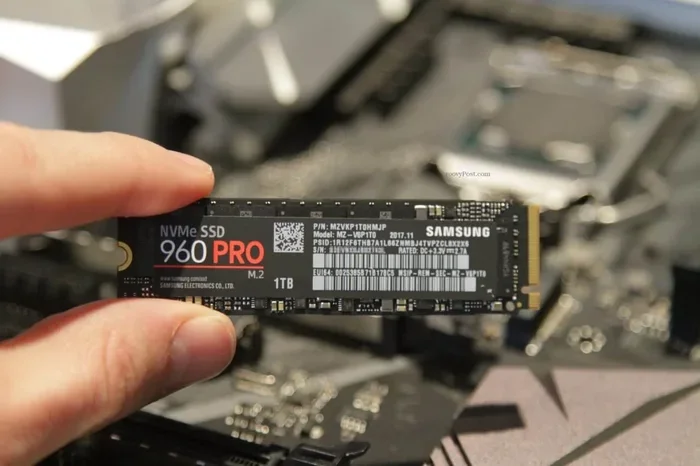
One thing that often gets overlooked is the compact size. The M 2 form factor is tiny, usually about the size of a stick of gum. This means you can install a 4.0 NVMe M 2 SSD in laptops and small form factor PCs where a 2.5-inch drive simply would not fit. It is storage that fits where other drives cannot.
4.0 vs 3.0 NVMe M 2 SSD: What Is the Real Difference?
Many people wonder if upgrading from PCIe 3.0 to PCIe 4.0 is worth it. The honest answer is: it depends on your use case. Here is a simple comparison.
| Feature | PCIe 3.0 NVMe M 2 | PCIe 4.0 NVMe M 2 |
|---|---|---|
| Max Read Speed | ~3,500 MB/s | ~7,000 MB/s |
| Max Write Speed | ~3,000 MB/s | ~5,000 MB/s |
| Bandwidth per Lane | 1 GB/s | 2 GB/s |
| Launch Year | 2015 | 2019 |
| Price (1TB) | $50-$70 | $60-$90 |
| Power Draw | Lower | Slightly Higher |
The speed difference is clear. But for basic tasks like web browsing and office work, you may not notice a huge difference between PCIe 3.0 and 4.0. The real gains show up in large file transfers, gaming, and professional workloads. If you are choosing between the two, a 4.0 NVMe M 2 SSD is the better long-term investment because it future-proofs your system.
Top Picks for 4.0 NVMe M 2 SSDs in 2024
The market is full of options, and choosing the right 4.0 NVMe M 2 SSD can feel overwhelming. Here are some standout choices that deliver great performance for most users.
Corsair MP600 Core XT
The Corsair MP600 Core XT is one of the most popular PCIe 4.0 drives available right now. It offers read speeds up to 7,100 MB/s and write speeds up to 6,800 MB/s. It uses a Phison E18 controller and comes with a heatsink included. This is a solid choice for gamers and everyday users alike. You can read more about this drive in our Corsair MP600 Core XT M 2 NVMe SSD review.
Crucial T705
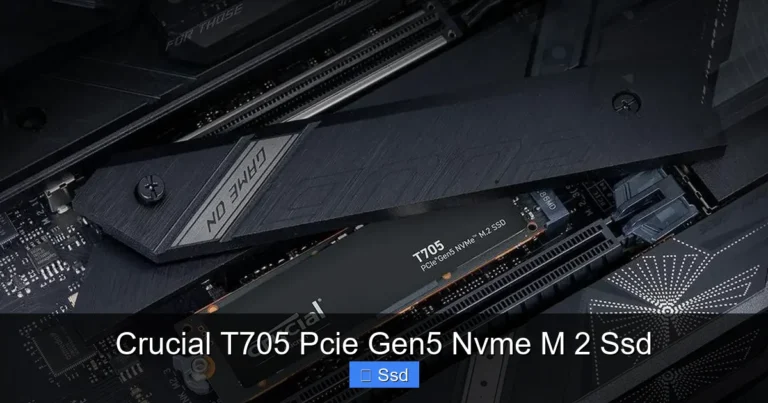
The Crucial T705 is another excellent option. It delivers sequential read speeds up to 7,400 MB/s and write speeds up to 6,800 MB/s. What makes the T705 stand out is its competitive pricing and strong endurance ratings. It is available in 1TB, 2TB, and even 4TB capacities. If you want a reliable 4.0 NVMe M 2 SSD for heavy workloads, the T705 deserves a look.
Kingston NV2
For budget-conscious users, the Kingston NV2 offers solid PCIe 4.0 performance at a lower price point. It may not match the top-tier drives in sustained write speeds, but for the price, it is hard to beat. The Kingston NV2 is a great entry point into the world of 4.0 NVMe M 2 SSDs.
How to Choose the Right 4.0 NVMe M 2 SSD
Not all 4.0 NVMe M 2 SSDs are created equal. Before you buy, consider these key factors to make sure you get the right drive for your needs.
Capacity
Drives come in common sizes like 500GB, 1TB, 2TB, and 4TB. For most users, 1TB is the sweet spot. It gives you enough room for your operating system, several games, and everyday files without breaking the bank. If you work with large video files or have a massive game library, consider a 2TB or even a 4TB NVMe M 2 SSD.
Sequential vs Random Performance
Sequential speeds get all the attention, but random read and write speeds matter just as much for everyday use. Random performance affects how fast your system opens apps, loads small files, and handles multitasking. Look for drives with high IOPS (input/output operations per second) numbers. A good 4.0 NVMe M 2 SSD should deliver at least 800,000 to 1,000,000 random read IOPS.
DRAM Cache and NAND Type
Most high-end PCIe 4.0 SSDs use TLC (triple-level cell) NAND flash memory. TLC offers a great balance of speed, endurance, and cost. Some drives also include a DRAM cache, which stores a mapping table for faster access. Drives with DRAM tend to perform better under heavy mixed workloads. If you want a deeper dive into NAND types and how they affect performance, check out our guide on Solid State Drive Pcle 3 0 Tlc Nvme M 2 Ssd.
Heatsink and Thermal Design
PCIe 4.0 SSDs run hotter than their PCIe 3.0 counterparts. Many 4.0 NVMe M 2 SSDs come with a built-in heatsink, but if yours does not, you can buy an M 2 NVMe enclosure or a standalone heatsink. Keeping your drive cool helps maintain peak speeds and extends its lifespan. Some motherboards even have M 2 heatsinks built right into the board.
Motherboard Compatibility
Here is the most important thing to check before buying. Your motherboard must support PCIe 4.0 on the M 2 slot you plan to use. Not all M 2 slots are created equal. Some run at PCIe 3.0 speeds even if you install a PCIe 4.0 drive. Check your motherboard manual or look up the specs online. A 4.0 NVMe M 2 SSD will still work in a PCIe 3.0 slot, but you will not get the full speed benefit.
Installation and Setup Tips
Installing a 4.0 NVMe M 2 SSD is one of the easiest PC upgrades you can do. Here is a quick walkthrough.
- Find the M 2 Slot: Locate the M 2 slot on your motherboard. It is usually labeled and looks like a small slot with a screw hole at one end.
- Remove the Heatsink (if needed): Some motherboards have a heatsink covering the M 2 slot. Remove it carefully.
- Insert the Drive: Align the notch on the SSD with the key in the slot. Push the drive down gently at a 30-degree angle until it seats firmly.
- Secure with the Screw: Use the small M 2 screw that came with your motherboard to fasten the drive in place.
- Replace the Heatsink: If you removed one, put it back on now.
- Boot and Format: Enter your BIOS to confirm the drive is detected, then format and install your operating system or use it as a secondary drive.
Quick tip: If your BIOS does not show the drive, make sure you have the latest firmware for your motherboard. Some older boards need a BIOS update to properly recognize PCIe 4.0 devices.
Common Mistakes to Avoid
- Forgetting the Screw: The drive can become loose over time without the screw, causing connection issues.
- Ignoring Thermal Pads: Some drives need thermal pads to transfer heat to the motherboard heatsink. Check your drive’s manual.
- Mixing PCIe Generations: Installing a PCIe 4.0 drive in a PCIe 3.0 slot will work, but you will get PCIe 3.0 speeds.
Future-Proofing Your Storage with a 4.0 NVMe M 2 SSD
The storage landscape is always evolving. PCIe 5.0 drives are already on the market, but they are still expensive and offer diminishing returns for most users. A 4.0 NVMe M 2 SSD today is still the best balance of performance, price, and availability. It will serve you well for years to come.
Games and applications are getting larger. A single game can now exceed 150 GB. Having a fast drive that can keep up with modern storage demands is more important than ever. Whether you are building a new gaming rig or upgrading an existing one, a 4.0 NVMe M 2 SSD is one of the most impactful upgrades you can make.
For those who want to explore even higher capacities, a 2TB NVMe M 2 SSD or 4TB NVMe M 2 SSD gives you plenty of headroom. These larger drives are perfect for content creators who work with massive video files or for users who want to store their entire game library on one fast drive.
One more thing worth mentioning is the role of enclosures. If you need to connect your 4.0 NVMe M 2 SSD externally, an M 2 NVMe SSD enclosure is a great accessory. It turns your internal drive into a portable high-speed storage solution. You can find more about enclosures in our NVMe SSD M 2 Enclosure guide.
Final Thoughts
A 4.0 NVMe M 2 SSD is one of the best upgrades you can make to any modern computer. The speed gains are real and noticeable, the form factor is compact, and prices continue to come down. Whether you are a gamer who wants faster load times, a creator who needs quick file access, or simply someone who wants a more responsive PC, a PCIe 4.0 NVMe M 2 drive delivers.
Take the time to choose the right capacity, check your motherboard compatibility, and consider cooling solutions. With the right 4.0 NVMe M 2 SSD, your computer will feel faster and more capable than ever before.
Frequently Asked Questions
What does NVMe stand for?
NVMe stands for Non-Volatile Memory Express. It is a communication protocol designed specifically for flash storage like SSDs. It allows the drive to communicate directly with the CPU through the PCIe bus, which is much faster than the older AHCI protocol used by SATA drives.
Is a 4.0 NVMe M 2 SSD worth it over a PCIe 3.0 drive?
Yes, for most users it is worth the small premium. The speed difference is significant, especially for large file transfers, gaming, and professional workloads. PCIe 4.0 is also becoming the new standard, so investing in it now helps future-proof your system.
Can I use a 4.0 NVMe M 2 SSD in an older motherboard?
You can physically install it, but if the motherboard only supports PCIe 3.0, the drive will run at PCIe 3.0 speeds. It will still be faster than a SATA SSD, but you will not get the full PCIe 4.0 benefit. Always check your motherboard specs before buying.
Do I need a heatsink for a 4.0 NVMe M 2 SSD?
It is recommended, especially for high-performance drives. PCIe 4.0 SSDs generate more heat than older drives. A heatsink helps maintain stable speeds and prevents thermal throttling. Many drives come with heatsinks included, but you can also buy them separately.
How long do 4.0 NVMe M 2 SSDs last?
Most quality 4.0 NVMe M 2 SSDs are rated for several hundred terabytes written (TBW). A typical 1TB TLC NVMe drive might be rated for 600 TBW or more, which translates to many years of normal use. The NAND type and controller quality play a big role in longevity.
What is the difference between M 2 and other SSD form factors?
M 2 is a small, flat form factor that plugs directly into the motherboard. It is much smaller than a 2.5-inch SSD. The M 2 format supports both SATA and NVMe protocols, but NVMe M 2 SSDs are significantly faster. The compact size makes M 2 ideal for laptops and small PCs.