How to Slide in Fortnite
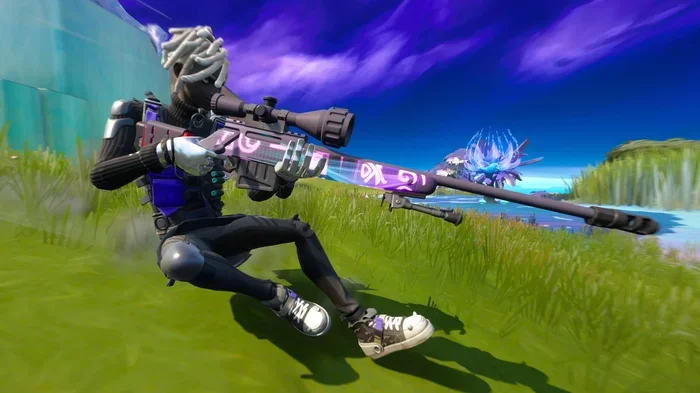
Sliding in Fortnite is one of the most important movement skills for any player. This guide teaches you how to slide in Fortnite from basic controls to advanced techniques like the slide cancel. You will learn how to use sliding for faster movement, better combat positioning, and smoother building. With practice, these skills will give you a real edge in every match.
Sliding in Fortnite is one of the most satisfying and effective movement skills you can add to your gameplay. If you have been watching pro players glide across the map and wonder how they do it, you are in the right place. This guide breaks down everything you need to know about how to slide in Fortnite, from the simplest basics to advanced techniques that will make you stand out in every match.
Whether you are playing on a PC or a console, sliding works the same way. The key is practice and understanding when to use it. In this article, we will walk you through every step. You will learn the basic controls, advanced tricks like the slide cancel, and how to use sliding to your advantage in combat. By the end, you will be sliding into every fight with confidence and style.
Before diving into the techniques, it helps to have a smooth gaming setup. Fast storage like an NVMe SSD ensures your game loads quickly and runs without lag. Having enough RAM in your system keeps everything running smoothly while you play. If you are on a laptop, consider upgrading your RAM for better overall performance. A solid setup lets you focus on your sliding and movement without any technical hiccups.
Key Takeaways
- Sliding is a core movement mechanic: Learning how to slide in Fortnite gives you a huge speed and positioning advantage over other players.
- Basic controls are easy to master: Sprint and crouch to initiate a slide in just a few taps on your keyboard or controller.
- Advanced techniques like slide cancel boost your speed: This is a key skill for competitive players who want to move faster and fight smarter.
- Sliding into combat works great: You can surprise enemies and build quickly after landing for a strong first strike.
- Avoid common mistakes: Do not slide into open areas without cover and always keep your camera adjusted to see threats.
- Practice makes perfect: Spend time in creative maps to drill your sliding skills until they become second nature.
- Use the right setup: A well-configured gaming setup with fast storage and enough RAM helps your overall performance in Fortnite.
📑 Table of Contents
What Is Sliding in Fortnite and Why It Matters
Sliding is a movement mechanic in Fortnite that lets your character crouch and glide across the ground at high speed. When you slide, your character drops into a low crouch and moves faster than normal running. This simple action opens up a lot of possibilities in fortnite gameplay.
Sliding is not just for looking cool. It serves real purposes in battle royale matches. You can use sliding to quickly reposition during a fight, escape from danger, or surprise an enemy by rushing in from an unexpected angle. Many players also use sliding to build structures faster because the slide mechanic lets you transition from movement to building almost instantly.
In competitive fortnite battle royale, movement is everything. Players who master sliding gain a clear edge. You can cover more ground, dodge incoming fire, and get into optimal fighting positions faster than players who only run. The slide mechanic is one of the fundamental skills that separates average players from great ones.
Why Sliding Is So Popular
Sliding became a huge part of Fortnite culture. Streamers and pro players use it constantly in their gameplay. The smooth animation and speed boost make it feel great to execute. Over time, Epic Games has refined the sliding system to make it more responsive and rewarding. Now, sliding is a core part of the game that every player should learn.
Here are some key reasons sliding matters:
- Speed boost: Sliding moves you faster than walking or running on flat ground.
- Low profile: Your character is harder to hit when crouching and sliding.
- Quick repositioning: You can change direction fast during a heated fight.
- Smooth building transitions: Sliding right into a build gives you a speed advantage.
- Style points: Let us be honest, sliding looks awesome and adds flair to your gameplay.
How to Slide in Fortnite: Basic Controls
Learning the basic slide is the first step. The controls are simple and easy to remember. Once you get the hang of it, sliding will feel natural and automatic.
Here is how to do it on different platforms:
- On PC (Keyboard and Mouse): Hold the sprint button (Shift by default) and then press the crouch button (Ctrl by default). Your character will immediately start sliding forward.
- On Controller: Hold the sprint button (Bumper on Xbox or R1 on PlayStation) and then press the crouch button (B on Xbox or Circle on PlayStation).
- On Mobile: Use the sprint button and then tap the crouch button on your mobile controls.
That is all it takes to start sliding. The moment you press crouch while sprinting, your character drops into a slide. You will notice the speed boost right away.
Timing the Slide
The timing of your slide matters. If you press crouch too early or too late, you might not get the full speed boost. The best approach is to start sprinting and then press crouch while you are already moving forward. Do not stop before sliding. Keep your momentum going.
Here is a simple practice routine:
- Find a flat open area in a match or creative map.
- Start sprinting in a straight line.
- Press the crouch button while keeping forward movement.
- Watch your character slide forward at high speed.
- Release the crouch button to stand back up.
Repeat this several times until it feels natural. The goal is to make sliding a reflex, not something you have to think about.
Quick Tip: On PC, you can bind the crouch button to a more accessible key if Ctrl feels awkward. Many players prefer to use a toggle crouch setting so they do not have to hold the button the entire time.
Advanced Sliding Techniques for Competitive Play
Once you have the basic slide down, it is time to level up. Advanced sliding techniques are what separate casual players from competitive ones. These moves give you more control, speed, and versatility in fights.
The Slide Cancel
The slide cancel is one of the most important advanced techniques in Fortnite. It lets you maintain your sliding speed while also being ready to build or shoot. Here is how it works:
- Start sliding by sprinting and crouching.
- While still sliding, press the jump button.
- Immediately after jumping, press the crouch button again.
- Your character will drop back into a slide with the same speed.
The slide cancel resets your slide timer and keeps you moving at full speed. This is incredibly useful when you need to slide across a long distance and then immediately build a wall or ramp for protection.
The Quick Slide
The quick slide is a shorter version of the regular slide. Instead of holding crouch the whole time, you tap it briefly. This gives you a quick burst of speed without committing to a full slide. It is great for small repositioning moves during a fight.
Comparing Sliding Techniques
Here is a comparison of the three main sliding techniques to help you understand when to use each one:
| Technique | How to Execute | Best Use Case | Speed Boost |
|---|---|---|---|
| Basic Slide | Sprint + Hold Crouch | Long distance repositioning | High |
| Slide Cancel | Slide + Jump + Crouch | Maintaining speed while building or fighting | High (sustained) |
| Quick Slide | Tap Crouch While Sprinting | Short bursts of speed in combat | Medium |
Each technique has its place. The basic slide is great for crossing open areas. The slide cancel is essential for competitive play where you need to stay mobile and ready to build. The quick slide is perfect for close-range fights where you need a sudden burst of speed.
Expert Insight: Pro players use the slide cancel more than any other technique. It keeps them moving at full speed while allowing them to build on the fly. If you want to play at a competitive level, mastering the slide cancel should be your top priority.
Sliding on Different Surfaces
Not all surfaces are the same when it comes to sliding. Sliding on flat ground gives you the best speed boost. Sliding on slopes can slow you down or change your direction unexpectedly. Sliding on stairs or ramps can also affect your momentum.
Keep these surface types in mind:
- Flat ground: Best for full speed slides. Use this for quick rotations across the map.
- Slopes and hills: Slides can pick up speed going downhill but slow down going uphill. Be careful with your positioning.
- Stairs and ramps: Slides on stairs can be jerky. Try to find flat ground before sliding for the smoothest experience.
- Water and lava: You cannot slide on water or lava surfaces. Plan your movement accordingly.
Sliding Into Combat and Building
Sliding is not just about moving fast. It is also a powerful tool in combat. Using the slide mechanic during fights can give you a significant advantage over players who only run and shoot.
Sliding Into a Fight
One of the best ways to use sliding in combat is to slide directly into an enemy engagement. When you slide into a fight, you present a smaller target and move faster than your opponent. This makes it harder for them to land shots on you while you close the distance.
Here is how to slide into combat effectively:
- Spot an enemy or a group of enemies.
- Start sprinting toward them from an angle they are not looking at.
- Initiate your slide just before you reach them.
- As you slide in, quickly build a wall or ramp for cover.
- Start shooting from behind your cover while staying in your slide position.
This approach is called sliding into cover and it is a favorite tactic among experienced Fortnite players. The combination of speed, low profile, and instant building makes it very hard for enemies to counter.
Building While Sliding
Building while sliding is one of the most advanced skills in Fortnite. It requires timing and practice, but once you get it, you will never go back to standing still in fights.
The key is to slide and build at the same time. As you slide forward, place a wall or ramp to protect yourself. This keeps your momentum going while giving you instant cover. Many pro players use this technique to rush into engagements and survive the initial burst of enemy fire.
Here are some tips for building while sliding:
- Practice the slide cancel so you can slide and build in one smooth motion.
- Keep your build hotkey close to your movement keys for quick access.
- Do not overbuild. One wall or ramp is usually enough while sliding.
- Use your camera to look around while sliding so you can spot threats.
Common Mistakes Players Make When Sliding
Even experienced players make mistakes with sliding. Knowing what to avoid is just as important as knowing what to do. Here are the most common errors players make when using the slide mechanic in Fortnite.
Sliding Into Open Areas
The biggest mistake is sliding into an open area with no cover. When you are sliding, you are moving fast and low. If an enemy spots you in the open, they have a clear shot at your head. Always make sure you have a wall, ramp, or natural cover nearby before you start sliding.
Forgetting to Look Around
When you are focused on sliding, it is easy to forget about your surroundings. You might slide straight into an enemy or trip over a trap. Always keep your camera moving and scan for threats while you slide. Use your peripheral vision to stay aware of nearby players.
Sliding When You Should Be Stationary
Sometimes standing still and building is better than sliding. If you are in a defensive position and the enemy is far away, sliding forward might put you in more danger. Use sliding when you need to reposition or push, not when you should be holding your ground.
Ignoring the Slide Timer
Sliding in Fortnite has a timer. If you hold crouch too long, your character will stand back up and you will lose the speed boost. This is where the slide cancel becomes essential. If you want to keep sliding, you need to cancel and restart the slide at the right time.
Common Mistakes to Avoid:
- Sliding without a plan or direction.
- Ignoring enemy positions before starting a slide.
- Holding crouch too long and losing the speed boost.
- Sliding on slopes without expecting direction changes.
- Forgetting to build after sliding into a fight.
Pro Tips to Master the Slide in Fortnite
Mastering the slide takes time and practice. Here are some pro tips that will help you improve faster and get the most out of every slide.
Practice in Creative Maps
Creative maps are the best place to practice sliding without the pressure of a real match. You can find many community-made sliding maps that let you drill your technique in a safe environment. Practice the basic slide, the slide cancel, and building while sliding until they feel automatic.
Adjust Your Sensitivity
Your camera sensitivity affects how well you can slide and look around at the same time. If your sensitivity is too high, you might overshoot your targets while sliding. If it is too low, you will not be able to react to threats quickly. Find a sensitivity that lets you slide smoothly while still aiming accurately.
Use Sliding With Other Movement
Sliding works best when combined with other movement techniques. Try sliding into a jump, or sliding and then dodging to the side. These combinations make your movement unpredictable and harder for enemies to track.
Watch Pro Players
One of the best ways to improve your sliding is to watch how pro players do it. Watch Fortnite tournaments or streamers who are known for their movement. Pay attention to when they slide, how they cancel slides, and how they combine sliding with building. You will pick up new techniques just by observing.
Quick Tips for Better Sliding:
- Always sprint before you slide to get the full speed boost.
- Practice the slide cancel until it becomes muscle memory.
- Use sliding to rotate between zones quickly during the storm.
- Combine sliding with editing for fast building in fights.
- Keep your game updated for the latest sliding mechanics and fixes.
Optimizing Your Setup for Better Movement
Your hardware setup plays a role in how well you can slide and move in Fortnite. A computer with enough RAM and fast storage ensures smooth gameplay without lag or stuttering. If your system struggles to keep up, your sliding will feel delayed and unresponsive.
For laptop players, upgrading your RAM can make a noticeable difference in game performance. More RAM means smoother frame rates and faster loading times, which helps you react quickly when sliding into combat. Pair this with a fast NVMe SSD and you will have a setup that keeps up with your fastest slides.
Make sure your peripherals are also optimized. A responsive gaming mouse and keyboard can make your sliding feel more precise and satisfying. On console, make sure your controller batteries are fresh for consistent input response.
Conclusion
Learning how to slide in Fortnite is a game-changer for your gameplay. From the basic slide to the advanced slide cancel, each technique adds speed, style, and strategy to your matches. The key is to practice consistently and use sliding in real matches until it becomes second nature.
Remember to avoid common mistakes like sliding into open areas or forgetting to build after a slide. Combine sliding with other movement and building skills for the best results. And make sure your gaming setup is optimized so that your hardware does not hold you back.
Now that you know how to slide properly, get into Fortnite and start practicing. The more you slide, the better you will get. Soon, you will be gliding across the map like a pro, surprising enemies, and dominating every match. Happy sliding!
Frequently Asked Questions
What button do I press to slide in Fortnite?
On PC, hold the sprint key (Shift) and then press the crouch key (Ctrl). On a controller, hold the sprint bumper or button and then press the crouch button. The slide starts immediately when you crouch while sprinting.
Can you slide on any surface in Fortnite?
No, you cannot slide on all surfaces. Sliding works best on flat ground. Slopes, stairs, and uneven terrain can slow you down or change your direction. Water and lava surfaces also do not allow sliding.
Is sliding faster than running in Fortnite?
Yes, sliding is faster than normal running on flat ground. The speed boost from sliding lets you cover more distance quickly. This makes sliding one of the best ways to reposition during a match.
How do you slide cancel in Fortnite?
To slide cancel, start sliding, then press jump, and immediately press crouch again. This resets your slide timer and keeps you moving at full speed. It is an essential technique for competitive players who need to stay mobile.
Does sliding help in gun fights?
Yes, sliding helps a lot in gun fights. You move faster, present a smaller target, and can slide into cover quickly. Combining sliding with building gives you a major advantage in close-range combat.
Can you slide while building in Fortnite?
Yes, you can build while sliding. This is called building while sliding and it is a key advanced technique. You slide forward and place a wall or ramp at the same time for instant cover during a fight.